Nonprofit Route Optimization Landing Page Template
Route is a Bold Brutalist nonprofit landing page template built for route optimization platforms serving food banks, disaster relief convoys, and mobile health clinics. It features a full-viewport dashboard preview header, a five-tab anchor navigation, and a click-through flow designed to push visitors into a free route simulation with zero friction.
by Rocket studio
Quick summary
Route is a single-page, hub-and-spoke landing page template designed for nonprofit route optimization platforms. It opens with a live-style dispatch dashboard, guides visitors through five anchor-linked proof sections, and closes with a floating call-to-action bar. The template is built to convert operations-focused visitors into free simulation users.
Who this template is for
This template is built for software teams and nonprofit technology providers who serve field operations organizations. It speaks directly to the people running logistics under pressure.
- Operations directors managing multi-van delivery fleets at regional nonprofits
- Volunteer coordinators dispatching drivers across unfamiliar neighborhoods
- Grant managers who need to document and prove every optimized route mile
What problem this template solves
Nonprofits running delivery logistics often rely on spreadsheets, paper routes, and manual dispatching. The result is wasted fuel, missed households, and no data trail for funders. This template addresses that gap head-on.
- It frames the cost of inefficiency in specific, hard-to-ignore numbers
- It guides skeptical visitors from problem awareness to product trust to action
- It removes friction from the conversion moment by leading to a no-signup simulation
What you get with this template
You get a fully structured, single-page landing page built around five anchor-linked content sections and a persistent call-to-action system. Every component is designed around the dispatch-wall-to-glowing-screen narrative in the source brief.
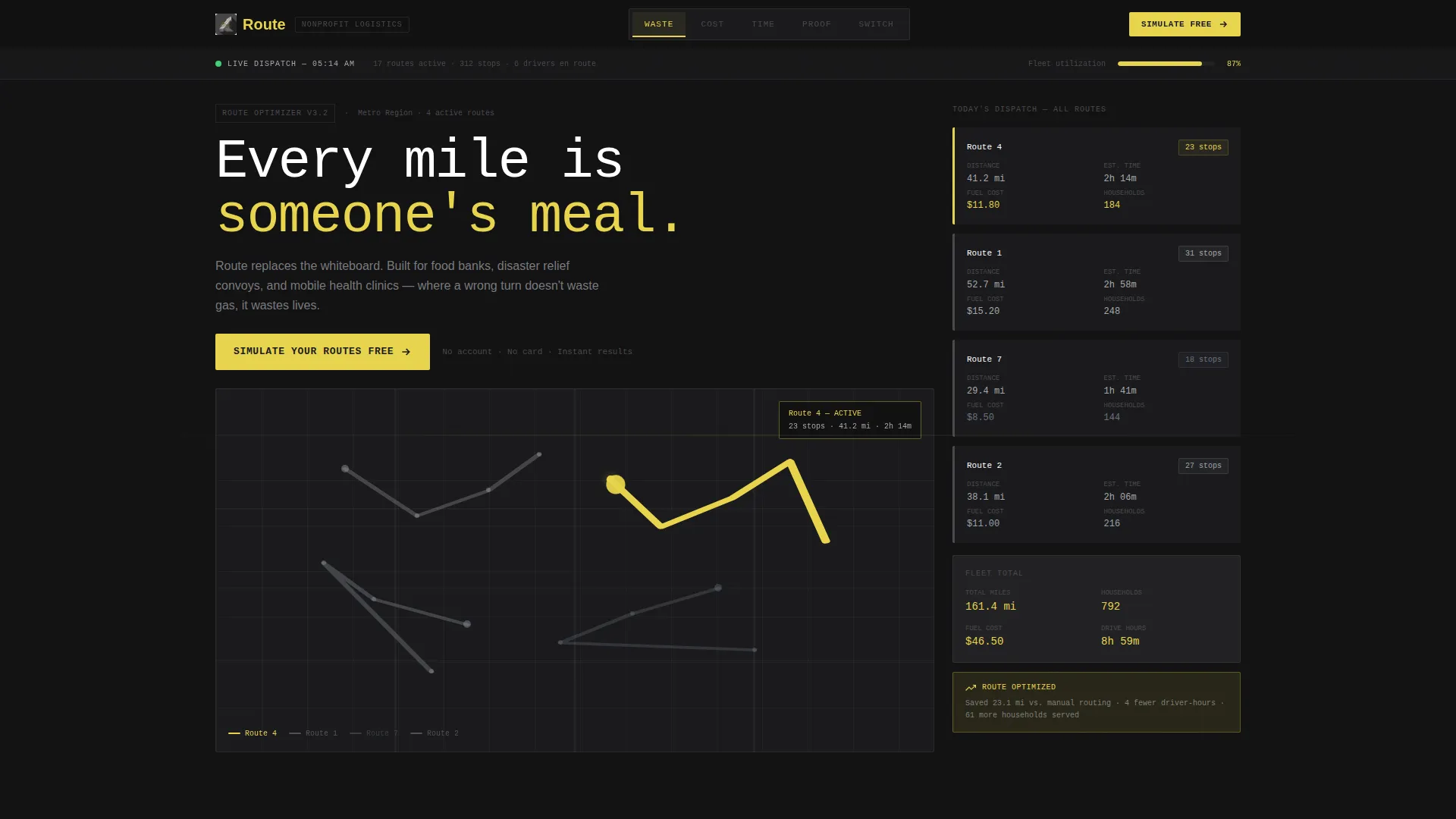
- A full-viewport dashboard preview header with live-style route data and a primary call-to-action button
- Five brutalist spoke sections labeled WASTE, COST, TIME, PROOF, and SWITCH, each anchored from the sticky nav
- A floating bottom call-to-action bar that locks in after the visitor passes the third spoke section
Feature list
This section covers the core capabilities built into the Route template.
Full-Viewport Dashboard Header
The header renders at full viewport width and displays a live-style route optimization interface. It shows seventeen delivery pins across a metro area, colored polylines, and a sidebar with drive time, fuel cost, and meals-per-mile data. A monospaced headline reads: "Every mile is someone's meal."
Five-Tab Anchor Navigation
A sticky navigation bar pins to the top of the page with five brutalist tabs: WASTE, COST, TIME, PROOF, and SWITCH. Each tab scrolls directly to its spoke section. This keeps long-page visitors oriented without losing momentum.
Industry Report Spoke Sections
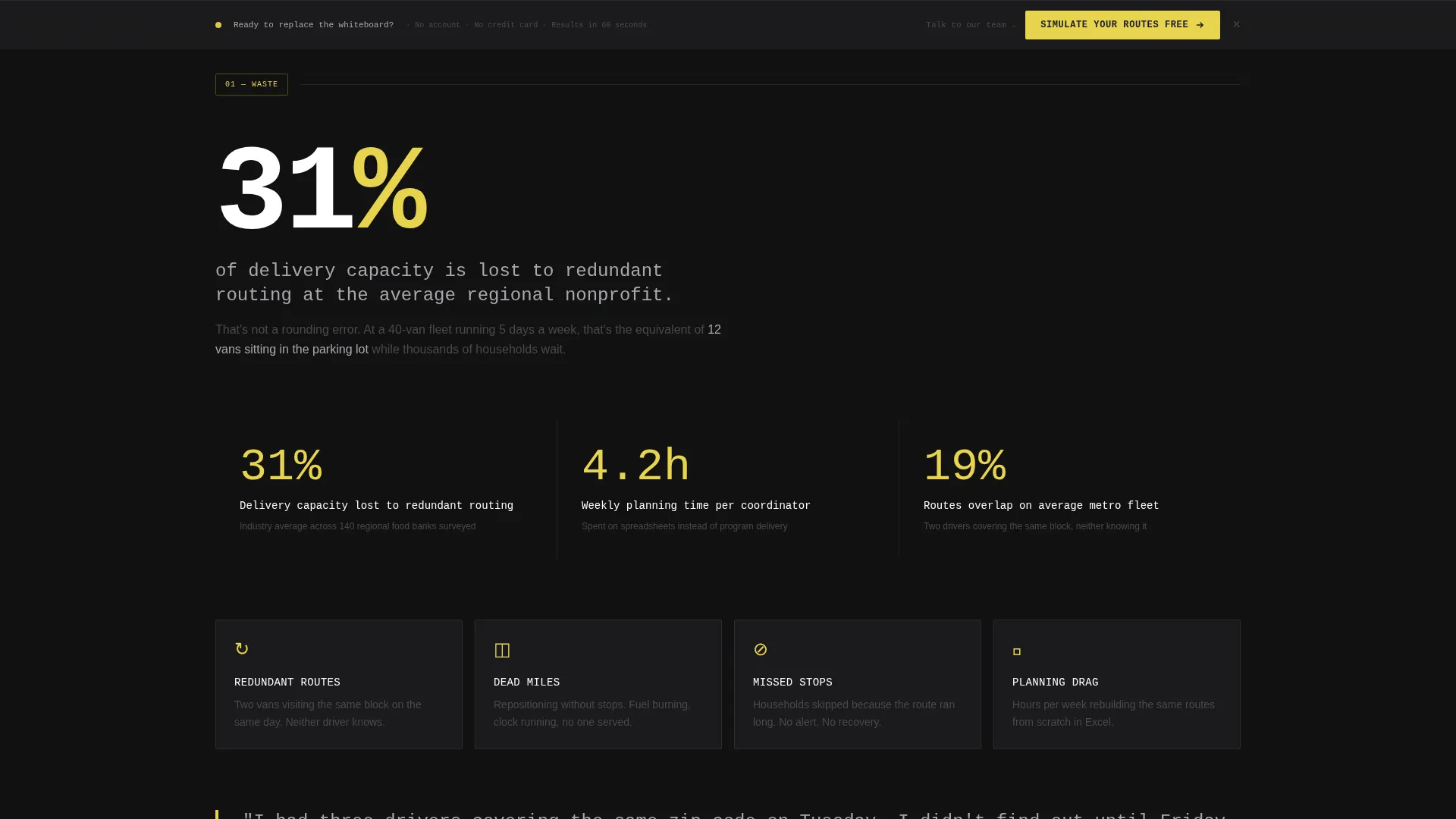
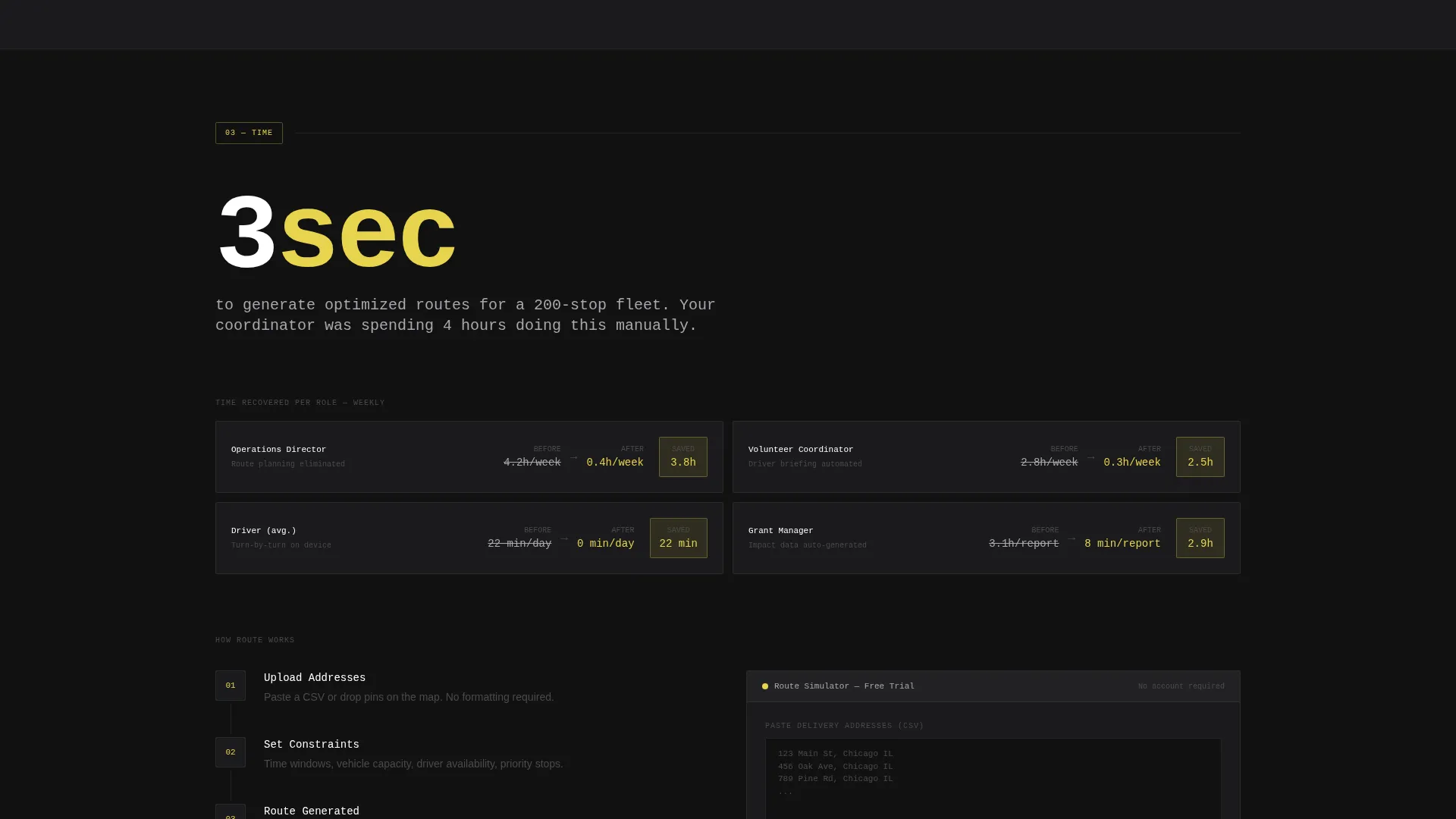
Each of the five spoke sections opens with an oversized display statistic before unpacking supporting data beneath it. The structure escalates from problem to cost to solution to evidence, building credibility with each scroll.
Layered Call-to-Action System
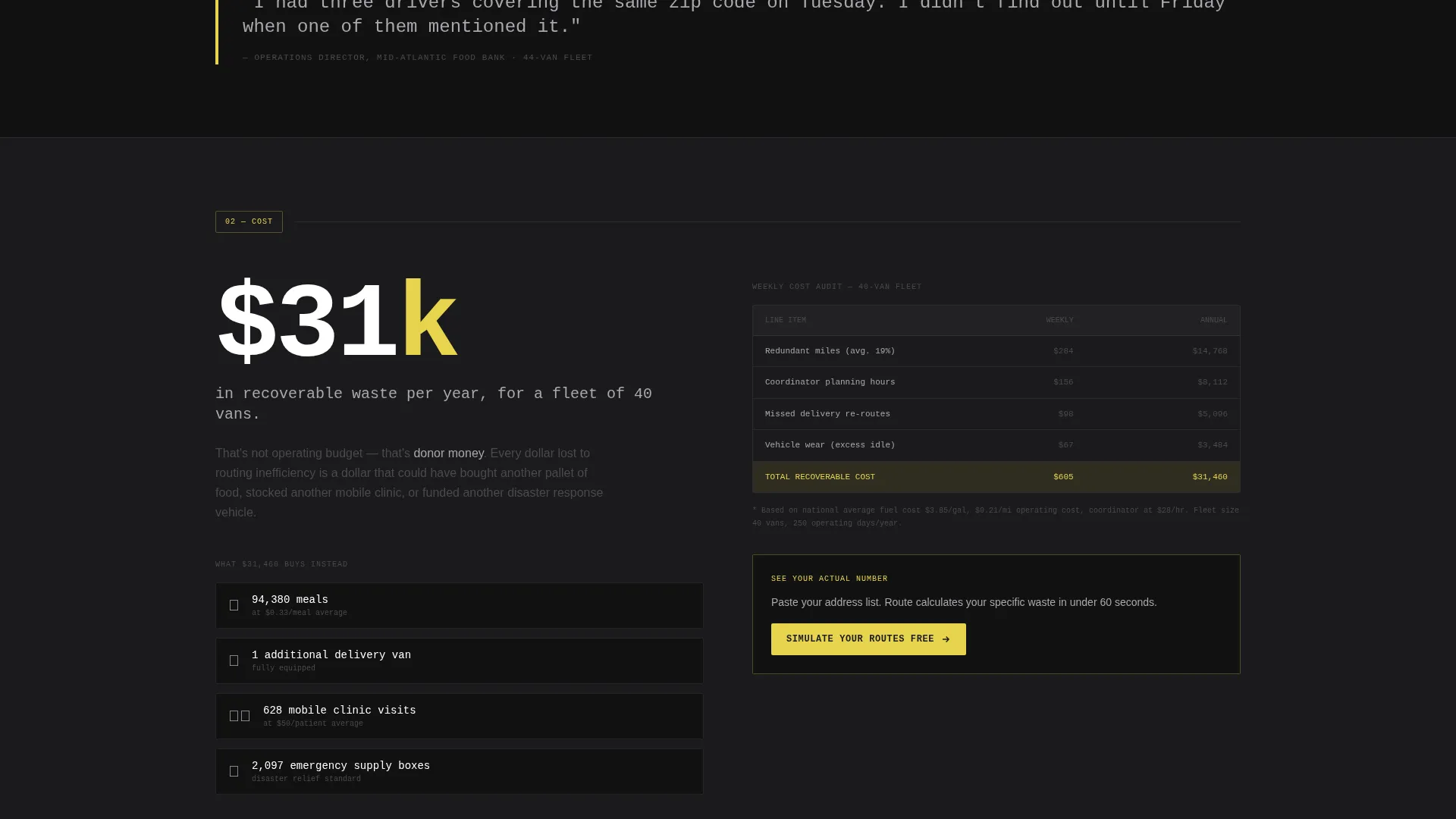
The primary call-to-action, "Simulate Your Routes Free," appears three times: inside the dashboard header, at the midpoint after the cost section, and locked into the floating bottom bar. Repetition is strategic, not accidental.
Free Simulation Click-Through Flow
Clicking the primary call-to-action leads to a one-screen tool. Visitors can paste a CSV of addresses or drop pins manually. No account creation and no credit card are required. The simulation ends with a results page showing miles saved, time recovered, and a secondary call-to-action to talk to the nonprofit team.
Monochrome Steel Visual System
The color palette uses structural charcoal, stamped concrete gray, exposed rebar silver, and emergency high-vis yellow. Yellow appears only on calls-to-action and data highlights. Typography uses monospaced type for headlines, reinforcing the dispatch-terminal aesthetic.
Page sections overview
| Section | Purpose |
|---|---|
| Dashboard Header | Opens with full-viewport route map preview and primary call to action |
| Anchor Nav Bar | Pins to top; five tabs link to each spoke section |
| WASTE Spoke | Opens with oversized stat on routing redundancy |
| COST Spoke | Quantifies fuel and capacity loss from inefficient routes |
| TIME Spoke | Shows recovered hours through optimized dispatching |
| PROOF Spoke | Presents evidence and specific outcome data |
| SWITCH Spoke | Addresses transition concerns and builds final confidence |
| Midpoint call to action | Repeats simulation call to action after the cost section |
| Floating Bottom Bar | Locks in persistent call to action after the third spoke |
| Simulation Screen | One-screen no-login tool for immediate route testing |
| Simulation Results | Shows miles saved, time recovered, and secondary call to action |
Design & branding system
The template follows a Bold Brutalist theme anchored in a Monochrome Steel color system. Every visual decision references the aesthetic of a working distribution warehouse.
- Colors: structural charcoal (#1C1C1E), stamped concrete gray (#4A4A4D), exposed rebar silver (#A8A9AD), and emergency high-vis yellow (#E8D44D) for calls-to-action and data highlights only
- Typography: monospaced display type for headlines, giving the interface a dispatch-terminal feel
- No stock photography and no illustration; the header uses product-style data visualization to carry the visual weight
Mobile & speed optimization
The Route template is built to load fast and stay readable across screen sizes. A dispatch-wall aesthetic does not need heavy assets to land with impact.
- The dashboard header uses structured data display rather than heavy image files, reducing load weight
- The sticky anchor navigation collapses cleanly on smaller screens so spoke sections remain accessible
- The floating bottom bar and the simulation click-through flow are designed to work within a single screen on mobile
How this template helps you convert
Route is structured as a deliberate escalation from felt pain to proven solution. Every layout decision is pointed at one outcome: the free simulation click.
- The dashboard header creates immediate product credibility before a single word of marketing copy appears, making the visitor trust the tool before reading about it
- The five spoke sections stack proof progressively, so by the time the visitor reaches the SWITCH section, the cost of inaction feels higher than the cost of trying the simulation
- The no-account, no-credit-card simulation flow removes every objection at the conversion moment, and the results page closes with a human follow-up option for higher-intent leads
Other information about this template
Route is a specialized template designed for a narrow, high-stakes use case. A few additional details help frame where it fits best.
- The template style is Hub and Spoke with Anchor Navigation, making it ideal for long-form single-page products that need to hold attention across multiple proof sections
- The creative direction follows an Industry Report format, which suits platforms that sell to data-literate buyers such as grant managers and operations directors
- The Click-Through landing page direction means every design decision supports one primary action rather than distributing attention across multiple goals
- The template is categorized under Technology and Nonprofit Software, making it a strong fit for platforms targeting the nonprofit logistics and delivery sector
Theme
Bold Brutalist
Creative direction
Industry Report
Color system
Monochrome Steel
Style
Hub & Spoke (Anchor Nav)
Direction
Click-Through
Page Sections
Full-viewport Dashboard Header
Five-tab Sticky Anchor Navigation
Industry Report Spoke Sections
Three-point Call to Action System
Zero-friction Simulation Flow
Monochrome Steel Color System
Related questions
Who is the Route template designed for?
Does this template require a backend or database connection?
Can I change the spoke section labels?
What happens after a visitor clicks the simulation call to action?
Is the high-vis yellow color used throughout the template?



