Self-Hosted Enterprise Software Cost Calculator Website Template
Route is a bold brutalist self-hosted transportation management system landing page template built on a 50/50 split-screen layout. It features a live cost-of-ownership calculator, dynamic five-year savings projection chart, and a section-by-section comparison flow. Designed for 3PL operators, transportation managers, and IT directors who want full control over their freight data and infrastructure.
by Rocket studio
Quick summary
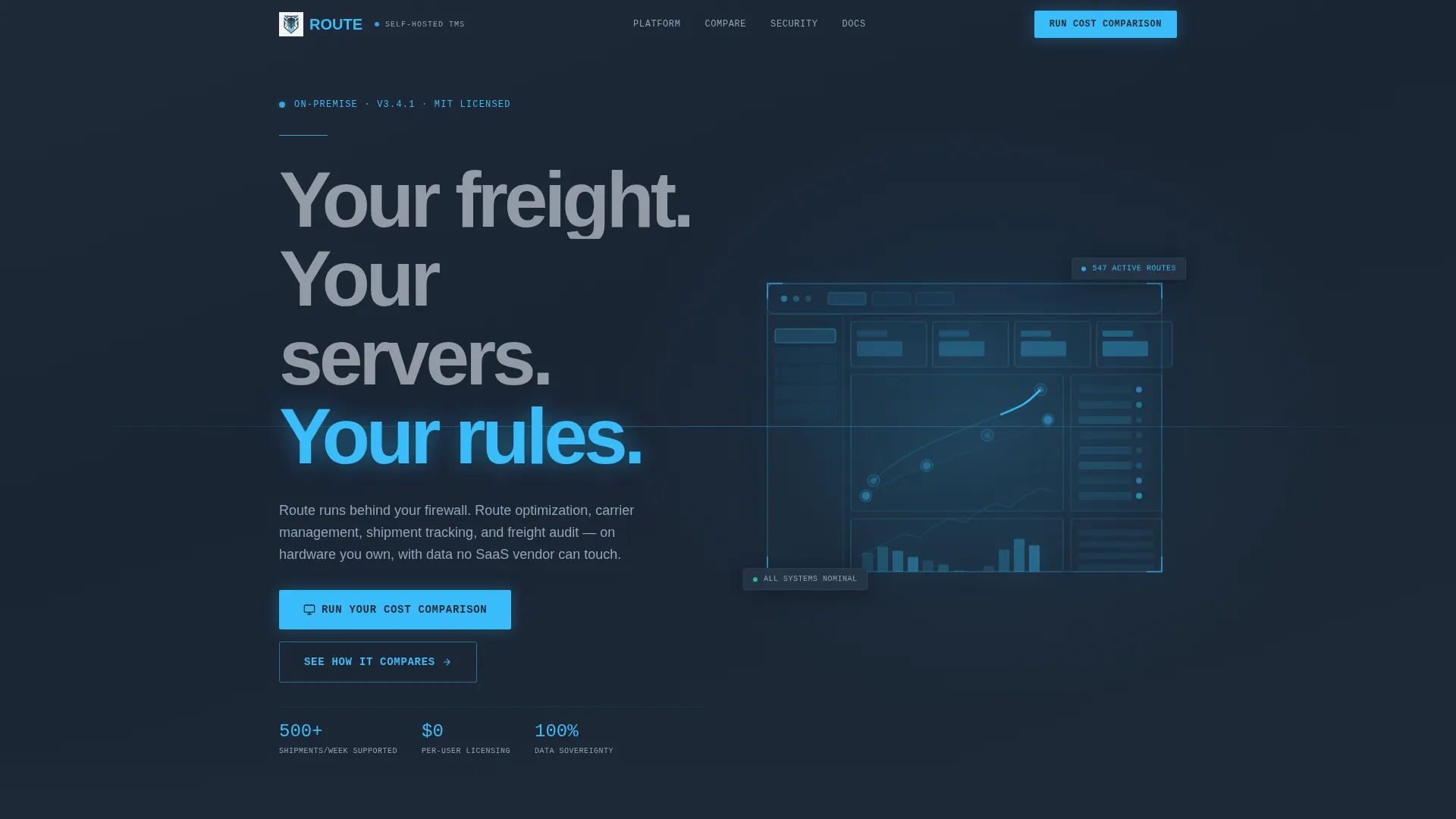
Route is a single-page template built for self-hosted transportation management system software. It opens with a dark full-bleed header and glowing dashboard wireframe, then leads immediately into a cost-of-ownership calculator paired with a live savings chart. Every subsequent split-screen section builds a direct case for on-premise control over cloud dependency.
Who this template is for
This template was built for software teams and operators who sell or deploy self-hosted logistics infrastructure. It speaks directly to buyers who have already felt the pain of cloud lock-in and want a real argument for switching.
- Mid-market third-party logistics operators managing 500 or more shipments per week
- In-house transportation managers at regional manufacturers frustrated by per-user seat pricing
- IT directors who experienced a cloud transportation management system outage during peak season
What problem this template solves
Most transportation management system landing pages lead with feature lists. Route leads with money. Visitors immediately see what their current setup costs versus what self-hosted ownership delivers over five years. That shift in framing changes the entire conversation.
- Cloud software pricing models obscure true long-term cost, and this template makes that cost visible
- Buyers with data sovereignty concerns have no clear place to land on typical vendor sites
- IT and operations leaders need a structured argument they can share internally to justify switching
What you get with this template
You get a complete conversion-focused landing page that does the persuasion work through data and structure, not hype. Every section has a job, and every visual element reinforces the command-center identity of the product.
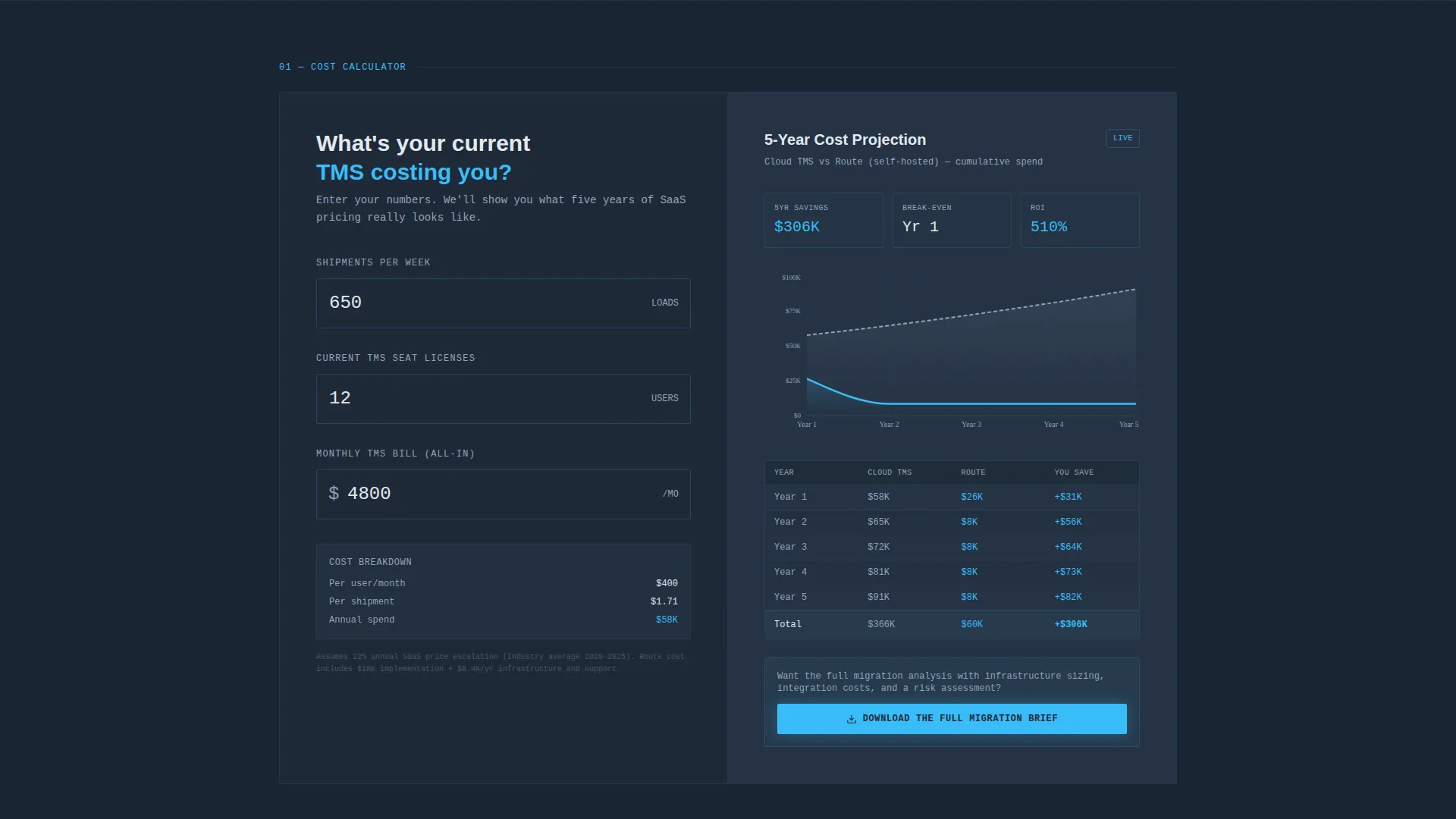
- A 50/50 split-screen layout with a cost-of-ownership calculator on the left and a five-year savings projection chart on the right
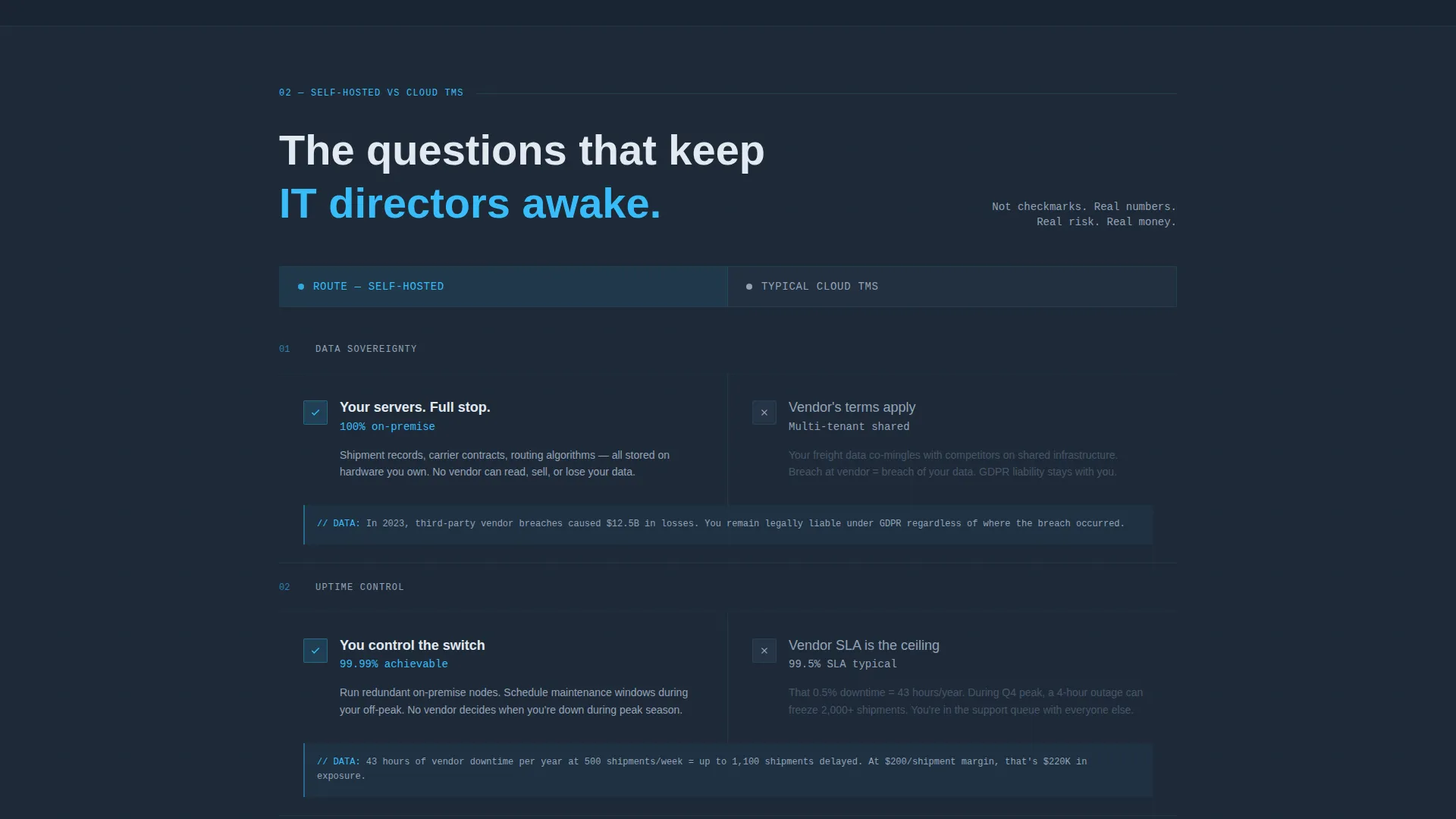
- A series of comparison sections that pit self-hosted advantages against typical cloud transportation management system trade-offs using brutalist data blocks
- A gated secondary call-to-action form collecting company name, monthly shipment volume, and work email to deliver a migration brief
Feature list
This section describes what the template structure and design system actually deliver as built components.
Live Cost-of-Ownership Calculator
The calculator sits immediately below the header in the left panel. Visitors input their shipment volume, current per-user seat count, and monthly cloud bill. It earns attention before asking for anything in return.
Five-Year Savings Projection Chart
The right panel renders a dynamic savings chart in sky blue against a slate background. It updates as calculator inputs change, giving visitors a visual and financial reason to keep reading.
Split-Screen Comparison Sections
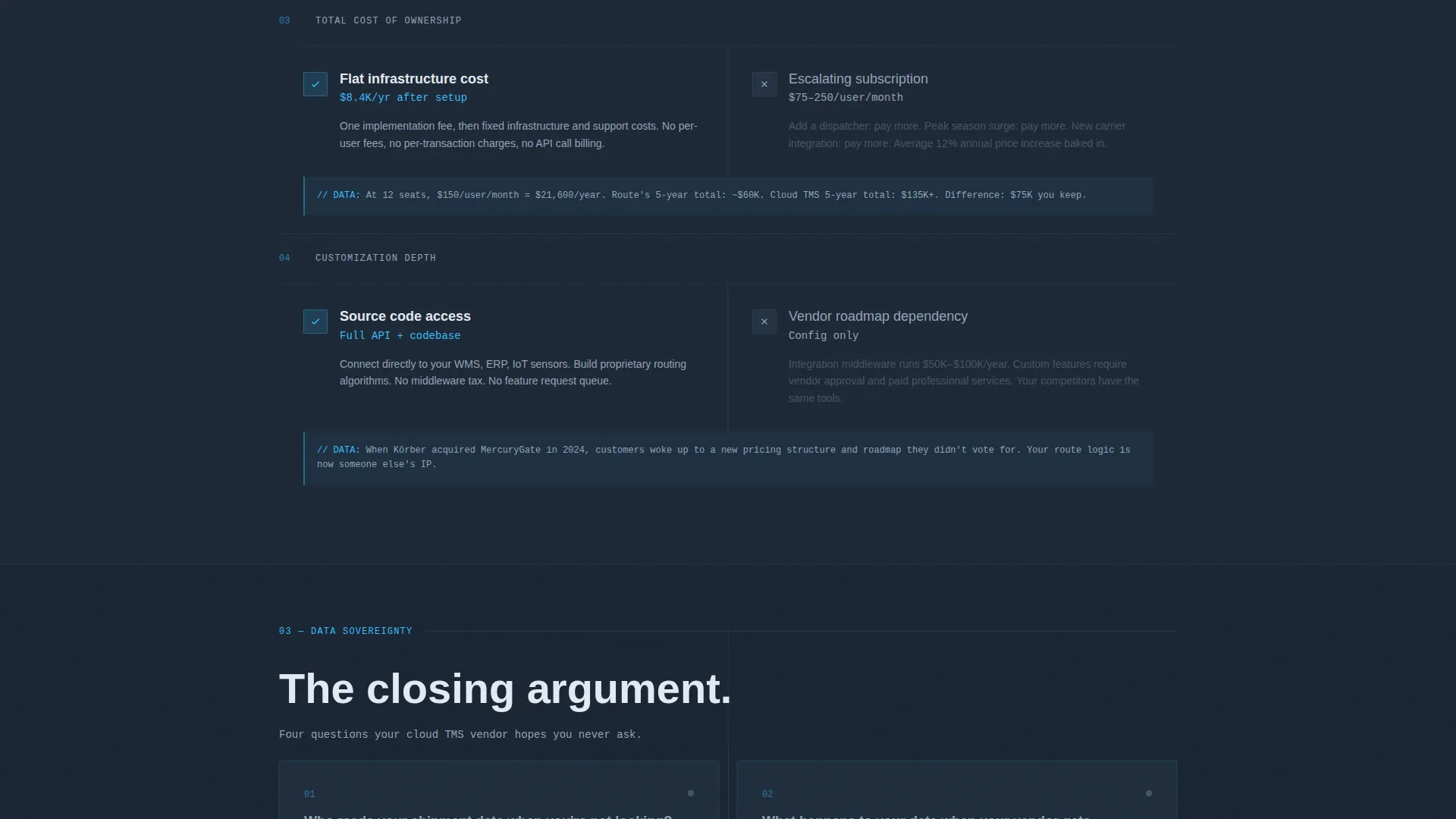
Each scroll section divides the screen 50/50. The left side presents the self-hosted case and the right side presents the typical cloud transportation management system reality. Comparisons cover data sovereignty, uptime control, customization depth, and total cost of ownership.
Dark Full-Bleed Glowing Header
The header floods the viewport in deep gunmetal with a sky-blue neon wireframe of the transportation management system dashboard. Shipment nodes pulse, route paths animate between origin and destination points, and carrier status indicators blink. No photograph, no screenshot.
Gated Migration Brief Form
After the calculator delivers results, a secondary call-to-action surfaces a three-field form. It collects company name, monthly shipment volume, and work email only. No phone number, no extra friction.
Bold Brutalist Typography System
Headlines use massive slab typefaces that feel stenciled rather than polished. The concrete white text cuts through dark backgrounds with the clarity of warehouse floor markings. Every type decision reinforces the industrial command-center tone.
Page sections overview
| Section | Purpose |
|---|---|
| Dark Full-Bleed Header | Anchors brand identity with glowing dashboard wireframe and headline |
| Cost-of-Ownership Calculator | Delivers immediate financial value and earns the first conversion handshake |
| Savings Projection Chart | Visualizes five-year financial outcome in real time alongside the calculator |
| Data Sovereignty Comparison | Contrasts self-hosted data control against cloud vendor dependency |
| Uptime Control Comparison | Highlights the risk of relying on a third-party vendor during peak operations |
| Customization Depth Comparison | Shows configuration flexibility unavailable in standard cloud platforms |
| Total Cost Comparison | Presents real numbers on long-term pricing versus per-user seat models |
| Gated Migration Brief call to action | Captures qualified leads with a low-friction three-field form |
Design & branding system
The visual identity is Bold Brutalist, built entirely on a Slate and Sky color system. Dark surfaces dominate, with bright sky blue reserved only for elements that signal life and action. The palette reads like a command center running at full capacity.
- Deep gunmetal (#1E2A38) and raw slate gray (#3B4A5C) lock in all background surfaces as gradient pairs
- Electric sky blue (#38BDF8) appears exclusively on buttons, active states, chart lines, and hover glows to signal interactivity
- Exposed concrete white (#E2E8F0) handles all body typography and dividers, cutting through dark layers with stencil-like clarity
Mobile & speed optimization
The template is designed with a layout structure that adapts the split-screen sections for smaller screens without losing the comparison flow. The dark, gradient-heavy palette avoids heavy image assets by design.
- Split-screen panels stack vertically on mobile so calculator and chart remain fully usable in sequence
- The neon wireframe header animation uses lightweight vector-style rendering rather than video or raster images
- Flat gradient backgrounds replace complex textures, keeping page weight low across all devices
How this template helps you convert
The conversion strategy is built into the page architecture itself. Visitors are shown financial evidence before they are ever asked to act. Each section increases the stakes until the call-to-action feels like a logical conclusion rather than a sales pitch.
- The cost-of-ownership calculator is the first interactive element on the page, making the primary call-to-action "Run Your Cost Comparison" feel like a tool, not a button
- The savings projection chart delivers a personalized financial result, giving visitors something concrete to take into an internal budget conversation
- The gated migration brief form appears only after the calculator has already delivered value, so the ask feels fair and the conversion feels earned
Other information about this template
Route is purpose-built for the self-hosted enterprise software category, where buyers are technical, skeptical, and accustomed to evaluating infrastructure on merit rather than marketing. The template reflects that mindset at every level.
- The closing-argument page structure escalates section by section, ending with the sharpest question in the brief: who owns your shipment data if your vendor gets acquired
- The template supports route optimization, carrier management, shipment tracking, and freight audit as core product positioning themes within the comparison sections
- The three-field gated form is intentionally minimal to reduce drop-off from qualified leads who are wary of aggressive data collection
Theme
Bold Brutalist
Creative direction
Calculator/Tool First
Color system
Slate & Sky
Style
Split Screen (50/50)
Direction
Comparison/Versus
Page Sections
Cost-of-ownership Calculator
Five-year Savings Projection Chart
Split-screen Comparison Layout
Glowing Dashboard Wireframe Header
Gated Migration Brief Form
Bold Brutalist Type System
Related questions
Who is this template designed for?
Does the template include the calculator logic or just the layout?
Can I adjust the comparison sections to match my product's differentiators?
What makes this landing page different from a standard software template?



