Complete Pharmacy Software Cost Estimator Website Template
Routerx is a scroll-reveal landing page template built for pharmacy route optimization platforms. It pairs a live dashboard screenshot header with a progressive feature matrix, a savings calculator, and a low-friction lead capture form. The Electric Indigo color system and Startup Velocity theme give it the focused energy of a dispatch screen before the first driver clocks in.
by Rocket studio
Quick summary
Routerx is a single-page, scroll-reveal landing page template designed for pharmacy route optimization software. It opens with an animated dashboard screenshot, walks visitors through three core feature reveals, and closes with a lead capture form and savings calculator. The result is a page that earns trust through visible product logic rather than marketing claims.
Who this template is for
This template speaks directly to the people managing pharmacy delivery operations. It is built for teams where wasted miles and late deliveries are a daily cost, not an occasional inconvenience.
- Independent pharmacy owners running multi-stop morning delivery routes
- Regional chain operations managers tracking fuel spend and driver efficiency
- Specialty pharmacy dispatchers coordinating time-sensitive, cold-chain deliveries
What problem this template solves
Most pharmacy delivery teams do not have a clear, convincing way to show prospects what route optimization actually looks like in practice. A generic SaaS template does not communicate the specific pressures of refrigerated hold times, patient delivery windows, or pharmacy opening hours.
- Visitors leave without understanding the real product value
- Generic layouts fail to reflect the complexity and precision of pharmacy logistics
- Friction-heavy forms kill conversions before the lead is even qualified
What you get with this template
This template gives you a complete, conversion-focused landing page structure built around one clear action. Every section is purpose-built for a pharmacy route optimization audience.
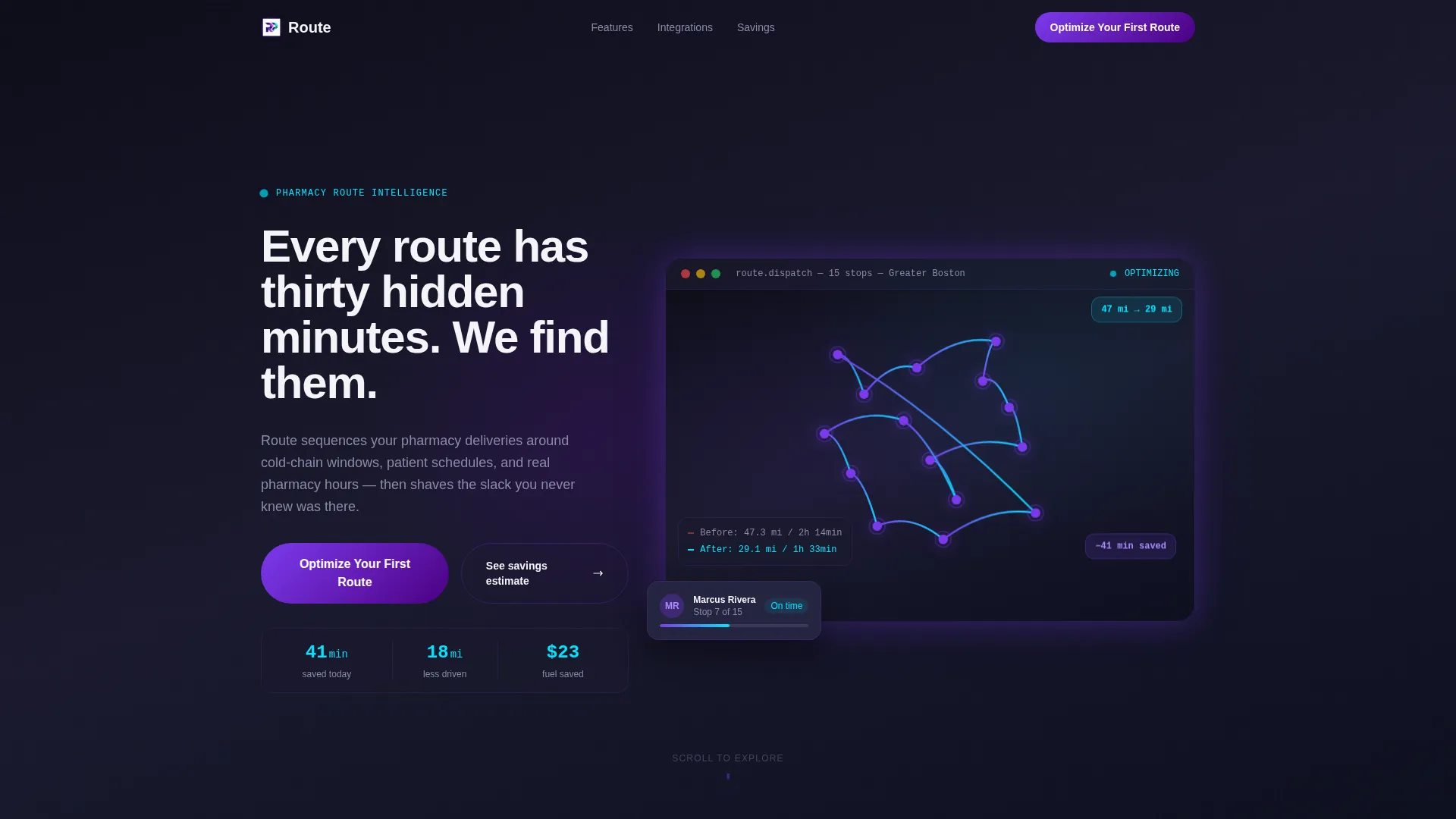
- A product screenshot header showing a real fifteen-stop route collapsing from 47 miles to 29 miles
- A three-stage scroll-reveal feature matrix that opens each capability progressively
- A low-friction lead capture form with three sequential fields and a savings estimate calculator
Feature list
This template includes a focused set of built-in components, each designed to reduce visitor hesitation and build product credibility as they scroll.
Animated Dashboard Header
The header displays a pixel-crisp product screenshot of the optimization dashboard mid-calculation. Route lines animate from red spaghetti to clean blue arcs. A savings ticker climbs through dollars and minutes in the corner, making the value visible before a single word is read.
Progressive Scroll-Reveal Feature Matrix
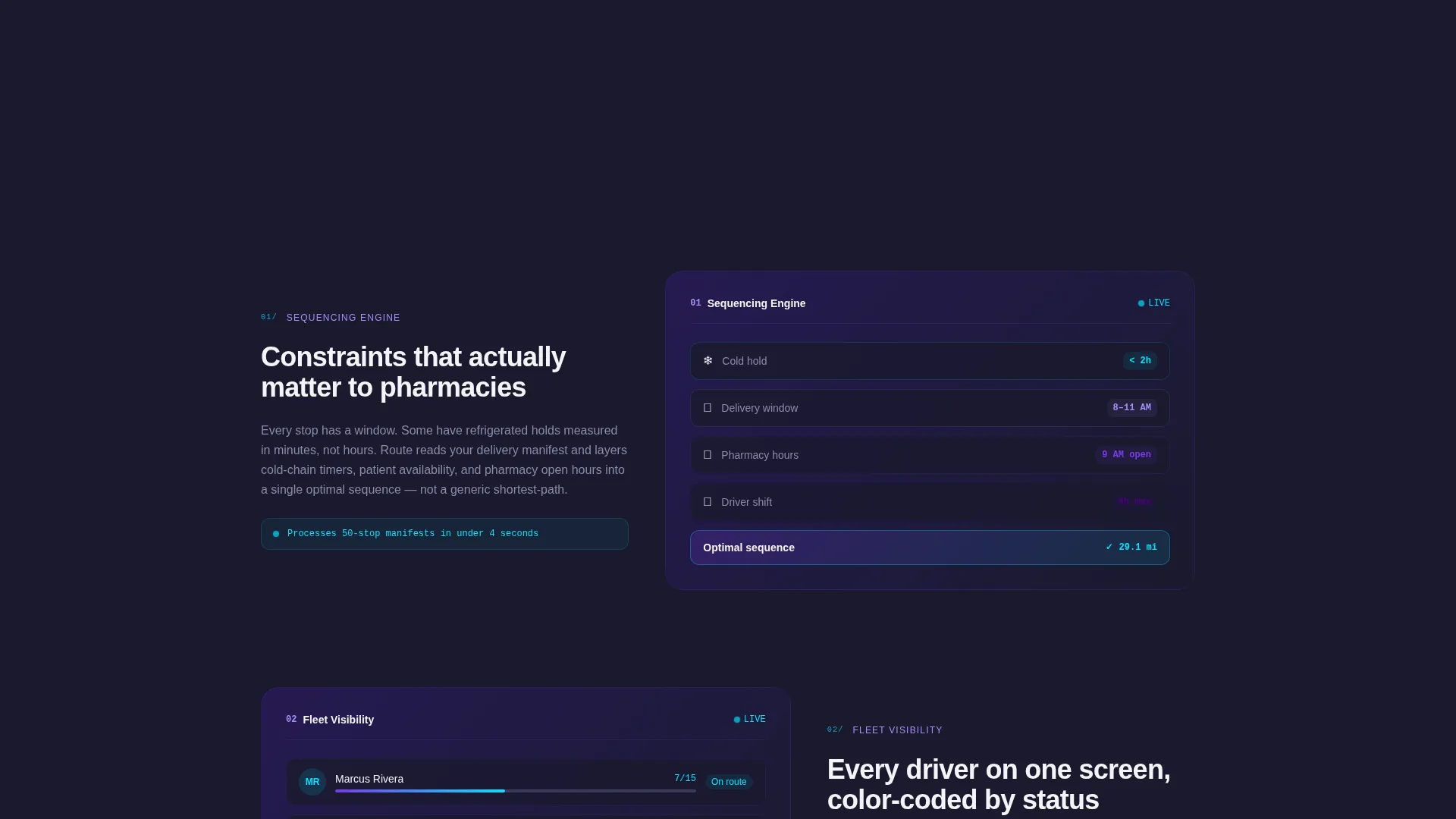
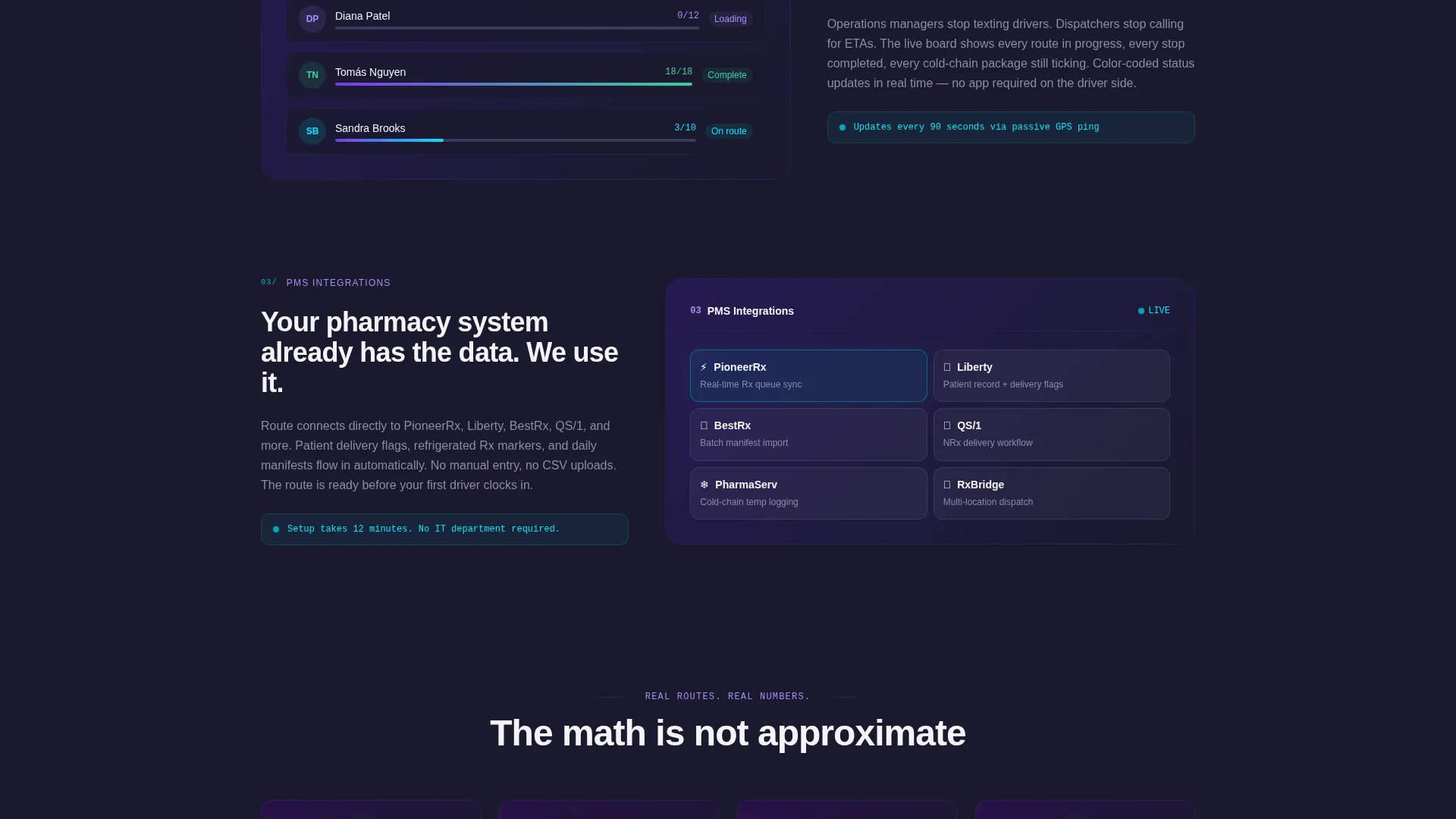
Each feature section reveals only when the visitor scrolls to it. This creates the sensation of the product opening room by room. The three reveals cover route sequencing with live constraint inputs, fleet visibility across drivers with color-coded status, and a pharmacy management system integration row.
Route Sequencing Engine Display
The first scroll reveal highlights the route sequencing engine. It shows live constraint inputs including refrigerated hold times, patient delivery windows, and pharmacy opening hours. Visitors see the logic, not just the outcome.
Fleet Visibility Panel
The second reveal shows fleet-wide driver status using color-coded indicators. Operations managers can immediately understand how this view maps to their daily oversight workflow.
Lead Capture Form with Savings Calculator
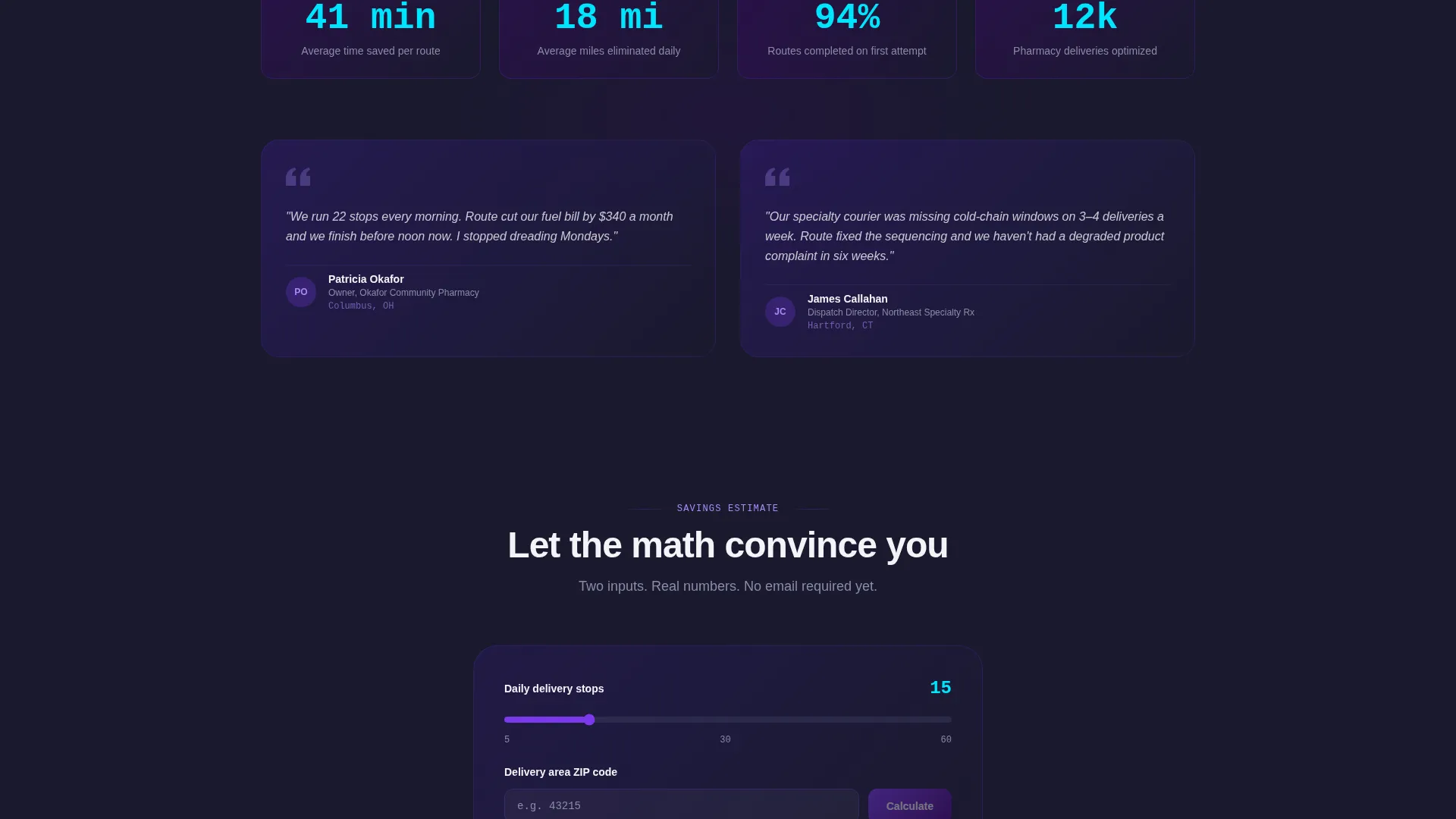
The primary call to action is a three-field form in sequence: number of daily stops, current pharmacy management system, and work email. A secondary path offers a savings estimate calculator. It takes zip code and stop count, returns a projected time-and-fuel number, and only asks for contact information after the math has made the case.
Pinned and Repeated Call to Action
The "Optimize Your First Route" call to action appears after the third feature reveal and repeats at the page bottom. This placement keeps the conversion path visible without interrupting the scroll experience.
Page sections overview
| Section | Purpose |
|---|---|
| Dashboard Header | Animate route optimization value instantly |
| Typed Headline Block | Anchor the core promise clearly |
| Route Sequencing Reveal | Show constraint-aware sequencing logic |
| Fleet Visibility Reveal | Display driver status and color indicators |
| Integration Row Reveal | Connect familiar pharmacy systems visually |
| Primary call to action Form | Capture qualified leads with minimal friction |
| Savings Estimate Calculator | Pre-qualify interest with projected numbers |
| Footer call to action Repeat | Reinforce conversion at page bottom |
Design & branding system
The Electric Indigo color system gives this template the precise visual tone of a dispatch screen before the first driver clocks in. Every color choice serves a functional role rather than decoration.
- Deep screen-glow indigo (#4B0082) and dashboard-dark charcoal (#1A1A2E) form the primary backgrounds
- Live-wire violet (#7C3AED) carries brand energy across headings and feature accents
- Reactive cyan (#00E5FF) is reserved exclusively for interactive states and data highlights, keeping attention focused
- Clean white (#F4F4F8) provides breathing room across card backgrounds and section breaks
Mobile & speed optimization
The Startup Velocity theme and scroll-reveal structure are designed with progressive loading in mind. Each section activates only as it enters the viewport, keeping the initial page load light and the experience responsive.
- Scroll-reveal components load progressively, reducing upfront render weight
- The three-field form sequence is touch-friendly and easy to complete on a mobile screen
- Card backgrounds and section breaks use clean white space to keep layouts readable at any screen width
How this template helps you convert
Every structural decision in this template is built around reducing the distance between a visitor's first impression and a completed lead form.
- The animated header delivers the product's core value in the first five seconds, before the visitor has to read anything, reducing early drop-off.
- The progressive feature matrix earns complexity gradually, so visitors arrive at the call to action already convinced rather than overwhelmed.
- The savings calculator lets the math do the convincing first, lowering resistance before the form asks for contact information.
Other information about this template
This template is part of the Technology category under the Pharmacy Software subcategory. It is purpose-built for the pharmacy route optimization niche and carries a strong intersection match with that audience.
- The integration row is designed to accommodate pharmacy management system names as puzzle-piece visual elements, consistent with the prompt's reference to systems such as PioneerRx, Liberty, and BestRx
- The template style is Scroll Reveal (Progressive), meaning each feature block is hidden until the visitor reaches it during natural scrolling
- The creative direction is a Feature Matrix, structuring the page as a layered product demonstration rather than a feature list
- The header concept is a Product Screenshot, grounding the page in tangible product proof rather than abstract claims
- The landing page direction is Lead Generation, with every section oriented toward completing the three-field form
Theme
Startup Velocity
Creative direction
Feature Matrix
Color system
Electric Indigo
Style
Scroll Reveal (Progressive)
Direction
Lead Generation
Page Sections
Animated Route Dashboard Header
Progressive Scroll-reveal Feature Matrix
Route Sequencing Engine Section
Fleet Visibility and Driver Status Panel
Low-friction Lead Capture Form
Savings Estimate Calculator
Related questions
Can I change the route data shown in the dashboard screenshot?
Is the savings calculator functional out of the box?
Can I add more fields to the lead capture form?
Does the scroll-reveal animation work on mobile devices?
Can I use this template without a pharmacy management system integration?



