Construction Company Privacy Policy Website Template
Clarisafe is a dashboard-style construction terms of service landing page built for contractors, project managers, and trade owners who need to decode complex contract language fast. It features a live Contract Clause Scanner, a risk-score dashboard, and a freemium conversion flow, all wrapped in a confident teal-and-yellow visual system designed for the construction industry.
by Rocket studio
Quick summary
Clarisafe delivers a single-page, tool-first experience that turns dense construction contract language into scannable, interactive terms. Visitors can scan a contract clause immediately, view risk-level ratings, and compare standard versus aggressive language side by side. The page is designed to build trust fast and move contractors toward a free scan or a 14-day pro trial.
Who this template is for
This landing page is built for professionals who work with construction contracts regularly. It speaks directly to the people who carry the risk when contract language goes unread.
- General contractors reviewing liability caps before signing subcontractor agreements
- Project managers who need to forward indemnification sections to legal counsel quickly
- Small-trade business owners who want to understand what they are agreeing to before work begins
What problem this template solves
Construction contracts are written in dense legal language that takes time and expertise to interpret. Most contractors do not have an attorney on call every time a clause needs reviewing. This template addresses that gap head-on.
- Clause-by-clause risk rating removes the guesswork from contract review
- Side-by-side comparison of standard versus aggressive language helps users spot unfavorable terms fast
- A freemium entry point lowers the barrier so users experience real value before committing
What you get with this template
The template is a fully structured, single-page layout built around an interactive tool flow. Every section is designed to move visitors from curiosity to conversion in a logical, progressive sequence.
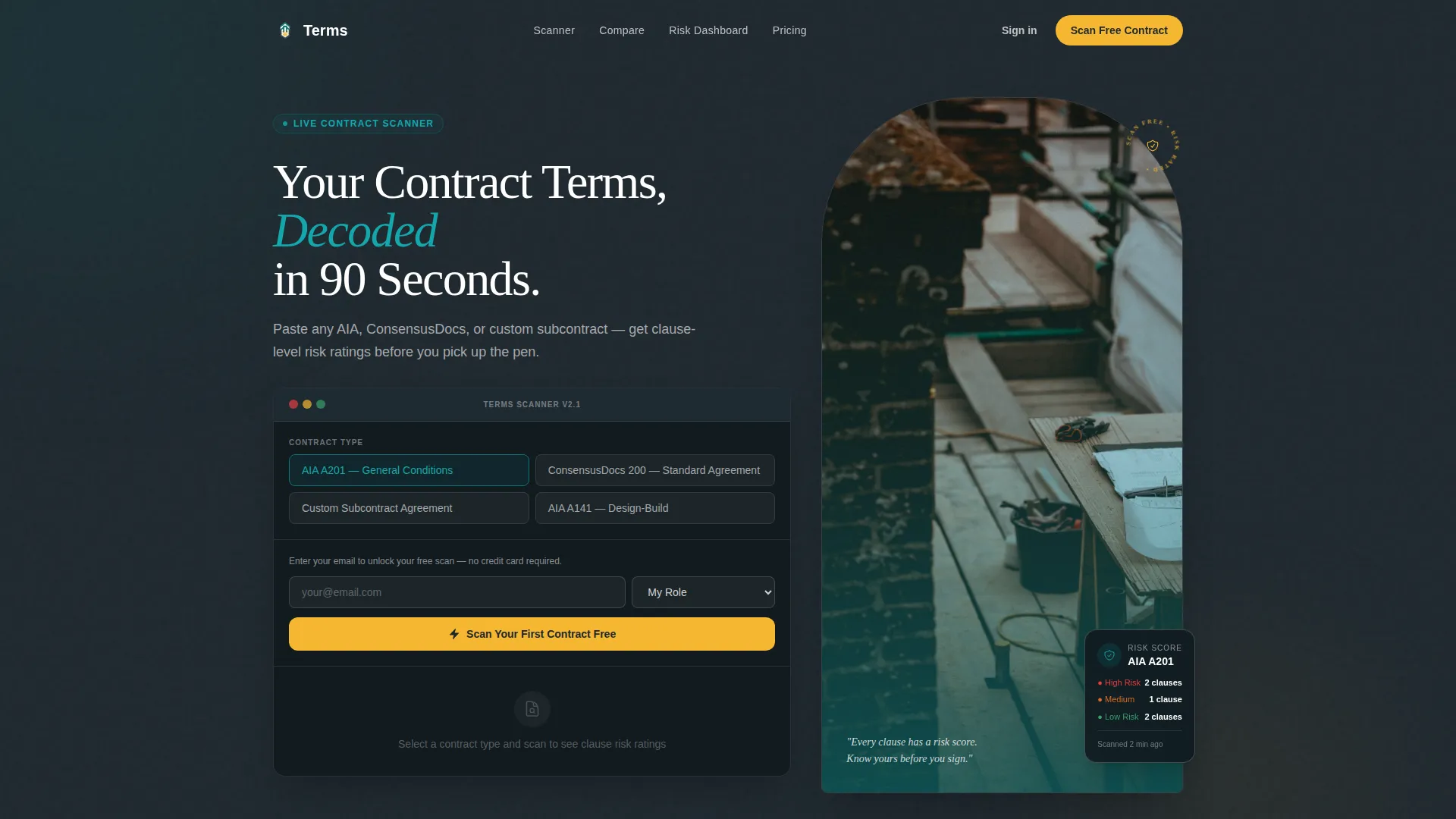
- A live Contract Clause Scanner placed above the fold as the first interactive element
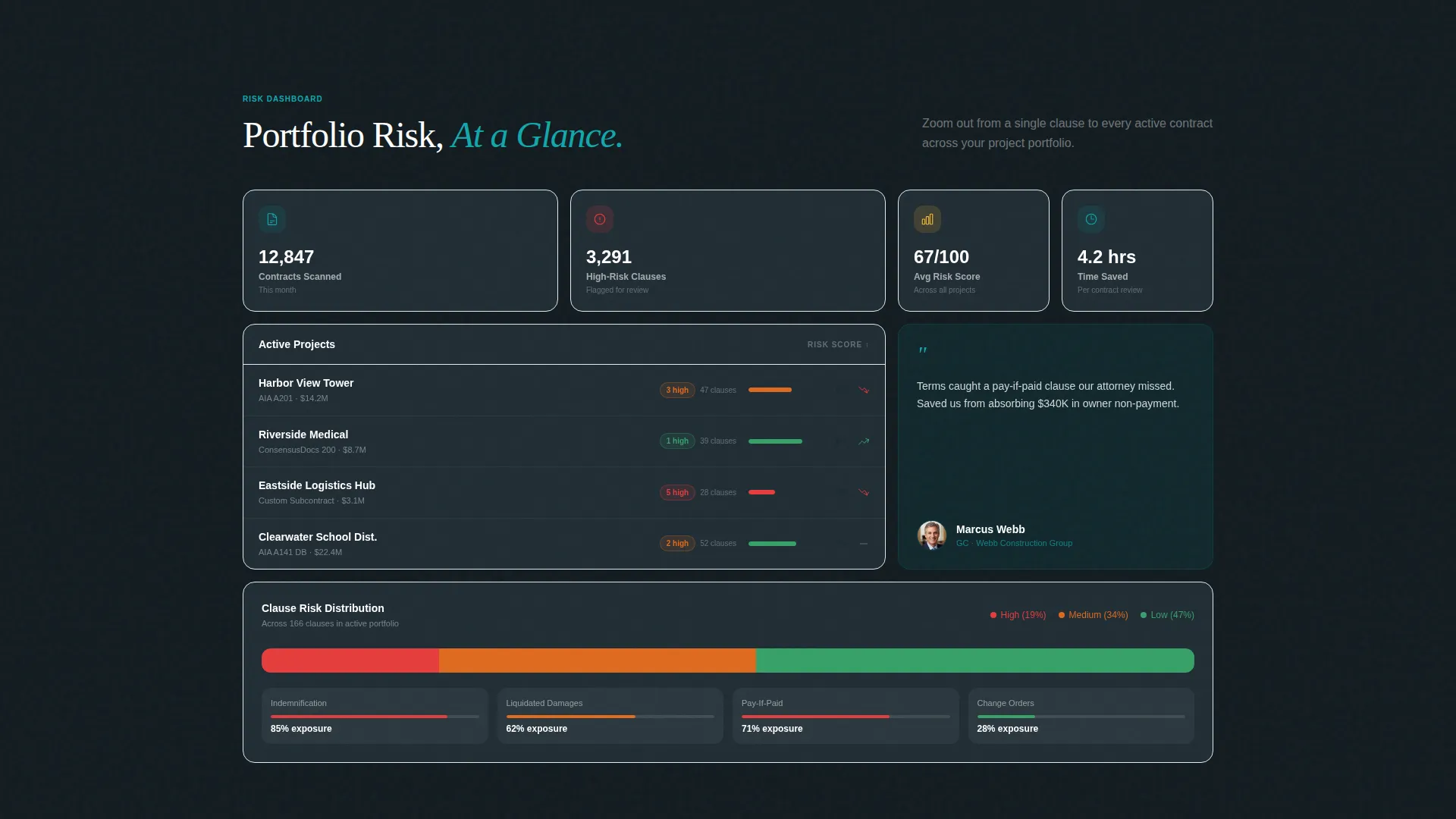
- A risk-score dashboard that visualizes contract exposure across a project portfolio
- A dual conversion path: a free scan call to action and a 14-day pro trial form further down the page
Feature list
This template ships with a focused set of purpose-built components. Each one is grounded in the source brief and designed to serve a specific role in the user journey.
Live Contract Clause Scanner
Visitors paste contract text or select a contract type and the scanner immediately highlights risk-level ratings per clause. Covered clause types include indemnification, liquidated damages, pay-if-paid, and change-order procedures. This is the first interactive element on the page and the core value demonstration.
Side-by-Side Clause Comparison Grid
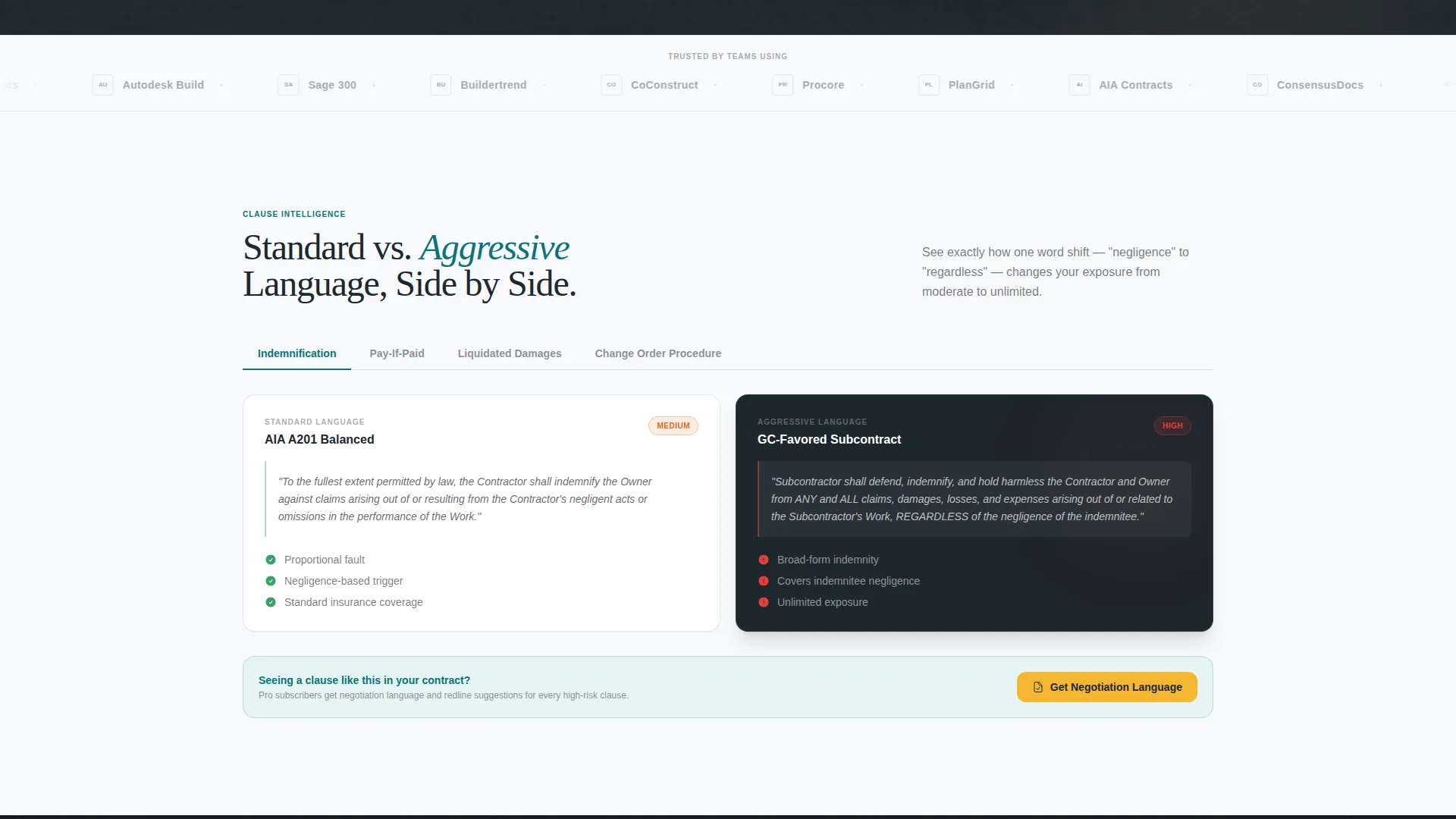
A structured data grid places standard contract language next to aggressive clause language in two aligned columns. Users can instantly see where a contract departs from industry norms. This section sits below the scanner output and deepens engagement before the primary call to action.
Risk-Score Portfolio Dashboard
A visual dashboard shows contract exposure across an entire project portfolio. It gives users a high-level view of cumulative risk rather than clause-by-clause detail. The layout follows a data grid style consistent with the overall dashboard template direction.
Freemium Conversion Flow
The primary call to action reads "Scan Your First Contract Free" in high-visibility yellow, placed directly below the scanner output. The signup form collects only email and company role to reduce friction at the top of the funnel.
Qualifying Lead Form for Pro Trial
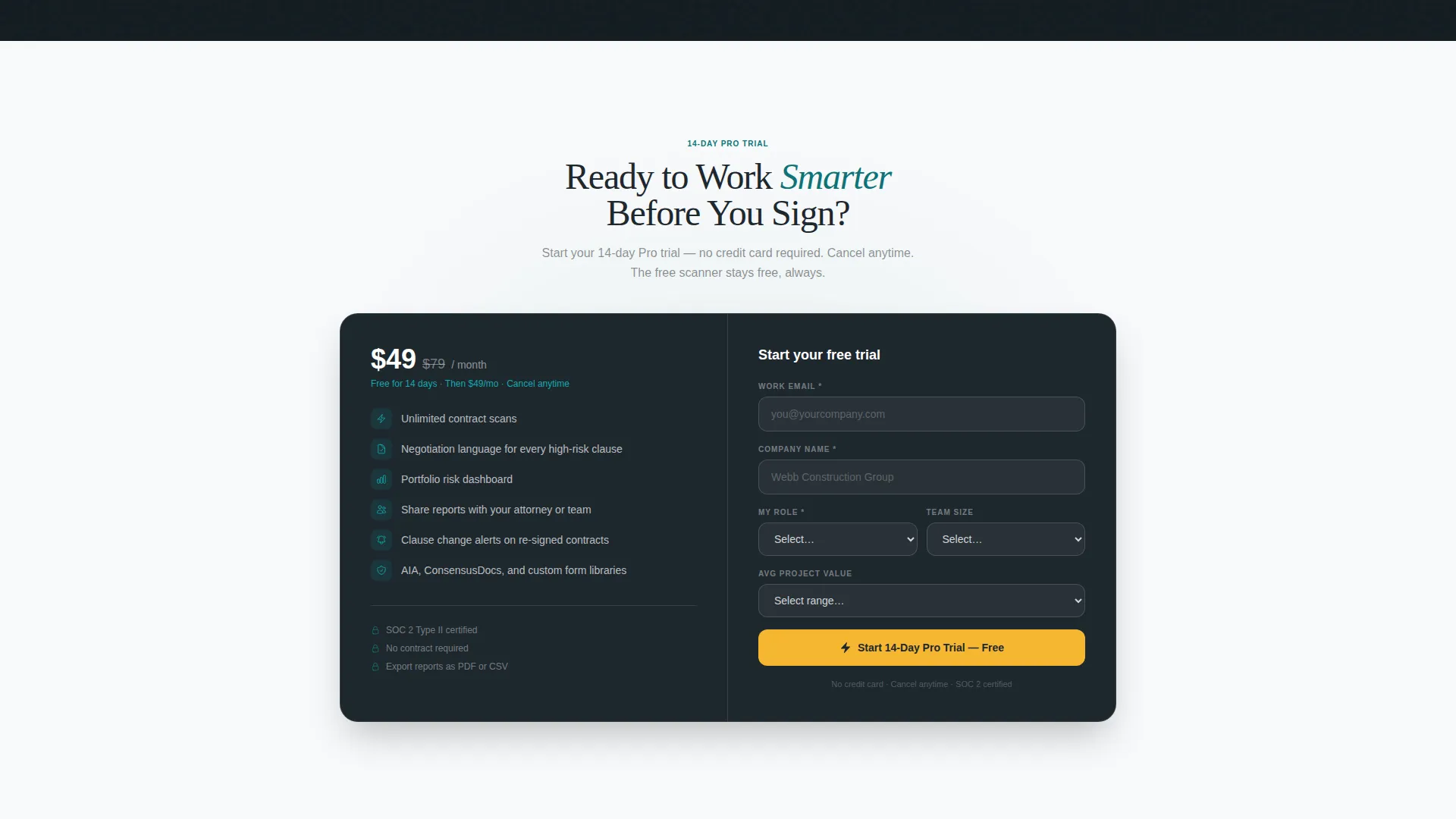
A secondary conversion path offers a 14-day pro trial gated behind a fuller form. The form collects company size and average project value, qualifying leads while the free tool handles the upfront selling.
Logo Bar Trust Header
A horizontal strip of construction-industry partner and integration logos sits above the main headline. The logos establish institutional credibility before a visitor reads a single line of body copy.
Page sections overview
| Section | Purpose |
|---|---|
| Logo Trust Bar | Establishes credibility with partner logos above the headline |
| Hero Headline | Delivers the core value proposition in one bold statement |
| Contract Clause Scanner | First interactive tool; accepts contract type or pasted text |
| Scanner Results View | Displays clause-level risk ratings immediately after scanning |
| Clause Comparison Grid | Compares standard versus aggressive language side by side |
| Risk-Score Dashboard | Visualizes portfolio-wide contract exposure in a data grid |
| Free Scan call to action | Primary conversion point placed directly below scanner output |
| Pro Trial Form | Secondary conversion with qualifying fields for lead scoring |
Design & branding system
The visual identity follows a Startup Velocity theme channeled through a Teal Catalyst color system. The palette is grounded in real construction-site references, deep site-plan teal for primary structure, poured-foundation charcoal for dark backgrounds, crane-boom white for clean content surfaces, and high-visibility accent yellow reserved strictly for interactive hotspots, toggle states, and primary buttons.
- Core palette: deep teal (#0D7377), foundation charcoal (#1E272E), clean white (#F7F9FA), and accent yellow (#F5B731)
- Template style follows a Dashboard and Data Grid layout with structured columns, scannable rows, and high-contrast risk indicators
- Typography and spacing support a construction-management-trailer-at-dawn aesthetic: dark monitors, fresh printouts, and an uncapped yellow highlighter on the desk
Mobile & speed optimization
The single-page layout is structured to remain functional and readable at any viewport width. Interactive components like the clause scanner and comparison grid are built to adapt to narrower screens without losing usability.
- The data grid layout reflows cleanly on tablet and mobile breakpoints
- High-contrast teal and yellow elements stay visually clear on smaller screens without relying on color alone for meaning
How this template helps you convert
The page is engineered around a progressive engagement model. Each scroll step moves visitors closer to signing up by first proving value, then asking for it.
- The Contract Clause Scanner delivers an immediate, tangible result before any signup is required, making the value concrete and personal for each visitor.
- The "Scan Your First Contract Free" call to action appears directly below the scanner output, so the ask follows proof rather than preceding it.
- The 14-day pro trial form appears further down the page and collects qualifying data, converting higher-intent visitors while the free tier handles broad top-of-funnel traffic.
Other information about this template
This template was designed for the construction technology niche, specifically for platforms serving the construction company terms of service use case. It is a strong fit for SaaS products targeting legal-tech-adjacent construction audiences.
- The template sits within the Construction Company Website Templates subcategory under the broader Technology category
- The Calculator and Tool First creative direction means the interactive scanner is prioritized over static marketing copy throughout the page
- The Logo Bar header concept references construction-industry integrations, reinforcing platform credibility for procurement and legal review workflows
- This template suits teams building freemium construction software products that need to qualify leads by company role, size, and project value
Theme
Startup Velocity
Creative direction
Calculator/Tool First
Color system
Teal Catalyst
Style
Dashboard/Data Grid
Direction
Freemium/Trial
Page Sections
Live Contract Clause Scanner
Side-by-side Clause Comparison Grid
Risk-score Portfolio Dashboard
Freemium Signup Flow
Pro Trial Qualifying Form
Logo Bar Trust Header
Related questions
Who is this landing page template designed for?
What interactive components does this template include?
How does the freemium conversion model work in this template?
Can I customize the color palette and branding?
What contract types does the scanner section reference?



