Advanced Consulting Firm Software Privacy Policy & Terms Website Template
SafeOps is a bento grid landing page template built for safety management consulting firms. It uses a dark, data-command visual theme to present predictive safety metrics, compliance gap analysis, and case study proof. The three-step free safety score form qualifies leads while delivering immediate benchmark value to EHS directors, construction PMs, and operations VPs.
by Rocket studio
Quick summary
SafeOps is a single-page bento grid landing page template designed for predictive safety management consultancies. It pairs a dark command-center aesthetic with an industry-report scroll structure. Animated live metrics, a fault tree section, compliance gap analysis, and a delta-driven case study build trust section by section, all leading to a three-step free safety score form.
Who this template is for
This template is built for consulting firms that use data to prevent workplace injuries. It speaks directly to industrial and operations decision-makers who need proof before they pick up the phone.
- EHS directors at multi-shift manufacturing plants tracking recordable incident rates and audit trails
- Construction project managers managing multi-trade sites with near-term OSHA inspections due
- Operations VPs at logistics companies whose experience modification rate (EMR) scores are driving up insurance costs
What problem this template solves
Safety consulting firms struggle to communicate a complex, data-heavy value proposition on a webpage. Visitors arrive skeptical and leave before they understand what the firm actually does. This template solves that by structuring the page like a proprietary benchmark report, where each scroll section adds a layer of evidence.
- No clear visual language for communicating predictive safety outcomes to busy operations leaders
- Generic consulting pages that fail to show before-and-after proof in a format decision-makers trust
- Lead capture forms that ask for commitment before demonstrating any value
What you get with this template
You get a fully structured bento grid landing page with a dark command-center design system and a scroll narrative that escalates from macro industry data to client-specific proof. Every section is pre-built and purposefully sequenced.
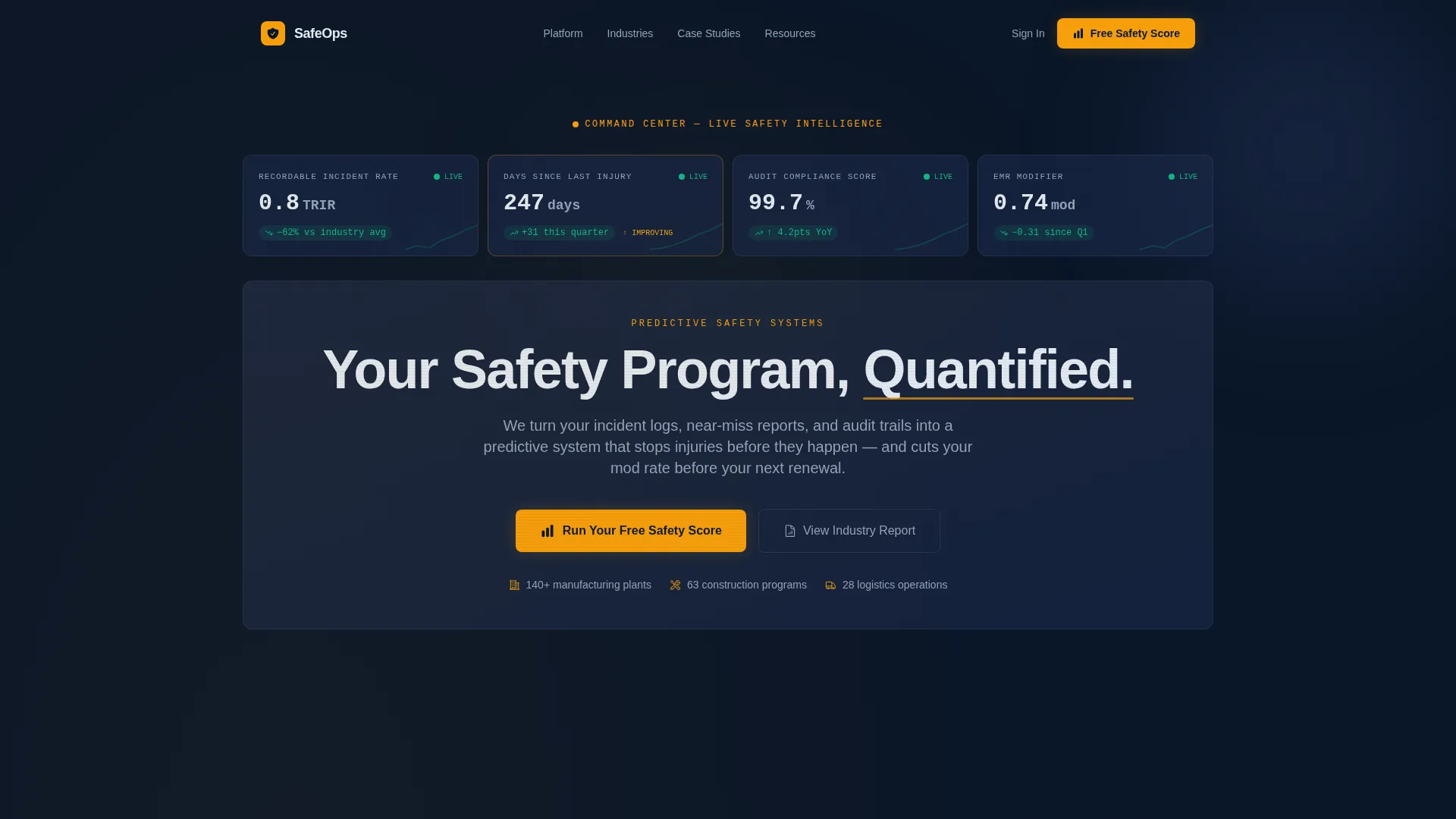
- A glassmorphism header grid with four animated safety metric panels above the fold
- An interactive fault tree section, a compliance gap analysis section, and a metric-only case study tile layout
- A three-step progressive disclosure form that delivers an automated benchmark report on submission
Feature list
This template includes the following built-in capabilities drawn directly from the design brief.
Animated Metric Header Grid
The header is a bento grid of frosted, translucent glass panels. Each panel holds a single live safety metric: recordable incident rate trending downward, days-since-last-injury counter, audit compliance at 99.7%, and EMR score declining quarter over quarter. The glassmorphism depth creates a layered, telemetry-style feel above the fold.
Industry Report Scroll Structure
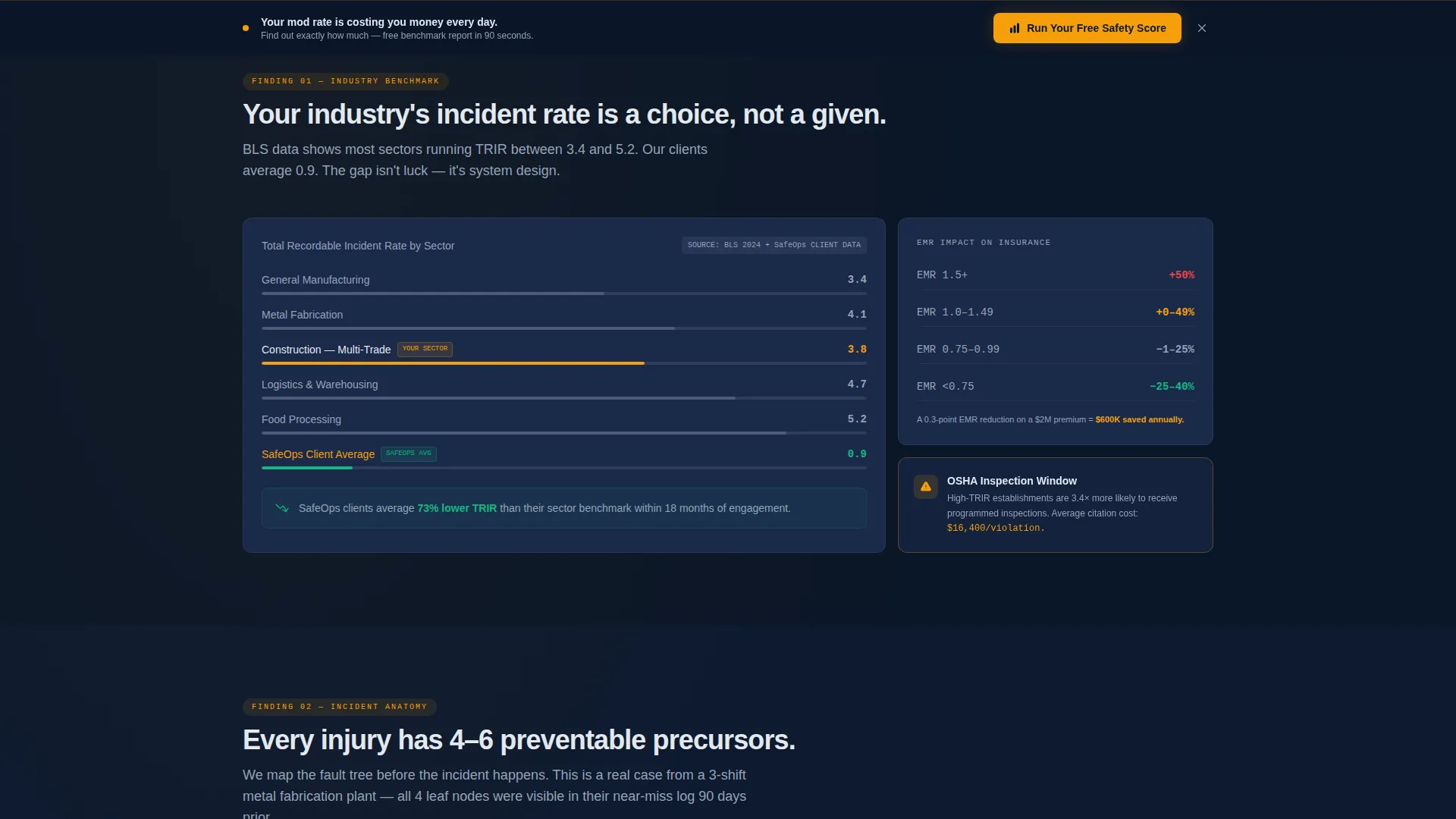
The page is structured like a proprietary safety benchmark study. Each bento section presents a distinct "finding," escalating from sector-wide incident data to compliance gap analysis to a client case study told entirely in numbers. This structure keeps safety professionals engaged as the narrative builds credibility with every scroll.
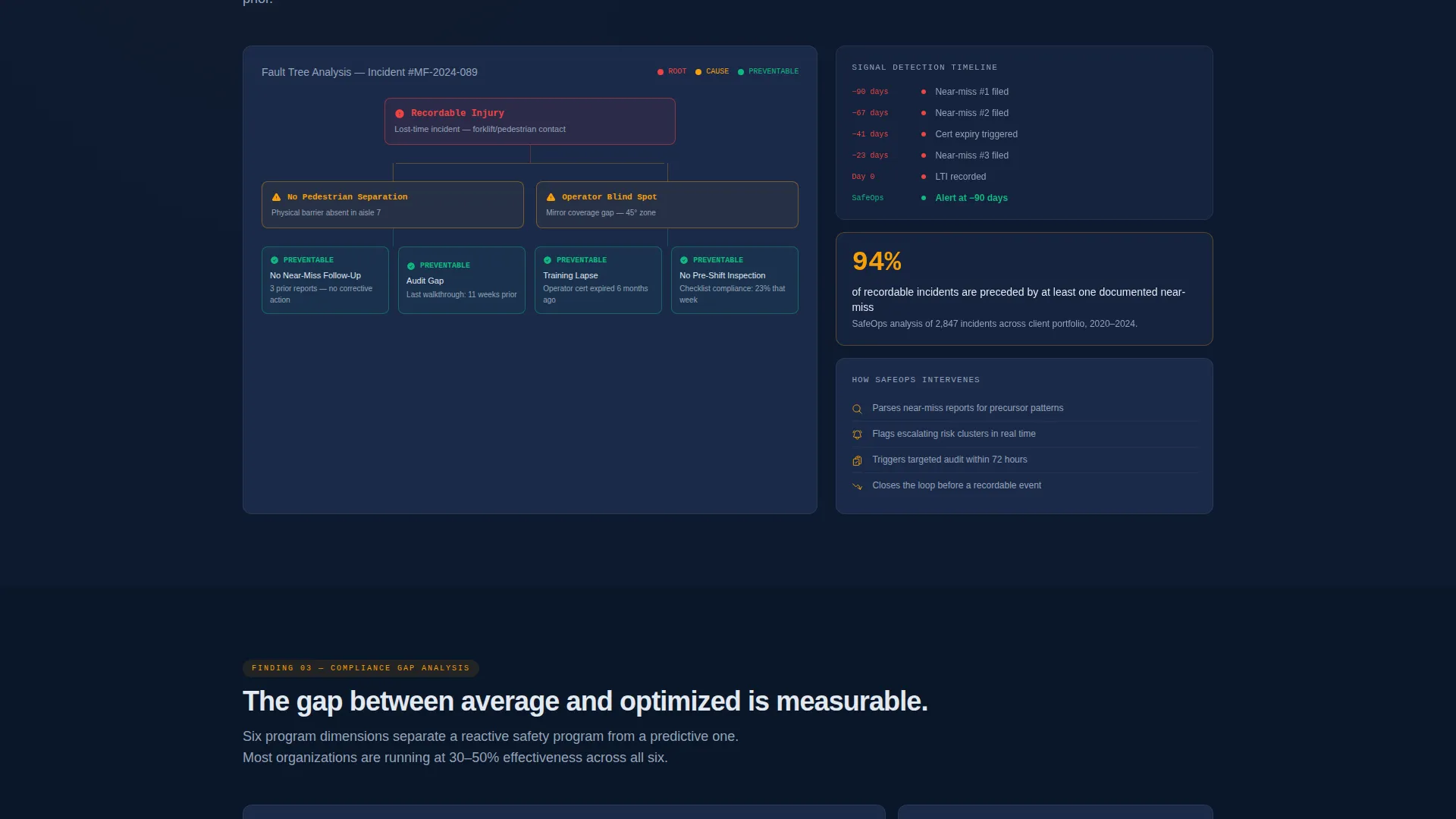
Interactive Fault Tree Section
Section two breaks down the anatomy of a preventable incident using an interactive fault tree visualization. This gives EHS directors and construction project managers a tangible, visual way to see how the consulting firm thinks about root-cause analysis and incident prevention.
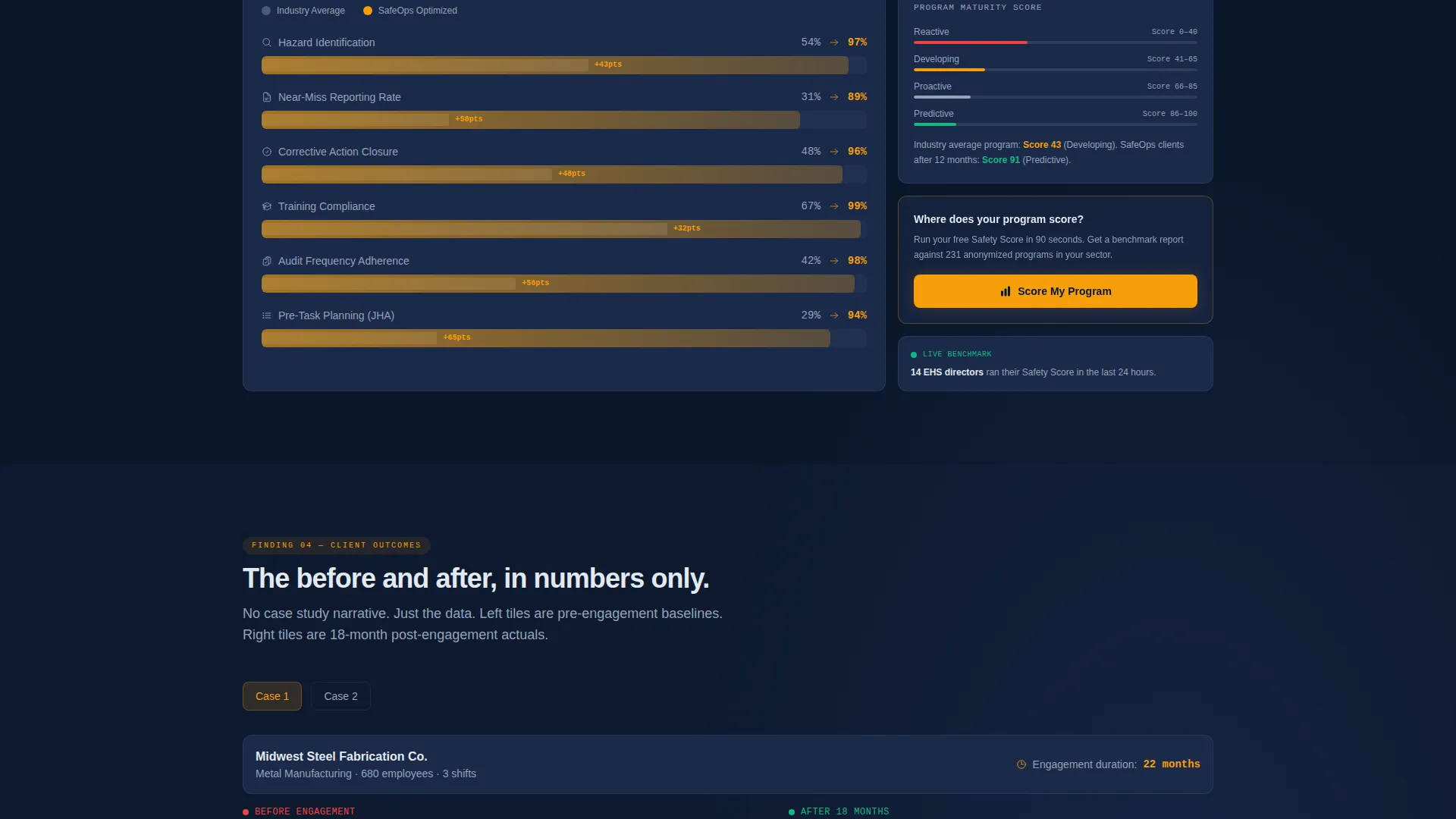
Before-and-After Case Study Tiles
Section four presents a metric-only case study. Before-engagement numbers sit in left-side tiles; after-engagement numbers appear in right-side tiles. The performance delta is highlighted in alert amber, making the improvement immediately visible without a single word of narrative explanation.
Persistent Bottom-Bar call to action
After the visitor scrolls past 40% of the page, a persistent bottom bar activates with the primary call to action: "Run Your Free Safety Score." This keeps the conversion prompt visible at every stage of the scroll without interrupting the reading experience.
Three-Step Progressive Disclosure Form
The lead capture form unfolds in three steps. Step one asks for industry sector and employee count. Step two asks for current TRIR (Total Recordable Incident Rate) and EMR, with a "not sure" option that still advances the visitor. Step three collects name and work email. On submission, the visitor receives an automated benchmark report comparing their inputs to anonymized client data.
Page sections overview
| Section | Purpose |
|---|---|
| Header metric grid | Displays four animated safety KPIs above the fold using glassmorphism panels |
| Industry incident data | Presents sector-wide incident benchmarks with the visitor's industry highlighted |
| Fault tree breakdown | Shows the anatomy of a preventable incident through an interactive fault tree |
| Compliance gap analysis | Compares average safety programs to optimized ones with a visual gap layout |
| Metric case study | Delivers before-and-after client proof using tile-based numbers and amber deltas |
| Free safety score form | Captures leads through a three-step progressive disclosure form with benchmark output |
| Persistent call to action bar | Activates at 40% scroll with a fixed bottom-bar conversion prompt |
Design & branding system
The visual identity is built around a Data Command theme rendered in a Midnight Blue color system. Every design decision reinforces the feeling of a live operations monitoring dashboard viewed in a darkened control room.
- Color palette: deep operations navy (#0A1628) for backgrounds, tactical slate (#1B2A4A) for card surfaces, cold signal white (#E2E8F0) for all body and heading typography, and alert amber (#F59E0B) reserved strictly for interactive elements, calls to action, and live data accents
- Bento tile treatment: each module floats on the navy field with a subtle 1-pixel slate border, giving every card the independent feel of an instrument panel
- Glassmorphism header panels carry frosted, slightly reflective depth so the animated data beneath feels like pulsing telemetry
Mobile & speed optimization
The bento grid layout is designed to reflow cleanly across screen sizes, so the command-center experience holds up whether a visitor opens the page on a desktop monitor or a mobile device on a plant floor.
- Each bento tile is an independent module, making the layout straightforward to adapt for narrower viewports without restructuring content
- The three-step form is built for touch input, with clear step progression that works on smaller screens without scrolling past the active field
How this template helps you convert
The conversion architecture is built on earned trust. The page delivers value before asking for anything, which reduces resistance from high-scrutiny buyers like EHS directors and operations VPs.
- The benchmark report model gives visitors a concrete reason to complete the form. They receive a personalized safety score comparing their inputs to anonymized client data, making submission feel like gaining intelligence rather than generating a sales lead.
- The persistent bottom-bar call to action and the inline header call to action create two natural entry points into the form, capturing visitors at different levels of readiness without feeling intrusive.
Other information about this template
This template is well-suited for consulting firms in the safety management space that serve industrial clients with complex buying cycles and data-literate audiences.
- The freemium and trial landing page direction means the template is optimized for a soft conversion model, prioritizing lead qualification over direct purchase
- The Industry Report creative direction aligns with how EHS professionals and operations leaders prefer to consume information: as evidence, not as marketing
- The bento grid template style and Dark Glass Panels header concept come from a matched intersection of the Data Command theme and the Midnight Blue color system, making the design feel purpose-built rather than generic
Theme
Data Command
Creative direction
Industry Report
Color system
Midnight Blue
Style
Bento Grid
Direction
Freemium/Trial
Page Sections
Animated Glassmorphism Metric Header
Industry Report Scroll Narrative
Interactive Fault Tree Visualization
Before-and-after Case Study Tiles
Three-step Progressive Disclosure Form
Persistent Scroll-activated Call to Action Bar
Related questions
Who is this landing page template designed for?
Can I update the safety metrics displayed in the header panels?
What is the purpose of the three-step form design?
How does the Industry Report structure help with lead quality?
Is this template suitable for safety consultants outside manufacturing?



