Salvage - Powerful Recycling Landing Page Template
Salvage is a hub-and-spoke landing page template built for salvage yard managers, recycling coordinators, and scrap metal brokers. It follows a Problem-to-Solution arc, opening with operational pain points and resolving each one through focused spoke sections. The dark Dashboard Pro aesthetic uses a Void and Violet color system to make data feel urgent, purposeful, and immediately credible.
by Rocket studio
Quick summary
Salvage is a single-page, anchor-nav landing page template designed for salvage and recycling booking systems. It uses a Problem-to-Solution creative arc to walk visitors from recognizable chaos to clear operational control. The Dashboard Pro theme, dark void background, and violet accent palette give it the feel of a live dispatch environment rather than a marketing brochure.
Who this template is for
This template speaks directly to operations-focused buyers in the salvage and recycling industry. It is built for people who manage physical yards, coordinate logistics, or make buying decisions based on real-time tonnage data.
- Salvage yard managers handling walk-in traffic alongside scheduled fleet contracts
- Municipal recycling coordinators routing curbside pickups across multiple districts
- Scrap metal brokers who need live tonnage visibility before committing to a purchase
What problem this template solves
Salvage and recycling operations run on timing, weight, and bay availability. When those three things are tracked on paper or in scattered spreadsheets, the whole system breaks down fast.
- Missed pickups and double-booked bays that cost time and credibility
- Handwritten weight tickets that get lost before they reach anyone who needs them
- Phone calls stacking up because there is no self-serve way to check availability or confirm a booking
What you get with this template
You get a fully structured, scroll-optimized landing page that maps every operational pain point to a direct solution section. The layout is ready to present a booking system product with clarity and confidence.
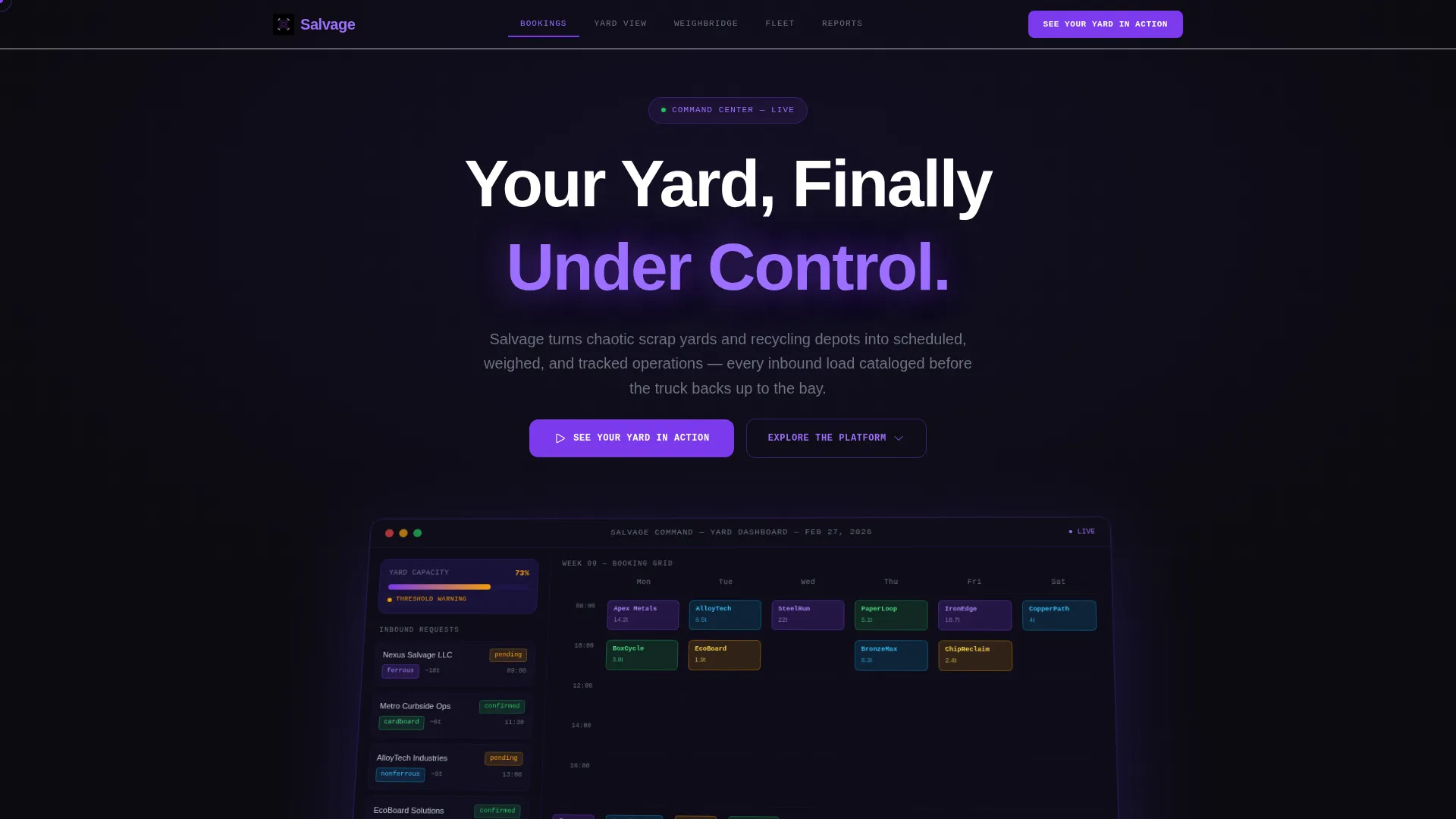
- A full-width isometric dashboard preview header with headline, ambient glow treatment, and a primary call-to-action button
- Five anchor-nav spoke sections covering Bookings, Yard View, Weighbridge, Fleet, and Reports
- A scrolling aggregate stats ticker and contextual call-to-action variations after each spoke section
Feature list
This section covers the core structural and design capabilities built into the Salvage template.
Anchor Navigation Hub and Spoke Layout
The page is organized around a fixed anchor navigation bar with five niche-native labels. Visitors can jump directly to the capability that matches their biggest operational pain point without scrolling through unrelated content.
Problem-to-Solution Creative Arc
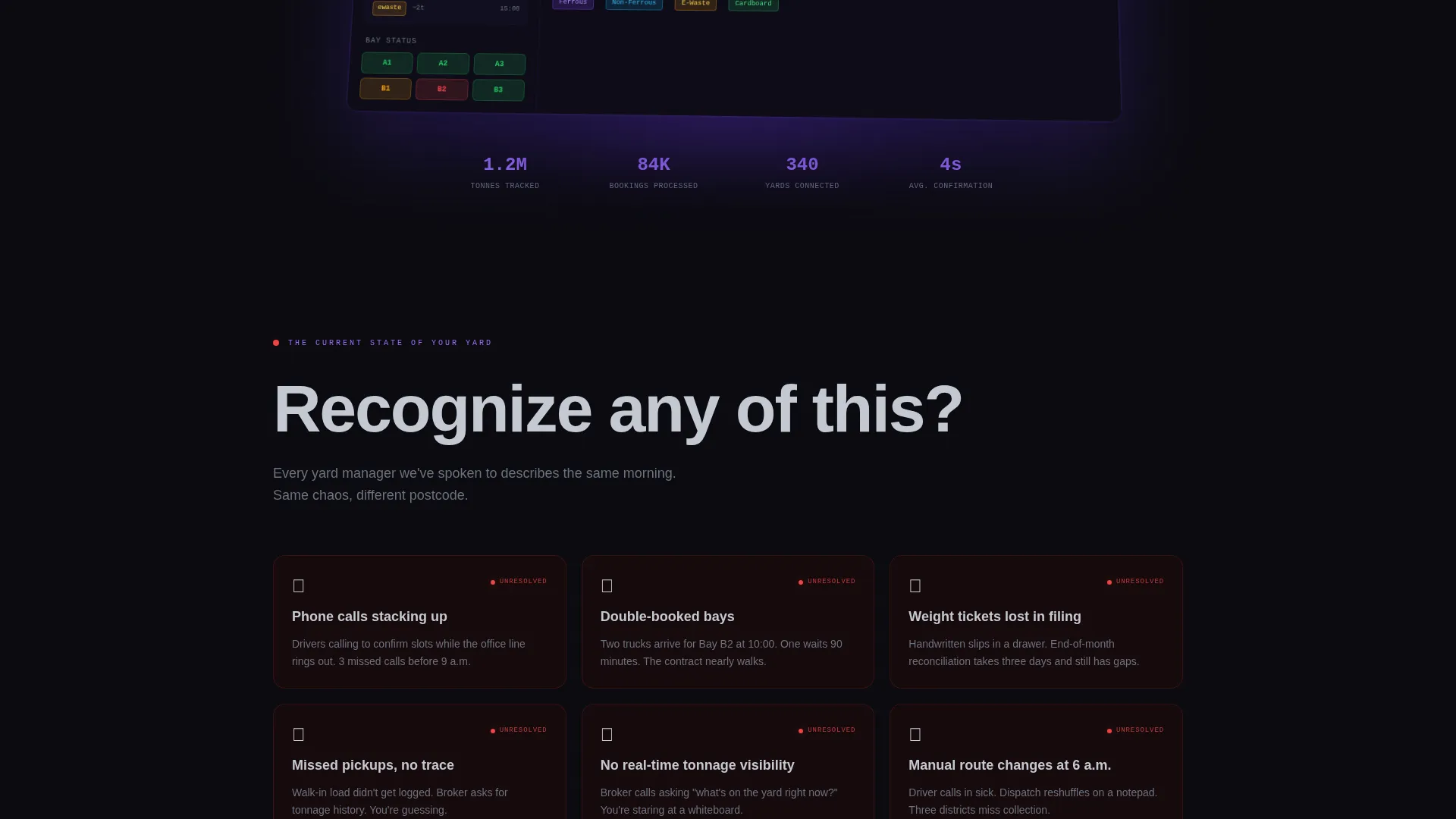
The scroll narrative opens with a set of short, punchy problem cards, each showing a red status indicator. A single transitional line pivots the page into solution mode, and every subsequent section maps directly to a resolved version of the problem shown earlier.
Isometric Dashboard Preview Header
The header renders a full-width screenshot of a live booking interface at a slight isometric tilt. It shows a weekly calendar grid with color-coded load types, an incoming bookings sidebar with company names and estimated tonnage, and a real-time yard capacity meter at 73 percent with amber threshold warnings.
Contextual Call-to-Action System
The primary call-to-action button appears first in the header, then resurfaces after every spoke section with a variation tied to that section's content. No form is required. Every button passes visitors directly into a live demo environment pre-loaded with sample data.
Scrolling Aggregate Stats Ticker
A live-style ticker runs just above the final call-to-action block. It displays aggregate operational figures to establish credibility through volume and scale rather than testimonials or logos.
Void and Violet Color System
The palette uses absolute void black as the base, deep ultraviolet for card backgrounds and section dividers, electric violet on active states and data highlights, and reclaimed silver for body text. The result reads like a radar screen in a dispatch tower, dark enough to make data pop and distinct enough to stand apart from generic SaaS templates.
Page sections overview
| Section | Purpose |
|---|---|
| Header Dashboard Preview | Introduce the product with a dense, credible interface screenshot and primary call-to-action |
| Pain Point Cards | Show operational chaos with red-status problem cards to create immediate reader recognition |
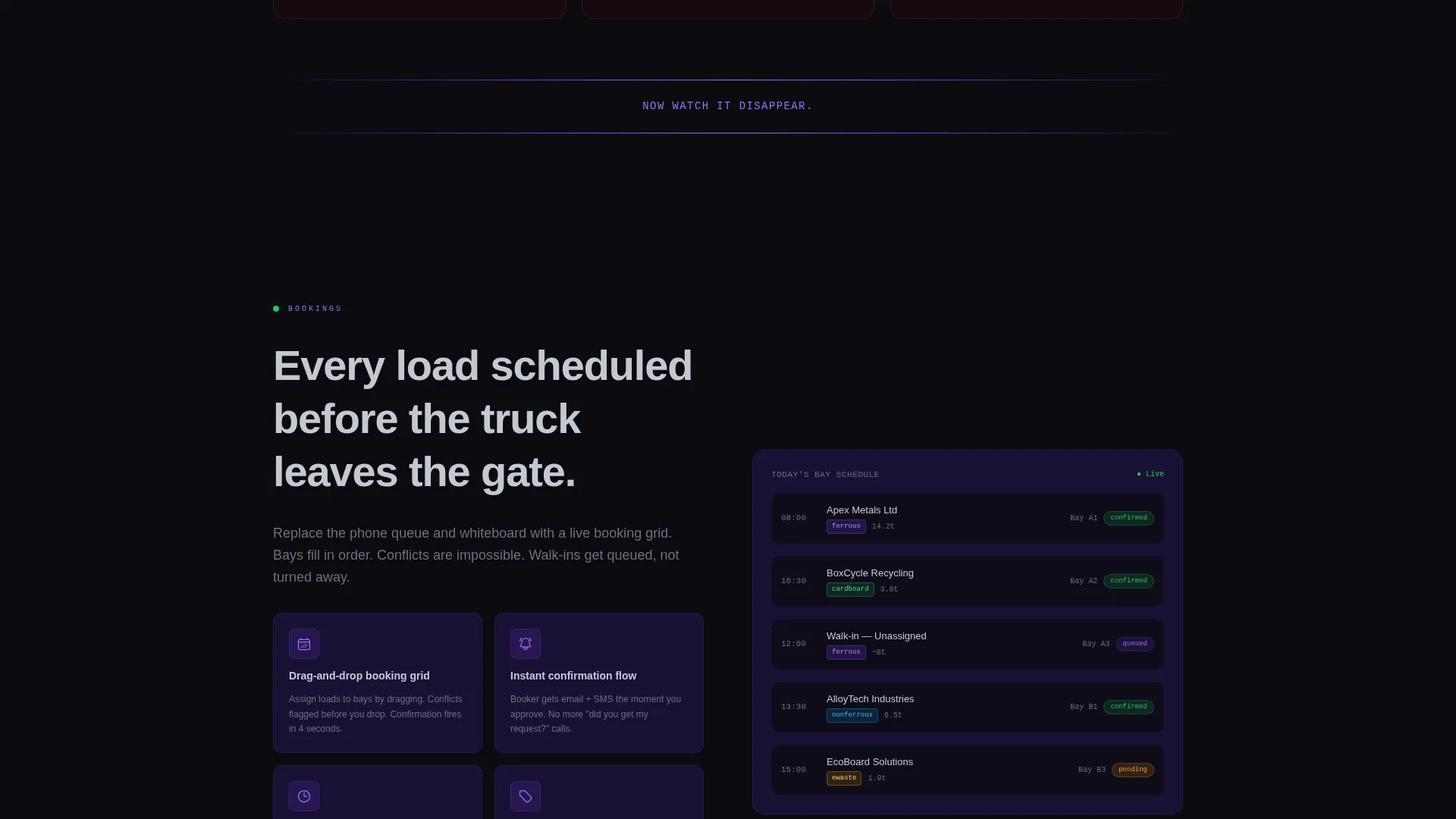
| Solution Pivot Line | Transition the scroll narrative from problem to resolution with a single bold statement |
| Bookings Spoke | Present automated booking confirmations as the direct answer to missed pickups |
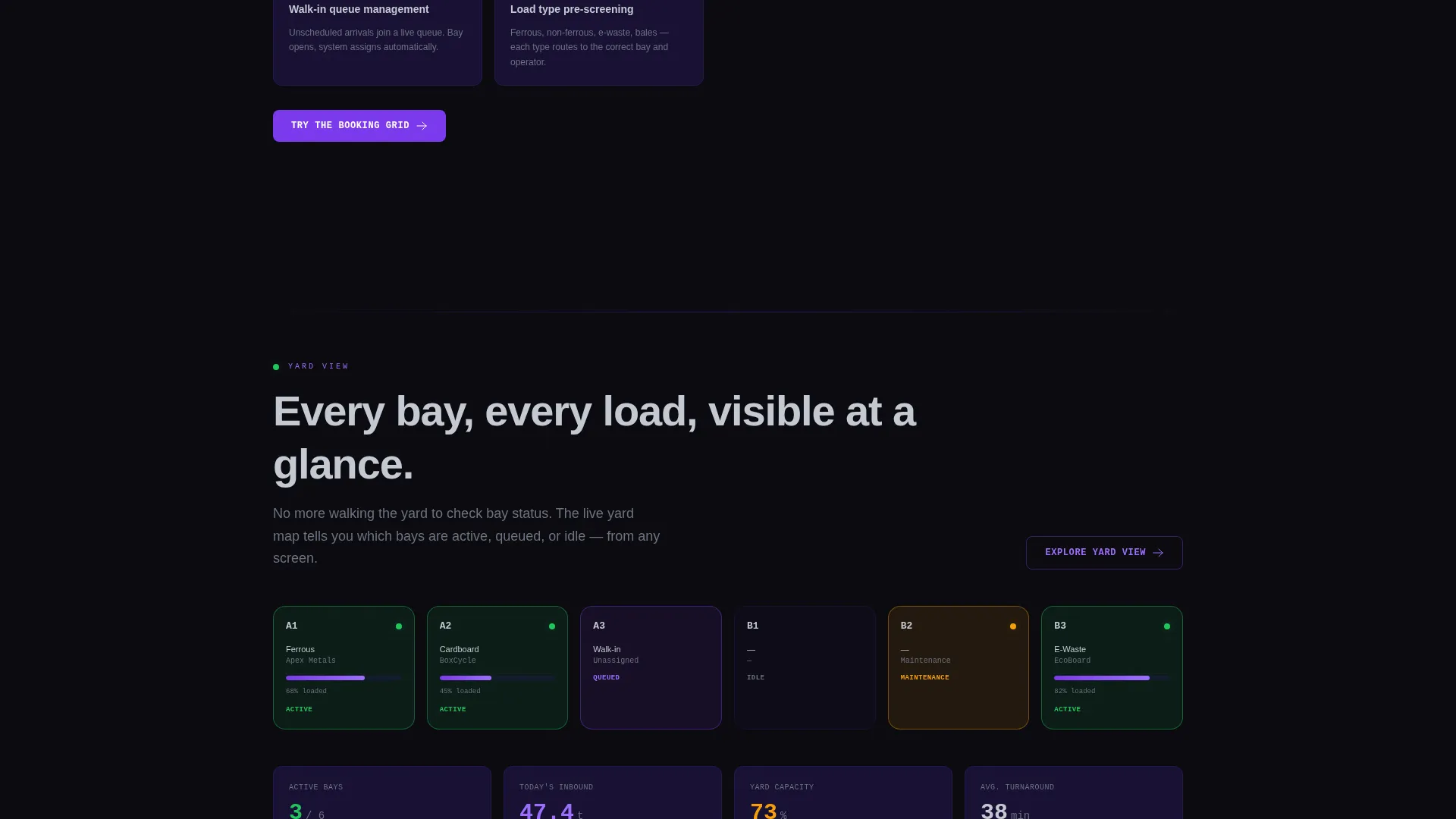
| Yard View Spoke | Show live bay availability as the fix for double-booked bays |
| Weighbridge Spoke | Demonstrate digital weigh-bridge integration replacing lost paper tickets |
| Fleet Spoke | Cover driver SMS notifications and fleet contract management |
| Reports Spoke | Highlight reporting tools for tonnage tracking and operational visibility |
| Stats Ticker Block | Build credibility through aggregate platform usage figures |
| Final call to action Block | Close the page with a zero-friction passage into the interactive demo |
Design & branding system
The Salvage template uses the Dashboard Pro theme with a Void and Violet color system. Every visual decision reinforces the feeling of a live operational control room rather than a standard marketing page.
- Absolute void black (#0B0B0F) as the primary background, deep ultraviolet (#2D1B69) for card and section backgrounds, electric violet (#7C3AED) on active states and highlights, and reclaimed silver (#C4C9D2) for body text
- The isometric dashboard screenshot floats on the void background with a violet ambient glow beneath it, making the interface itself appear to be the light source
- Color-coded load types in the calendar grid (ferrous, non-ferrous, e-waste, cardboard bales) carry the operational vocabulary of the industry directly into the visual design
Mobile & speed optimization
The Salvage template is structured for clean rendering across screen sizes. The layout prioritizes the most persuasive element first on every viewport.
- The anchor navigation bar is designed to remain accessible as visitors scroll through the full spoke structure
- The isometric dashboard preview and spoke section cards are laid out to stack cleanly on smaller screens without losing the visual hierarchy that makes data feel credible
How this template helps you convert
The entire page is built around a single conversion goal: getting visitors into the live demo environment without friction. Every structural decision supports that path.
- The primary call-to-action button in the header gives visitors an immediate route to the demo before they read a single line of body copy
- Contextual call-to-action variations after each spoke section keep the demo offer relevant to whatever pain point the visitor just read about, reducing the cognitive distance between interest and action
Other information about this template
The Salvage template is part of the broader Dashboard Pro theme family and is designed specifically for vertical SaaS products in the salvage and recycling industry. It is a strong fit for teams building or marketing a recycling booking system, scrap yard management platform, or waste logistics product.
- The template style is Hub and Spoke with Anchor Nav, making it well-suited for products with multiple distinct feature areas that different buyer personas care about independently
- The lp direction is Click-Through, meaning the page is optimized to move visitors into a demo or product trial rather than capturing a form submission
- The Problem-to-Solution arc and niche-native anchor labels make this template particularly effective for buyers who already understand the operational pain and are evaluating whether your product actually solves it
Theme
Dashboard Pro
Creative direction
Problem→Solution Arc
Color system
Void & Violet
Style
Hub & Spoke (Anchor Nav)
Direction
Click-Through
Page Sections
Hub and Spoke Anchor Navigation
Problem-to-solution Scroll Arc
Isometric Dashboard Preview Header
Contextual No-form Call to Action System
Aggregate Stats Credibility Ticker
Void and Violet Visual Identity
Related questions
What type of product is this template built for?
Does the template include a contact form?
Can I adapt the anchor nav labels to match my product?
What makes the header different from a standard hero section?
How does the scrolling stats ticker establish credibility?



