Church & Religious Software Complete Reviews Website Template
Steward is a modular card-grid landing page built for church administrators, mission directors, and executive pastors who need polished proposals fast. The page opens with a live, interactive calculator so visitors engage before reading a word. A freemium conversion path, denomination-tagged use-case cards, and testimonial snapshots make the case clearly and professionally.
by Rocket studio
Quick summary
Steward replaces photocopied church spreadsheets with a professional proposal-building landing page. The header puts a live cost calculator front and center. Modular cards tile use cases, testimonials, and document previews across the page. The free tier lets any church create three branded proposals per month before an upgrade is ever mentioned.
Who this template is for
This template is built for the people who manage the financial side of church ministry. It speaks their language and respects their time.
- Executive pastors overseeing multi-campus budgets and capital campaign presentations
- Mission directors assembling itemized trip quotes for congregant families
- Small-church treasurers who need board-ready fundraising proposals without a design team
What problem this template solves
Church finance work often looks nothing like the effort behind it. Proposals get assembled in spreadsheet files, printed and folded, and passed around after Sunday service. That process costs credibility.
- Administrators lack a polished, on-brand document format that matches the seriousness of a capital campaign
- Mission trip coordinators spend hours manually quoting group travel costs with no consistent layout
- Small congregations cannot afford design resources yet still need to present to donors and boards professionally
What you get with this template
This is a single-page, section-led landing page that does the selling before the visitor finishes scrolling. Every element earns its place.
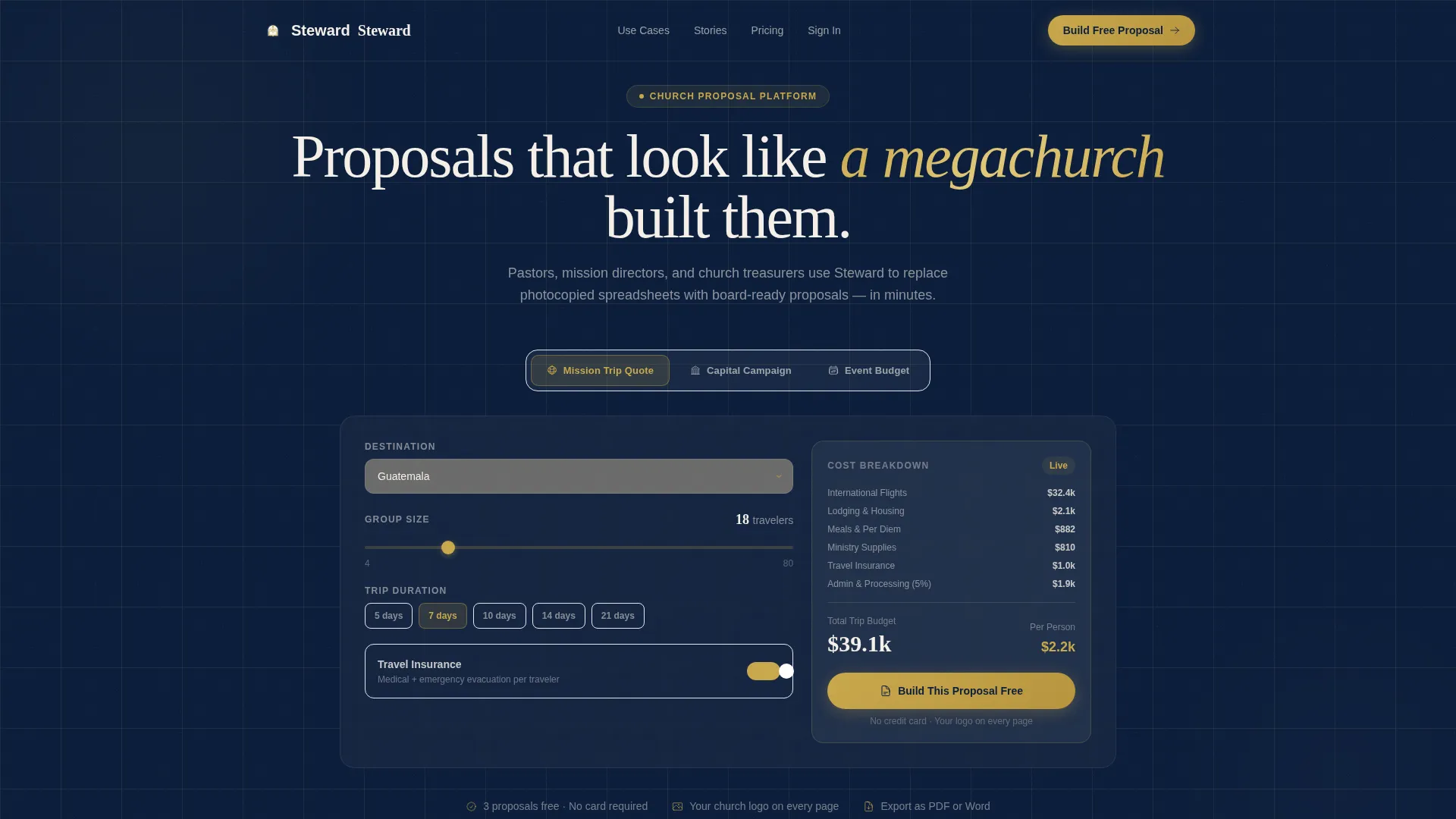
- A Feature Tab Switcher header with three live calculators for mission trips, capital campaigns, and event budgets
- A modular card grid displaying denomination-tagged use cases alongside real testimonial snapshots
- A freemium conversion flow with a pinned "Build Your First Proposal Free" call to action tied directly to the calculator output
Feature list
This template is built around one guiding principle: show the product working before asking anyone to sign up.
Live Interactive Calculator Header
The header contains a Feature Tab Switcher with three labeled tabs: "Mission Trip Quote," "Capital Campaign Proposal," and "Event Budget." The default tab loads a mission trip quoter with a destination field, group size slider, and duration dropdown. Numbers update in real time as visitors adjust inputs, so they experience the core product value immediately.
Modular Denomination-Tagged Card Grid
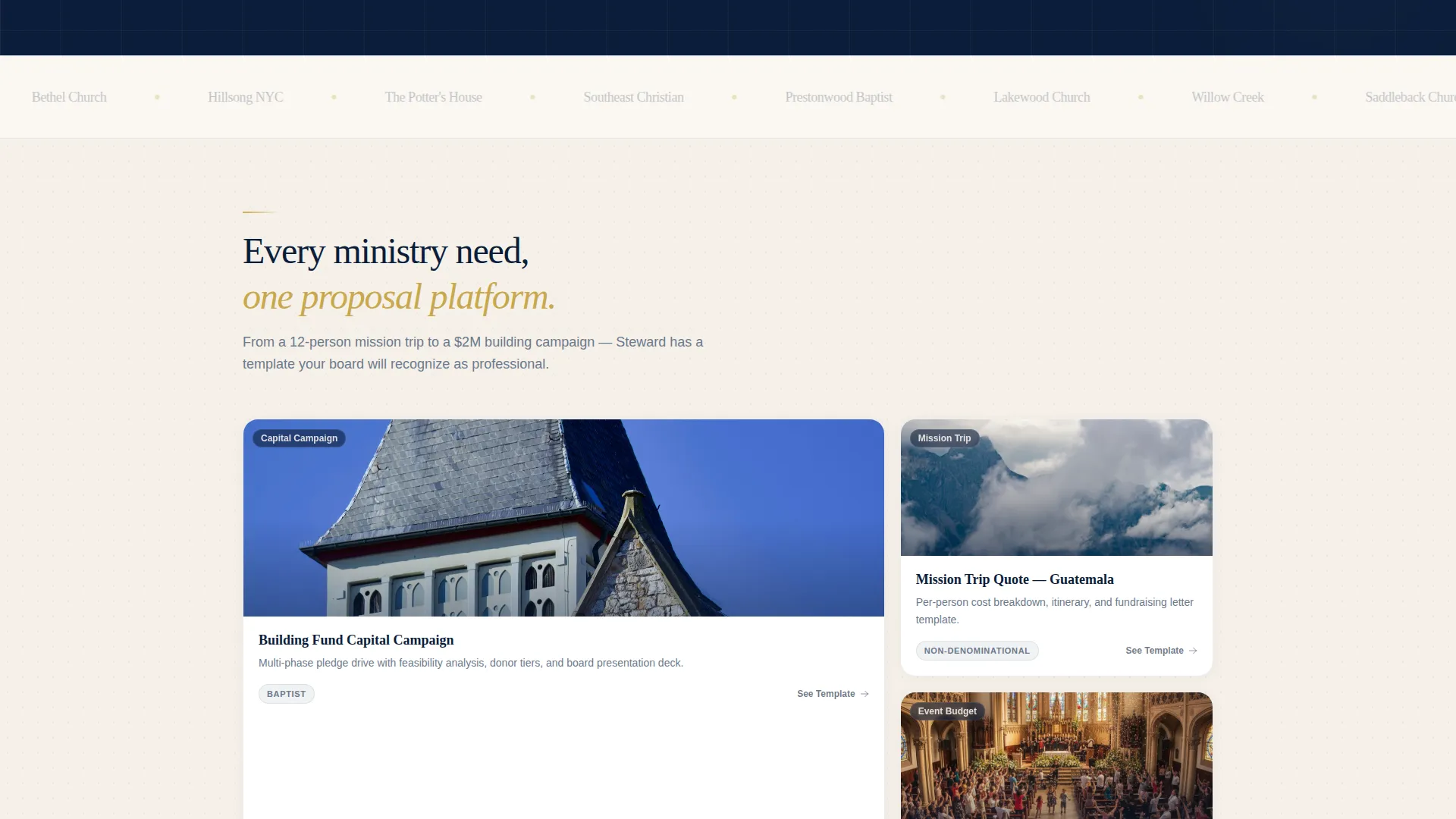
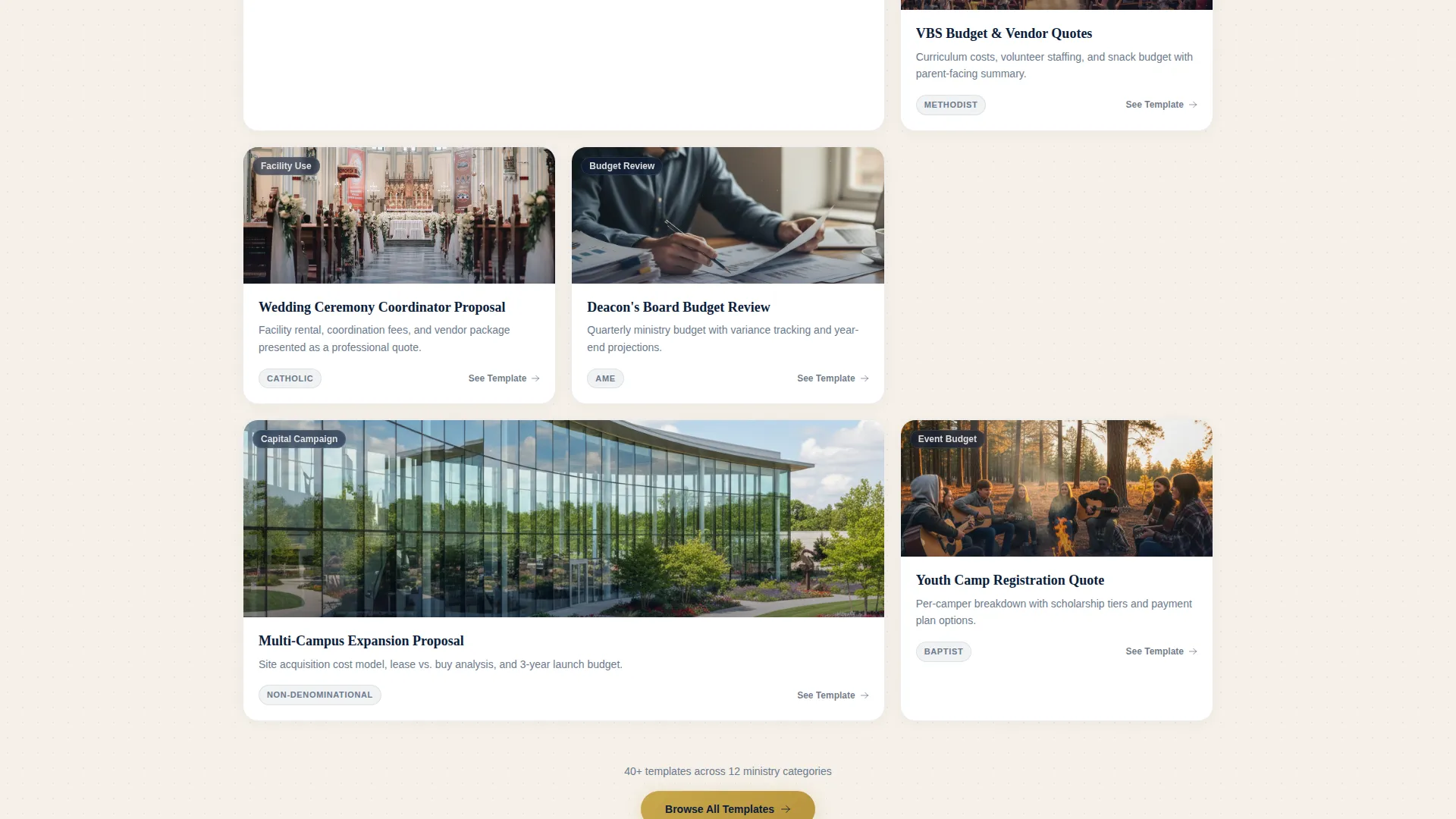
Below the calculator, cards tile outward in a directory-style layout. Each card shows a thumbnail preview of a generated document, a one-line description, and a denomination tag such as Baptist, Catholic, Non-Denominational, or AME. Use cases covered include wedding coordinator proposals, Vacation Bible School budgeting, and building fund pledge tracking.
Testimonial Snapshot Cards
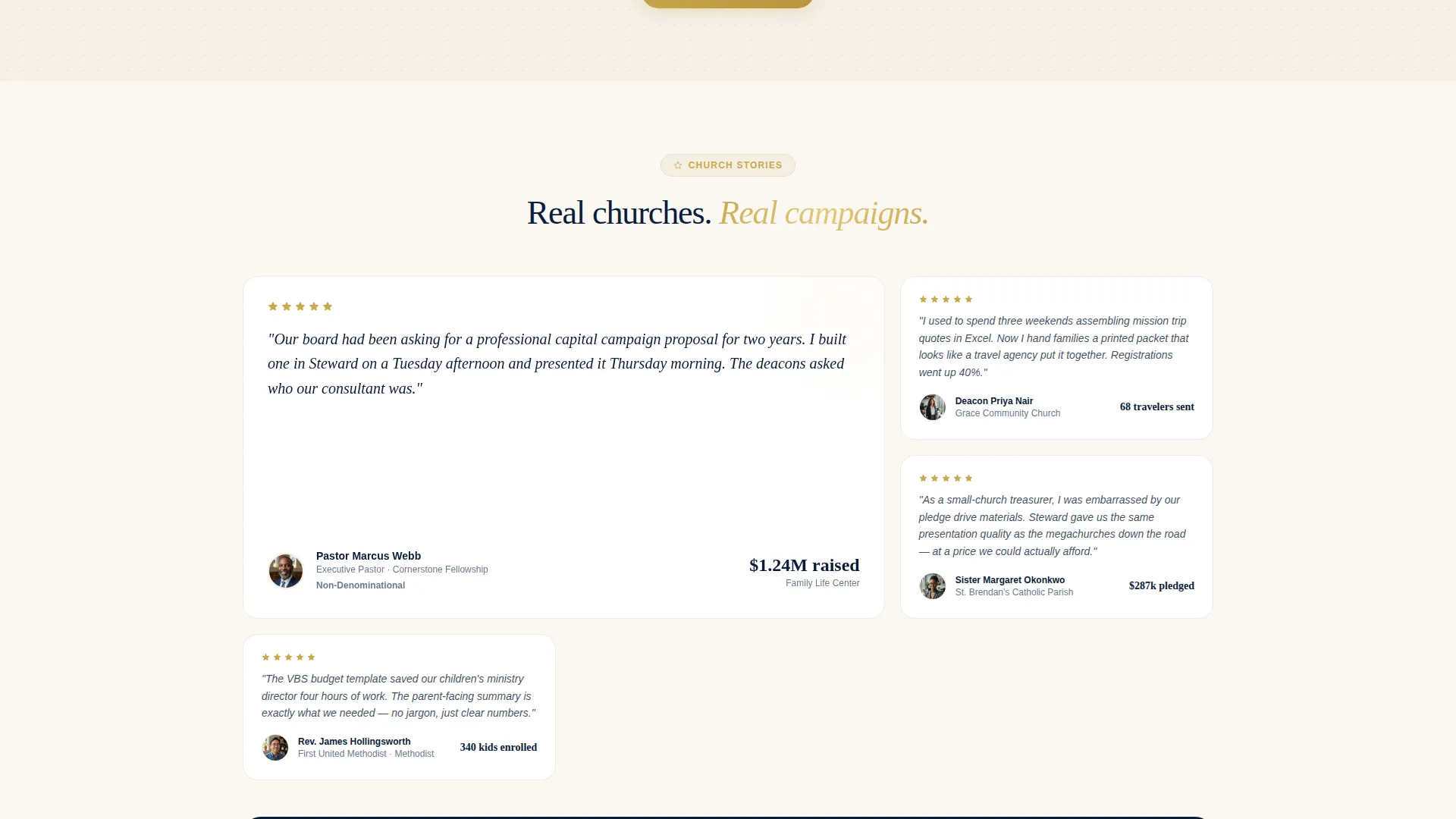
As visitors scroll deeper, the card grid transitions from use cases to social proof. Cards show real church names, real campaign totals raised, and administrator headshots. This accumulating-proof structure builds trust progressively rather than front-loading it.
Pinned Freemium Call to Action
The primary call to action, "Build Your First Proposal Free," is pinned to the calculator output panel. The moment a visitor finishes adjusting numbers, the next step is directly in view. The upgrade path is revealed only after the visitor has already created something worth keeping.
Gated Preview with Email Entry
Secondary "See This Template" cards are distributed throughout the grid. Each one opens a gated document preview that requires only an email address. This creates a low-friction lead capture point without requiring a full account commitment upfront.
Rhythm-Varied Grid Layout
The grid alternates between tight three-column card rows and full-width feature breakdowns. This variation keeps the scroll rhythm unpredictable enough to prevent fatigue while still feeling organized and intentional.
Page sections overview
| Section | Purpose |
|---|---|
| Tab Switcher Header | Engages visitors with a live, three-tab interactive calculator before any copy |
| Mission Trip Quoter | Default calculator tab with destination, group size, and duration inputs |
| Use Case Cards | Directory-style cards showing proposal types with denomination tags and document previews |
| Testimonial Snapshots | Social-proof cards featuring church names, campaign totals, and administrator headshots |
| Full-Width Breakdowns | Feature highlight rows that interrupt the card grid to emphasize key capabilities |
| Pinned call to action Panel | Persistent "Build Your First Proposal Free" button anchored to calculator output |
| Gated Preview Cards | Secondary conversion cards offering document previews behind an email gate |
Design & branding system
The visual identity follows a Directory and Discovery theme built on a Midnight Blue color system. The palette is designed to feel like the last quiet minutes before an evening service.
- Core colors include sanctuary navy (#0B1D3A) and vestment charcoal (#1E2A3A) for structural elements, with parchment ivory (#F5F0E8) providing warm contrast for body content
- Offering-plate gold (#C9A84C) is reserved for calls to action, active tab states, and highlighted plan badges, ensuring every conversion point catches the eye without competing with content
- The overall aesthetic references stained glass dimmed to silhouette and brass fixtures catching remaining light, giving the page a reverent, unhurried authority
Mobile & speed optimization
The card-grid layout is inherently responsive. Columns reflow naturally for smaller screens without losing the modular structure.
- The tab switcher and calculator inputs are designed for touch interaction, keeping the core product experience intact on phones and tablets
- Full-width feature breakdown rows adapt to single-column stacks on narrow viewports, preserving readability as screen size decreases
How this template helps you convert
Every structural decision in this template serves the freemium conversion goal. Visitors are never asked to commit before they have experienced value.
- The live calculator creates immediate personal investment. A visitor who has already configured a real mission trip quote is far more likely to click "Build Your First Proposal Free" than one who has only read about the feature.
- The gated document preview cards distribute low-friction email capture throughout the scroll, so visitors who are not ready for the primary call to action still have a clear next step that moves them into the funnel.
Other information about this template
This template is part of the Church and Religious Software category within the broader Technology niche. It is specifically designed for church and religious proposal and quote workflows.
- The free tier includes three proposals per month with the church's own logo applied, giving administrators a real working output before any payment decision is required
- The template style is Card Grid (Modular), meaning layout components can be rearranged to emphasize different use cases or denominations depending on the target audience
- The header concept is a Feature Tab Switcher, which is a proven pattern for software products that serve multiple distinct use cases under one platform
- The creative direction is Calculator or Tool First, meaning the interactive element is the primary hook rather than copy or imagery
- This template is suited for platforms targeting congregations of all sizes, from single-campus small churches to multi-campus ministry networks
Theme
Directory & Discovery
Creative direction
Calculator/Tool First
Color system
Midnight Blue
Style
Card Grid (Modular)
Direction
Freemium/Trial
Page Sections
Live Three-tab Calculator Header
Denomination-tagged Use Case Cards
Pinned Freemium Call to Action
Testimonial Snapshot Grid
Gated Email Preview Cards
Rhythm-varied Modular Grid
Related questions
Can I use this template if my church has a very small budget?
Does the calculator work for different types of church proposals?
What denomination types does the template support?
What happens after a visitor builds their first proposal?
Is the document preview available without creating a full account?



