Intelligent Restaurant Ordering Landing Page Template
The Menu Intelligent Media Publishing Digital Menu Landing Page Template is a split-screen, lead-generation landing page built for publishers, ad sales teams, and magazine group directors. It replaces static PDF media kits with a living, draggable digital menu interface. Visitors can touch and rearrange a sample menu right on the page before they ever fill out a form.
by Rocket studio
Quick summary
This template is a single-page, split-screen lead-generation surface for media and publishing businesses. It contrasts dead, printed media kits against a live digital menu board, and then lets visitors drag tiles, explore the interface, and sign up. The design follows a Data Command visual theme with an AI Iridescent color system built on void black, prismatic violet, holographic teal, and signal white.
Who this template is for
Publishers, ad sales leaders, and content directors need a shareable surface that makes their offerings irresistible to agency buyers. This template is purpose-built for that exact audience.
- Magazine group directors managing large title portfolios across quarterly content calendars
- Digital publishers syndicating food, lifestyle, and editorial content across multiple platforms simultaneously
- Ad sales teams who need to display inventory on digital screens during upfront season
What problem this template solves
Static PDF media kits and printed spreads cannot keep pace with modern media buying. They age instantly, fail to promote live availability, and make even premium ad inventory look lifeless. This template replaces that broken workflow with interactive digital menus that actually move.
- Publishers lose deals when their media kit looks like a cluttered chain of forwarded emails
- Buyers cannot determine real-time slot availability from a flat PDF or a spreadsheet
- Printing and reprinting rate cards wastes time and increases operational costs
What you get with this template
You get a fully structured, single-page lead-generation layout with five clearly defined sections and a sequential three-field form. Every section is built to accelerate trust and move visitors toward the primary call to action.
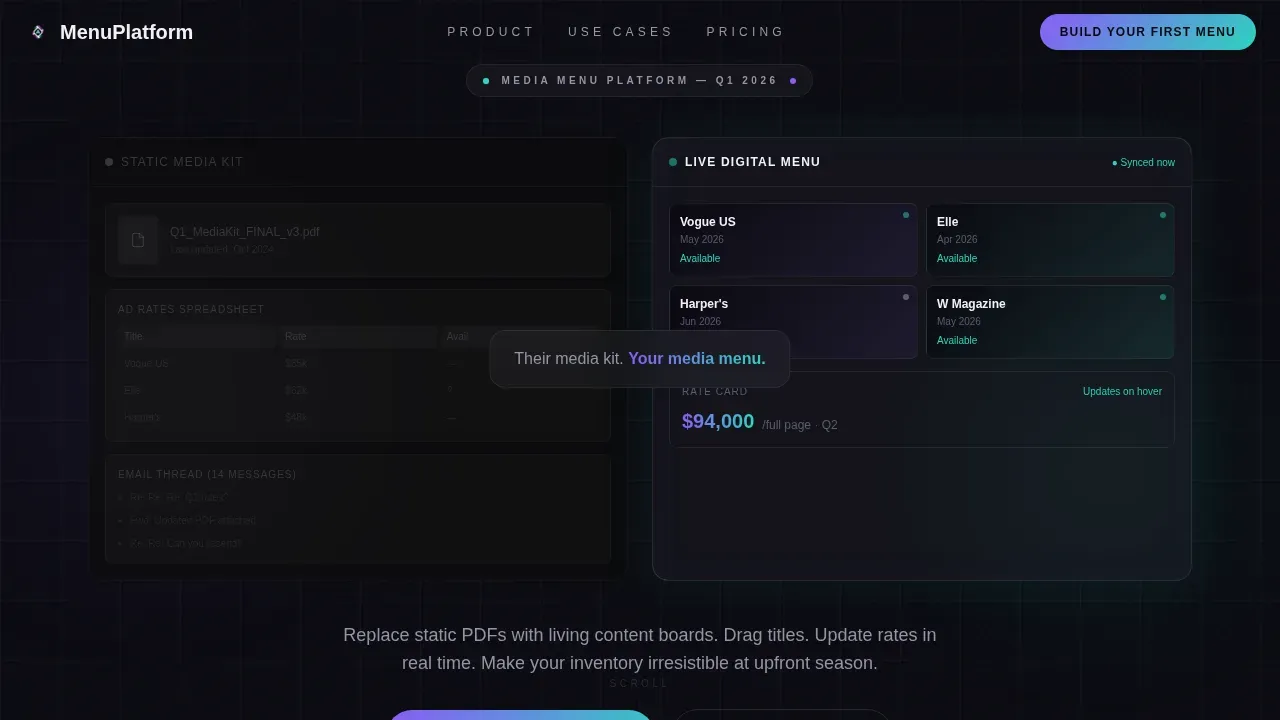
- A dark glass split-screen hero that contrasts static print media kits against a live digital menu board
- A scroll-linked workflow demo, animated metrics, a client logo cascade, and a testimonial block
- A live interactive embed where visitors drag and rearrange menu boards before they ever contact the team
Feature list
This template packs five high-impact sections with specific interactive and visual capabilities. Each feature below is grounded directly in the source brief.
Split-Screen Dark Glass Hero
The hero uses two frosted-glass panels on a pure black field. The left panel shows a static, blurred media kit. The right panel displays a live digital menu board with draggable content tiles, animated availability indicators pulsing in teal, and a rate card that updates on hover. A fade-in headline appears between the panels after a two-beat delay.
Scroll-Linked Workflow Demo
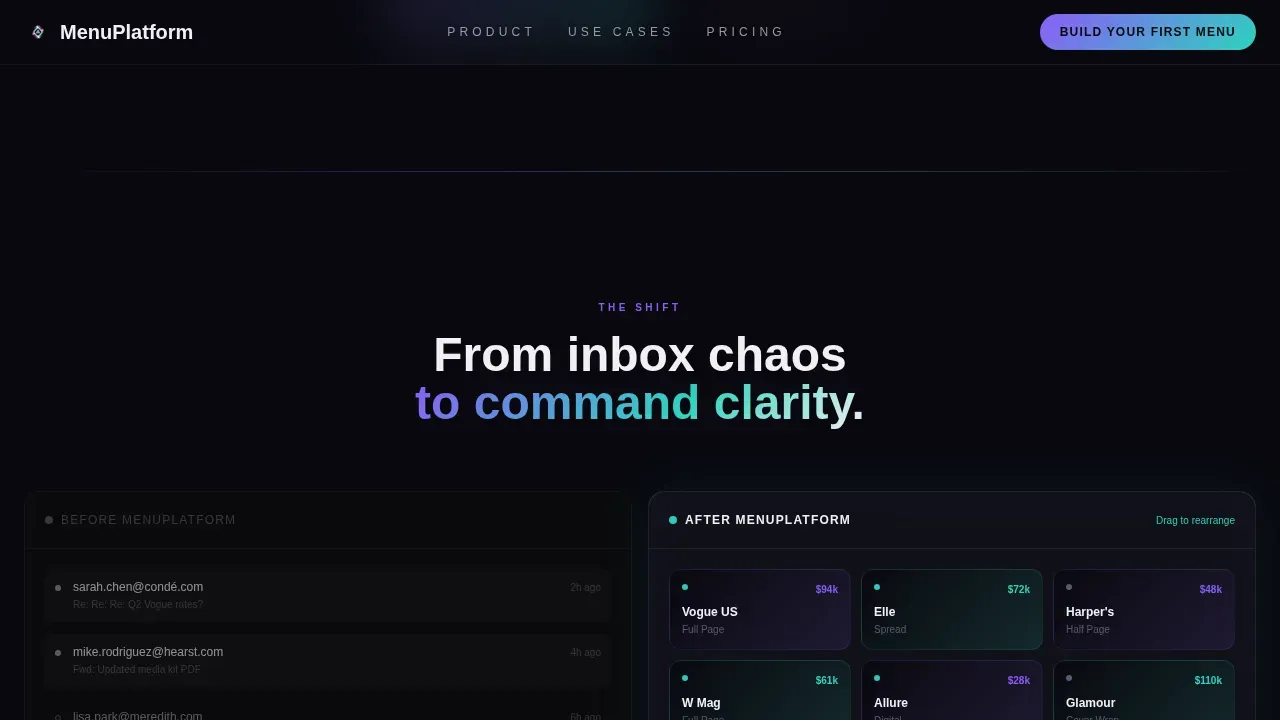
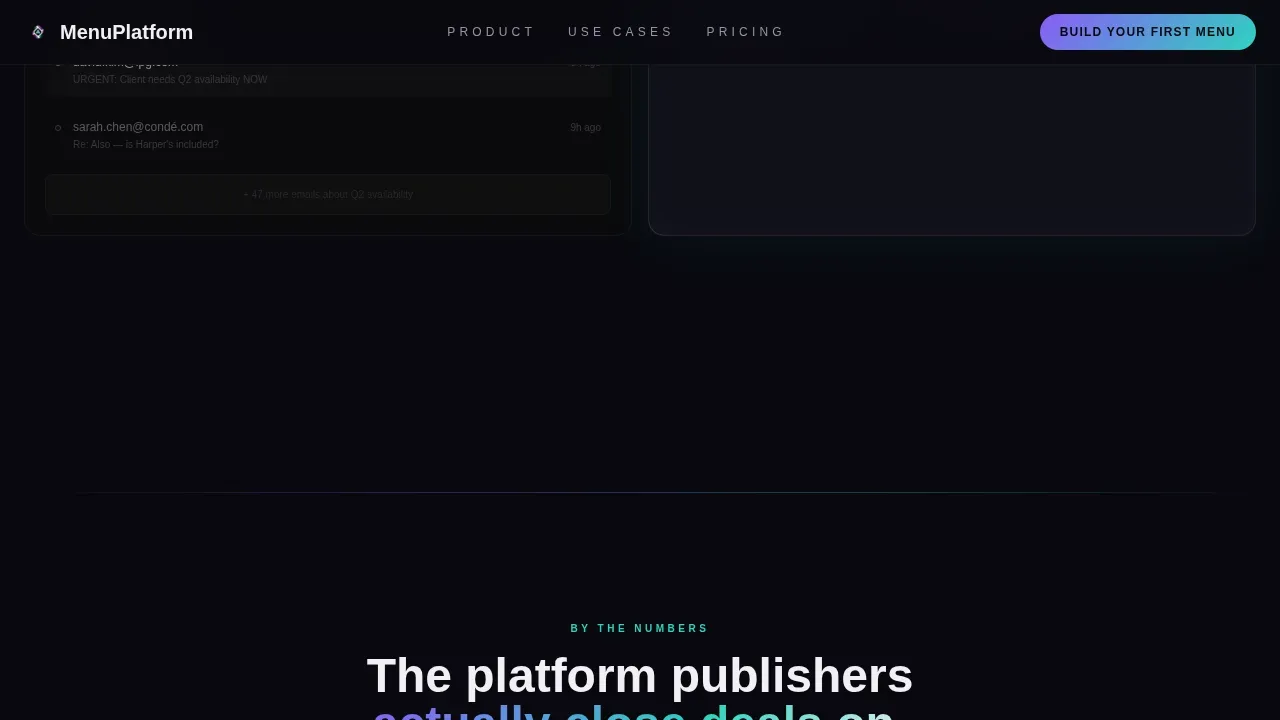
After the hero, a split-screen demo section shows the old inbox workflow on the left and a clean drag-and-drop menu board grid assembling itself on the right. Scroll-linked reveals control the pacing. This section lets visitors see the before-and-after without needing to read a single line of marketing copy.
Animated Metrics and Social Proof
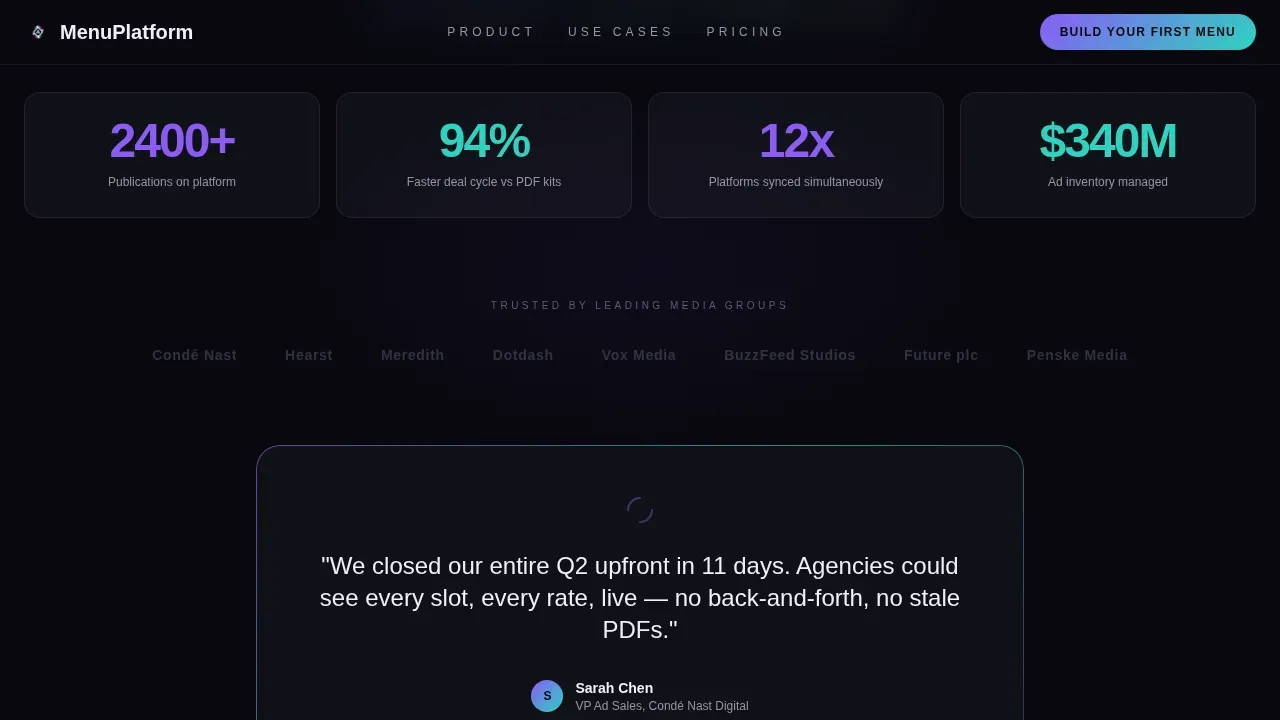
Metrics animate in fast as the visitor scrolls. Client logo icons cascade into view. A single testimonial quote lands like a headline. Digital menu boards can increase daily sales by up to 30% and improve customer satisfaction by 21%, so the numbers in this section carry real weight when displayed prominently.
Live Draggable Interactive Embed
The interactive embed is a sample digital menu the visitor can touch, drag, and rearrange directly on the page. This is the template's most powerful conversion feature. By the time visitors reach the form, they have already used the product. A secondary call-to-action below the embed opens a fullscreen interactive sample that ends with the same lead form.
Sequential Three-Field Lead Form
The form collects work email first, then publication or media group name, then a single dropdown asking how many titles are in the portfolio. The sequence is intentional and straightforward. It reduces friction by asking one focused question at a time, and the primary call-to-action button uses a violet-to-teal gradient that stays anchored to the right panel throughout scroll.
Page sections overview
| Section | Purpose |
|---|---|
| Hero Split Screen | Contrast static kit versus. live digital menu board with fade-in headline |
| Workflow Demo Split | Show inbox chaos versus. drag-and-drop menu grid with scroll-linked reveal |
| Metrics and Social Proof | Display animated stats, logo cascade, and testimonial headline |
| Interactive Menu Embed | Let visitors drag and rearrange a live sample menu board |
| Lead Gen Form | Capture leads via three-field sequential form with gradient call-to-action |
| Footer | Horizontal footer pattern with contact details and navigation |
Design & branding system
The visual identity follows a Data Command theme built on an AI Iridescent color palette. The look feels like a server room the instant before a launch, with iridescent light refracting across dark glass surfaces.
- Void black (#09090F) dominates backgrounds at roughly 80%; prismatic violet (#8B5CF6) and holographic teal (#2DD4BF) appear as gradients on hover states, data visualizations, and the primary call-to-action button
- Signal white (#F0F0F5) keeps body text sharp and clinical against dark backgrounds, supporting strong brand identity across every screen
- Typography uses Plus Jakarta Sans for headings and DM Sans for body copy; icons, availability indicators, and interactive graphics reinforce the iridescent design experience
Mobile & speed optimization
This template is desktop-first by design. Media buyers and ad sales directors work on large screens, and the drag-and-drop interaction is optimized for that environment. A mobile fallback layout is included to ensure the message reaches users on smaller digital displays.
- Static sections use server-side rendering to save load time; the interactive embed and lead form use client-side components for full interactivity
- Scroll-linked animations, pulse effects, and gradient shifts are scoped to avoid layout shifts that could harm the experience on mobile screens
- The layout lets visitors preview the drag interaction and access the lead form without pinch-or-zoom gestures on mobile
How this template helps you convert
The page earns the form submission by letting visitors touch the product first. Every section is designed to build momentum toward a single focused action.
- The hero creates immediate contrast: static print media kits look dead next to a live, pulsing digital menu board, establishing the value proposition before a single word is read.
- The interactive embed hands control to the visitor, letting them drag and rearrange menu boards in real time, so the form feels like a natural next step rather than a cold ask.
Other information about this template
This template suits any business in the media, publishing, or food and hospitality space that wants to replace traditional menus or static rate cards with modern digital signage. The facts below help frame the wider context for digital menus and menu board design.
- Digital menu boards can increase foot traffic by 17% and studies show digital signs produce a 33% increase in repeat buyers
- Digital signage eliminates the need to print and reprint rate cards or restaurant menu spreads, saving time and reducing costs
- Creating and managing digital menus can be done easily with specialized software, even those without prior design skills, using drag-and-drop editors to customize layouts, fonts, and graphics
- Menu board templates can be downloaded or shared after customization; users can save files in multiple formats to match their display or platform preferences
- Platforms such as NoviSign offer online editors to create digital menu boards; PosterMyWall provides a design and video editor for menu displays; Pickcel's Artboard tool houses over 100 digital signage layout templates; Mandoe lets users create captivating menu boards in just a few clicks
- High-resolution images and short videos of dishes can boost sales by up to 30% on digital menu boards; 71% of consumers prefer to see nutritional information displayed on menu boards
- Menu board design details such as price anchoring, prominent contact information, and featured icons for popular dishes guide diners toward higher-margin selections
- Operators can update pricing and switch out menu items from a centralized location without reprinting anything; the template supports the same kind of real-time flexibility for media publishers managing ad inventory
- An intelligent media publishing digital menu landing page template is a pre-designed, cloud-based digital menu framework built for instant updates and customization of menu content across platforms
Theme
Data Command
Creative direction
Launch Energy
Color system
AI Iridescent
Style
Split Screen (50/50)
Direction
Lead Generation
Page Sections
Split-screen Dark Glass Hero
Scroll-linked Workflow Demo
Animated Metrics and Social Proof
Live Draggable Interactive Embed
Sequential Three-field Lead Form
Related questions
Who is this landing page template designed for?
Can I customize the layout and colors without design skills?
Does the interactive embed work on mobile devices?
How does this template help increase sales and customer satisfaction?
Can this template suit a food or restaurant business?



