Onboarding & User Guide Professional Website Template
Scaffold is a bento grid dashboard landing page template built for developers who need a polished SaaS admin panel without the weeks of layout work. It ships with a Feature Tab Switcher header, 40-plus pre-built components, a Monochrome Steel color system, and a Comparison section that makes the case for itself before you even scroll to the call to action.
by Rocket studio
Quick summary
Scaffold is a pre-wired bento grid landing page template for developers shipping SaaS admin panels fast. It includes a live Feature Tab Switcher header, 40-plus pre-built components, dark and light mode, and a Comparison section. The Monochrome Steel palette and Launch Energy scroll experience make it feel production-ready from the first preview click.
Who this template is for
Scaffold is built for developers and technical founders who need a professional dashboard interface without the weeks of setup that normally come with it. It speaks directly to people building real products under real time pressure.
- Solo founders prototyping their first analytics view or admin panel
- Agency developers managing multiple client builds at the same time
- Startup CTOs who need a settings page that looks intentional and well-crafted
What problem this template solves
Building a SaaS dashboard layout from scratch takes far longer than it should. Every spacing decision, component pattern, and responsive breakpoint adds up to weeks of work before a single feature ships.
- Layout plumbing consumes developer time that should go toward product logic
- Inconsistent component libraries lead to visual debt that slows future iterations
- Starting from zero means making every design decision alone, without a proven system
What you get with this template
Scaffold hands you a complete, opinionated starting point so you can open the file and start building immediately. Everything from the header interaction to the mobile bottom bar is already decided and wired together.
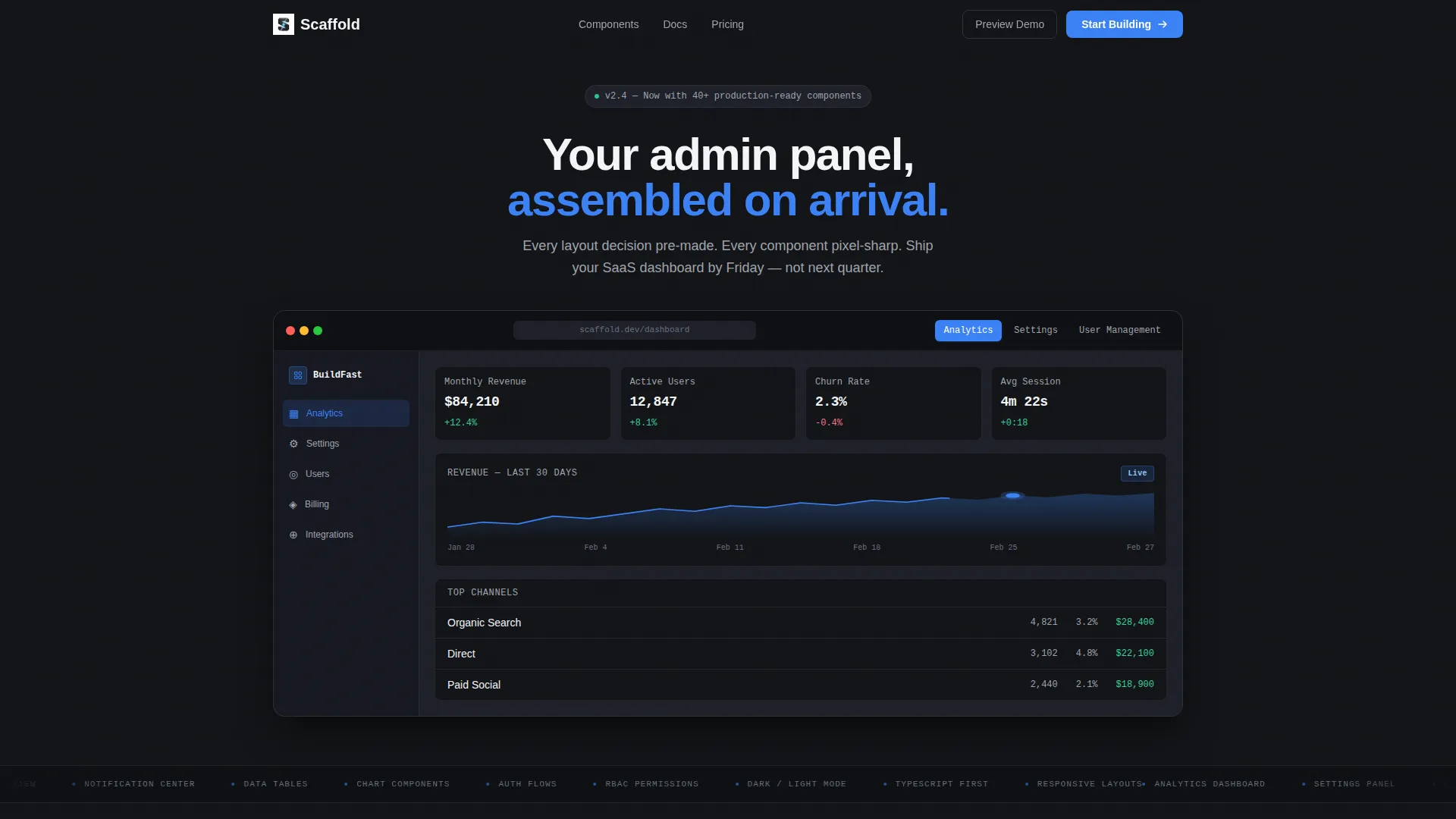
- A bento grid landing page with a Feature Tab Switcher showing Analytics, Settings, and User Management panels
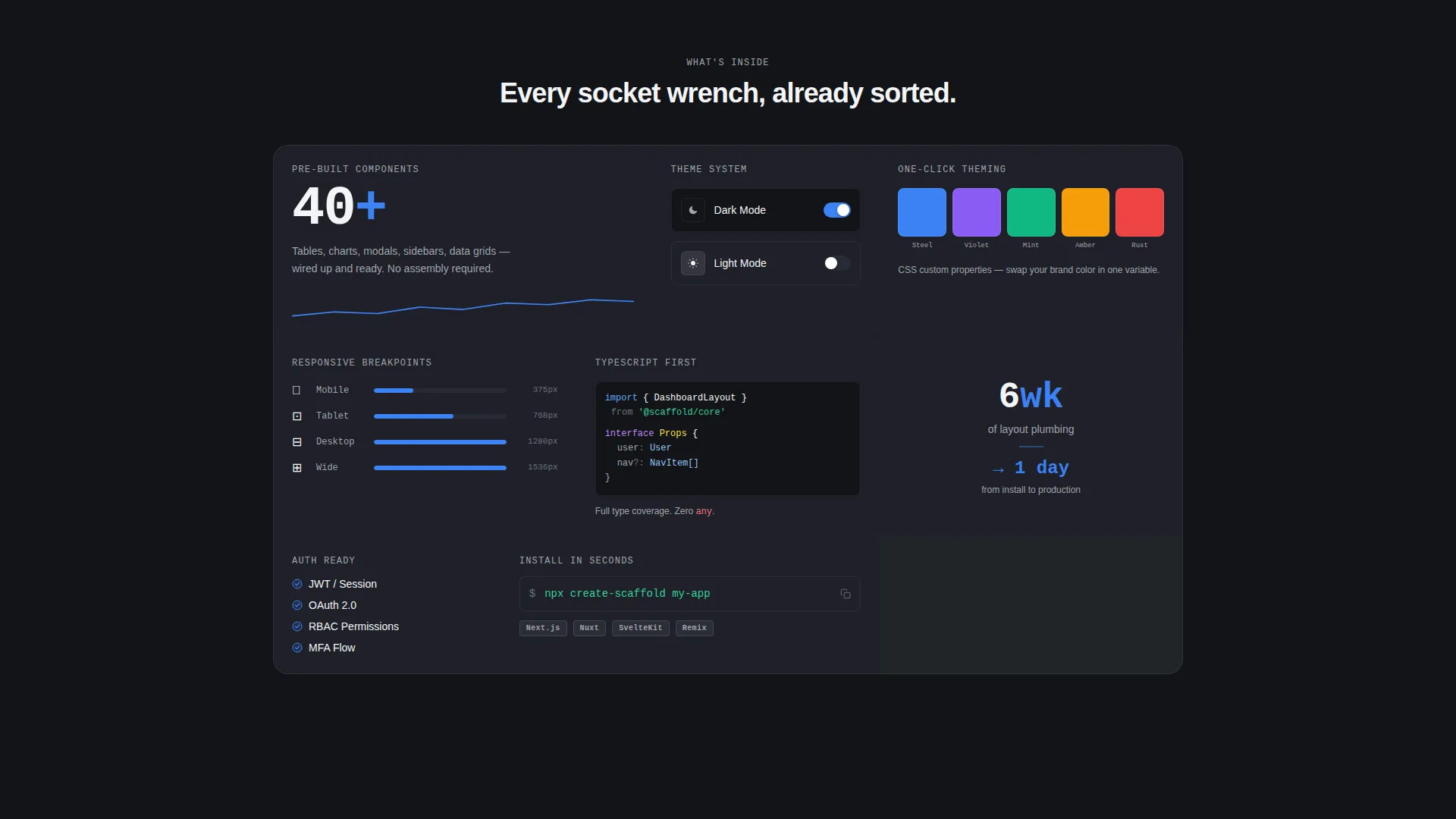
- 40-plus pre-built components including sparkline charts, toggle rows, avatar stacks, and a permissions table with role badges
- A full Comparison section, dark and light mode toggle, responsive breakpoints, and one-click theming
Feature list
Scaffold covers every layer a developer needs to move from blank file to shippable product page.
Feature Tab Switcher Header
Three labeled tabs ("Analytics," "Settings," "User Management") sit above a live-rendered dashboard preview. Each tab swaps instantly to a fully-designed panel with realistic data, sparkline charts with tooltip hovers, and a pixel-sharp browser chrome frame. The tabs act as the headline, demonstrating product density without any hero copy competing for attention.
Bento Grid Layout
The page is structured as a bento grid where each cell reveals a discrete capability with its own micro-animation on entry. The cascade of small arrivals creates a scroll experience that feels like a countdown, keeping the reader moving through the content with purpose.
40-Plus Pre-Built Components
The template ships with over 40 ready-to-use interface components. Toggle rows, avatar stacks, sparkline charts, and role-badged permissions tables are included and already styled to the Monochrome Steel system, so nothing needs to be redesigned from scratch.
Comparison and Versus Section
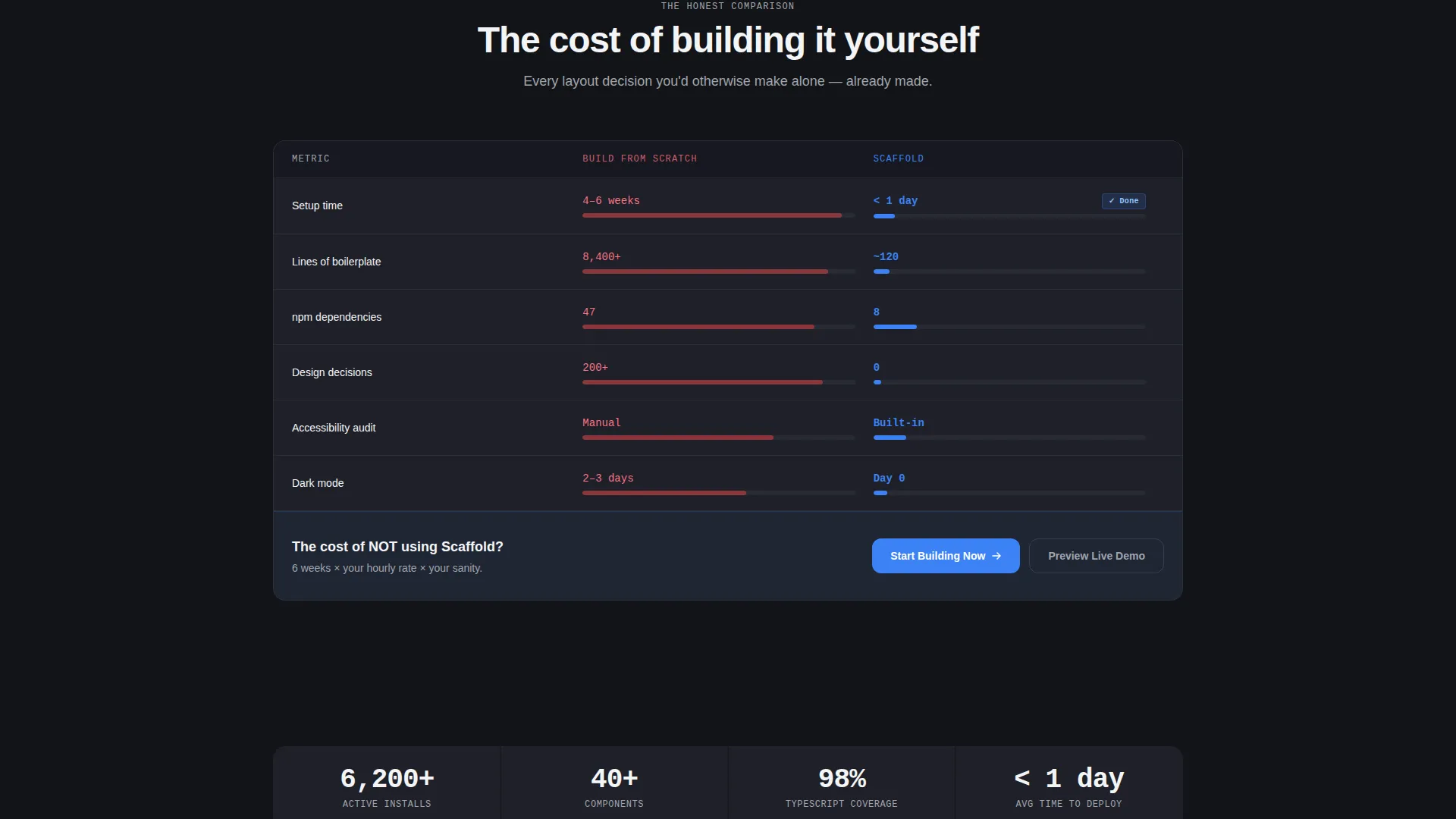
A full-width two-column section places "Build from scratch" timelines, dependency lists, and line counts directly against the template's single install command. The evidence escalates steadily, making the cost of not using the template feel concrete and avoidable.
Dark and Light Mode Toggle
The template includes a built-in dark and light mode toggle. Both modes are fully designed within the Monochrome Steel color system, so switching themes does not break layout or contrast.
Framework Selector Flow
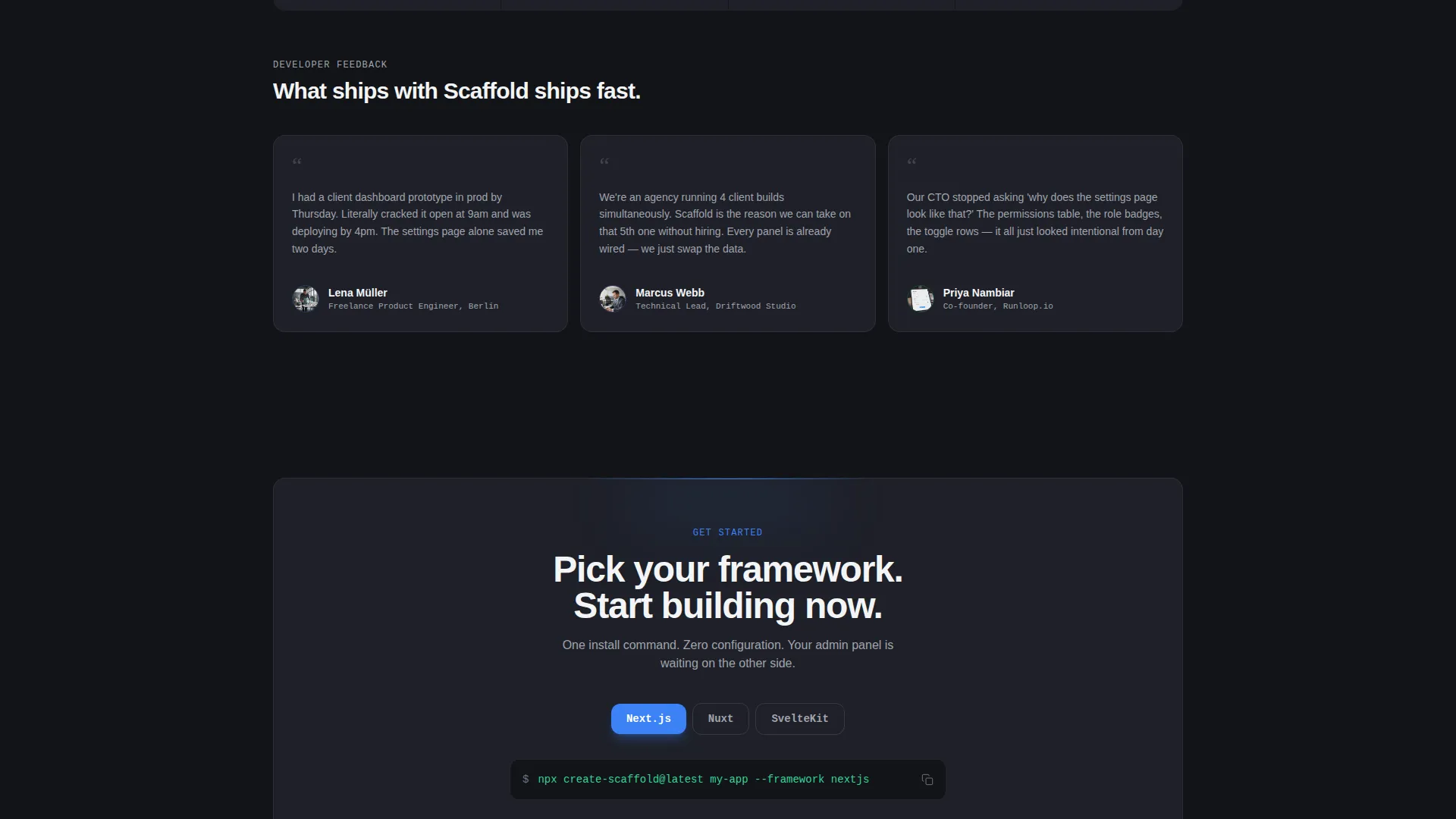
The primary call to action leads directly to a framework selector covering Next.js, Nuxt, and SvelteKit, followed by a one-field license key entry. There is no email gate between the click and the start of the build.
Page sections overview
| Section | Purpose |
|---|---|
| Feature Tab Switcher | Demonstrates dashboard panels interactively as the header |
| Bento Grid Cells | Presents each capability with entry micro-animations |
| Comparison / Versus | Contrasts build-from-scratch effort with template speed |
| Primary call to action Block | Anchors "Start Building Now" inside the sharpest contrast point |
| Mobile Bottom Bar | Keeps the call to action persistent for mobile visitors |
| Framework Selector | Routes the click to Next.js, Nuxt, or SvelteKit setup |
| Live Demo Link | Offers a secondary path to a fully interactive deployed instance |
Design & branding system
The visual identity follows a Monochrome Steel system that feels like the inside of a precision machine. Every surface is matte, every edge is clean, and color appears only where function requires it.
- Core palette: forge-black (#121417), brushed graphite (#1E2028), milled aluminum (#A0A4AD), and spark-white (#F4F5F7) with ignition blue (#3B82F6) reserved for interactive states and calls to action
- Backgrounds alternate between forge-black and graphite to create depth within grid cells, while aluminum handles secondary text and divider lines
- The Dashboard Pro theme keeps all decorative elements minimal so the interface components themselves carry the visual interest
Mobile & speed optimization
The template is designed to work across screen sizes without requiring extra configuration. The mobile experience receives its own dedicated interaction pattern.
- Responsive breakpoints are pre-configured and included as part of the component system
- A persistent bottom bar on mobile keeps the primary call to action visible throughout the scroll
- Each bento grid cell is sized and spaced to remain readable and functional at smaller viewport widths
How this template helps you convert
Scaffold is built around a Comparison conversion direction, meaning the page earns the click by making the alternative feel expensive before presenting the easy path.
- The Feature Tab Switcher header demonstrates real dashboard panels before the visitor reads a single line of copy, establishing trust through visible craft rather than marketing language.
- The Comparison section stacks concrete evidence (hours saved, lines eliminated, decisions pre-made) so the visitor feels the weight of building without the template, then removes that weight with a single button.
- The no-gate call to action flow takes the visitor straight from "Start Building Now" to a framework selector and one-field license entry, removing every friction point between interest and action.
Other information about this template
Scaffold is categorized under Documentation and Support as a Quick Start Template in the Onboarding and User Guide subcategory. It is designed to serve as an immediate reference and starting point, not just a visual mockup.
- The template style is a bento grid landing page, making it suitable for product showcases, quick-start documentation pages, and SaaS onboarding flows
- The creative direction is Launch Energy, meaning scroll pacing and micro-animations are intentional design decisions built into the layout, not optional add-ons
- A secondary call to action, "Preview Live Demo," links to a fully interactive deployed instance, giving hesitant visitors a hands-on path before committing
- The license key entry flow is a single field, keeping the activation experience consistent with the minimal-friction philosophy of the rest of the page
Theme
Dashboard Pro
Creative direction
Launch Energy
Color system
Monochrome Steel
Style
Bento Grid
Direction
Comparison/Versus
Page Sections
Feature Tab Switcher Header
Bento Grid with Micro-animations
Plus Pre-built Components
Full-width Comparison Section
Dark and Light Mode Toggle
No-gate Framework Selector Flow
Related questions
What frameworks does Scaffold support?
Do I need to configure a design system before using Scaffold?
Can I preview Scaffold before purchasing?
How many components are included in the template?
Is this template suitable for agency client projects?



