Scaffold — Premium Template Marketplace Landing Page Template
Scaffold is a precision-built bento grid landing page template for a curated library of squarespace templates. It serves freelance designers, small agencies, and ambitious founders who need a polished starting point fast. The template uses a dark Dashboard Pro aesthetic with electric indigo accents, interactive hover previews, filterable category grids, and a sticky call-to-action bar designed to move site visitors directly into a live demo experience.
by Rocket studio
Quick summary
Scaffold is a single-page, bento grid landing page template built specifically for a squarespace template library. It opens with six interactive template thumbnails, moves through data-backed industry insight sections, and closes every scroll with a clear path to the live demo. The design feels like a professional design tool rather than a typical template showcase website.
Who this template is for
This template is built for people who sell, curate, or present squarespace templates professionally. It speaks directly to buyers who understand design and need to communicate quality at a glance.
- Freelance web designers managing multiple client projects who need a convincing showcase website fast
- Small agency creative directors who need the right squarespace template starting point ready before a Monday morning kickoff
- Ambitious founders who recognize good design and want potential clients to see it immediately on their site
What problem this template solves
Most template library pages read like a product catalog. They list items, show tiny thumbnails, and expect visitors to imagine the outcome. That approach fails creative professionals who judge quality in seconds.
Scaffold solves this by letting site visitors interact before they commit. The page builds a compelling case that settling for default squarespace templates is a professional liability, then offers the cure by category.
- Designers waste hours hunting through generic squarespace templates that all look like they came from the same family of defaults
- Founders struggle to communicate why their website looks different from everyone else's when everything is template based
- Agency teams lose momentum when the right template is buried under dozens of similar-looking options with no live preview
What you get with this template
Scaffold delivers a complete, section-led landing page with high interactivity baked in from the first scroll. Every component is purposeful, and the demo content is production-ready rather than placeholder-grade filler.
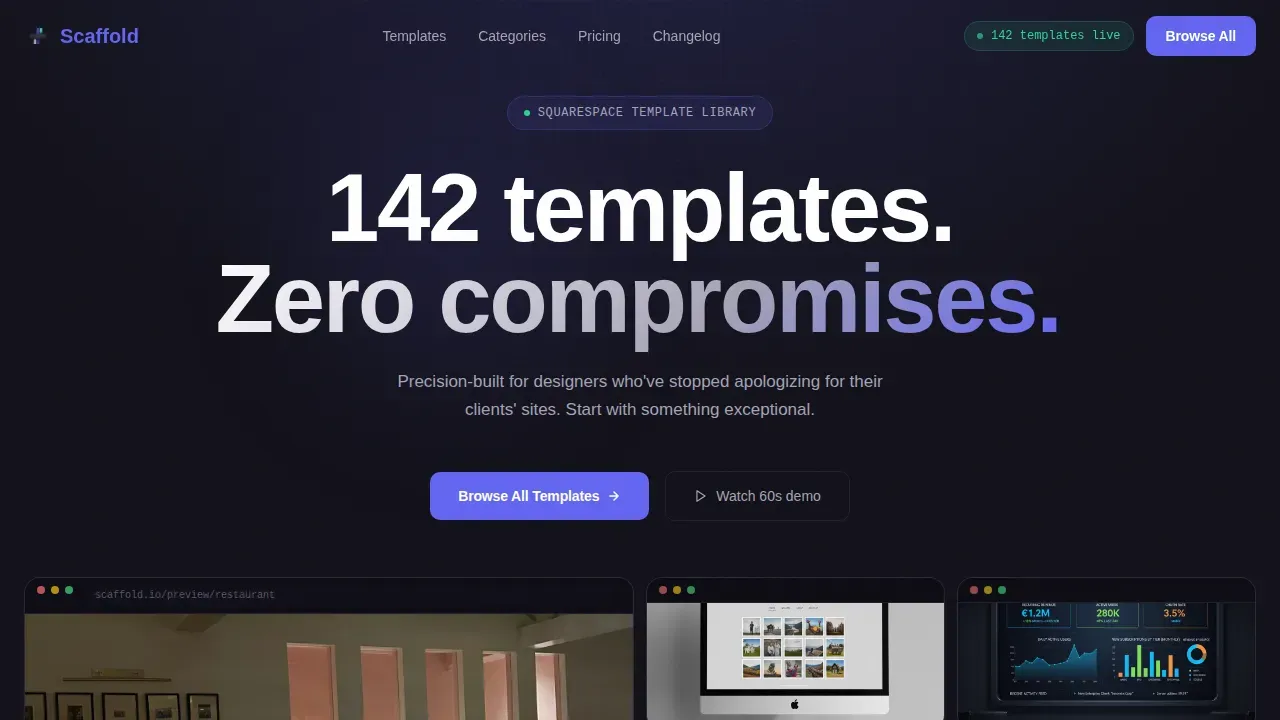
- A six-card interactive bento hero grid where each card activates a live browser-frame preview on hover, showing a restaurant website with a reservation widget, a portfolio with masonry image galleries, and a software-as-a-service dashboard with chart components
- A data-led industry insight section with a visual frequency map, a filterable category card grid spanning different categories including restaurants, portfolios, software-as-a-service products, and online store builds, plus a live before-and-after comparison slider
- A social proof bento section with named testimonials, quantified metrics, and a sticky bottom call-to-action bar that persists after the second scroll section
Feature list
Scaffold packs serious capability into a single landing page template. Every feature listed here comes directly from the template brief and is visible in the delivered design.
Interactive Bento Hero Grid
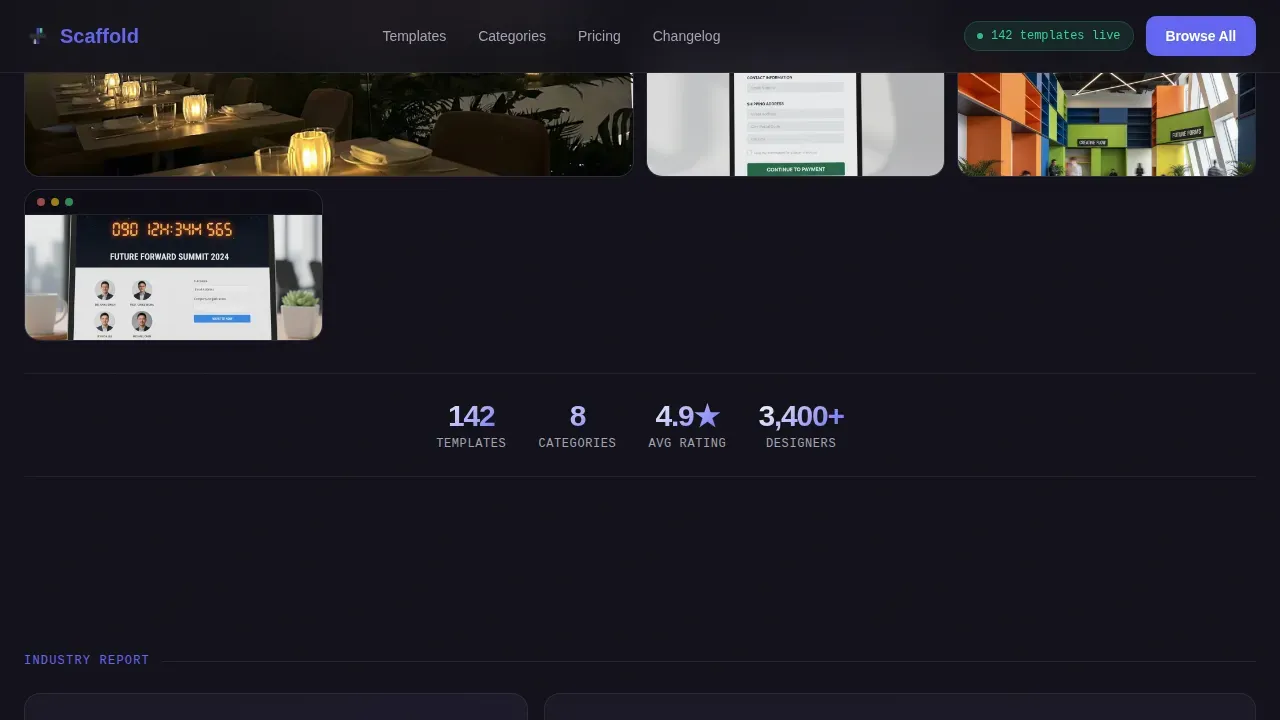
The header is not a static cover page. It is a functioning bento grid of six template thumbnails rendered at full fidelity. Each card scales up smoothly on hover and activates a live browser-frame preview on cursor entry. Visitors are already playing with the templates before they read a single word of copy.
Data-Led Industry Insight Section
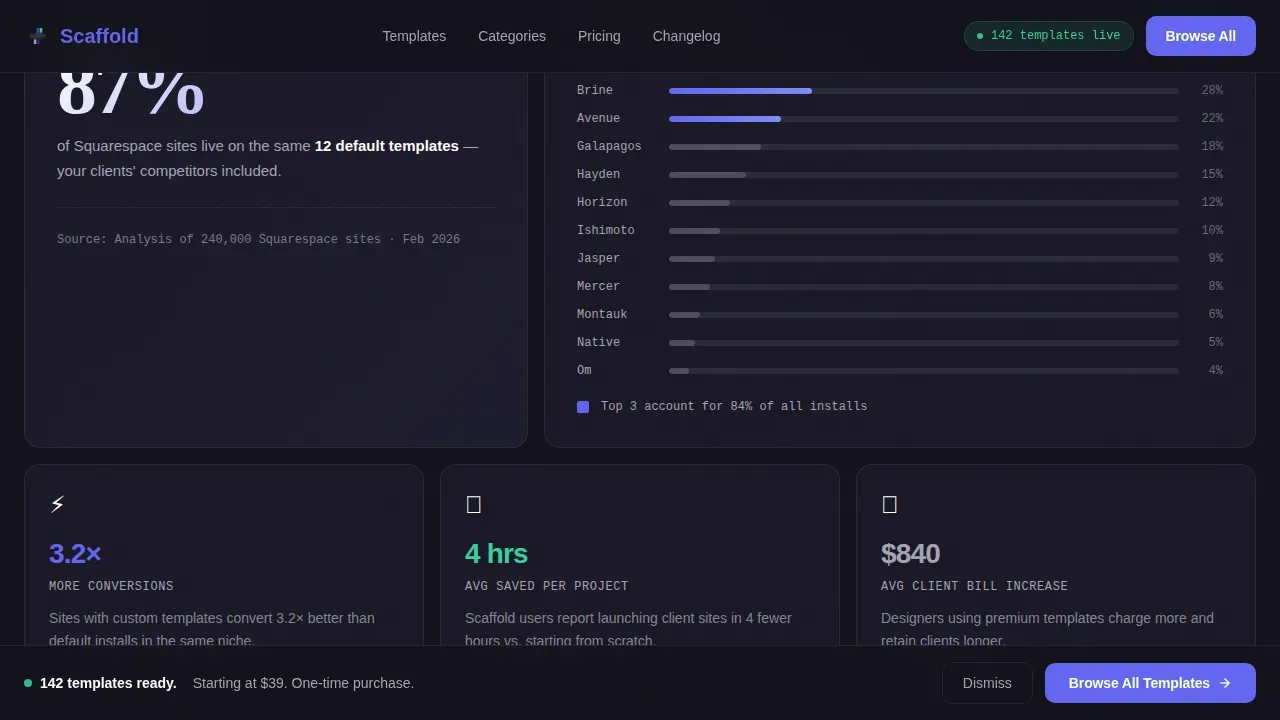
The first scroll section presents a visual frequency map showing how the majority of squarespace sites default to the same small pool of options. This is not decorative demo content. It reframes the visitor's thinking with a specific, data-backed insight that makes choosing a curated, modern template feel urgent rather than optional.
Filterable Category Card Grid
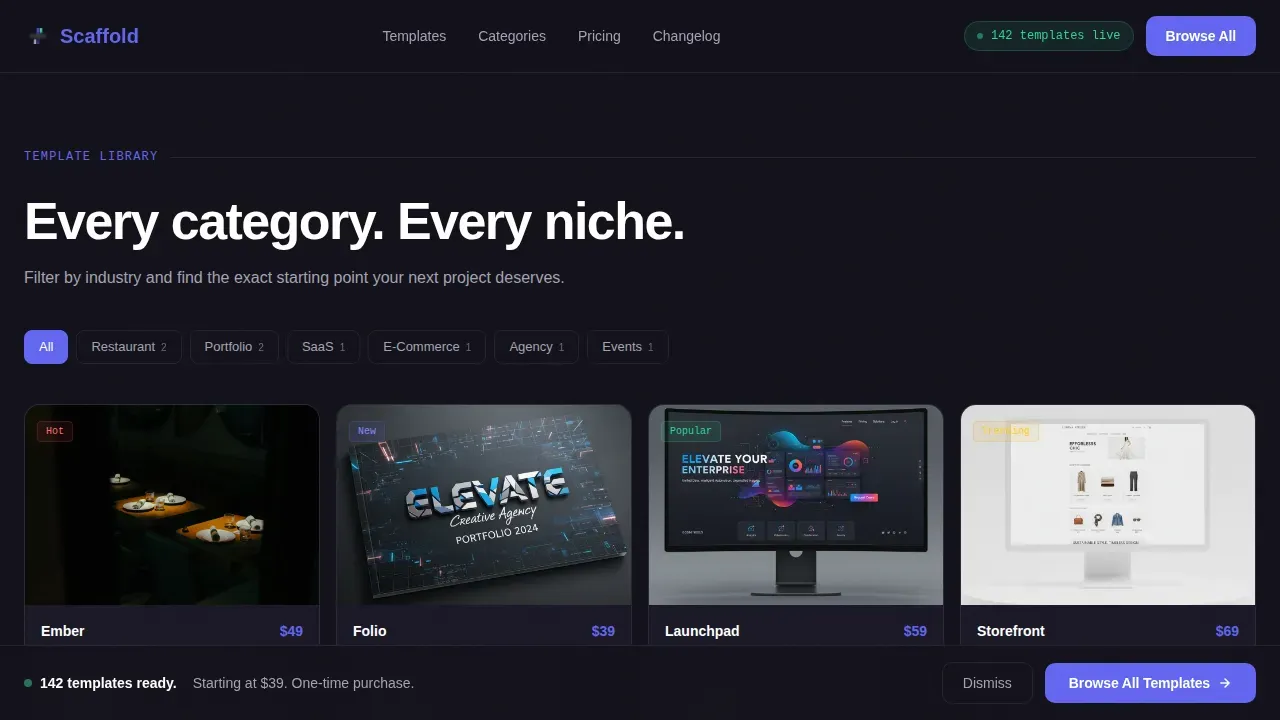
The category browser section organizes squarespace templates into different categories: restaurants, portfolios, software-as-a-service, and online store builds. Each card is filterable and clickable, routing to a full-screen live demo for that template niche. The clean layout makes it easy for visitors scroll through dozens of options without losing context.
Live Before-and-After Comparison Slider
A drag-to-reveal comparison slider shows the difference between a default squarespace template and the same niche built with a Scaffold template. This single component does more persuasive work than paragraphs of copy. It demonstrates the site's design quality through direct visual comparison rather than testimony.
Sticky Call-to-Action Bar
After the second scroll section, a sticky bottom bar appears with the primary call to action. It stays visible as visitors scroll through the rest of the page. The bar uses electric indigo for the button and disappears gracefully when the visitor reaches the footer, keeping the experience clean rather than intrusive.
Social Proof Bento Section
The testimonials section uses a bento grid layout with named contributors, their roles, and quantified outcomes such as time saved and client satisfaction scores. This is not generic filler copy. The specificity of each proof point supports purchase intent at exactly the moment visitors are deciding whether to click through to the full demo site.
Page sections overview
| Section | Purpose |
|---|---|
| Interactive Hero Grid | Six live template previews with hover-activated browser frames and the headline "142 templates. Zero compromises." |
| Industry Insight Section | Visual frequency map showing how most squarespace sites cluster around the same defaults, building urgency for differentiation |
| Category Card Browser | Filterable grid of template categories including restaurants, portfolios, software-as-a-service, and online store builds |
| Before and After Slider | Drag comparison between a default squarespace template and the Scaffold equivalent in the same niche |
| Social Proof Bento | Named testimonials with quantified metrics and role details in a bento grid layout |
| Sticky call to action Bar | Persistent bottom call-to-action bar that activates after the second scroll section and routes to the full template browser |
| Linear Footer | Single-row footer with navigation links and essential site information |
Design & branding system
The visual identity follows a Dashboard Pro theme built on an Electric Indigo color system. The aesthetic feels like a late-night coding session: focused, high-contrast, and impossible to look away from.
- Color palette includes deep workspace charcoal (#12111A) for all backgrounds, electric indigo (#6366F1) for all buttons and active states, muted lavender gray (#A5A3B5) for secondary text and dividers, and bright mint (#34D399) reserved exclusively for hover confirmations and success states
- Typography uses Plus Jakarta Sans for all headlines, DM Sans for body copy, and JetBrains Mono for data labels and numeric callouts, creating a clear visual hierarchy that communicates precision without feeling sterile
- The full bleed banner images and full screen image sections carry the charcoal-to-near-black depth of the IDE aesthetic, while parallax scrolling and scroll-triggered reveals add motion that feels earned rather than decorative
Mobile & speed optimization
Scaffold is designed desktop-first because template browsing is a visual, cursor-driven experience. However, the underlying structure of the layout respects how squarespace templates mobile friendly considerations work in practice across all screen sizes.
- The bento grid layout reflows gracefully on mobile devices, maintaining the visual hierarchy of the desktop experience without collapsing into a generic single-column stack
- Hover interactions that activate browser-frame previews degrade gracefully on touch screens, ensuring the core functionality of the category browser remains usable across all screen sizes
- GPU-accelerated transforms and intersection observer-based scroll reveals keep animation smooth, and the transparent header transitions cleanly as visitors scroll past the hero section
How this template helps you convert
Scaffold earns the click by letting visitors interact before committing. The conversion architecture is deliberate and sequenced to build confidence at each stage of the scroll.
- The interactive hero grid removes the need for persuasion copy in the first section. Visitors experience template quality directly through hover-activated previews, so the decision to explore further is based on felt evidence rather than a sales claim.
- The industry insight section reframes the default-template problem as a professional liability, making the filterable category grid feel like a solution the visitor discovered themselves rather than a product being sold to them.
- The sticky call-to-action bar and per-card "Preview This Template" secondary call to action create multiple conversion touchpoints without adding friction. There is no cart, no squarespace account creation, and no checkout flow on this page. The only goal is to route visitors into a full-screen live demo where purchase intent grows naturally through direct interaction.
Other information about this template
Scaffold is built for the squarespace version 7.1 environment, where all squarespace templates share the same underlying structure and styling options. This means the template library it showcases benefits from the same core functionality and same features available across the platform.
- Understanding squarespace version differences matters for buyers: in squarespace 7.0 and 7.1, the approach to customization differs significantly. In version 7.0, templates were grouped into template families, each with varying features. In version 7.1, template switching is no longer available after launching a site, so choosing the right squarespace template from the start is essential
- Squarespace's Fluid Engine editor allows buyers to customize any template by changing fonts, colors, spacing, and section structures without writing a single line of code. The Fluid Engine also enables layering of text over images to enhance visual presentation on landing pages, and allows independent adjustment of mobile layouts from desktop versions
- For buyers who want to go further, custom css is available on the Core plan or higher, and any custom code added to a version 7.0 site may need adjustments when migrating to version 7.1. Squarespace also offers a Blueprint AI builder that helps users find the right template by answering questions about their goals, industry, and brand personality
- The squarespace template library showcased through Scaffold spans different categories including restaurant website builds, personal website layouts, editorial sites, and full online store setups with inventory management and the ability for customers to pay online. Store pages, about page layouts, a contact page, a menu page, a cover page, and a home page are all represented across the 142 template collection
- All squarespace templates are free to use during the trial period, letting buyers test their favorite templates and review demo content before committing to squarespace plans. Squarespace also provides built in seo tools, blogging tools, and analytics tools as part of the platform. Features like unlimited bandwidth, a subscription form, user friendly navigation, and navigation links are available across the platform regardless of which template is chosen
- The platform supports digital marketing use cases for graphic designers and creative professionals, including personal website builds, portfolio sites for visual storytelling, and e commerce sites. Whether someone needs just the essentials or a fully custom features-rich build, the squarespace template library in Scaffold covers it. Attractive templates that are also squarespace templates mobile friendly are available across the range, each with clean layout options, full bleed banner images, full screen image headers, a transparent header variant, parallax scrolling sections, featured posts blocks, image galleries, and demo site previews
- For buyers using a coupon code during purchase, a squarespace account is required to redeem the discount. The demo site for each template can be accessed without account creation directly from the template card. Scaffold itself is the scaffold precision squarespace template library landing page template designed to showcase this entire collection with maximum interactive impact
Theme
Dashboard Pro
Creative direction
Industry Report
Color system
Electric Indigo
Style
Bento Grid
Direction
Click-Through
Page Sections
Interactive Bento Hero Grid with Live Previews
Data-led Industry Insight Section
Filterable Category Card Browser
Live Before-and-after Comparison Slider
Sticky Call-to-action Bar
Social Proof Bento with Quantified Metrics
Related questions
Does this landing page template require coding skills to use?
Can visitors preview templates before purchasing through this page?
How do Squarespace version 7.0 and 7.1 differ for template buyers?
How many squarespace templates does the library include?
Is this template suitable for both desktop and mobile browsing?



