AI for Construction Specialist Cost Calculator Website Template
Sched is a bold, brutalist-styled construction AI scheduling landing page built on a split-screen layout. It leads with an interactive delay calculator, a feature tab switcher showing live Gantt rearrangements, and a direct app download flow. Built for general contractors and project engineers, it turns a complex scheduling pitch into a product experience visitors can use before they ever read a headline.
by Rocket studio
Quick summary
Sched is a single-page, split-screen landing page template for a construction AI scheduling assistant. It opens with a hands-on delay calculator, moves through escalating feature demonstrations, and closes every section with a rebar-orange app download call to action. The design is Bold Brutalist: dark concrete backgrounds, acid-lime data highlights, and monospaced type that feels like a job-site terminal.
Who this template is for
This template is built for teams launching a construction AI scheduling tool to a field-savvy audience. It speaks the language of people who live by the critical path and lose real money when rain pushes a pour.
- General contractors managing large-scale, multi-trade ground-up projects
- Project engineers tracking critical-path pours across multiple active sites
- Superintendents who re-sequence trades manually after every weather delay
What problem this template solves
Construction scheduling tools often look like software demos. They lead with feature lists instead of letting the product prove itself. Visitors leave before they feel the value.
- Trade professionals distrust polished marketing that ignores job-site reality
- A standard landing page cannot show real scheduling logic in a single scroll
- No interactivity means hesitant users never experience the tool before deciding
What you get with this template
You get a fully structured, single-page layout designed to move a skeptical construction professional from first scroll to app install. Every section is sequenced to build trust through product experience, not marketing copy.
- A three-tab feature switcher showing live Gantt, weather forecast, and crew allocation mockups
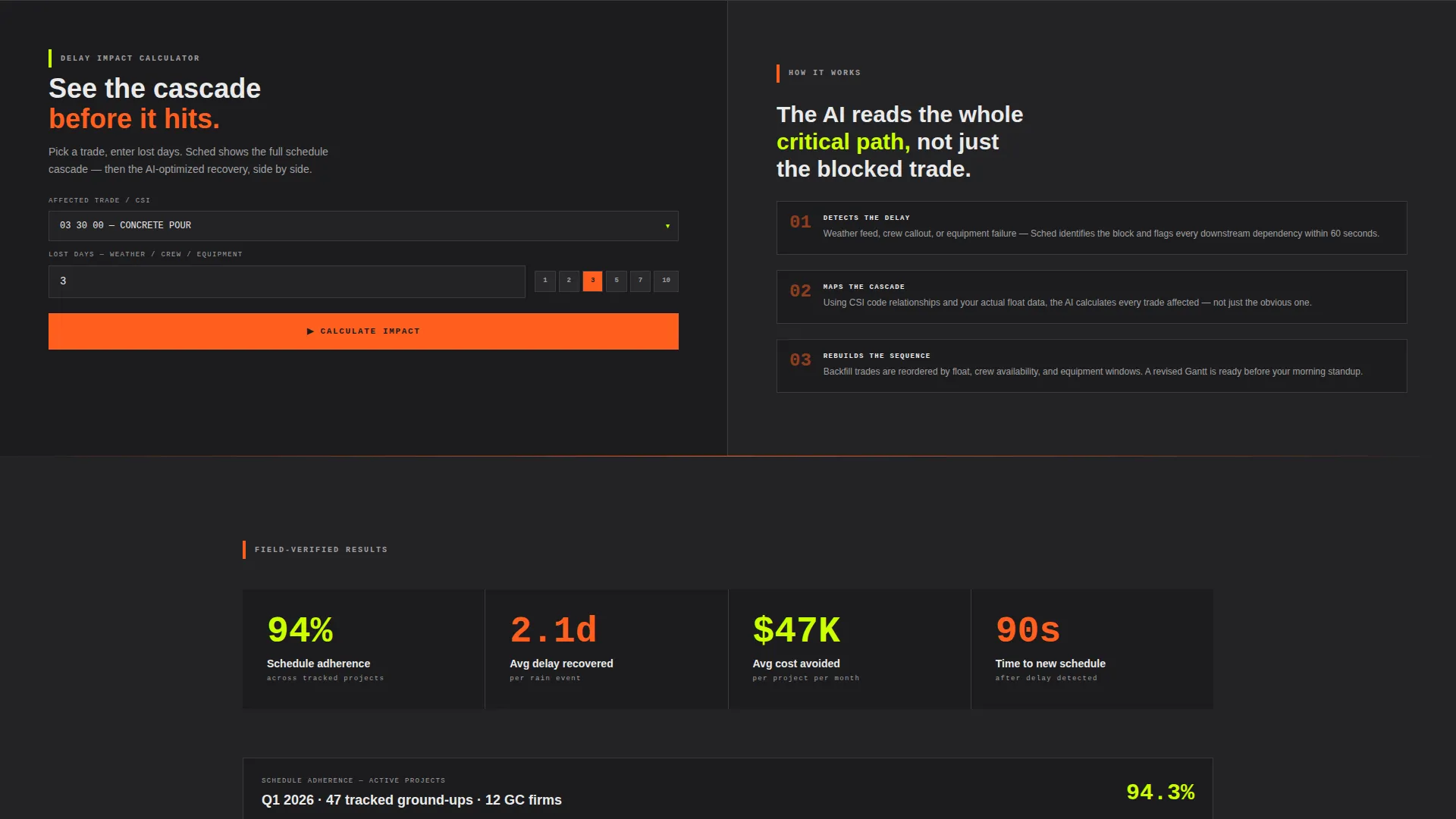
- An interactive delay calculator with side-by-side impact and AI recovery views
- A pinned mobile call-to-action and a two-step platform selection and sync flow
Feature list
This template packages several purpose-built components that work together to demonstrate the AI scheduling product while guiding visitors toward download.
Feature Tab Switcher Header
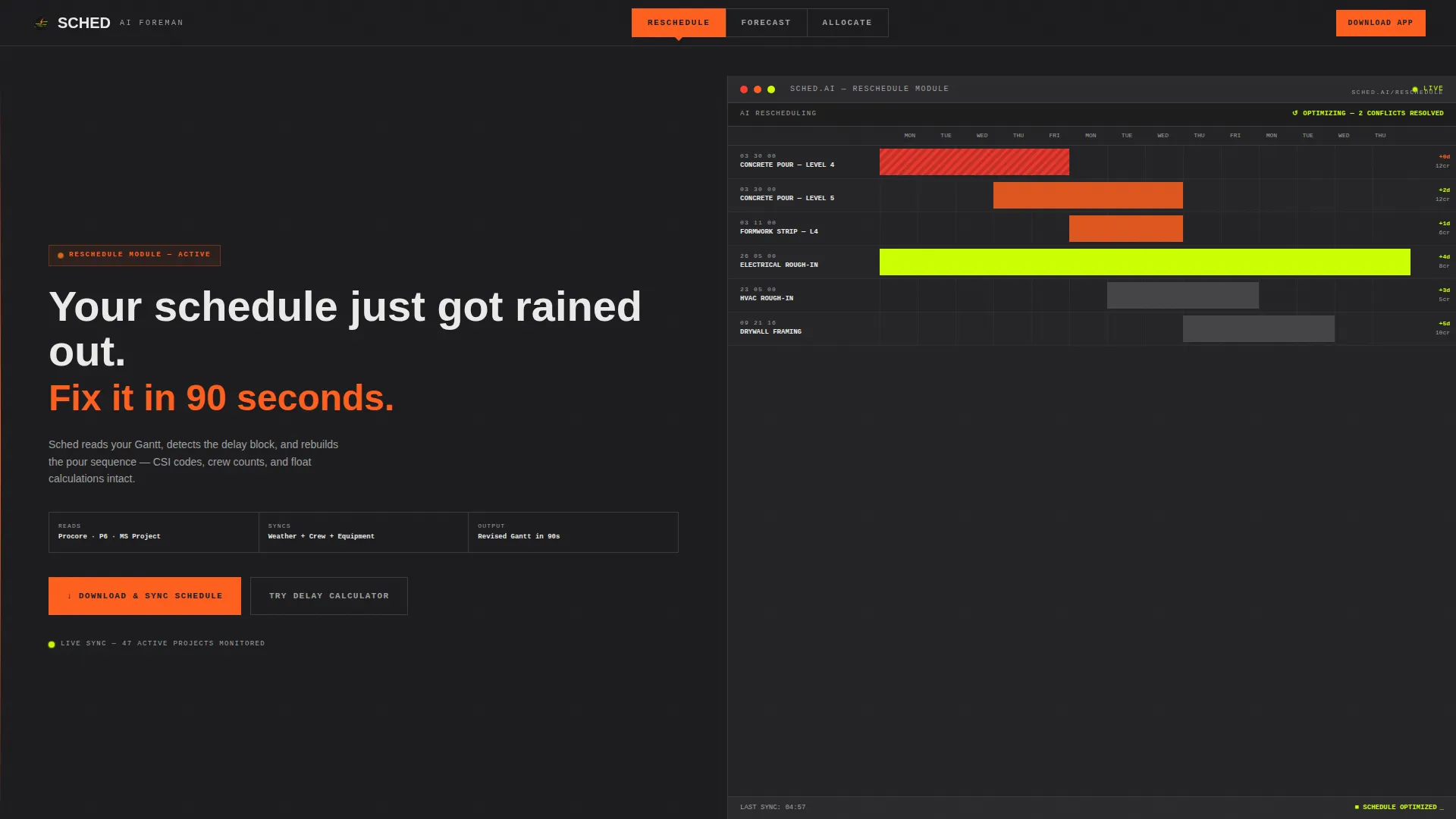
Three steel-gray tabs labeled RESCHEDULE, FORECAST, and ALLOCATE span the top of the viewport. Each tab swaps the right-side panel to a different live-tool mockup without a page reload. The default view shows an animated Gantt chart with concrete pour bars sliding past a weather-delay block in real time.
Interactive Delay Calculator
Visitors pick a trade, enter lost days, and the calculator instantly renders cascading schedule impact next to an AI-optimized recovery scenario. The tool is placed before any social proof section, so the product makes the first impression. This is the core conversion mechanism for hesitant users.
Split-Screen Section Layout
Every scroll section divides the viewport 50/50: one side holds bold headline copy, the other holds a dense data mockup. The mockups include CSI (Construction Specifications Institute) codes, crew counts, and float calculations to feel credible to a professional audience.
Social Proof Strip
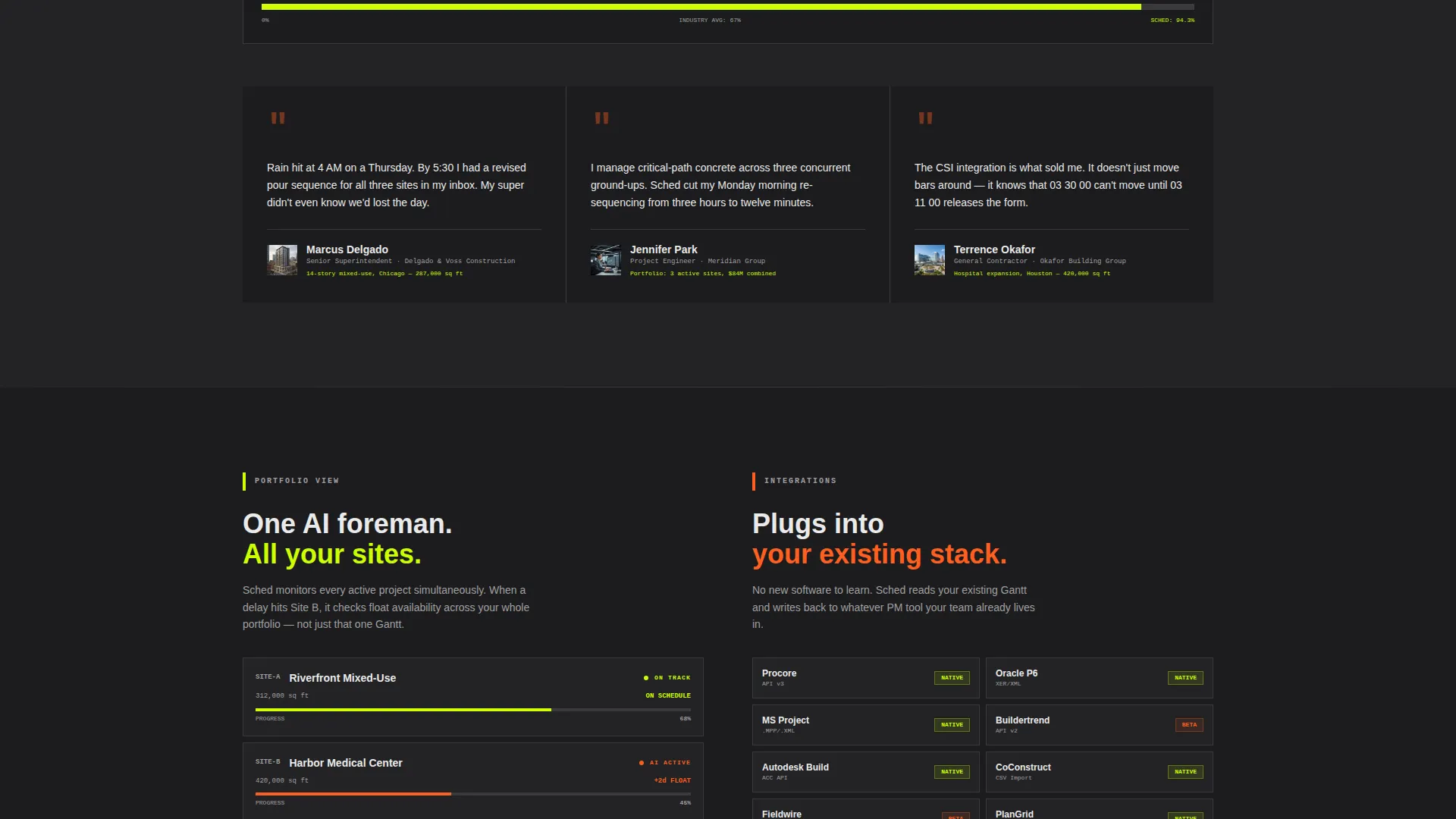
After the calculator interaction, the page introduces time-lapse site footage overlaid with schedule adherence statistics. A testimonial strip follows, with named superintendents and project managers credited by project type and square footage.
Pinned App Download Flow
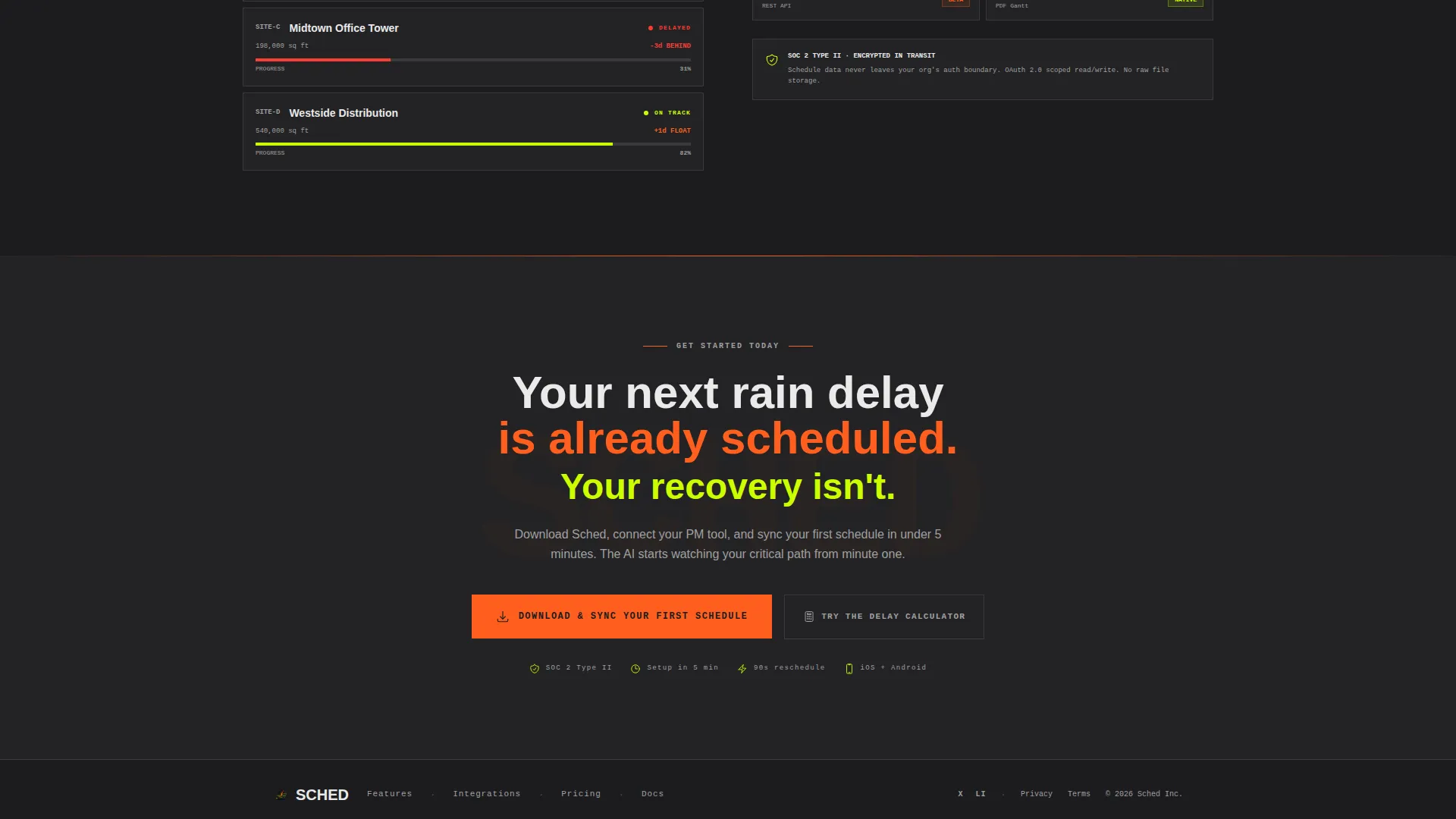
The primary call-to-action button stays fixed at the bottom of the viewport on mobile. On desktop, it anchors the end of each split-screen section. Tapping it opens a two-step flow: select iOS or Android, then choose your project management tool so the app pre-configures on install.
Escalating Complexity Scroll
Each section down the page handles a more sophisticated scheduling scenario. The flow moves from single-trade delay recovery to multi-site portfolio optimization, keeping experienced users engaged through the full scroll.
Page sections overview
| Section | Purpose |
|---|---|
| Tab Switcher Header | Introduce the three core AI scheduling tools with animated Gantt mockup |
| Delay Calculator Tool | Let visitors interact with the product before reading any persuasion copy |
| Social Proof Strip | Build trust with site footage, adherence stats, and named testimonials |
| Multi-Site Escalation | Demonstrate portfolio-level scheduling complexity to senior users |
| App Download Close | Drive platform selection and project tool sync as the conversion endpoint |
Design & branding system
The visual system is Bold Brutalist with an Acid Digital color palette. Every choice is deliberate: the palette reads clearly in direct sunlight on a phone screen, which is exactly where a super or PM will see it.
- Backgrounds use poured-concrete charcoal (#1C1C1E); rebar-rust orange (#FF5F1F) drives all calls to action and progress bars
- Toxic-lime (#CCFF00) marks live data points and interactive states; form-stripped white (#EAEAEA) carries monospaced type styled like a terminal printout
- Lime and orange never share the same element, keeping every interactive signal visually unambiguous
Mobile & speed optimization
The template is built for field conditions: bright sun, gloved thumbs, and unreliable connections at the job-site trailer. The pinned mobile call to action means the download path is always one tap away regardless of scroll depth.
- Dark backgrounds and high-contrast accent colors maintain readability in direct sunlight without extra screen brightness
- The split-screen layout stacks cleanly on smaller viewports so the tool mockups and headlines remain legible without zooming
- Tab switching and calculator interactions operate without page reloads, keeping the experience snappy on slower mobile connections
How this template helps you convert
The conversion strategy is built around letting the product close the sale. Persuasion follows experience, not the other way around.
- The delay calculator puts the AI's value in the visitor's hands within the first scroll, creating a hands-on reason to download before any testimonial is shown.
- The pinned call-to-action button and the secondary "Try the Delay Calculator" scroll-back link give both ready-to-act users and hesitant users a clear next step at any point on the page.
Other information about this template
This template is categorized under Technology, specifically AI for Construction, and is designed for the construction AI scheduling assistant niche. It pairs a Calculator/Tool First creative direction with a Feature Tab Switcher header concept, a Split Screen (50/50) layout, and an App Download conversion goal.
- The two-step app install flow supports platform selection (iOS or Android) and project management tool pre-configuration, as described in the source brief
- The Bold Brutalist theme and Acid Digital color system are fully defined in the template, with no ambiguity about which color role each hex value fills
- This template is a strong fit for product teams building in the construction technology space who need a landing page that speaks directly to experienced field professionals
Theme
Bold Brutalist
Creative direction
Calculator/Tool First
Color system
Acid Digital
Style
Split Screen (50/50)
Direction
App Download
Page Sections
Feature Tab Switcher with Animated Gantt
Interactive Delay Calculator
Split-screen Section Architecture
Social Proof and Testimonial Strip
Pinned Two-step App Download Flow
Escalating Complexity Scroll Sequence
Related questions
Who is the primary audience for this landing page template?
Does the interactive delay calculator require coding to customize?
How does the tab switcher work across the three views?
Can I adjust the color palette to match a different brand?
Is this template suited for a mobile audience?



