AI for Senior Care Professional Website Template
The Roster AI Senior Care Shift Scheduling landing page template is a scroll-reveal, single-page lead generation layout built for senior care operators. It opens with a live dashboard animation showing unfilled shifts resolve in real time, then walks visitors through a Problem-to-Solution arc that turns staffing chaos into a clean, filled roster, ending with a three-step progressive lead capture form.
by Rocket studio
Quick summary
This roster ai senior care shift scheduling landing page template gives care facility operators a high-converting, animated single page designed to turn staffing frustration into demo requests. The page moves visitors from a live shift schedule preview through industry pain points and into a three-step lead form, all wrapped in a calm glassmorphic visual system built for trust and clarity.
Who this template is for
This template speaks directly to the people who carry the weight of senior care staffing every single day. It bridges the gap between complex AI technology and the deeply human nature of caregiving, making it ideal for operators who need both efficiency and empathy on the same page.
- Memory care directors managing 72-hour coverage rotations and weekly work schedules across multiple staff
- Home health agency owners who need to schedule employees reliably and reduce coordinator burnout
- Adult children arranging overnight care who need to trust that every shift is filled by a qualified person
What problem this template solves
Senior care staffing is one of the hardest scheduling problems in any industry. Coordinators juggle last-minute call-outs, compliance risks, high caregiver turnover, and hours of manual spreadsheet work every week. The template is designed to surface that pain clearly, then show the AI-powered answer.
- Endless conflicts in work schedules caused by overlapping availability, expired certifications, and missed preferred shifts
- Scheduling errors that create coverage gaps, inflate overtime costs, and put residents at risk
- No clear way to communicate the value of an AI roster generator to stakeholders who are used to Excel and paper rosters
What you get with this template
You get a fully structured, scroll-reveal landing page ready to present an AI scheduling product with conviction. Every section is pre-planned to guide a skeptical care director from doubt to demo request, using animation, data, and clean visual hierarchy.
- A hero section with an animated shift schedule dashboard, frosted-glass user interface cards, and a floating call-to-action button
- A Problem-to-Solution arc with industry stat counters, pain-point cards that shatter and resolve, and a filterable aide directory
- A three-step progressive lead capture form plus a secondary demo modal path with a pre-filled form
Feature list
This template is built around six core design and functional components. Each one serves the lead generation goal while making the AI scheduling story easy to follow.
Animated Dashboard Hero
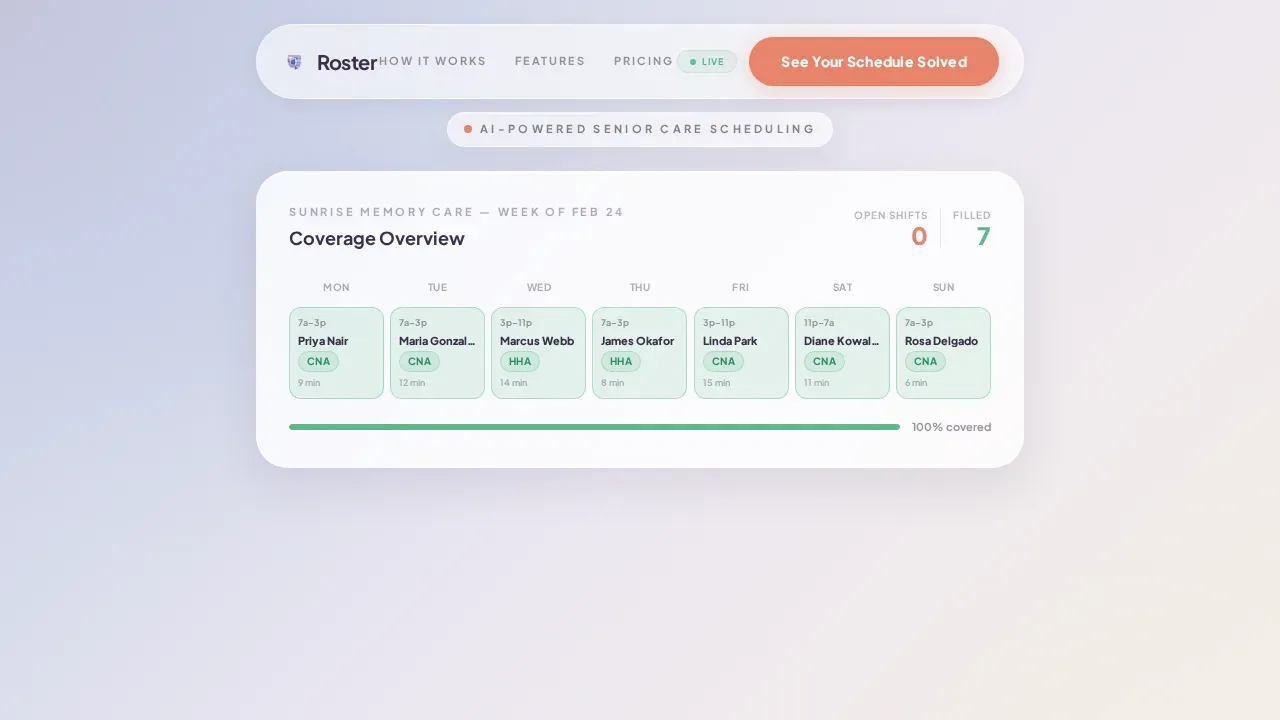
The header opens with a frosted-glass weekly shift schedule panel. Three coral shift slots animate to soft green as the AI assigns aides one by one. Staff names appear, certification badges attach, and drive-time notes tick into place. Visitors watch the scheduling process solve itself before reading a single headline.
Problem-to-Solution Scroll Arc
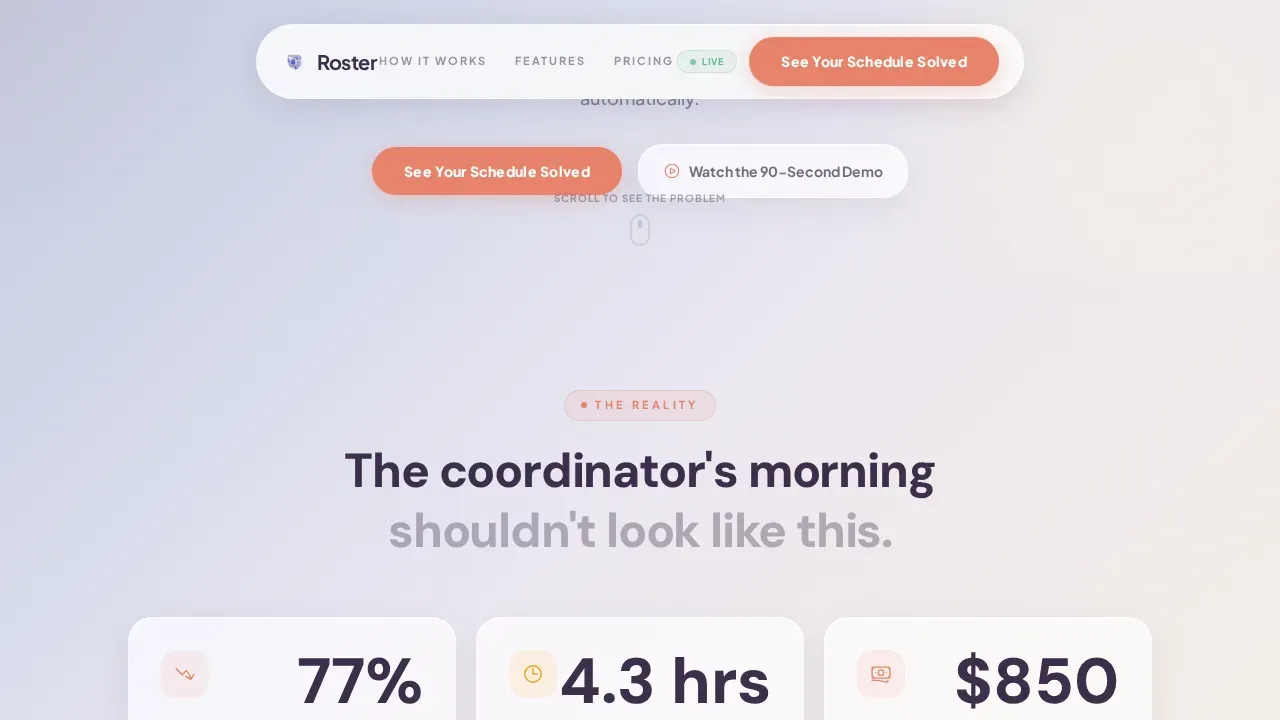
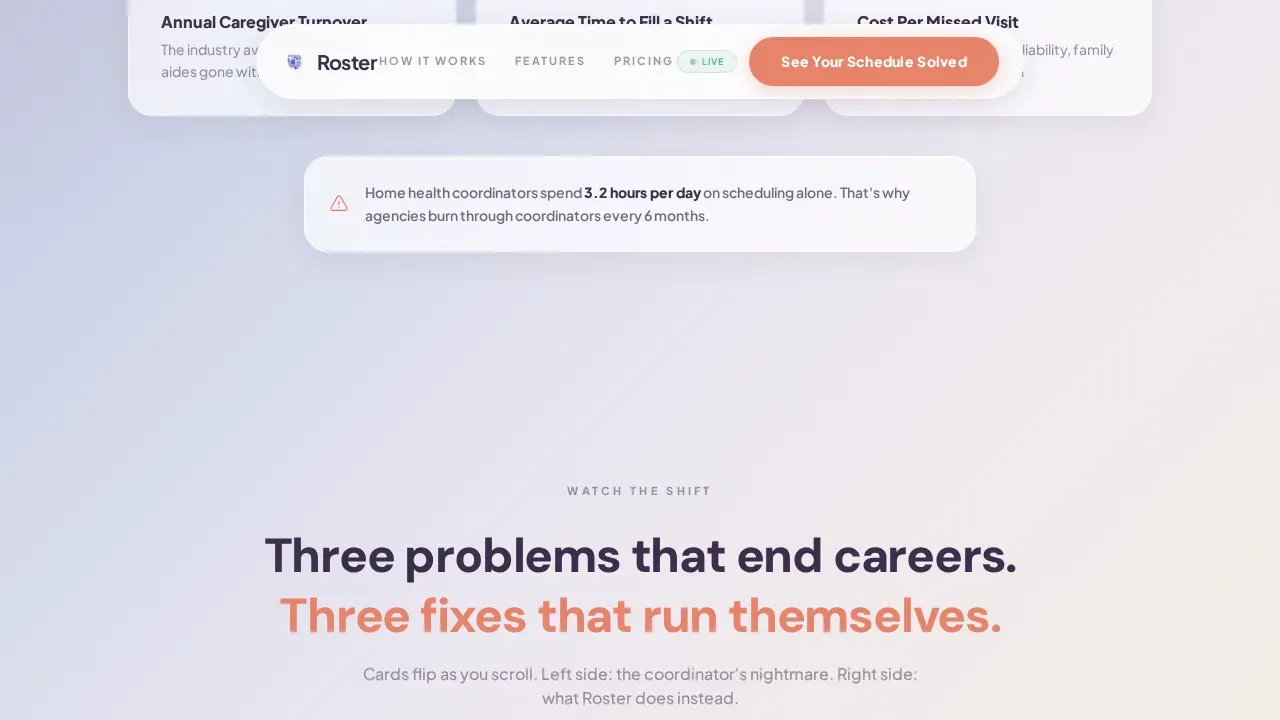
The scroll begins in the coordinator's world. Animated counters display real industry data on caregiver turnover, average time to fill an open shift, and the cost of a missed visit. Frosted pain-point cards stack, then shatter, replaced by the AI-powered answer to each one. This arc helps teams and department leads understand the stakes before the pitch lands.
Filterable Aide Discovery Layer
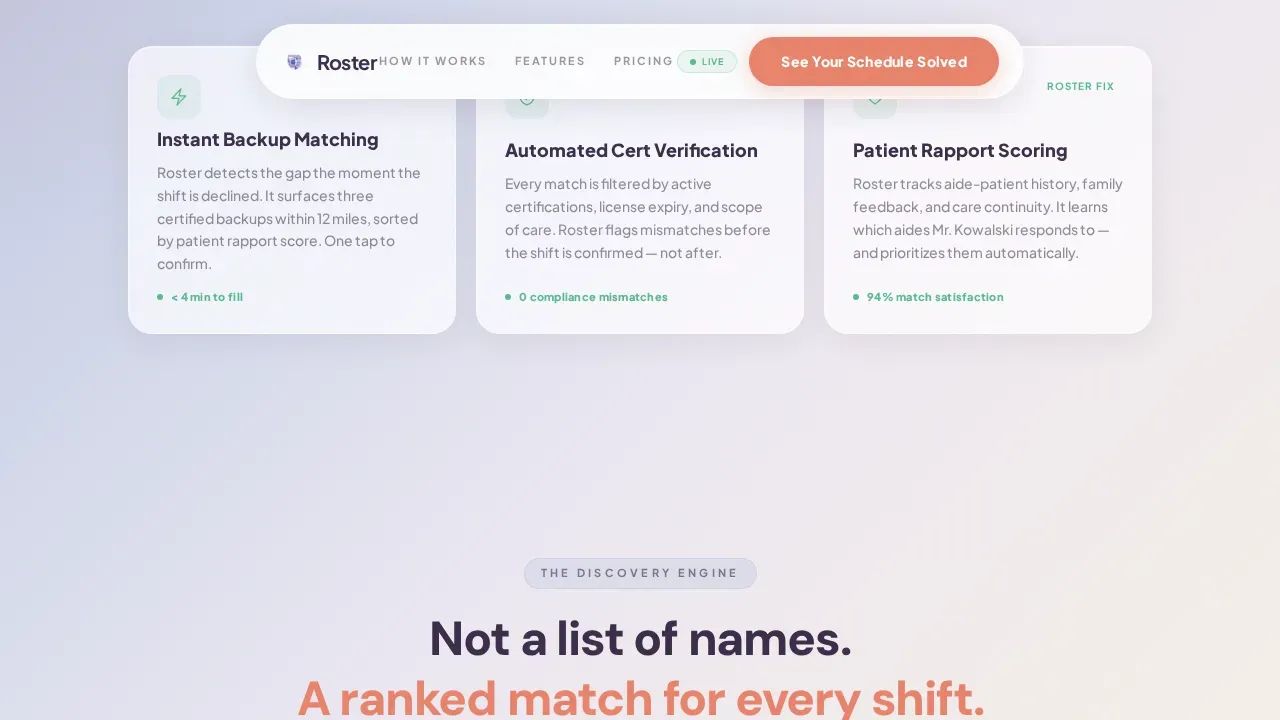
A directory-style view lets visitors interact with how the AI roster generator categorizes aides. Filters for skills, proximity, patient rapport score, and availability click into place like a lock tumbling open. Generated rosters appear instantly as each filter applies, showing how the system can assign tasks and generate a complete employee schedule in seconds.
Three-Step Progressive Lead Form
The lead form uses staged disclosure to reduce friction. Step one captures facility type and number of employees. Step two asks the biggest scheduling pain point from a curated dropdown. Step three collects name, email, and phone. This format respects the visitor's time and improves data quality for the sales team.
Demo Video Modal Path
A secondary call-to-action labeled "Watch the 90-Second Demo" opens a glass-card video modal for visitors not ready to commit. The demo ends with the same lead form, pre-filled with the facility type the visitor selected earlier. This path keeps every person on the page moving toward conversion at their own pace.
Compliance and Trust Indicators
Certification badges sit beside each aide card in the dashboard animation. The template includes placeholder zones for trust indicators, compliance notes, and social proof quotes from nursing home managers and home care agency directors. These micro-proof elements reduce hesitation and reinforce that the AI scheduling system respects labor laws and certification rules.
Page sections overview
| Section | Purpose |
|---|---|
| Hero Dashboard Preview | Animate shift slots from unfilled to filled, show AI matching aides in real time |
| Industry Stats Counter | Display caregiver turnover rate, fill time, and cost-per-missed-visit with animated counters |
| Pain-to-Solution Cards | Stack frosted pain-point cards, shatter them, replace each with the AI solution |
| Aide Discovery Layer | Filterable directory view showing aide skills, proximity, availability, and rapport scores |
| Lead Generation Form | Three-step progressive disclosure form for facility type, pain point, and contact details |
| Demo Video Modal | Glass-card modal with 90-second demo ending in pre-filled lead form |
| Footer Row | Single-row linear footer with navigation notes and compliance context |
Design & branding system
The visual identity follows a Directory and Discovery theme rendered in a glassmorphic color system. The palette feels like morning light through a clean window, translucent and trustworthy without being clinical. Every design choice supports the planning and management mood the target audience needs to feel.
- Gradient background drifts from calm periwinkle (#C3CBE3) to warm linen (#F5EFE7), with deep elderberry (#3B2D4A) anchoring all text and a coral pulse (#E8836B) on interactive elements and shift status indicators
- Typography uses Plus Jakarta Sans for body copy and DM Sans for headings, keeping reading comfortable across long scroll sessions
- Glass cards blur the background just enough to create layered depth, with frosted white (#FFFFFFB3) panels floating over the gradient for a modern, unhurried feel
Mobile & speed optimization
The template is desktop-first, built for memory care directors and agency owners working at workstations. At the same time, it supports full mobile viewing so caregivers and coordinators can access the page from any device. Large, tappable buttons keep mobile users moving through the form and demo path without frustration.
- GSAP ScrollTrigger powers staggered reveals and the dashboard animation, with CSS smooth scroll managing the overall scroll behavior
- Server Components handle static content while Client Components manage animations, keeping the interactive sections responsive without slowing the static layout
- The three-step form and demo modal are built for clean interaction on both desktop and mobile screen sizes
How this template helps you convert
The entire page is structured as a persuasion arc, not a feature list. It moves a skeptical coordinator from recognition of pain to request for a demo in a single scroll session. Every section earns the next click.
- The animated shift schedule dashboard creates immediate recognition. Visitors see their own staffing problem playing out, then watch it resolve. That emotional moment makes the rest of the page feel relevant before any text is read.
- The filterable aide discovery layer and progressive lead form reduce commitment anxiety. Visitors can explore how the AI generated rosters work before submitting anything. When they do reach the form, they are already invested in the outcome.
Other information about this template
This template supports a wide range of scheduling contexts beyond senior care. The design system and section structure can be adapted to suit business needs in home health, assisted living, hospice, and other care settings. The schedule template format is flexible enough to reflect an organization's branding through color and typography adjustments.
- The page layout works with customizable scheduling templates for different shift schedule types, including recurring schedules, rotating week patterns, and on-call coverage rules
- Exported generated rosters can be shared in formats compatible with spreadsheets, Excel, and other planning tools; the template includes placeholder notes for export format options
- Hard rules around labor costs, overtime costs, labor laws, and team availability constraints can be surfaced visually within the dashboard section to reinforce compliance messaging
- The filterable directory supports staff names, date ranges, attendance records, and time tracking views, giving visitors a realistic preview of how the ai powered system manages employee availability
- For teams moving away from manual spreadsheets or Google Sheets rosters, the template visually contrasts old methods with the ai roster generator approach, highlighting gains in efficiency and reduction of human errors
- The free account path and free ai roster generator framing can be added to the call-to-action copy to lower the barrier for small teams evaluating the product
- The conversational ai interaction style used in the demo modal keeps the scheduling experience approachable for coordinators who are not technically trained
- Payroll systems integration messaging, shift swaps, employee satisfaction notes, and preferred shifts logic can be added to the pain-point cards as the product brief evolves
- The template absolutely supports the addition of a payroll and time tracking summary panel in the dashboard section if that data becomes part of the product story
Theme
Directory & Discovery
Creative direction
Problem→Solution Arc
Color system
Glassmorphic
Style
Scroll Reveal (Progressive)
Direction
Lead Generation
Page Sections
Animated Shift Schedule Dashboard
Problem-to-solution Scroll Arc
Filterable Aide Discovery Layer
Three-step Progressive Lead Form
Demo Video Modal with Pre-fill
Compliance and Trust Indicator Zones
Related questions
Who is this landing page template designed for?
Can the template be adapted for scheduling use cases outside senior care?
How does the three-step lead form work?
Does the template include social proof or trust elements?
Can the design be customized to match our brand?



