Schedule - Intelligent Automotive Landing Page Template
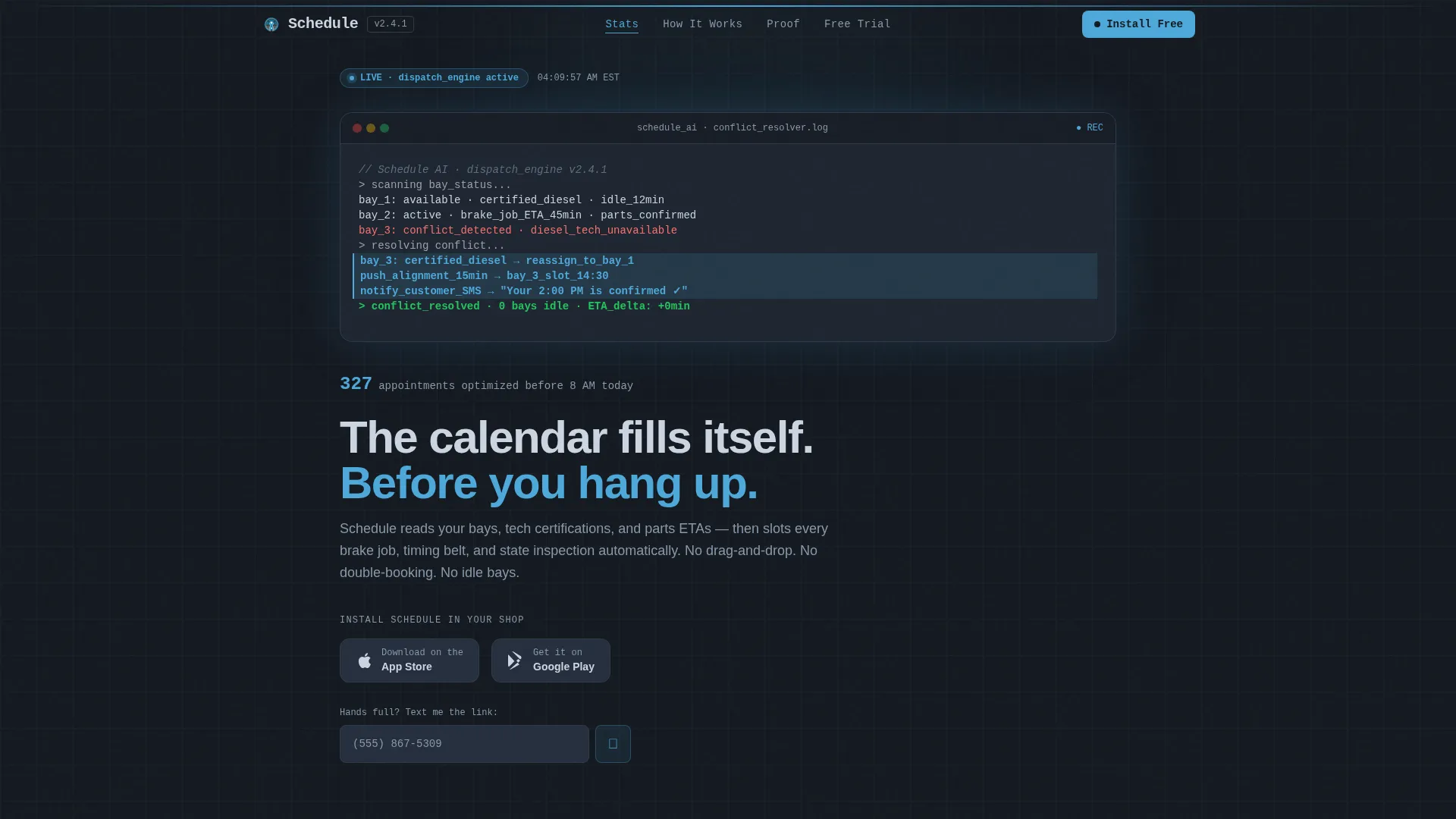
Schedule is an automotive AI scheduling landing page template built for shops that cannot afford a wasted bay or a missed appointment. It opens with a live-typed code snippet showing the AI resolving conflicts in real time, then walks visitors through oversized performance metrics, a clean anchor navigation, and two low-friction conversion paths: a direct app install and a 14-day trial unlock.
by Rocket studio
Quick summary
Schedule is a single-page, hub-and-spoke landing page template for an automotive AI scheduling assistant. It pairs a Data Command visual theme with a Stats-First Impact layout, guiding shop owners from a live code-snippet header through escalating proof metrics to a frictionless app download call to action. Every section is built to convert with zero wasted space.
Who this template is for
This template is designed for automotive businesses where scheduling complexity is a daily operational problem. It speaks directly to the people managing bays, technicians, and customers all at once.
- Multi-bay independent shop owners balancing walk-in traffic against fleet service accounts
- Dealership service managers handling customer satisfaction scores and loaner-car logistics
- Mobile mechanics who run their entire week from a phone mounted on a dashboard
What problem this template solves
Most shop scheduling pages either look too generic to earn trust or bury the product value under paragraphs of marketing copy. Busy shop operators need proof before they read a pitch.
- Visitors leave before understanding the product because there is no immediate, credible signal of value
- The call to action requires too many steps, especially for mobile users whose hands are rarely free
- The page does not reflect the precision and speed that a professional automotive AI tool actually delivers
What you get with this template
You get a fully structured, single-page landing page that leads with hard numbers and ends with a two-tap conversion path. The layout is anchored to a hub-and-spoke navigation so every section is one click away from anywhere on the page.
- A live-typed code snippet header that renders a real scheduling conflict resolution in real time
- Oversized stat blocks that open each spoke section before any explanatory text appears
- A dual app download call to action with App Store and Google Play badges, plus a phone-number field for mobile-first users
Feature list
This template includes purpose-built components that reflect how an automotive AI scheduling assistant actually works and what its buyers need to see before converting.
Live Code Snippet Header
The header renders a styled pseudo-API output block that auto-types line by line against a deep charcoal background. Each resolved conflict highlights in clear-morning blue, making the AI logic visible and credible without a single stock photo.
Stats-First Impact Sections
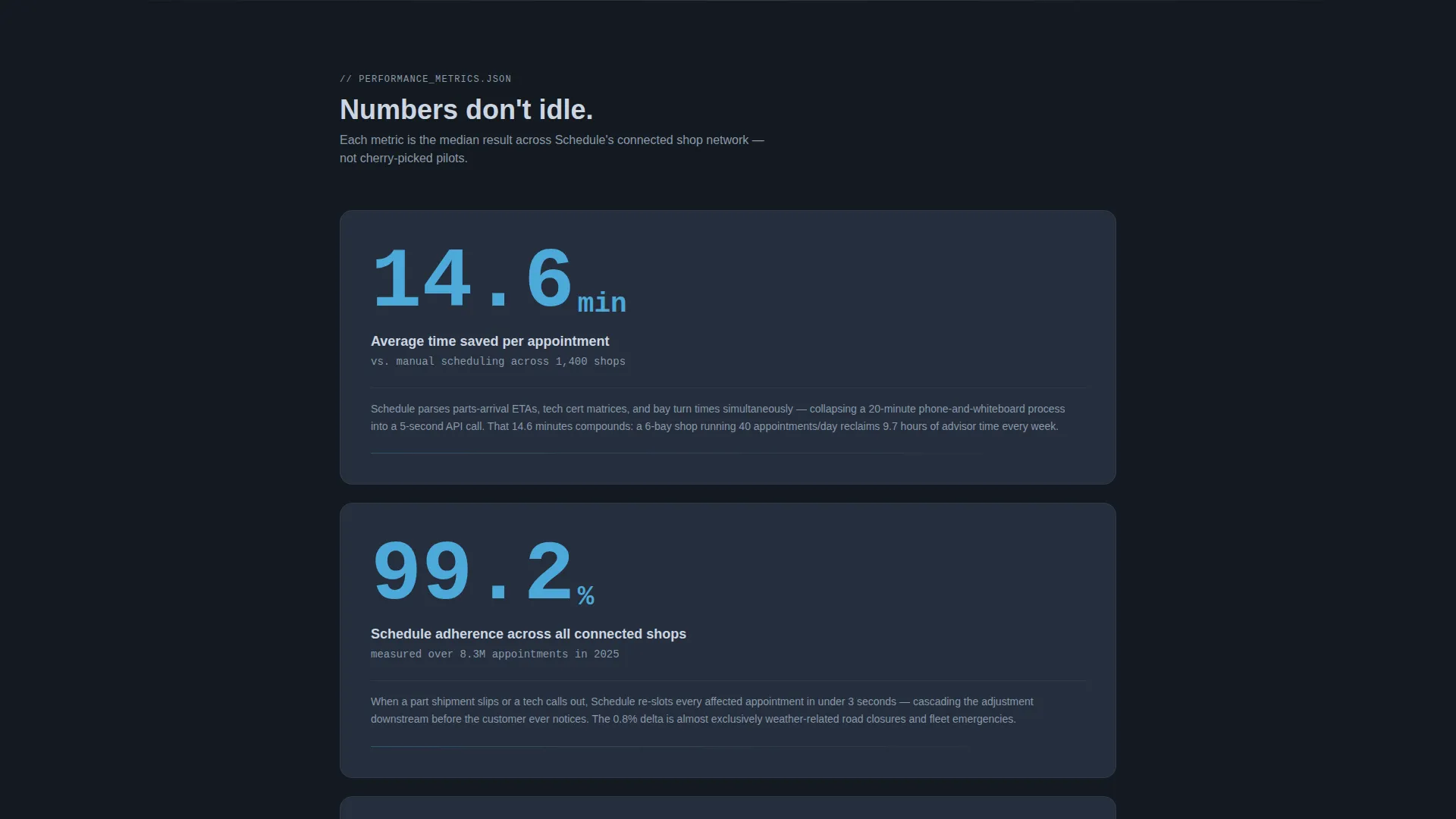
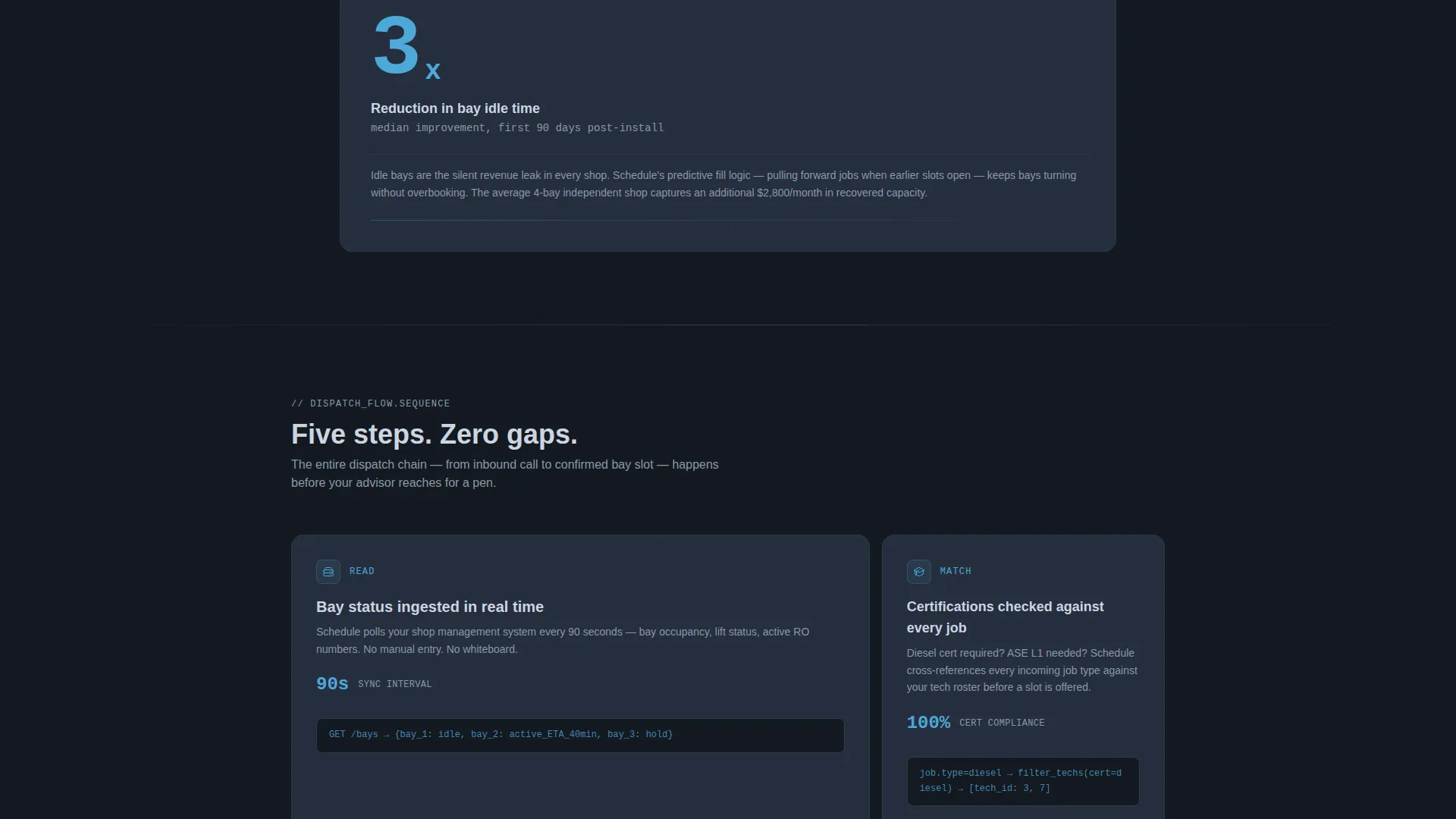
Every anchor-nav spoke opens with a single oversized metric: average time saved per appointment, schedule adherence rate, and bay idle time reduction. The number lands first, and the supporting paragraph expands beneath it, building an evidence-based argument section by section.
Hub and Spoke Anchor Navigation
A persistent anchor navigation connects the header to each content spoke. Visitors can jump directly to efficiency gains, revenue impact, or customer retention sections without scrolling, keeping the page fast to explore on any device.
Dual App Download call to action
The primary call to action includes paired App Store and Google Play badges alongside a single phone-number field. The field auto-formats as the user types and confirms submission with a wrench-checkmark animation, reducing friction for mobile-first shop owners.
14-Day Trial Unlock Section
A secondary call to action beneath the final stats spoke offers a free bay utilization preview. It requires only a shop name and bay count, cutting the sign-up path to two inputs and a download.
Data Command Visual Theme
The Slate and Sky color system uses deep charcoal, toolbox gunmetal, clear-morning blue, and lift-arm silver in a deliberate hierarchy. The single blue accent functions like a diagnostic scan line, directing attention to live data, interactive states, and key metrics.
Page sections overview
| Section | Purpose |
|---|---|
| Code Snippet Header | Opens with live AI conflict resolution output to establish instant product credibility |
| Anchor Navigation Hub | Lets visitors jump to any spoke section directly from any scroll position |
| Efficiency Gains Spoke | Presents the 14.6-minute average time saved stat with supporting detail |
| Schedule Adherence Spoke | Delivers the 99.2% adherence metric across 1,400 shops with context |
| Bay Utilization Spoke | Shows the 3x bay idle time reduction number before explaining the mechanic |
| App Download call to action | Primary conversion block with App Store, Google Play, and SMS link options |
| Trial Unlock call to action | Secondary conversion block offering a 14-day free bay utilization preview |
Design & branding system
The visual identity follows a Data Command theme built entirely around the Slate and Sky color system. The palette is designed to feel industrial and trustworthy, like a well-organized tool drawer under fluorescent shop lighting.
- Deep shop-floor charcoal (#1E2530) as the primary background, toolbox gunmetal (#3B4654) for card surfaces, and lift-arm silver (#CBD5E1) for secondary text and divider lines
- Clear-morning blue (#4DA8DA) reserved for live data accents, interactive states, and highlighted conflict-resolution lines in the code snippet
- No stock photography and no illustrations; the animated code snippet is the product shot, keeping the design honest and engineering-credible
Mobile & speed optimization
The template is designed with mobile mechanics and on-the-go service managers as primary users. Every interaction pattern assumes the visitor may be standing next to a lift with one hand free.
- The phone-number field in the call to action auto-formats input and confirms with a wrench-checkmark animation, minimizing typing effort on a small screen
- The 14-day trial call to action requires only two fields, reducing the sign-up path to a quick interaction before the download begins
- Hub-and-spoke anchor navigation keeps orientation clear on narrow viewports, so users find the section they need without excessive scrolling
How this template helps you convert
The conversion strategy is built around proof before pitch. Visitors absorb evidence at every section before they ever reach a call to action.
- The live code snippet header communicates product intelligence in the first three seconds, establishing trust before a single word of marketing copy appears.
- Oversized metrics at the top of each spoke section build a cumulative, numbers-driven argument that removes doubt section by section.
- Two low-friction conversion paths, the app download and the two-field trial unlock, meet different visitor intents so neither a quick decision nor a cautious one goes unsupported.
Other information about this template
This template is part of the Technology category under the AI for Automotive subcategory. It is built specifically for the automotive AI scheduling assistant niche and carries an intersection match score that reflects strong alignment between template style and niche intent.
- The hub-and-spoke structure with anchor navigation is particularly well suited to tool-category landing pages where multiple use cases need equal prominence
- The Stats-First Impact creative direction can be adapted to highlight different metrics as the product evolves, such as revenue per bay or technician utilization rates
- The template style, visual theme, and call to action layout are all derived from the matched intersection context, meaning the design decisions were validated against the niche before production
Theme
Data Command
Creative direction
Stats-First Impact
Color system
Slate & Sky
Style
Hub & Spoke (Anchor Nav)
Direction
App Download
Page Sections
Live-typed Code Snippet Header
Stats-first Impact Layout
Hub and Spoke Anchor Navigation
Dual App Download Call to Action Block
Two-field Trial Unlock Call to Action
Data Command Color System
Related questions
Who is this landing page template designed for?
Can I change the metrics shown in the stat blocks?
Does the template include both app store calls to action and an SMS link option?
What does the 14-day trial call to action require from a visitor?
Is the code snippet in the header functional code?



