Intelligent Dental Landing Page Template
The Schedule Intelligent Dental landing page template is a bento grid layout built for AI-powered dental scheduling tools. It leads with an interactive chair-utilization calculator, flows through animated proof-point cards, and closes with a two-step app download conversion path. Designed for office managers, associate dentists, and dental group directors who need to see recovered production before they commit.
by Rocket studio
Quick summary
This single-page bento grid template is built for a dental AI scheduling assistant. It opens with a live calculator that quantifies recovered chair hours, then layers animated data cards that show cancellation detection, production recovery, and peak-hour heatmaps. The page ends with a focused app download flow covering practice management system selection and device choice.
Who this template is for
This template is designed for teams building or marketing an AI scheduling tool aimed at dental practices of every size. It speaks directly to the people whose daily work depends on a full schedule.
- Dental office managers coordinating multiple operatories and last-minute reschedules
- Associate dentists and practice owners whose production targets depend on eliminating no-shows
- Dental service organization regional directors tracking chair utilization across many locations
What problem this template solves
Empty chairs cost dental practices real money. The problem is not just no-shows, it is the gap between a cancellation happening and a replacement patient being found. Most front desks cannot react fast enough, and utilization data is rarely visible at a glance.
- Lost chair time from same-day cancellations and no-shows goes unrecovered
- Hygiene recall lists and waitlists are managed manually and inconsistently
- Practice directors lack a single real-time view of utilization across multiple locations
What you get with this template
You get a complete, conversion-focused bento grid landing page that makes the AI tool's value immediately visible. Every section is built to answer a skeptical buyer's question before they ask it.
- A hero scheduling calculator that renders projected recovered hours in real time
- Animated bento cards showing cancellation auto-detection, production counters, and peak-hour heatmaps
- A two-step app download flow with practice management system selection and device choice
Feature list
This template packages several interactive and visual components into a single scrollable page. Each element is designed to build trust and move a visitor toward downloading the app.
Hero Scheduling Calculator
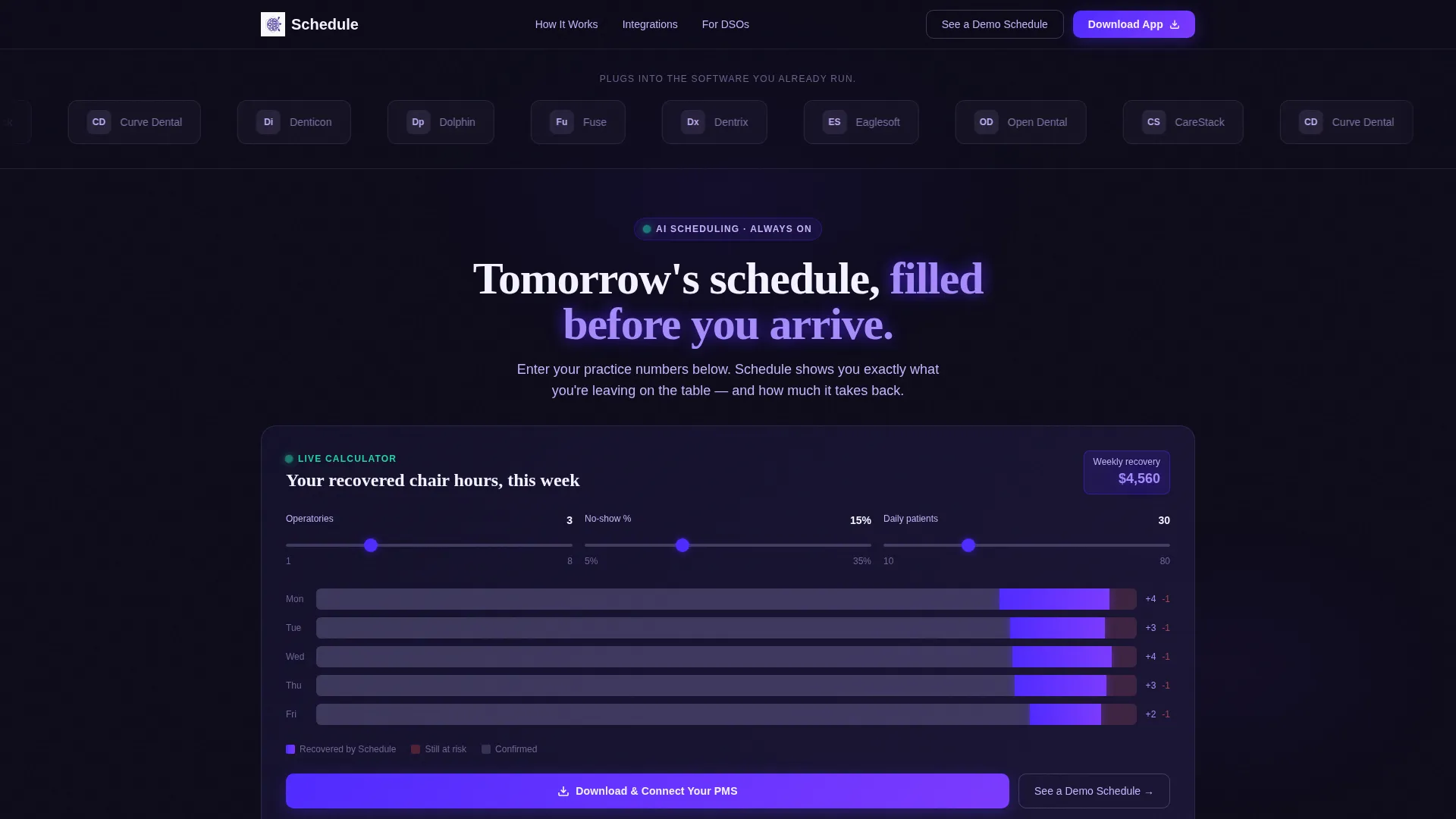
Visitors input their number of operatories, average no-show percentage, and daily patient volume. The calculator instantly renders a projected week, displaying recovered chair hours in glowing indigo blocks against lost hours in muted gray.
Cancellation Auto-Detection Card
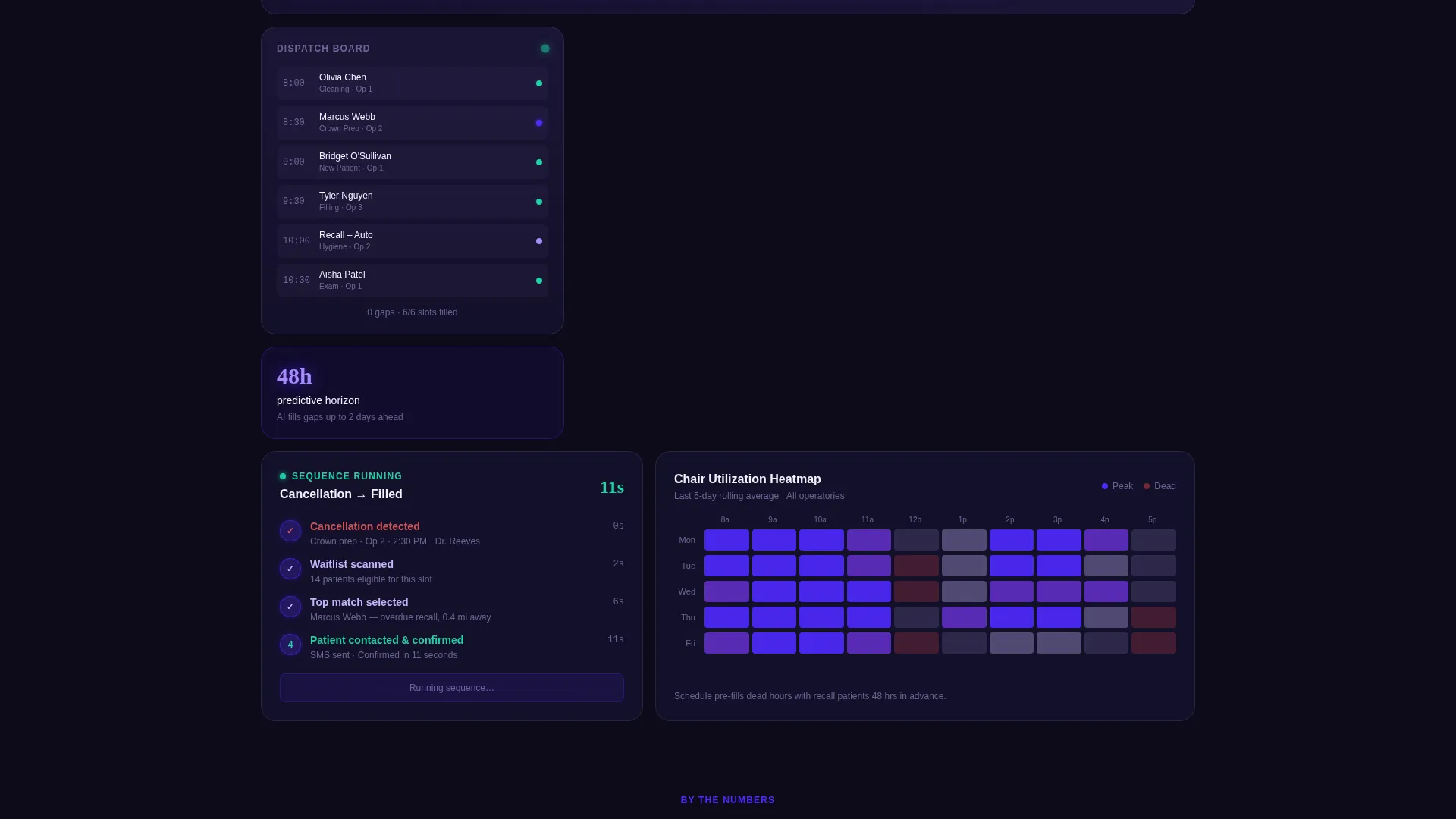
An animated bento card demonstrates a cancellation being flagged and a waitlist patient being auto-contacted within eleven seconds. The animation makes an abstract AI process feel immediate and concrete.
Production Dollar Counter
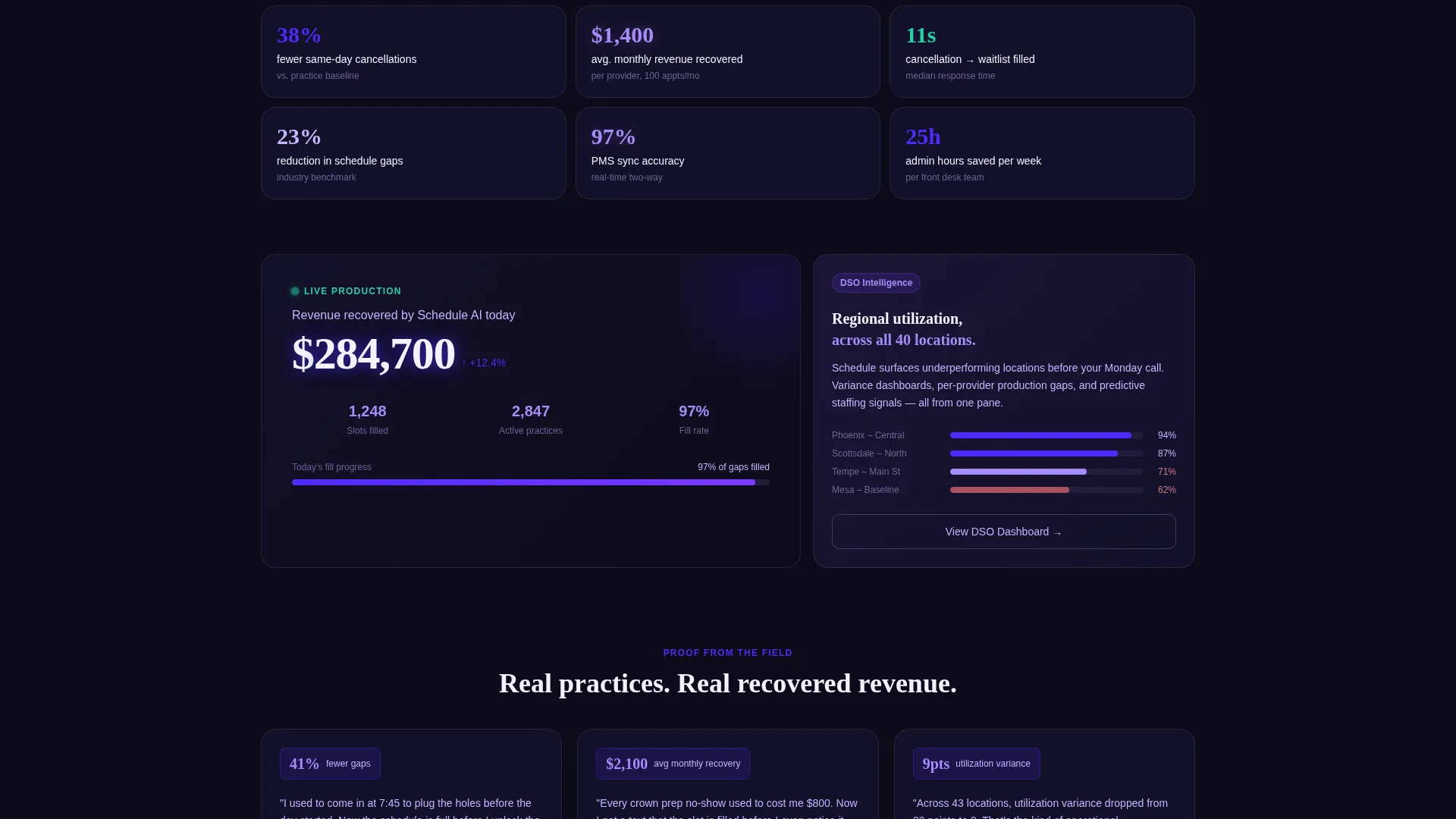
A live-style counter ticks upward as schedule slots fill, translating recovered chair time directly into production revenue. It connects the scheduling problem to the financial outcome practitioners care about most.
Peak-Hour Heatmap Card
A full-week heatmap shows hot and dead hours across a real schedule. This helps managers and directors instantly recognize their own utilization patterns in the data.
Stat Tile Grid
Tight single-stat cards such as "38% fewer same-day cancellations" are interspersed throughout the bento layout. They provide fast, credible proof points for visitors who skim before they read.
Two-Step App Download Flow
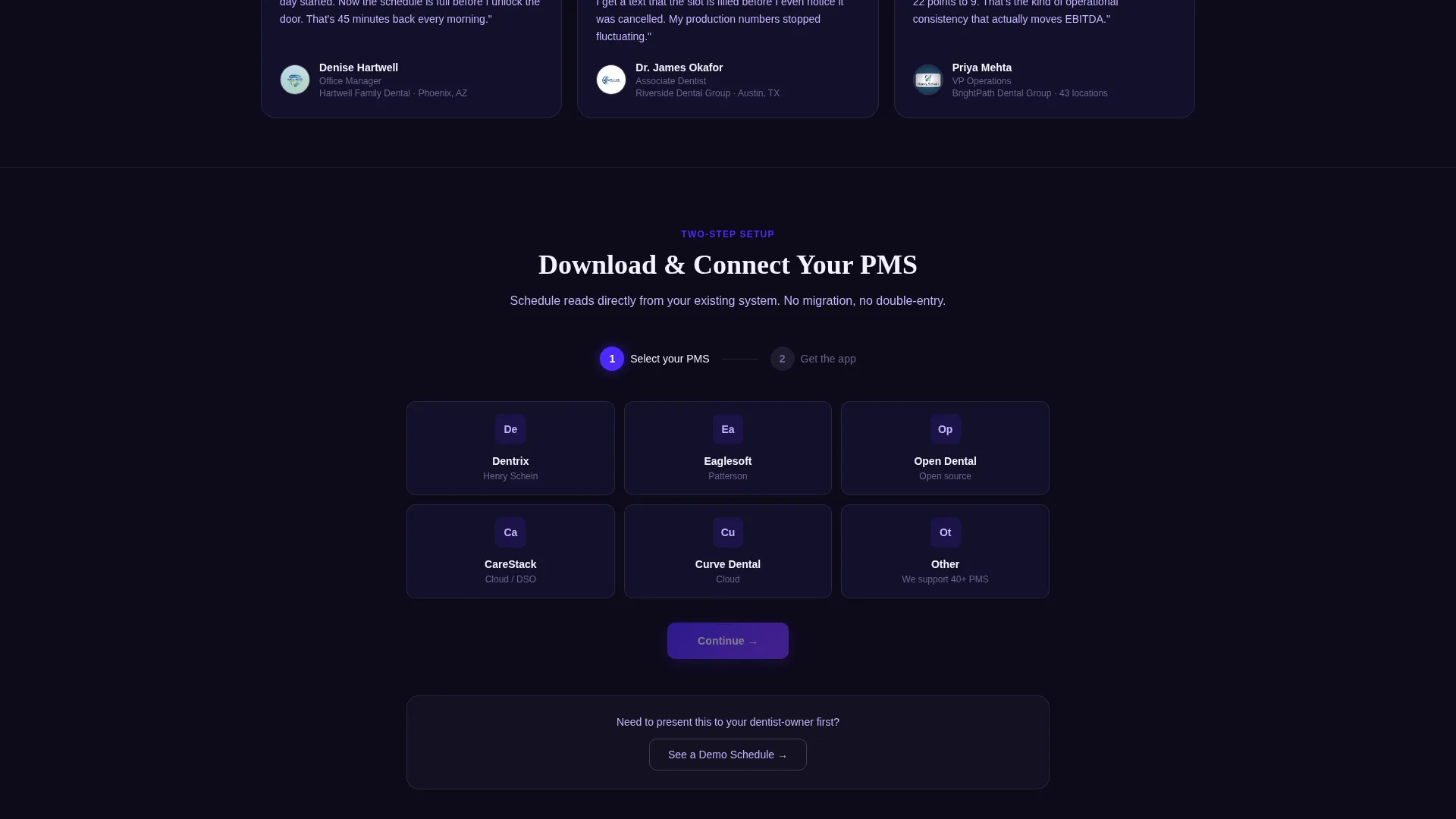
The primary call to action triggers a two-step overlay: first, a visual grid for selecting a practice management system; then a prompt to choose iOS or Android. A secondary path offers a demo schedule for managers who need to present to a dentist-owner before committing.
Page sections overview
| Section | Purpose |
|---|---|
| Logo Bar Header | Displays practice management software logos in scrolling grayscale to establish compatibility at a glance |
| Hero Calculator Card | Lets visitors input their practice data and see recovered chair hours rendered immediately |
| Cancellation Detection Card | Animates the eleven-second waitlist auto-contact process to make the AI feel real and fast |
| Production Counter Card | Shows a ticking dollar counter as slots fill, linking scheduling to direct revenue recovery |
| Peak-Hour Heatmap | Visualizes hot and dead schedule hours across a full week to validate the AI's pattern reading |
| Stat Tile Row | Delivers quick proof-point numbers in compact bento tiles for fast skimmers |
| Primary call to action Bar | Presents the "Download and Connect Your PMS" action inside the calculator results and as a persistent mobile bar |
| Demo Schedule Path | Offers a secondary conversion option for managers who need stakeholder buy-in first |
Design & branding system
The visual identity follows a Data Command theme built around an Electric Indigo color system. The palette is designed to feel like a monitor glowing in a dark server room: precise, electric, and alert.
- Background uses deep terminal black (#0D0B1A); charged indigo (#4F2AFF) owns buttons and data highlights; cool interface lilac (#C4B5FD) softens secondary text and borders
- Clinical white (#F4F3FF) surfaces float as bento cards against the dark void; neon violet (#7C3AFF) accent pulses mark live data and interactive states
- Grayscale treatment on the logo bar keeps partner brand logos visible but visually subordinate to the main interface
Mobile & speed optimization
The persistent bottom bar on mobile ensures the primary download action is always reachable without scrolling back to the top. The bento grid layout is built to adapt across screen sizes without losing the sense of a live data display.
- Primary call-to-action button appears as a persistent bottom bar on mobile so it is always one tap away
- Calculator and animated cards are designed to deliver their visual impact within the scrollable single-page flow on smaller screens
- Bento card sizing varies by content weight, keeping the layout readable on both wide desktop grids and narrower mobile viewports
How this template helps you convert
The conversion strategy is built around showing value before asking for anything. The calculator does the persuasion work so the download feels like a logical next step.
- The hero calculator personalizes the pitch instantly. Visitors enter their own practice numbers and see their own recovered hours rendered in indigo, making the value feel earned and specific rather than generic.
- Each bento card below the hero adds a layer of proof: speed of auto-contact, production dollars recovered, and heatmap patterns. By the time a visitor reaches the download call to action, the case has already been made across multiple formats.
- The secondary demo path keeps hesitant visitors in the funnel. Managers who need to present to a practice owner can request a demo schedule instead of leaving, preserving a conversion opportunity that would otherwise be lost.
Other information about this template
This template is part of the AI for Dental category within the broader Technology template collection. It is built specifically for the dental AI scheduling assistant niche and is well suited to practices already running common dental practice management systems.
- The logo bar is designed to display logos from widely used dental practice management platforms, making it straightforward to reference tools such as Dentrix, Eaglesoft, Open Dental, and CareStack
- The template style is a bento grid with a Data Command theme, Electric Indigo color system, and a Calculator/Tool First creative direction
- The landing page direction targets app downloads, making it suitable for teams launching or promoting a mobile-first dental scheduling product
Theme
Data Command
Creative direction
Calculator/Tool First
Color system
Electric Indigo
Style
Bento Grid
Direction
App Download
Page Sections
Live Scheduling Calculator
Animated Cancellation Detection Card
Production Revenue Counter
Peak and Dead Hour Heatmap
Stat Tile Proof Points
Two-step App Download Flow
Related questions
Who is this template designed for?
Does the template include the scheduling calculator functionality?
Can the bento cards be customized with our own data?
What is the intended conversion goal of this landing page?
Is this a single page or a multi-page template?



