Intelligent Production Management Landing Page Template
Shift is a bento grid landing page template built for factory floor shift scheduling platforms. It uses a SCADA-inspired Acid Digital color system, live dashboard animations, and a Spec Sheet layout to show production managers, HR coordinators, and plant directors exactly how the platform resolves shift gaps, tracks union hour caps, and keeps every line running on schedule.
by Rocket studio
Quick summary
Shift is a single-page bento grid template designed for a manufacturing staff scheduling platform. It leads with an animated shift grid dashboard, walks visitors through core capabilities tile by tile, and closes with a friction-free free trial form. The design language mirrors a factory control room: dark, precise, and built entirely around function.
Who this template is for
This template speaks directly to the people managing employee shifts in high-stakes industrial environments. It is built for teams where a missed shift at shift start can stall an entire production line.
- Production managers running three rotating work shifts across multiple lines who need to plan staffing requirements days in advance
- HR coordinators tracking certifications, union hour caps, and employee preferences across complex shift patterns
- Plant directors who need a comprehensive view of employee schedules without walking the floor
What problem this template solves
Factory floor shift scheduling is one of the most operationally demanding tasks a manager faces. Spreadsheets go stale, outdated versions circulate on the floor, and double bookings cause compliance risks before the week even starts.
- Supervisors waste hours managing overlapping shifts, chasing callout replacements during night shifts, and rekeying data that already lives in payroll systems
- HR teams struggle to track labor costs, monitor hours worked against union caps, and flag compliance issues before they become labor law violations
- Plant directors lack real time updates on headcount, making it difficult to respond to staffing gaps during peak hours
What you get with this template
This template gives you a fully structured, ready-to-customize landing page for a shift scheduling platform. Every section is pre-built and purposefully designed to move a plant-floor buyer from first impression to free trial signup.
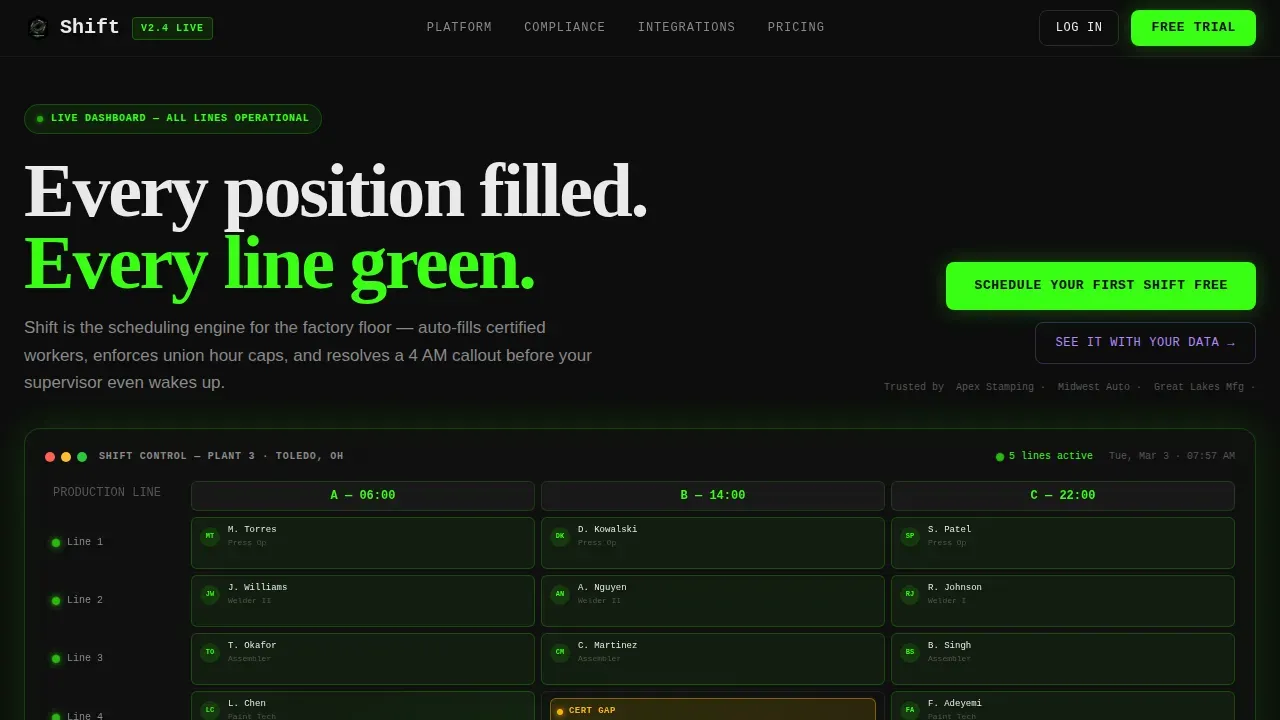
- A live bento dashboard header showing three work shifts across five production lines, complete with auto-fill animations and amber alert states
- A feature bento grid covering auto-fill by certification, union hour cap tracking, callout response chain, and integration tiles
- A sticky bottom call-to-action bar and a two-step trial signup modal form
Feature list
This template presents each platform capability the way a machine datasheet presents a spec: one tile, one function, zero ambiguity. The feature set is grounded in the scheduling process that factory floor teams actually rely on.
Animated Live Dashboard Header
The top bento row renders a stylized scheduling grid showing shift labels A, B, and C across five production lines. Worker avatars snap into slots via micro-animations. One cell pulses amber where a certified forklift operator is missing. A green badge animates onto a replacement card as auto-fill resolves the gap, showing visitors the platform solving a real problem before any copy asks them to act.
Auto-Fill by Certification Tile
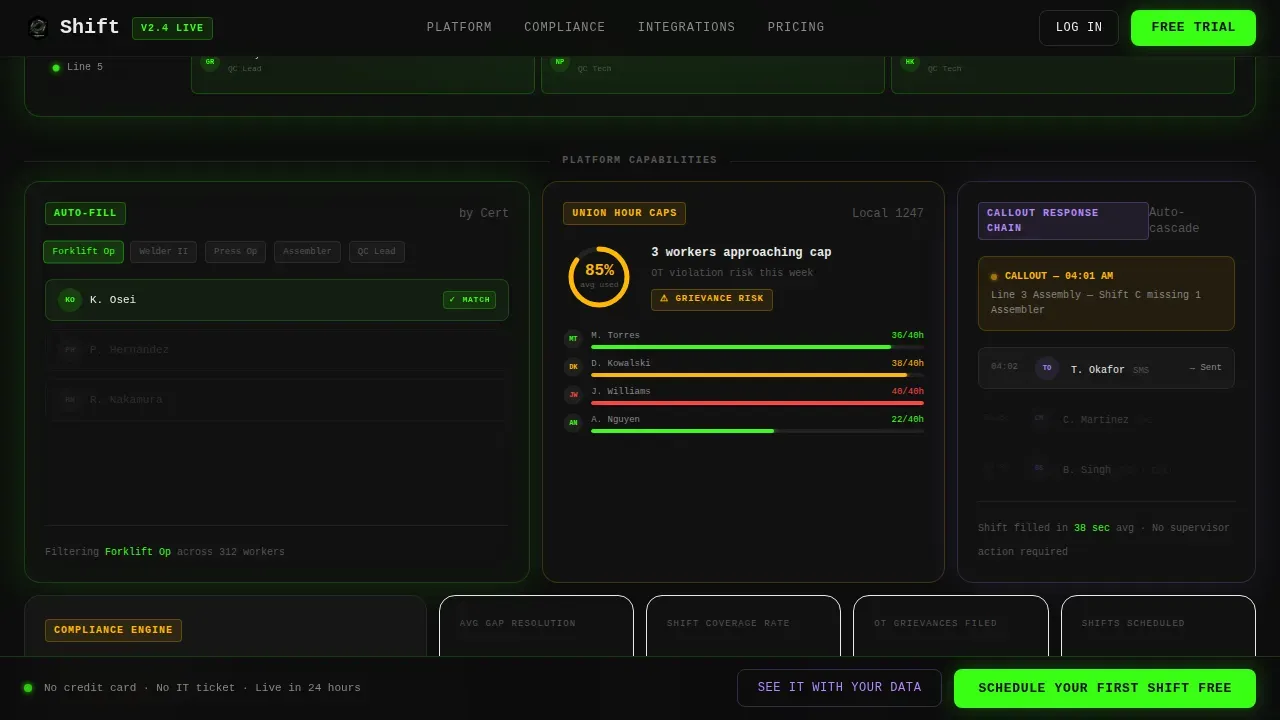
A dedicated bento tile demonstrates how the platform filters candidates by skill tags and assigns only qualified employees to specific machines or hazardous roles. This directly addresses the staffing requirements that make factory scheduling different from scheduling in other industries. Skill and certification tracking is shown as a live filter animation, not a static screenshot.
Union Hour Cap Tracking Tile
A progress ring in this tile approaches a threshold in real time, visualizing how the platform tracks hours worked against union caps. Managers can see at a glance when an employee is approaching an overtime limit, reducing compliance risks before a grievance is filed. The tile communicates labor cost management and labor regulations adherence through motion rather than marketing language.
Callout Response Chain Tile
This tile animates an automated SMS cascade triggered by a callout event. It shows how the platform alerts staff of shift changes in sequence, reducing the manual process of a supervisor thumbing through contacts at 4 AM. Real time notifications mean fewer no-shows and faster shift gap resolution, with a stat tile quoting a 38-second average resolution time.
Two-Step Trial Signup Modal
The primary call to action opens a two-step form. Step one captures plant size and shift pattern type: fixed, rotating, or continental. Step two asks for work email and role title. No credit card is required. A secondary path offers a guided demo where prospects upload a current roster as a CSV file, letting the product earn the conversion through demonstrated value.
Page sections overview
| Section | Purpose |
|---|---|
| Hero Dashboard Grid | Animate shift auto-fill across three shifts and five lines |
| Feature Bento Tiles | Present each core scheduling capability as a single spec |
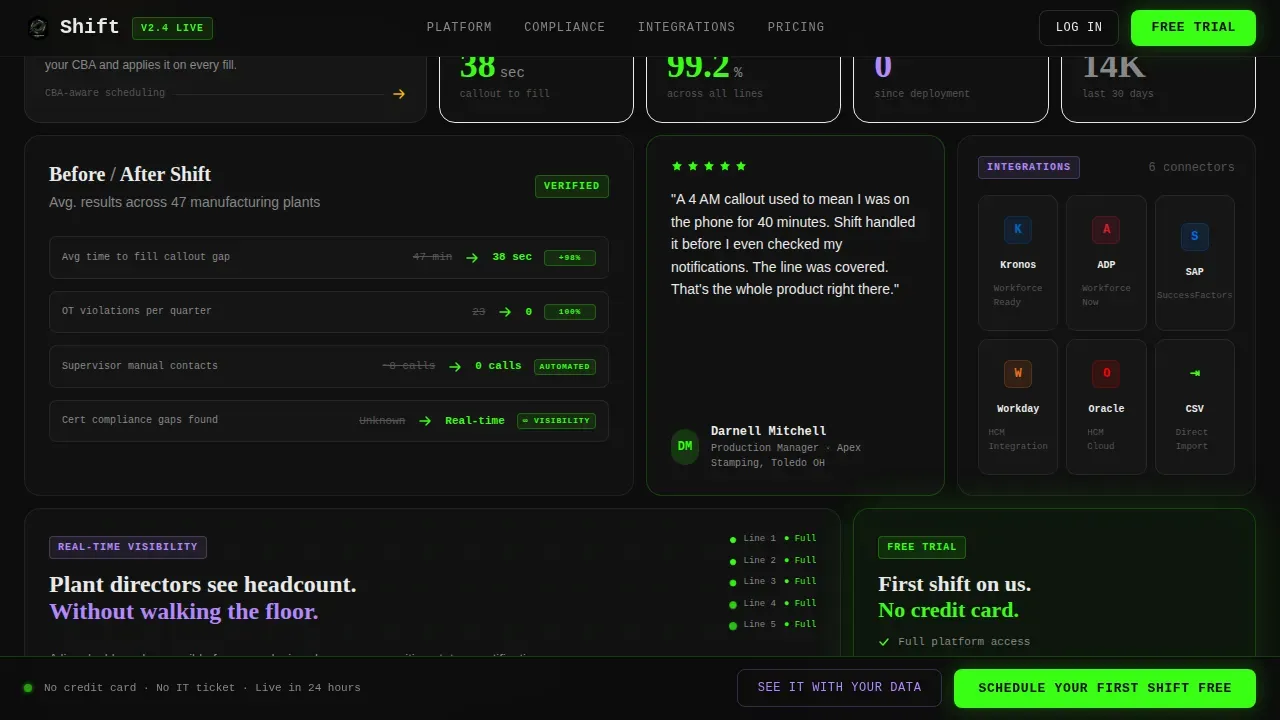
| Results and Proof | Display before-and-after metrics and a production manager testimonial |
| Integration Tiles | Show half-width connector tiles for workforce management tools |
| Call to Action Section | Drive free trial signups via two-step form |
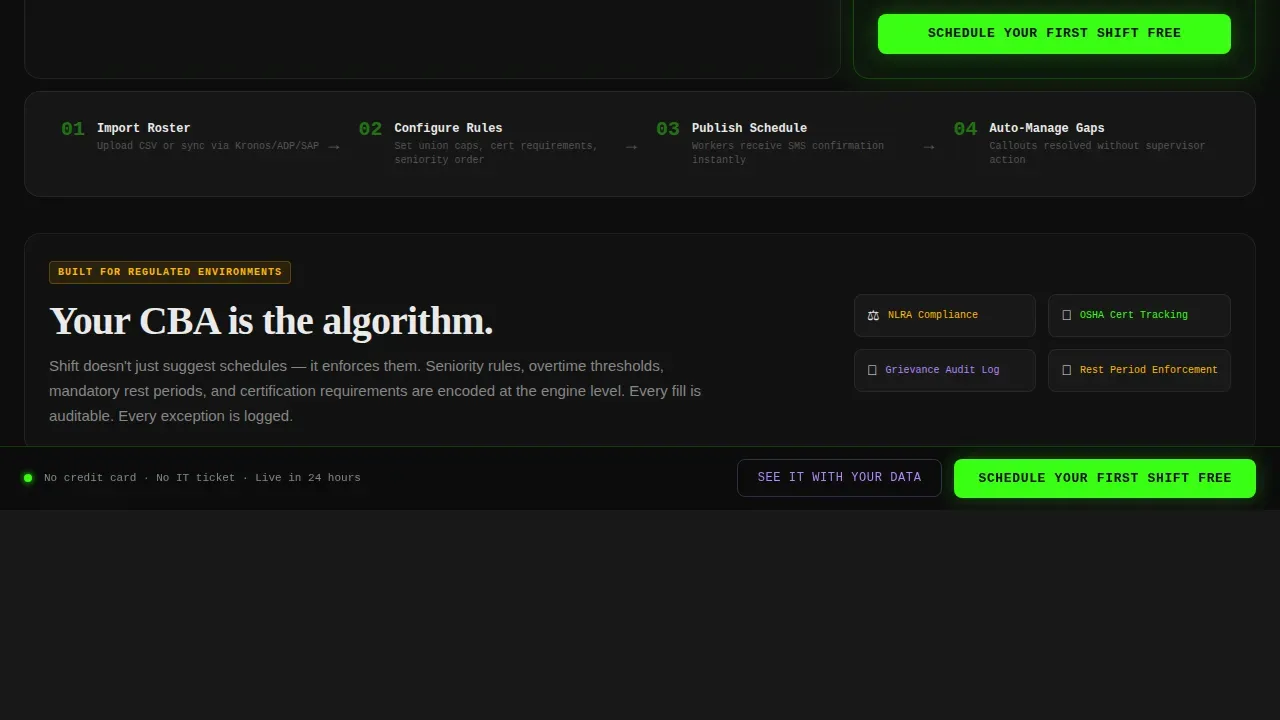
| Sticky call to action Bar | Keep the primary action visible after the second scroll fold |
| Footer | Linear single-row footer with nav and legal links |
Design & branding system
The visual identity follows a Dynamic Motion theme built on an Acid Digital color system. Every color in the palette is borrowed from the visual language that plant floor operators already trust, making the page feel like a control room screen rather than a marketing site.
- Void black (#0D0D0D) dominates every background tile; machine-status green (#39FF14) pulses on active states and primary calls to action; caution amber (#FFB800) marks alerts and constraint warnings; interface lilac (#B388FF) labels data-dense cards and secondary actions
- Typography uses JetBrains Mono for data labels and shift identifiers, DM Sans for body copy, and Fraunces for display headlines, creating a clear hierarchy between operational data and editorial content
- Motion is purposeful throughout: elements slide and lock into place like parts on an assembly line, progress rings animate toward thresholds, and SMS cascade sequences play out in the callout tile
Mobile & speed optimization
The template is desktop-first, reflecting how production managers and plant directors typically access scheduling tools on workstations and floor-mounted tablets. The layout is designed to remain readable and functional at tablet viewports used on the factory floor.
- Server components handle static sections to keep initial render fast; client components are scoped to animated tiles, the sticky call to action bar, and the two-step modal
- Sticky bottom bar and modal interactions are built for pointer-based devices, with touch-friendly tap targets ensuring supervisors can act from a tablet on the floor
How this template helps you convert
This template is structured to earn trust before asking for anything. The Spec Sheet creative direction means every scroll fold reveals a new, specific capability rather than a generic benefit claim. Visitors see the platform solving real factory floor problems before they ever see a form field.
- The animated dashboard header shows a real shift gap resolving in seconds, giving production managers immediate proof of value and reducing the skepticism that generic scheduling software often faces
- The sticky call to action bar keeps "Schedule Your First Shift Free" visible throughout the scroll without interrupting the content experience, ensuring the conversion path is always one click away
- The two-step modal form reduces friction by asking only for plant size and shift pattern in step one, reserving contact details for step two, which aligns with how B2B buyers prefer to qualify tools before sharing their information
Other information about this template
This template is purpose-built for the intersection of Dynamic Motion, Spec Sheet creative direction, and Freemium/Trial conversion flow. It is most effective for manufacturing software and SaaS businesses that need to communicate complex scheduling needs to technical buyers quickly.
- The template can support adaptation for other shift-heavy industries beyond factory floors, including healthcare, logistics, and retail, where managing employee schedules across rotating work shifts is equally demanding
- Schedule templates like this one play a crucial role in helping organizations communicate staffing plans clearly. Work shift presentations are essential for organizations that need to manage and communicate their staffing schedules effectively, and the Shift template brings that clarity into the product itself
- The bento grid layout makes it straightforward to review and update individual capability tiles without rebuilding the entire page, which helps teams avoid the problems caused by outdated versions circulating internally
- The template is designed to accommodate employee preferences and self-scheduling features if the underlying platform supports them, and it can surface those capabilities through existing tile slots
- Businesses in multiple industries use schedule templates to plan employee shifts weeks in advance, coordinate project timelines across departments, and give every team leader a clear picture of their team's shifts for the week ahead
- Small businesses running a single shift line and large multi-plant organizations running continental shift patterns can both use the template structure effectively, since the bento grid scales content density up or down by showing or hiding tiles
- Regular reviews of shift templates help organizations assess whether their scheduling process still aligns with current business needs, and the modular tile layout of this template makes those reviews fast
- The template's integration tile row is pre-structured with half-width slots ready for workforce management platform connectors, supporting cohesive management across the tools your organization already uses
Theme
Dynamic Motion
Creative direction
Spec Sheet
Color system
Acid Digital
Style
Bento Grid
Direction
Freemium/Trial
Page Sections
Live Animated Shift Grid Header
Certification-aware Auto-fill Tile
Union Hour Cap Progress Tracker
Callout Response Chain Visualization
Sticky Call to Action Bar and Two-step Modal
Related questions
Who is this landing page template built for?
Can I adapt the template for industries outside of manufacturing?
Does the template include the scheduling software itself?
How does the two-step form work for free trial signups?
Can the bento tile layout be customized for different feature sets?



