Specialist AI for Beauty & Salon Appointment Booking Website Template
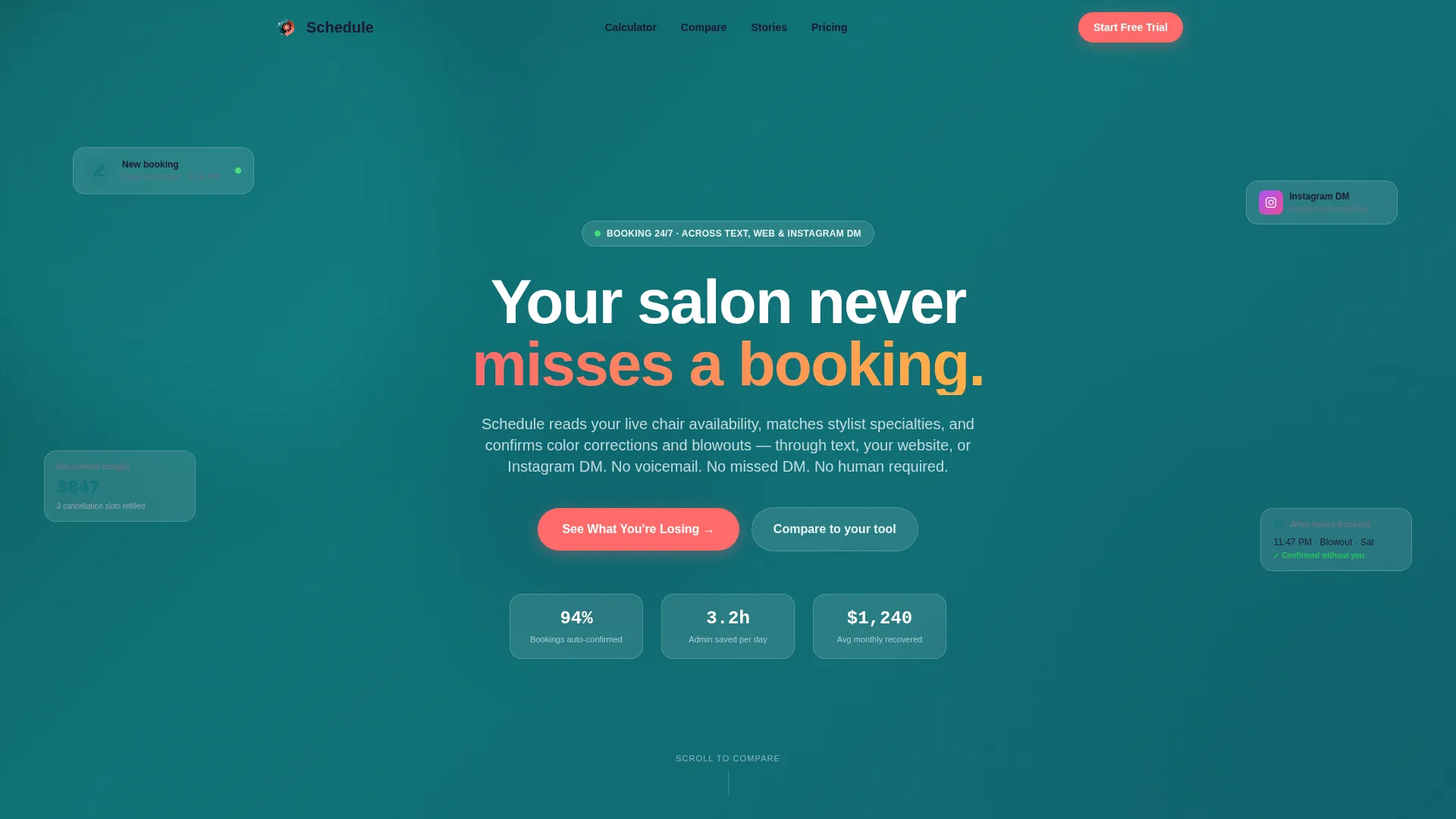
Schedule is a single-page AI scheduling assistant landing page built for beauty and salon businesses. It leads with an interactive savings calculator, then walks visitors through a side-by-side competitor comparison table. The Tech Glass visual identity, Teal Catalyst color palette, and sticky call-to-action bar work together to move salon owners from curiosity to a free trial in one focused scroll.
by Rocket studio
Quick summary
Schedule is a comparison-focused landing page template for an AI salon booking assistant. It opens with a logo recognition bar and a live savings calculator, then builds trust through a detailed competitor table, micro-case stories, and a low-risk two-step sign-up flow. Every section is designed to turn a skeptical salon owner into a confident trial user.
Who this template is for
This template is built for beauty and salon professionals who need to communicate a clear scheduling advantage over familiar tools. It speaks directly to operators who are already using another platform and need a reason to consider something better.
- Solo booth renters managing client DMs without staff support
- Mid-size salon owners losing after-hours bookings to voicemail
- Multi-location spa directors who need unified calendar control across many sites
What problem this template solves
Most salon scheduling tools require manual follow-up, miss after-hours requests, and cannot handle Instagram DMs or multi-location calendars in one place. Salon owners end up spending hours each week on tasks the right system should handle automatically.
- No single page clearly shows how AI booking outperforms familiar tools side by side
- Visitors arrive skeptical and need personalized, data-driven proof before they commit
- Switching risk feels high when the current system is already embedded in daily operations
What you get with this template
You get a fully structured, single-page layout that guides visitors from instant recognition to confident action. Every section earns the next scroll by delivering evidence before asking for anything.
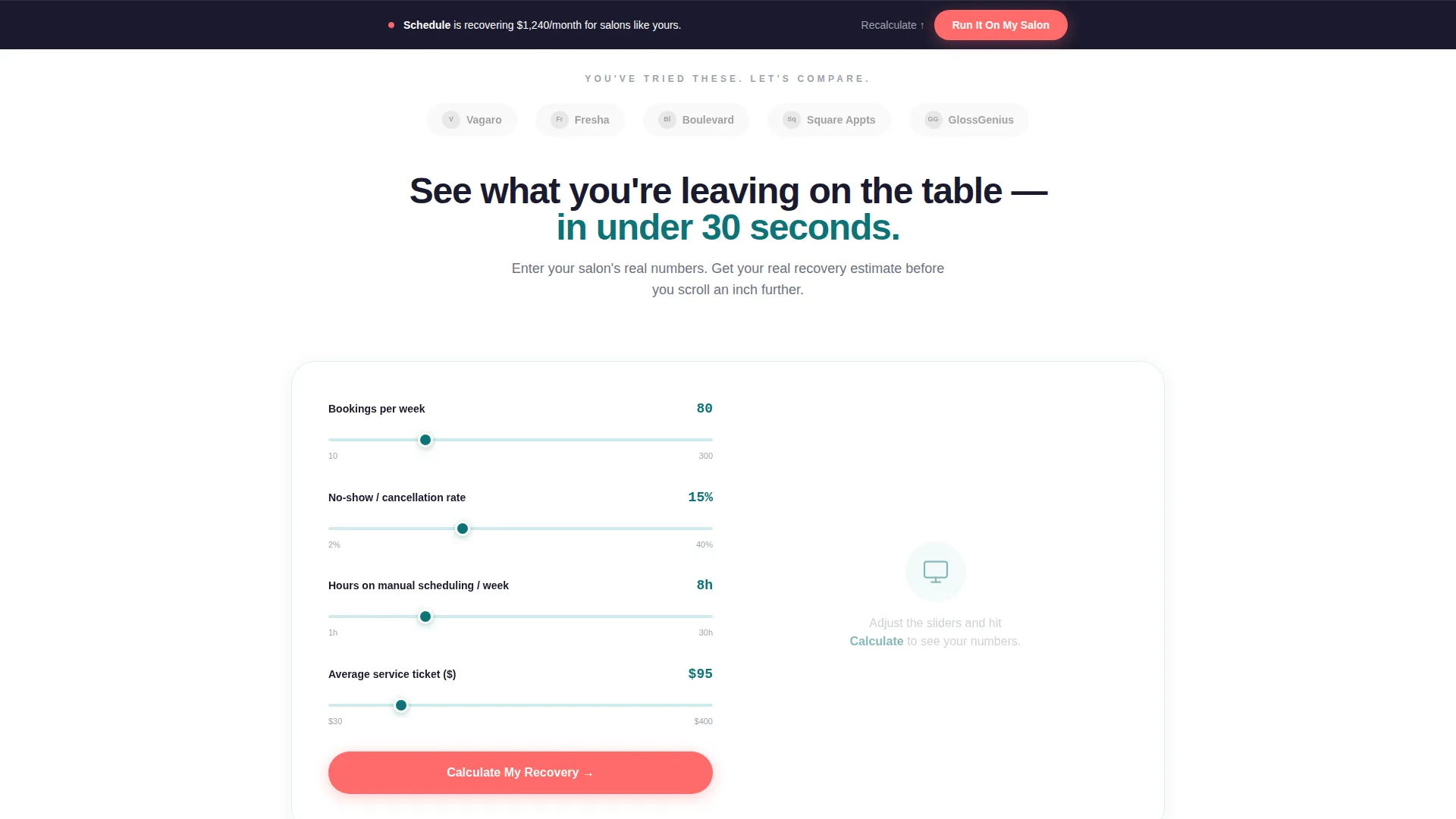
- An interactive calculator that outputs personalized hours-saved and recovered-revenue estimates
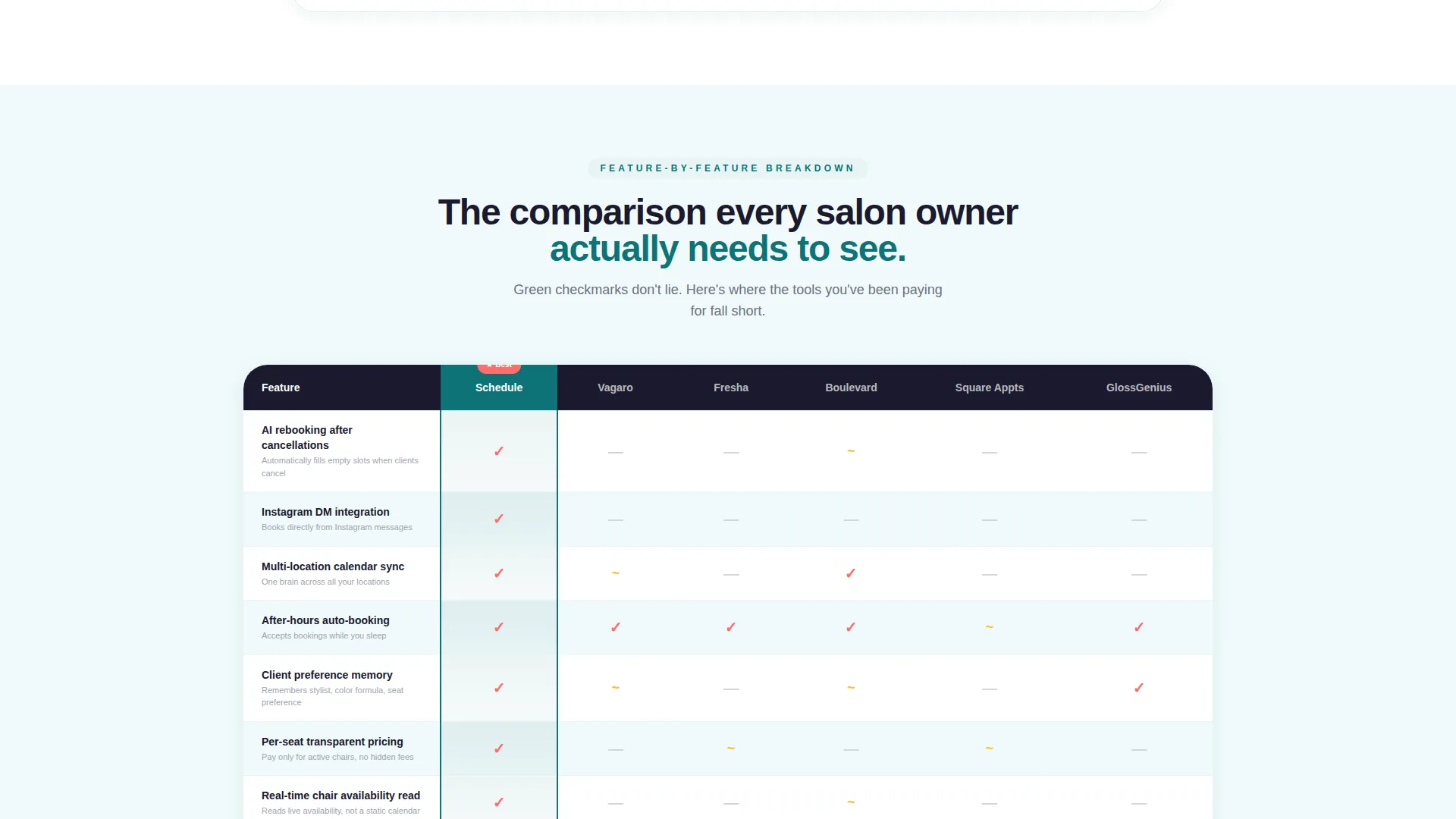
- A detailed comparison table with six feature rows across five scheduling tools
- A two-step sign-up form offering a free 14-day parallel run to eliminate switching risk
Feature list
This template includes purpose-built components designed specifically for AI scheduling assistant positioning in a competitive beauty market.
Interactive Savings Calculator
Visitors input their average bookings per week, no-show rate, and hours spent on manual scheduling. The calculator instantly outputs projected hours saved and recovered revenue. This personalization happens before the visitor scrolls a single section, making the value concrete and specific to their salon.
Competitor Logo Recognition Bar
A horizontal ribbon displays grayscale logos of recognizable salon software at the very top of the page. The headline "You've tried these. Let's compare." triggers instant familiarity and sets an honest, confident tone. Visitors know immediately this page respects their experience.
Side-by-Side Comparison Table
The core of the page is a structured table placing the AI assistant column-by-column against four competitors. Rows cover AI rebooking after cancellations, Instagram DM integration, multi-location calendar sync, after-hours auto-booking, client preference memory, and per-seat pricing transparency. Coral checkmarks and gray dashes replace lengthy paragraphs.
Micro-Case Story Blocks
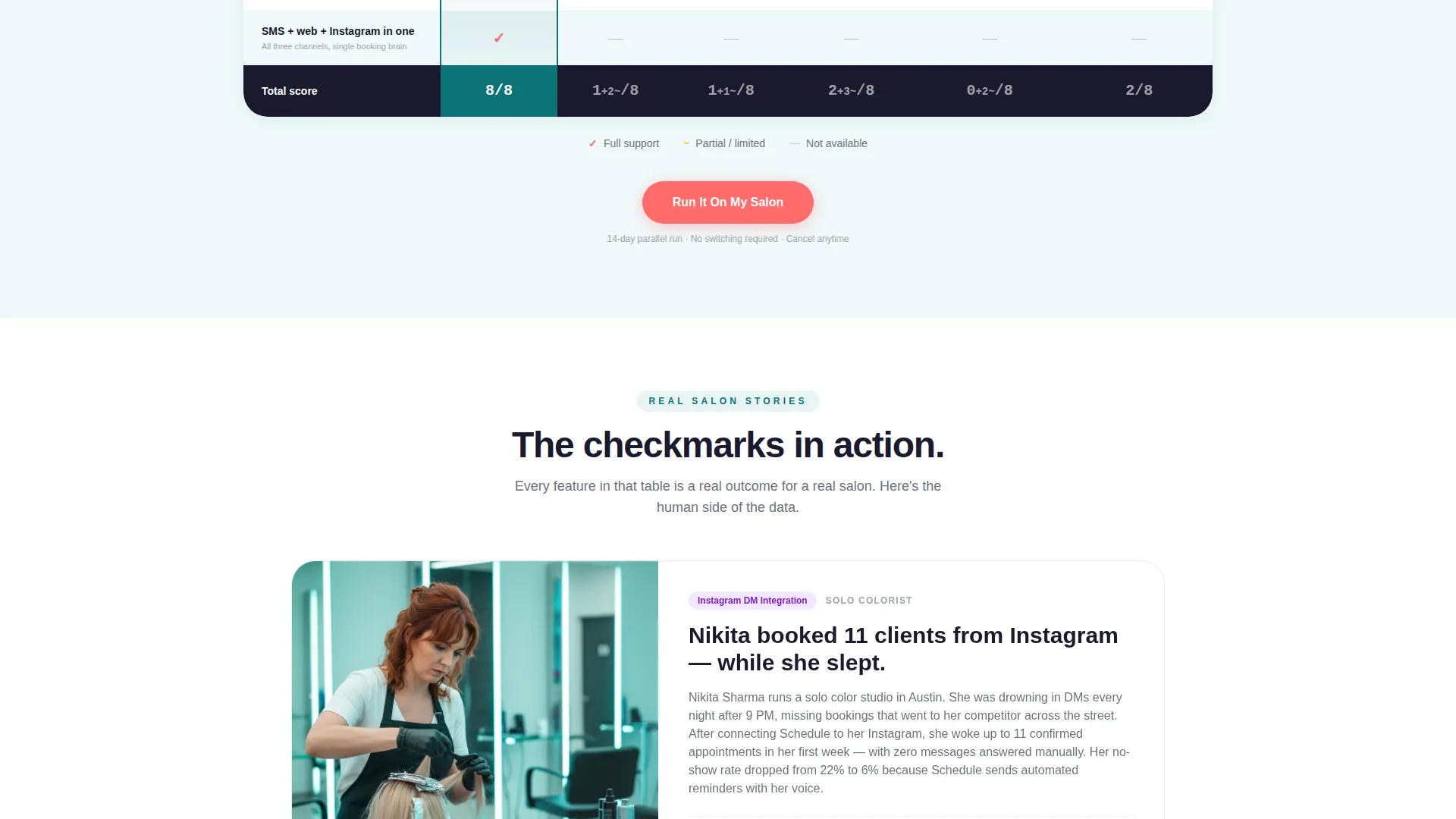
Below the comparison table, each key differentiator expands into a three-sentence story drawn from a real salon type: solo colorist, bridal suite, and franchise. These blocks alternate with hard data to make the table's verdict feel grounded and human, not just promotional.
Sticky call to action Bar and Two-Step Form
The primary call-to-action, "Run It On My Salon," appears first beneath the calculator and then again as a sticky bottom bar after the comparison table. Clicking opens a two-step form: salon name, stylist count, and current tool in step one; a free 14-day parallel run offer in step two.
Secondary Email Capture Path
A secondary conversion option, "See the Full Comparison PDF," captures email addresses from visitors who are deep in research mode but not yet ready to start a trial. This path ensures no interested visitor leaves empty-handed.
Page sections overview
| Section | Purpose |
|---|---|
| Logo Recognition Bar | Trigger familiarity with competitors and set an honest comparison tone |
| Savings Calculator | Deliver personalized hours-saved and revenue estimates before the first scroll |
| Comparison Table | Show feature-by-feature results across five scheduling tools |
| Micro-Case Stories | Humanize each differentiator with a three-sentence real-salon scenario |
| Primary call to action Block | Invite visitors to start a free 14-day parallel run with the two-step form |
| Secondary PDF Capture | Collect email from research-stage visitors via a comparison PDF offer |
| Sticky call to action Bar | Reinforce the primary call-to-action after the comparison table scrolls past |
Design & branding system
The Tech Glass theme pairs translucent, luminous surfaces with strong typographic contrast. The Teal Catalyst color system keeps the palette focused and intentional, with every color assigned a specific role.
- Deep spa teal (#0D7377) anchors the primary brand identity and section backgrounds
- Translucent frost (#E8F4F5) fills card backgrounds and alternating table rows for a clean, airy feel
- Near-black charcoal (#1A1A2E) is reserved for headline text and high-contrast comparison columns
- Reactive coral (#FF6B6B) appears exclusively on call-to-action buttons and winning checkmarks to draw the eye at the right moments
Mobile & speed optimization
The layout is structured to present the calculator and comparison table cleanly on smaller screens. Key interactive elements are placed within comfortable thumb reach, and the sticky call to action bar remains accessible throughout the scroll.
- The comparison table adapts to a horizontally scrollable format on mobile so no data is hidden
- The two-step form keeps each step on a single screen to reduce friction for mobile visitors
How this template helps you convert
This template is built around a Calculator/Tool First creative direction, meaning trust is earned through personalized evidence before any commitment is requested.
- The savings calculator delivers a personalized result immediately, making the value real before any feature claim is made.
- The competitor comparison table answers the "how is this different?" question with a clear visual verdict, reducing the need for a sales conversation.
- The two-step form with a 14-day parallel run offer removes switching risk, which is the most common reason salon owners delay committing to a new scheduling tool.
Other information about this template
This template is categorized under Technology, specifically the AI for Beauty and Salon subcategory. It is built to serve the Beauty and Salon AI Scheduling Assistant niche and is designed for a Comparison/Versus conversion goal. The template style is a Comparison Table layout using the Tech Glass theme and Teal Catalyst color system with a Logo Bar header concept and Calculator/Tool First creative direction.
- The page is designed for a single-page, section-led landing flow rather than a multi-page site structure
- The template supports booking through text, web widget, and Instagram DM channels as described in the brief
- It is suitable for communicating AI features such as live chair availability reading, stylist specialty matching, and client preference memory
- Salon software platforms referenced in the logo bar include Vagaro, Fresha, Boulevard, Square Appointments, and GlossGenius, used as comparison reference points within the template
Theme
Tech Glass
Creative direction
Calculator/Tool First
Color system
Teal Catalyst
Style
Comparison Table
Direction
Comparison/Versus
Page Sections
Interactive Savings Calculator
Competitor Logo Recognition Bar
Side-by-side Comparison Table
Micro-case Story Blocks
Two-step Sign-up Form
Secondary Email Capture Path
Related questions
Who is this landing page template designed for?
What does the savings calculator actually show visitors?
Can the competitor names in the comparison table be updated?
What is the purpose of the two-step sign-up form?
How does the template capture leads who are not ready to sign up?



