Schedule - Powerful Staffscheduling Landing Page Template
Schedule is a bold brutalist bento grid landing page template built for SaaS staff scheduling platforms. It features a live interactive scheduling grid in the header, drag-and-drop shift tiles, real-time hours recalculation, and animated push notification mockups. Designed for restaurants, retail chains, and clinics, it drives app downloads with sharp calls to action and zero stock photography.
by Rocket studio
Quick summary
Schedule is a single-page bento grid landing page template for SaaS staff scheduling tools. It opens with a functioning micro-scheduler embedded in the viewport, lets visitors drag shifts before they sign up, and pushes every scroll section toward one action: downloading the app. The design is bold brutalist with an acid digital color system.
Who this template is for
This template is built for teams launching or promoting a staff scheduling platform. It speaks directly to the operators who feel the daily pain of roster chaos.
- Restaurant general managers handling double-covers and last-minute shift swaps
- Retail district managers staffing multiple store locations from a single screen
- Clinic office managers drowning in Monday no-shows and swap request messages
What problem this template solves
Manual scheduling burns time that most operators do not have. Whiteboards get erased, group texts get missed, and spreadsheets break the moment someone calls in sick. This template frames your product as the sharp, immediate fix.
- Visitors immediately see the product working, not a screenshot or a sales pitch
- The scrolling bento layout builds urgency and proof with every cell
- The download path is clear, fast, and adapts to the visitor's device
What you get with this template
You get a fully structured, single-page bento grid layout ready for a staff scheduling SaaS product. Every section is purpose-built to move a skeptical operator toward tapping the download button.
- An interactive scheduling grid header with draggable shift tiles and live hours recalculation
- Animated push notification mockups simulating real swap confirmations
- A sticky bottom call-to-action bar and a device-detect download modal routing visitors to the correct app store or a QR code
Feature list
This template ships with a tightly sequenced set of interactive and visual components. Each one is grounded in a single job: prove the product is real, then earn the download.
Interactive Header Scheduler
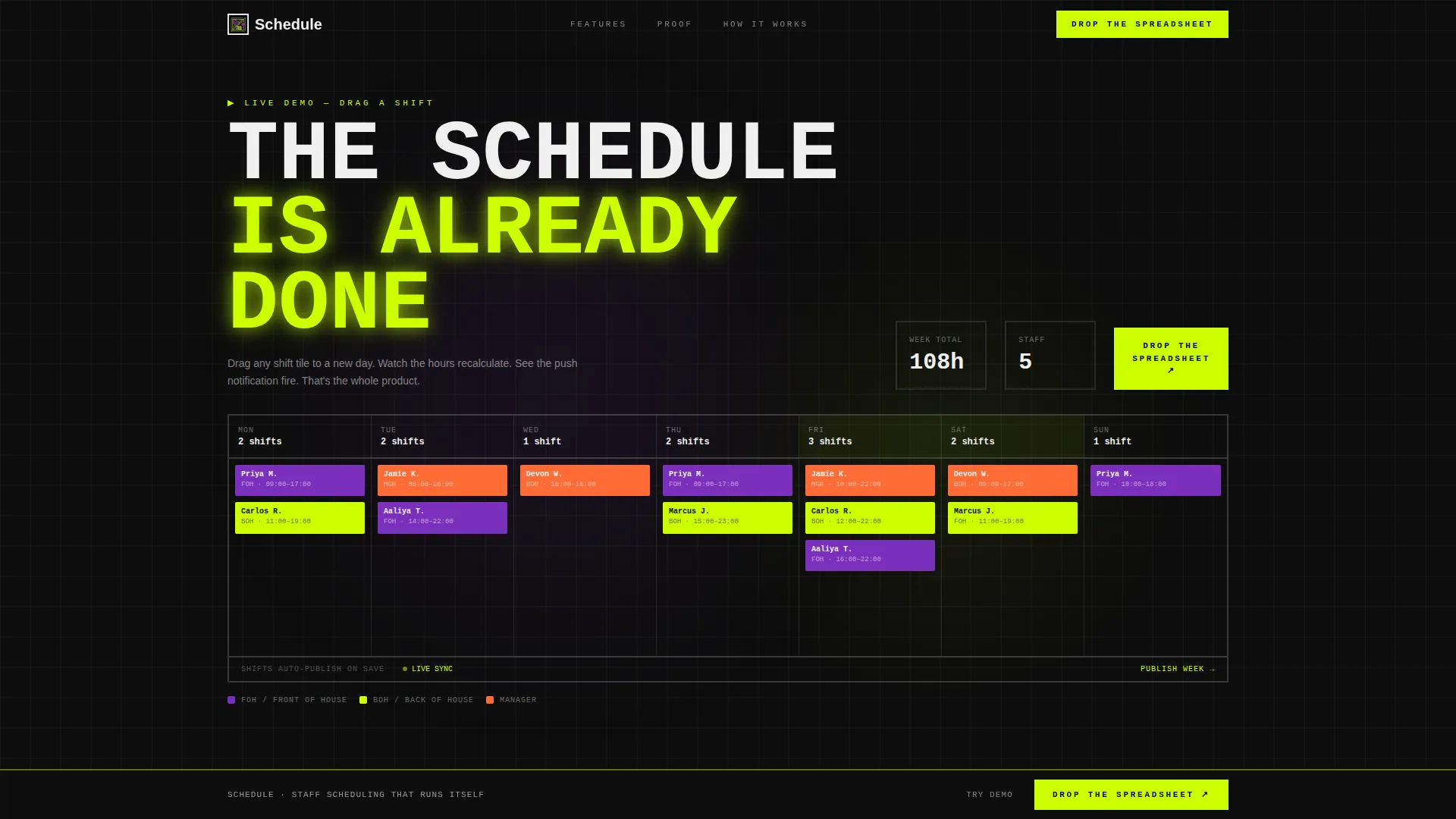
The header embeds a functioning micro-version of the scheduling grid, pre-populated with fictional staff names and color-coded shifts. Visitors can drag a shift tile from one day to another, watch the hours counter update in real time, and see a simulated push notification confirm the swap. No screenshot, no illustration: the product is the hero.
Drag-and-Drop Shift Tiles
Shift tiles are draggable across the schedule grid inside the header. Each successful drag triggers a lime accent pulse, reinforcing the feeling that an action completed. This interaction builds muscle memory before a visitor ever downloads the app.
Animated Push Notification Mockup
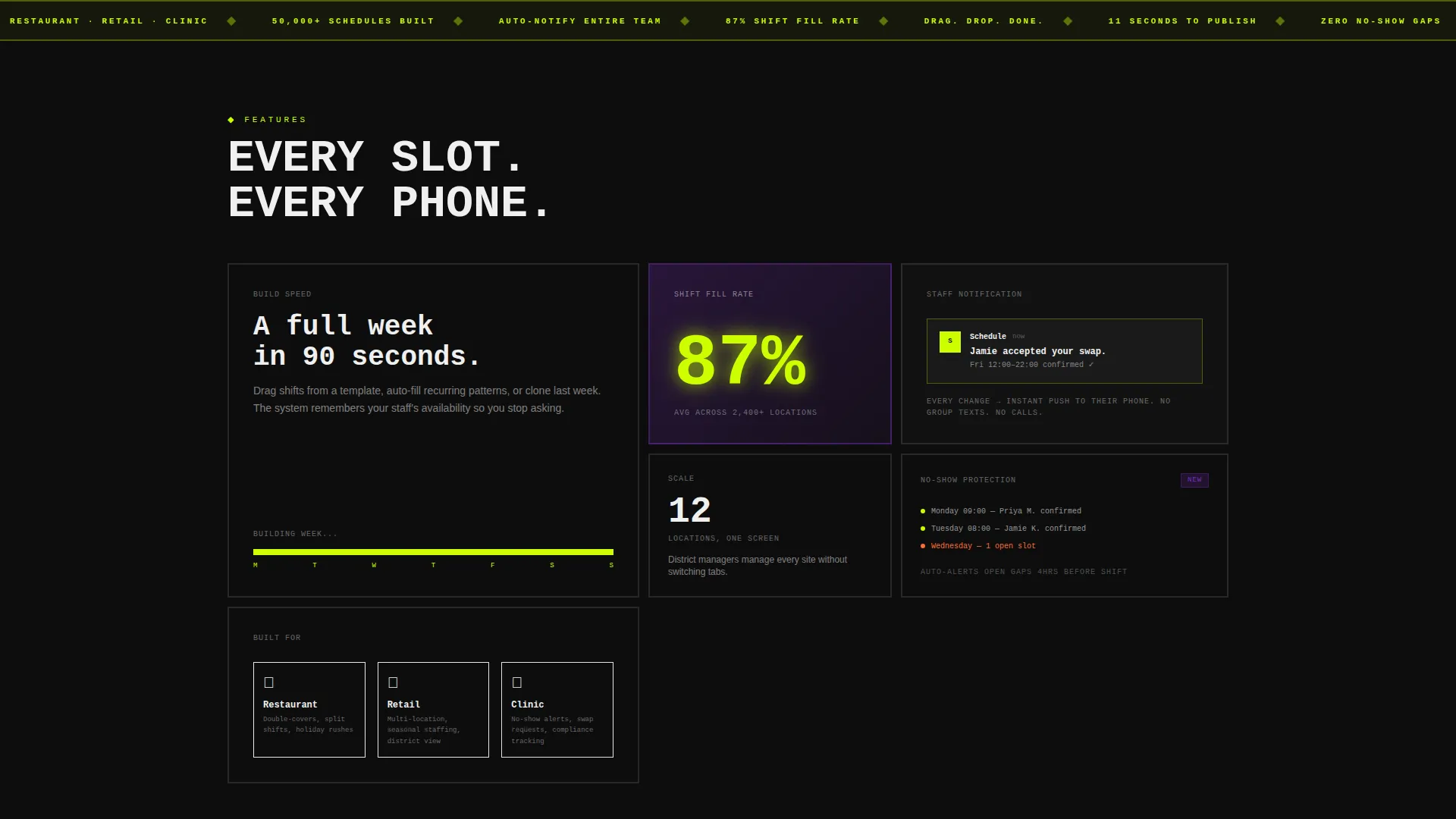
A dark bento card displays a real-looking push notification reading "Jamie accepted your swap." The animation fires in context as visitors scroll, making the communication feature feel immediate and concrete rather than described.
Stat-Forward Bento Cells
A dedicated cell renders the number 87% in acid lime type at display scale, communicating shift-fill rate at a glance. Bento cells grow denser as the visitor scrolls, mimicking the satisfaction of a completed, fully staffed schedule.
Device-Detect Download Modal
The primary call-to-action triggers a modal that detects the visitor's device. iOS visitors route to the App Store, Android visitors route to Google Play, and desktop visitors see a QR code with the line "Text yourself the link." No dead ends, no wrong-platform friction.
Full-Screen Demo Grid
A secondary call-to-action labeled "Try the Demo Grid" expands the interactive scheduler to full screen with no sign-up required. Visitors build a sample schedule and develop real familiarity with the product before committing to a download.
Page sections overview
| Section | Purpose |
|---|---|
| Interactive Header Grid | Prove product works immediately |
| Speed-Lapse Cell | Show 90-second schedule build |
| Shift-Fill Stat Cell | Display 87% fill-rate proof |
| Push Notification Card | Simulate accepted swap message |
| Demo Grid call to action | Expand full-screen free trial |
| Sticky Download Bar | Persistent app download prompt |
| Device-Detect Modal | Route to correct app platform |
Design & branding system
The visual identity is bold brutalist with an acid digital color palette. Every color choice is functional, and no element is purely decorative.
- Void black (#0D0D0D) as the primary page background, electric lime (#CCFF00) on calls to action and active-state indicators, synthetic violet (#7B2FBE) on secondary cards and data highlights, and bare white (#F0F0F0) for interface text and grid borders
- Thick 2px white borders and monospaced typography run throughout the grid, reinforcing the terminal-screen aesthetic
- The lime accent pulses once on each completed interaction, making every user action feel confirmed and satisfying
Mobile & speed optimization
The bento grid layout is built to hold its structure across device sizes. The device-detect modal ensures no visitor reaches a dead-end download path on any screen.
- Shift tiles and grid cells are touch-friendly, supporting tap-and-drag interactions on mobile screens
- The sticky bottom call-to-action bar remains visible as visitors scroll on smaller displays, keeping the download action always reachable
How this template helps you convert
Every design and content decision in this template is aimed at reducing hesitation and shortening the path to download.
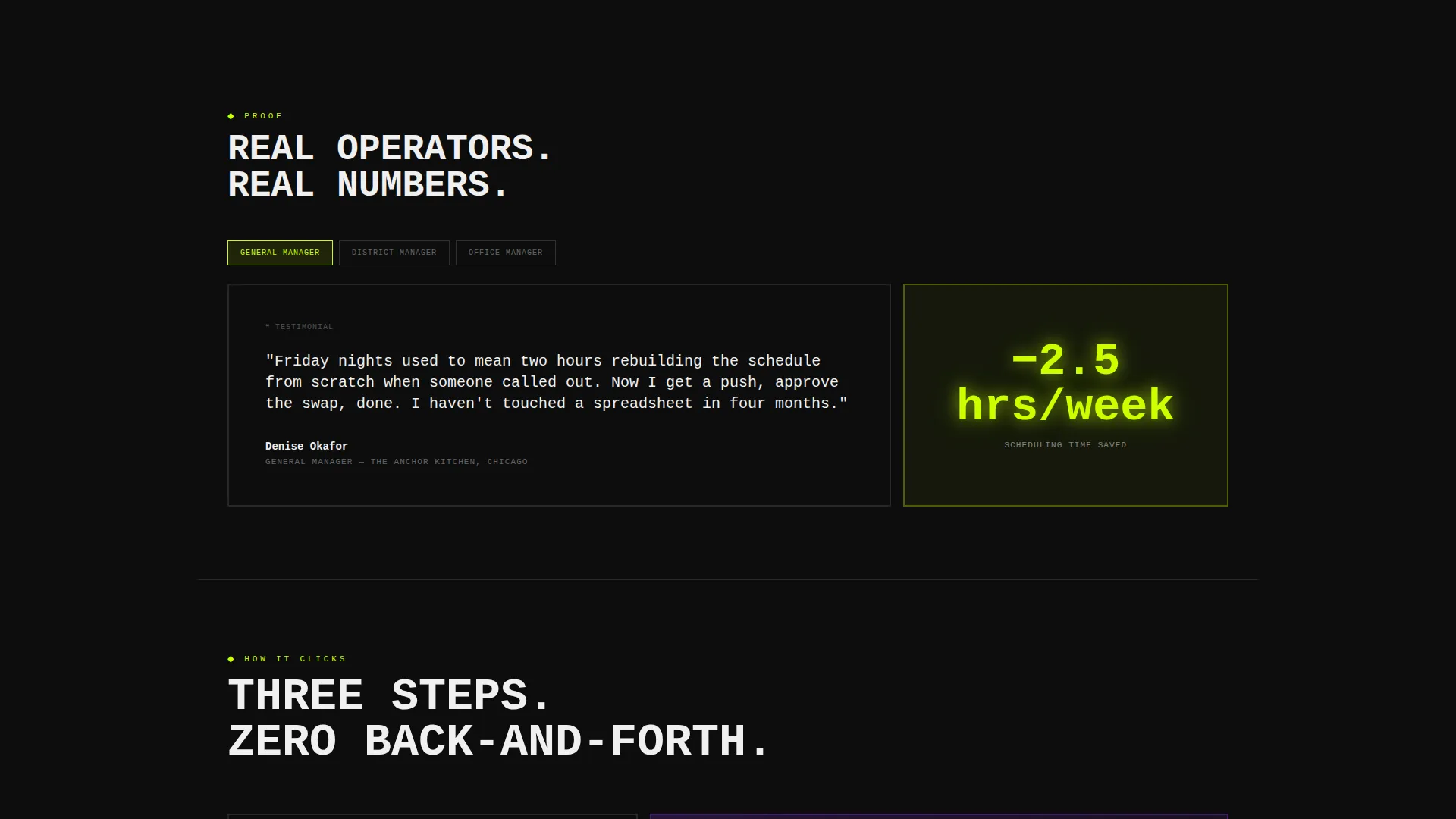
- The interactive header lets visitors feel the product working before they read a single feature claim, replacing skepticism with direct experience.
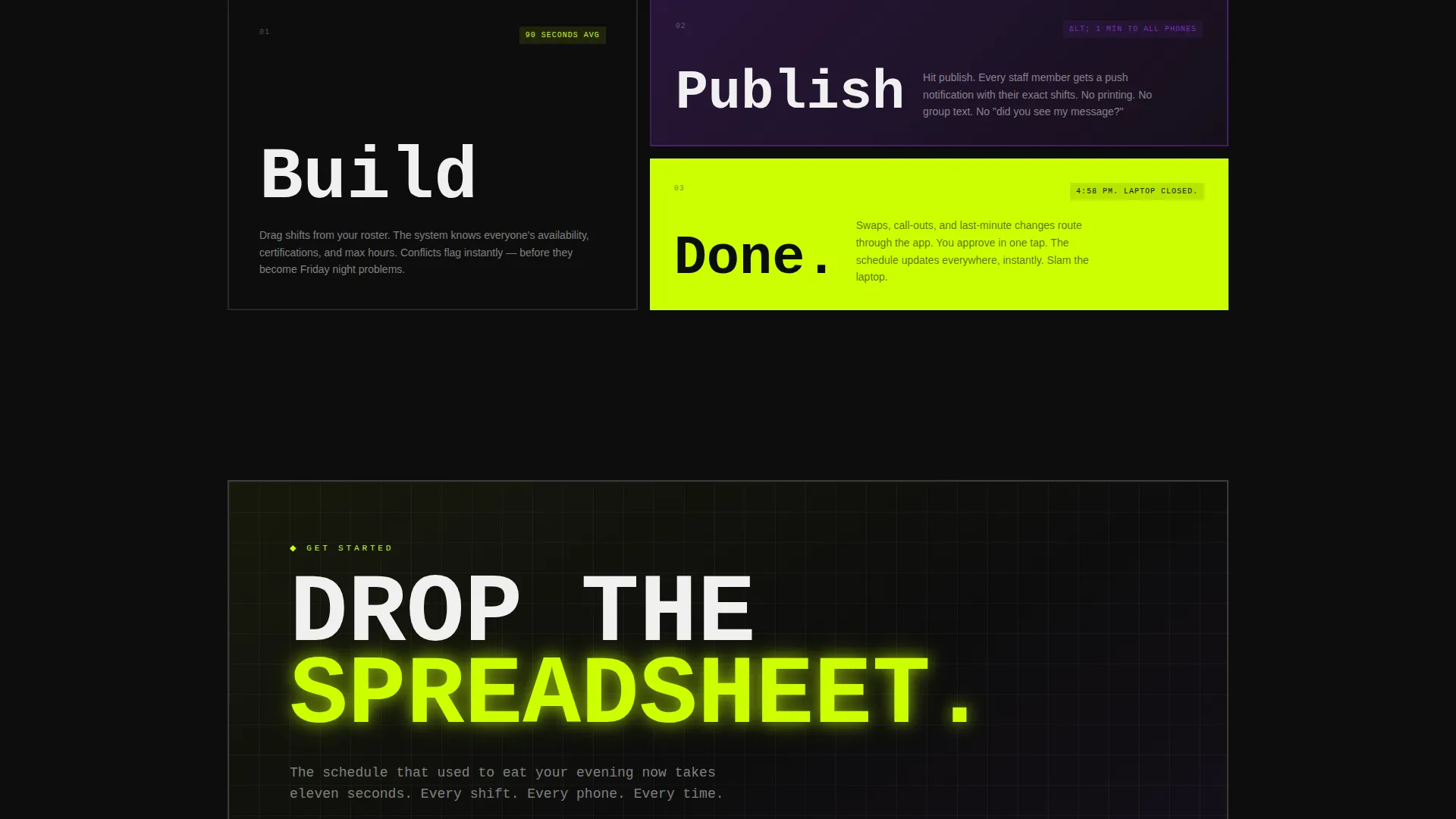
- The bento scroll sequence escalates proof with each cell, moving from speed demonstration to fill-rate stats to real notification mockups, building trust at each step.
- The device-detect modal removes platform confusion at the final moment, sending each visitor to the right download destination automatically.
Other information about this template
This template is categorized under Technology, specifically the SaaS Software and SaaS subcategory, with a niche focus on staff scheduling platforms. It is built for founders, product marketers, and developers who need a high-impact launch asset fast.
- The template style is bento grid, the theme is bold brutalist, and the color system is acid digital
- The creative direction follows a launch energy approach: each scroll section adds momentum rather than restating earlier points
- The header concept is an interactive preview, meaning the live scheduler grid is the centerpiece of the above-the-fold experience
- The landing page direction targets app downloads, with every call-to-action, modal, and sticky bar oriented toward that single conversion goal
Theme
Bold Brutalist
Creative direction
Launch Energy
Color system
Acid Digital
Style
Bento Grid
Direction
App Download
Page Sections
Interactive Header Scheduling Grid
Drag-and-drop Shift Tiles
Animated Push Notification Mockup
Stat-forward Bento Cell
Device-detect Download Modal
Full-screen No-signup Demo Grid
Related questions
Do I need to know how to code to use this template?
Can I change the color palette to match my own brand?
Is the interactive scheduling grid a real backend scheduler?
Does the device-detect download modal work on all devices?
Can this template support a pre-launch campaign?



