AI for Real Estate Professional Website Template
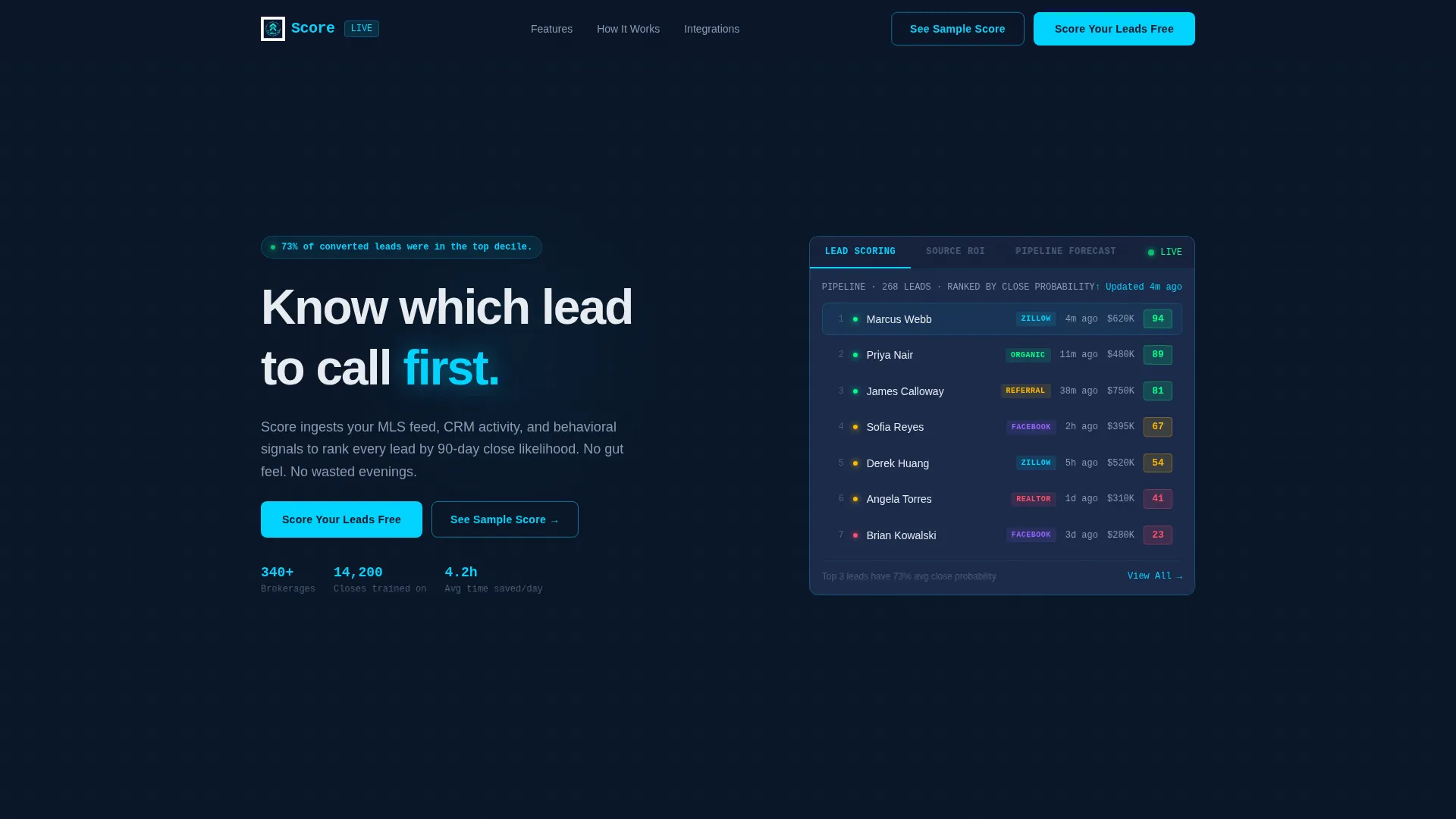
Score is a modular card-grid landing page template built for a real estate AI lead scoring platform. It combines a Feature Tab Switcher header, stats-first card sections, and a live lead simulator into one dark, data-command layout. The design pulls visitors into the product immediately, using animated counters and ranked lead lists to earn trust before asking for a single click.
by Rocket studio
Quick summary
Score is a single-page, card-grid landing page template designed for a real estate AI lead scoring platform. It ranks every brokerage lead by likelihood to close within 90 days. The layout opens with a three-tab dashboard header, escalates through stat-driven proof cards, and closes with a frictionless three-field signup form.
Who this template is for
This template is built for real estate technology teams that need to communicate a data-heavy product quickly and credibly. It speaks directly to the people who feel the daily cost of unranked leads.
- Team leads at mid-size brokerages managing high volumes of inbound inquiries
- Solo agents who spend evenings chasing cold follow-ups that rarely convert
- Operations managers trying to prove return on investment across multiple lead sources
What problem this template solves
Most real estate lead tools look like generic SaaS pages. They describe features in paragraphs while the agent is already closing a browser tab. This template puts the product on screen first and earns attention through numbers.
- Agents waste hours each day contacting low-probability leads before high-intent ones
- Brokerages struggle to show which lead sources actually produce closed deals
- Generic landing pages fail to create an immediate "aha" moment for data-driven buyers
What you get with this template
You get a complete, ready-to-customize landing page that looks and feels like a live command center. Every section is a self-contained proof point built to move a skeptical agent from curious to convinced.
- A Feature Tab Switcher header with three tabs: Lead Scoring, Source ROI, and Pipeline Forecast
- A modular card grid where each card carries one metric, one visual, and one sentence
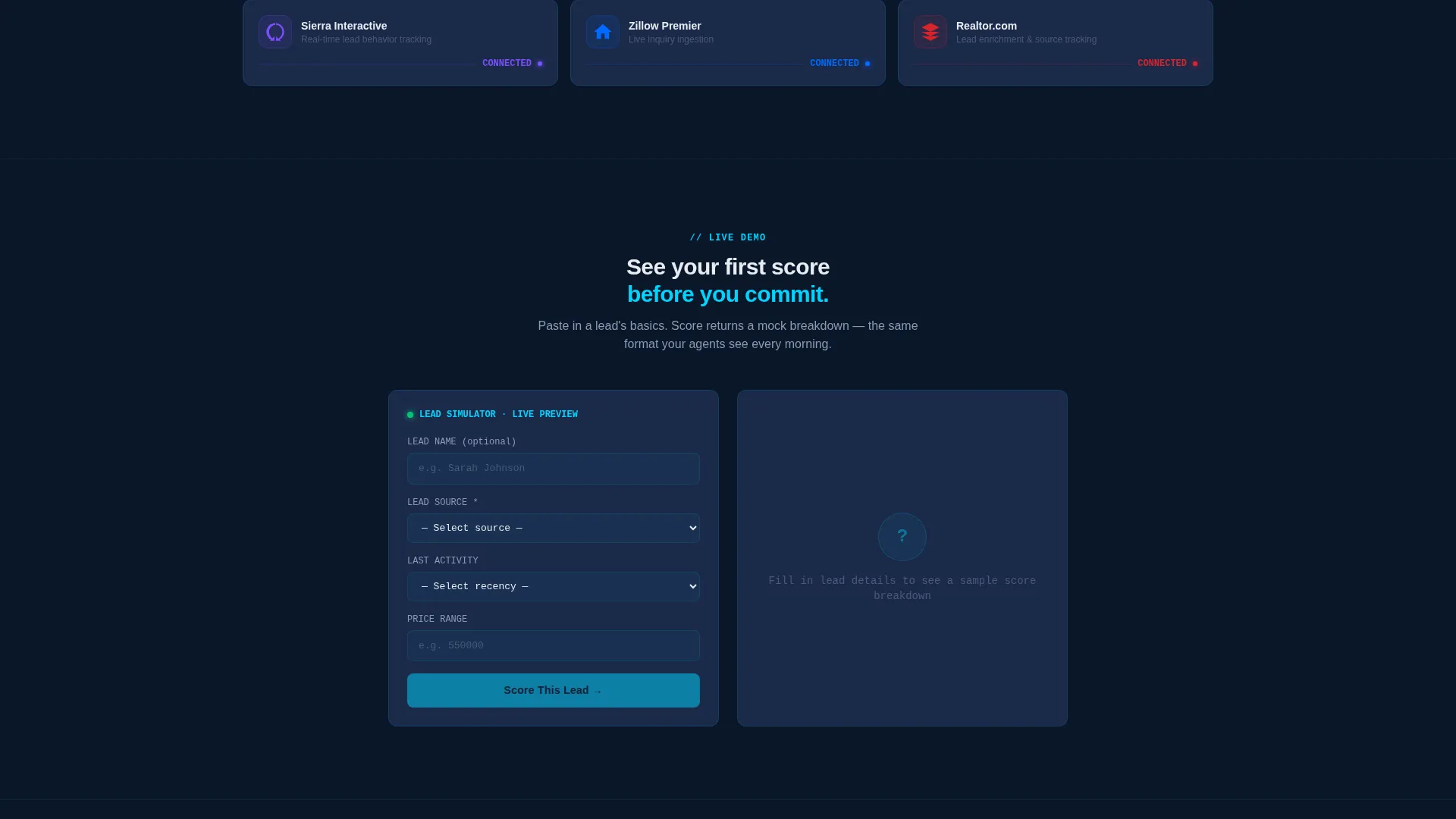
- A lead simulator where visitors paste lead details and receive a mock score with a breakdown
Feature list
This template packs a focused set of purpose-built components. Each one serves the single goal of making the product feel real before any commitment is made.
Feature Tab Switcher Header
Three clickable tabs labeled Lead Scoring, Source ROI, and Pipeline Forecast each reveal a different live-styled dashboard card. The default tab displays a ranked lead list with scores from 94 down to 23, showing last activity, source tag, and a green-amber-red urgency dot per row. Animated counters and spark lines give the header the feel of a live interface.
Stats-First Card Grid
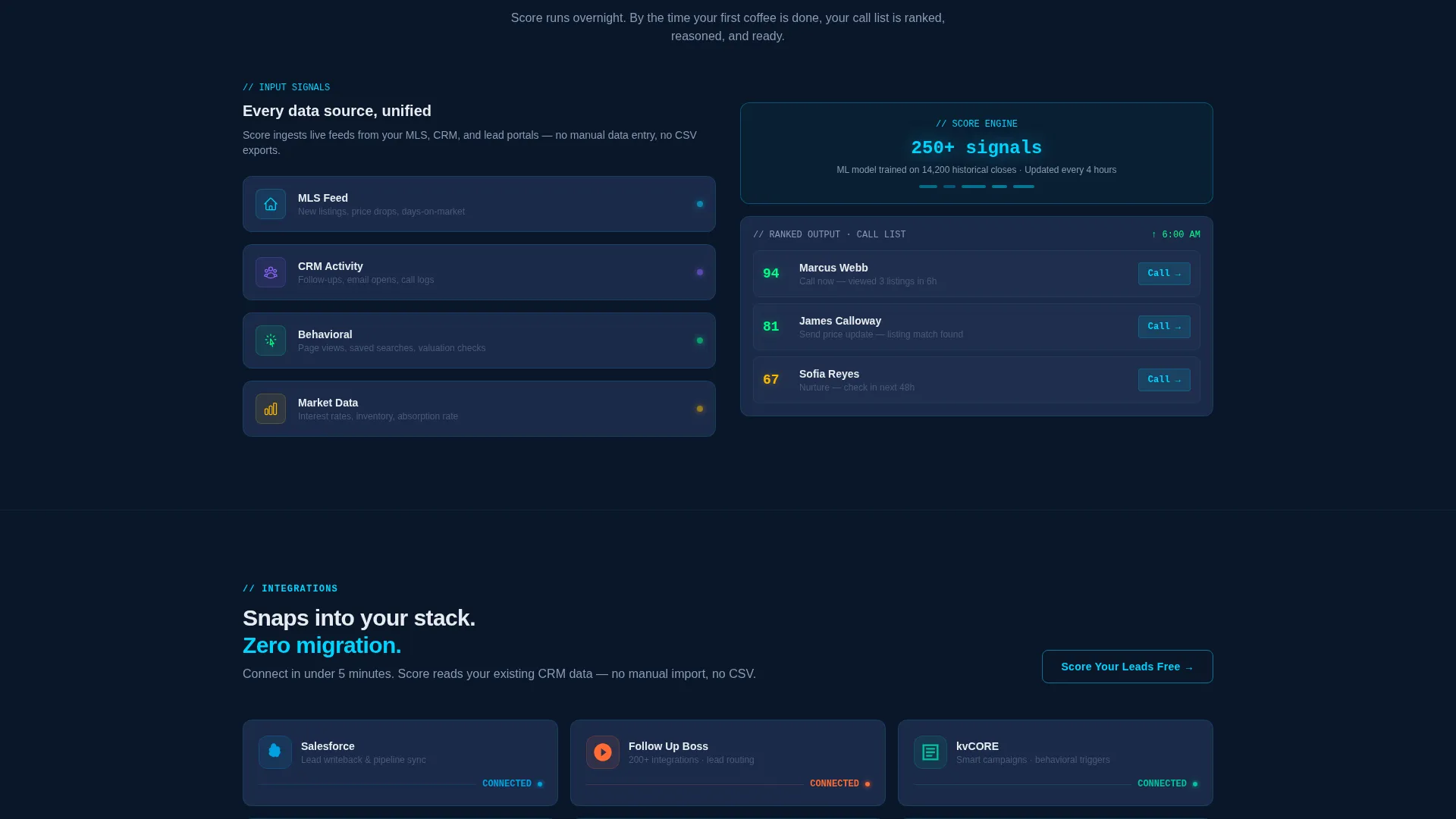
Every scroll depth opens with a bold, specific stat before any explanation appears. Cards stack in groups of three, with each module presenting one metric, one visual, and one sentence. The rhythm escalates from individual agent wins up to full-brokerage transformation outcomes.
Live Lead Simulator
A secondary conversion path lets visitors paste a lead's details into an on-page simulator. The simulator returns a mock score with a breakdown, creating a concrete product moment before any sign-up is required. This component lowers commitment friction significantly.
Sticky Conversion Bar
A sticky bottom bar keeps the primary call to action visible at every scroll position. The bar displays a "Score Your Leads Free" button that does not disappear as visitors explore the page. The same call to action repeats inside the header and after the integration grid.
Integration Grid
A visual grid at the bottom of the page shows compatible platform logos snapping into place. The grid communicates ecosystem fit at a glance and reinforces credibility for ops-focused buyers.
Three-Field Signup Form
The signup form asks only for email, brokerage name, and CRM platform via a dropdown. Keeping the form to three fields reduces drop-off and matches the no-friction promise of a freemium trial entry point.
Page sections overview
| Section | Purpose |
|---|---|
| Tab Switcher Header | Introduce the product through three live-styled dashboard views |
| Stat Hero Cards | Open each scroll depth with a bold, specific performance number |
| Agent Proof Grid | Show individual agent wins through metric-and-sentence card modules |
| Brokerage Impact Cards | Escalate proof to full-brokerage transformation outcomes |
| Lead Simulator Block | Let visitors generate a mock score before committing to sign up |
| Integration Logo Grid | Display compatible platform logos to confirm ecosystem fit |
| Freemium Signup Form | Capture email, brokerage name, and CRM in three fields |
| Sticky call to action Bar | Keep the primary call to action visible at every scroll position |
Design & branding system
The visual identity follows a Data Command theme built entirely in a Midnight Blue color system. The palette is engineered to make numbers feel urgent and alive, like the glow of six monitors in a dark room.
- Background uses deep terminal navy (#0A1628) with tactical slate (#1B2A4A) for card surfaces
- Electric cyan (#00D4FF) highlights live data points, interactive elements, and hover states
- Signal white (#E8ECF1) is used for all typography, keeping text sharp against dark surfaces
- Cards float with subtle 1-pixel cyan borders that pulse on hover, suggesting a breathing interface
- No stock photography or agent headshots appear anywhere; the product data is the visual hero
Mobile & speed optimization
The modular card grid layout is structured to adapt cleanly across screen sizes. Each card is a self-contained block, which makes reordering and resizing straightforward on smaller viewports.
- Card modules stack vertically on mobile without losing their one-metric-one-visual-one-sentence structure
- The sticky call to action bar remains anchored at the bottom of the screen on all device sizes
- The tab switcher collapses gracefully so all three tabs remain accessible on narrow screens
How this template helps you convert
The page is designed to reduce buyer hesitation at every step. It does this by showing the product working rather than describing what it does.
- The Feature Tab Switcher puts a live-feeling ranked lead list on screen within seconds of arrival, creating immediate product familiarity before any copy is read.
- The lead simulator delivers a personal, specific mock score that turns abstract platform claims into a tangible result the visitor just experienced themselves.
- The three-field signup form and sticky call to action bar remove every avoidable friction point at the moment a visitor decides to act.
Other information about this template
This template is designed specifically for the real estate AI lead scoring niche, where buyers are skeptical and time-short. A few additional details are worth noting for anyone evaluating it.
- The template is built as a single landing page with a card grid (modular) layout style
- The creative direction is Stats-First Impact, meaning proof precedes explanation throughout
- The Freemium/Trial conversion path is the primary commercial model this template supports
- The integration grid is designed to display logos for platforms commonly used in real estate brokerages, including tools like Salesforce, Follow Up Boss, KVCore, and Sierra
- The color system, component structure, and copy rhythm all serve the Data Command theme consistently from top to bottom

Theme
Data Command
Creative direction
Stats-First Impact
Color system
Midnight Blue
Style
Card Grid (Modular)
Direction
Freemium/Trial
Page Sections
Feature Tab Switcher Header
Stats-first Card Grid
Live Lead Score Simulator
Sticky Conversion Bar
Integration Logo Grid
Three-field Signup Form
Related questions
What kind of business is this landing page template built for?
Does the template include a working lead simulator component?
How does the three-tab header work?
How does the signup form reduce drop-off?
Is this template suitable for individual agents or only for brokerages?



