Premium Advanced Tech & AI Platforms Comparison Website Template
Segment is a customer segmentation landing page template built for data-driven teams who need to show their tool's value fast. It combines a live dashboard header, scrolling comparison tables, and a direct app download flow into one high-impact page. The Acid Digital color system makes every cluster, cohort, and call-to-action feel electric and precise.
by Rocket studio
Quick summary
Segment is a single-page landing page template designed to showcase a customer segmentation platform. It opens with a scatter-plot dashboard preview, unfolds as an industry-report scroll, and closes with a device-aware app download prompt. The layout is built to turn skeptical analysts into confident users before they ever tap a button.
Who this template is for
This template is built for teams that live inside data and need to prove their tool's value quickly. It speaks directly to people who segment for a living and need a page that matches their intelligence level.
- Growth leads at mid-stage SaaS companies running customer retention experiments
- E-commerce analysts building suppression lists, holiday cohorts, or purchase-frequency segments
- Product managers who need to demonstrate which customer persona actually drives lifetime value
What problem this template solves
Most segmentation tools struggle to communicate their value on a single page. Visitors arrive skeptical and leave before they see the product work. This template closes that gap by showing the product in motion first and making the case with data second.
- Visitors judge a tool before reading a single feature claim
- Comparison tables are usually static and fail to neutralize competitor objections
- Generic templates can't speak to analysts who already know what good segmentation looks like
What you get with this template
You get a fully structured, single-page layout that guides a technically sophisticated visitor from curiosity to download. Every section earns the next one. The page is designed so the product does the convincing, not just the copy.
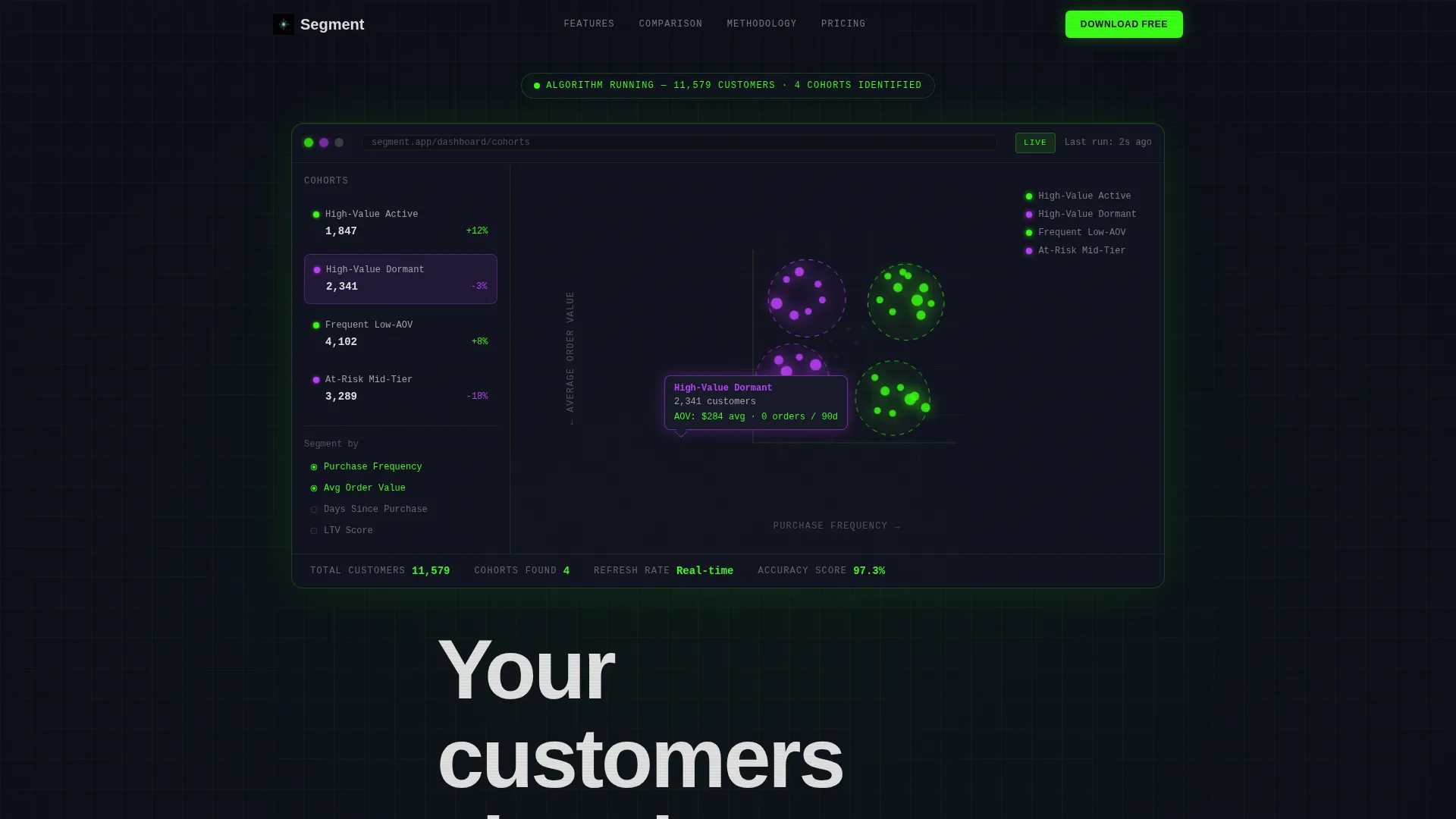
- A full-width animated dashboard header showing a live scatter plot with four color-coded cohorts
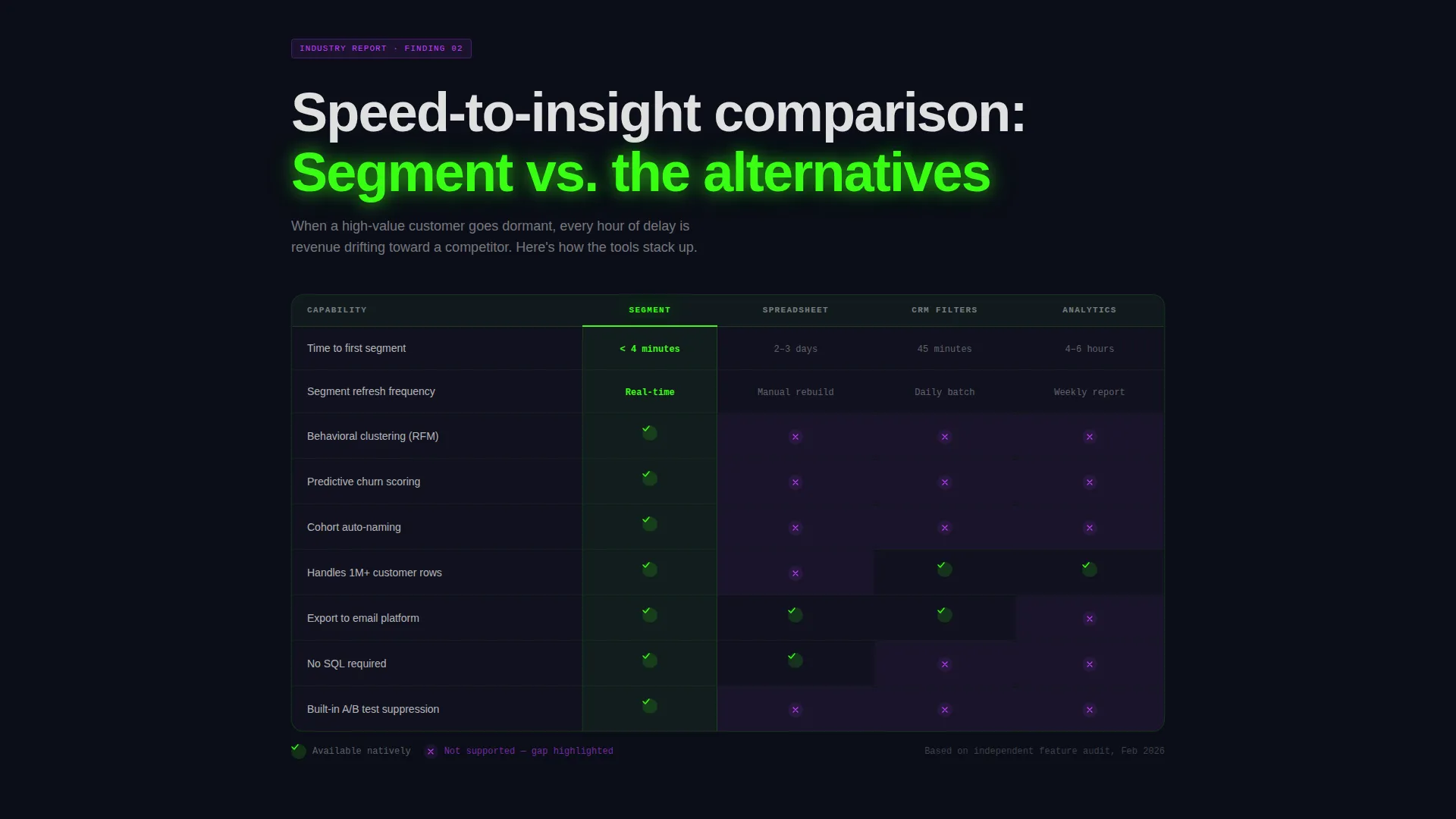
- Scrolling comparison tables that benchmark your tool against spreadsheet tagging, legacy CRM filters, and generic analytics dashboards
- A sticky app download call-to-action with a device-aware platform selector and a team-share email path
Feature list
This template packs a specific set of components that work together as a single persuasion system. Each feature below is grounded in the template structure described in the brief.
Animated Dashboard Header
The header renders a full-width product screenshot against a void-black background. A segmentation scatter plot sits mid-clustering with four cohorts already color-coded in phosphor green and ultraviolet. A tooltip hovers over one cluster reading "High-Value Dormant, 2,341 customers." A subtle pulse animation fires as if the algorithm just finished running. The headline types itself in beneath the visual.
Scroll-Triggered Comparison Tables
Each comparison table section pairs a data-backed industry finding with a structured grid. Columns cover speed-to-insight, segment refresh frequency, and integration depth. Rows highlight on scroll, checkmarks animate in, and competitor gaps glow faintly in ultraviolet. The effect makes every objection feel already answered.
Industry Report Content Flow
The page unfolds like a report a visitor would normally pay to download. Each section escalates from problem validation to methodology proof to benchmark data. The rhythm builds credibility without a wall of marketing copy.
Device-Aware Download Prompt
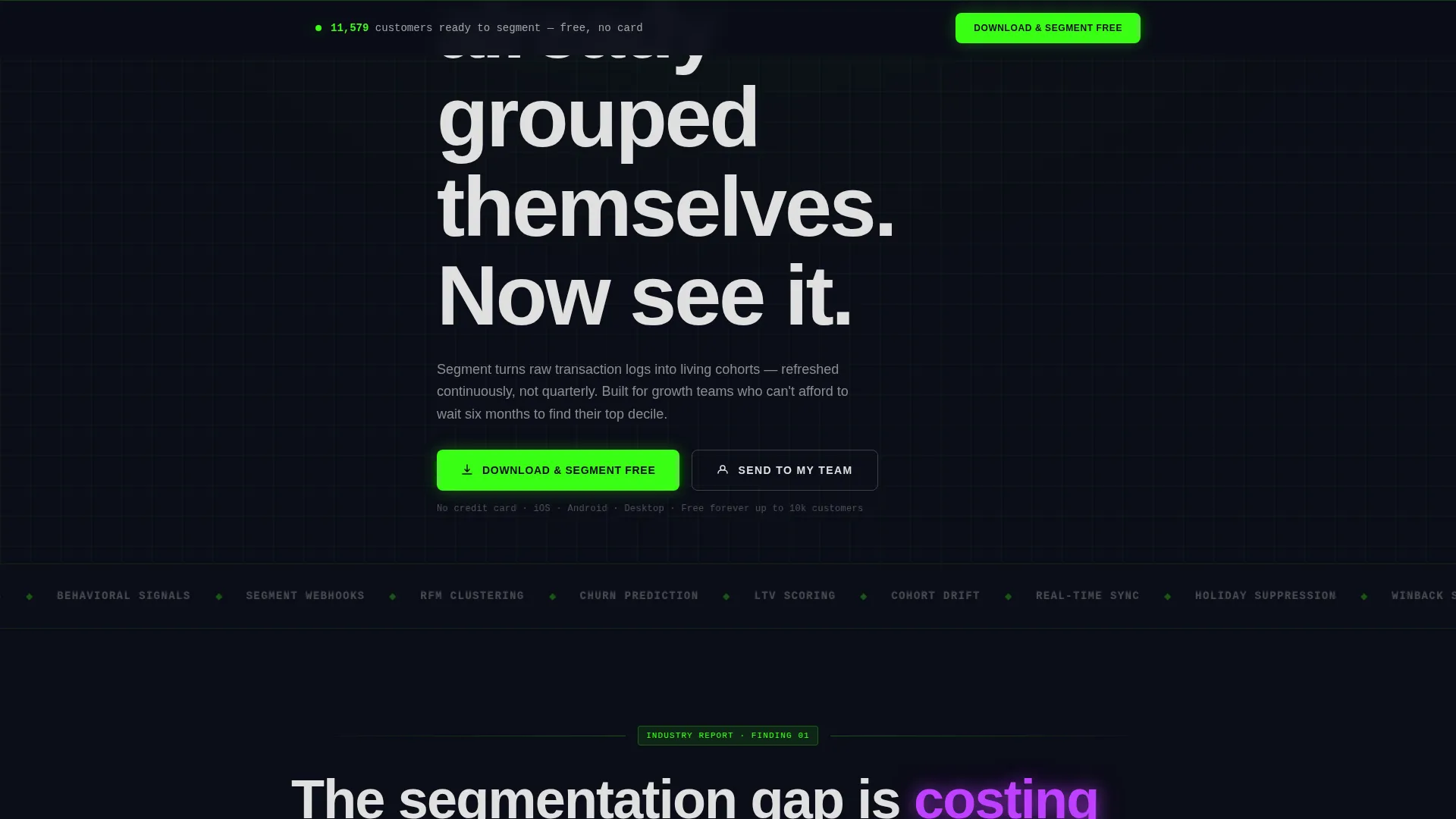
The primary call-to-action reads "Download & Segment Free" and appears first beneath the header, then anchors sticky at the bottom after the second comparison table. Tapping opens a platform selector that auto-detects iOS, Android, or Desktop.
Team Share Email Path
A secondary conversion path lets visitors send download links to up to five work email addresses. This captures a low-friction lead while extending the template's reach inside a team or buying group.
Acid Digital Visual System
The full color palette is applied consistently across backgrounds, active states, typography, and interactive elements. Void black dominates every background. Phosphor green marks live data and primary calls-to-action. Ultraviolet tags segment labels and hover states. Scanner-line white carries body text cleanly against the dark.
Page sections overview
| Section | Purpose |
|---|---|
| Dashboard Preview Header | Opens with a live scatter plot and animated headline to prove the product immediately |
| Headline Intro Block | Types in the core value statement beneath the visual |
| First Comparison Table | Benchmarks the tool against manual spreadsheet tagging and CRM filters |
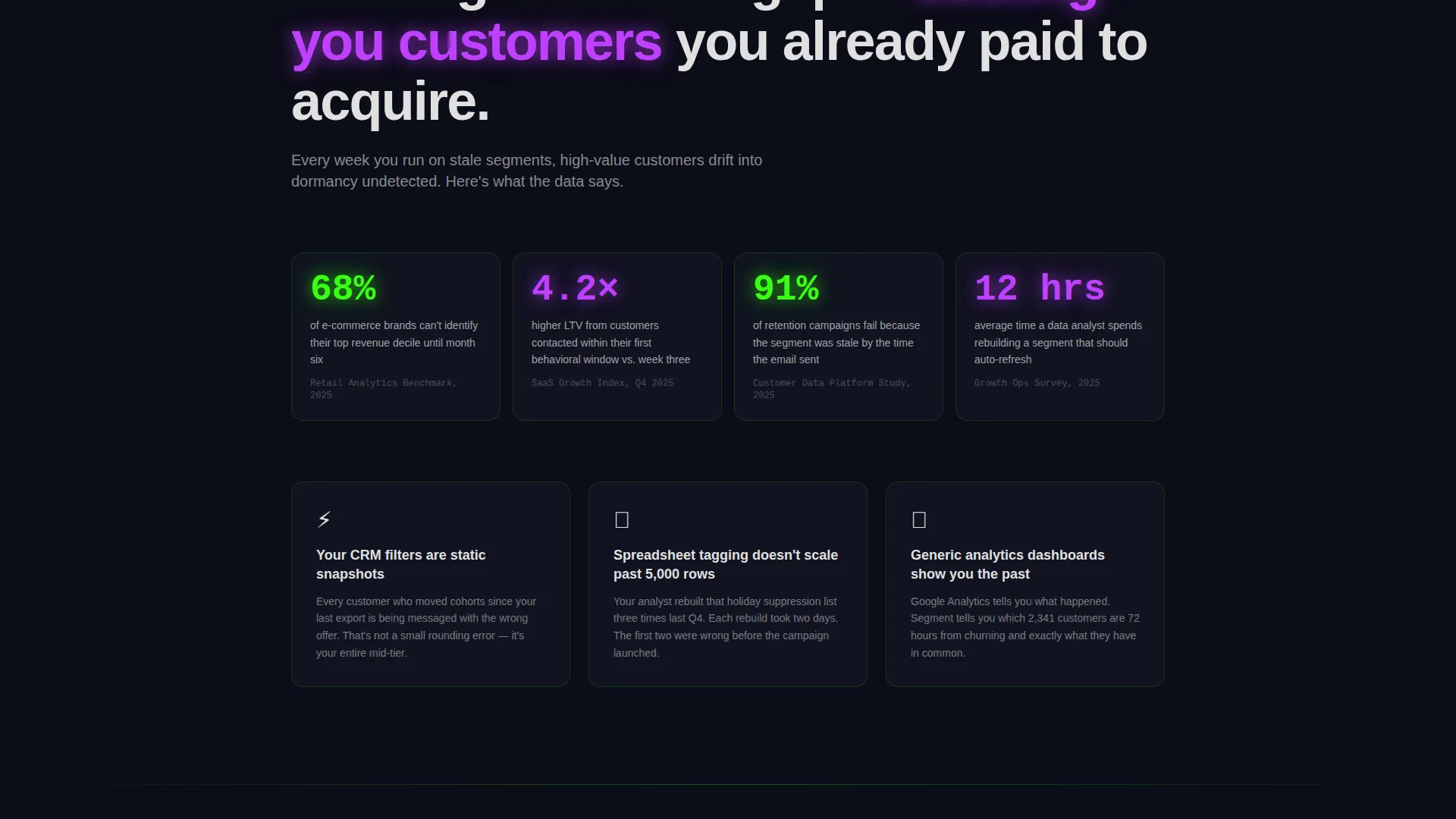
| Industry Stat Row | Presents a data-backed finding to validate the problem |
| Second Comparison Table | Deepens the benchmark with integration depth and refresh frequency data |
| Sticky Download Bar | Anchors the primary call-to-action after the second table |
| Platform Selector Modal | Auto-detects device and presents iOS, Android, or Desktop options |
| Team Share Capture | Secondary path to send download links to up to five team addresses |
Design & branding system
The template uses the Acid Digital color system, which is designed to feel like a retro CRT monitor updated for a modern data product. Every color has a fixed role and never competes with another.
- Void black (#0B0D17) covers every background surface to keep the neon elements sharp and readable
- Terminal phosphor green (#39FF14) marks live data states, active cohort labels, and all primary call-to-action elements
- Ultraviolet (#BF40FF) highlights segment tags, hover states, and competitor gap indicators inside the comparison tables
- Scanner-line white (#E0E0E0) carries all body text, floating clean against the dark without overpowering the electric palette
Mobile & speed optimization
The template is structured to work cleanly on mobile screens without losing the visual impact of the dashboard header or the comparison tables. The sticky download bar is especially important on smaller screens where scrolling is the primary behavior.
- The platform selector auto-detects the visitor's device, removing friction from the download decision on mobile
- Comparison tables are laid out to remain scannable when column widths compress on smaller viewports
- The animated header and scroll-triggered table highlights are designed to function as progressive enhancements within the layout
How this template helps you convert
The page is designed so the product earns trust before it asks for anything. Every structural decision pushes a technically skeptical visitor toward a confident download action.
- The animated dashboard preview is the first thing a visitor sees, showing the product working in real time before any marketing claim is made
- The comparison tables eliminate "but what about" objections by directly addressing speed, refresh frequency, and depth against named alternatives
- The sticky call-to-action and team-share path give visitors two low-friction ways to act, whether they are ready to download now or need to loop in a colleague first
Other information about this template
This template fits naturally inside the Directory and Discovery theme category, where visitors expect to evaluate and compare tools before committing. The Industry Report creative direction reinforces that positioning by making the page feel like a resource rather than a sales pitch. The template style is a Comparison Table layout, which is particularly effective in the customer segmentation tool niche where buyers actively evaluate alternatives. The App Download landing-page direction means the primary success metric is a tap or a click, not a form fill. The template is categorized under Advanced Tech and Artificial Intelligence Platforms, making it a strong fit for any data-intelligence or behavioral analytics product that needs to demonstrate sophistication quickly.
- Designed for the Technology category with a focus on Advanced Tech and AI Platforms
- Template style is Comparison Table, which suits buyers who already know the competitive landscape
- Creative direction follows an Industry Report format that builds authority through structured data presentation
- The Directory and Discovery theme supports evaluation-mode visitors who are close to a decision
Theme
Directory & Discovery
Creative direction
Industry Report
Color system
Acid Digital
Style
Comparison Table
Direction
App Download
Page Sections
Animated Scatter Plot Header
Scroll-triggered Comparison Tables
Industry Report Content Flow
Device-aware Download Call-to-action
Team Share Email Capture
Acid Digital Color System
Related questions
Can I change the color palette to match my own brand?
Do I need a developer to customize the comparison tables?
Is this template suitable for a SaaS product that is not a segmentation tool?
How does the team-share feature work in the template?
Can the animated header be replaced with a static image?



