Sentinel - Dynamic ThreatIntelligence Landing Page Template
Sentinel is a dynamic threat intelligence landing page template built for cybersecurity platforms. It features an animated live-metrics header, an interactive comparison table, and a glassmorphic dark visual system. Designed for security operations center leads, chief information security officers, and incident responders, it guides technical buyers from awareness to app download with confidence.
by Rocket studio
Quick summary
Sentinel is a single-page landing page template purpose-built for threat intelligence platforms. It opens with an animated stats dashboard, moves through an interactive feature comparison table, and closes with a clear app download call to action. The design uses layered frosted glass cards over near-black backgrounds, electric cyan accents, and motion-driven data displays to communicate speed, depth, and operational credibility.
Who this template is for
This template is built for cybersecurity product teams who sell to technically demanding buyers. It speaks directly to the people managing real-time threat environments, not generic software audiences.
- Security operations center (SOC) team leads who need to demonstrate platform speed and alert reduction
- Chief information security officers (CISOs) building a credible risk posture story for board-level stakeholders
- Incident responders and platform vendors who want to show attribution and correlation capabilities at a glance
What problem this template solves
Most cybersecurity landing pages present static screenshots and generic feature bullets. That approach fails with buyers who live inside data-rich environments and distrust anything that looks too polished or too simple.
- Static pages cannot convey the speed or scale of a real-time threat intelligence platform
- Security buyers need to compare capabilities side by side before they commit to a download or trial
- Alert fatigue means buyers arrive skeptical, and a passive page cannot rebuild confidence fast enough
What you get with this template
You get a fully structured, single-page landing page with interactive and animated components across multiple thematic sections. Every major layout decision is already made, so your team focuses on content and deployment.
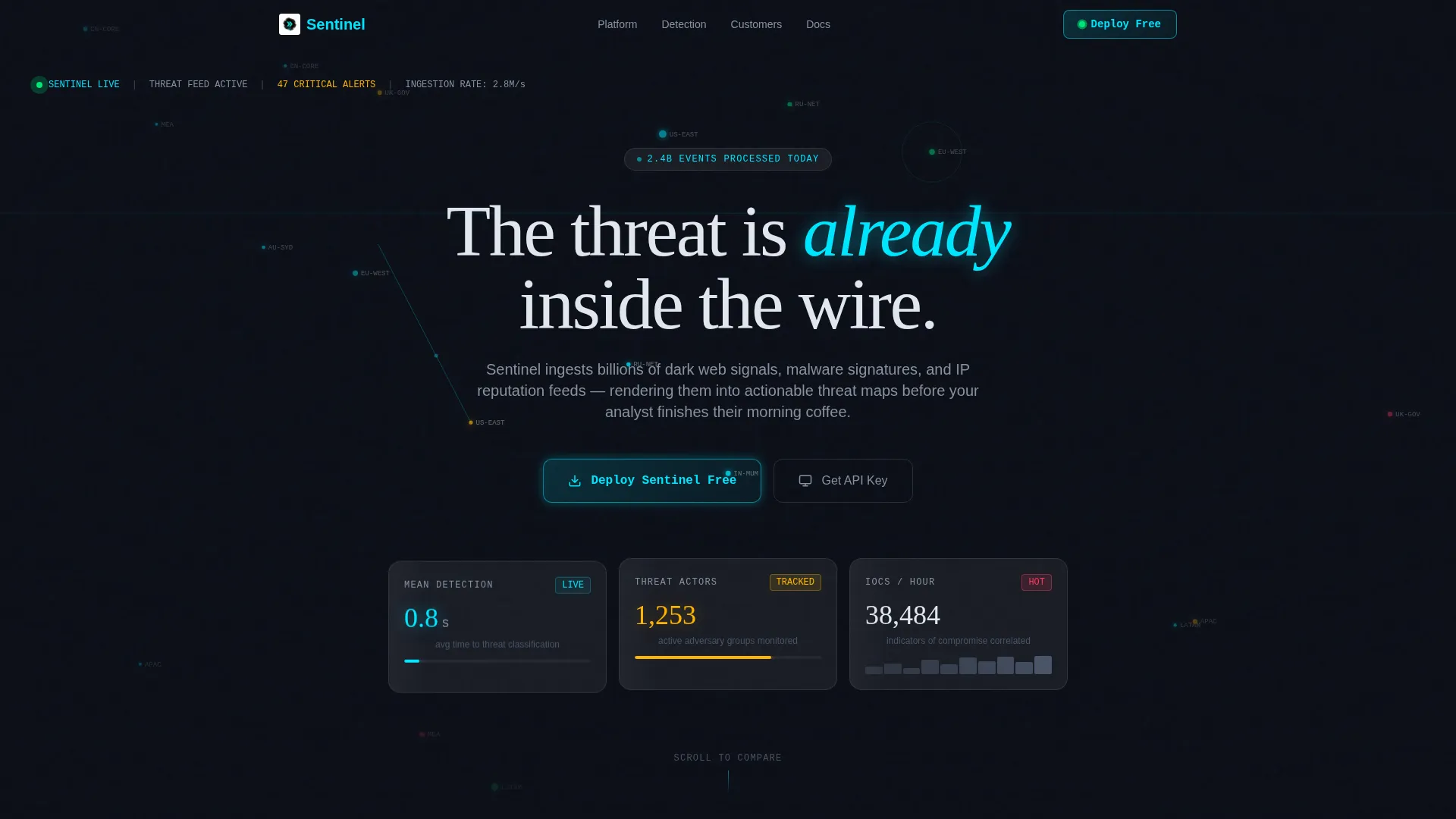
- An animated live-metrics header with a global threat map, rolling event counters, and frosted glass metric cards
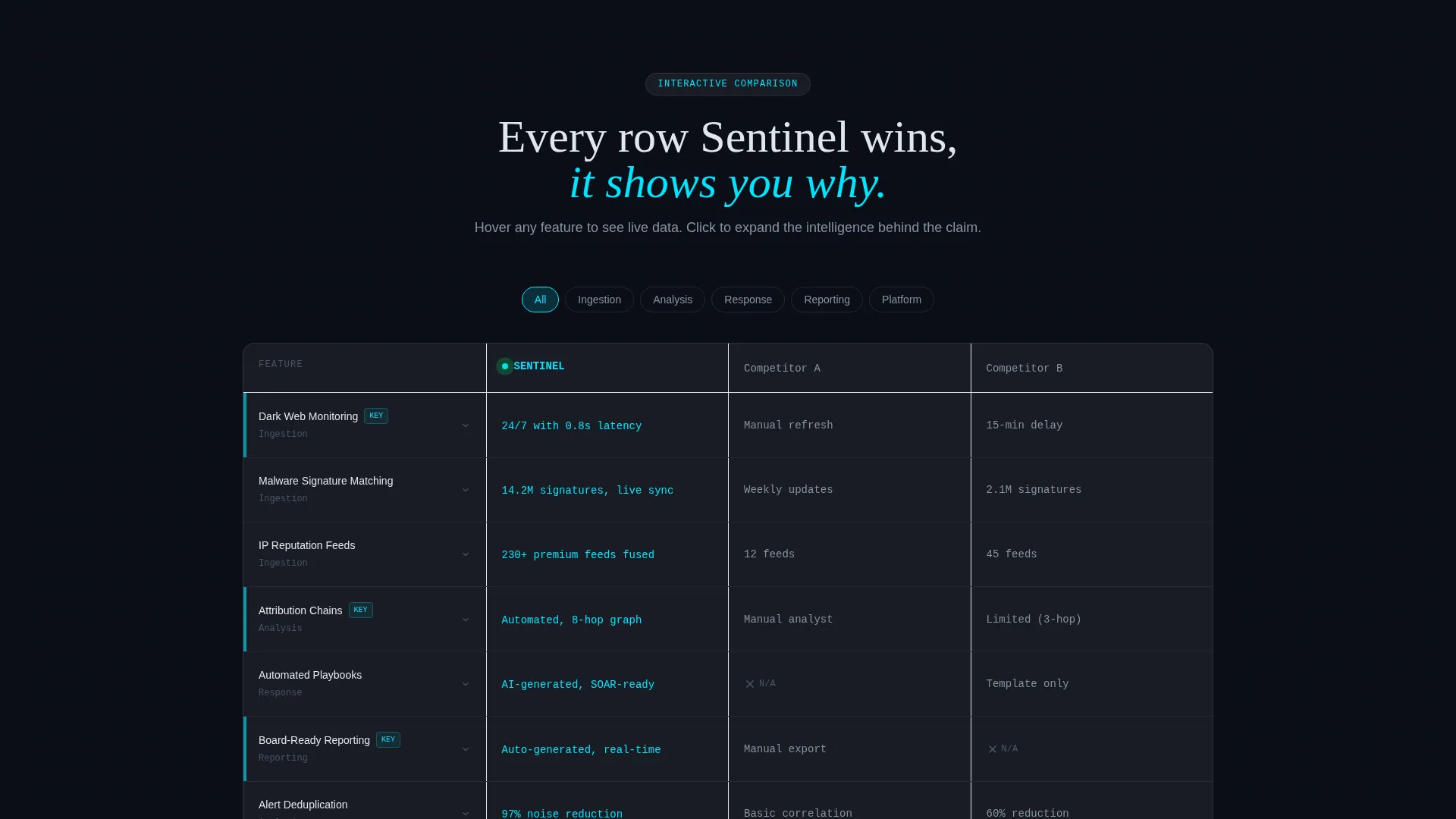
- An interactive comparison table where rows expand on hover and trigger micro-animations on click
- A dual call-to-action footer with a platform selector covering macOS, Windows, Linux, and Docker, plus a secondary API key path
Feature list
This section covers the core functional and design capabilities built into the Sentinel template.
Animated Threat Metrics Header
The header acts as a live telemetry viewport rather than a static hero image. It displays a pulsing global threat map with cyan ingestion-point nodes, a rolling counter tracking events processed, and three floating metric cards showing mean detection time, active threat actors tracked, and indicators of compromise (IOCs) correlated. Numbers animate upward with easing transitions to create a sense of live operational data.
Interactive Comparison Table
The comparison table lets visitors toggle between Sentinel and two anonymized competitor columns. Hovering a feature row like dark web monitoring expands a frosted glass preview panel. Clicking a row such as automated playbooks triggers a mini-flowchart animation inline. This interaction pattern makes the evaluation process feel active rather than passive.
Scroll-Escalating Section Flow
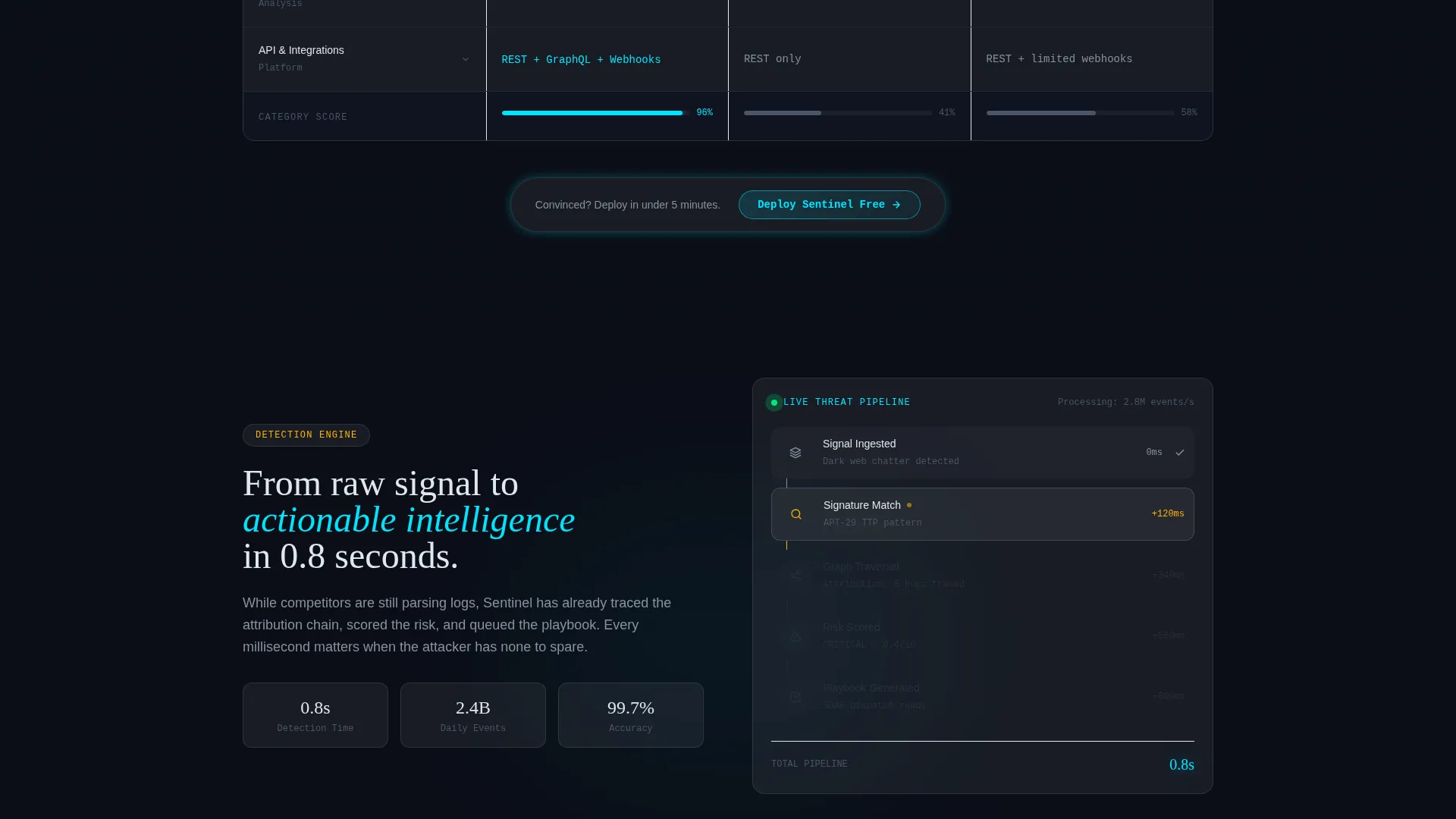
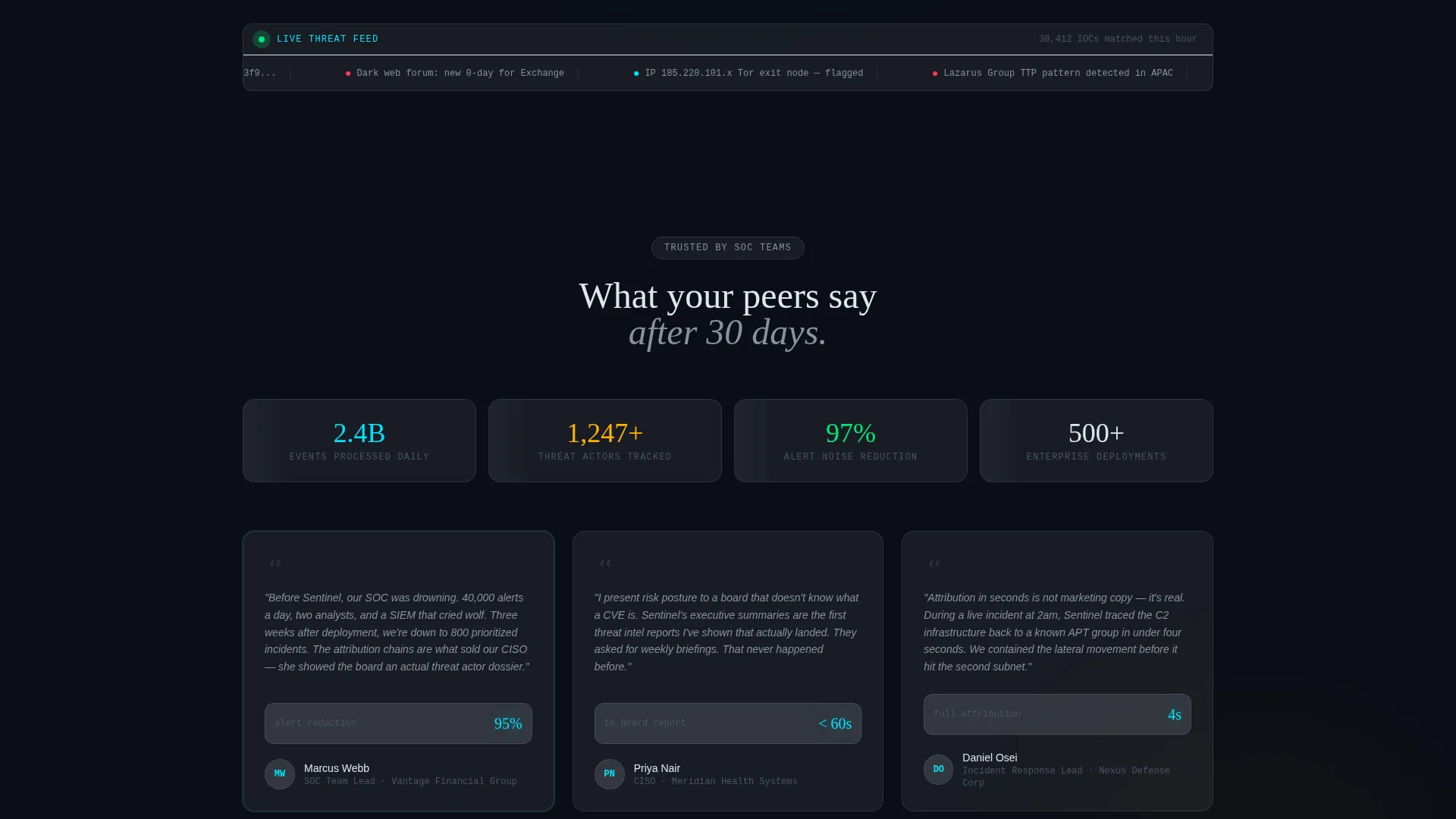
Each scroll section increases in interactivity and argument depth. The page moves from what the platform tracks, to how fast it correlates signals, to what a security operations team looks like after thirty days of use. This progressive structure keeps buyers engaged and builds a logical case for conversion.
Glassmorphic Dark Design System
The visual system uses deep void black as the base, layered with frosted glass panels at low opacity and a blur effect. Electric cyan marks live data states and interactive hover elements. Warning amber highlights threat escalation moments. The result is a cohesive, high-contrast interface that communicates urgency and technical seriousness.
Dual Conversion Path Footer
The page closes with two parallel calls to action. The primary path is a "Deploy Sentinel Free" download button accompanied by a platform selector for macOS, Windows, Linux, and Docker. The secondary path offers "Get the API Key" for teams that prefer to integrate before installing. Both options are presented together to reduce friction for different buyer types.
Floating Mid-Page Call to Action
After the comparison table, a frosted glass pill button floats in the viewport as the first conversion prompt. It appears before the page bottom, capturing buyers who are ready to act immediately after completing the comparison review. This placement reduces scroll dependency for high-intent visitors.
Page sections overview
| Section | Purpose |
|---|---|
| Animated Metrics Header | Opens with live threat telemetry and rolling event counters to establish platform scale |
| Interactive Comparison Table | Lets users toggle and explore feature rows with hover expansions and click animations |
| Dark Web Monitoring Row | Expands on hover to show a live feed preview panel within the comparison table |
| Automated Playbooks Row | Triggers a mini-flowchart animation on click to demonstrate workflow depth |
| Floating call to action Pill | Captures high-intent buyers immediately after the comparison table interaction |
| Platform Selector Footer | Anchors the page with download options and an API key secondary path |
Design & branding system
The Sentinel template uses a Dynamic Motion theme expressed through a glassmorphic color system. Every visual layer is intentional, from background depth to interactive glow states.
- Core palette: deep void black (#0B0E17) base, frosted glass panels (#FFFFFF at 8% opacity with 12-pixel blur), electric cyan (#00E5FF) for active and hover states, warning amber (#FFB300) for escalation highlights, and cool white (#E0E6ED) for body text
- Motion language: numbers increment with easing animations, cyan nodes pulse on the global map, and interactive elements power on with a glow effect on hover
- No stock photography is used anywhere; data visualizations and animated metrics serve as the primary visual content throughout the page
Mobile & speed optimization
The template is structured with a mobile-aware layout so the glassmorphic layers and animated components translate clearly on smaller screens without requiring separate design passes.
- Frosted glass cards and the comparison table are built to reflow and remain readable on standard mobile viewports
- The floating call-to-action pill and platform selector footer retain their prominence across screen sizes
- Animation intensity is designed to feel purposeful rather than decorative, keeping the interactive elements focused on conversion without adding unnecessary visual noise
How this template helps you convert
The Sentinel template is engineered around a single conversion goal: getting a technically skeptical buyer from first scroll to app download. Every section earns the next.
- The animated metrics header establishes immediate credibility by showing real operational numbers in motion, replacing the first-impression trust gap that static hero images create for technical audiences
- The interactive comparison table does the persuasion work by letting buyers evaluate features row by row, with hover expansions and click animations that make Sentinel's capabilities feel demonstrably superior before any sales conversation begins
- The dual call-to-action structure at the page bottom meets buyers where they are, offering a direct download for ready buyers and an API key path for teams that evaluate through integration first
Other information about this template
This template fits naturally into a cybersecurity product marketing stack. It is designed as a standalone landing page that can be deployed independently or embedded within a broader platform site.
- The template style is a comparison table layout, making it well suited for competitive positioning campaigns and product launch announcements in the threat intelligence space
- The creative direction follows an Interactive Explorer model, meaning the visitor actively manipulates the page rather than passively reading it
- The header concept is a stats and metrics display, a format familiar to security operations professionals who expect data density from the tools they evaluate
- The Dynamic Motion theme and glassmorphic visual system are production-ready design choices that align with the visual language of modern security operations dashboards
Theme
Dynamic Motion
Creative direction
Interactive Explorer
Color system
Glassmorphic
Style
Comparison Table
Direction
App Download
Page Sections
Animated Threat Metrics Header
Interactive Comparison Table
Scroll-escalating Section Flow
Glassmorphic Dark Design System
Dual Conversion Path Footer
Floating Mid-page Call to Action Pill
Related questions
Who is the Sentinel template designed for?
Can I customize the comparison table columns and rows?
Does the template require a specific framework or technology stack?
How does the floating call-to-action pill work?
Is the animated header built with real data or simulated content?



