Cybersecurity Client Portal Landing Page Template
Sentinel is a split-screen cybersecurity landing page template built for managed security and client portal services. It pairs oversized live-data metrics with an interactive dashboard preview, guiding CTOs, compliance officers, and IT directors toward a sandboxed demo. The design runs on a deep terminal palette that feels like a live SOC environment at full operational tempo.
by Rocket studio
Quick summary
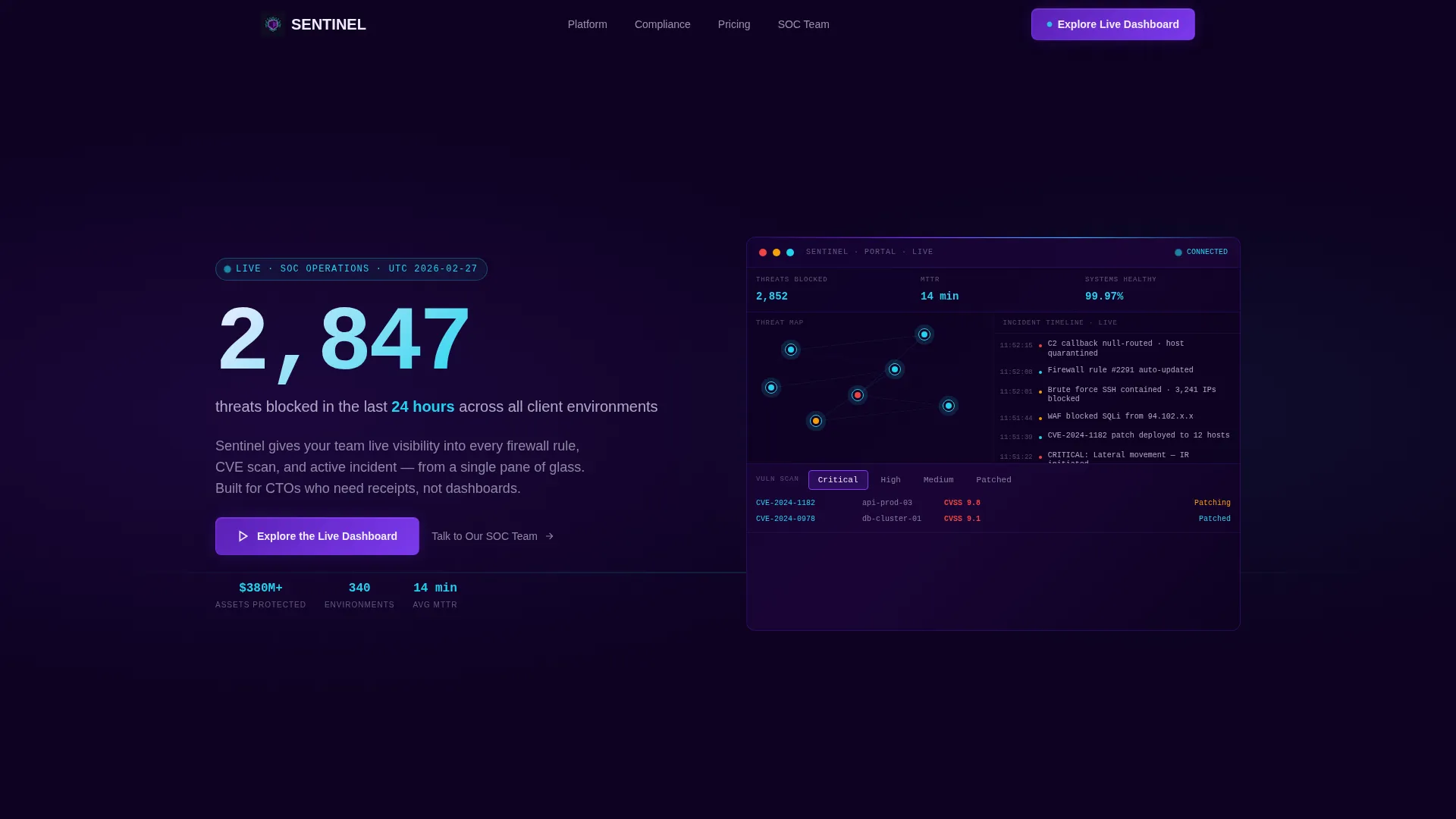
Sentinel is a single-page, split-screen cybersecurity landing page template designed to convert high-intent security buyers. It opens with a count-up stat in 120px type, delivers an interactive portal preview on the opposing panel, and escalates the stakes section by section until the demo click feels like the only logical next step.
Who this template is for
This template is built for cybersecurity service providers who need to win over technically sophisticated, skeptical buyers. Your audience already knows what good security looks like, and they need proof before they engage.
- CTOs at Series B startups managing cloud spend and exposure risk
- Compliance officers at fintech companies preparing for SOC 2 audits
- IT directors at mid-market SaaS companies who have been let down by a previous managed security service provider and now require verifiable evidence
What problem this template solves
Most cybersecurity landing pages bury the evidence. They lead with brand promises instead of live numbers, use static mockups instead of working previews, and push a form before they have earned any trust. Sentinel reverses that sequence entirely.
- Visitors see a real stat before they read a single marketing sentence
- The interactive dashboard lets prospects experience the product before committing to a conversation
- The escalating section structure builds cumulative proof so the final call to action feels earned, not pushed
What you get with this template
You get a complete, single-page click-through layout with every visual and structural component defined. Nothing is left to guess.
- A 50/50 split-screen header with a count-up animation and an interactive portal preview panel
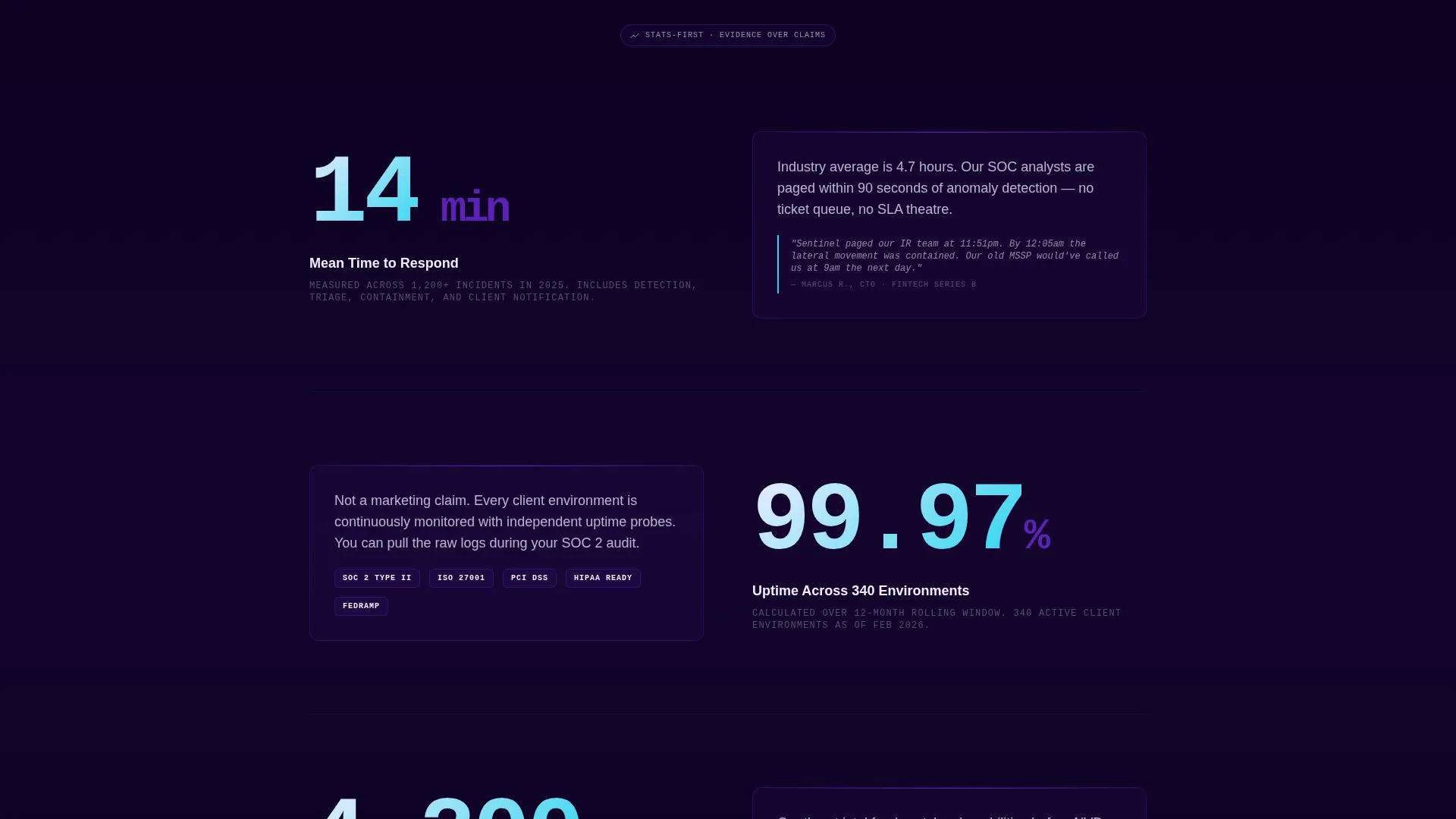
- Three escalating stat-first scroll sections, each pairing an oversized metric with a context panel containing micro-animations, client logo clusters, or quoted incident messages
- A sticky call-to-action bar, a closing anchor panel, and a secondary Calendly-linked text link for guided walkthroughs
Feature list
Sentinel includes a focused set of components, each serving a specific conversion role in the page flow.
Count-Up Header Stat
The header leads with a single metric rendered at 120px, such as "2,847 threats blocked in the last 24 hours." A count-up animation triggers on page load, signaling live operational data the moment a visitor arrives.
Interactive Dashboard Preview
The right half of the header panel hosts a functioning mini-environment. Visitors can hover over pulsing threat map nodes, toggle between vulnerability tabs, and watch a simulated incident timeline populate. This is not a static screenshot.
Stats-First Scroll Sections
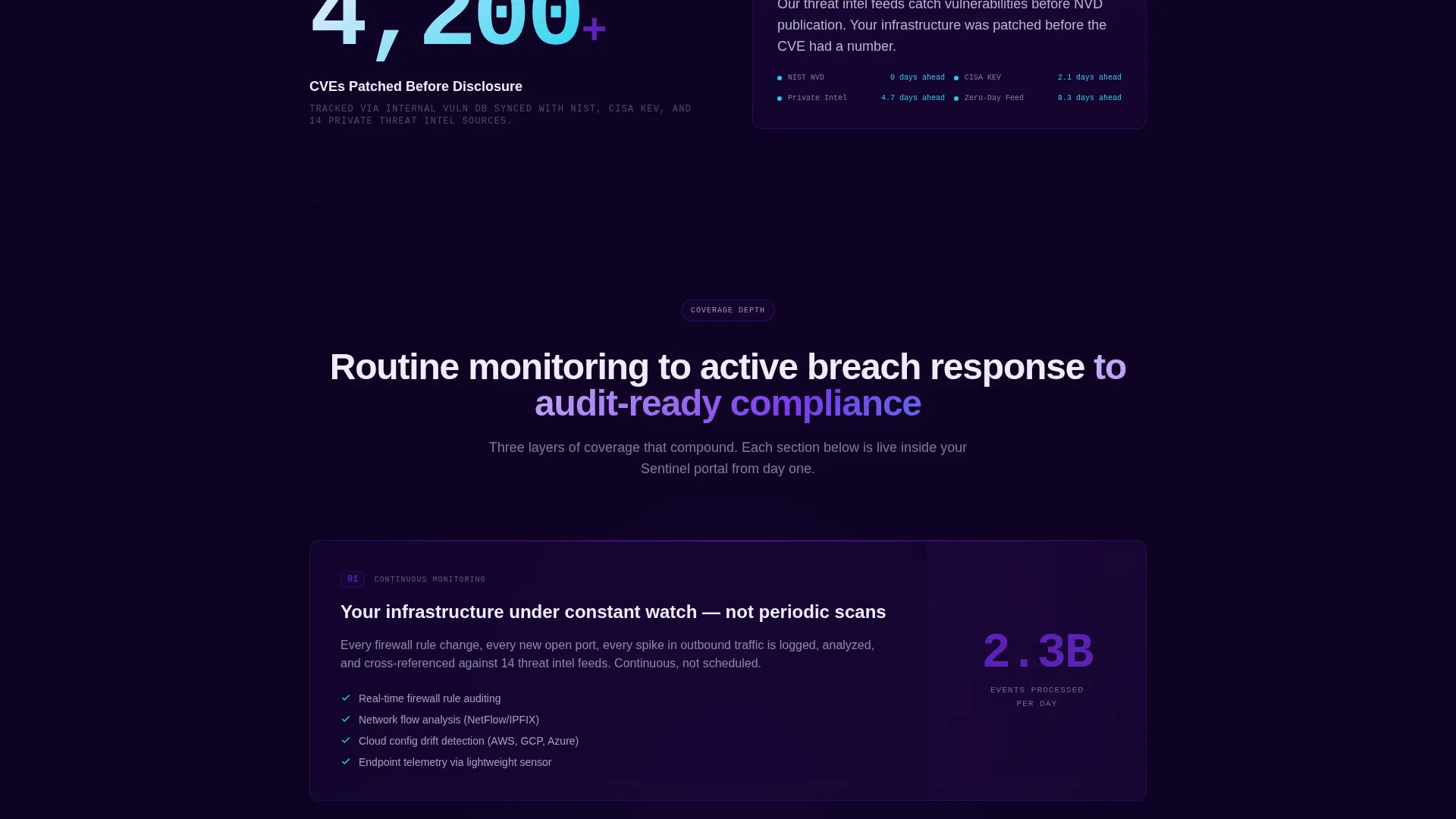
Each section below the header opens with one oversized number before any explanatory copy appears. Metrics such as "14-minute mean response time" and "99.97% uptime across 340 client environments" arrest the scroll and establish credibility before context is introduced.
Escalating Context Panels
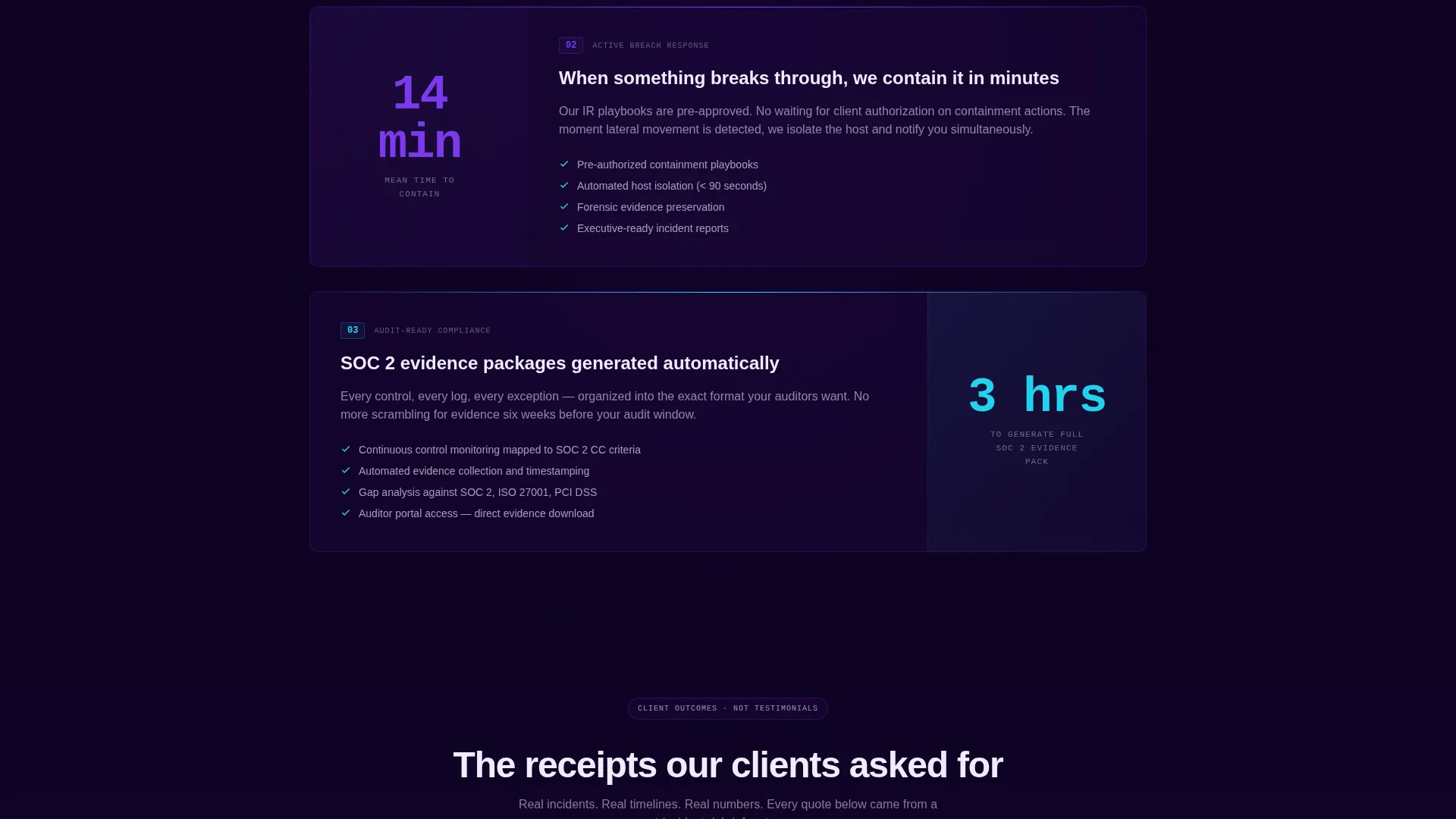
Every stat section pairs with an opposing panel that provides supporting evidence. Content in these panels includes micro-animations of security workflows, client logo clusters, and quoted Slack messages from real incident responses.
Sticky Call-to-Action Bar
After the second scroll section, a persistent bar appears and stays visible as the visitor continues down the page. It carries the primary call to action and keeps the conversion path accessible without interrupting the reading flow.
Dual Conversion Path
The primary button, "Explore the Live Dashboard," routes directly to a sandboxed demo portal pre-loaded with synthetic threat data. A secondary text link, "Talk to Our SOC Team," opens a Calendly embed for visitors who prefer a guided walkthrough.
Page sections overview
| Section | Purpose |
|---|---|
| Split-Screen Header | Opens with a count-up stat and an interactive portal preview side by side |
| Threat Response Metric | Leads with mean response time before explaining the monitoring workflow |
| Uptime and Scale Stat | Presents the uptime figure across client environments, then shows a logo cluster |
| CVE Patch Metric | Delivers the vulnerability patching number before the compliance context panel |
| Sticky call to action Bar | Keeps the primary call to action visible after the second scroll section |
| Closing Anchor Panel | Repeats the primary call to action and secondary Calendly link to close the conversion loop |
Design & branding system
The visual identity is built on an Electric Indigo color system that evokes the atmosphere of a live security operations center running at full capacity. Every color decision has a functional role, not just an aesthetic one.
- Background tones stay within the deep terminal black (#0D0221) to dark violet (#1A0536) range, with electric indigo (#5B21B6) and hot signal violet (#7C3AED) used for section washes and interactive elements
- Reactive cyan (#22D3EE) is reserved exclusively for live data points, hover states, and interactive affordances, training the eye to read it as a signal of live activity
- Interface white (#F0EDFF) handles all primary typography, chosen to float cleanly off the dark canvas without harsh contrast
Mobile & speed optimization
The template is structured with a responsive layout in mind, ensuring the split-screen approach adapts gracefully across screen sizes. The interactive elements are designed to remain usable on smaller viewports.
- The 50/50 split-screen header stacks vertically on mobile so both the stat and the dashboard preview remain fully visible
- Count-up animations and interactive dashboard states are scoped to perform smoothly without overloading the initial render
- The sticky call-to-action bar is optimized for thumb-reach positioning on mobile, keeping the primary conversion action accessible throughout the scroll
How this template helps you convert
Sentinel is structured as a progressive proof engine. Each section adds a layer of evidence before asking for anything from the visitor.
- The interactive header preview lets visitors use a piece of the product before they have read a single claim, reducing skepticism from the first second of the visit
- The stat-first section sequence compounds credibility as the visitor scrolls, so by the final panel the cumulative weight of numbers, animations, and incident evidence makes the demo click feel like a natural conclusion rather than a sales request
Other information about this template
Sentinel is designed for the specific commercial context where a cybersecurity client portal needs to speak directly to infrastructure decision-makers. The template style, theme, and conversion direction all reflect that buyer profile.
- Template style: Split Screen (50/50), consistent across header and all scroll sections
- Theme: Startup Velocity, channeling the energy of a fast-moving security team operating under real pressure
- Creative direction: Stats-First Impact, where every section leads with a number rather than a headline
- Landing page direction: Click-Through, routing directly to a live demo environment with no form on the page
- Header concept: Interactive Preview, replacing static mockups with a functioning mini-dashboard environment
- The color system is named Electric Indigo and is purpose-built for cybersecurity digital presence contexts where trust and live-signal legibility are critical
Theme
Startup Velocity
Creative direction
Stats-First Impact
Color system
Electric Indigo
Style
Split Screen (50/50)
Direction
Click-Through
Page Sections
Count-up Header Stat Animation
Interactive Portal Dashboard Preview
Stats-first Scroll Architecture
Escalating Context Panels
Sticky Call-to-action Bar
Dual Conversion Path Design
Related questions
Does this template include a contact form?
Is the interactive dashboard preview a real feature, not just a screenshot?
What type of buyer is this landing page template designed for?
Can this template cover both incident response and compliance reporting?
Does the page ask visitors to fill out a form before seeing the product?



