Serverless Computing Technology Specialist Cost Calculator Website Template
Serverlesslab is a scroll-reveal landing page template built for serverless computing training and certification platforms. It opens with a live cost-and-time-savings calculator, then progressively unfolds a curriculum map, lab proof, and employer logos. The primary call to action drives app downloads, with a secondary browser-lab path for visitors not ready to install.
by Rocket studio
Quick summary
Serverlesslab is a single-page, scroll-reveal landing page template for serverless computing training platforms. It leads with an interactive calculator that makes career return on investment personal, then layers in curriculum details, lab proof, and certification social proof as the visitor scrolls. The primary goal is app download; a secondary browser-lab path keeps softer leads engaged.
Who this template is for
This template is built for teams and creators running technical training platforms in the cloud engineering space. If your platform teaches serverless architecture through real, hands-on lab environments, this layout is purpose-built for your offer.
- Mid-level backend developers who maintain legacy server fleets and need to reskill for serverless workflows
- DevOps engineers whose teams have adopted frameworks like AWS SAM and need structured certification
- Tech leads evaluating team-wide certification before a cloud migration deadline
What problem this template solves
Technical training pages often bury the value. Visitors arrive skeptical, scan a wall of curriculum bullets, and leave before understanding what they actually gain. This template flips that pattern.
- The calculator-first layout makes cost savings and deployment time visible before asking for any commitment
- Progressive scroll reveal prevents information overload by releasing content only as previous sections are absorbed
- A dual call-to-action path serves both decision-ready visitors and those still evaluating the platform
What you get with this template
You get a fully structured, single-page landing page layout designed around a specific conversion flow: calculator interaction leads to curriculum reveal, which leads to proof, which leads to download. Every section has a defined role.
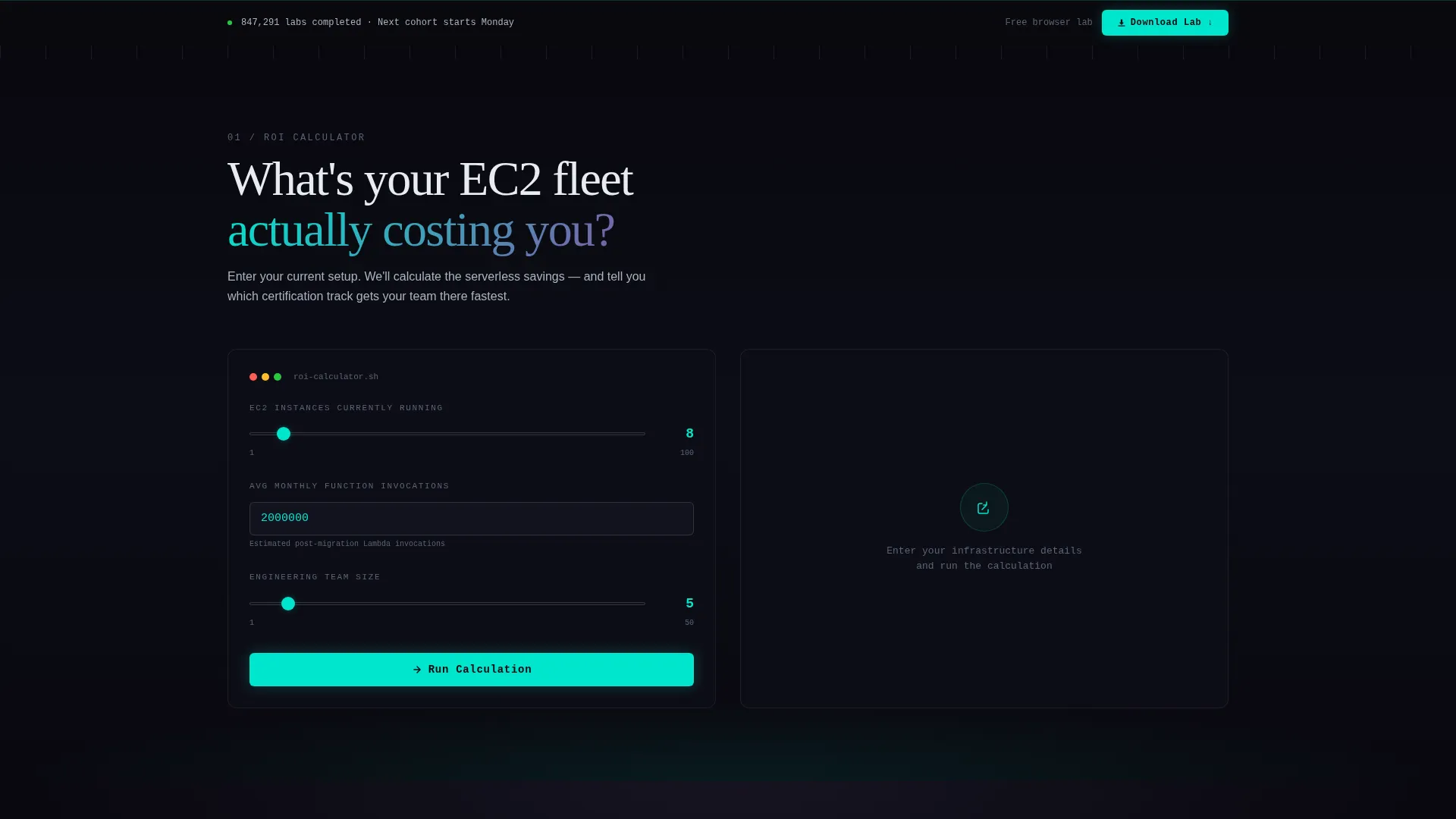
- An interactive serverless cost and time-savings calculator with progressive result animation
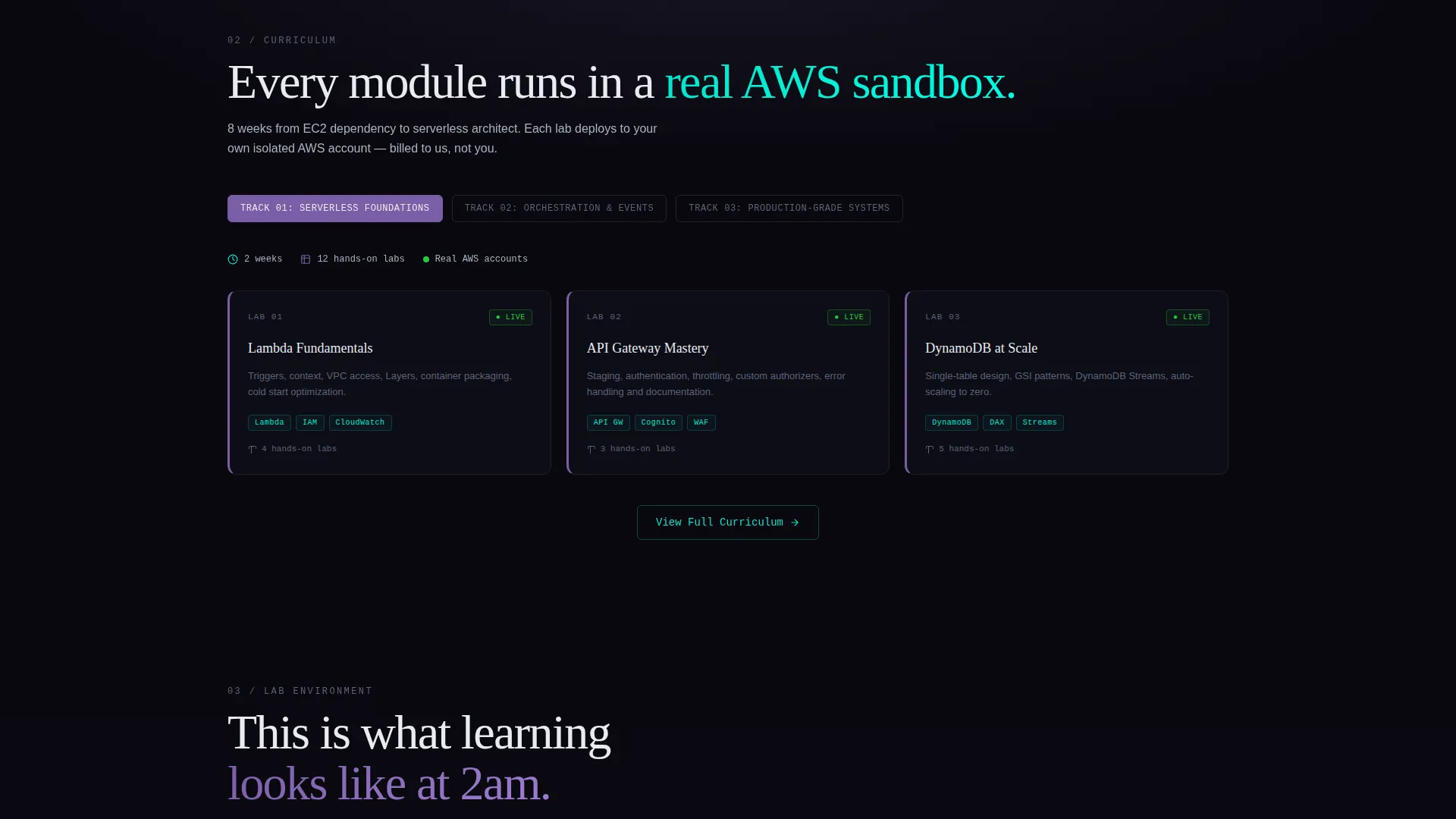
- A scroll-driven curriculum map that unfolds module by module as the user advances
- A fixed-position download call to action that persists after the second scroll section, plus an inline browser-lab alternative
Feature list
This section details the core built-in components and layout capabilities included in the template.
Calculator-First Hero Section
The page opens directly beneath the logo header with an interactive calculator. Visitors input their current server instance count, average monthly invocations, and team size. The tool outputs estimated cost reduction, deployment time saved, and a recommended certification track, with results animating in plasma cyan as each figure appears.
Progressive Scroll Reveal Layout
Content is structured to release section by section as the visitor scrolls. The curriculum map unfolds module by module, lab screenshots and terminal output appear in sequence, and completion statistics and employer logos load progressively. This pacing mirrors a deployment pipeline advancing stage by stage.
Logo Bar Header
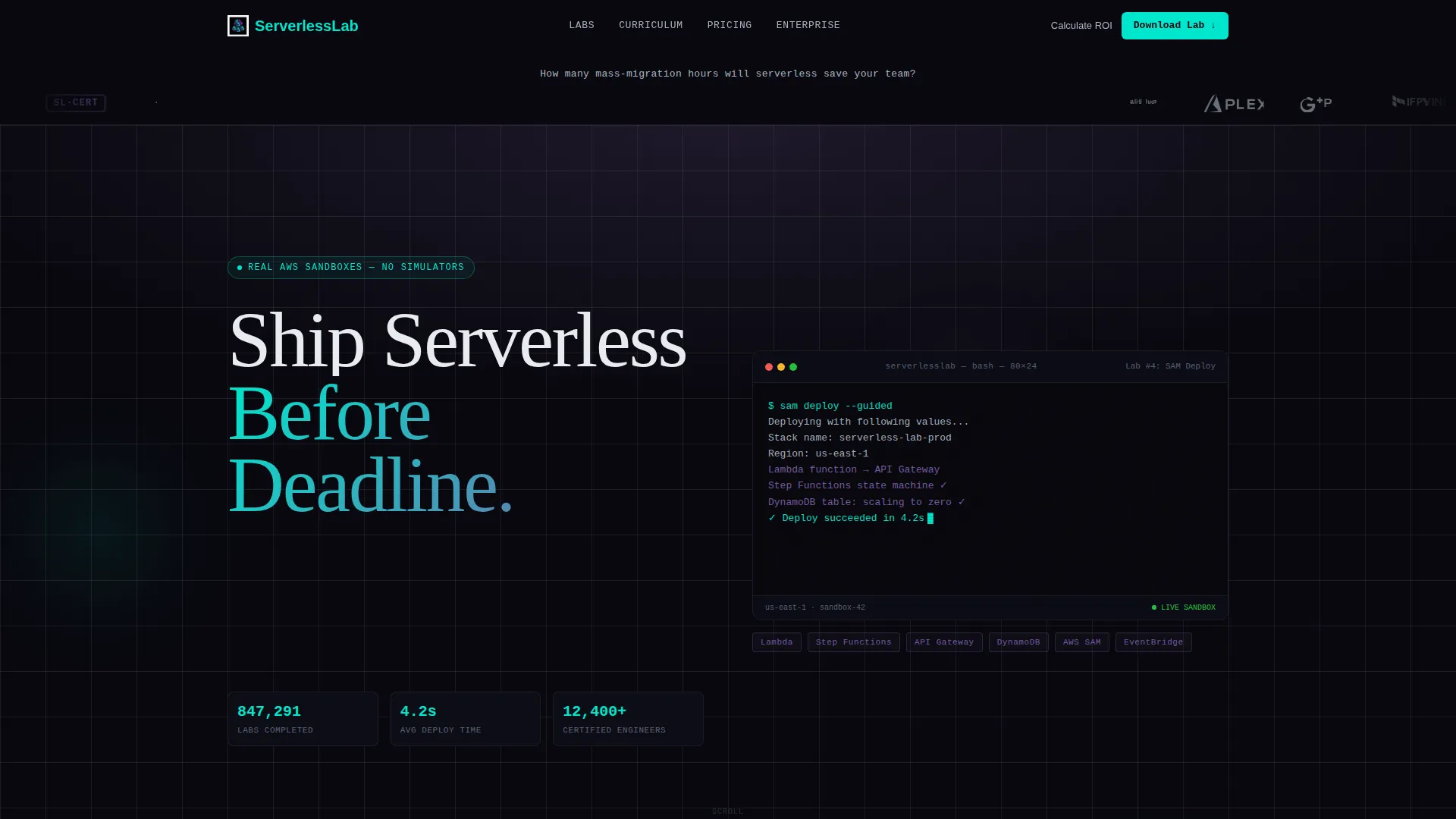
The page opens with a horizontal strip of cloud partner and certification logos floating on a void-black background with a subtle iridescent sheen. A single signal-white headline sits directly below, framing the calculator that follows immediately beneath it.
Dual Call-to-Action System
The primary call to action, labeled "Download the Lab Environment," appears first inline with the calculator results. After the second scroll section, it locks to the bottom of the viewport. A secondary option, "Start Free Browser Lab," is always available for visitors not ready to install.
App Download Form with Team Toggle
The download form requests only operating system selection and email address. A team license toggle reveals an additional company name field, making the same form work for individual engineers and team leads evaluating group enrollment.
Proof and Social Validation Layer
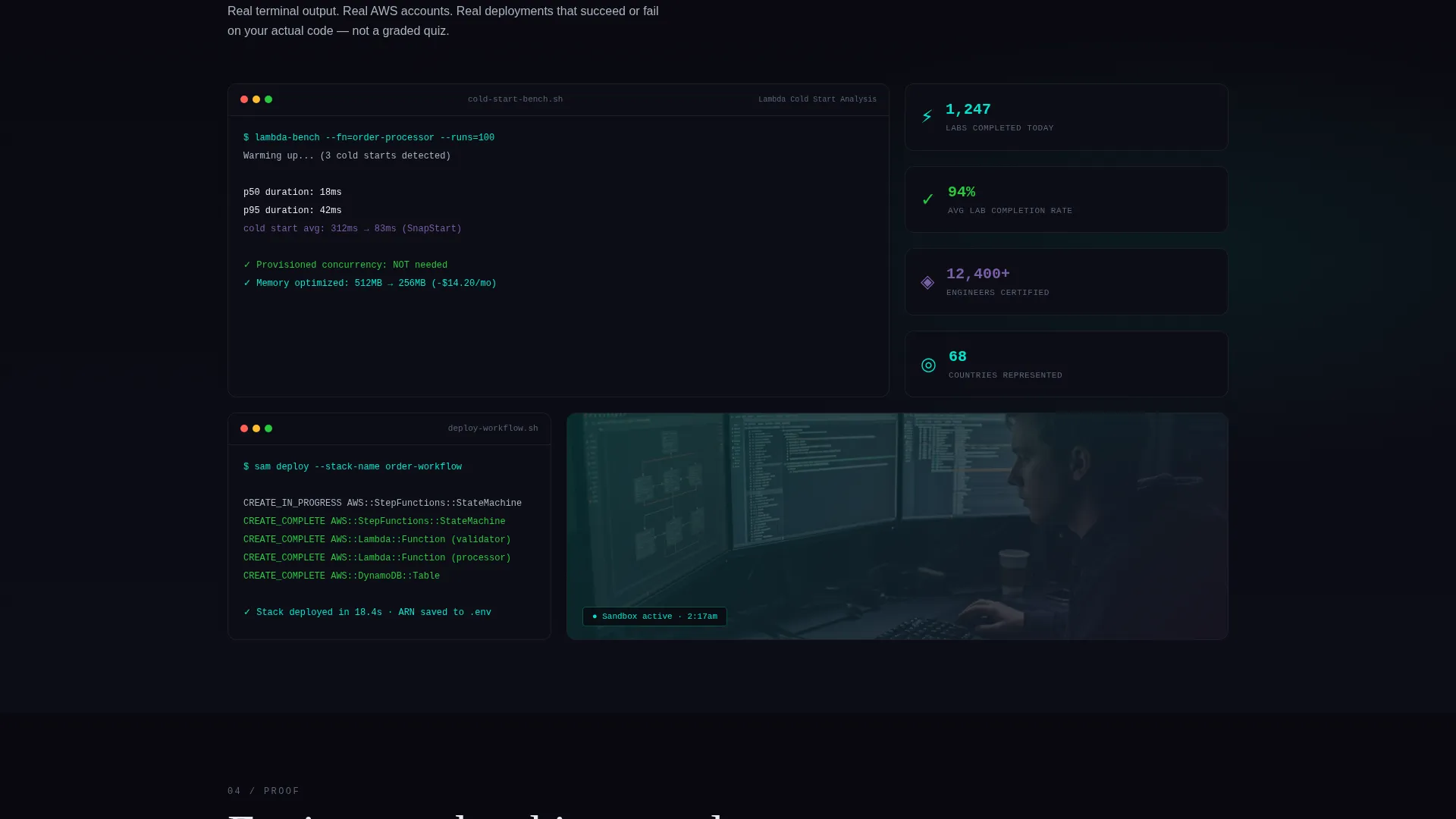
After the curriculum map, the template includes dedicated space for lab screenshots with real terminal output, course completion statistics, and employer logos from certified alumni. These elements arrive progressively during scroll, reinforcing credibility at the moment conversion intent is highest.
Page sections overview
| Section | Purpose |
|---|---|
| Logo Bar Header | Display cloud partner and certification logos with a framing headline |
| Savings Calculator | Let visitors calculate cost reduction, deployment savings, and track recommendations |
| Animated Results Display | Reveal estimated savings figures progressively in plasma cyan |
| Curriculum Map | Unfold the course module sequence section by section on scroll |
| Lab Proof Gallery | Show real terminal output and lab screenshots as credibility evidence |
| Completion Stats | Present course completion figures and learner volume data |
| Employer Logo Strip | Display recognizable employer logos of certified alumni |
| Primary Download call to action | Prompt app environment download with OS selection and email form |
| Fixed Bottom call to action | Keep the download action accessible after the second scroll section |
| Browser Lab call to action | Offer a no-install alternative for visitors still evaluating |
Design & branding system
The visual identity follows a Data Command theme using an AI Iridescent color system. The palette feels technical and alive, combining deep void tones with luminous accents that shift between cool and electric as the eye moves down the page.
- Void black (#09090F) as the dominant background, with subtle violet gradient washes at section boundaries; holographic violet (#7B5EA7) for section accents and progress indicators
- Plasma cyan (#00E5CC) reserved for interactive elements, code syntax highlights, and animated result figures to signal where the user can act
- Signal white (#E8ECF1) for all body text, floating cleanly against the dark canvas for maximum readability
Mobile & speed optimization
The scroll-reveal structure is designed to work intuitively on both desktop and mobile viewports. Progressive content loading keeps the page feeling responsive and intentional rather than overwhelming.
- Section-by-section reveal pacing adapts naturally to vertical scrolling on touch devices
- The fixed-bottom call-to-action bar stays accessible on smaller screens without obscuring content
- The calculator input fields and toggle controls are sized for practical usability on mobile displays
How this template helps you convert
This template is engineered around a single principle: earn the click before you ask for it. The calculator does the persuasion work so the download form feels like a logical next step rather than a leap of faith.
- The calculator makes the return on investment concrete and personal before any curriculum detail appears, reducing skepticism at the top of the page
- Progressive scroll reveal creates a pipeline-like experience that builds momentum and keeps visitors engaged long enough to reach the proof and call-to-action sections
- The dual call-to-action path means decision-ready visitors download immediately while softer leads take the browser-lab route and stay in the funnel
Other information about this template
This template is categorized under the Technology vertical, specifically within the Serverless Computing Training and Certification niche. It is designed for platforms teaching cloud architecture skills through practical, sandbox-based labs rather than passive course formats.
- The template style is Scroll Reveal (Progressive), meaning content sections animate into view sequentially rather than loading all at once
- The creative direction is Calculator/Tool First, a layout pattern that prioritizes an interactive value tool above all other page content
- The landing page direction targets App Download as the primary conversion event, with a secondary browser-based lab path as a soft-lead capture mechanism
- The intersection match between the Data Command theme, AI Iridescent color system, and Serverless Computing Training niche was scored at 13, reflecting a high degree of alignment between visual identity and subject matter
Theme
Data Command
Creative direction
Calculator/Tool First
Color system
AI Iridescent
Style
Scroll Reveal (Progressive)
Direction
App Download
Page Sections
Calculator-first Interactive Hero
Progressive Scroll Reveal Structure
Logo Bar with Partner Badges
Dual Call-to-action System
Team License Toggle on Download Form
Proof and Social Validation Layer
Related questions
What is the primary conversion goal of this landing page template?
Can this template support both individual learners and team enrollments?
What does the serverless cost calculator actually output?
Do I need to build the scroll animations from scratch?
Who is this landing page template designed for?



