Decentralized Encrypted Storage Landing Page Template
Shard is a single-page landing page template built for a decentralized, encrypted storage platform. It opens with a live Storage Cost Calculator, flows into a frosted-glass comparison table, and closes with CLI install calls to action. The Tech Glass visual identity uses void black, phosphor green, and synthetic lilac to create a cold, luminous aesthetic that speaks directly to Web3 developers, DevOps engineers, and privacy-focused founders.
by Rocket studio
Quick summary
Shard is a landing page template for a decentralized encrypted storage platform. It leads with an interactive cost calculator, follows with a horizontal-scroll comparison table, and drives installs through a bold CLI command. The design is dark, electric, and technically credible, built to convert skeptical developers and privacy-conscious founders in one focused scroll.
Who this template is for
This template is purpose-built for teams launching or promoting a decentralized storage product. The messaging, layout, and calls to action are tuned for technically fluent visitors who evaluate tools on proof, not promises.
- Web3 developers building decentralized applications that require censorship-resistant, encrypted file storage
- DevOps engineers actively moving workloads away from cloud providers and comparing costs with hard numbers
- Privacy-focused founders who need to demonstrate to users that no single server holds complete data
What problem this template solves
Most storage platform pages bury the value proposition in paragraph text. Visitors who care about cost, encryption standards, or redundancy have to dig for answers. Shard solves this by putting the proof first.
- The calculator makes cost savings tangible before asking for any commitment
- The comparison table addresses technical objections row by row, covering encryption, redundancy, latency, fees, and uptime
- The CLI-first call to action removes friction for developers who are already ready to install
What you get with this template
You get a complete, section-led single-page layout that takes a visitor from curiosity to install in one linear flow. Every section is designed with a specific conversion role.
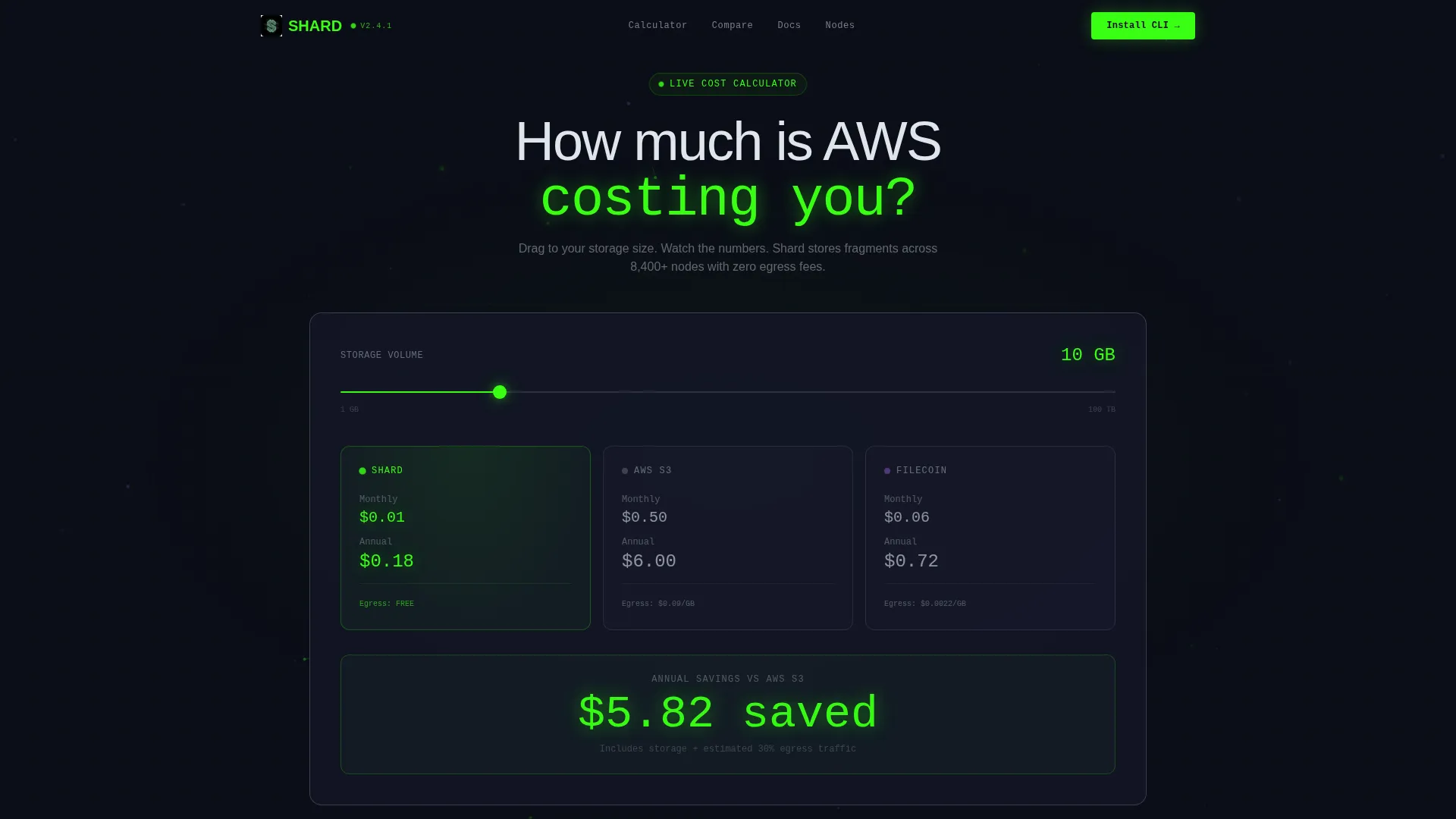
- A live Storage Cost Calculator header with a slider, three-column cost comparison, animated savings figure, and a distributing node map
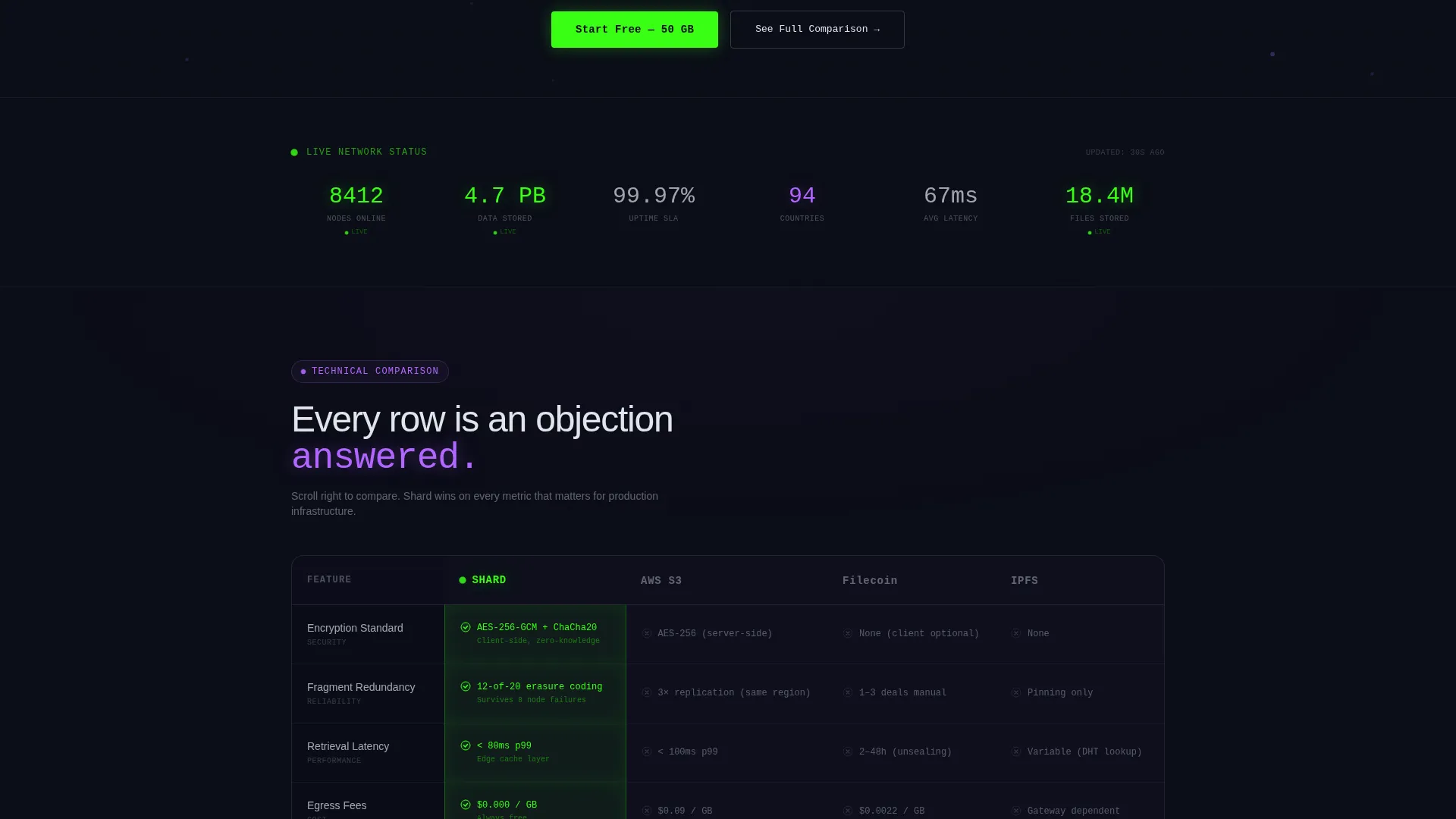
- A pinned frosted-glass comparison table with horizontally scrolling competitor columns and glowing winning cells
- Deep-dive feature cards for encryption architecture, node economics, and SDK integration, each with tabbed dark-terminal code snippets
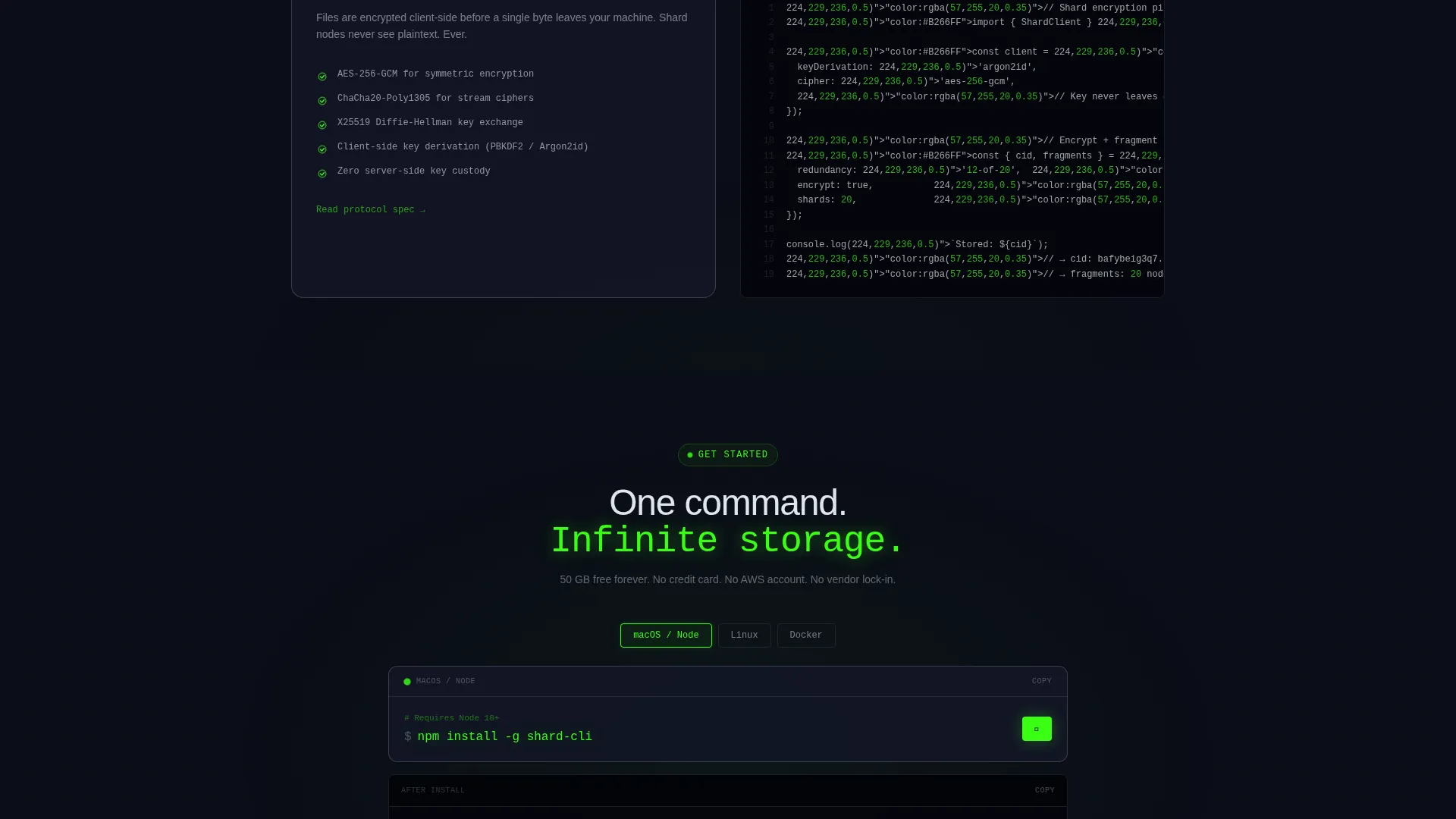
- A primary call to action block with a one-click CLI install command and platform toggles for macOS, Linux, and Docker
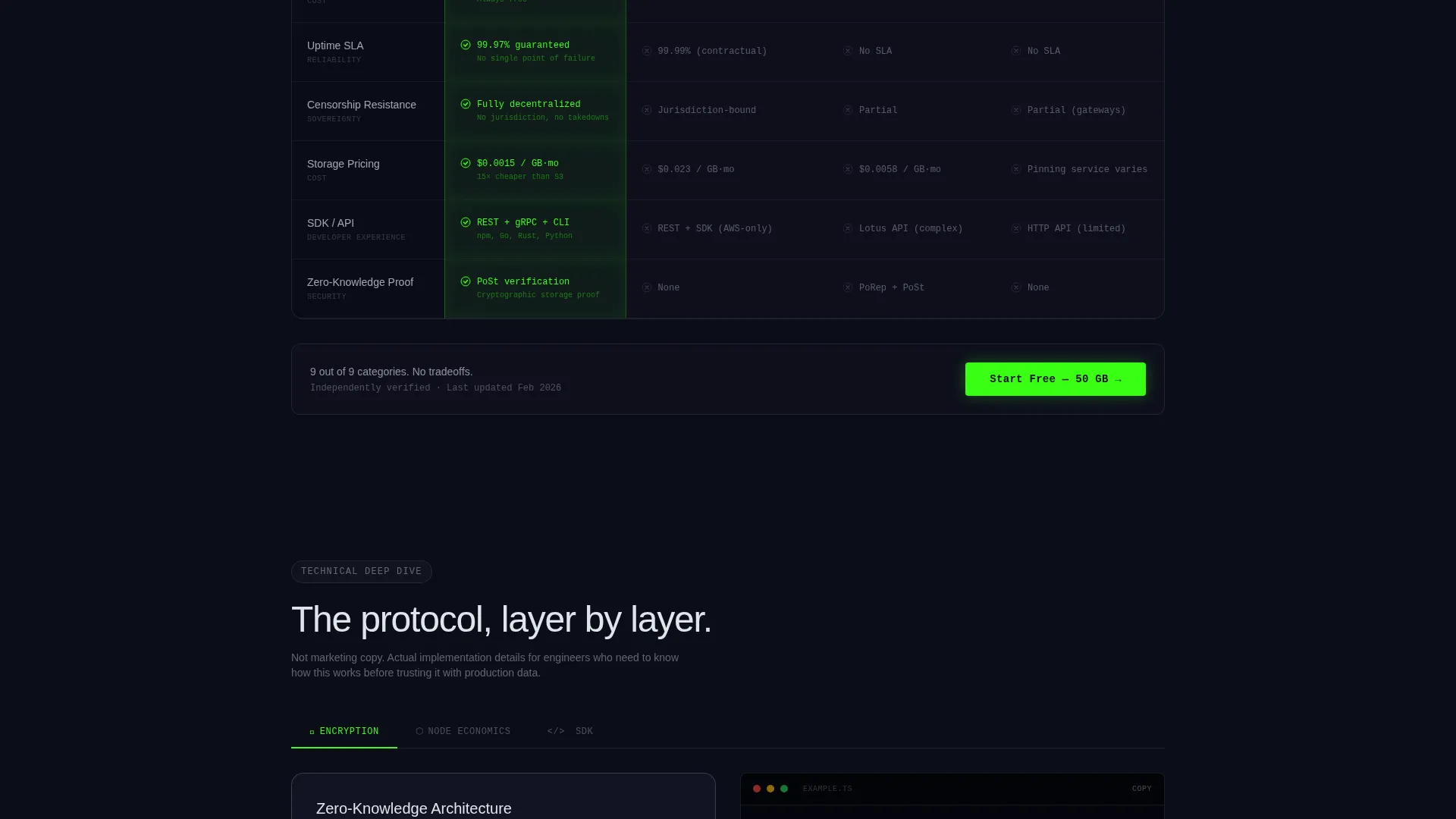
- A secondary call to action beneath the comparison table offering a free tier entry point
Feature list
This template delivers a structured set of interactive and visual components, all grounded in the Acid Digital color system and Tech Glass theme.
Live Storage Cost Calculator
The header section is built around a draggable slider that spans from 1 GB to 100 TB. Three columns update in real time, comparing this platform against two other storage options. The annual savings figure pulses in oversized phosphor green type, and a small animated node map shows fragments distributing across a translucent globe behind the tool.
Pinned Comparison Table
A frosted-glass feature matrix sits below the calculator. The platform column stays pinned while competitor columns scroll horizontally. Rows cover encryption standard, redundancy factor, retrieval latency, egress fees, and uptime service level agreement. Each cell where this platform wins glows faintly green, creating a visual argument that builds with every row.
Deep-Dive Feature Cards
Three cards descend below the comparison table, each dedicated to a core technical area: encryption architecture, node economics, and SDK integration. Each card includes a tabbed code snippet rendered in a dark terminal style, giving developers a concrete preview of how the platform works in practice.
CLI Install call to action Block
The primary call-to-action presents a ready-to-copy terminal command for installing the command-line interface. Platform toggles let the visitor switch between macOS, Linux, and Docker views without leaving the page. The command reads npm install -g shard-cli and is styled for one-click copying.
Acid Digital Color System
Phosphor green marks live data, active states, and primary actions throughout the page. Synthetic lilac tags premium tiers and competitive advantages. Frosted glass white renders all body text at thin weight. Void black fills every background, making neon elements read at maximum contrast.
Frosted Glass Panel System
All content panels use backdrop-blur frosted glass surfaces, creating depth without images. There is no stock photography or hero illustration anywhere in the layout. The interface itself carries the visual weight, and the floating panel aesthetic reinforces the cold, luminous identity described in the design direction.
Page sections overview
| Section | Purpose |
|---|---|
| Cost Calculator Header | Visualizes savings versus competing storage options with a live interactive slider |
| Comparison Table | Pins platform column and scrolls competitors horizontally across five technical rows |
| Encryption Architecture Card | Details the encryption layer with a tabbed dark-terminal code snippet |
| Node Economics Card | Explains node incentive structure and redundancy model with a code preview |
| SDK Integration Card | Shows developer integration flow with a switchable terminal code snippet |
| CLI Install call to action | Delivers primary conversion with a one-click copy command and platform toggles |
| Secondary Free Tier call to action | Offers a 50 GB entry point beneath the comparison table for lower-friction signups |
Design & branding system
The visual identity is built on the Tech Glass theme and the Acid Digital color system. The result is a dark, electric interface that reads as both clinical and slightly dangerous, which mirrors the product's positioning around censorship resistance and node-distributed architecture.
- Color palette: void black (#0B0D17) for all backgrounds, phosphor green (#39FF14) for live data and primary actions, synthetic lilac (#B266FF) for premium and competitive callouts, frosted glass white (#E0E5EC) for panel surfaces and body text
- Typography uses thin-weighted rendering to let the neon colors carry visual priority, keeping text clean against deep dark backgrounds
- All panels use frosted glass surfaces with subtle backdrop-blur, creating floating depth without images or illustrations
Mobile & speed optimization
The layout is structured for a smooth single-column reading experience on smaller screens. Key interactive components adapt to touch input so the calculator and comparison table remain usable on mobile devices.
- The cost calculator slider is designed for drag interaction, which maps naturally to touch and pointer input on mobile
- The horizontal-scroll comparison table is built to handle narrow viewports without collapsing the pinned platform column
- Deep-dive cards and the CLI block stack vertically on smaller screens, preserving the linear conversion flow
How this template helps you convert
The page is structured so that each section earns the next action. No section asks for commitment before the previous one has delivered value.
- The calculator leads with a visceral, personalized savings number before any call to action appears, lowering resistance before the ask
- The comparison table methodically removes technical objections row by row, so the visitor arrives at the call to action already convinced
- The CLI install block makes the first action as small as possible, a single terminal command, reducing the perceived cost of trying the platform
Other information about this template
This template is categorized under Technology, with a focus on the Blockchain and Cryptocurrency subcategory and the Decentralized Storage niche. It is designed as a single landing page and is not a multi-page site template.
- The template style is Comparison Table, and the header concept is a Calculator or Estimator, both of which are defined fields in the intersection match context
- The creative direction is Feature Matrix, meaning the scroll experience is designed to escalate technical proof progressively rather than repeat the same message
- The landing page direction is App Download, so every call to action points toward installing the CLI or downloading the desktop app, not toward a contact form or newsletter
- The intersection match score of 13 indicates a strong alignment between the theme, color system, creative direction, template style, and landing page direction across all context fields
Theme
Tech Glass
Creative direction
Feature Matrix
Color system
Acid Digital
Style
Comparison Table
Direction
App Download
Page Sections
Live Storage Cost Calculator
Pinned Frosted-glass Comparison Table
Deep-dive Technical Feature Cards
One-click CLI Install Block
Acid Digital Color System
Frosted Glass Panel Architecture
Related questions
Can I customize the cost calculator values in this template?
Does this template include the code snippet content inside the feature cards?
Is this template suitable for a product that is still in early access or beta?
What makes the comparison table effective for developer audiences?
Does the template use any stock photography or hero illustrations?



