Religious & Theological Education Professional Website Template
Shepherd is a sidebar companion landing page template built for pastoral training programs. It features a warm Botanical color system, a three-doorway Persona Selector header, and a fixed vertical timeline sidebar guiding visitors through a two-year cohort journey. The primary call to action drives event registration for a free virtual open house, with a secondary lead-capture path for a downloadable cohort guide.
by Rocket studio
Quick summary
Shepherd is a purpose-built landing page template for a two-year pastoral training cohort. It pairs a fixed sidebar timeline with persona-driven content to give every visitor, first-call pastor, rural church planter, or second-career seminarian, an immediate sense of recognition. The page guides visitors toward registering for a free virtual open house.
Who this template is for
This template is designed for organizations running pastoral formation programs, theological training cohorts, or seminary-adjacent ministry courses. It speaks directly to the people those programs serve.
- Associate pastors preparing for their first solo pastoral call
- Bivocational ministers planting churches in rural or underserved communities
- Second-career seminarians transitioning from professional life into full-time ministry
What problem this template solves
Most training program pages feel like brochures. They list course modules and faculty credentials, but they never make the prospective student feel seen. Shepherd solves that gap by centering the visitor's lived experience before it ever mentions curriculum.
- Visitors arrive unsure whether the program is built for someone like them
- Generic enrollment pages create distance rather than invitation
- Low-friction registration forms are buried or absent, causing motivated visitors to leave without acting
What you get with this template
Shepherd delivers a complete single-page layout with every section pre-built and ready to customize. Nothing is placeholder logic, each component reflects the specific storytelling and conversion needs of a pastoral training program.
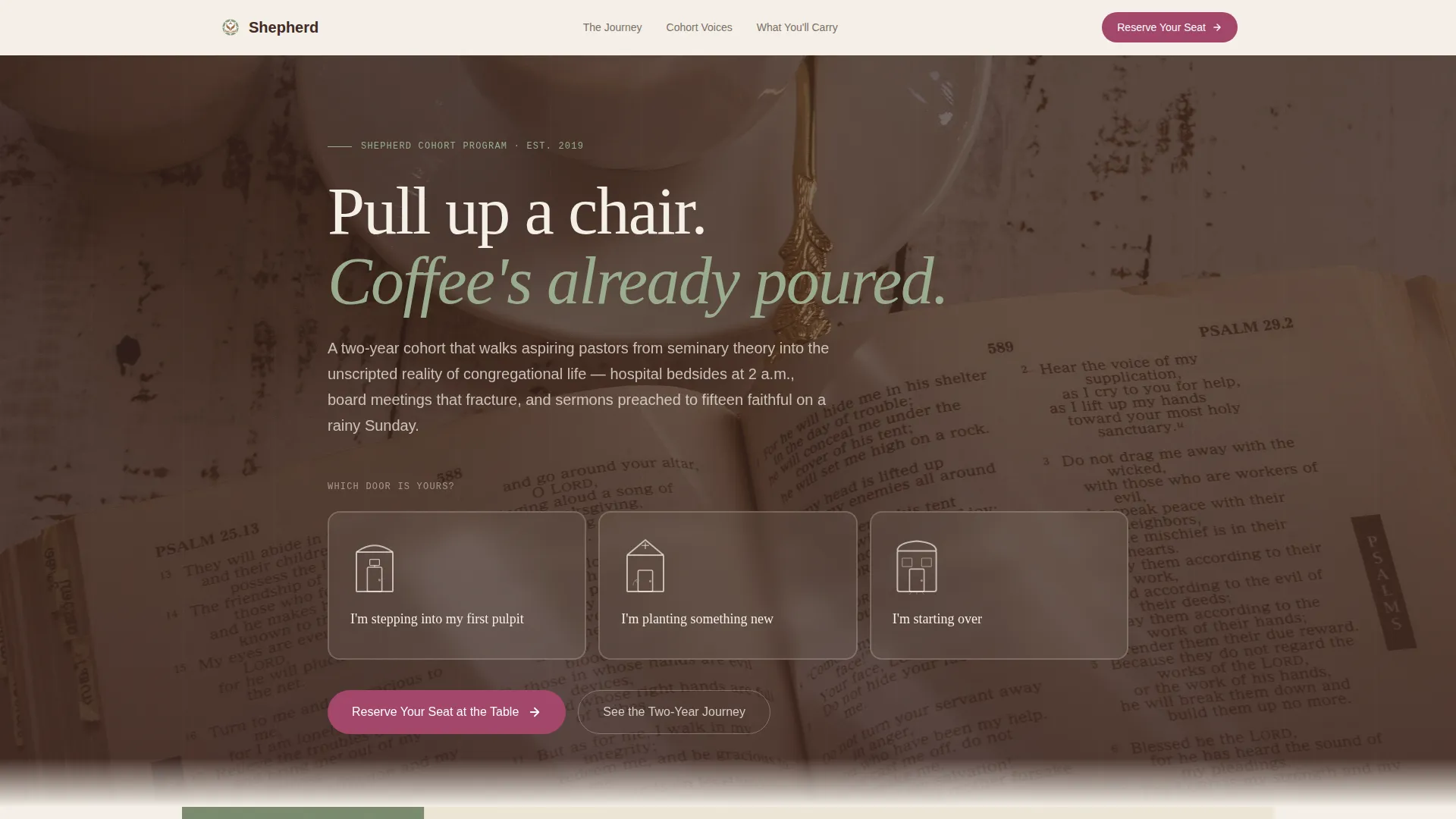
- A three-doorway Persona Selector header that reshapes testimonials and cohort photos based on visitor identity
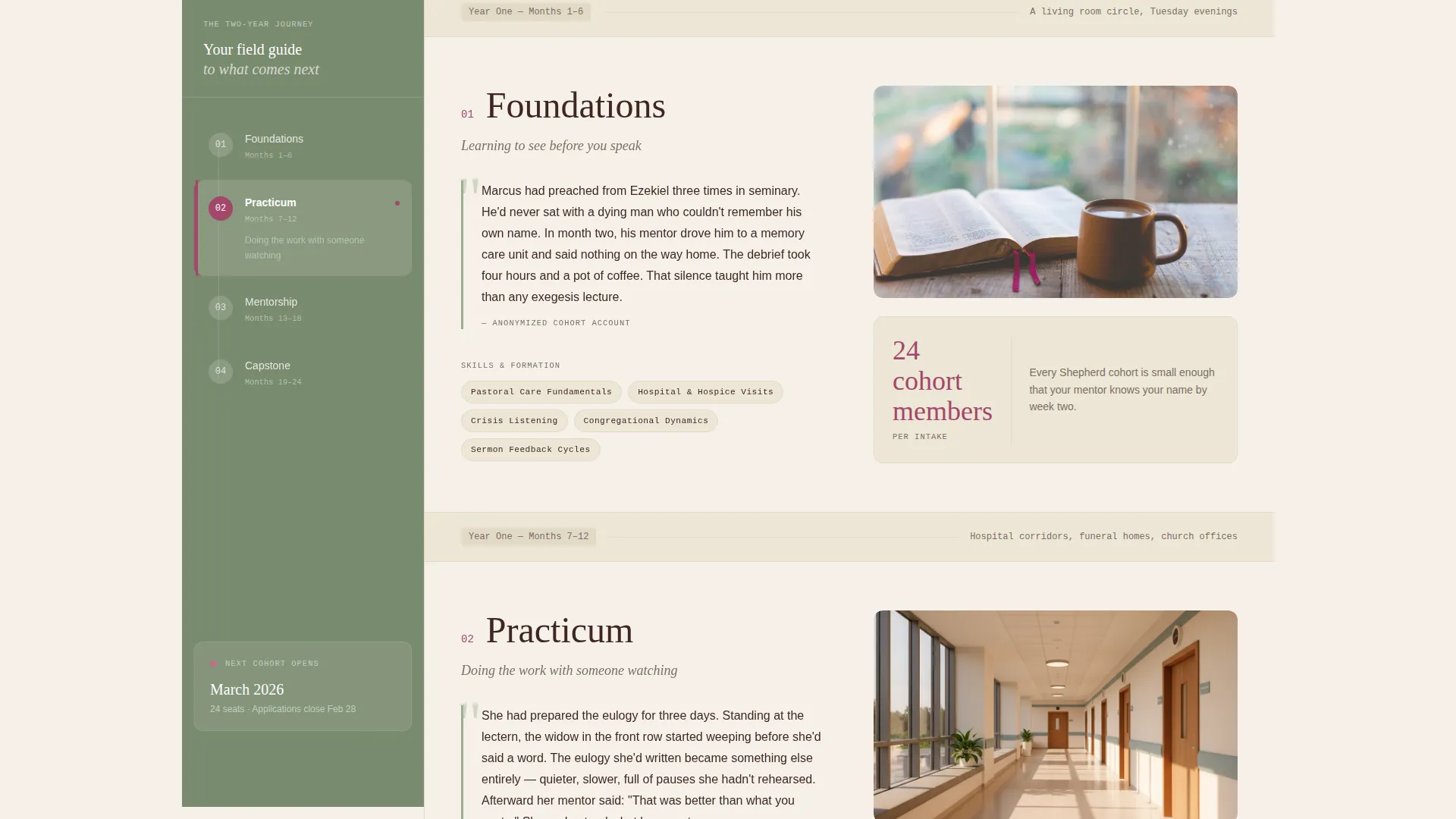
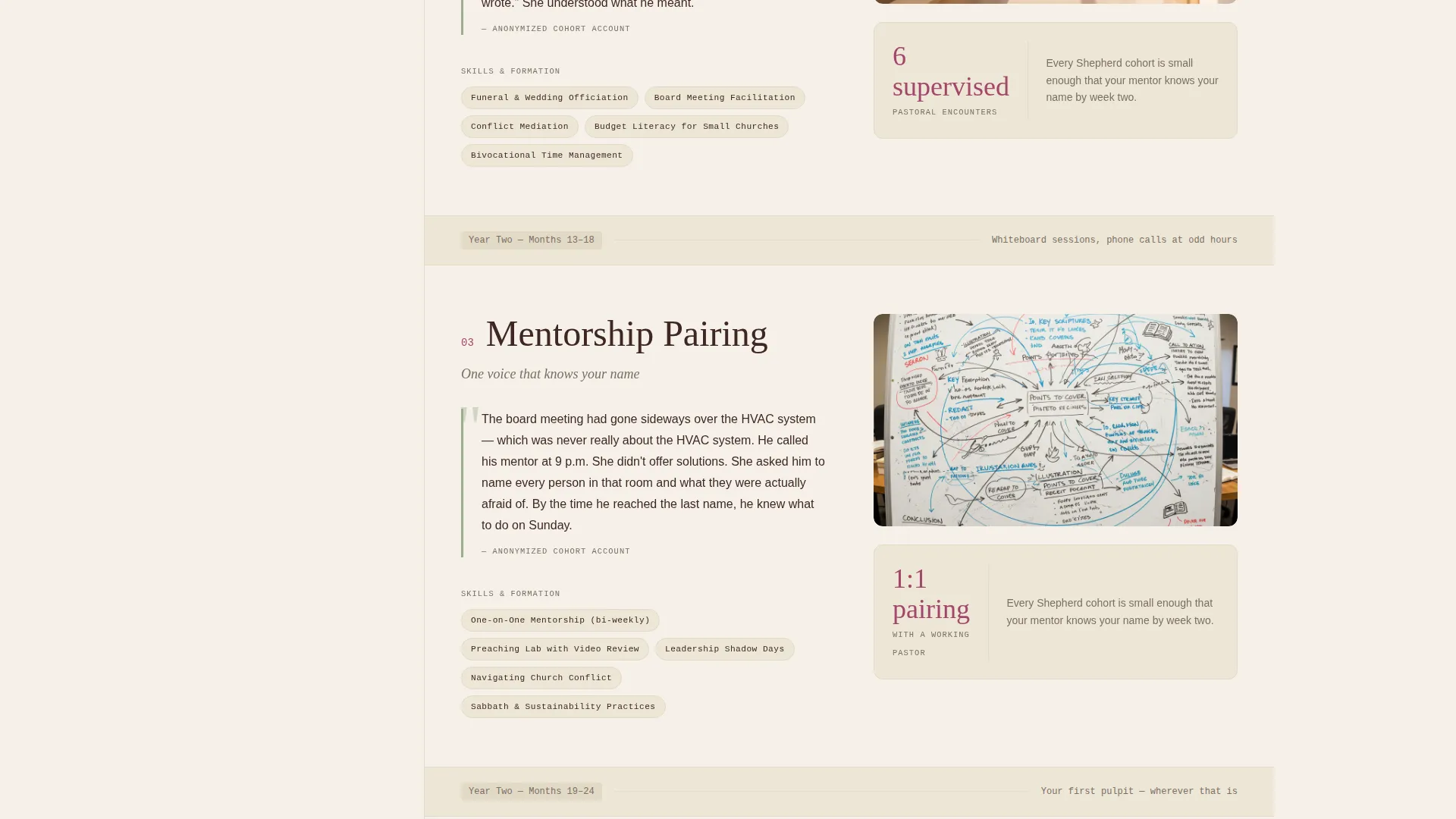
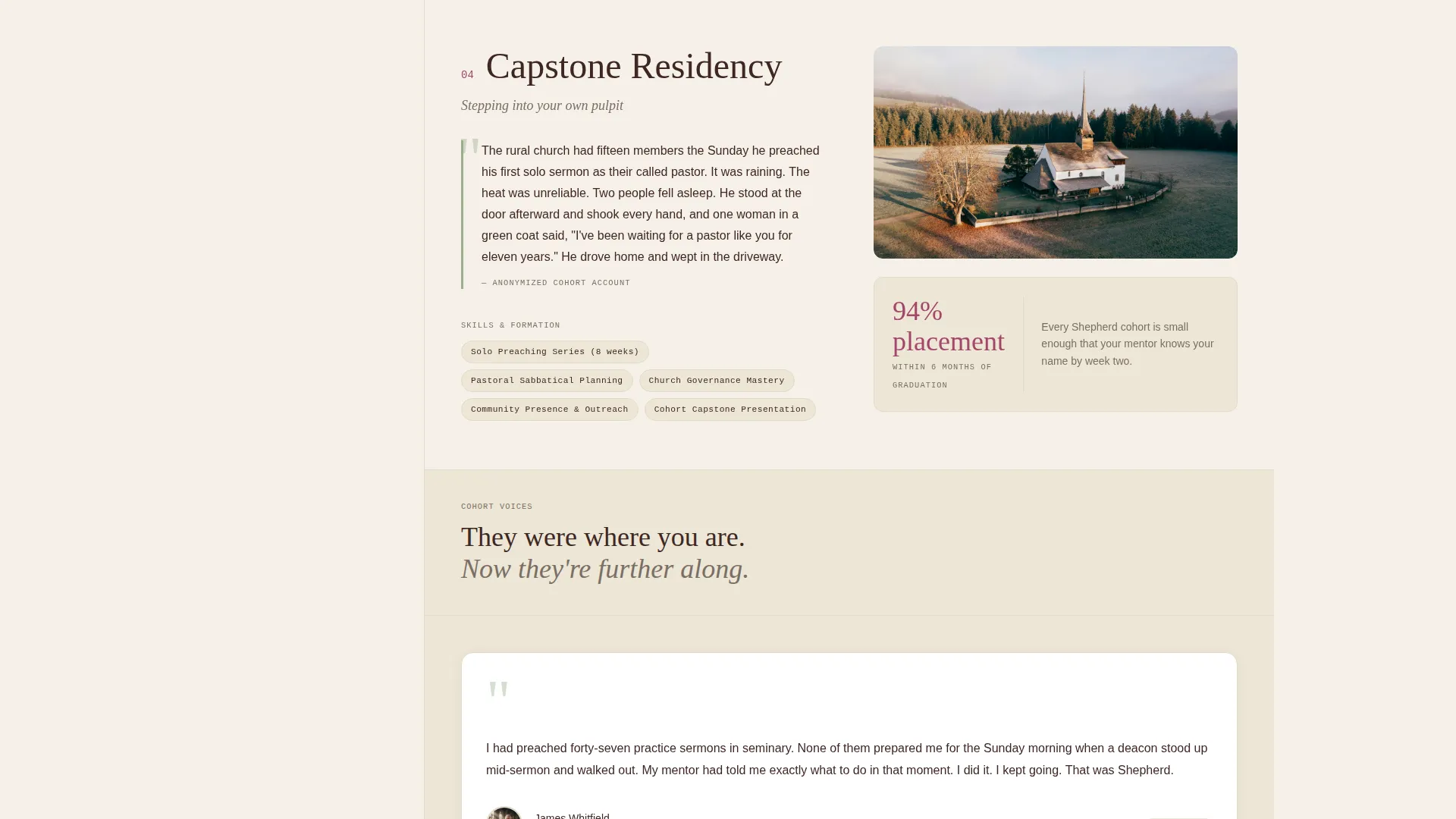
- A fixed sidebar vertical timeline covering Foundations, Practicum, Mentorship Pairing, and Capstone Residency
- A low-friction event registration form and a secondary PDF download path for leads not yet ready to commit
Feature list
This template is built around components that make pastoral formation feel personal, credible, and worth attending.
Persona Selector Header
Three illustrated doorways in a warm woodcut style open the page. Each doorway carries a specific identity label. Hovering reveals a single sentence of recognition, not a sales pitch but a reflection. Selecting one reshapes the testimonials and cohort photos that appear throughout the page.
Fixed Sidebar Timeline
The sidebar stays anchored as the visitor scrolls. It displays the four program phases as a vertical timeline: Foundations, Practicum, Mentorship Pairing, and Capstone Residency. This gives the visitor a constant sense of where they are in the journey.
Phase Narrative Vignettes
Each program phase expands in the main content area with a short narrative moment drawn from real cohort experiences (anonymized). Every vignette is paired with the skills taught in that phase and a photograph of the actual setting.
Persistent Call-to-Action Placement
The primary call to action, "Reserve Your Seat at the Table," appears first at the end of the header interaction. It reappears pinned to the bottom of the sidebar once the visitor scrolls past the midpoint of the page, keeping the registration path always within reach.
Low-Friction Registration Form
The event registration form asks only for first name, email address, and the persona the visitor selected. Keeping the form to three fields reduces hesitation and maintains the emotional momentum built by the persona-selection experience.
Secondary Lead Capture Path
Below the main registration form, a secondary option offers "Download the Cohort Guide" as a PDF. This path requires only an email address, capturing visitors who are interested but not yet ready to attend the open house.
Page sections overview
| Section | Purpose |
|---|---|
| Persona Selector Header | Let visitors self-identify and personalize their experience |
| Fixed Sidebar Timeline | Show the full two-year journey at a persistent glance |
| Foundations Phase | Introduce the first program phase with narrative and skills |
| Practicum Phase | Expand hands-on field learning with vignette and setting photo |
| Mentorship Pairing | Describe the one-on-one mentor relationship and its context |
| Capstone Residency | Present the culminating program experience in detail |
| Event Registration Form | Capture name, email, and persona for the virtual open house |
| Cohort Guide Download | Offer a PDF lead magnet for visitors not yet ready to register |
Design & branding system
The template uses a Botanical color system rooted in the Community Hearth theme. Every color choice was made to feel warm, grounded, and quietly serious without leaning into religious cliche.
- Deep loam brown (#3E2723) for primary text, pressed sage (#7A8B6F) for the sidebar and section dividers, and warm parchment (#F5F0E8) as the body background
- Foxglove berry (#A3466A) reserved exclusively for call-to-action buttons and active-state indicators
- Illustrated woodcut-style doorways in the header reinforce the handcrafted, earthy visual identity throughout the page
Mobile & speed optimization
The sidebar companion layout adapts thoughtfully for smaller screens. The fixed vertical timeline collapses into an accessible scroll indicator so the page remains navigable without the sidebar taking up horizontal space.
- Phase narrative sections stack vertically on mobile, keeping cohort photos and vignette text readable at any screen width
- The three-field registration form and the secondary PDF download field are each compact and easy to complete on a phone
How this template helps you convert
Shepherd turns a pastoral training page into a personal conversation that earns trust before it asks for commitment.
- The Persona Selector immediately shows visitors faces and stories that match their own calling, making them more likely to stay and engage with the program content.
- The persistent "Reserve Your Seat at the Table" call to action follows the visitor down the page so the registration path is always present at the moment motivation peaks.
- The secondary PDF download path captures leads at two levels of readiness, ensuring no genuinely interested visitor leaves the page without a way to stay connected.
Other information about this template
Shepherd is a strong foundation for any theological education program that needs to speak to a non-uniform audience across multiple ministry contexts.
- The template is designed as a single-page sidebar companion layout, suitable for pastoral training programs, ministry formation cohorts, and religious education enrollment campaigns
- Persona-driven content personalization is handled entirely within the page layout, no external tools are required to display the three visitor paths
- The woodcut illustration style and Botanical palette are built into the template and can be updated to match an organization's existing visual identity
- This template is well-suited to programs offered by seminaries, denominational training bodies, and independent ministry schools looking to run open-house-style virtual recruitment events
Theme
Community Hearth
Creative direction
Step-by-Step Guide
Color system
Botanical
Style
Sidebar Companion
Direction
Event Registration
Page Sections
Persona Selector with Dynamic Content
Fixed Sidebar Vertical Timeline
Phase Narrative Vignettes
Persistent Call to Action Placement
Low-friction Registration Form
Secondary PDF Lead Capture
Related questions
Who is this landing page template designed for?
What does the Persona Selector actually do?
How does the fixed sidebar timeline work?
What if a visitor is not ready to register for the open house?
Can the four-phase sidebar structure be edited?



