Insurance Company Reviews Website Template
Shield is a dashboard-style commercial insurance landing page template built for brokerages that serve businesses navigating complex coverage decisions. It uses a dark Charcoal and Amber visual system, audit-style data cards for six coverage categories, and a resource-led conversion flow that guides visitors from exposure awareness to a downloadable Coverage Audit PDF or a direct policy review request.
by Rocket studio
Quick summary
Shield is a single-page commercial insurance landing page template designed around a Data Command visual theme. It opens with a carrier logo bar, moves through an audit-style coverage walkthrough across six business insurance categories, and closes with a dual-path conversion form. The template is built for brokerages serving business clients who need clarity on what their policies actually cover.
Who this template is for
This template is built for commercial insurance brokerages and independent agents who work with business clients. It speaks directly to the professionals those clients send to research coverage options before committing.
- Operations managers renewing policies they barely understand and need a clear breakdown
- Founders who have outgrown their first general liability limit and need structured guidance
- CFOs who suspect they are overpaying but cannot confirm it without a policy-by-policy audit
What problem this template solves
Business owners rarely read their full policy documents. They know they have coverage but rarely know what is excluded, what is underinsured, or where a single incident could leave them exposed. Most brokerage pages offer reassurance without substance.
- Visitors leave without understanding their actual risk profile or coverage gaps
- Generic contact forms fail to qualify leads by industry or business size
- No clear reason is offered for a visitor to return or share their contact details
What you get with this template
Shield delivers a complete, ready-to-customize landing page built around a coverage audit experience. Every section has a defined role in moving the visitor from awareness to action.
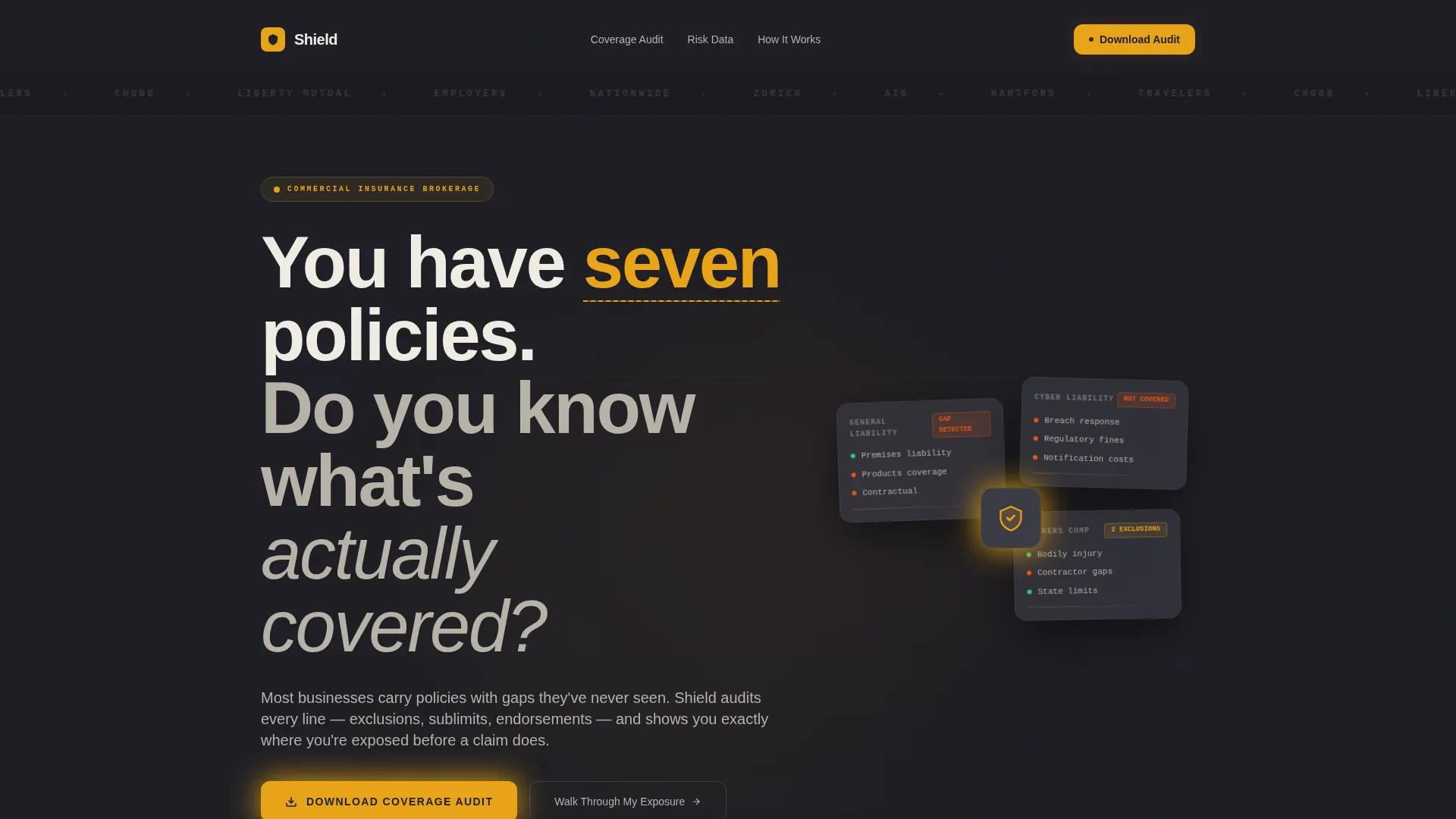
- A bold headline section and animated carrier logo bar that establish credibility immediately
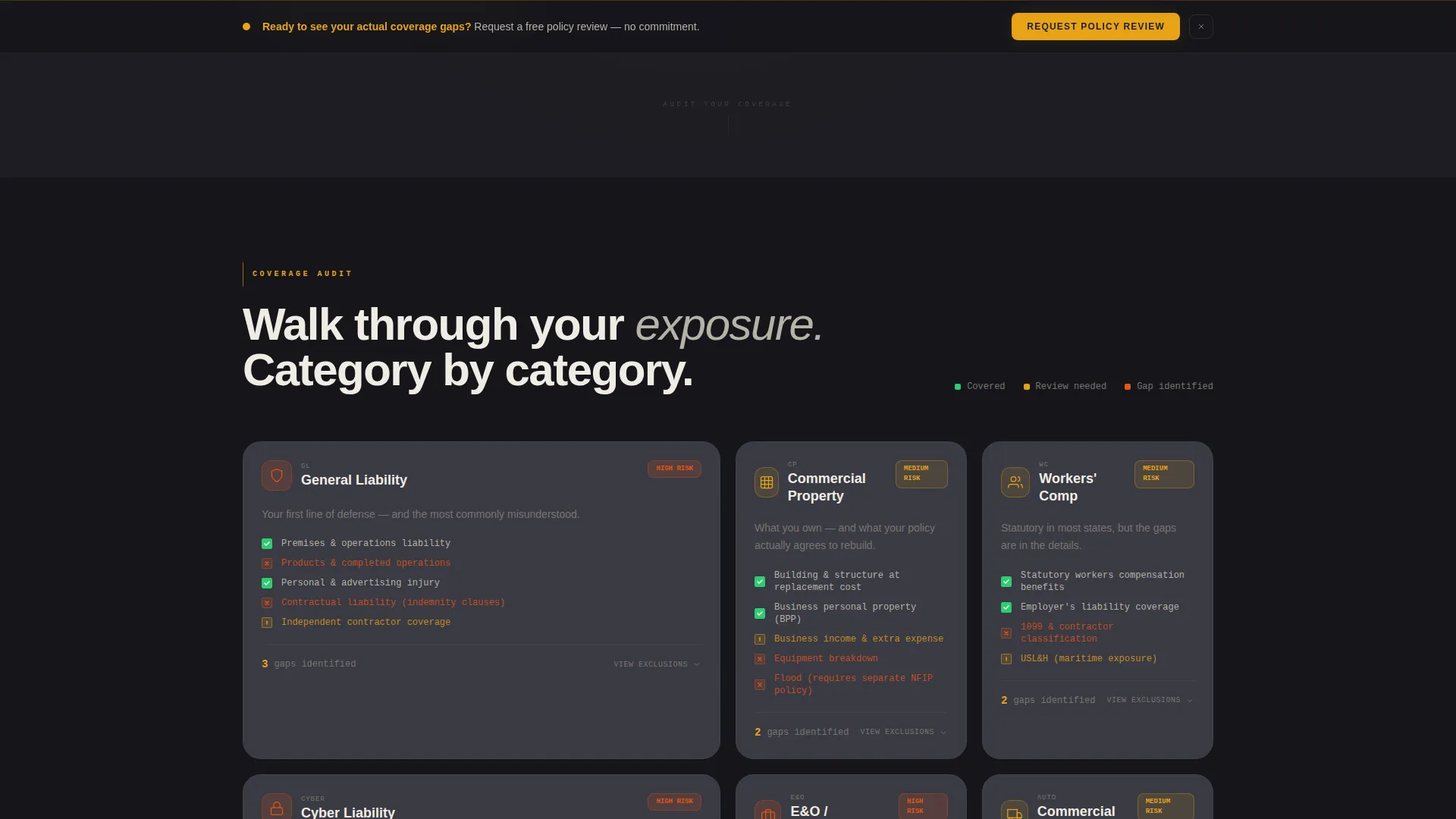
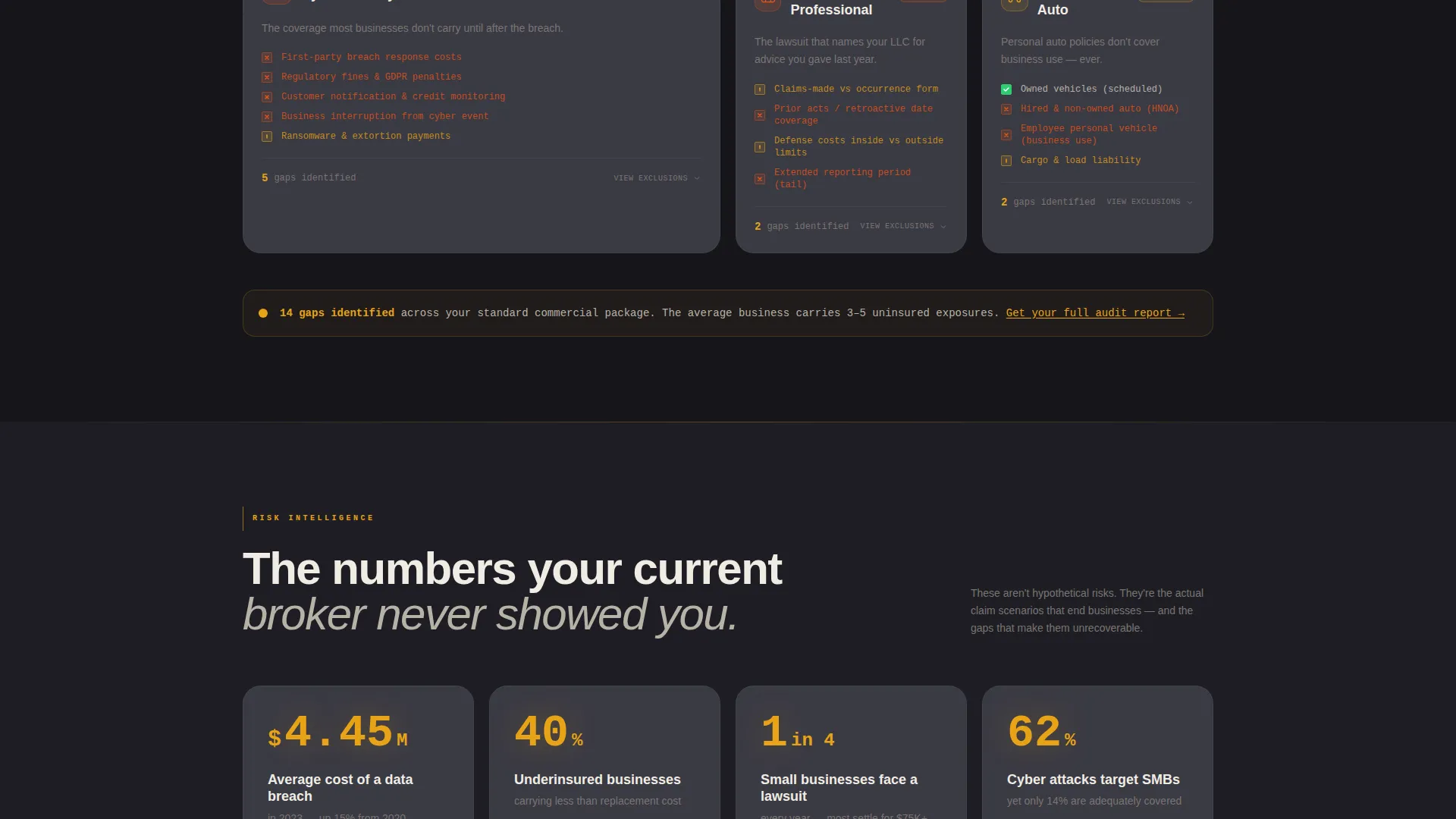
- Six audit-style coverage data cards covering General Liability, Commercial Property, Workers' Compensation, Cyber, Errors and Omissions, and Commercial Auto
- A dual-path conversion system with a downloadable PDF offer form and a persistent policy review request bar
Feature list
This template packages the full visual and structural toolkit a commercial insurance brokerage needs to run an effective lead generation landing page.
Carrier Logo Bar Header
A horizontal strip of carrier logos rendered in monochrome against the deep charcoal background opens the page. It can be displayed as a slow scroll or static arrangement, establishing institutional credibility before any body copy appears.
Audit-Style Coverage Data Cards
Each of the six commercial insurance categories is presented as a data card. Cards include audit-style checkboxes, amber risk indicator icons, and expandable exclusion lists that let visitors walk through their own exposure category by category.
Dual-Path Conversion System
The primary conversion path is a resource download form for the Coverage Audit PDF. A secondary persistent bottom bar appears after the third scroll section and offers a direct policy review request for visitors ready to speak with an agent.
Qualifying Lead Capture Form
The download form collects industry type via a dropdown covering construction, retail, technology, manufacturing, professional services, and other. It then asks for employee count and a business email address, ensuring leads arrive pre-qualified by segment.
Data Command Visual Theme
The Charcoal and Amber color system uses deep charcoal as the primary background, warm gunmetal for card surfaces, signal amber on every interactive element and risk indicator, and bone white for body text. The result is a focused, high-contrast interface that directs attention precisely.
Section-by-Section Risk Accumulation Flow
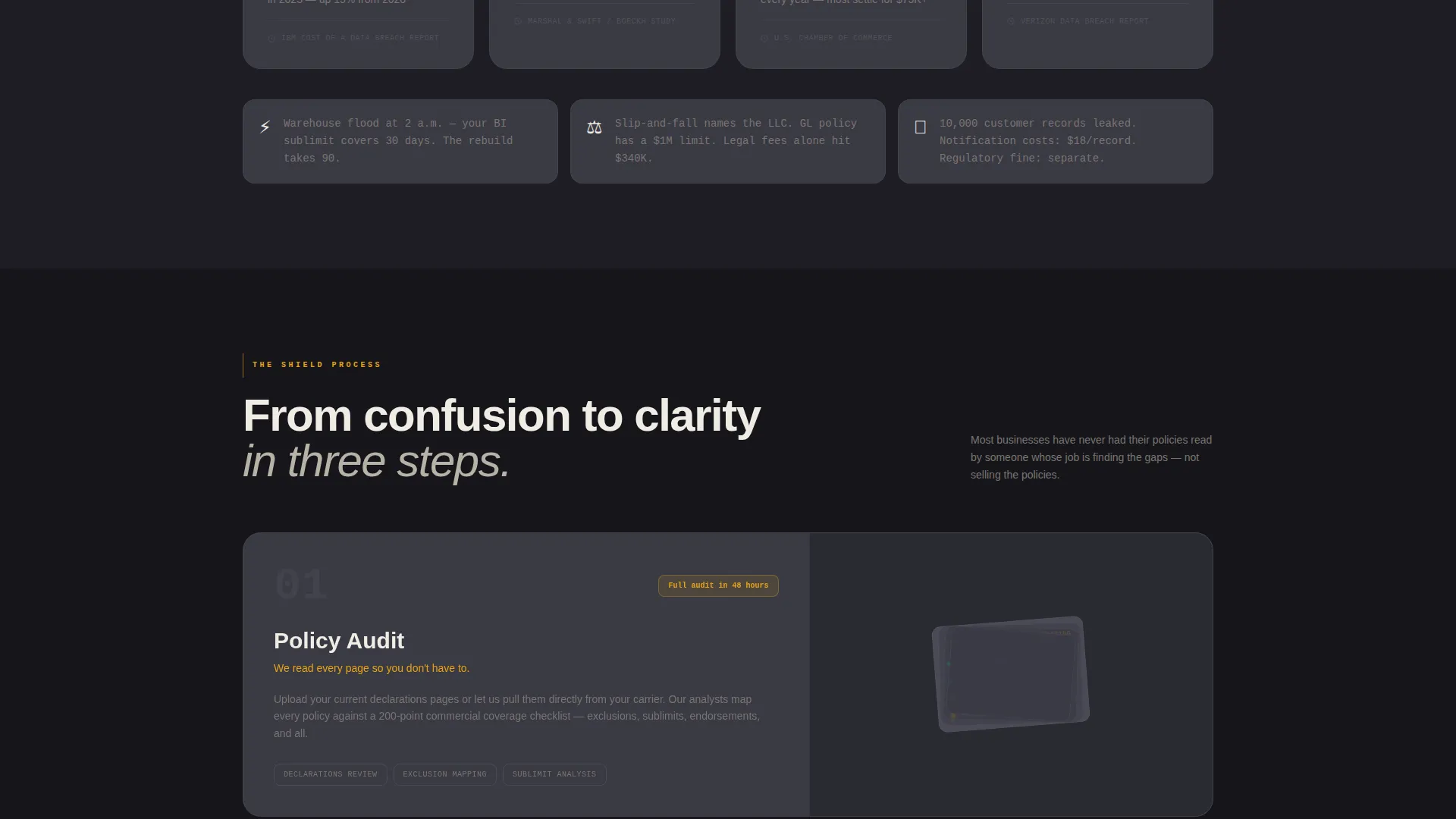
The page is structured so that each scroll section adds another uncovered risk to the visitor's mental checklist. Anxiety builds deliberately across sections, making the resource offer feel like the logical and necessary next step rather than a sales push.
Page sections overview
| Section | Purpose |
|---|---|
| Carrier Logo Bar | Establishes institutional credibility with recognized carrier names before copy begins |
| Hero Headline | Opens with a direct question that creates immediate tension around coverage gaps |
| General Liability Card | Presents audit checkboxes and exclusion details for general liability exposure |
| Commercial Property Card | Surfaces property coverage gaps with amber risk indicators and expandable exclusions |
| Workers' Comp Card | Walks through workers' compensation obligations and common coverage blind spots |
| Cyber Coverage Card | Highlights data breach scenarios and cyber policy exclusion risks |
| Errors & Omissions Card | Addresses professional liability exposure for service-based business operations |
| Commercial Auto Card | Covers fleet and vehicle liability with audit-style risk indicators |
| Coverage Audit Form | Captures industry type, employee count, and business email for the PDF download |
| Persistent Review Bar | Surfaces a secondary call to action for visitors ready to request a policy review |
Design & branding system
Shield uses a Data Command theme that draws visual language from control room interfaces and logistics dashboards. Every color choice serves a functional role, directing attention rather than decorating the page.
- Deep charcoal (#1E1E24) as the primary background, warm gunmetal (#3A3A44) for card and panel surfaces, signal amber (#E8A317) on all interactive elements and status indicators, and bone white (#F0ECE3) for body text and data labels
- Monochrome carrier logos render against the dark field to establish authority without competing with amber focal points
- Amber is used exclusively where action or risk is present, making every warning icon and button feel urgent without relying on red or alarming visual cues
Mobile & speed optimization
The template layout is structured for clean rendering across screen sizes. The data card grid and persistent bottom bar are designed to reflow and remain functional on smaller viewports.
- Data cards and audit checklists stack vertically on mobile without losing their checkbox and indicator structure
- The persistent policy review bar remains anchored at the bottom of the screen on mobile, keeping the secondary call to action accessible throughout the scroll
- The lead capture form fields stack in a single column on smaller screens to reduce friction at the conversion point
How this template helps you convert
Shield is built around a content-led conversion model. The page earns the form submission by demonstrating brokerage fluency before asking for anything.
- The coverage audit card sequence surfaces real exclusion risks across six categories, so visitors arrive at the form already aware of specific gaps in their current policies.
- The qualifying form collects industry and size data before asking for contact details, making the exchange feel like a diagnostic tool rather than a data capture form.
- The persistent policy review bar provides a lower-commitment secondary path for visitors who are not ready to download but are close to booking a conversation.
Other information about this template
Shield is part of a broader set of Finance and Insurance category templates designed for the commercial insurance niche. It is well suited for brokerages positioning themselves as audit-first advisors rather than transactional quote providers.
- The template fits independent brokerages as well as mid-size agencies that handle multiple commercial lines including property, liability, and specialty coverage
- The coverage categories covered in the audit cards align with the primary lines a business insurance broker typically manages across industries like construction, retail, technology, and manufacturing
- The Checklist and Audit creative direction makes Shield particularly effective for campaigns targeting business owners during renewal season or after a coverage-related incident
Theme
Data Command
Creative direction
Checklist & Audit
Color system
Charcoal & Amber
Style
Dashboard/Data Grid
Direction
Content/Resource
Page Sections
Carrier Logo Bar Header
Audit-style Coverage Data Cards
Dual-path Conversion System
Qualifying Lead Capture Form
Risk Accumulation Scroll Flow
Data Command Visual Theme
Related questions
What types of businesses is this landing page template designed for?
Can I customize the coverage categories shown in the data cards?
What does the lead capture form collect from visitors?
Does the template include both a download offer and a direct contact path?
Is the Charcoal and Amber color system easy to rebrand?



