DDoS Protection Landing Page Template for Cyber Security
Shield is a split-screen DDoS protection landing page template built for cyber security vendors targeting CTOs, e-commerce directors, and platform engineers. It pairs a live particle-stream attack visualization with a progressive lead capture form, trust-building logo bar, animated threat counters, global scrubbing network map, and incident timeline case studies, all inside a dark, SOC-floor aesthetic.
by Rocket studio
Quick summary
Shield is the shield powerful ddos protection landing page template built for cyber security teams selling enterprise-grade protection. The 50/50 split-screen layout opens with a real-time attack particle visualization on the left and a bold lead generation form on the right. Every section escalates from threat awareness to confident mitigation, turning raw urgency into qualified leads.
Who this template is for
This template targets technical buyers who understand the financial cost of downtime. They are not browsing casually, they are evaluating whether your network can handle what theirs cannot absorb alone.
- CTOs at SaaS companies monitoring uptime dashboards and weighing DDoS risks at scale
- E-commerce directors planning for peak traffic events where attacks cause direct revenue loss
- Gaming platform engineers and DevOps teams who need to protect server infrastructure fast
What problem this template solves
DDoS attacks are malicious attempts to overwhelm a targeted server, service, or network with a flood of internet traffic. When such attacks succeed, web applications go offline, customer trust erodes, and revenue disappears in minutes. A generic landing page cannot communicate that urgency or build the confidence that enterprise buyers need.
- Technical buyers leave pages that fail to show real protection evidence quickly
- Vague copy and weak visuals fail to convey how traffic scrubbing and mitigation actually work
- Generic forms create friction, slowing down leads who came ready to evaluate
What you get with this template
Shield delivers a complete, conversion-focused landing page structure. Every section is designed to move a skeptical technical buyer from threat awareness to form submission without unnecessary friction.
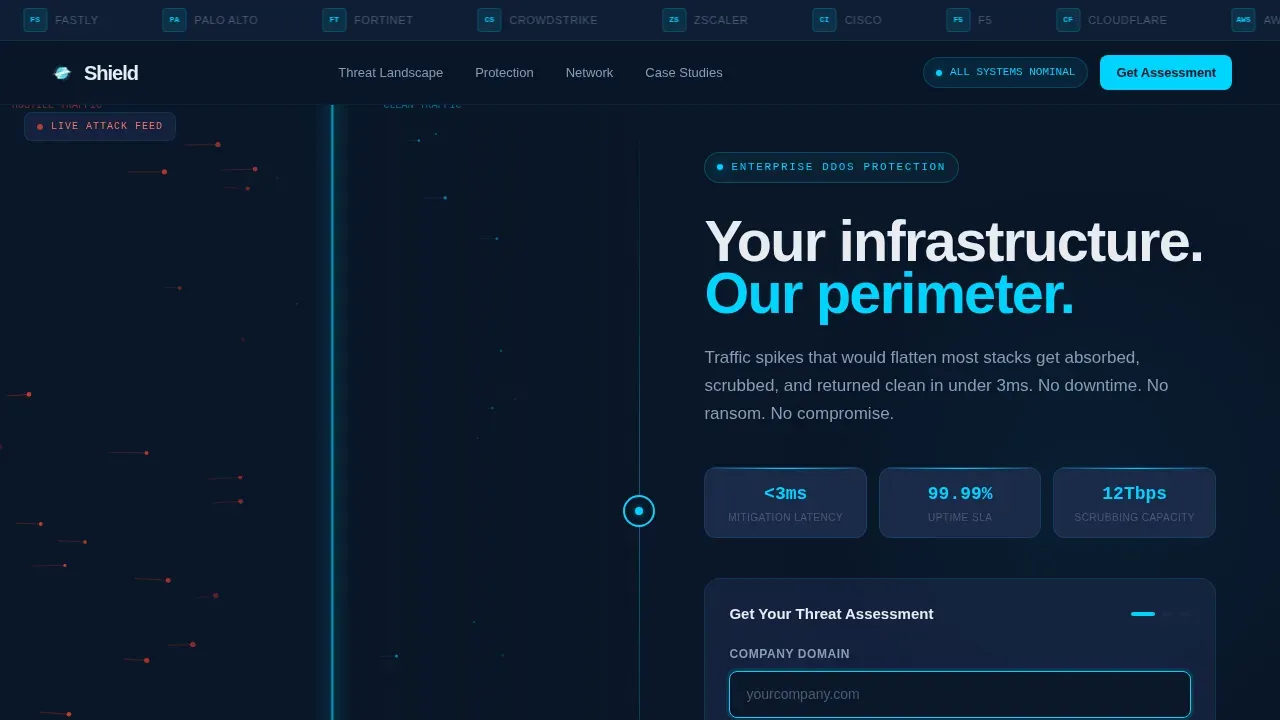
- A 50/50 hero split with a live canvas particle animation showing hostile traffic dissolving at a cyan mitigation wall
- Five sequenced content sections: threat landscape counters, protected-versus-unprotected comparison, global scrubbing network map, and incident timeline case studies
- A sticky three-field progressive lead form, a continuous logo bar for trust signals, and a dark minimal footer
Feature list
This section covers what is actually built into the template as described in the source brief.
Split-Screen Hero with Particle Attack Visualization
The left panel runs a canvas-based particle system rendering hostile traffic as red streams colliding with a cyan mitigation wall, then dissolving. The right panel holds the primary headline and the lead capture form. The animation never stops, the page breathes and signals constant, active protection.
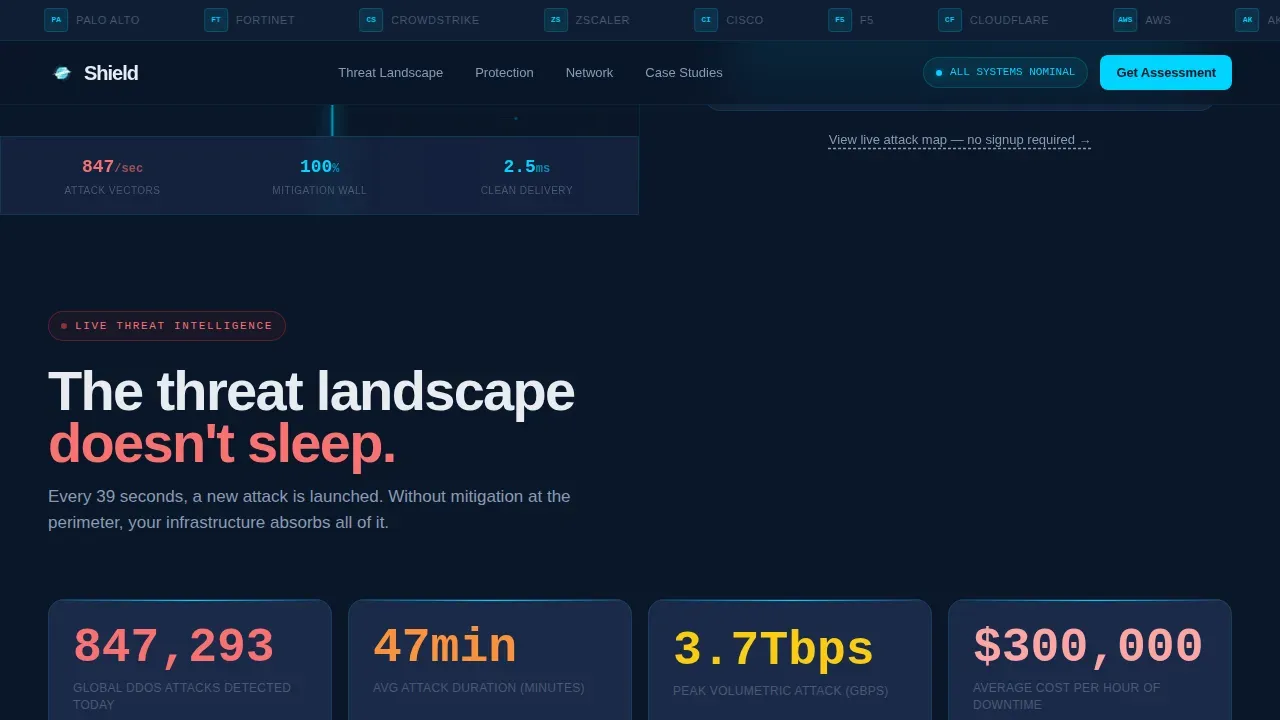
Animated Threat Landscape Counters
The second section displays attack volume data as animated counters ticking upward in real time. This section establishes the threat context immediately, helping visitors understand the scale of DDoS attacks before any claim is made. The tension it creates makes the mitigation sections feel earned.
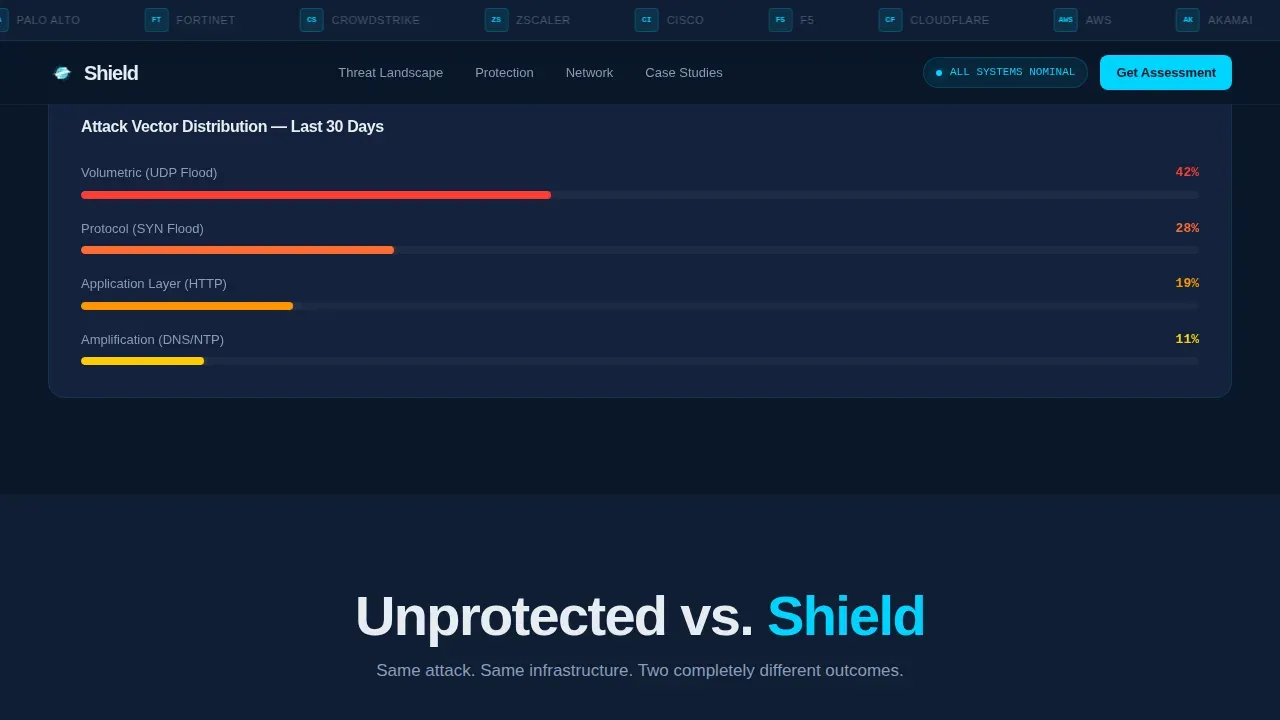
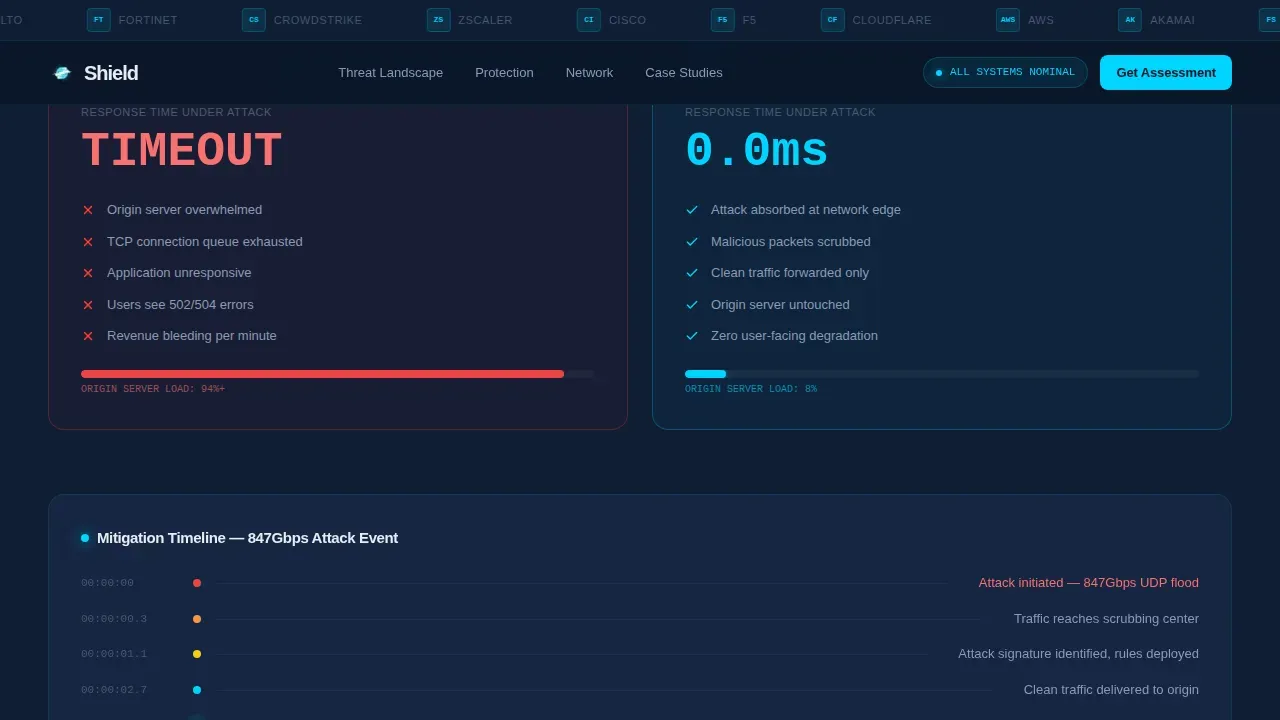
Protected versus. Unprotected Comparison Panel
A side-by-side layout shows response time data racing in real time, one column unprotected, one column shielded. This visual technique is one of the most effective ways to help users identify the performance gap that DDoS protection closes without requiring them to imagine it.
Interactive Global Scrubbing Network Map
The third fold reveals an interactive world map with data center node locations pulsing in electric cyan. Visitors can see where incoming traffic gets routed, scrubbed, and returned as normal traffic. The map demonstrates network scale and global reach in a single glance.
Incident Timeline Case Studies
The fourth fold stacks case study cards formatted as incident timelines: attack detected, mitigated, zero downtime. Each case study reinforces the pattern of tension and resolution. This section builds customer trust by showing real event sequences rather than abstract feature lists.
Progressive Lead Capture Form
The primary call-to-action form uses a three-field progressive disclosure sequence: company domain first, monthly traffic volume dropdown second, and work email third. A sticky version of the call-to-action button stays visible as the user scrolls, and a secondary path offers a live attack map demo with no form required.
Page sections overview
| Section | Purpose |
|---|---|
| Logo Bar Header | Scrolling partner and client logos establish instant credibility |
| Hero Split Screen | Particle animation left, headline and lead form right |
| Threat Landscape | Animated attack counters show live DDoS attack volume data |
| Protected versus. Unprotected | Side-by-side response time comparison drives urgency |
| Global Scrubbing Map | Interactive node map shows data center coverage |
| Incident Timeline | Case study stack proves mitigation under real attack events |
| Footer | Dark minimal single-row footer closes the page cleanly |
Design & branding system
The visual identity follows a Dynamic Motion theme built around a Midnight Blue color system. Every color choice reinforces the SOC-floor aesthetic, dark, precise, and data-driven. Typography uses DM Sans in tight, heavy weights for maximum signal density.
- Color palette: abyssal navy (#0A1628) background, tactical slate (#1B2A4A) card surfaces, electric cyan (#00D4FF) data accents and interactive pulses, cold white (#E8ECF1) for all body and heading type
- Animation system: canvas-based particle streams, CSS keyframe pulses on map nodes, counter animations with requestAnimationFrame, and a continuous marquee scroll for the logo bar
- Typography: DM Sans in heavy weights for headlines, consistent technical tone throughout to match the expectations of infrastructure and security buyers
Mobile & speed optimization
The template is built desktop-first to match the primary audience, CTOs and engineers reviewing vendors on large monitors in a SOC floor context. The layout prioritizes GPU-accelerated transforms and efficient canvas rendering to keep animations smooth without dropping frames.
- GPU-accelerated CSS transforms keep particle animations and node pulses fluid across modern browsers
- Canvas requestAnimationFrame loop manages the particle system efficiently to prevent render blocking
- The progressive form disclosure reduces visible fields at load, keeping the initial viewport clean and focused
How this template helps you convert
Every structural decision in Shield is oriented toward a single goal: turning a technical buyer's concern into a submitted lead. The page earns the click by showing what unprotected looks like before it asks for anything.
- The hero split immediately presents the threat and the solution side by side, so visitors understand the value within the first three seconds of scrolling
- The sticky call-to-action button keeps the primary action visible at every scroll depth, reducing the distance between decision and form submission
- The secondary demo path warms cold visitors who are not ready to commit, bringing them into the funnel without friction before they leave
Other information about this template
Shield is positioned for cyber security vendors whose customers include enterprise and mid-market companies running on major cloud infrastructure. The template's design language and copy structure align with how security buyers evaluate DDoS protection services, through evidence, data, and trust signals rather than marketing claims.
- The logo bar references integration partners common in this space, including names like AWS, Cloudflare, Akamai, and Fastly alongside Fortune 500 silhouettes
- Buyers familiar with services like AWS Shield, AWS Shield Advanced, and the AWS Shield Response Team will recognize the template's trust vocabulary around network-layer and application layer attacks
- The template supports content strategies referencing AWS WAF, managed rules, waf rules, and AWS services for teams positioning against volumetric attacks like syn floods, http floods, and DNS amplification
- For teams documenting protection policies, the template provides natural placements for details on source IP filtering, global accelerator routing, false positives management, and lower thresholds for rate limiting rules
- The AWS Marketplace listing pages and related blog post content can link naturally to this landing page as a lead generation destination
- The template structure supports implementing a multi-layered security message covering network layer defense, application layer attacks, and distributed denial of service scenarios at massive scale
- Teams can create rules sections, add domain-specific data, and configure the form fields to match their lead qualification criteria without rebuilding the page from scratch
Theme
Dynamic Motion
Creative direction
Launch Energy
Color system
Midnight Blue
Style
Split Screen (50/50)
Direction
Lead Generation
Page Sections
Split-screen Hero with Live Particle Animation
Animated Attack Volume Counters
Protected Versus. Unprotected Comparison
Interactive Global Scrubbing Network Map
Incident Timeline Case Studies
Sticky Progressive Lead Capture Form
Related questions
What type of buyer is this template designed for?
Does the template include a working lead capture form?
Can I customize the case study and counter sections?
What attack types does the template's content reference?
Is there a conversion path for visitors who are not ready to fill out a form?



