Shield - Powerful Endpoint Landing Page Template
Shield is a split-screen endpoint protection landing page template built for cybersecurity startups. It features a live coverage estimator, an interactive attack-chain explorer, and a terminal-style visual identity. Designed for CTOs, DevOps leads, and security teams, it turns visitor curiosity into qualified leads through calculated engagement before the form ever appears.
by Rocket studio
Quick summary
Shield is a single-page lead generation template for endpoint protection platforms. It pairs a real-time coverage calculator with an interactive attack-chain diagram, all wrapped in a dark terminal aesthetic. Visitors size their fleet, explore how threats are stopped at each stage, and arrive at the capture form already convinced.
Who this template is for
This template is built for fast-moving teams that need to communicate technical depth without losing their audience. It speaks the language of builders and security buyers at the same time.
- Startup CTOs scaling endpoint coverage from 50 to 5,000 devices rapidly
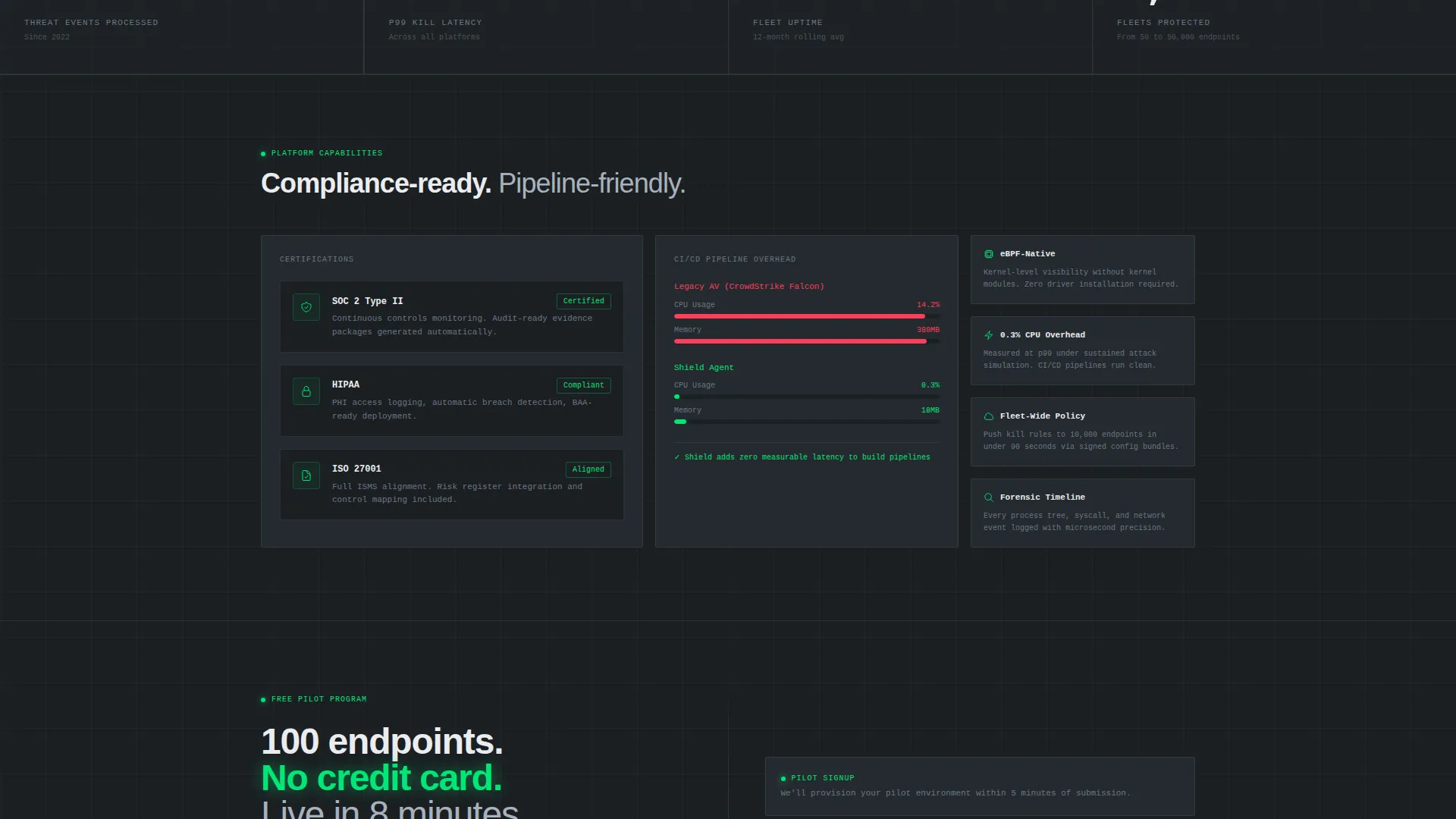
- DevOps leads who need to show that modern endpoint protection does not slow down deployment pipelines
- Series B security leads preparing for their first compliance audit and needing a credible, conversion-ready web presence
What problem this template solves
Most cybersecurity landing pages make visitors read before they understand. Shield flips that pattern. It puts an interactive estimator front and center so visitors calculate their own risk exposure before a single paragraph asks them to act.
- Generic security pages lose technical buyers who want proof, not promises
- Static layouts cannot communicate real-time threat response or fleet-scale complexity
- Standard lead forms feel interruptive when visitors have not yet invested attention in the product
What you get with this template
You get a fully structured, single-page layout designed around one conversion goal: turning a curious security buyer into a captured lead. Every section earns the next scroll.
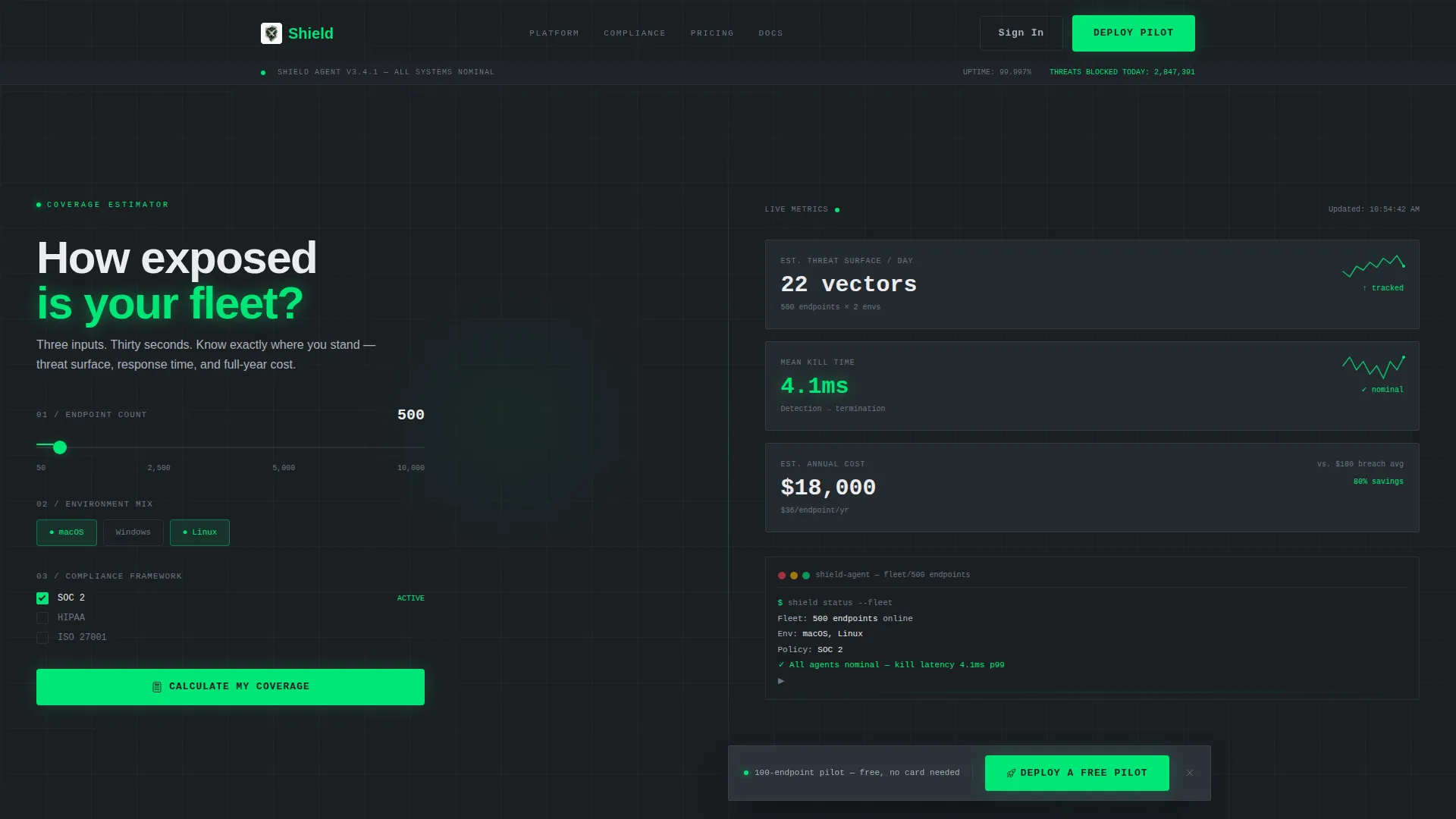
- A split-screen header estimator with a draggable slider, environment toggle chips, and compliance checkboxes feeding live output panels
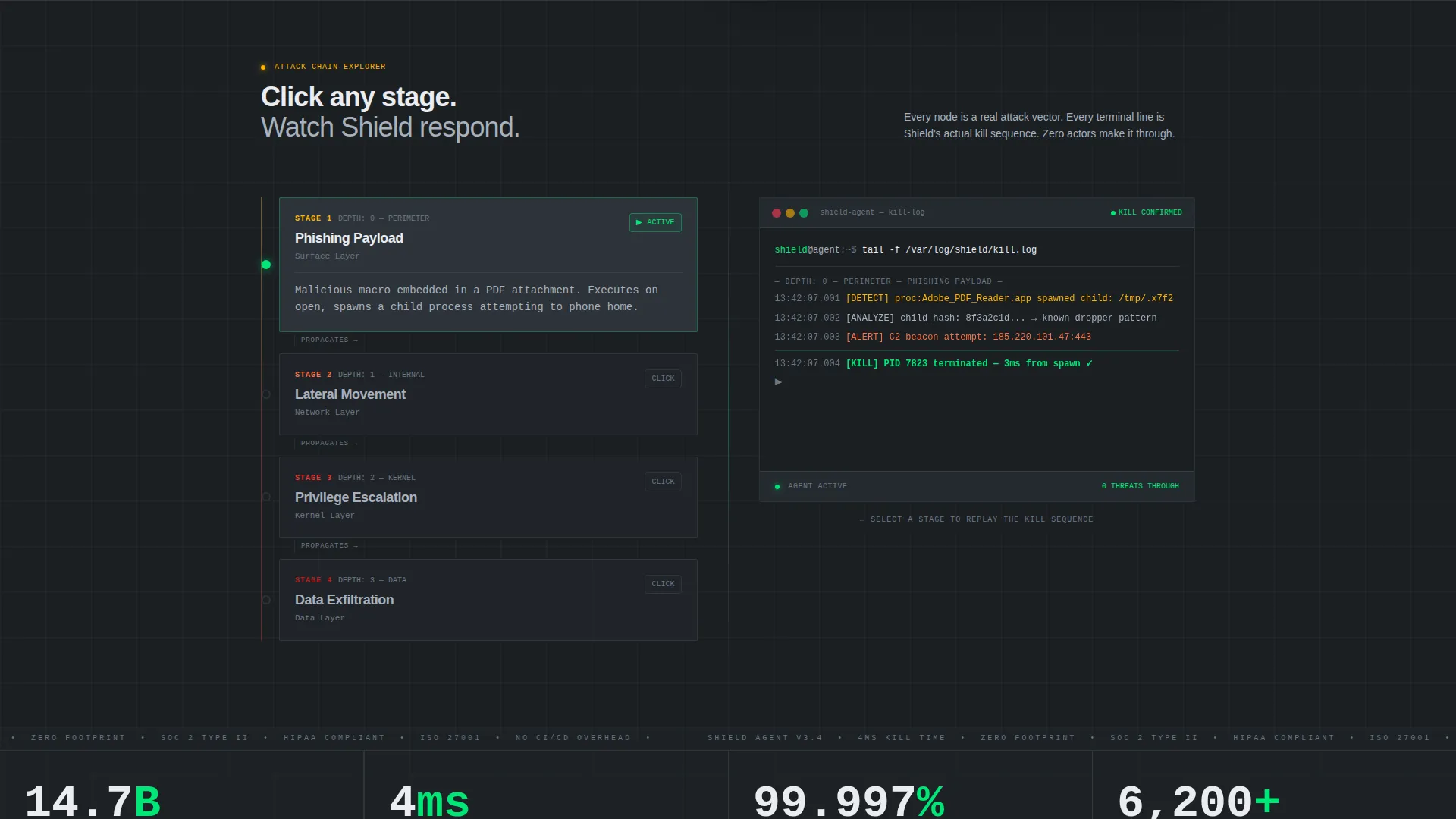
- An interactive attack-chain explorer where visitors click threat nodes and watch a simulated terminal log replay the kill sequence
- A persistent bottom-bar secondary call to action that appears after the third scroll section and links to a free pilot signup
Feature list
This template includes purpose-built components that work together as a conversion system. Each one is grounded in the endpoint security use case.
Live Coverage Calculator Header
The header splits 50/50. The left panel presents three stacked inputs: an endpoint slider ranging from 50 to 10,000, environment toggle chips for macOS, Windows, and Linux, and compliance checkboxes for SOC 2, Health Insurance Portability and Accountability Act (HIPAA), and ISO 27001. The right panel renders estimated threat surface area, mean response time, and annual cost in real time, styled as a monitoring dashboard with spark-line micro-charts that tick live with every input change.
Interactive Attack-Chain Explorer
Below the fold, the split-screen mechanic continues. Visitors click nodes representing phishing payload, lateral movement, privilege escalation, and data exfiltration. The right panel instantly renders how the agent intervenes at that exact stage, complete with a simulated terminal log replaying the kill command. Each node deeper in the chain raises stakes and builds visceral product understanding.
Progressive Lead Capture Flow
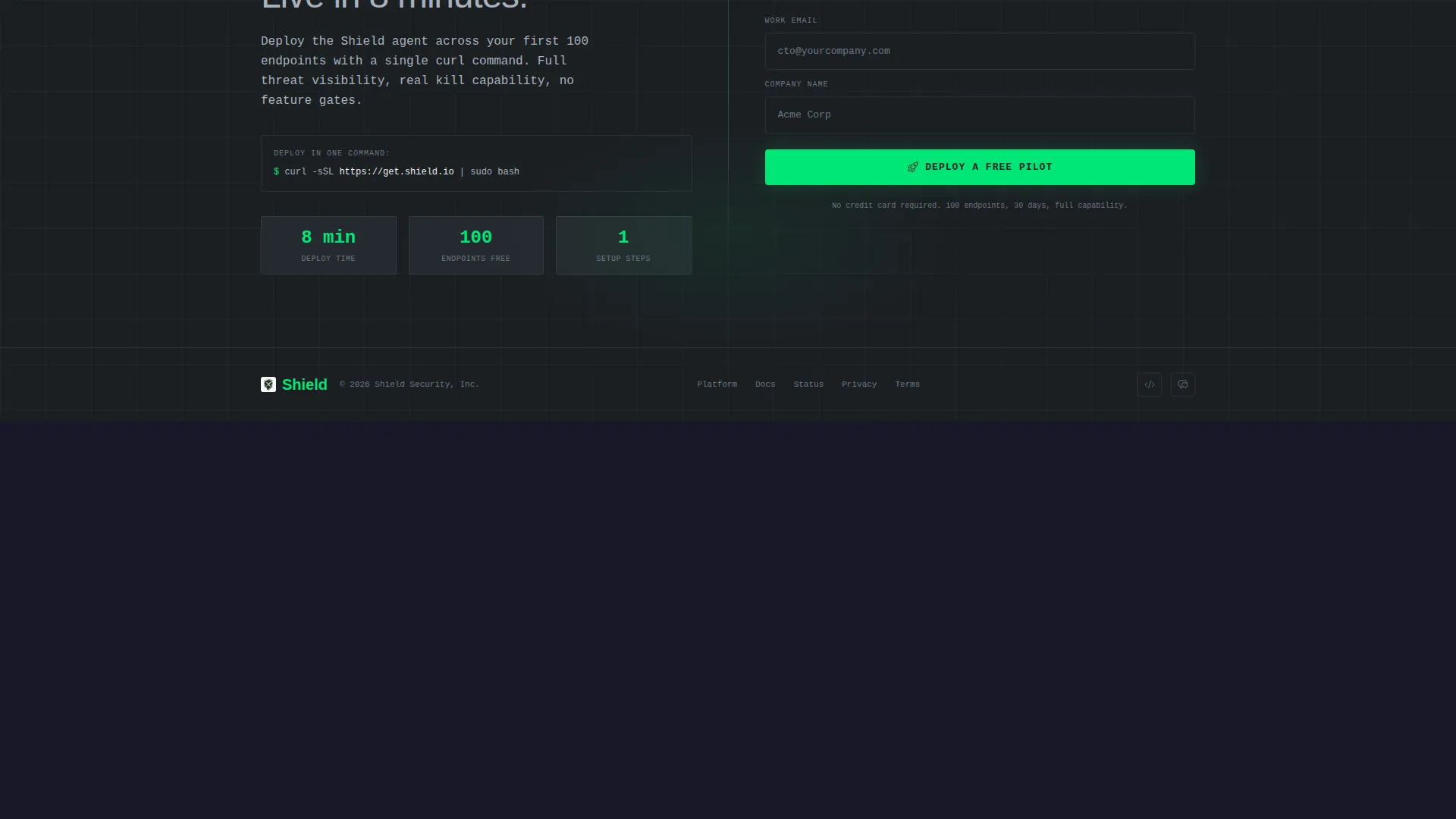
The primary call to action, "Calculate My Coverage," anchors directly to the header estimator. Once the calculator is completed, it expands into a two-field capture form asking for work email and company name. The calculator does the selling first, making the form feel like a natural conclusion rather than an interruption.
Persistent Pilot Signup Bar
A secondary call to action, "Deploy a Free Pilot," floats as a fixed bottom bar after the visitor passes the third scroll section. It links to a 100-endpoint trial signup. The bar stays visible without covering primary content, keeping the low-commitment conversion path always within reach.
Terminal-Style Visual Theme
The entire layout is styled like a live terminal scroll. Green text on dark steel, monospace type treatments, and dashboard-style data panels reinforce the product's speed and precision narrative. The aesthetic is not decorative, it communicates product character before a visitor reads a single word.
Page sections overview
| Section | Purpose |
|---|---|
| Estimator Header | Calculate fleet coverage live |
| Results Dashboard Panel | Display threat surface metrics |
| Attack Chain Explorer | Visualize threat intervention nodes |
| Terminal Log Replay | Simulate agent kill sequence |
| Lead Capture Expansion | Collect email and company |
| Persistent Pilot Bar | Float free trial call to action |
Design & branding system
The visual identity follows a Startup Velocity theme built on a Monochrome Steel color system. Every color choice reinforces the product's precision and speed positioning.
- Deep gunmetal (#1B1F23) as the base background, brushed chromium (#A8B2BD) for secondary text and borders, and cold white (#EAECEF) for primary body copy
- Electric green (#00E676) reserved exclusively for success states, active toggle indicators, and the primary call-to-action button, ensuring it never loses visual priority
- Monospace and terminal-influenced typography throughout, supporting the live-dashboard aesthetic without decorative elements
Mobile & speed optimization
The layout is structured to remain functional and readable across screen sizes. The split-screen mechanic is the primary design consideration for responsive behavior.
- The 50/50 split-screen sections are designed to stack vertically on smaller screens, keeping the estimator inputs and output panels accessible without side-by-side constraints
- Interactive components including the slider, toggle chips, and attack-chain nodes are built for touch interaction as well as mouse input
- The persistent bottom bar is sized and positioned to avoid overlapping key content on mobile viewports
How this template helps you convert
Shield is engineered around a single principle: let the visitor sell themselves before the form appears. The layout creates a conversion path through progressive engagement rather than immediate requests.
- The live estimator captures thirty seconds of active attention upfront, so by the time the two-field form expands, the visitor has already personalized the product to their fleet size, environment, and compliance requirements.
- The attack-chain explorer deepens conviction below the fold. Each node clicked is a micro-commitment that builds product understanding and reduces form-submission hesitation.
- The persistent pilot bar maintains a low-friction secondary conversion path throughout the entire scroll, ensuring visitors who skip the estimator still encounter a clear next step.
Other information about this template
Shield sits at the intersection of endpoint security communication and high-intent lead generation design. It is built specifically for the cybersecurity niche within the broader technology category.
- The template style is Split Screen (50/50), making it well suited for platforms that need to show input and output simultaneously
- The theme is Startup Velocity, which means the design favors speed, density, and technical credibility over lifestyle imagery or decorative layouts
- The creative direction is Interactive Explorer, meaning visitor engagement is driven by clickable, exploratory components rather than passive reading
- The header concept is Calculator/Estimator, a format known to increase time-on-page and lead quality because visitors arrive at the form with personalized data already in hand
- This template is category-matched to Technology, subcategory Cybersecurity, and niche Endpoint Protection, making it directly relevant to teams evaluating or marketing agent-based endpoint detection and response solutions
Theme
Startup Velocity
Creative direction
Interactive Explorer
Color system
Monochrome Steel
Style
Split Screen (50/50)
Direction
Lead Generation
Page Sections
Live Coverage Calculator Header
Interactive Attack-chain Explorer
Progressive Lead Capture Flow
Persistent Pilot Signup Bar
Terminal-style Visual Identity
Related questions
Can I change the endpoint slider range?
Does the attack-chain diagram work on mobile devices?
Can I update the compliance framework checkboxes?
What does the lead capture form collect?
When does the persistent bottom bar appear?



