Chiropractic Digital Presence Pricing Website Template
Adjust is a hub-and-spoke landing page template built for chiropractic digital menu platforms. It combines a Startup Velocity design theme with a Slate and Sky color system to present real-time service displays, pricing tiers, and wait-time counters. The layout drives visitors toward an app download through data-led storytelling and clear, friction-reduced calls to action.
by Rocket studio
Quick summary
Adjust is a single-page, anchor-nav landing page template designed for chiropractic digital menu board platforms. It uses a dark glass panel header, scrolling industry-report storytelling, and a direct app download call to action. The layout is built to earn trust through revenue data before asking for the click.
Who this template is for
This template is built for businesses and practitioners bringing modern digital menu technology into chiropractic settings. It speaks clearly to people who are replacing outdated lobby displays with real-time screens.
- Multi-location chiropractic franchises looking to standardize the patient experience across many offices
- Ambitious solo practitioners upgrading from clipboard-and-whiteboard lobby operations
- Practice management consultants rolling out consistent digital systems for multiple client offices
What problem this template solves
Most chiropractic lobbies still rely on static, backlit service lists that do not reflect real pricing, current promotions, or live wait times. Patients make add-on purchasing decisions in the waiting room, and outdated displays miss that moment entirely.
- Clinics lose per-visit revenue when patients cannot see dynamic pricing tiers or seasonal promotions at a glance
- Franchises waste time managing inconsistent lobby displays across locations without a centralized system
- Practitioners struggle to communicate the full value of their service menu during the patient's idle wait time
What you get with this template
You get a fully structured hub-and-spoke landing page with anchor navigation, designed to guide visitors through a compelling evidence-based journey before reaching the download prompt. Every section is purpose-built for the chiropractic digital menu market.
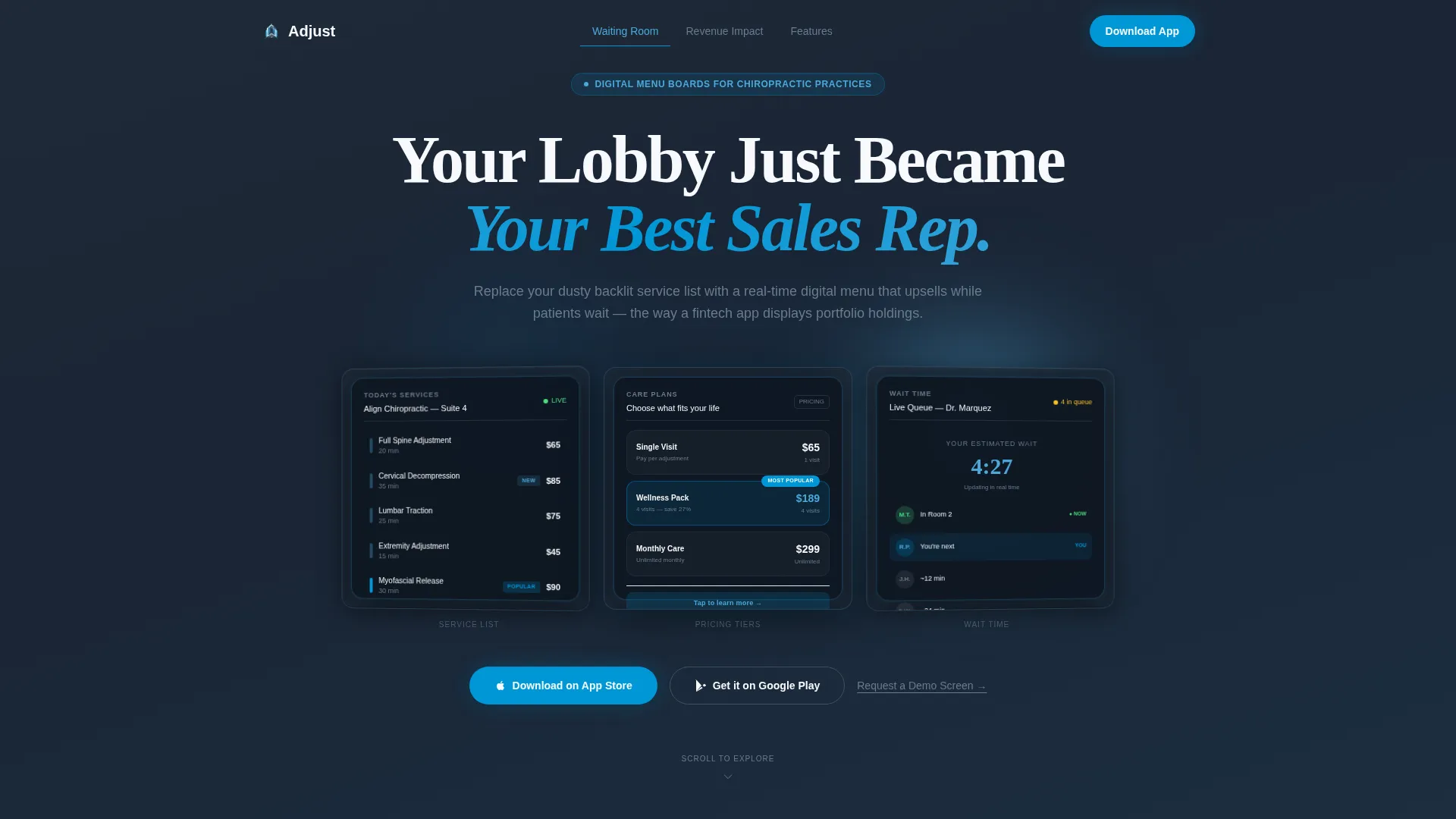
- A frosted dark glass panel header showcasing three live-style chiropractic menu screens with parallax tilt
- Two data-driven spoke sections featuring animated stat counters, a heatmap visual, and a scroll-triggered bar chart
- A feature deep-dive section with individual glass cards per capability, plus a pre-provisioning intake field above the download buttons
Feature list
This template ships with a focused set of components drawn directly from the product brief. Each feature serves the goal of converting lobby visitors into app downloaders.
Dark Glass Panel Header
Three translucent, frosted-glass panel components float against a deep charcoal background. Each panel displays a different chiropractic menu screen: a real-time service list, a dynamic pricing tier with a glowing "Most Popular" tag, and a live wait-time counter. Panels respond to mouse movement with a subtle parallax tilt and glass-reflection effect.
Animated Stat Counter Sections
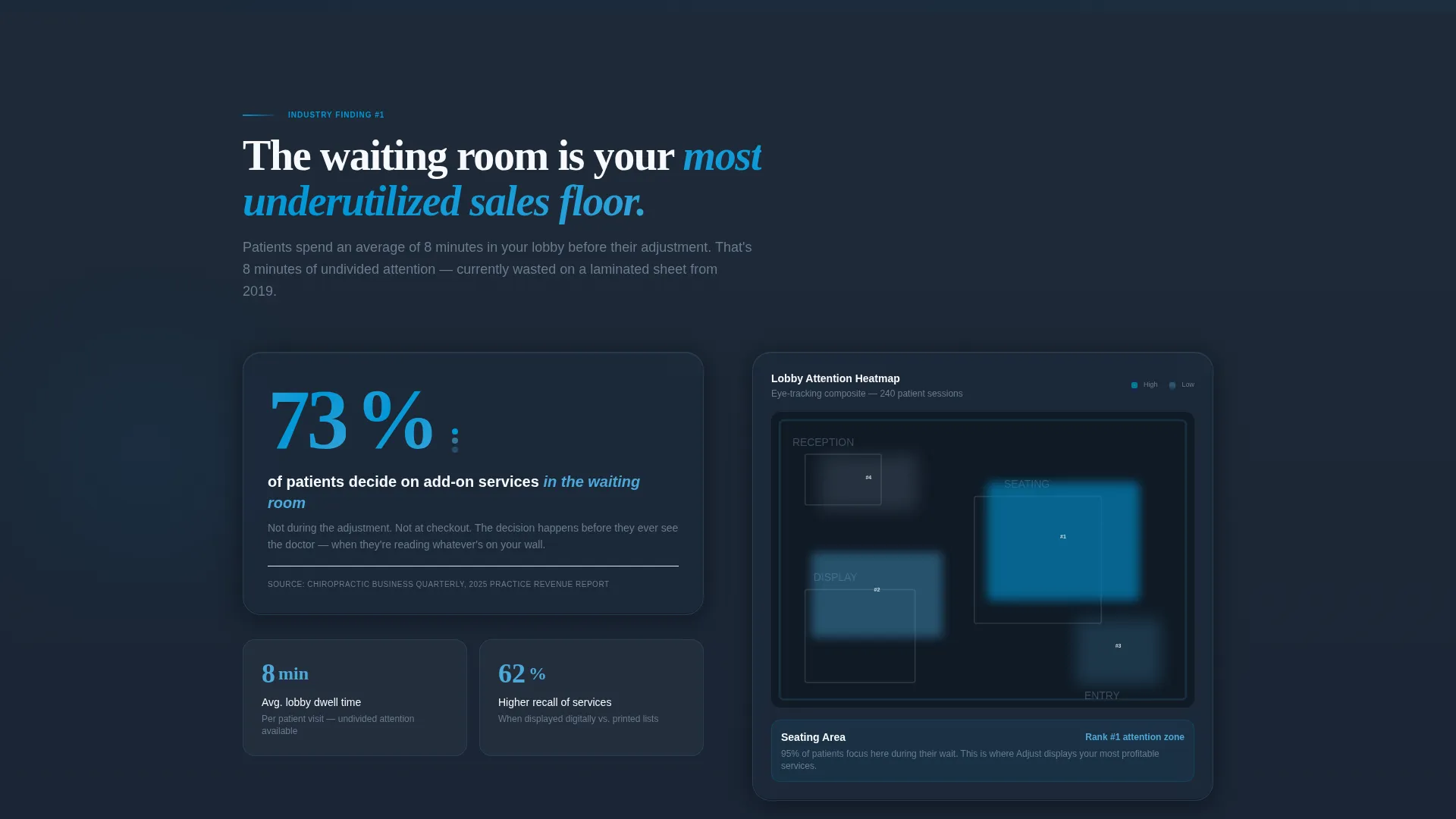
The first data spoke displays a key lobby-revenue statistic with animated number counters that trigger on scroll. A heatmap of lobby attention zones accompanies the stat to ground the finding visually and build immediate authority.
Scroll-Triggered Bar Chart
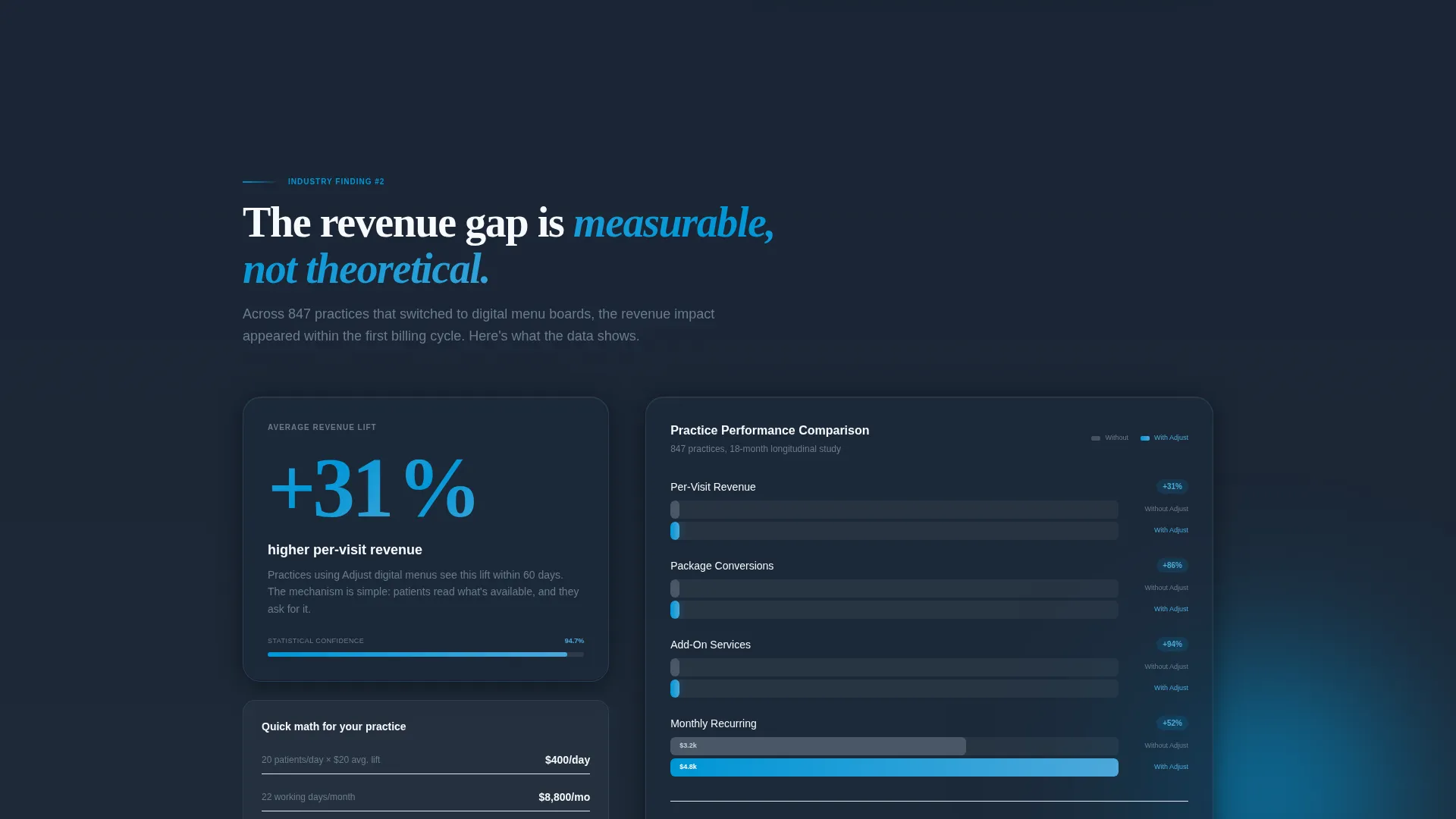
The second data spoke includes a comparative bar chart that builds as the visitor scrolls into view. It presents the revenue lift associated with digital menu adoption, making the financial case without requiring the visitor to do any mental math.
Capability Glass Card Grid
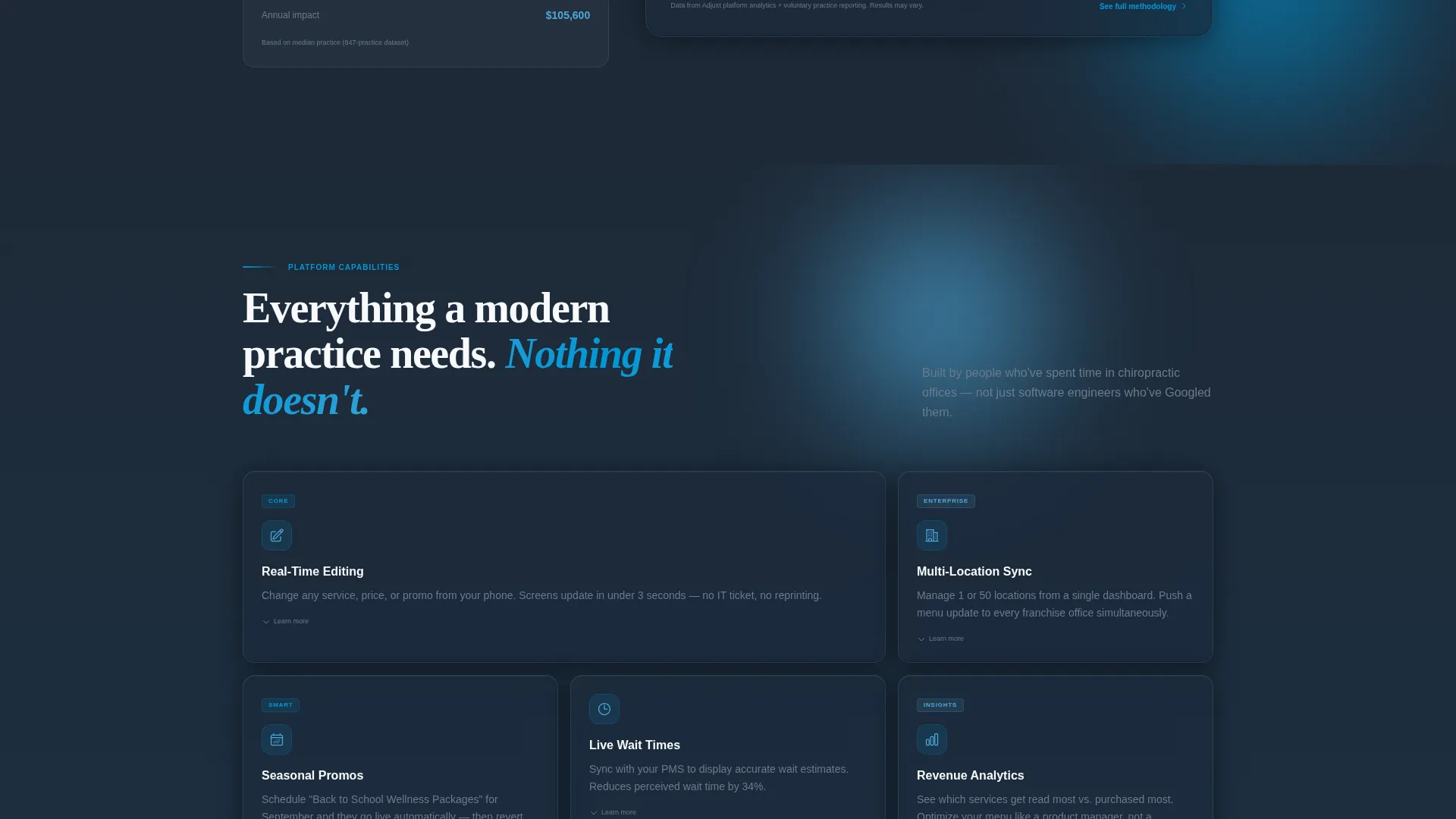
A feature deep-dive section organizes platform capabilities into individual glass card components. Each card covers one capability: real-time editing, multi-location sync, and seasonal promo scheduling. The grid format keeps the section skimmable without sacrificing detail.
App Download Call to Action with Pre-Provisioning
The primary call-to-action block includes paired App Store and Google Play badge buttons alongside a phone number or practice name input field. The intake field pre-provisions the account before download, reducing setup friction to near zero.
Tertiary Demo Request Path
An additional call-to-action path labeled "Request a Demo Screen" sits alongside the primary download block. It gives enterprise-scale prospects and franchise buyers a lower-commitment entry point without disrupting the main conversion flow.
Page sections overview
| Section | Purpose |
|---|---|
| Header with panels | Introduce the product visually with three live-style chiropractic menu screens |
| Lobby revenue spoke | Present the stat that 73% of patients decide on add-on services in the waiting room |
| Revenue lift spoke | Show the 31% higher per-visit revenue finding with a scroll-triggered bar chart |
| Feature card grid | Break down real-time editing, multi-location sync, and promo scheduling by capability |
| App download block | Drive the primary conversion with download badges and a pre-provisioning intake field |
| Demo request path | Offer enterprise and franchise prospects a lower-friction entry point |
Design & branding system
The Slate and Sky color system is built around four deliberate tones that balance clinical authority with forward-looking technology confidence. The overall effect feels like a glass-walled office at dawn: precise, airy, and ready for business.
- Deep charcoal slate (#1E2A38) and clinical mid-gray (#6B7B8D) anchor backgrounds and body typography, keeping the layout grounded
- Open-sky blue (#4DA8DA) draws the eye toward key content moments, while sharp white (#F7F9FC) provides the breathing room that signals clean, professional software
- Electric cerulean (#0096D6) activates buttons, interactive anchor links, and the glowing "Most Popular" pricing tag throughout the page
Mobile & speed optimization
The template is structured for responsive display across device sizes, with component choices that translate cleanly from desktop to mobile without losing the visual identity.
- The glass panel header and card grid components are designed to reflow for smaller viewports while preserving the parallax and tilt interactions on capable devices
- Anchor navigation links give mobile visitors quick access to any spoke section without excessive scrolling
- The app download block with App Store and Google Play badges is natively suited to mobile visitors, who can tap directly from the landing page into their device's app store
How this template helps you convert
The conversion strategy is built on earning the download before asking for it. Visitors move through a sequence of increasing confidence, not a single promotional pitch.
- The header immediately positions the product as a real technology tool by showing actual menu screens, removing any ambiguity about what the platform does before the visitor reads a single word of body copy.
- The two data-driven spoke sections front-load the revenue argument, so that by the time visitors reach the call-to-action block, they have already internalized the cost of inaction and the math points clearly toward downloading.
- The pre-provisioning intake field above the download buttons removes the setup barrier that typically causes drop-off after an app download, making the path from click to active account as short as possible.
Other information about this template
This template is part of the Startup Velocity theme family and is categorized under the Technology vertical with a focus on the chiropractic digital presence subcategory. It sits at the intersection of health-practice operations and consumer-facing software design.
- The hub-and-spoke anchor navigation structure means every section is reachable from the top of the page, reducing pogo-stick behavior for visitors who arrive with a specific question
- The Industry Report creative direction is intentional: the layout borrows authority signals from professional research briefs to position the platform as a data-backed solution rather than a marketing claim
- The template is suitable for use by platform founders, product marketing teams, and agency partners building out go-to-market pages for chiropractic technology products
Theme
Startup Velocity
Creative direction
Industry Report
Color system
Slate & Sky
Style
Hub & Spoke (Anchor Nav)
Direction
App Download
Page Sections
Dark Glass Panel Header with Parallax Tilt
Animated Lobby Revenue Stat Section
Scroll-triggered Comparative Bar Chart
Capability-focused Glass Card Grid
App Download Block with Pre-provisioning Intake
Tertiary Demo Request Call to Action
Related questions
Who is the Adjust template designed for?
Can I customize the stat figures and chart data shown in the template?
Does the template include both App Store and Google Play download paths?
What is the purpose of the pre-provisioning intake field?
Is this template suited to a franchise operator managing many locations?



