Advanced Beauty & Salon Digital Presence Professional Website Template
Glow is a dashboard-style landing page template built for salon knowledge bases. It presents your formula library, training modules, and client protocols inside a clean data-grid layout. The deep slate and sky-blue color system gives it the precision feel of a professional tool. One click moves visitors straight into a live demo, with no forms in the way.
by Rocket studio
Quick summary
Glow is a single-page, dashboard-style template designed for beauty and salon knowledge base products. It organizes formulas, training content, and client protocols into a systematic feature-matrix layout. The visual identity uses a Slate and Sky color palette to feel both clinical and modern. A live code snippet header and repeat call-to-action buttons guide visitors toward an interactive demo without friction.
Who this template is for
This template is built for professionals who manage salon knowledge at scale. Whether you train a growing team or track your own formulation notes, Glow gives your product the credibility its complexity deserves.
- Salon owners building structured training systems for new stylists
- Independent booth renters managing personal product formulas and client protocols
- Multi-location salon managers standardizing service menus across multiple teams
What problem this template solves
Salon knowledge is scattered. Formulas live in notebooks, training steps float in group chats, and client protocols get lost between staff changes. A powerful product needs a landing page that communicates that depth clearly and earns visitor trust fast.
- Visitors cannot quickly understand a complex knowledge base product from a plain text page
- Potential customers need to see real data structures before they trust a tool with their formulas
- Teams evaluating software need proof that the product handles multi-user, multi-location complexity
What you get with this template
You get a fully structured landing page that reads like a control panel. Every section is designed to reveal product capability progressively, building visitor confidence from the first scroll to the final call to action.
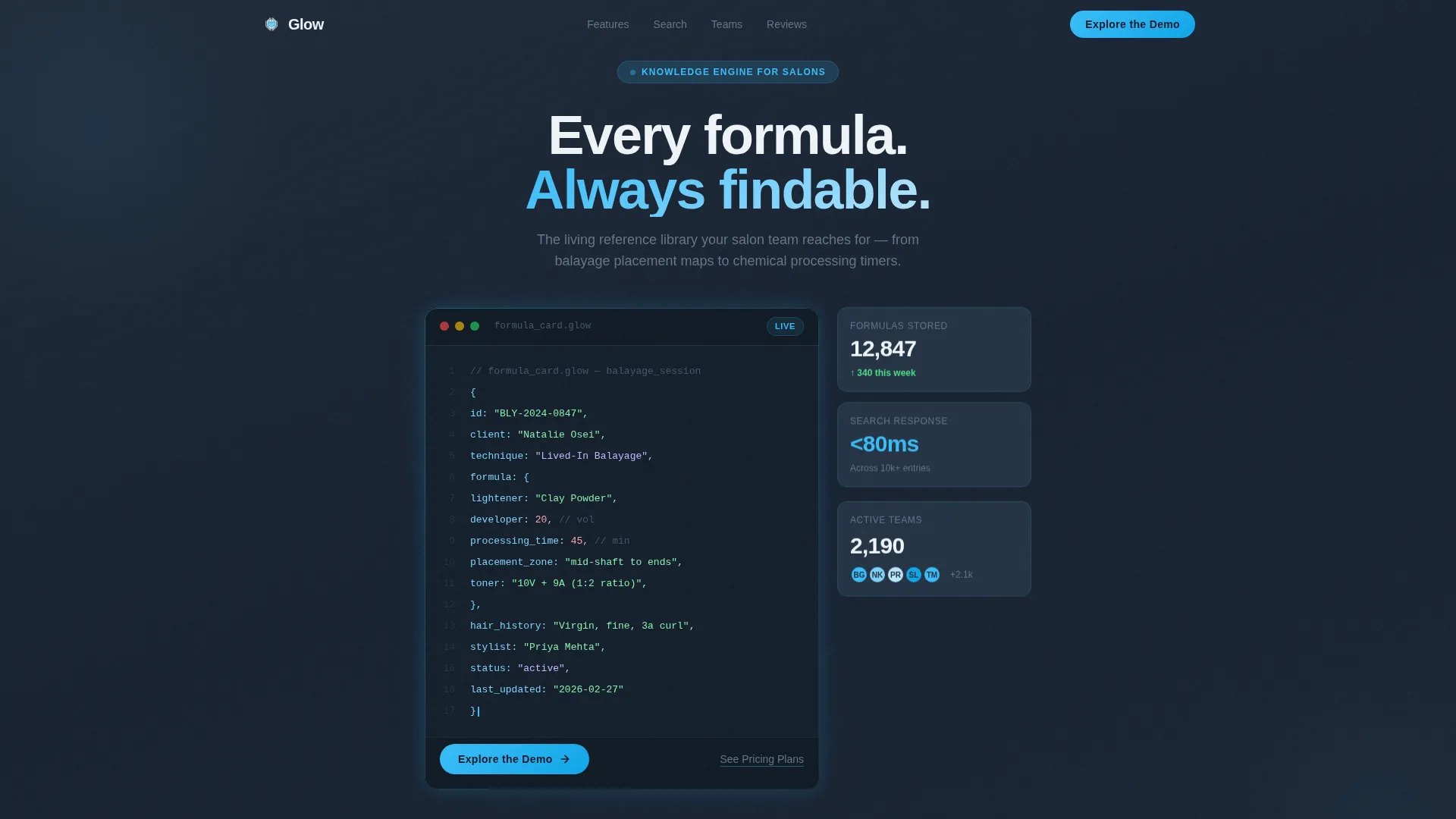
- A live-styled code snippet header showing a real balayage formula card with color-coded syntax highlighting
- A feature matrix grid where each capability tile expands to show depth on hover or click
- Repeat call-to-action placements using sky-blue pill buttons that lead directly to a demo, with no forms required
Feature list
This section covers the core capabilities built into the Glow template. Each component is drawn directly from the brief and reflects the template as designed.
Live Code Snippet Header
The header opens with a syntax-styled block displaying a real knowledge base entry. Fields include developer volume, processing time, placement zone, and client hair history. Monospaced font and sky-blue color-coded tags sit against the deep slate background, and a blinking cursor suggests the system is always active.
Feature Matrix Grid Layout
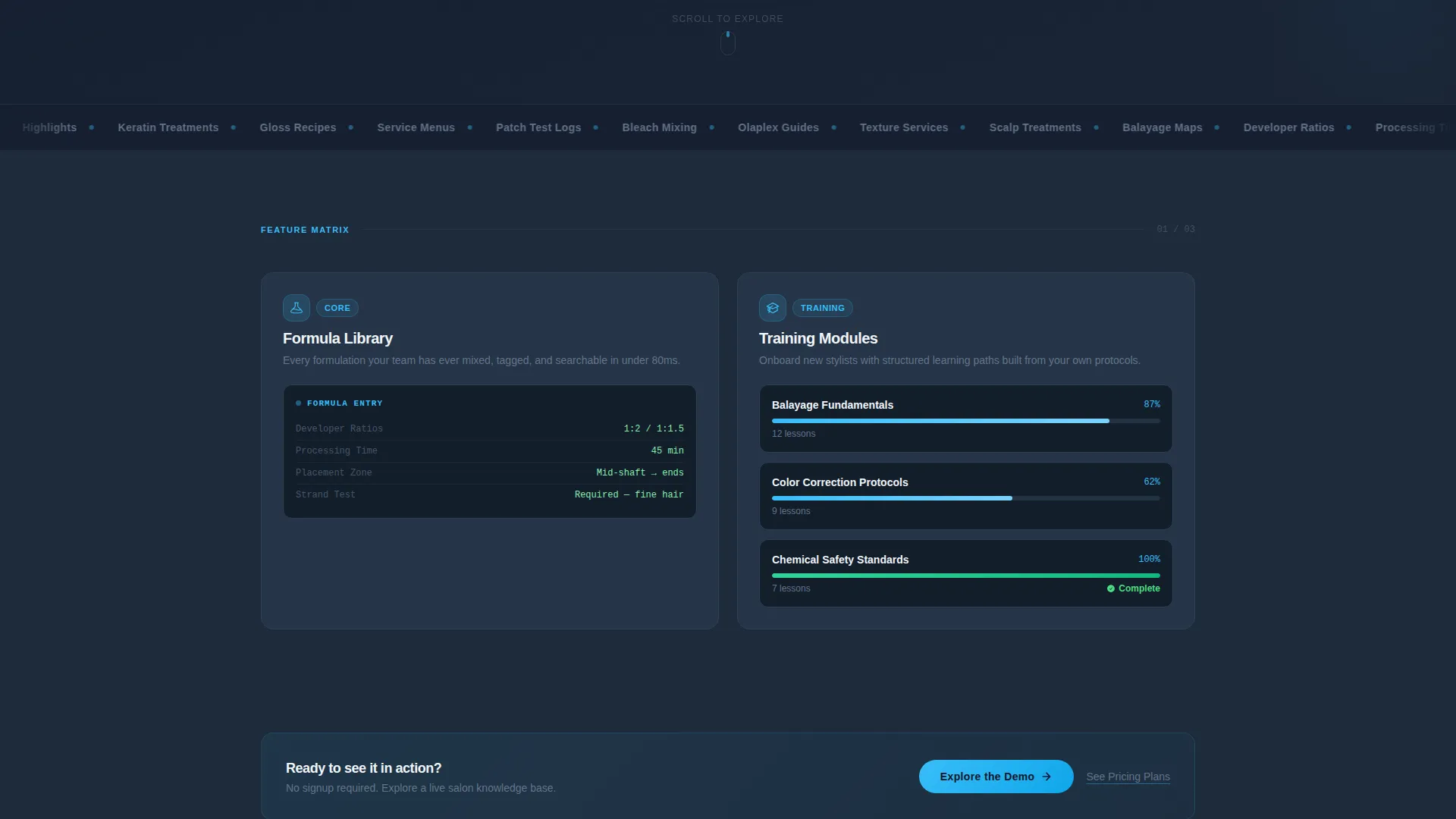
The scroll experience is a systematic grid reveal. Each capability category appears as its own dashboard tile. Tiles expand on hover or click to show the depth behind each feature, building complexity row by row from simple search through to advanced multi-location functionality.
Repeating Click-Through calls to action
The primary call-to-action button reads "Explore the Demo" and appears first inside the header section. It repeats after every second row of the feature matrix. A secondary text link reading "See Pricing Plans" sits beneath each primary button for visitors who are already past the discovery phase.
Dashboard Pro Visual Theme
The template uses the Dashboard Pro theme with the Slate and Sky color system. Deep charcoal slate handles primary backgrounds, sky blue drives interactive accents, and soft cloud white keeps card surfaces readable. The result feels like a high-end scheduling tablet built for professional use.
Capability Category Tiles
Six capability categories are presented as individual dashboard tiles: Formula Library, Training Modules, Client Protocol Cards, Search and Filters, Team Permissions, and Integrations. Each tile is its own proof point, showing visitors that the product handles a specific pain point rather than making general claims.
No-Form Conversion Path
This template removes form friction entirely. Every call-to-action passes the visitor directly into a live interactive demo environment. The page earns the click by showing real data structures and interface previews before any commitment is asked.
Page sections overview
| Section | Purpose |
|---|---|
| Code Snippet Header | Opens with a live-styled formula card to demonstrate the product's data structure immediately |
| Primary call to action Block | Places the "Explore the Demo" pill button and "See Pricing Plans" link within the header area |
| Formula Library Tile | Shows depth of the searchable formula and technique reference system |
| Training Modules Tile | Presents the structured stylist onboarding and training content capability |
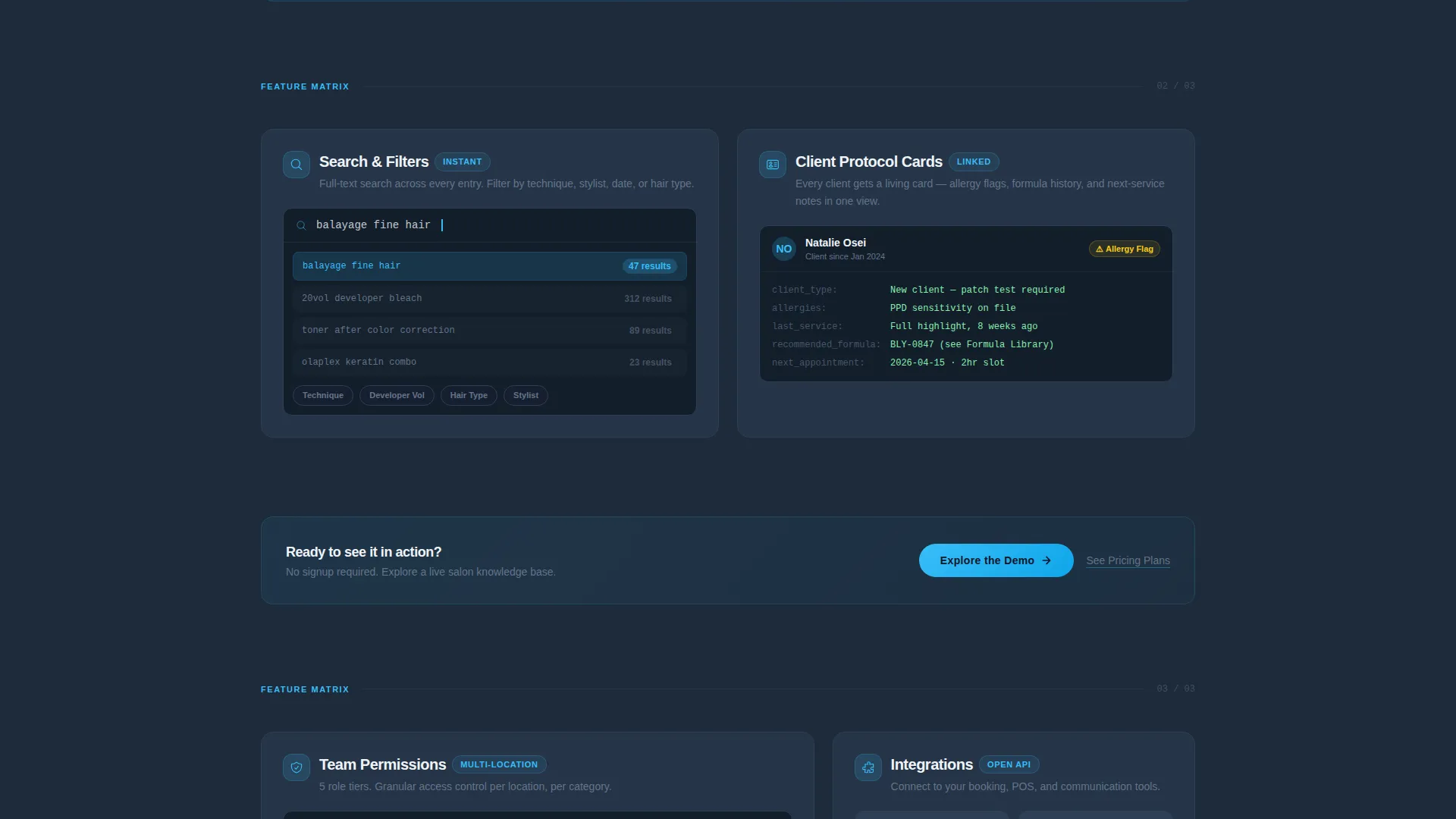
| Client Protocol Cards Tile | Highlights how client-specific formulation notes and history are stored |
| Search and Filters Tile | Demonstrates how teams locate specific entries quickly across the knowledge base |
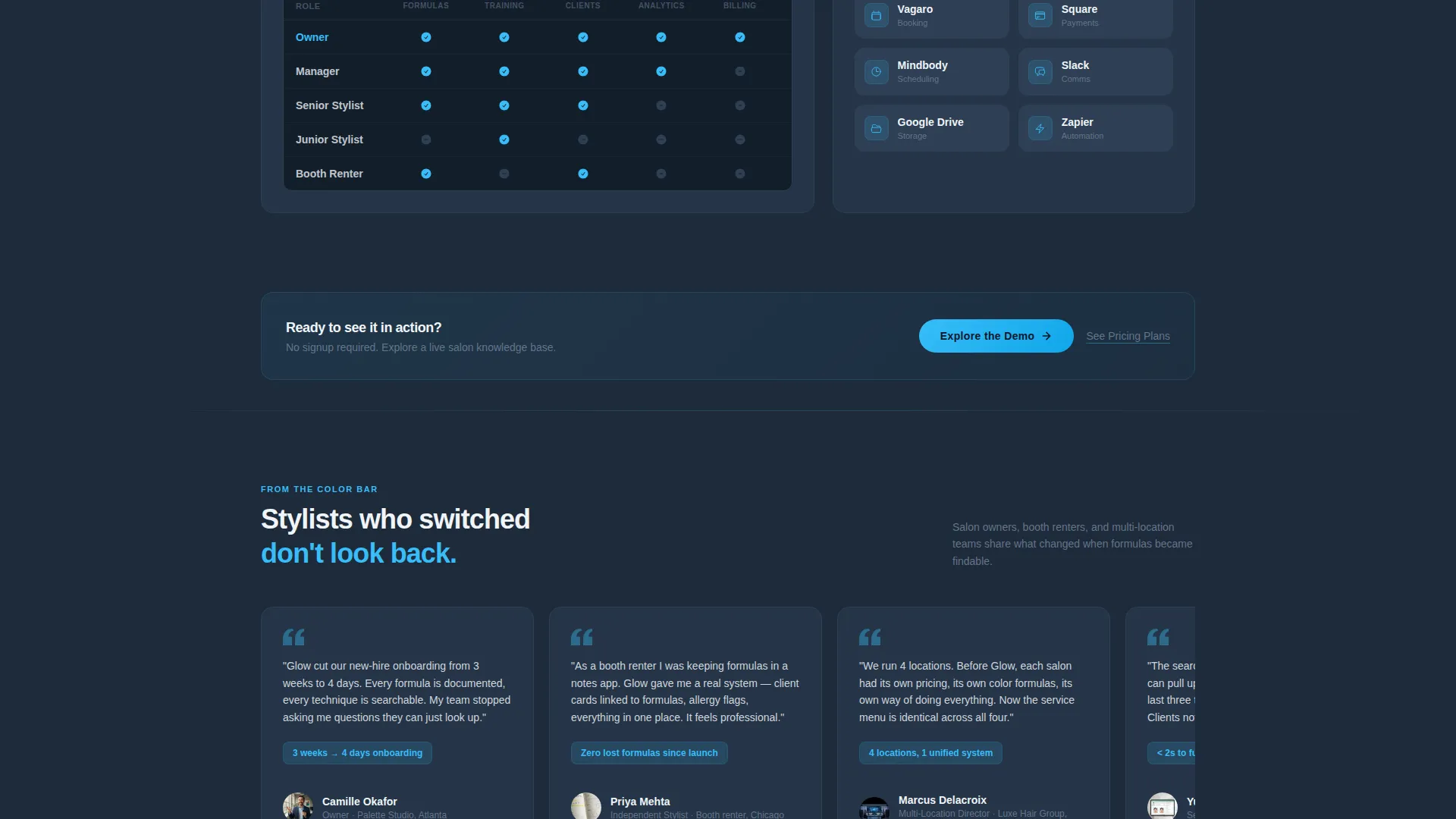
| Team Permissions Tile | Covers multi-user access control and role-based content visibility |
| Integrations Tile | Signals compatibility and workflow connection potential for salon tech stacks |
| Mid-Page call to action Repeat | Reinserts the demo button after every second feature row to maintain conversion momentum |
Design & branding system
The Glow template uses the Dashboard Pro theme with a Slate and Sky palette. Every color choice reinforces a sense of precision and professionalism, matching the expectations of a tool trusted with chemical formulas and client data.
- Deep charcoal slate (#1E2A3A) for primary backgrounds, cool mid-gray (#64748B) for secondary panels and data borders, sky blue (#38BDF8) for interactive accents and active states, and soft cloud white (#F0F4F8) for card surfaces and content areas
- Monospaced typography inside the code snippet header adds a technical, trustworthy tone without feeling cold
- The overall aesthetic feels like a high-end scheduling tablet at a salon reception desk: clinical enough for formulas, modern enough to feel current
Mobile & speed optimization
The dashboard-grid layout is structured to adapt across screen sizes. The tile-based composition naturally reflows into stacked columns on smaller viewports, keeping the feature matrix readable and the call-to-action buttons accessible at every breakpoint.
- Each capability tile is self-contained, which means it can reorder or resize without breaking the visual logic of the feature matrix
- The no-form conversion path reduces page weight and removes interaction barriers on mobile, keeping the path to the demo as short as possible
How this template helps you convert
The Glow template is built around a single conversion goal: get the visitor into the demo. Every design and copy decision supports that one outcome.
- The code snippet header shows real data immediately, replacing abstract feature claims with concrete proof that the product works as described
- The feature matrix builds belief progressively, so by the time the visitor reaches the final call-to-action repeat, they have already seen six proof points across the full capability range
Other information about this template
Glow is categorized under Technology with a focus on beauty and salon digital presence. It is designed as a single-page, click-through landing page, not a multi-page website. The template is part of a broader Dashboard Pro theme family and is compatible with the Slate and Sky color system used across that design language.
- The template style is classified as Dashboard and Data Grid, making it suitable for any software product that needs to communicate structured, data-rich functionality
- The creative direction follows a Feature Matrix approach, a scroll pattern where complexity builds intentionally from row to row
- The header concept is a Code Snippet, a design pattern borrowed from developer tools that signals technical depth to a professional audience
Theme
Dashboard Pro
Creative direction
Feature Matrix
Color system
Slate & Sky
Style
Dashboard/Data Grid
Direction
Click-Through
Page Sections
Live Code Snippet Header
Feature Matrix Grid Reveal
No-form Click-through Ctas
Capability Category Tiles
Dashboard Pro Visual Theme
Related questions
Does this template include a contact form or sign-up form?
Can I change the six capability categories shown in the feature matrix?
Is the code snippet in the header real or purely decorative?
Who is this template best suited for?
Can the Slate and Sky color system be updated to match a different brand?



