Dark-Theme Photography Studio Reveal Website Template
Shutter is a scroll-reveal photography studio landing page built for photographers who engineer moments, not just capture them. It uses a glassmorphic dark aesthetic, a Problem-to-Solution reveal arc, and a pinned comparison-driven call to action to turn passive visitors into active inquiries. The template is designed for studios targeting creative directors, e-commerce teams, and editorial clients.
by Rocket studio
Quick summary
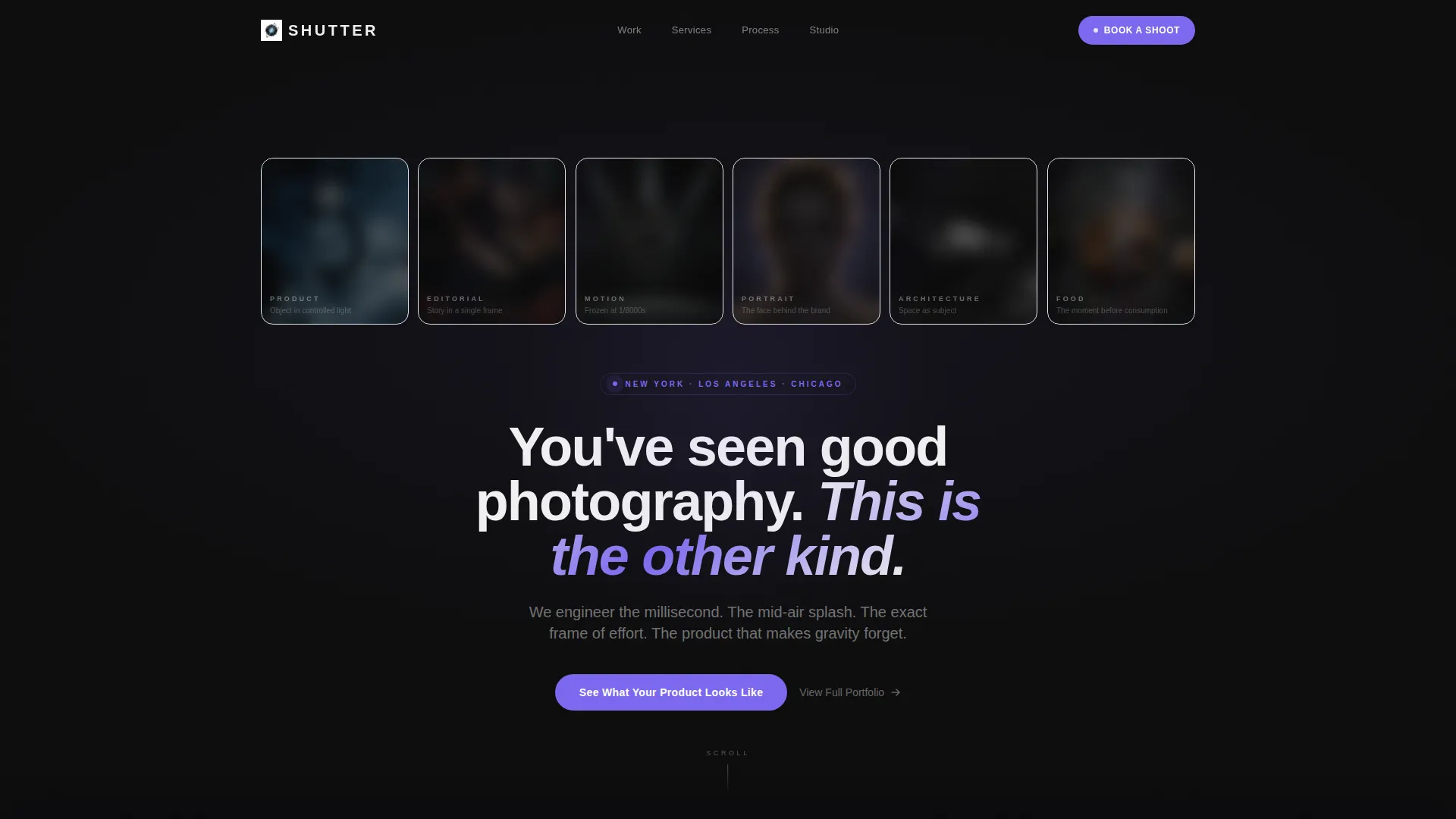
Shutter is a single-page, scroll-driven portfolio template for high-end photography studios. It opens with six frosted Dark Glass Panels, each hiding a different genre of work. As visitors scroll, dull "before" images shatter away to reveal the studio's explosive versions. Every section trains the eye and builds urgency until the primary call to action feels inevitable.
Who this template is for
This template is built for photographers who position themselves above commodity studios. It speaks directly to the clients those photographers want to attract.
- Freelance and studio photographers targeting creative directors at advertising agencies
- E-commerce managers replacing flat, low-converting product photography
- Editorial photographers pursuing magazine cover and campaign briefs
What problem this template solves
Most photography portfolio pages feel like an online gallery. They show work but never explain why mediocre photography is costing the client money. Shutter is built around that argument.
- Flat portfolio pages do not communicate the gap between average and exceptional imagery
- Visitors leave without understanding what poor photography costs their brand or conversion rate
- Generic contact forms do not qualify leads or guide visitors toward the right shoot type
What you get with this template
You get a fully structured, single-page layout that argues the case for great photography before asking for anything. The page is organized as a progressive scroll experience.
- A six-panel glassmorphic header with cursor-reactive parallax and genre-based image reveals
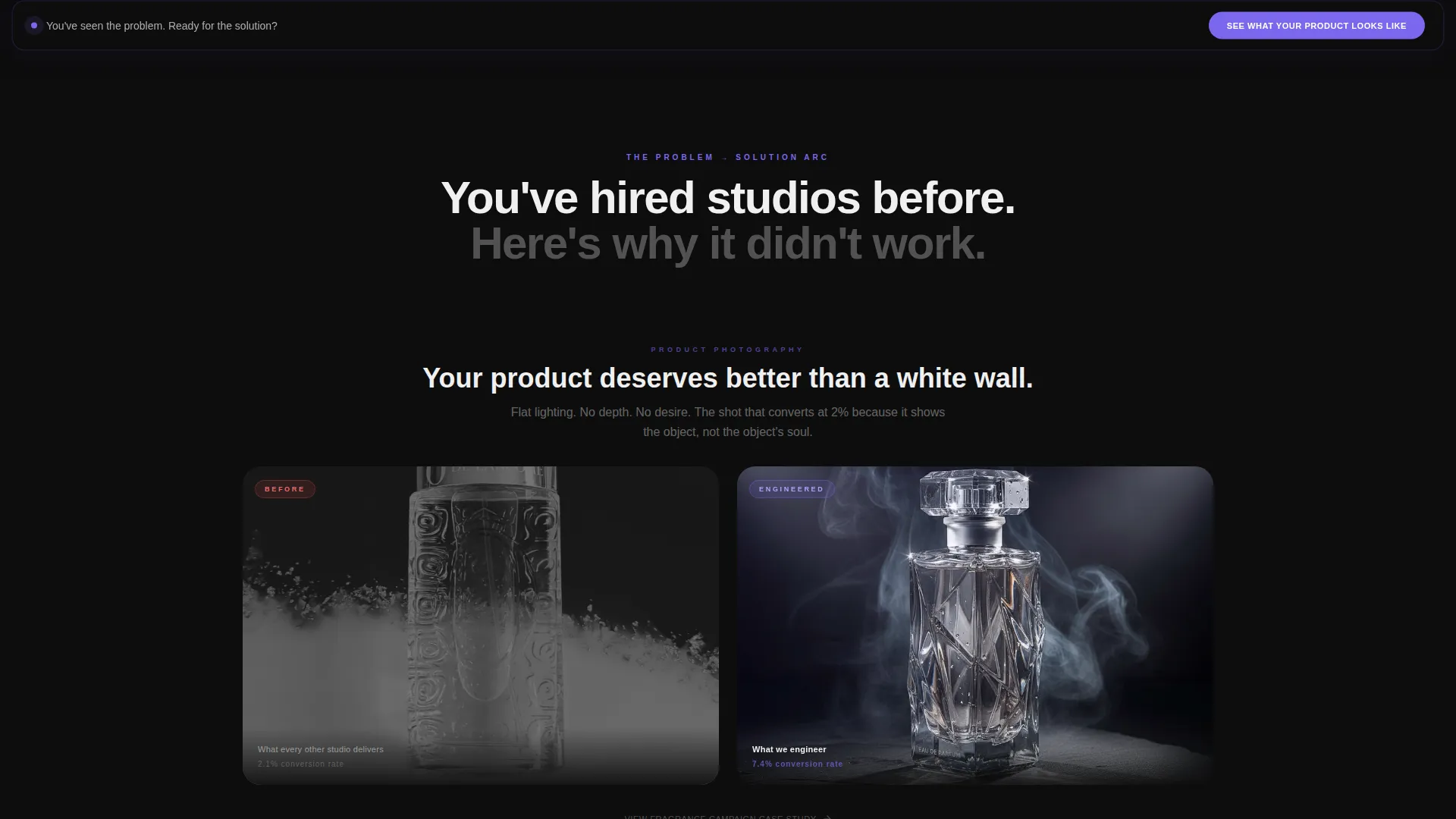
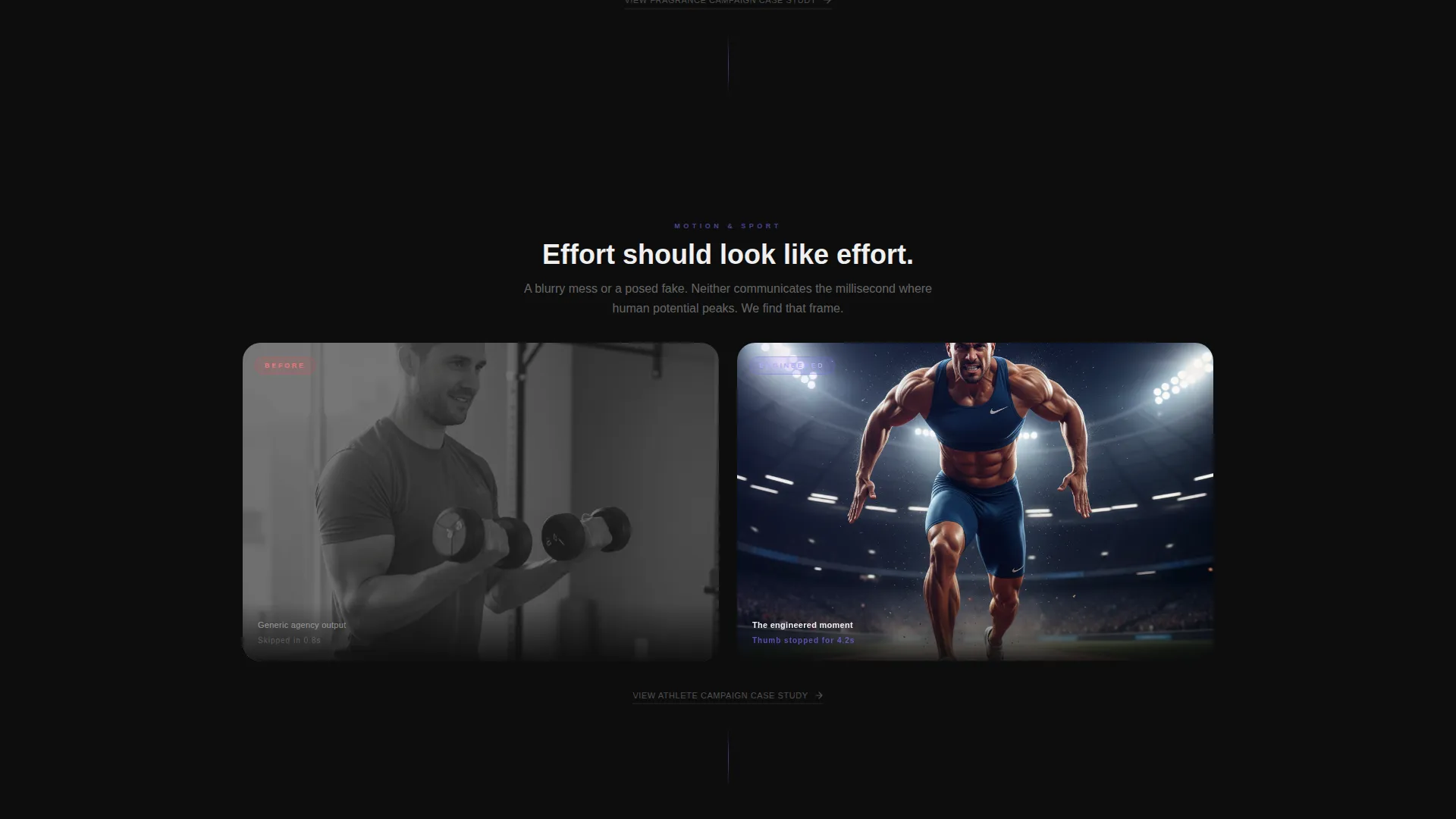
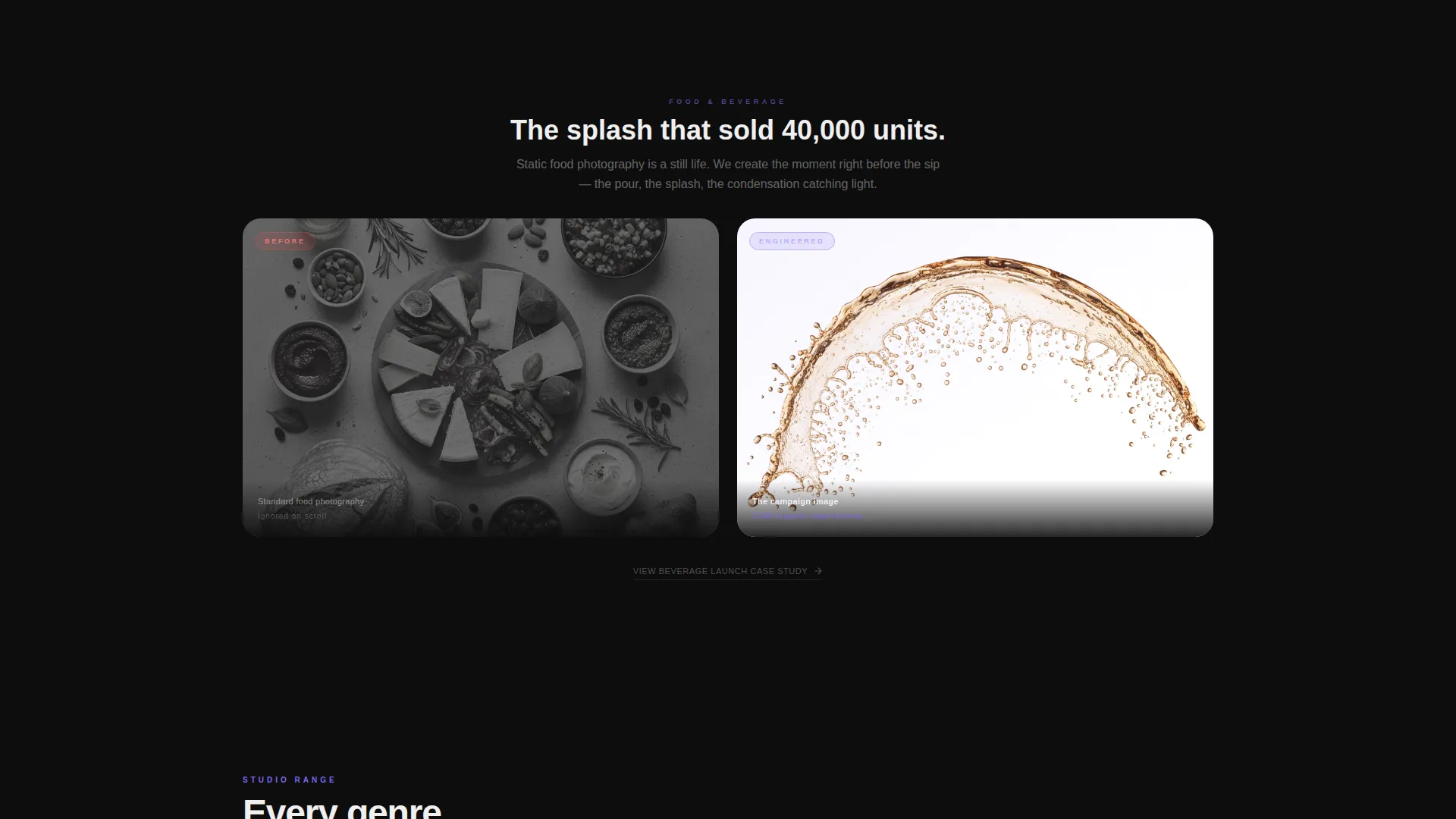
- A Problem-to-Solution arc with six comparison pairs, each more dramatic than the last
- A pinned call-to-action button and frosted glass modal with an image upload field, shoot-type selector, and email entry
Feature list
This template delivers a tightly sequenced set of interactive and visual features. Each one is drawn directly from the studio brief and serves the conversion goal of the page.
Six-Panel Dark Glass Header
Six frosted rectangular panels float over a deep obsidian background. Each panel represents a photography genre: product, editorial, motion, portrait, architectural, and food. Cursor movement triggers a subtle parallax tilt, and the nearest panel de-frosts to reveal the full image beneath.
Progressive Problem-to-Solution Arc
Each scroll section opens with a dull, flat-lit "before" image on a muted static card. As the visitor scrolls further, the glass panel shatters or slides away to expose the studio's version of the same subject. Six comparison pairs escalate in drama and complexity from product shots to full campaign imagery.
Pinned Comparison Call to Action
After the third reveal, the primary call to action, "See What Your Product Looks Like," pins to the bottom of the viewport and stays visible for the remainder of the scroll. It does not interrupt the narrative; it accompanies it.
Frosted Glass Upload Modal
Clicking the primary call to action opens a modal built in the same glassmorphic style. Visitors upload a reference image, select a shoot type from four options (product, campaign, editorial, headshots), and enter their email address to submit.
Micro-Animation Transitions
Between each comparison section, micro-animations including a slow shutter drag effect and a light-leak sweep carry the visitor forward. These transitions make the page feel like a live photographic process rather than a static scroll.
Case Study Secondary Path
Below each comparison pair, a "View Full Case Study" link provides a secondary conversion path for visitors still in research mode. This keeps both ready-to-hire and still-evaluating visitors engaged without forcing a single decision.
Page sections overview
| Section | Purpose |
|---|---|
| Dark Glass Header | Introduce six photography genres with cursor-reactive frosted panels |
| Opening Statement | Anchor the page with the single centered headline |
| Reveal Pair One | First before-and-after product photography comparison |
| Reveal Pair Two | Second comparison escalating to lifestyle or motion subject |
| Reveal Pair Three | Third comparison; primary call to action pins to viewport after this section |
| Reveal Pair Four | Fourth comparison raising stakes to campaign-level imagery |
| Reveal Pair Five | Fifth comparison with editorial or portrait subject matter |
| Reveal Pair Six | Final and most dramatic comparison to close the arc |
| Upload Modal | Frosted glass form for image upload, shoot type, and email |
Design & branding system
The visual identity is built on a Dynamic Motion theme expressed through a glassmorphic color system. Every element is designed to feel like a camera lens focused on a subject while everything behind it dissolves into light.
- Deep obsidian (#0D0D0D) fills the background as an infinite dark canvas
- Frosted translucent white (white at 12% opacity) surfaces floating card panels above the void
- Cool iris (#7B68EE) activates on hover states and powers accent glows across interactive elements
- Crisp signal white (#F0F0F0) handles all body and display typography for clear legibility against the dark glass
Mobile & speed optimization
The scroll-reveal architecture and glassmorphic layers are designed to translate across screen sizes without losing the atmospheric tension of the desktop experience.
- Parallax tilt interactions are adapted for touch-based scroll behavior on mobile viewports
- Frosted panel transitions and micro-animations are scoped to maintain visual rhythm on smaller screens
- The pinned call-to-action bar remains visible and functional across all viewport widths
How this template helps you convert
Shutter is built on a single conversion argument: by the time a visitor reaches the call to action, they have seen their own problem and its solution six times. The page earns the click before it asks for it.
- The Problem-to-Solution arc makes mediocre photography viscerally uncomfortable, so the upload field feels like a practical next step rather than a cold form submission.
- The pinned call-to-action button stays in view after the third reveal and captures intent at the moment it peaks, without requiring the visitor to scroll back to the top.
- The secondary "View Full Case Study" path keeps research-mode visitors on the page and moves them deeper into the portfolio rather than losing them to inaction.
Other information about this template
This template is categorized under Photography Studio Website Templates and is designed specifically for the Photography Studio Portfolio Page niche. It sits at the intersection of technology-forward design and creative studio presentation.
- The template style is Scroll Reveal (Progressive), meaning sections animate into view as the visitor moves down the page
- The header concept is Dark Glass Panels, a design pattern where content is partially obscured and revealed through interaction
- The creative direction follows a Problem-to-Solution Arc, a storytelling structure that shows the cost of the problem before offering the solution
- The landing page direction is Comparison/Versus, which positions the studio's work against a generic baseline throughout the entire scroll
Theme
Dynamic Motion
Creative direction
Problem→Solution Arc
Color system
Glassmorphic
Style
Scroll Reveal (Progressive)
Direction
Comparison/Versus
Page Sections
Six-panel Dark Glass Header
Progressive Problem-to-solution Arc
Pinned Comparison Call to Action
Frosted Glass Upload Modal
Micro-animation Section Transitions
Secondary Case Study Path
Related questions
What types of photographers is this template best suited for?
Can I customize the six panel genres shown in the header?
How does the image upload modal work?
Is this a single-page layout or a multi-page template?
Can I update the color scheme to match my studio's branding?



