Downtown Commercial Photography Studio Estimator Website Template
Shutter is a high-impact photography studio landing page built for downtown commercial studios. It opens with a live shoot estimator, flows into an interactive package comparison table, and closes with a frictionless booking form. The Acid Digital color system, void black, electric chartreuse, and scanner-beam magenta, makes every section feel like a studio mid-session.
by Rocket studio
Quick summary
Shutter is a single-page photography studio landing page designed to convert curious visitors into booked clients. It leads with a real-time price estimator, moves through an interactive package comparison table, and ends with a momentum-capturing lead form. The visual style is bold and dark, built for commercial studios that serve founders, direct-to-consumer brands, and agencies.
Who this template is for
This template is built for commercial photography studios that handle a mix of session types and client profiles. It works especially well for studios that want to qualify leads before the first conversation and let pricing transparency do the early selling.
- Downtown or urban studios offering headshots, product photography, and editorial shoots
- Studios serving startup founders, direct-to-consumer brands, and creative agencies on tight deadlines
- Photographers ready to move beyond a portfolio page and convert visitors with a proper booking flow
What problem this template solves
Most photography studio pages make prospective clients work too hard. They scroll past galleries, hunt for pricing, and leave before they ever reach a contact form. Shutter fixes that by front-loading the most useful tool on the page: a price estimator that answers the first question every client actually has.
- Eliminates the "how much does it cost?" friction that kills lead momentum early
- Removes ambiguity around package inclusions by letting visitors compare tiers side by side
- Gives undecided visitors a secondary path through a mood board upload, so no lead falls through
What you get with this template
You get a complete, section-led landing page that moves visitors from curiosity to commitment. Every section is designed to keep attention, reward interaction, and make the booking step feel like the obvious next move.
- A live calculator header, a drag-between comparison table, a before/after retouching slider, and a studio zone map
- Two lead-capture paths: the "Lock In This Rate" slide-up form and the "Send us a mood board" drag-and-drop upload zone
- A dark, neon-accented visual system with chartreuse calls to action, magenta focus states, and interface white body text
Feature list
This section covers the core interactive components and design capabilities built into the Shutter template.
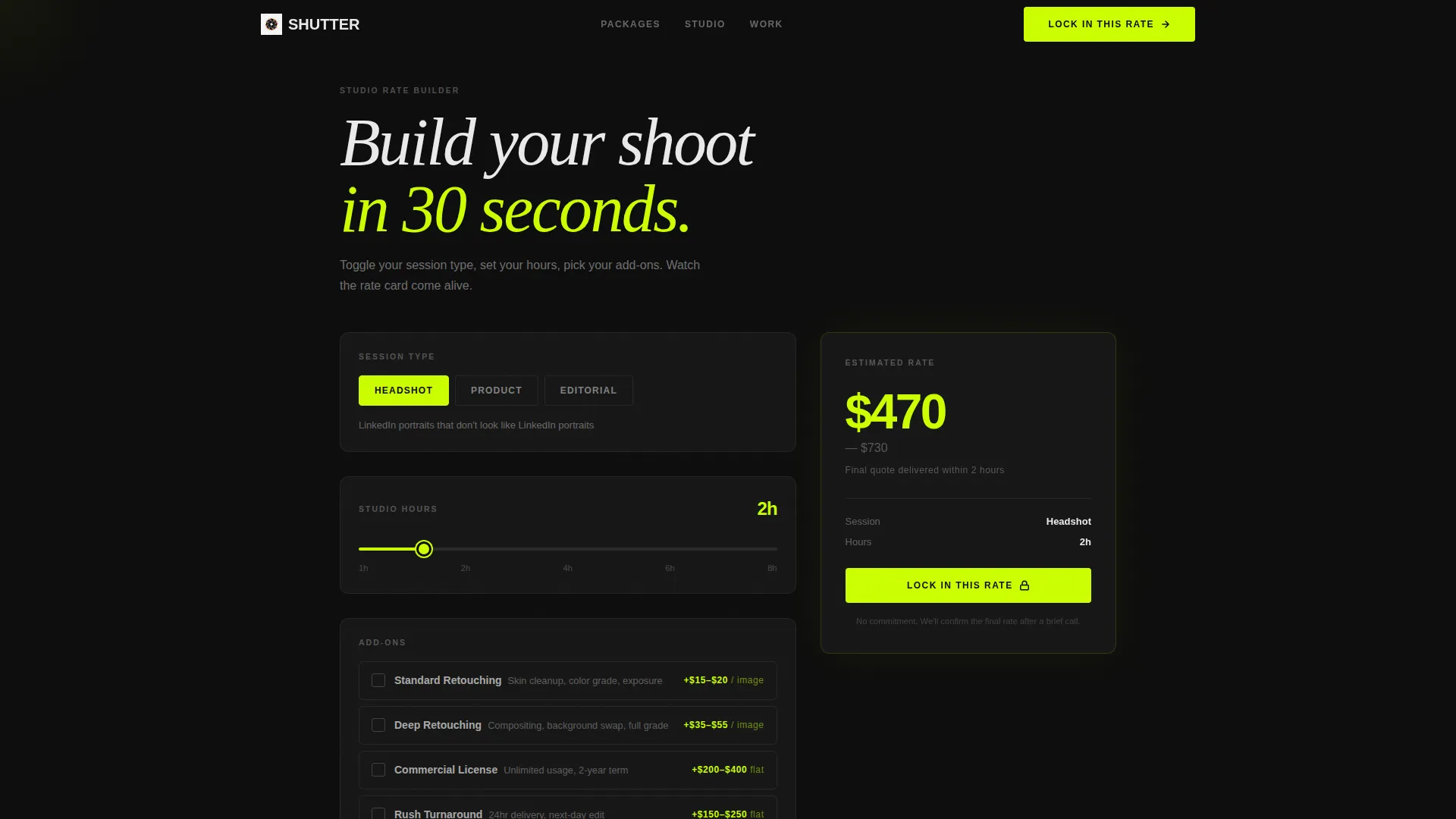
Real-Time Shoot Estimator
The header tool lets visitors toggle session type, select hours, and add retouching depth or usage licensing. A live price range builds on screen in chartreuse digits, answering the cost question before a visitor even scrolls.
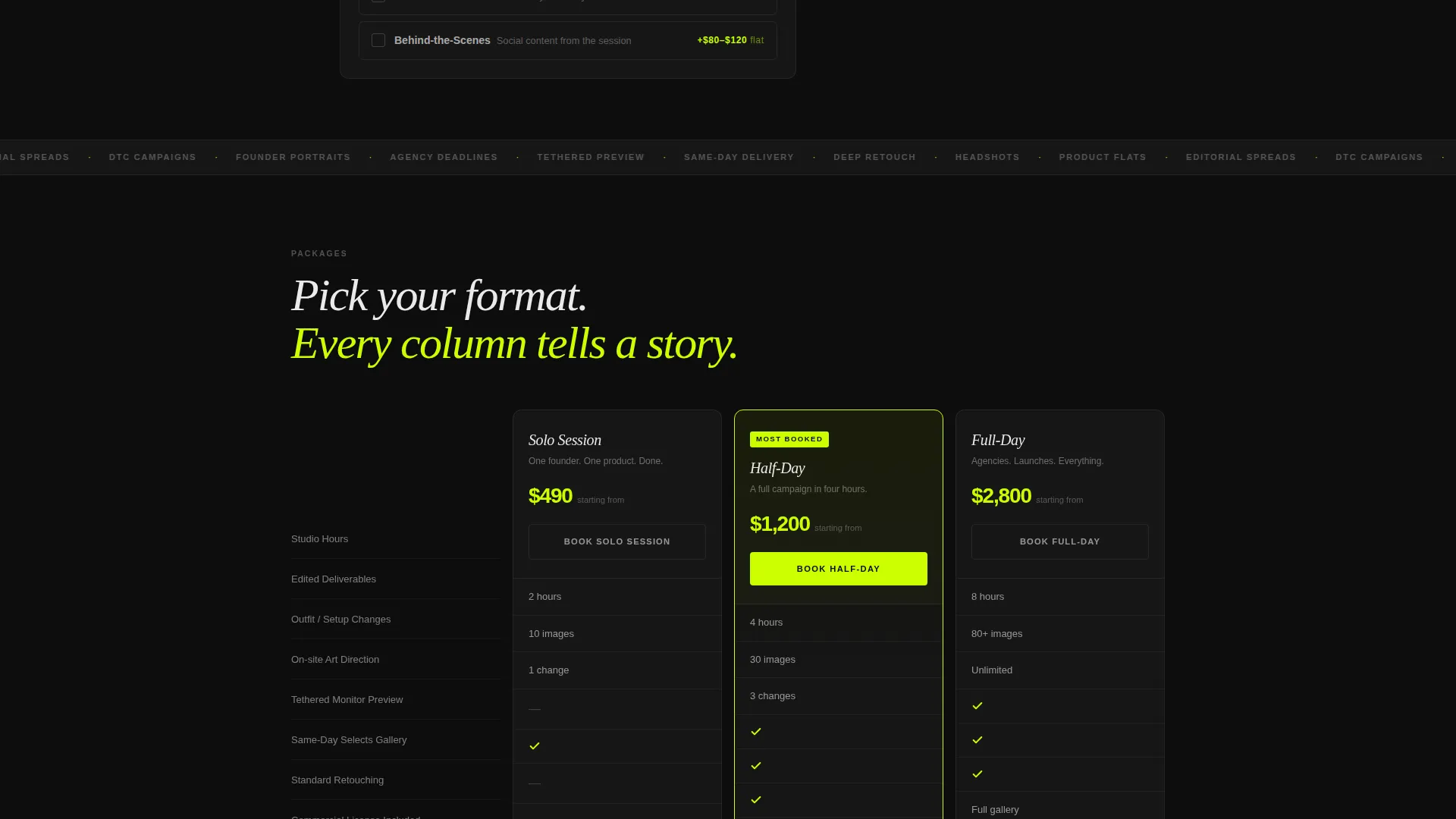
Interactive Package Comparison Table
Three session tiers, Solo Session, Half-Day, and Full-Day, sit side by side in a draggable comparison table. Package inclusions illuminate on hover with magenta underlines and chartreuse checkmarks, making differences immediately visible.
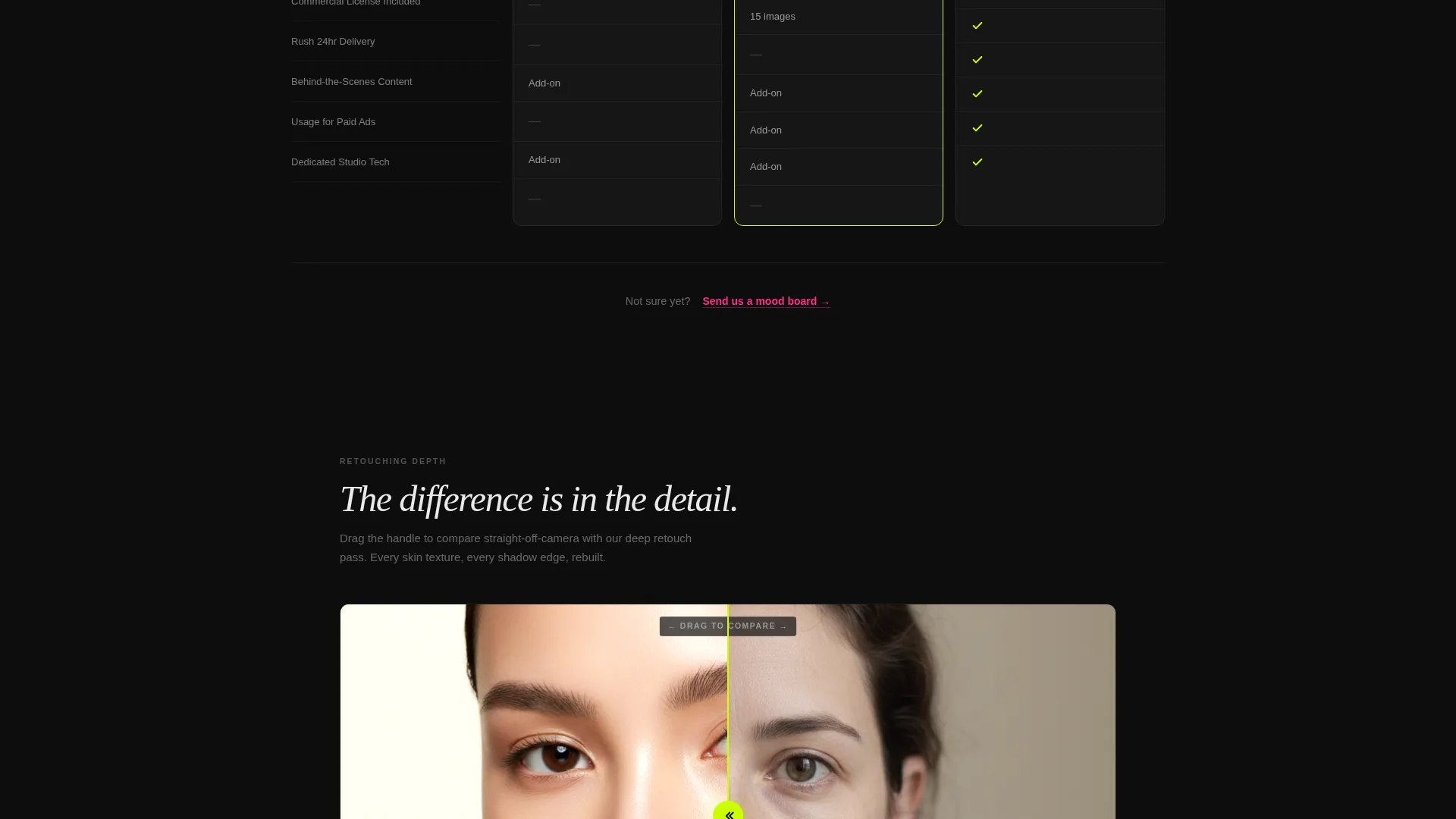
Before/After Retouching Slider
A dedicated section lets visitors drag a slider to compare unretouched and retouched images. This single interaction communicates post-production quality faster than any written description could.
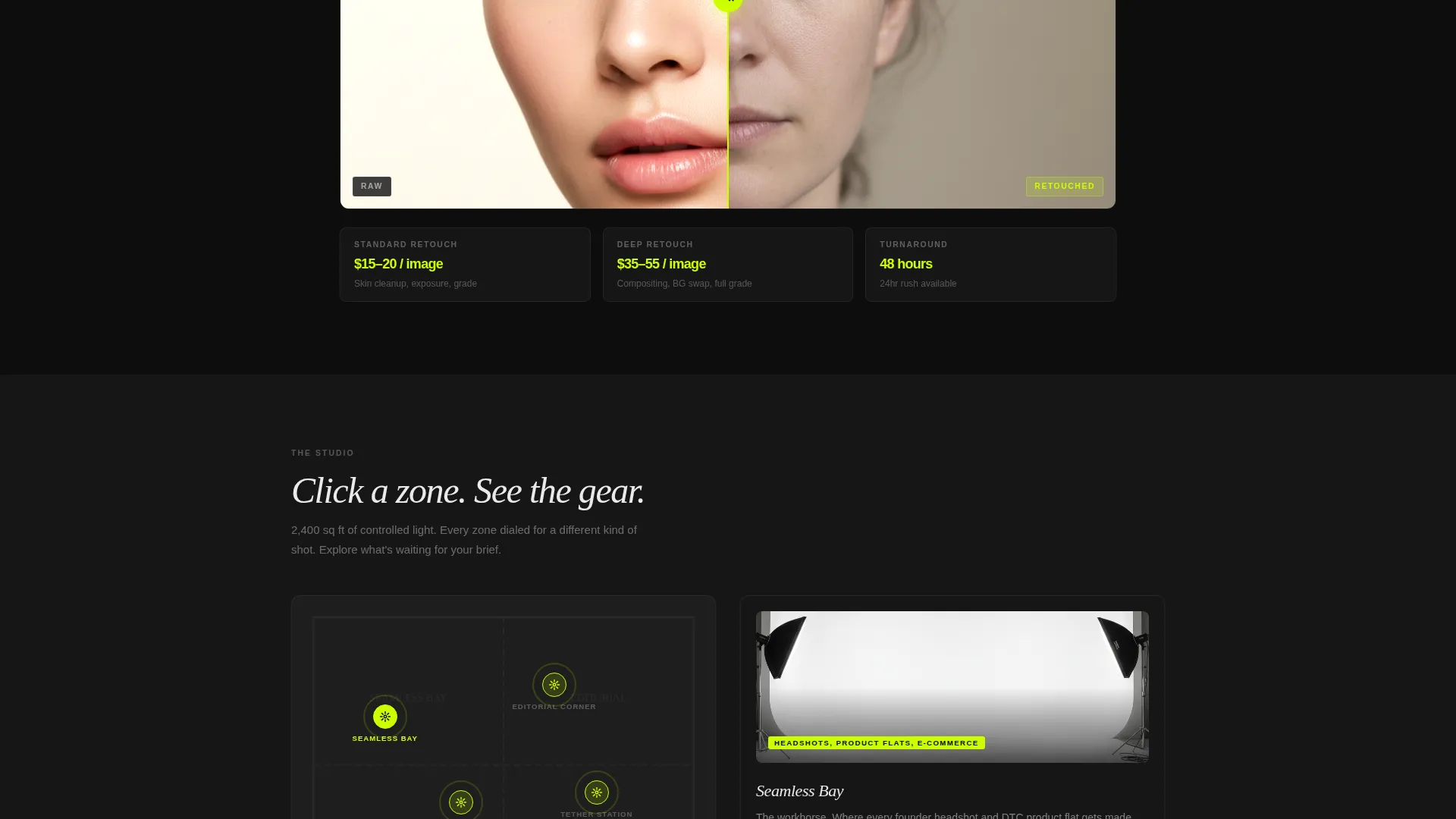
Studio Zone Map
Visitors can click through zones within a studio floor map. Each zone reveals gear specifications and sample shots taken from that specific setup, giving clients confidence before they book.
Slide-Up Lead Capture Form
Once a visitor configures their shoot in the estimator, a persistent call to action labeled "Lock In This Rate" triggers a slide-up form. It collects name, company, preferred date range, and a free-text "Describe the vibe" field.
Mood Board Upload Zone
A secondary lead path sits below the comparison table. Visitors who are not yet ready to commit can drag and drop files directly onto the page to share visual references, keeping soft leads engaged rather than lost.
Page sections overview
| Section | Purpose |
|---|---|
| Estimator Header | Build and price a shoot in real time |
| Package Comparison Table | Compare session tiers side by side |
| Retouching Slider | Show before/after post-production quality |
| Studio Zone Map | Reveal gear specs and sample shots by zone |
| Client Logo Row | Expand logos into brief case study previews |
| Slide-Up Booking Form | Capture configured leads with session details |
| Mood Board Upload | Give undecided visitors a low-friction entry point |
Design & branding system
The Acid Digital color system anchors the entire page in a blacked-out studio aesthetic. Void black (#0D0D0D) dominates backgrounds, creating a dark workspace that makes every accent color feel electric and intentional.
- Electric chartreuse (#CCFF00) fires on calls to action, hover states, pricing highlights, and live estimator digits
- Scanner-beam magenta (#FF2D8B) marks active selections, form focus rings, and comparison table hover underlines
- Interface white (#EAEAEA) carries all body text, keeping copy sharp and readable against the dark field
Mobile & speed optimization
The layout is structured so that every interactive element translates cleanly to smaller screens. The estimator, comparison table, and slide-up form are all built for touch interaction, not just mouse events.
- The comparison table adapts from a horizontal drag layout to a vertically stacked scroll on mobile
- The slide-up form and mood board upload zone remain fully accessible on touch devices without layout breakage
How this template helps you convert
Shutter converts because it removes every reason a visitor has to delay. The page is designed so that the most persuasive tool, the estimator, appears first, and the path to booking is never more than one scroll away.
- The live estimator answers the pricing question immediately, building trust before a visitor reads a single line of sales copy
- The comparison table eliminates package confusion by making inclusions visible and comparable at a glance
- The dual lead-capture system catches both ready-to-book visitors and those still in research mode, so the page works for every stage of the decision
Other information about this template
Shutter fits naturally within the Photography Studio Website Templates category for studios that want a technology-forward presence. The Startup Velocity theme gives the page an energy that resonates with tech-adjacent clients like founders and direct-to-consumer product teams.
- The template style is a Comparison Table landing page with a Calculator/Estimator header concept
- The creative direction follows an Interactive Explorer model, rewarding scroll depth with layered motion and reveal interactions
- The lead generation direction means every section either builds confidence or removes friction on the path to a booked session
- Client logos expand into mini case studies, giving the page social proof that goes deeper than a name on a row
Theme
Startup Velocity
Creative direction
Interactive Explorer
Color system
Acid Digital
Style
Comparison Table
Direction
Lead Generation
Page Sections
Real-time Shoot Price Estimator
Drag-between Package Comparison Table
Before/after Retouching Slider
Clickable Studio Zone Map
Slide-up Lead Capture Form
Drag-and-drop Mood Board Upload
Related questions
What types of photography studios will benefit most from this template?
Can the estimator be configured for different session types and pricing tiers?
Does the template include more than one way for visitors to get in touch?
Is this a multi-page template or a single landing page?
What makes the visual design stand out from a typical photography portfolio page?



