Specialist Photography Digital Presence Professional Website Template
Shutter is a scroll-reveal landing page template built for photographers who need a cleaner way to present their client portal. It guides visitors from a painfully familiar admin nightmare through a live-feeling dashboard walkthrough, ending at a lead-capture form. The dark, iridescent design and progressive reveal structure make the product feel powerful before a single word is read.
by Rocket studio
Quick summary
Shutter is a single-page, scroll-reveal landing page template designed to market a photography client portal. It opens with an auto-typing code snippet that mirrors real photographer frustrations, then progressively reveals a clean dashboard experience. Every section is purpose-built to move a visitor from "I recognize this pain" to "I want this solution" before the lead form appears.
Who this template is for
This template is built for photographers who run client-facing businesses and need a landing page that sells the idea of a unified portal. It speaks directly to the people most burned by fragmented admin tools.
- Wedding photographers managing dozens of active couples during peak season
- Commercial photographers coordinating revisions with art directors under tight deadlines
- Portrait studios where one person handles bookkeeping, retouching, and client communication at once
What problem this template solves
Most photographers lose hours every week to scattered workflows. Galleries live in one place, invoices in another, contracts in a third. This template gives that problem a face before showing the fix.
- Visitors immediately recognize the chaos of mismatched tools and missed follow-ups
- The progressive scroll structure maps the pain to a clear, staged solution
- The lead form appears only after the visitor has watched six real workflows get resolved
What you get with this template
You get a fully structured, single-page landing page layout that carries a visitor through a complete problem-to-solution story. Every section is designed to build trust and momentum.
- An animated header with auto-typing code snippet and a live portal reveal on resolution
- Viewport-height scroll sections with progressive reveal for gallery delivery, proofing, contracts, and payment
- A single-step lead capture form with email input, a client-count slider, and photography-type selection
Feature list
This template is built around one mission: earning the signup before the form appears. Every feature below serves that goal directly.
Auto-Typing Code Snippet Header
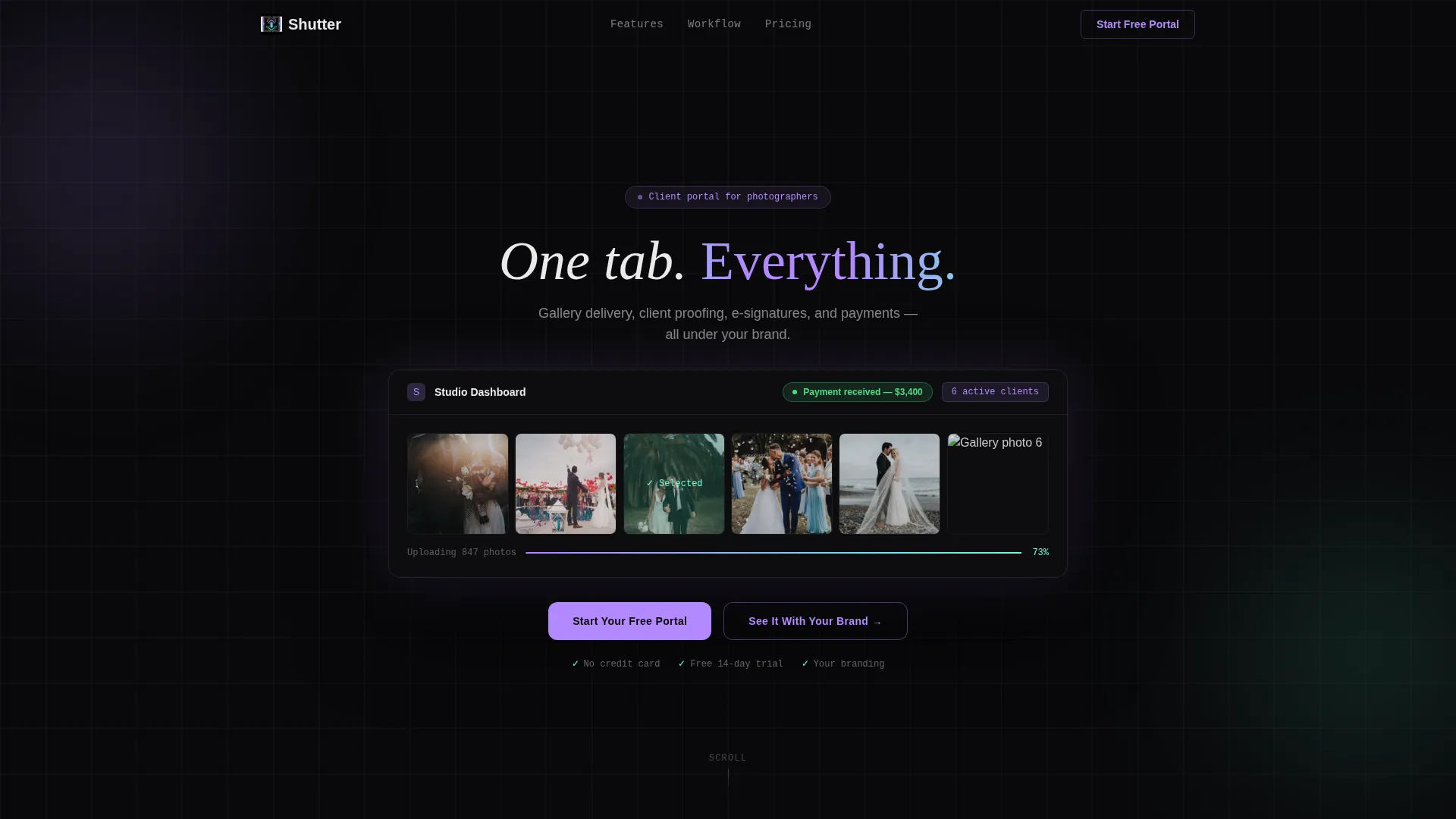
The header opens with a softly glowing block of syntax-highlighted pseudo-code. Each line auto-types to mirror a photographer's real admin frustrations. The entire block then dissolves into a single clean command, and the portal interface blooms open beneath it with a pulsing payment-received badge.
Progressive Scroll Reveal Sections
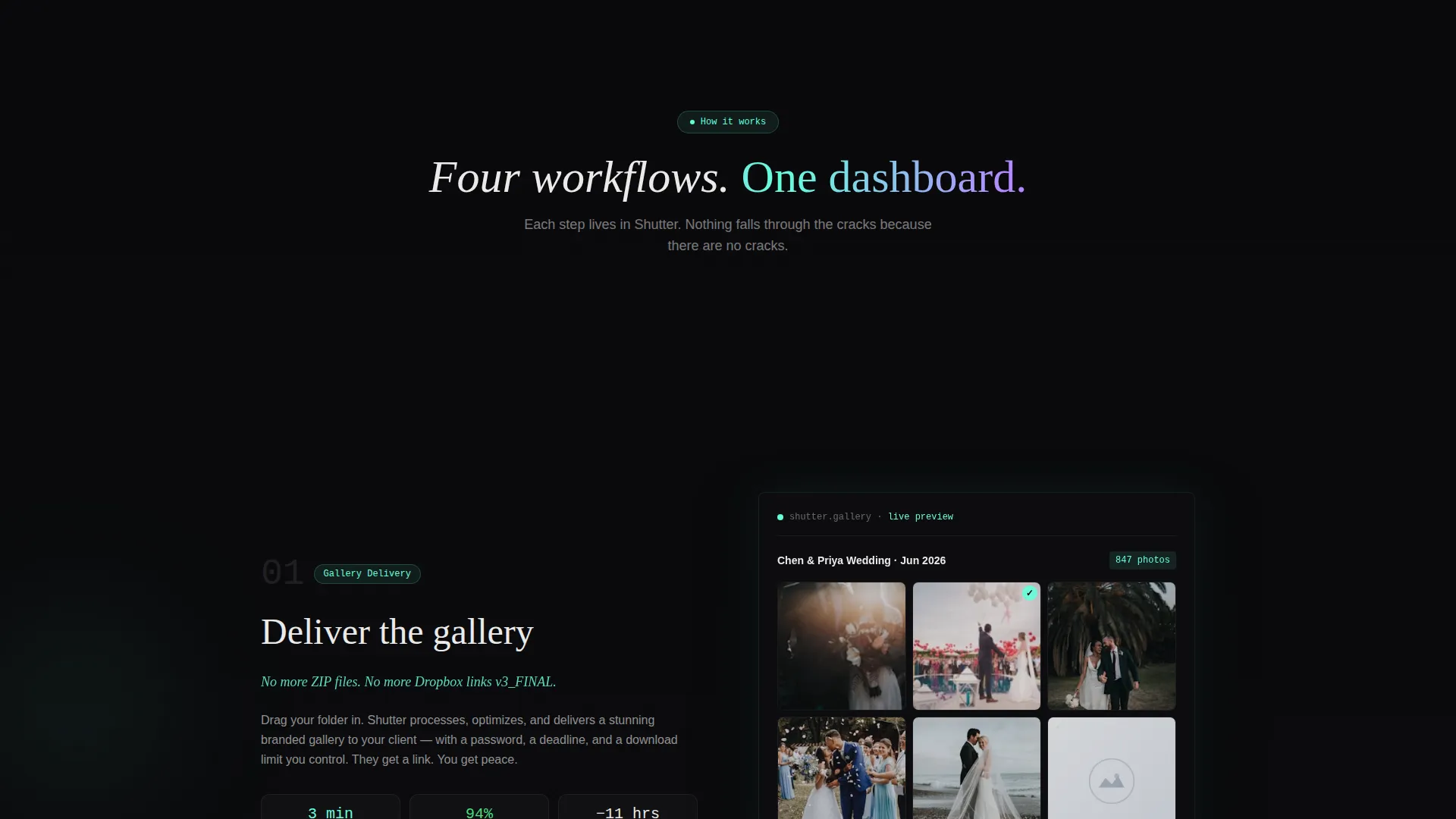
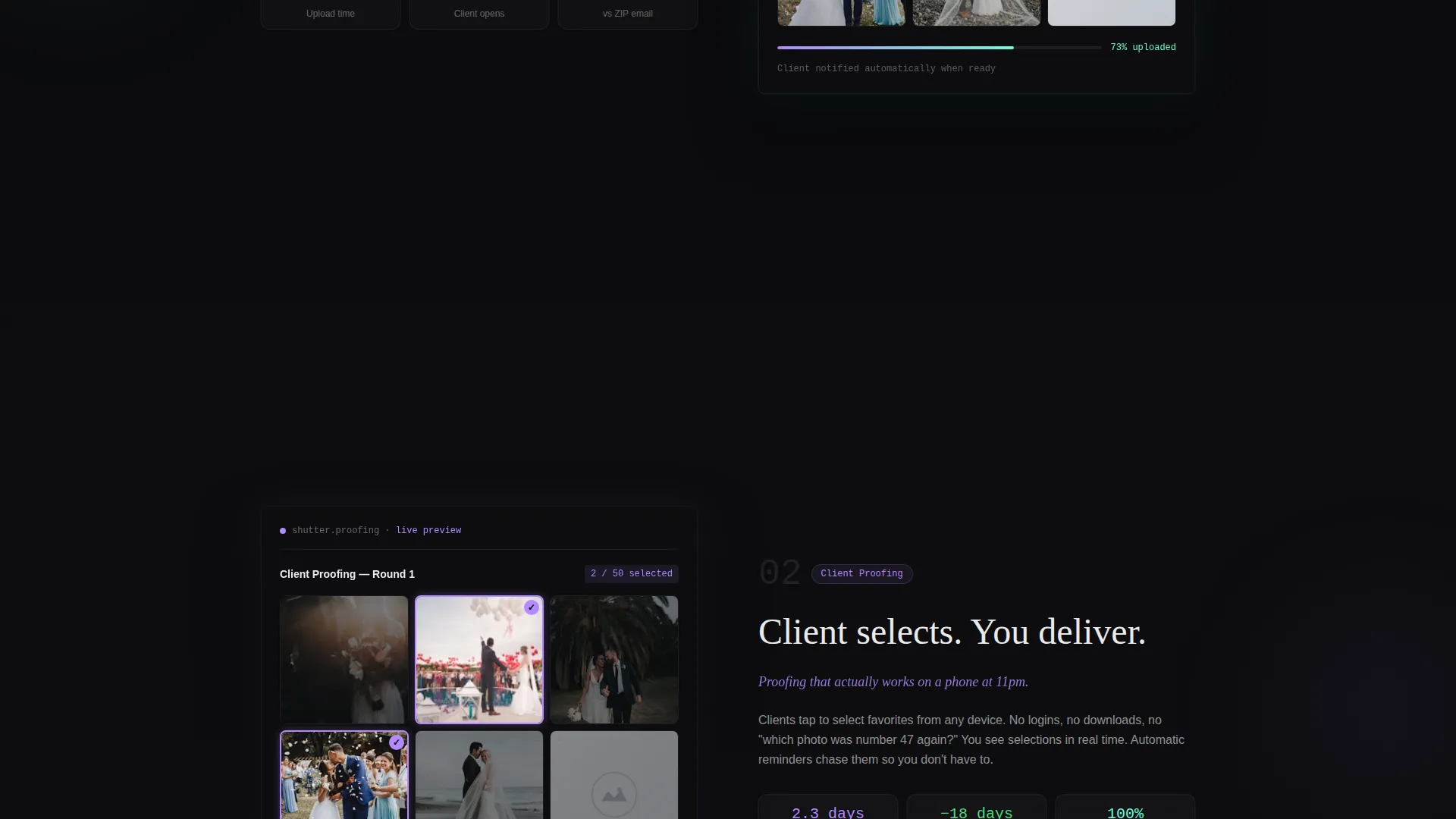
Each core workflow gets its own viewport-height section. Sections fade and scale into focus only when the visitor scrolls into view. This isolates gallery delivery, client proofing, contract signing, and automated payment into distinct, digestible moments.
Animated Pain Statistics
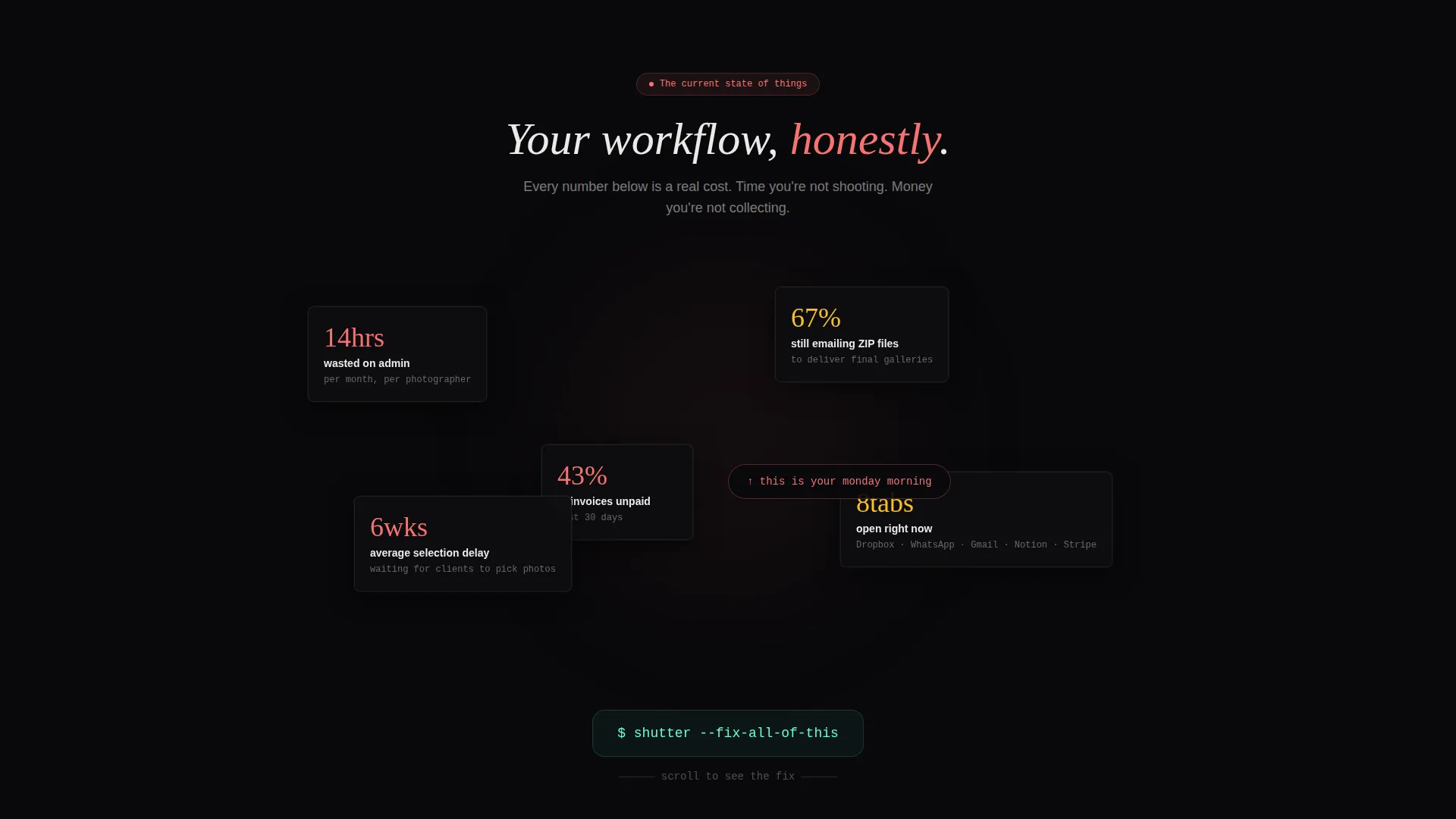
The first scroll act stacks animated counters that display real admin-burden data. Average hours lost per month, percentage of photographers still emailing compressed files, and invoices unpaid past thirty days all count upward. The screen intentionally feels cluttered before a decisive scroll-snap clears everything.
Evolving Primary Call to Action
The "Start Your Free Portal" button begins as a ghost-outline in the header. It gains opacity and a phosphor lilac glow as the visitor scrolls deeper. By the midpoint dashboard reveal, the button is fully solid and visually unmissable.
Live Brand Personalization Micro-Interaction
A secondary call to action invites visitors to type their studio name. Doing so instantly re-skins the demo dashboard in the background. The portal feels owned before the account even exists.
Single-Step Lead Capture Form
The lead form asks for three things: an email address, a client-count slider ranging from one to one hundred or more, and a primary photography type selected from wedding, commercial, portrait, or other. There is no multi-step friction between the visitor and the signup.
Page sections overview
| Section | Purpose |
|---|---|
| Code Snippet Header | Opens with auto-typing pseudo-code dissolving into a clean portal reveal |
| Pain Statistics Block | Stacks animated counters to make admin chaos feel visceral and real |
| Scroll-Snap Transition | Clears the clutter with one scroll, pivoting from problem to solution |
| Gallery Delivery Section | Shows the gallery workflow isolated in a focused viewport-height reveal |
| Client Proofing Section | Demonstrates selection collection in a single, clean dashboard view |
| Contract Signing Section | Highlights the e-signing workflow as a progressive scroll reveal |
| Payment Flow Section | Confirms automated payment with a pulsing success badge |
| Brand Demo Interaction | Lets visitors type their studio name to personalize the live dashboard |
| Lead Capture Form | Collects email, client count, and photography type in one step |
Design & branding system
The visual identity follows a Data Command theme. The palette is built around void black as the dominant background, with iridescent accents that feel like a terminal that learned to dream in color.
- Void black (#09090B) covers all backgrounds; phosphor lilac (#B388FF) marks interactive states and the primary button
- Holographic teal (#64FFDA) highlights data points, metrics, and success confirmations throughout the scroll journey
- Signal white (#EAEAEA) carries all body copy against dark surfaces for comfortable, zero-strain reading
Mobile & speed optimization
The template is structured so that every progressive reveal and scroll-snap interaction translates cleanly to smaller screens. Viewport-height sections maintain their proportions on mobile without sacrificing the pacing of the narrative arc.
- Each section is self-contained, so content stacks naturally on narrow viewports without breaking the story flow
- The lead form remains a single step on all screen sizes, keeping friction low for mobile visitors
How this template helps you convert
Shutter earns the lead before asking for it. The page is engineered so that by the time the form is visible, the visitor has already watched the product solve their morning.
- The animated code snippet creates immediate emotional recognition, pulling photographers in from the first second
- The progressive dashboard reveal makes the portal feel real and usable, not hypothetical, so trust is built through demonstration
- The brand personalization micro-interaction creates a sense of ownership before any account is created, making the decision feel like confirming something already decided
Other information about this template
This template is part of the AI Iridescent color system collection and fits within the broader Data Command design theme. It is categorized under Technology and the Photography Digital Presence subcategory, making it suitable for any photographer-focused software or service product page.
- The scroll-reveal structure and problem-to-solution arc make this template reusable for other service-based software niches beyond photography
- The template style is listed as Scroll Reveal (Progressive) and the lead generation direction means the entire layout prioritizes form completions over passive content browsing
- The header concept is classified as Code Snippet, which means the opening interaction is designed to feel technical and specific, not generic
Theme
Data Command
Creative direction
Problem→Solution Arc
Color system
AI Iridescent
Style
Scroll Reveal (Progressive)
Direction
Lead Generation
Page Sections
Auto-typing Code Snippet Header
Progressive Scroll Reveal Sections
Animated Pain Statistics Block
Evolving Primary Call to Action
Live Brand Personalization Micro-interaction
Single-step Lead Capture Form
Related questions
Can I edit the placeholder copy and code snippet lines?
Does the brand personalization demo require a live backend connection?
Is this template suitable for a photography software product page?
Can I adjust the client-count slider range on the lead form?
Will the scroll-reveal animations work across major browsers?



