Photography Studio FAQ & Client Objection Website Template
Shutter is a scroll-reveal FAQ landing page template built for photography studios that convert hesitant browsers into booked clients. Frosted glass panels, a searchable question interface, and chapter-style answer clusters let studios present pricing, timelines, session prep, and licensing terms with the clarity and confidence that closes bookings before sunrise.
by Rocket studio
Quick summary
Shutter is a single-page FAQ template designed for photography studios that compete on transparency. It combines an interactive search header, scroll-triggered glass accordion panels, and stat-anchored chapter clusters to answer every client objection before it becomes hesitation. The result is a landing page that earns trust the way a great portfolio earns admiration.
Who this template is for
This template is built for photography studios whose clients arrive with long lists of questions and short windows of patience. It works best when your competitive edge is honesty, not just artistry.
- Boutique and full-service photography studios fielding repeated questions about pricing, retouching, and print rights
- Brand photographers who need to justify shoot costs to corporate procurement teams or creative directors
- Senior portrait and wedding photographers whose clients compare three studios at midnight before making a decision
What problem this template solves
Most studio websites bury FAQs in a footnote accordion at the bottom of a contact page. Clients leave without answers, and unanswered questions become reasons not to book. This template flips that dynamic entirely.
- Hesitation caused by unclear pricing, vague timelines, or unexplained retouching policies
- The trust gap between a beautiful portfolio and a confident booking decision
- The friction of making clients email or call just to get basic session information
What you get with this template
You get a fully structured, single-page FAQ landing page with every visual and interactive component already built. The sections are organized, the animations are defined, and the conversion flow is ready for your content.
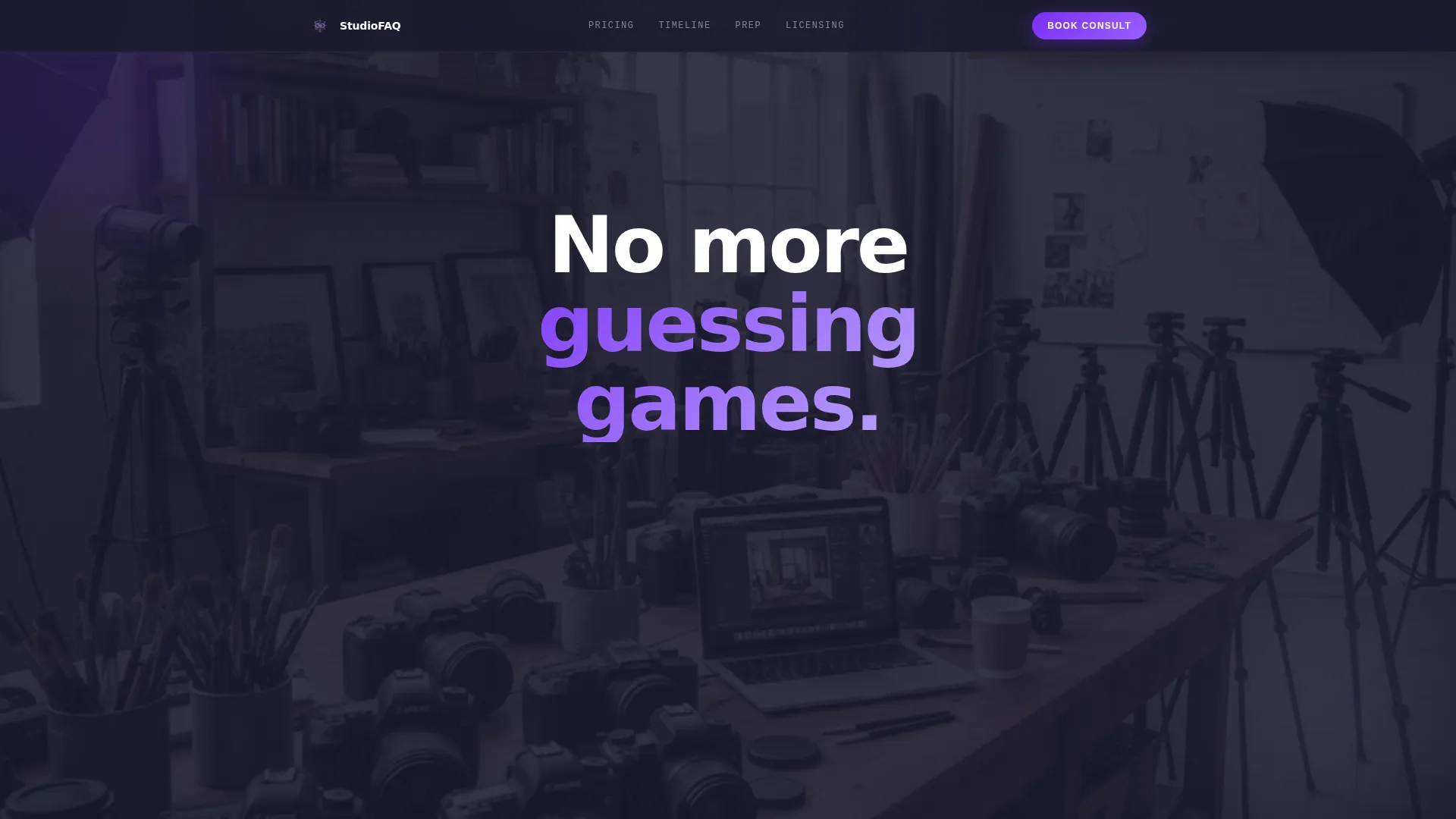
- An interactive hero search bar with cycling ghost questions and a softly looping studio video backdrop
- Five themed FAQ chapter sections with glass accordion panels, scroll-reveal animations, and stat anchors
- A floating call-to-action button and an email-capture module for your pricing guide download
Feature list
This template delivers a precise set of built-in components, each designed to move a skeptical visitor toward a confident booking.
Interactive FAQ Search Bar
A centered search bar greets visitors with a blinking cursor and cycling ghost text drawn from real client questions. Clicking a suggestion or typing a query instantly scrolls the page to the matching answer panel.
Glass Accordion Answer Panels
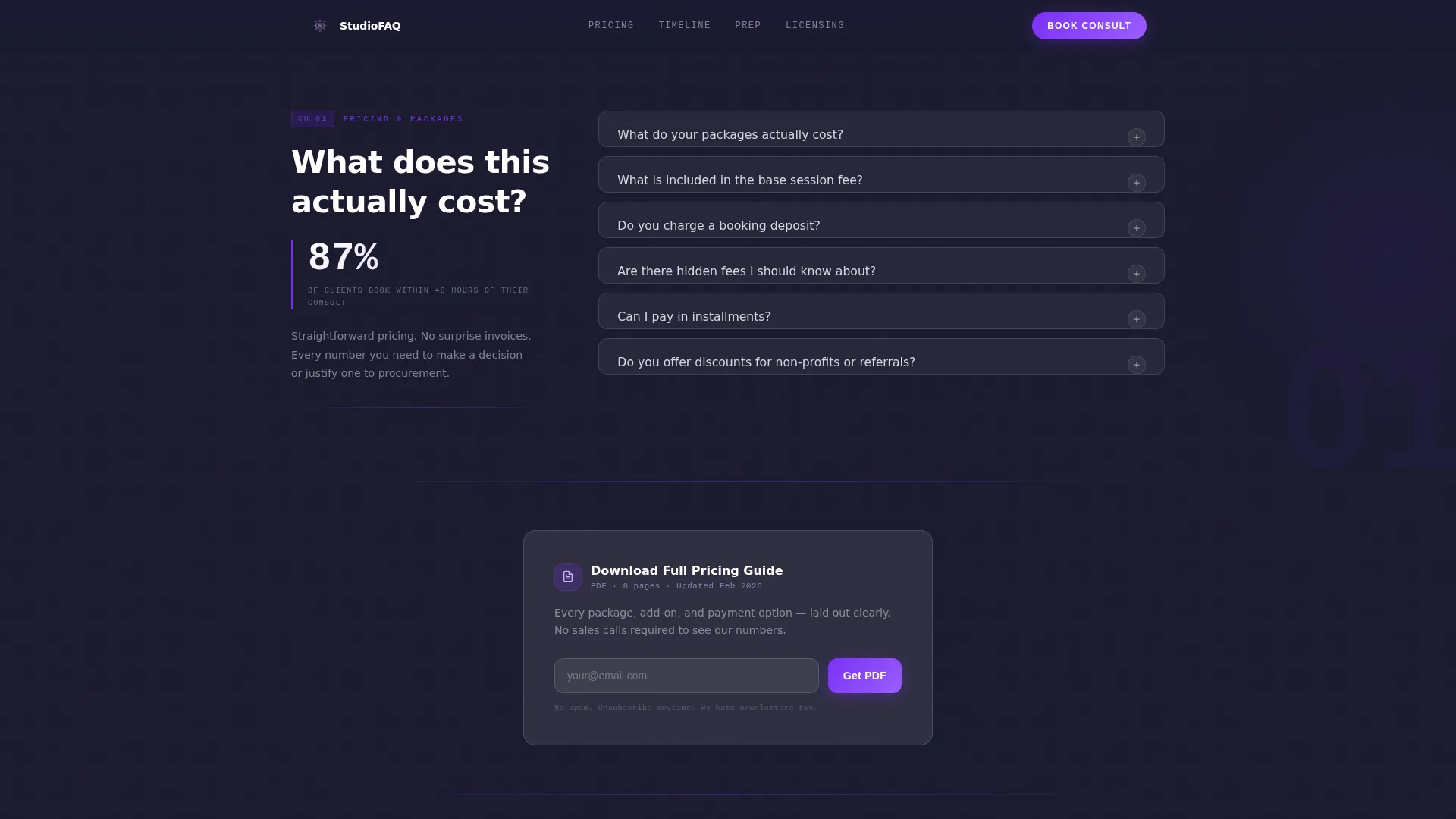
Each FAQ answer lives inside a frosted glass panel that expands on click with smooth easing. The translucent layered aesthetic keeps the page visually cohesive while making it easy to scan dozens of questions without feeling overwhelmed.
Scroll-Triggered Chapter Reveals
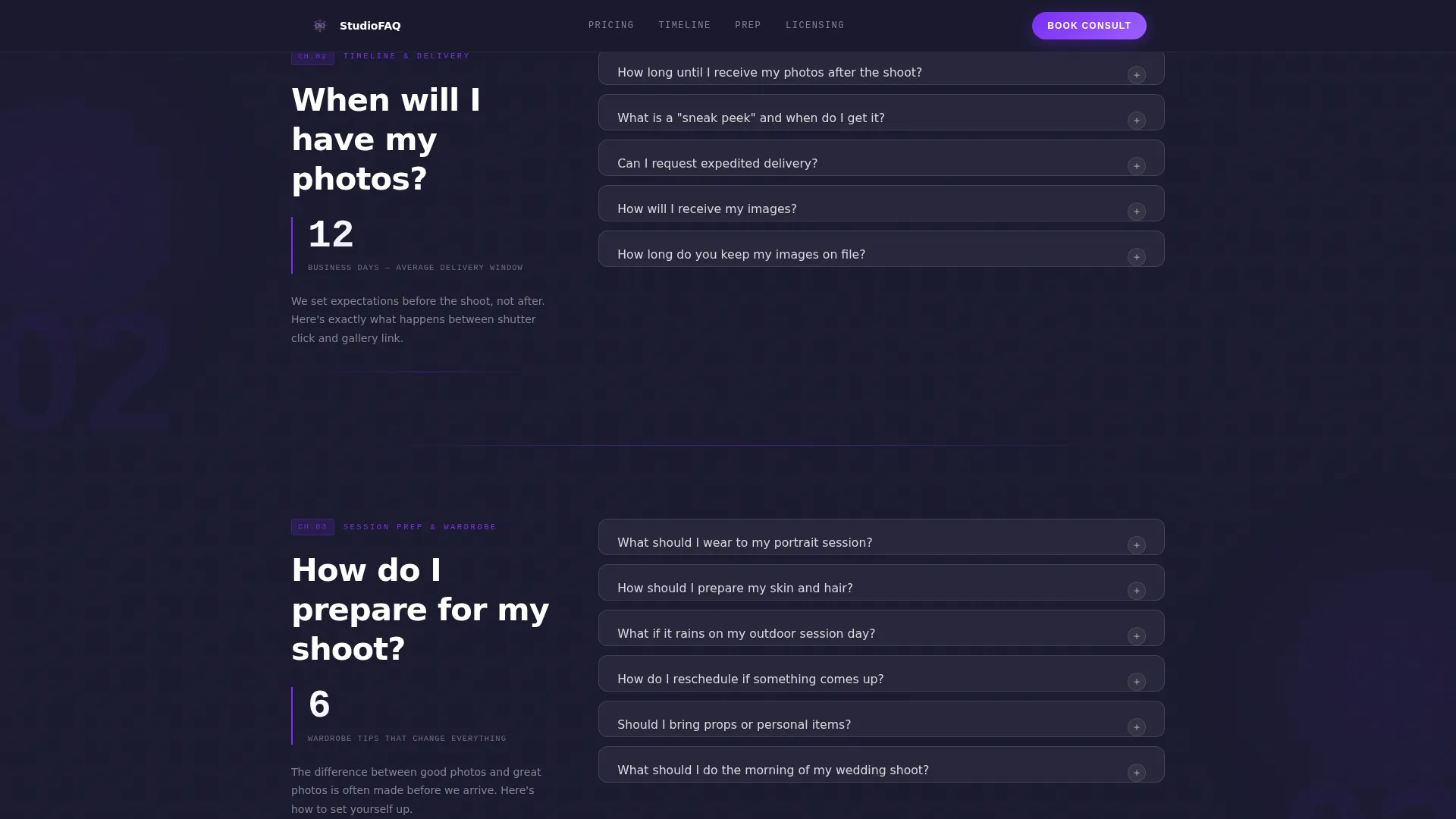
Questions are grouped into themed chapters that surface progressively as the visitor scrolls. Each chapter opens with a bold stat anchor, such as a delivery time or booking conversion figure, to establish credibility before the questions load.
Floating Freemium Call-to-Action Button
A glass button pinned to the bottom-right corner pulses gently with violet light after the visitor has opened three or more answer panels. It reads "Book a Free 15-Minute Consult" and stays visible throughout the session without interrupting reading flow.
Email Capture for Pricing Guide
A secondary conversion path offers visitors the option to download a full pricing guide in exchange for a single email field. The module is embedded naturally within the pricing chapter so the offer feels helpful rather than intrusive.
Looping Studio Background Montage
A softly looping video or image montage plays behind the hero section at 15% opacity. It establishes craft and atmosphere without competing with the search interface layered in front of it.
Page sections overview
| Section | Purpose |
|---|---|
| Hero Search Header | Introduce the FAQ with a searchable, interactive question prompt and looping studio backdrop |
| Pricing and Packages | Address cost objections with a stat-anchored glass accordion cluster |
| Timeline and Delivery | Set delivery expectations with a clear stat and expandable answer panels |
| Session Prep and Wardrobe | Guide clients through preparation with a checklist-style FAQ rhythm |
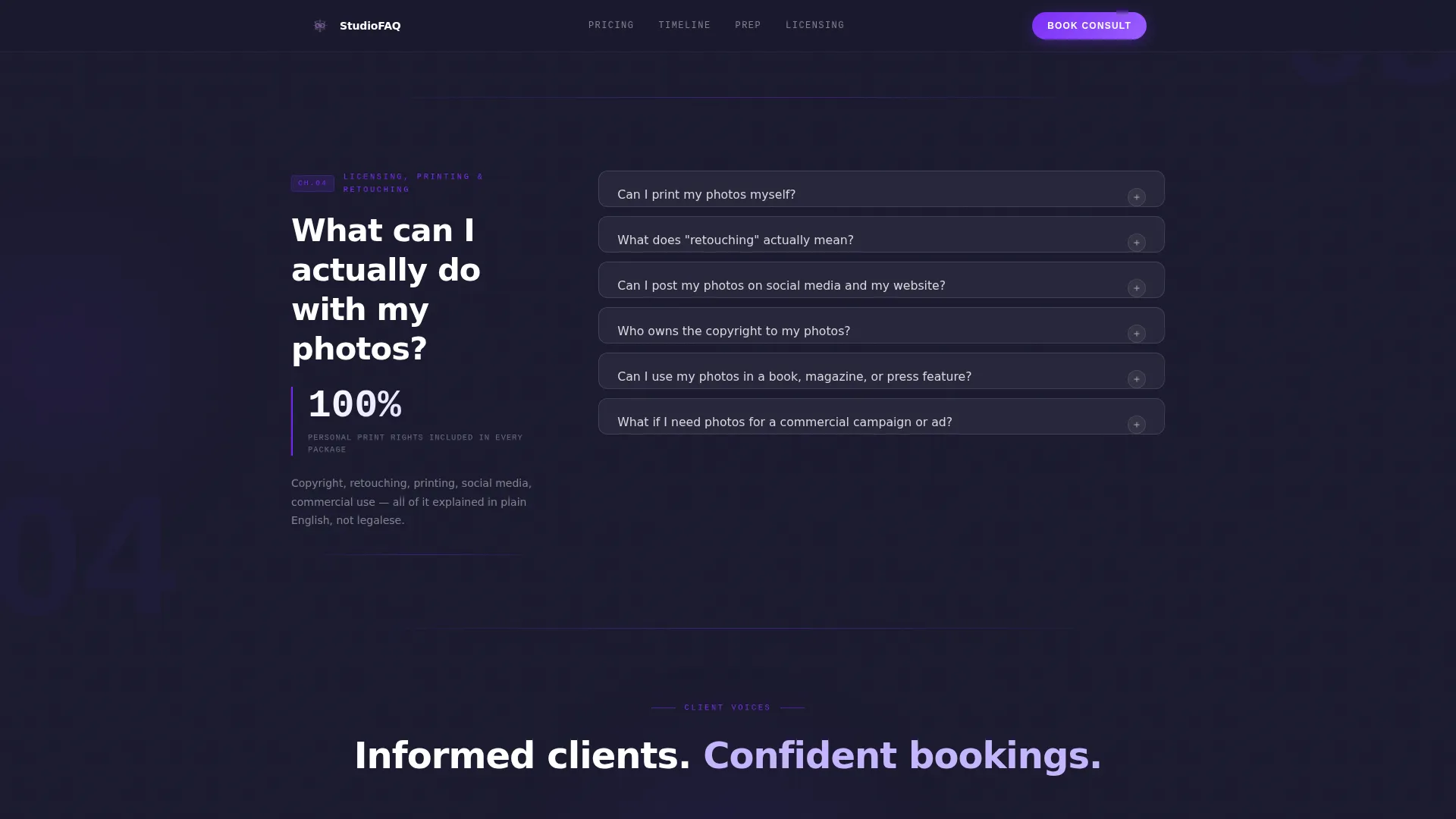
| Licensing, Printing, Retouching | Clarify usage rights, print permissions, and editing scope with supporting testimonials |
| Footer | Provide studio contact and navigation links in a linear single-row layout |
Design & branding system
The visual language is glassmorphic dark luxury, built to feel like a premium digital product rather than a traditional studio website. Every layer is intentional, from the base color to the hover state.
- Color palette: deep graphite base at #1A1A2E, electric violet primary at #7B2FF7, soft lilac accent at #C4B5FD, and frosted white panels at 40% opacity over a semi-transparent glass layer
- Typography: DM Sans for body and interface text at readable weights, JetBrains Mono for stat labels and category markers, with display headings scaling above 80 pixels for maximum visual impact
- Interactive states use violet glow and lilac hover shifts to signal clickability without relying on conventional underlines or borders
Mobile & speed optimization
The template is designed desktop-first to match the midnight comparison-browsing behavior of its primary audience, but it is fully responsive across all screen sizes.
- Animations use GPU-accelerated CSS transforms only, avoiding heavy JavaScript libraries that slow load times
- Scroll behavior uses native CSS and IntersectionObserver triggers, keeping the animation pipeline lean and smooth
- The floating call-to-action button and glass panels reflow cleanly on smaller screens without losing the layered glassmorphic depth
How this template helps you convert
The page is structured as a trust-building journey. By the time a visitor reaches the call to action, they feel informed rather than sold to.
- The search bar and cycling ghost questions signal immediately that this studio anticipated every concern, creating an instant sense of expertise and care.
- Stat anchors like booking conversion figures and average delivery times provide concrete proof that reinforce each FAQ chapter before a single question is opened.
- The floating consult button activates only after three panels are opened, timing the ask to the moment of maximum intent rather than interrupting a visitor who is still forming an opinion.
Other information about this template
This template was designed around a specific intersection of technology-forward visual design and photography studio service marketing. A few additional details worth knowing:
- The template style is Scroll Reveal (Progressive), meaning content surfaces in sequence as the visitor moves down the page, creating momentum similar to a pitch deck
- The creative direction follows an Industry Report cadence, using chapter headers and data anchors to frame transparency as a brand statement
- The header concept is an Interactive Preview, a design pattern borrowed from product interfaces to make an FAQ feel like a live, responsive tool
- The conversion model is Freemium and Trial, with a free consultation offer as the primary path and a gated pricing guide as the secondary path
- The template ships with a linear single-row footer layout matching the minimal, utility-first design system
- Localization defaults are set for English (United States), USD currency formatting, and MM/DD/YYYY date display
Theme
Startup Velocity
Creative direction
Industry Report
Color system
Glassmorphic
Style
Scroll Reveal (Progressive)
Direction
Freemium/Trial
Page Sections
Interactive FAQ Search Bar
Glassmorphic Accordion Panels
Scroll-triggered Chapter Reveals
Floating Consult Call-to-action
Email Capture for Pricing Guide
Looping Studio Background Montage
Related questions
Can I replace the sample questions with my own studio's actual FAQs?
Does the floating call-to-action button work on mobile devices?
Can I use my own video footage in the hero background montage?
Is this template suitable for a solo photographer or only for larger studios?
What happens if I want to remove the email capture module?



