Photography Studio Careers & Department Roles Website Template
Shutter is a glassmorphic careers landing page built for photography studios. It uses a hub-and-spoke anchor navigation with four department spokes, a feature tab switcher header, interactive role cards, a before/after retouching slider, and a freemium preset download to capture talent leads. Every section feels like stepping inside a glowing, perfectly organized studio.
by Rocket studio
Quick summary
Shutter is a single-page careers landing page designed for photography studios. It uses frosted glass panels, ambient video, and anchor navigation to guide visitors through four studio departments. A free preset download acts as the primary conversion hook, capturing talent interest before asking anyone to formally apply.
Who this template is for
This template is built for photography studio teams that need to attract skilled creatives. It speaks directly to hiring managers who want their culture to do the convincing before a candidate ever hits "apply."
- Creative directors looking to fill second-shooter and on-set production roles
- Studio managers and post-production leads hiring retouchers and color specialists
- Studio operations teams who want an organized, visually compelling careers presence
What problem this template solves
Most careers pages for creative studios feel like plain job boards. They list requirements without showing what it actually feels like to work there. Shutter solves that disconnect.
- Candidates arrive on a generic page and leave without context about studio culture or workflow
- Hiring teams have no low-friction way to build a talent pipeline before roles open
- Department-specific roles get buried together instead of speaking to each specialist audience
What you get with this template
You get a fully structured, single-page careers landing page with four self-contained department sections and two conversion paths. Every component described below is included in the template layout.
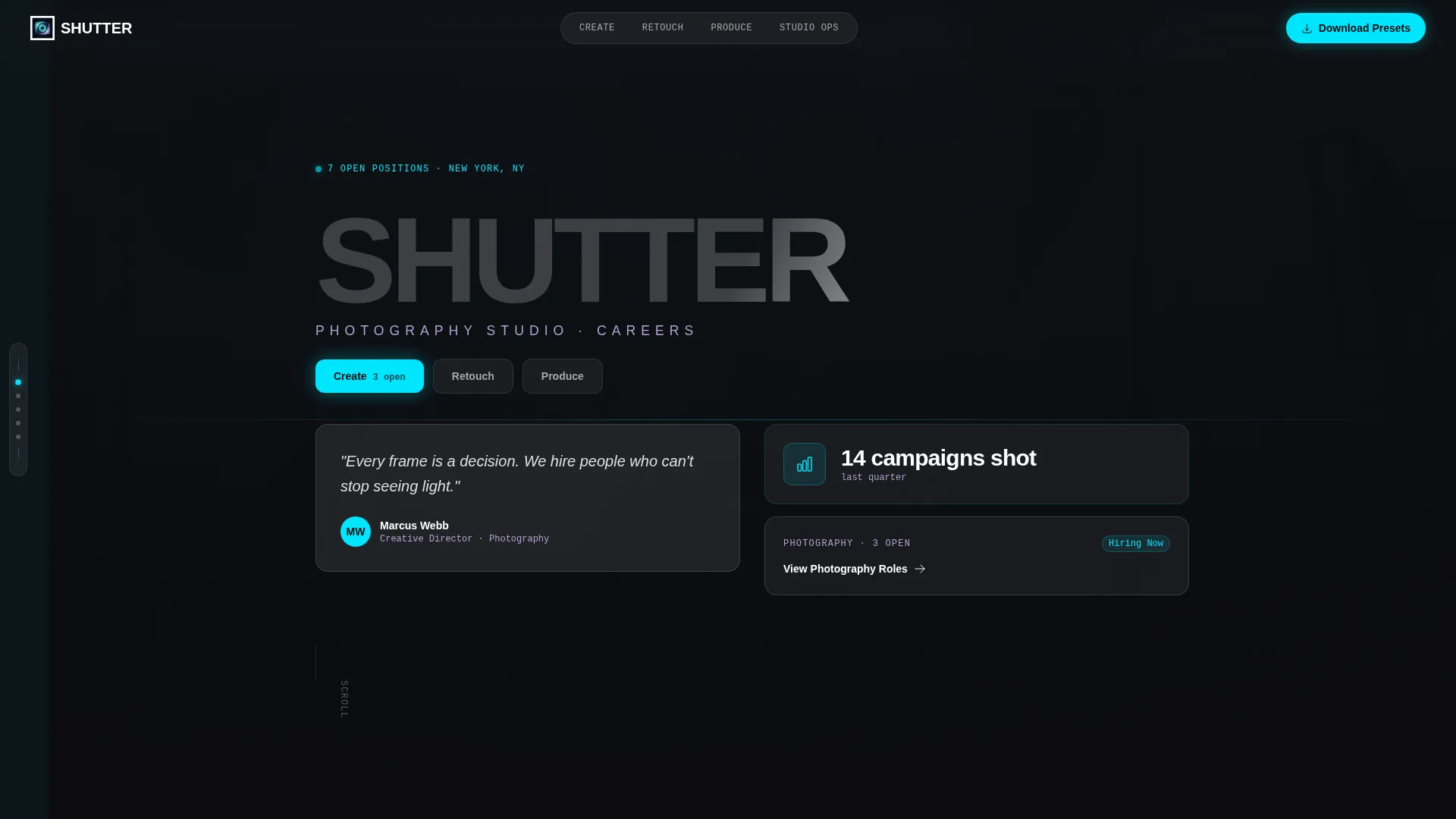
- A Feature Tab Switcher header with three frosted glass tabs swapping video, quotes, and department stats
- Four anchor-nav spokes for Create, Retouch, Produce, and Studio Ops, each with its own role cards and interactive features
- A freemium preset download form and a separate portfolio application form
Feature list
This template packages several purpose-built interactive components. Each one serves the goal of making the studio feel real and the roles feel worth pursuing.
Feature Tab Switcher Header
Three frosted glass tabs labeled "Create," "Retouch," and "Produce" sit centered over a looping ambient video. Clicking each tab swaps the background footage, surfaces a department hero quote, and displays a single standout stat like "14 campaigns shot last quarter." The tabs carry a glassy bevel effect that responds to cursor movement.
Anchor Navigation Rail
A frosted glass rail fixes to the left edge of the page with four anchor links: Create, Retouch, Produce, and Studio Ops. It stays visible as visitors scroll, letting them jump between department spokes without losing their place. This keeps the page feeling organized even as depth increases.
Flip Role Cards
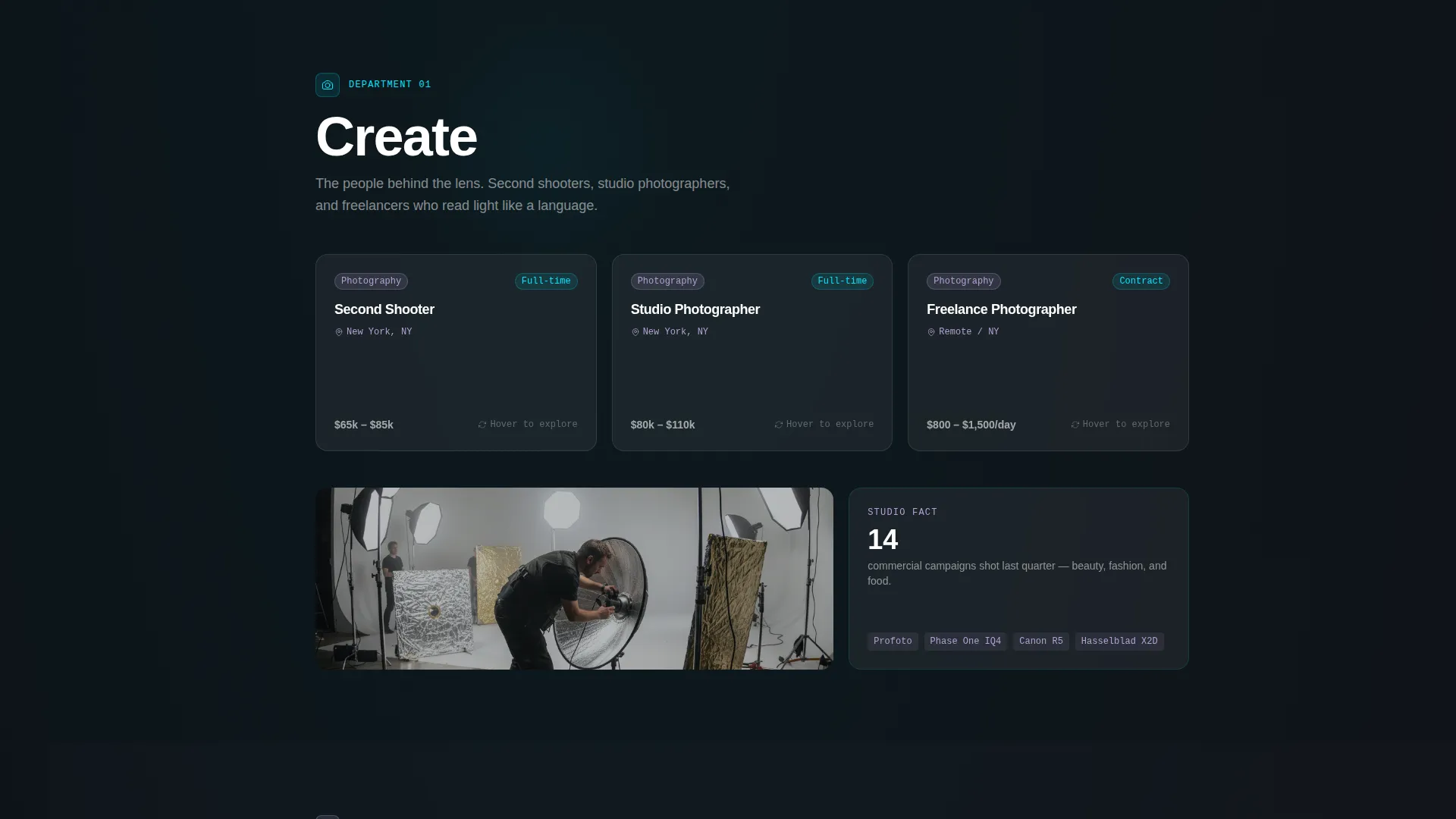
Each department spoke displays role cards that flip on hover to reveal day-in-the-life details. The front shows the role title and department tag. The back surfaces a short description of a typical day, making each listing feel human rather than formulaic.
Before/After Retouching Slider
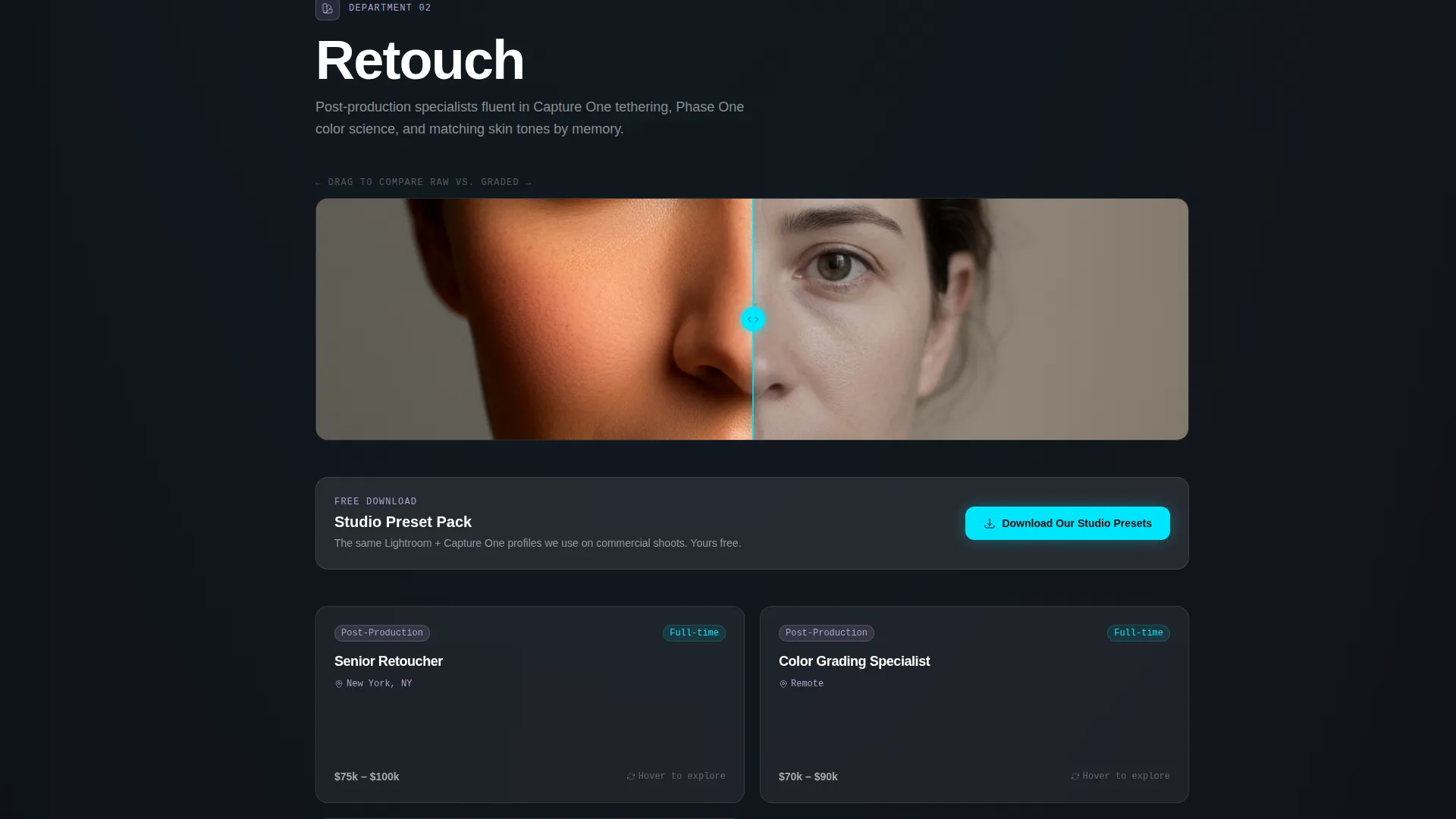
The Retouch spoke includes a draggable slider that reveals a before and after color grade side by side. This gives retouching candidates an immediate sense of the studio's grading standards and taste, while reinforcing the studio's credibility to anyone browsing.
Interactive Studio Floor Plan
The Studio Ops spoke features a clickable floor plan. Selecting a room opens a panel showing who works there and what gear lives inside. It turns an abstract operations role into something concrete and inviting.
Freemium Preset Download
Visitors can download a free studio preset pack by submitting just an email address. This single-field form sits at the header and repeats inside the Retouch spoke. Every submission enters the talent pipeline, capturing interest from candidates who are not yet ready to apply formally.
Page sections overview
| Section | Purpose |
|---|---|
| Tab Switcher Header | Introduces three departments with ambient video, team quotes, and key stats |
| Anchor Nav Rail | Keeps department navigation fixed and accessible throughout the full page scroll |
| Create Spoke | Showcases on-set and photography roles with flippable role cards |
| Retouch Spoke | Highlights color and post-production roles, slider demo, and preset call to action |
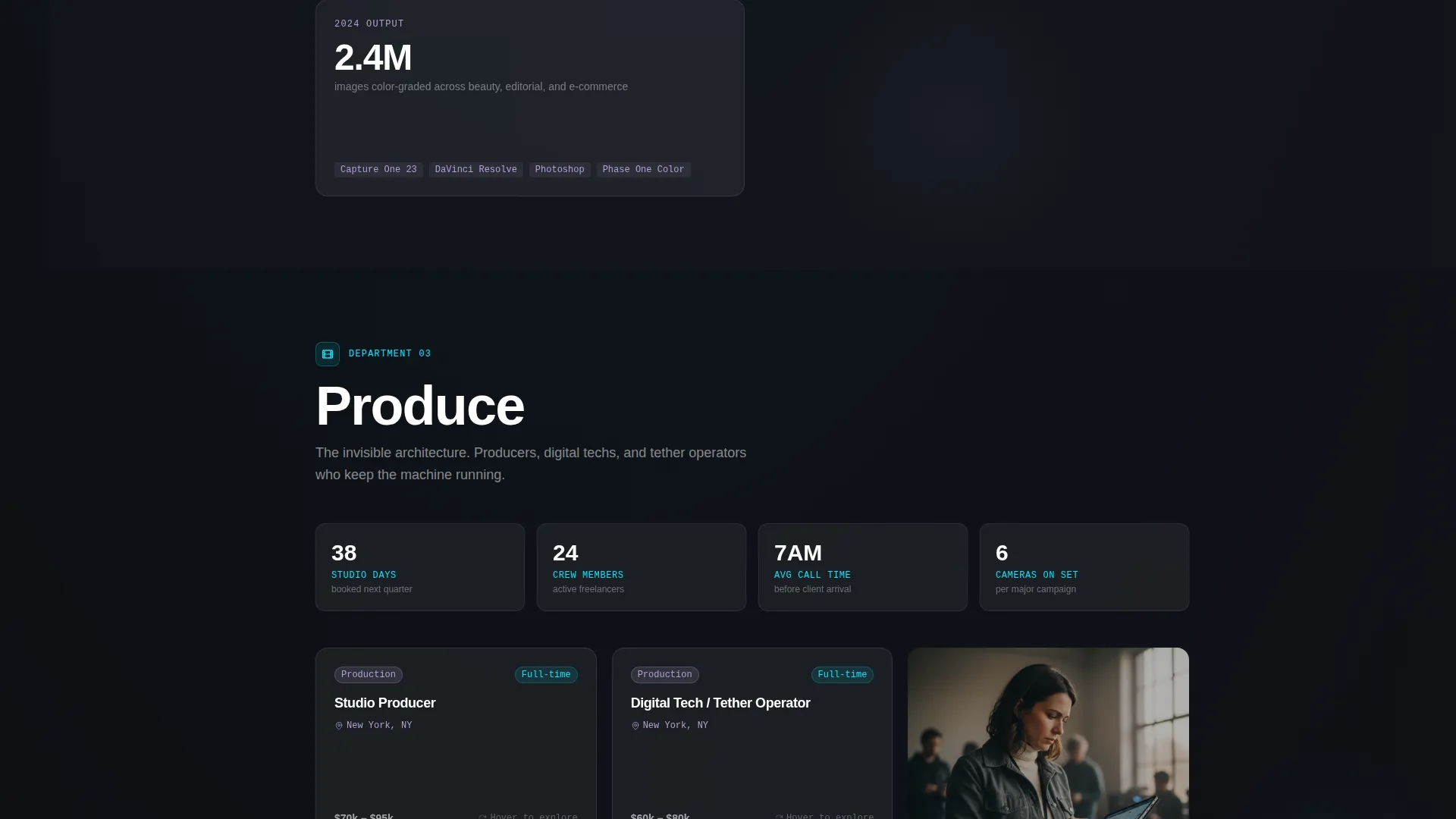
| Produce Spoke | Covers production coordination roles with department-specific role cards |
| Studio Ops Spoke | Features the interactive floor plan and operations-focused role listings |
| Portfolio Apply Form | Streamlined application with name, spoke preference, portfolio URL, and one open question |
Design & branding system
The visual identity follows a Tech Glass theme built on a glassmorphic color system. Every panel is translucent, backlit by a subtly animated gradient mesh in near-black. The result looks like looking through a rain-streaked studio window at LED modeling lights.
- Core palette: frosted panel white at 12% opacity, deep studio black (#0B0B0F), refracted edge lilac (#B4A0D4) for metadata tags and location details, and shutter-click cyan (#00E5FF) reserved for hover states and active nav indicators
- Panels use backdrop-blur layered over an animated gradient mesh background, creating depth without heavy visuals
- Text is pure white on glass surfaces, cyan on interactive elements, and lilac on department tags and supporting metadata
Mobile & speed optimization
The layout is structured to remain navigable and visually clear on smaller screens. The fixed anchor rail and glass panel system are designed to adapt without losing the layered depth that defines the template's identity.
- The anchor navigation collapses cleanly so department links stay reachable on mobile viewports
- Frosted glass panels and backdrop-blur effects are implemented to preserve the visual style across device sizes
- Ambient video in the header is positioned as a background layer, allowing graceful fallback on lower-bandwidth connections
How this template helps you convert
Shutter is built around two conversion paths that serve different levels of candidate readiness. The freemium hook lowers the barrier enough that curious visitors convert before they commit.
- The preset download form captures an email with a single field, turning passive browsers into pipeline contacts and delivering immediate value through a free Lightroom and Capture One preset pack.
- The portfolio application form qualifies serious candidates with a short, focused set of fields: name, preferred department spoke, portfolio URL, and one sentence about an image they are proud of.
Other information about this template
Shutter is designed specifically for the photography studio careers niche, where standard job-board templates fail to communicate creative culture. The template sits at the intersection of photography studio website templates and technology-forward design.
- The template style is Hub and Spoke with anchor navigation, meaning each department section functions as a self-contained spoke branching from a shared hub header
- The freemium conversion model is reframed as "Try the Culture," using the preset pack to demonstrate studio taste before asking for a formal application
- The preset download supports both Lightroom and Capture One formats, speaking directly to the tools used by the retouching and color-grading professionals this page targets
- The template is categorized under Technology with a Photography Studio Website Templates subcategory, making it relevant for studios that want a modern, code-forward visual presence
Theme
Tech Glass
Creative direction
Interactive Explorer
Color system
Glassmorphic
Style
Hub & Spoke (Anchor Nav)
Direction
Freemium/Trial
Page Sections
Feature Tab Switcher Header
Fixed Anchor Navigation Rail
Flip Role Cards
Before/after Retouching Slider
Interactive Studio Floor Plan
Freemium Preset Download Form
Related questions
Can I use this template for a studio that is not currently hiring?
How does the feature tab switcher work in the header?
Is the before/after retouching slider included in the template?
What fields does the portfolio application form include?
Can the anchor navigation labels be changed to match my studio's departments?



