Software & SaaS Cost Estimator Website Template
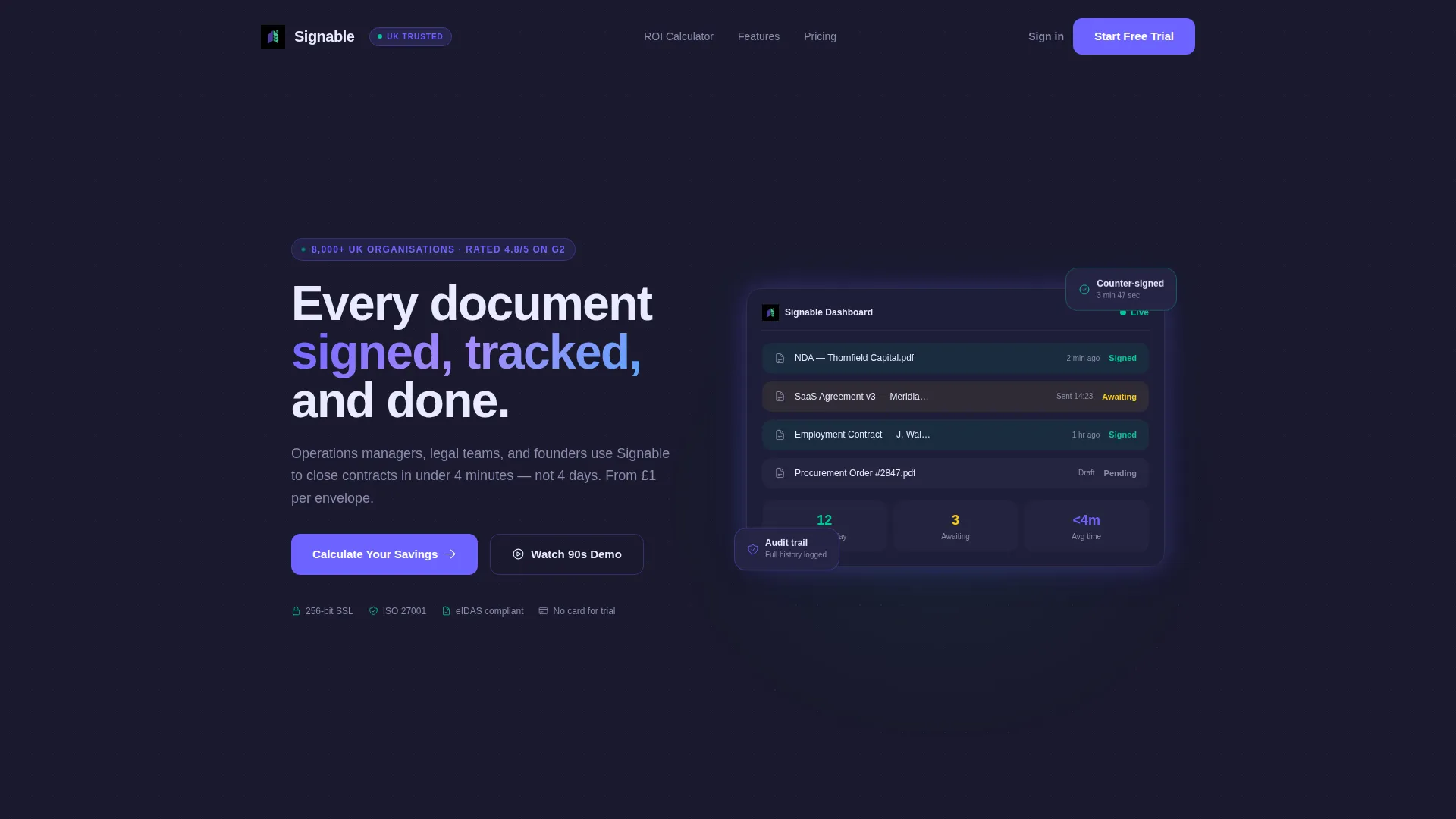
Signable is a dashboard-style landing page template built for e-signature and document management platforms. It opens with a live ROI estimator widget, then builds conviction through animated data cards, workflow comparison grids, and a sticky call-to-action bar. The result is a focused, metrics-driven single page that turns visitor curiosity into confident sign-ups.
by Rocket studio
Quick summary
Signable is a high-impact landing page template designed for e-signature and document management software. It leads with an interactive ROI calculator rendered as a real dashboard widget, stacks proof through animated stats and workflow comparisons, and closes with a personalized, sticky call-to-action. Every section feels like a live platform screen rather than a static marketing page.
Who this template is for
This template is built for teams and founders who need to sell the value of faster, cleaner document workflows. It speaks directly to the people living inside those workflows every day.
- Operations managers who handle high-volume procurement approvals and need to show stakeholders a clear time-saving case
- Legal teams chasing signatures across time zones who want a page that mirrors their own urgency
- Startup founders closing funding rounds on the go who need a polished, conversion-ready presence fast
What problem this template solves
Managing contracts manually creates compounding delays. Unsigned documents pile up, approval chains stall, and version confusion erodes trust. A generic landing page cannot communicate the real cost of that friction. This template makes the problem visceral and the solution measurable.
- Visitors cannot feel the pain of slow approvals from bullet points alone; the live estimator makes the cost personal and immediate
- Static pages fail to demonstrate software that is inherently dynamic; this template behaves like the product it promotes
- Weak calls-to-action lose buyers who need one more push; the sticky bar carries their own calculated savings forward to the click
What you get with this template
You get a complete, single-page layout built around a stats-first narrative. Every section is designed to add evidence, not just content.
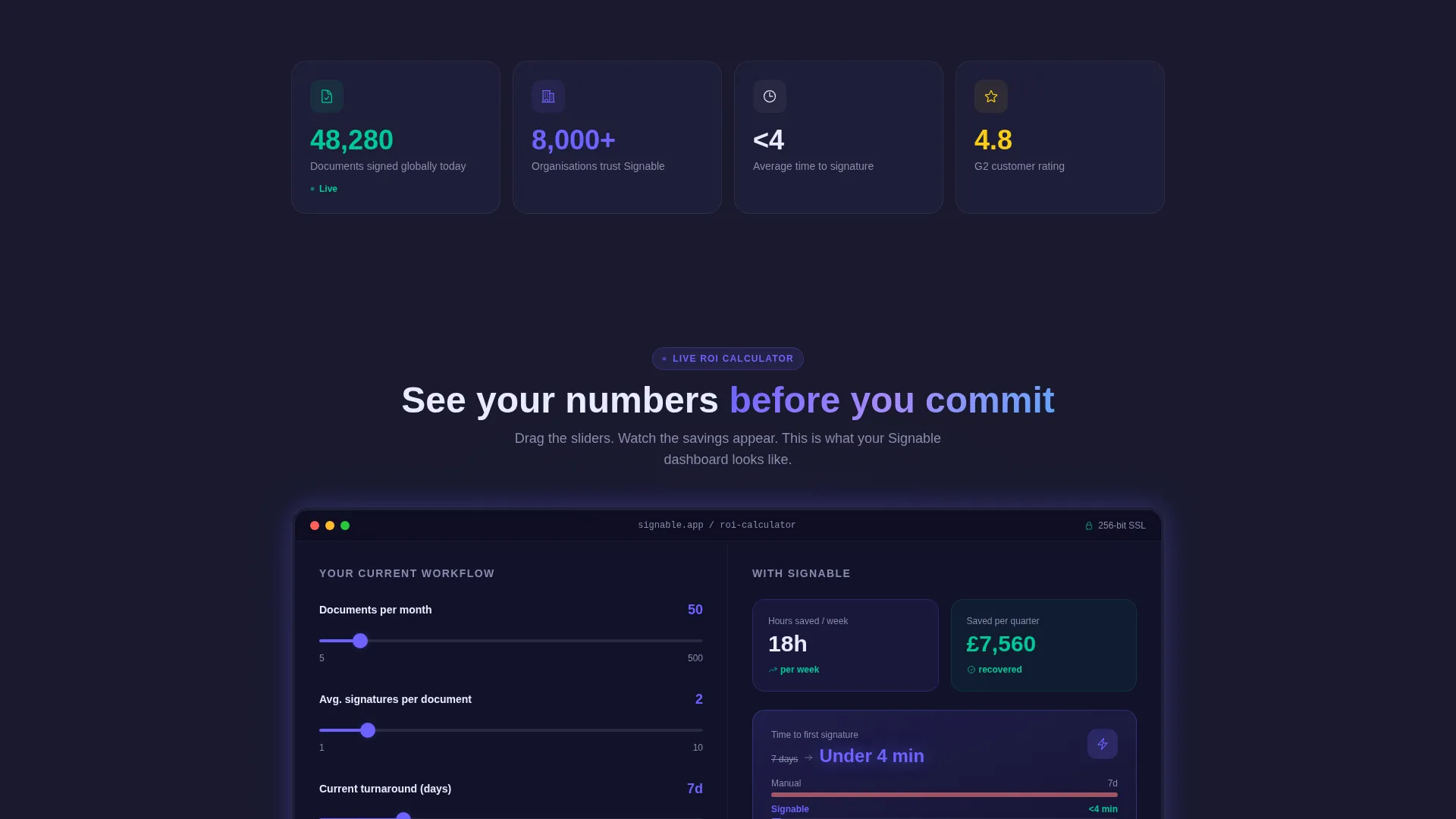
- A fully structured ROI estimator header that functions as both a lead-in and a product preview
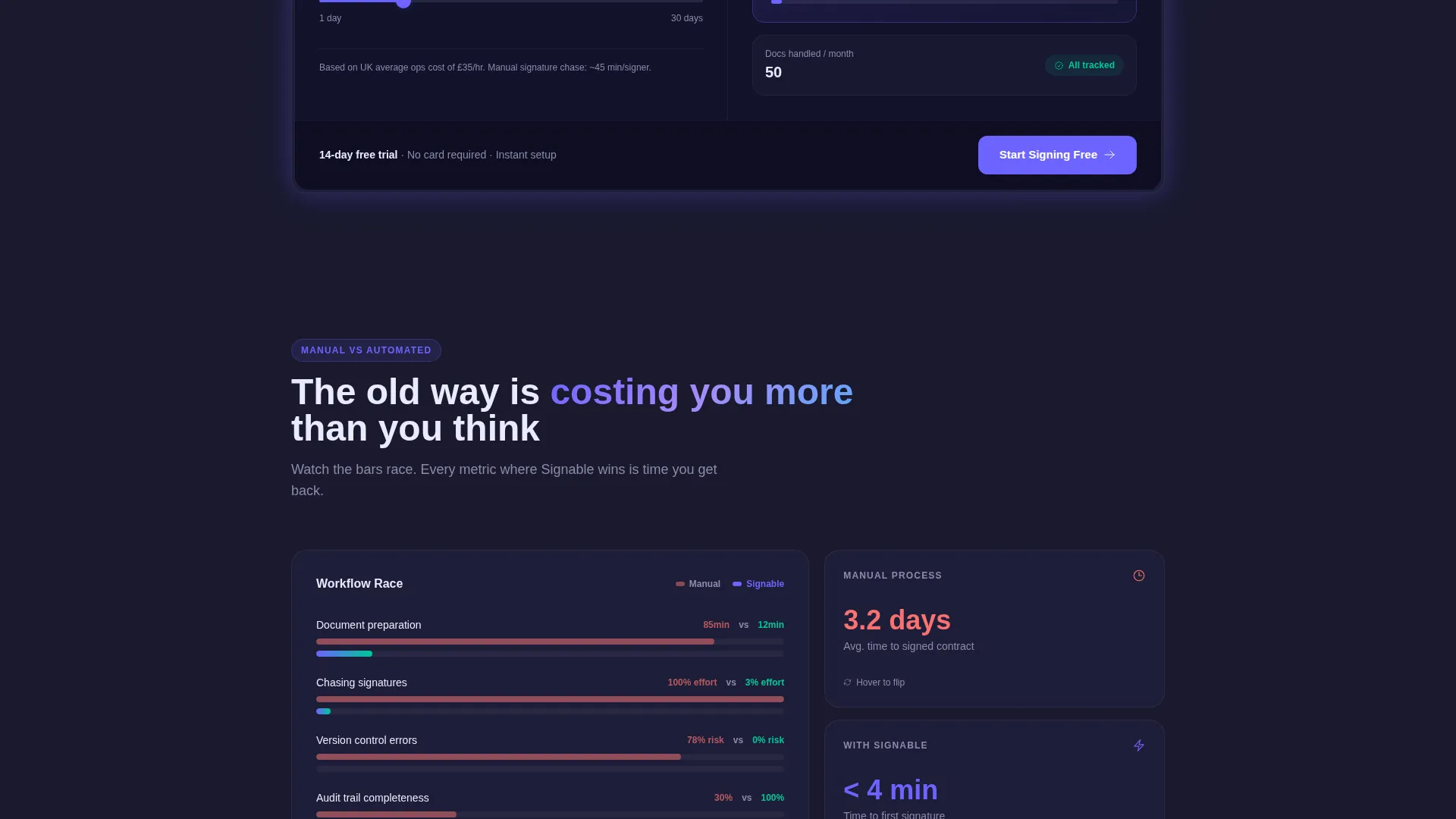
- An animated data grid body with document counters, workflow comparison columns, and progress bar races
- A sticky conversion bar, a mid-page secondary call-to-action, and a color system coded to signal meaning at a glance
Feature list
This template is built around purposeful components drawn directly from the brief. Each one earns its place by doing conversion work.
Live ROI Estimator Widget
The header is a functioning calculator, not a hero image. Visitors input monthly document volume, average signatures per contract, and current turnaround time using sliders. As values change, the widget animates hours recovered per week, quarterly cost savings, and a glowing metric showing time to first signature dropping from days to under four minutes. The estimator doubles as a product demo.
Animated Stats Dashboard
Below the estimator, a live counter displays documents signed globally today. The number updates in real time, giving the page an active, breathing quality that reinforces platform credibility without requiring copy claims.
Workflow Comparison Grid
A three-column grid places manual processes side by side with automated ones. Animated progress bars race each other as the section enters the viewport, making the efficiency gap impossible to ignore. The visual format communicates speed faster than any paragraph could.
Micro-Interaction Hover States
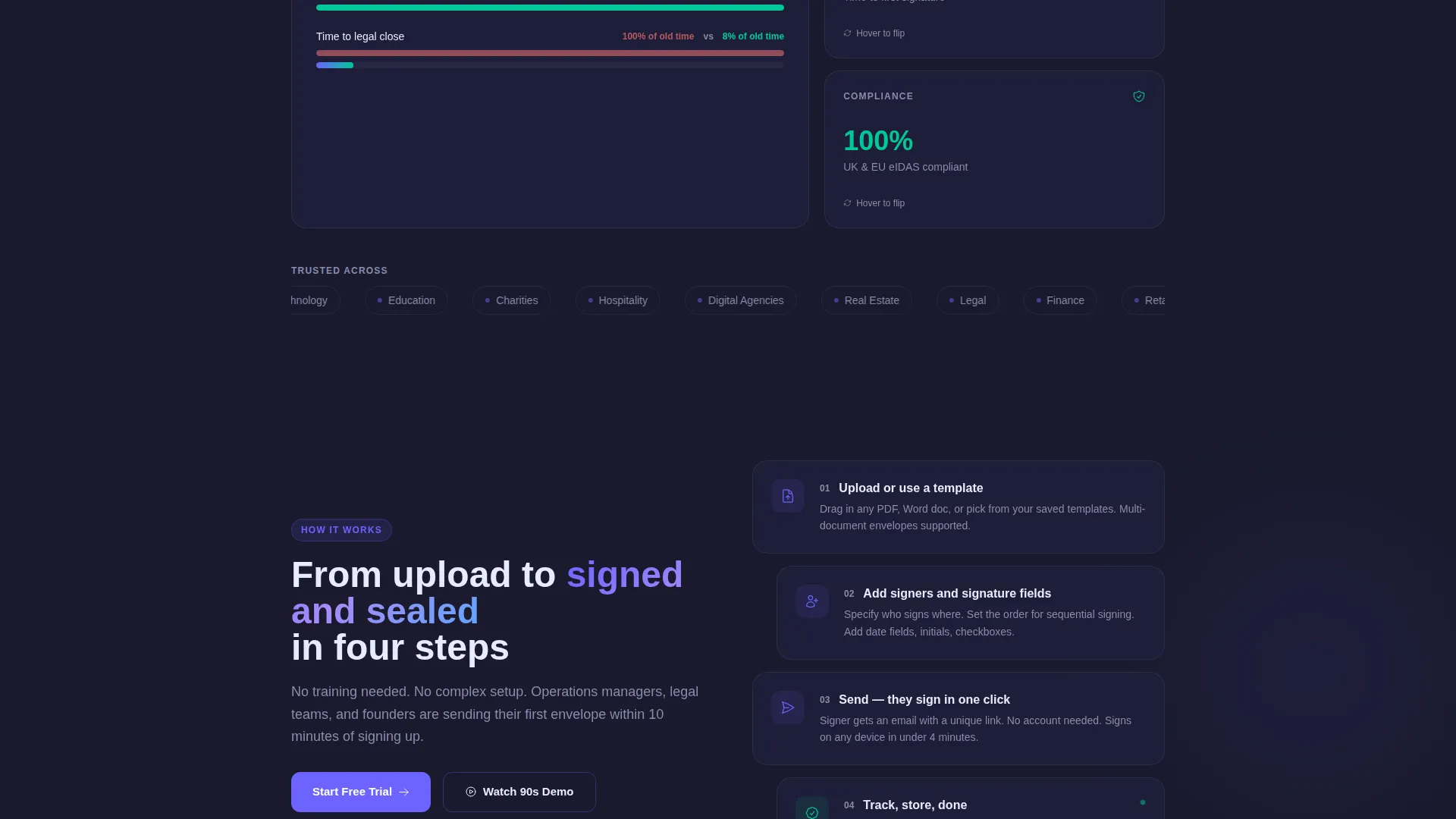
Cards reveal completion percentages on hover. Selected cards flip to show before-and-after stats. These small interactions reward curious visitors and extend time on page without adding visual noise.
Sticky Personalized call to action Bar
After the estimator interaction, a bottom bar activates and carries the visitor's calculated savings forward. The primary call-to-action reads "Start Signing Free" and stays visible through every subsequent scroll, making the conversion moment feel earned rather than forced.
Secondary Mid-Page call to action
A "Watch the 90-Second Demo" button appears mid-page for visitors who respond better to motion than metrics. It provides a second conversion path without disrupting the stats-first flow.
Page sections overview
| Section | Purpose |
|---|---|
| ROI Estimator Header | Lets visitors calculate personal time and cost savings using live sliders |
| Global Signing Counter | Shows real-time document activity to establish platform scale |
| Workflow Comparison Grid | Contrasts manual and automated processes with animated progress bars |
| Micro-Interaction Cards | Delivers before-and-after proof through hover and flip interactions |
| Mid-Page Demo call to action | Offers a motion-based conversion path for hesitant visitors |
| Sticky call to action Bar | Anchors the primary call-to-action with personalized savings data |
Design & branding system
The visual identity follows a Dashboard Pro theme using the Electric Indigo color system. Every color carries information rather than decoration, making the palette functional as well as striking.
- Deep workspace charcoal (#1A1A2E) forms the base, letting metrics and cards float forward against a dark, focused background
- Live-wire indigo (#6C63FF) dominates interactive elements and progress indicators, while signal white (#EAEAFF) surfaces card backgrounds for contrast
- Completion green (#00C897) appears exclusively on confirmed signatures and success states, so every green glow signals a finished action and nothing else
Mobile & speed optimization
The template is structured to remain clear and usable at every screen size. The dashboard grid and estimator widget are designed to reflow without losing their interactive quality on smaller viewports.
- Slider inputs and animated cards adapt to touch interactions so mobile visitors can use the estimator as naturally as desktop users
- The sticky call to action bar is positioned to remain accessible on mobile without obscuring key content
How this template helps you convert
The page is built around a single conversion principle: let visitors convince themselves. Every design decision serves that goal.
- The ROI estimator reflects the visitor's own numbers back at them, making the value of signing up feel concrete and personal before any copy asks for a click
- The accumulation of data cards, counters, and comparison grids builds momentum with each scroll, so by mid-page the old workflow already feels outdated
- The sticky call to action bar activates after the estimator interaction and keeps the visitor's calculated savings visible, reducing the psychological distance between interest and action
Other information about this template
This template is built on the Dashboard Pro theme and is ready to customize inside your preferred site builder. It is a single landing page layout, not a multi-page site.
- The Electric Indigo color system is fully editable, so teams can swap hex values to match their own brand without breaking the layout logic
- All animated elements, including the estimator sliders and progress bar comparisons, are included as part of the template structure
- The template suits any e-signature or document management product that needs to communicate time savings and workflow efficiency to a professional audience
- It can support content updates such as localized document volume benchmarks or industry-specific turnaround comparisons without structural changes
Theme
Dashboard Pro
Creative direction
Stats-First Impact
Color system
Electric Indigo
Style
Dashboard/Data Grid
Direction
Click-Through
Page Sections
Live ROI Estimator Widget
Animated Workflow Comparison Grid
Global Document Counter
Micro-interaction Cards
Sticky Personalized Call to Action Bar
Secondary Demo Call to Action
Related questions
Can I change the color scheme to match my own brand?
Does the ROI estimator actually calculate live results on the page?
Is this template suitable for a B2B software audience?
Can I use this template if my platform covers more than e-signatures?
What triggers the sticky call to action bar at the bottom of the page?



