Sign & Banner Digital Presence Cost Calculator Website Template
Signwork is a dashboard-style landing page template built for sign shops and banner printers who need ready-to-brand social media templates fast. It opens with an interactive cost calculator, walks visitors through a Problem-to-Solution scroll arc, and drives leads through two conversion paths. The design uses a bold Teal Catalyst color system with dynamic motion throughout.
by Rocket studio
Quick summary
Signwork is a single-page lead generation template designed for sign shop and banner printing businesses. It opens with a live cost calculator, guides visitors through a visual before-and-after arc, and collects leads through two clear paths. The dynamic dashboard layout makes every scroll feel purposeful and the bold teal-and-charcoal palette keeps the brand sharp.
Who this template is for
This template is built for businesses in the sign and banner industry that want to grow their social media presence without losing billable shop time. It speaks directly to owners and marketers who know their finished work looks great but rarely have the bandwidth to prove it online.
- Small vinyl shops managing their own Instagram feed between installs
- Franchise print centers required to maintain consistent weekly posting schedules
- Trade show display companies looking to turn installation photos into polished, on-brand social content
What problem this template solves
Sign shops produce visually impressive work every day, but turning that work into consistent social media content takes time most small teams do not have. The result is sporadic posting, inconsistent branding, and a feed that does not reflect the quality of the actual output.
- Time spent building social posts from scratch eats into hours that could be billed to clients
- Inconsistent colors and cropping make a professional shop look unprofessional online
- No clear system for content planning means posting happens reactively, not strategically
What you get with this template
You get a fully structured landing page that does the persuasion work before a visitor even sees the sign-up form. Every section is built around a specific job: the calculator hooks attention, the data grid tells the story, and the conversion sections close the deal.
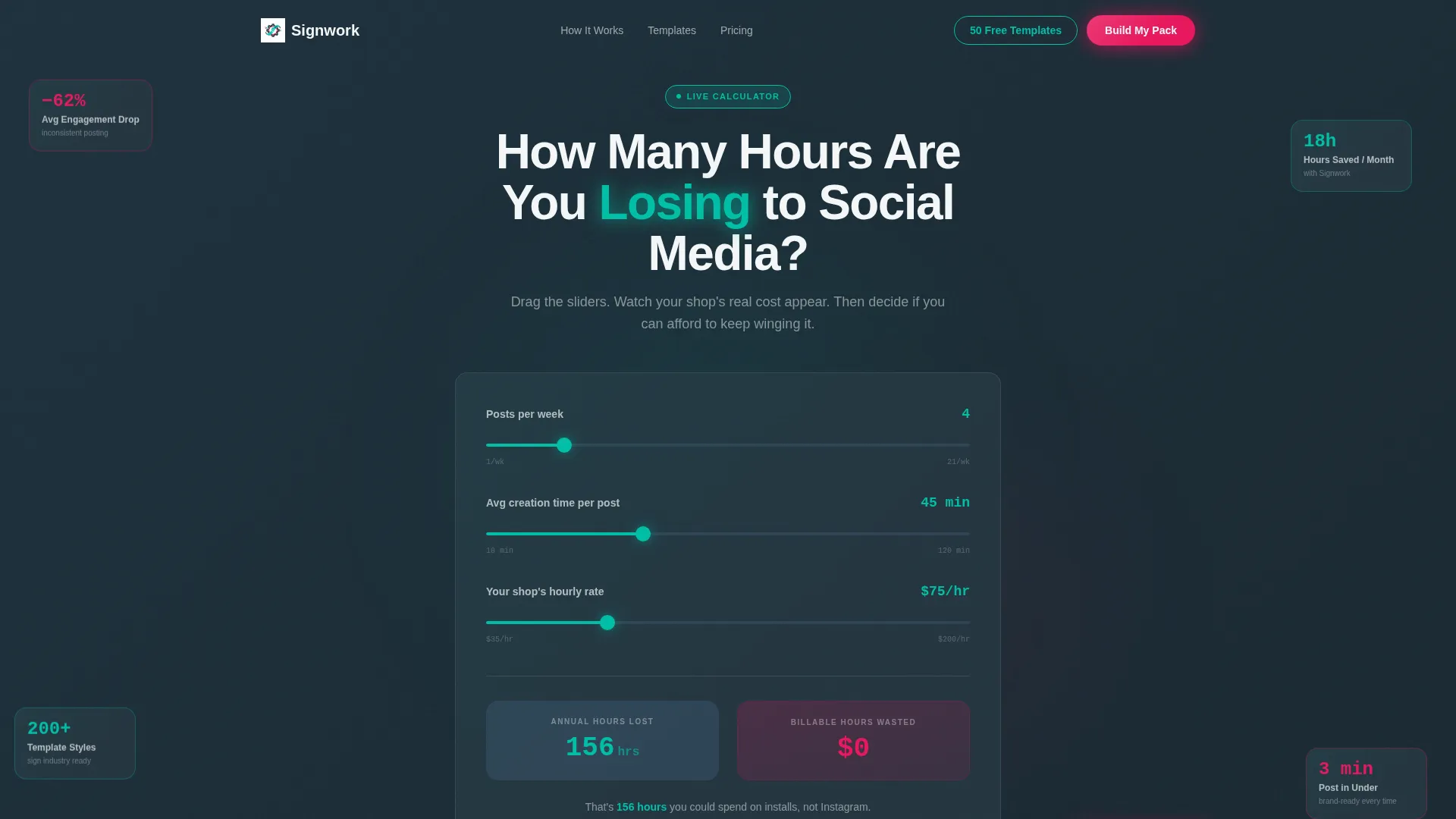
- An interactive calculator section with three sliders that animate a real-time annual cost figure
- A dual-state data grid showing the chaos-to-command-center transformation with animated metrics
- Two conversion paths: a full lead form and a low-friction email gate for free template access
Feature list
This template includes purpose-built sections and interactive components drawn directly from the source brief. Each one serves a clear role in the visitor journey.
Live Cost Calculator Header
Three adjustable sliders let visitors input posts per week, average creation time, and their hourly shop rate. As each slider moves, a real-time counter animates the annual cost in lost billable hours. The number ticks upward in electric teal against deep charcoal, converting an abstract frustration into a concrete dollar figure before any product pitch begins.
Problem-to-Solution Data Grid
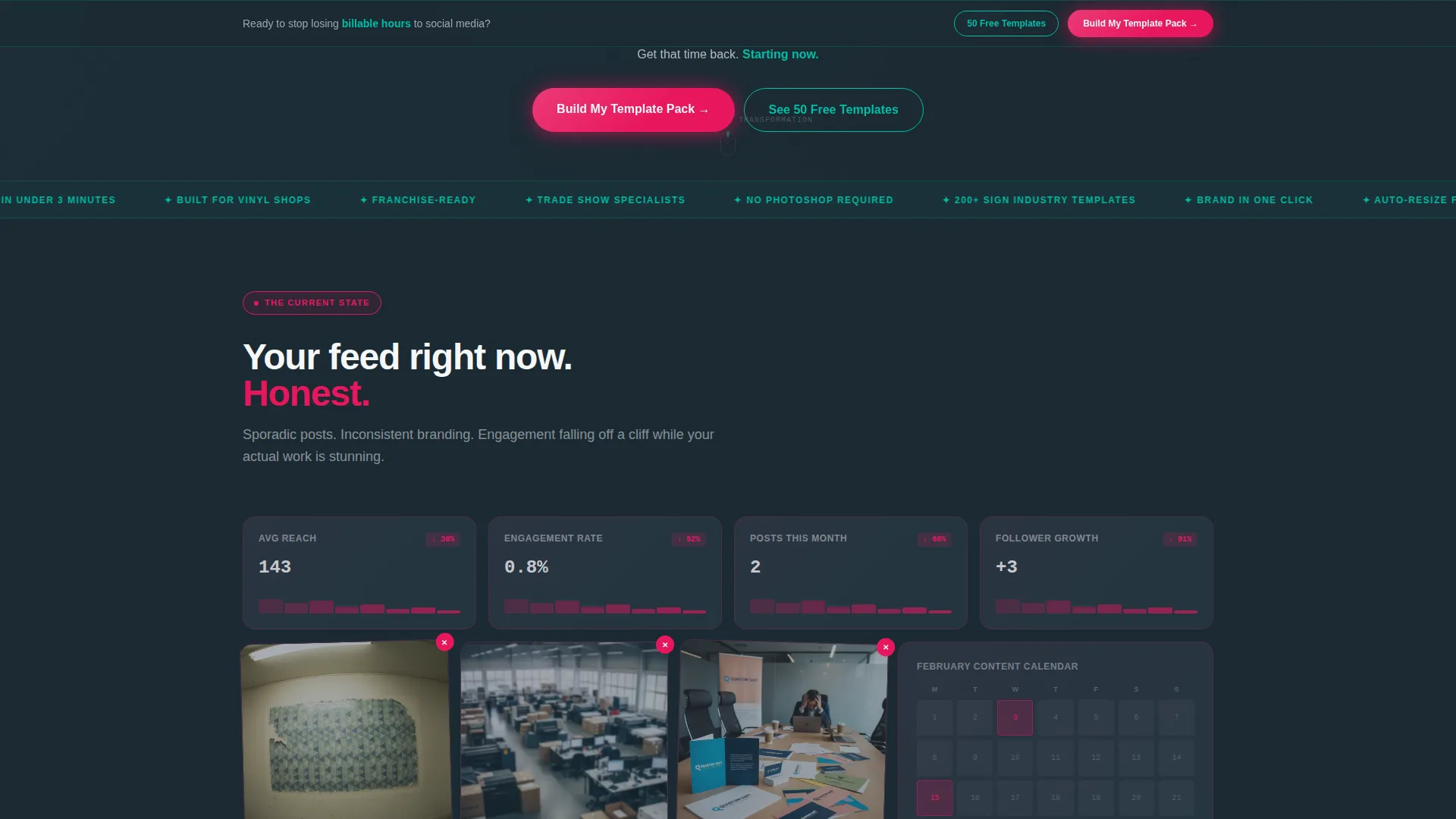
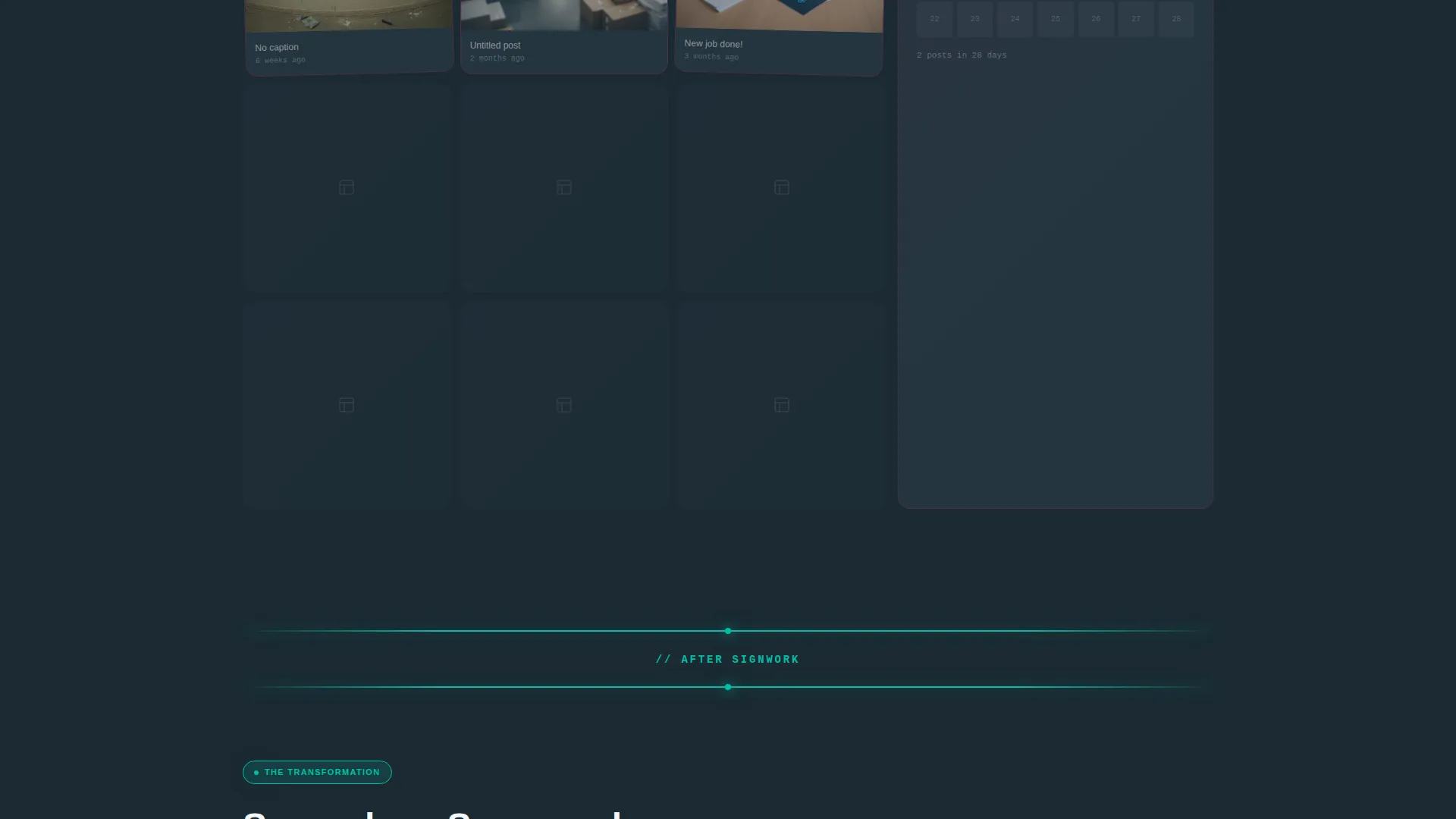
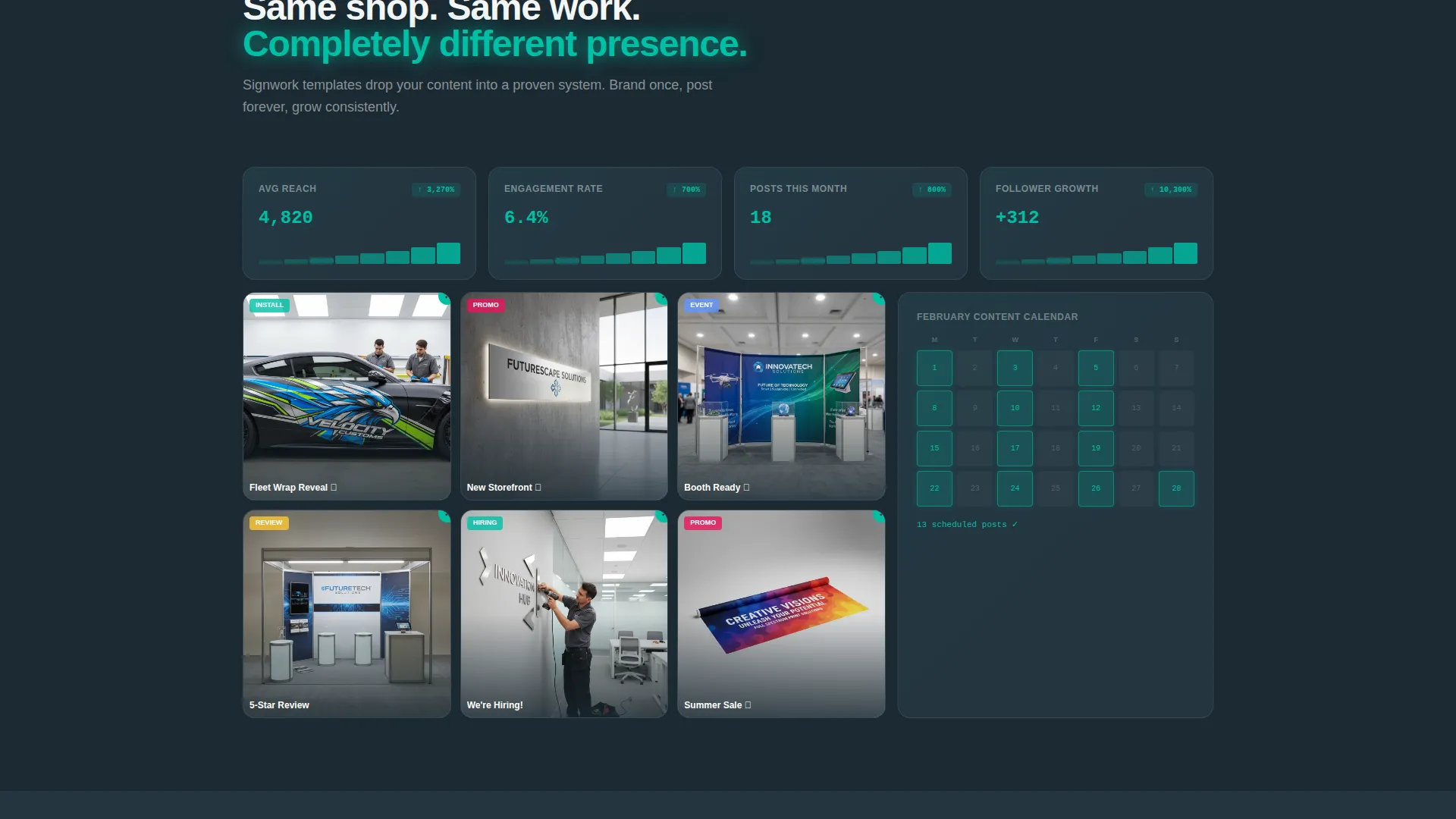
A mosaic data grid first displays the chaos state: poorly cropped photos, inconsistent colors, and a sporadic posting calendar rendered as declining analytics cards. A single horizontal teal line marks the pivot. The same grid then rebuilds with templated posts, a filling content calendar, and climbing engagement graphs, making the value visible without a word of explanation.
Interactive Feature Dashboard Tiles
Below the pivot section, individual features get their own dashboard tiles. Template customization, one-click brand color injection, and platform-specific auto-resizing are each shown in a live preview card the visitor can hover and explore. Cards slide into frame on scroll and template previews cycle through styles, keeping the page dynamic throughout.
Dual Conversion Path System
The primary call to action, "Build My Template Pack," appears first beneath the calculator result and repeats as a sticky bar after the midpoint pivot. A secondary path offers access to free templates gated behind only an email address, giving browsers a low-commitment entry point while the form captures higher-intent leads.
Lead Capture Form
The lead form collects business name, Instagram handle, number of locations, and a checkbox grid of template types needed. The checkbox options cover install showcases, promotional announcements, review graphics, and hiring posts. Asking for the Instagram handle sets up a feed audit conversation and adds a personalized feel to the follow-up.
Sticky Call-to-Action Bar
After the midpoint pivot, a persistent sticky bar carries the primary call to action across every remaining scroll. It ensures the conversion option is always visible without interrupting the narrative flow of the page sections below it.
Page sections overview
| Section | Purpose |
|---|---|
| Calculator Header | Quantify social media time cost with live sliders |
| Chaos State Grid | Show the before: inconsistent, declining social metrics |
| Pivot Reveal Line | Mark the transition from problem to solution visually |
| Solution State Grid | Rebuild the grid with templated, consistent content |
| Feature Tile: Customization | Preview live template editing in a dashboard card |
| Feature Tile: Brand Colors | Demonstrate one-click brand color injection |
| Feature Tile: Auto-Resize | Show platform-specific resizing in an interactive tile |
| Primary Lead Form | Capture business details and template type preferences |
| Free Templates Gate | Collect email for low-friction template access |
| Sticky call to action Bar | Keep the primary action visible after midpoint |
Design & branding system
The visual identity follows a Dynamic Motion theme built around the Teal Catalyst color system. Every color has an assigned role, and no color crosses its boundary. The palette is precise but feels alive, like a neon sign switching on in a dark storefront window.
- Deep workshop charcoal (#1B2A33) anchors data grid backgrounds and structural elements
- Electric teal (#00BFA6) traces interactive borders, metric highlights, and animated counters
- Clean substrate white (#F4F7F8) opens breathing room between cards and content sections
- Signal magenta (#E8175D) is reserved exclusively for call-to-action buttons and urgency badges
Mobile & speed optimization
The dashboard layout and animated components are designed to feel intentional on smaller screens, not scaled down as an afterthought. The motion direction keeps interactions smooth and purposeful across devices.
- Scroll-triggered card animations adapt to mobile viewport entry points
- Sticky call-to-action bar remains accessible on mobile without obscuring key content
- Dashboard tiles reflow cleanly into single-column stacks on narrow screens
How this template helps you convert
Every design and copy decision in this template moves the visitor closer to submitting a form or entering an email. Conversion is not a final ask here; it is built into the structure from the first slider drag.
- The calculator turns time frustration into a dollar figure, making the lead form feel like a logical financial decision rather than a cold commitment
- The Problem-to-Solution arc shows the transformation visually, so visitors understand the value before reading a single feature bullet
- Two conversion paths match two different levels of buyer readiness, capturing both high-intent leads and browsers who need more time
Other information about this template
This template is categorized under Technology with a subcategory focus on Sign and Banner Digital Presence. It was built specifically for the sign and banner social media template niche, where visual credibility and time efficiency are the two most valued outcomes.
- The template style is Dashboard and Data Grid, which fits the metrics-driven narrative of the page
- The creative direction follows a strict Problem-to-Solution Arc, meaning every section has a defined role in the buyer journey
- The header concept is a Calculator and Estimator tool, which is the primary persuasion mechanism
- The theme is Dynamic Motion, reflected in scroll-triggered animations, counting metrics, and cycling template previews
- The landing page direction is Lead Generation, with both a primary form and a secondary email gate working in parallel
Theme
Dynamic Motion
Creative direction
Problem→Solution Arc
Color system
Teal Catalyst
Style
Dashboard/Data Grid
Direction
Lead Generation
Page Sections
Live Interactive Cost Calculator
Problem-to-solution Data Grid
Interactive Dashboard Feature Tiles
Dual Conversion Path Design
Sticky Call-to-action Bar
Scroll-triggered Motion System
Related questions
Can I customize the calculator sliders for my own pricing?
What template types does the lead form cover?
Do I need design software to edit this template?
Who is the secondary email gate intended for?
Can a franchise with multiple locations use this template?



