Construction Asset Management Landing Page Template
Sitewatch is a construction asset management landing page template built for fleet-focused platforms. It uses a Hub and Spoke anchor navigation layout with a Data Command visual theme, glassmorphic dark user interface, and interactive explorer modules. Each spoke section covers fleet mapping, utilization tracking, maintenance alerts, and idle cost visibility to drive freemium signups.
by Rocket studio
Quick summary
Sitewatch is a single-page landing page template designed for construction asset management platforms. It places every piece of heavy equipment on a live map, then guides visitors through interactive spoke modules covering utilization, maintenance, and idle cost. The dark glassmorphic design and animated components create an immediate sense of operational control before visitors ever sign up.
Who this template is for
This template is built for software teams and founders launching construction asset management platforms that help field operations teams reduce waste and gain visibility across multiple jobsites.
- Fleet coordinators who manage cranes, excavators, and concrete pumps across many active sites simultaneously
- Project managers and operations leads who need to justify equipment spend with real utilization data
- Chief financial officers and business owners who suspect idle equipment is creating significant hidden costs
What problem this template solves
Construction fleets are expensive, and equipment often sits idle for weeks without anyone noticing until the invoice arrives. This template addresses the gap between the problem visitors already feel and the platform solution you are offering.
- No single view of where every asset is, what it is doing, and whether it is costing money right now
- Disconnected spreadsheets and manual check-ins that delay decision-making for fleet coordinators
- Difficulty communicating the financial impact of poor utilization to finance and executive stakeholders
What you get with this template
You get a fully structured, single-page landing page with anchor navigation and five interactive spoke modules. Every section is purpose-built to let visitors explore the platform experience before they commit to signing up.
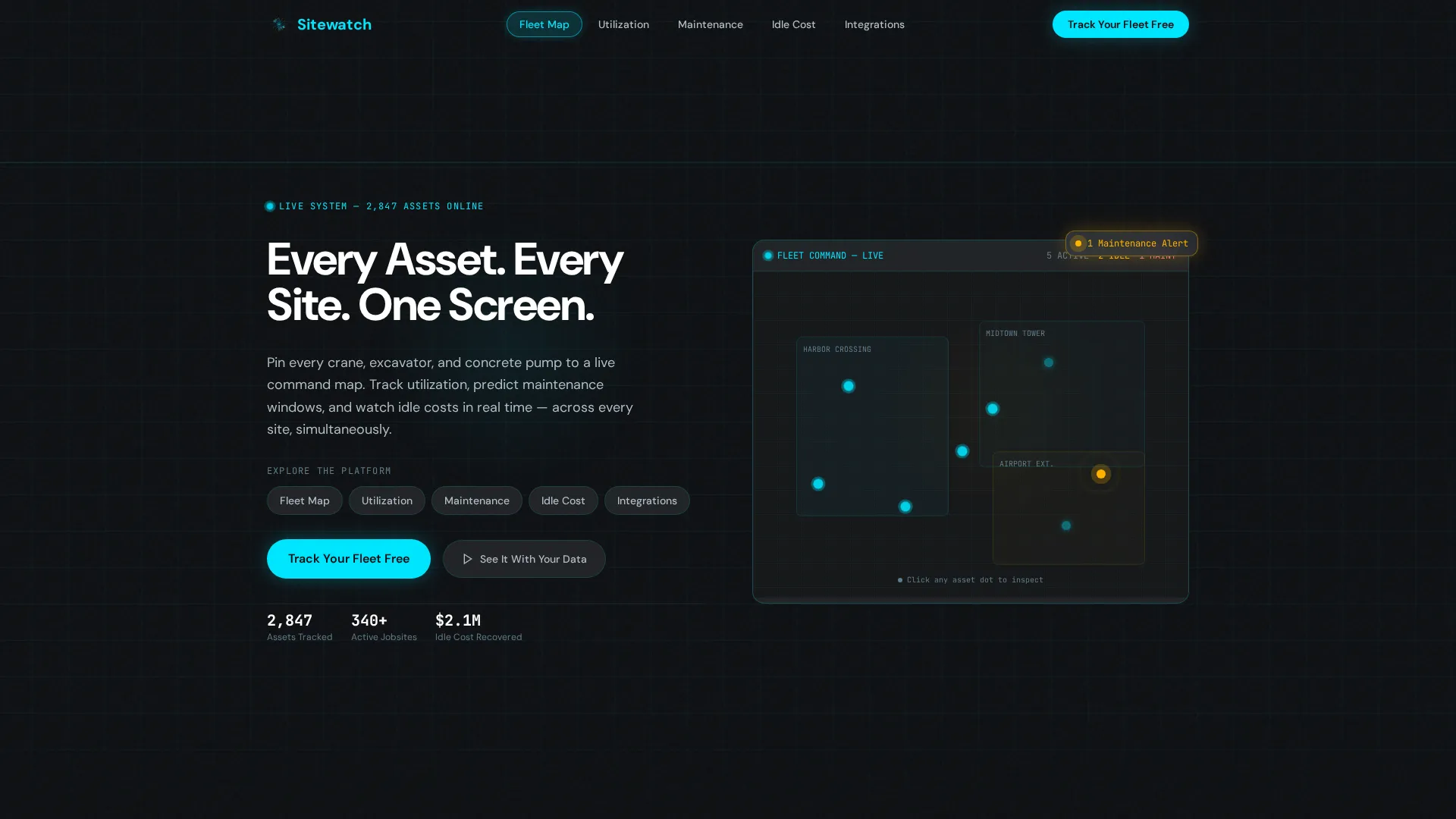
- A dark full-bleed hero with a wireframe 3D site map, pulsing equipment icons, and a terminal-style animated headline
- Five anchor nav spoke modules covering Fleet Map, Utilization, Maintenance, Idle Cost, and Integrations
- A freemium conversion modal and a secondary guided demo booking path with calendar embed
Feature list
This template includes purpose-designed components that reflect the operational depth of a construction asset management platform. Each module is built to engage visitors at their own pace.
Live Fleet Map Explorer
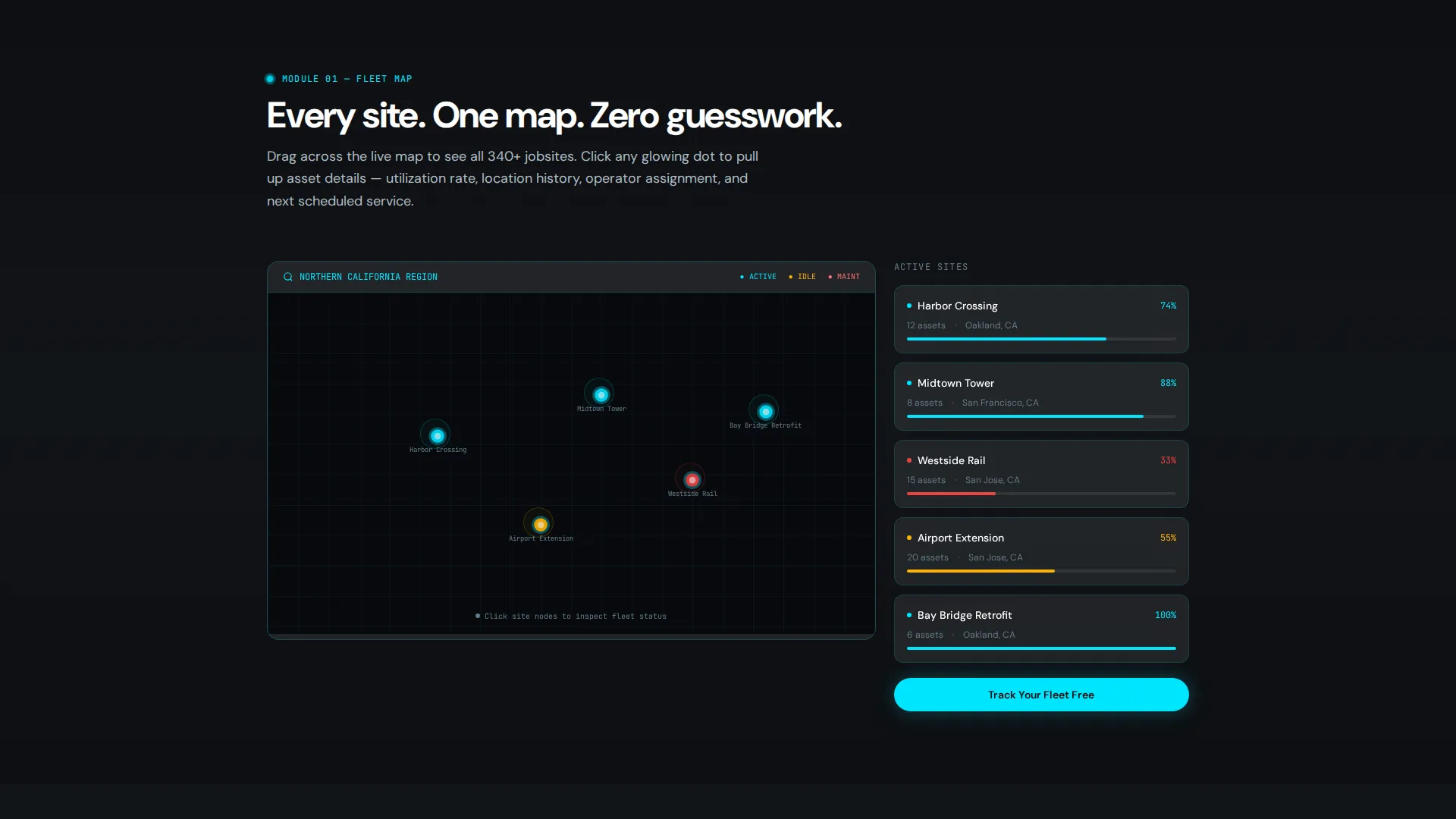
A draggable demo map lets visitors click glowing asset dots to open frosted-glass popups. Each popup displays utilization percentages and location history, giving visitors a hands-on feel for the platform before they sign up.
Scroll-Triggered Utilization Chart
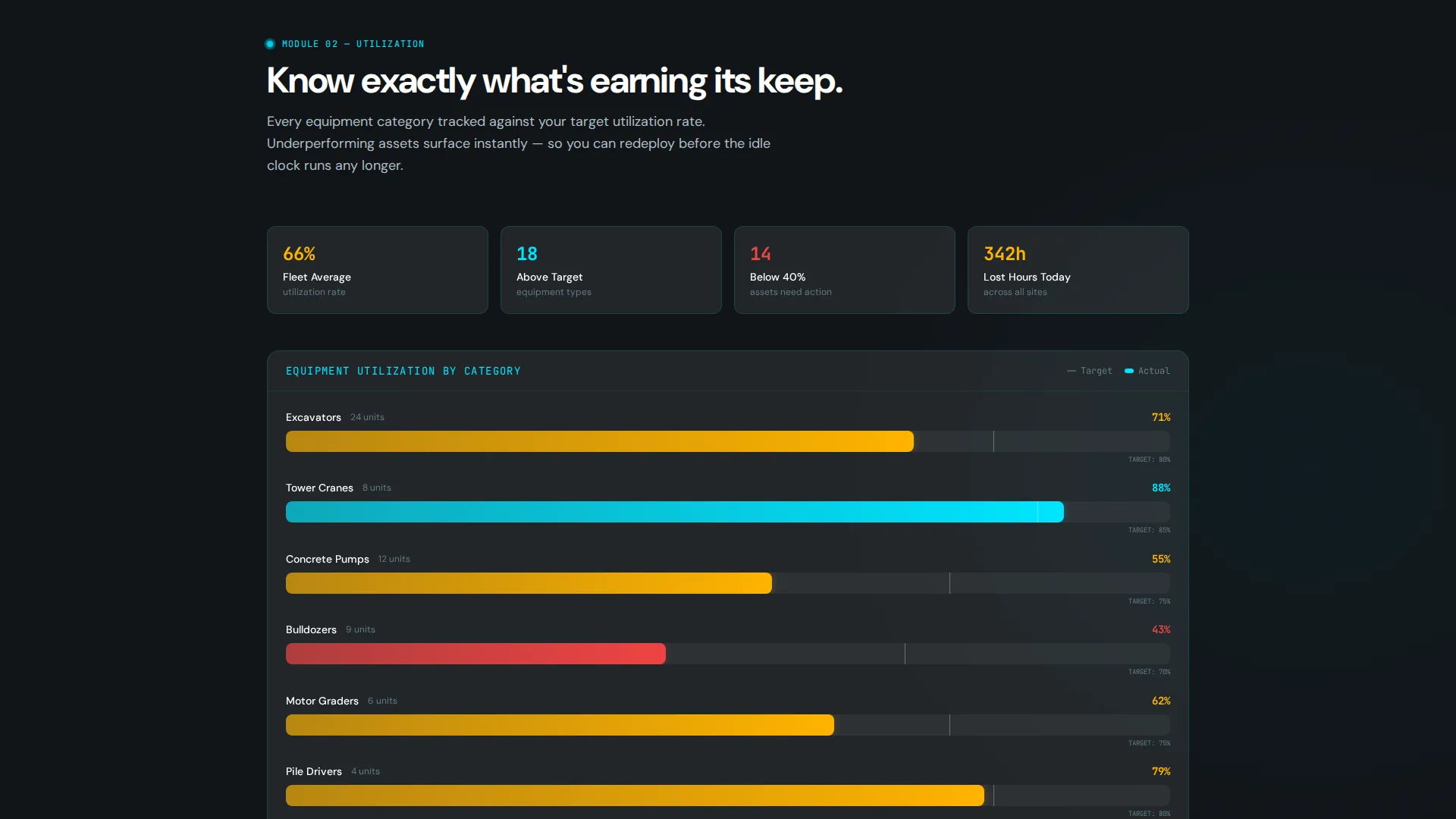
An animated bar chart fills progressively as visitors scroll into the Utilization spoke. The motion communicates data at a glance and rewards continued reading with a satisfying visual payoff.
Predictive Maintenance Timeline
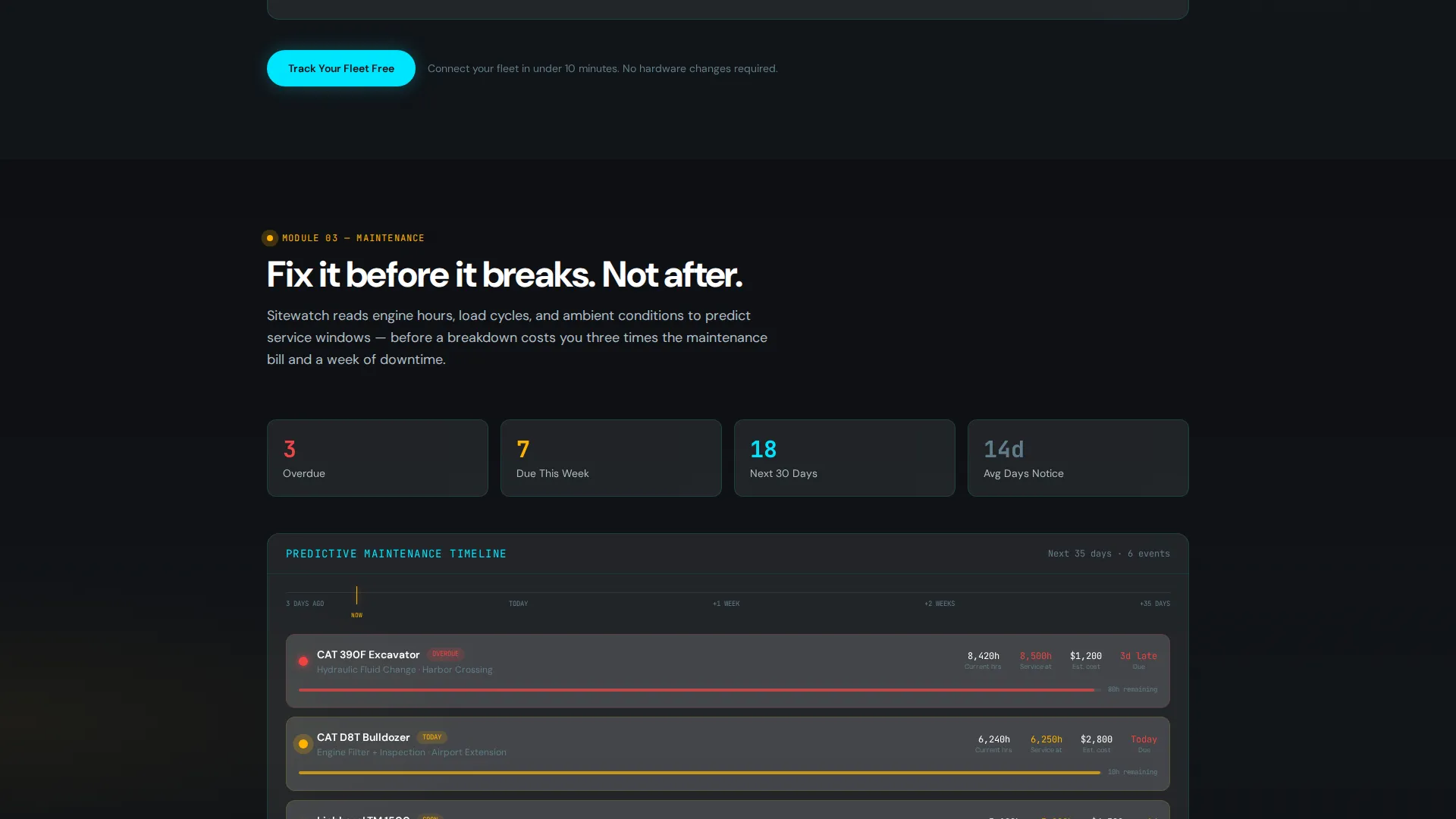
The Maintenance spoke displays a visual timeline with amber warning nodes indicating upcoming service windows. Visitors can immediately see how the platform surfaces critical maintenance alerts before equipment goes down.
Live Idle Cost Counter
A real-time dollar figure climbs as visitors watch, making the financial cost of unused equipment visceral and immediate. This component converts an abstract problem into a concrete number that resonates with finance-focused stakeholders.
Anchor Navigation with Frosted-Glass Pills
A persistent anchor nav across the top of the page uses frosted-glass pill buttons to jump visitors directly to any spoke section. This keeps the page explorable without overwhelming first-time visitors.
Freemium Conversion Modal
The primary call to action opens a frosted-glass modal with fields for work email, number of active jobsites, and estimated fleet size. A secondary path links to a demo booking with an embedded calendar for visitors who want a guided walkthrough first.
Page sections overview
| Section | Purpose |
|---|---|
| Hero Header | Establishes the data command tone with a 3D wireframe site map, pulsing GPS asset icons, and a terminal-typed headline |
| Anchor Navigation Bar | Provides frosted-glass pill links to Fleet Map, Utilization, Maintenance, Idle Cost, and Integrations spokes |
| Fleet Map Spoke | Lets visitors drag a demo map and click asset dots to explore popup utilization data |
| Utilization Spoke | Displays a scroll-triggered animated bar chart showing equipment utilization rates |
| Maintenance Spoke | Shows a predictive alert timeline with amber warning nodes for upcoming service windows |
| Idle Cost Spoke | Presents a live-counting dollar figure that dramatizes the financial impact of idle equipment |
| Integrations Spoke | Covers platform connection context for fleet and project management workflows |
| Conversion Modal | Captures work email, jobsite count, and fleet size for freemium trial signup |
| Demo Booking Path | Offers a secondary calendar-embedded route for visitors who prefer a guided demo |
Design & branding system
The visual identity follows a Data Command theme rendered through a glassmorphic color system. Every layer is designed to feel like a live operational dashboard rather than a marketing page.
- Core palette: deep asphalt black (#0D0F12) background, translucent panel white (#FFFFFF at 8% opacity) for frosted-glass cards, electric cyan (#00E5FF) for active states and data pulses, and safety amber (#FFB300) for alerts and secondary highlights
- Typography: cool gray (#B0BEC5) for body text and pure white (#FFFFFF) for headings, with 1px cyan-tinted border strokes at low opacity on cards and panels
- Interactive states: hover effects bloom with soft glow halos, and active asset icons emit radial amber rings to indicate maintenance alerts
Mobile & speed optimization
The template is designed to translate its dark, layered visual identity cleanly across screen sizes. Interactive components are structured to remain usable on smaller displays.
- Anchor navigation condenses gracefully so spoke sections remain accessible on mobile viewports
- Glassmorphic cards and frosted-glass modals are sized to work within standard mobile screen widths without layout breakage
- Animated components such as the scroll-triggered chart and live idle cost counter are structured to activate reliably as visitors scroll on touch devices
How this template helps you convert
Every design and interaction decision in this template is aimed at lowering the barrier between curiosity and signup. Visitors are not asked to trust a pitch; they are invited to explore a working interface.
- The interactive spoke modules let visitors use fleet map popups, watch the utilization chart fill, and see the idle cost counter climb before any signup prompt appears, so the product earns the click rather than demanding it.
- The dual conversion path gives high-intent visitors a fast freemium modal and gives more deliberate buyers a guided demo booking option, covering two distinct decision-making styles in one page.
Other information about this template
This template is part of a broader set of construction software landing page templates available on the platform. It is suited to teams building in the construction asset tracking and equipment fleet management space.
- The Hub and Spoke anchor navigation structure makes it straightforward to add or reorder spoke sections as a platform evolves
- The template is designed as a single-page layout with no secondary pages, keeping all visitor attention focused on one conversion flow
- The freemium and guided demo conversion paths can be adapted to match different trial or onboarding models without restructuring the page layout
Theme
Data Command
Creative direction
Interactive Explorer
Color system
Glassmorphic
Style
Hub & Spoke (Anchor Nav)
Direction
Freemium/Trial
Page Sections
Live Fleet Map Explorer
Scroll-triggered Utilization Chart
Predictive Maintenance Timeline
Live Idle Cost Counter
Anchor Navigation with Frosted-glass Pills
Freemium Conversion Modal
Related questions
Who is the Sitewatch template designed for?
Can I customize the spoke sections for my platform?
Does this template include both freemium and demo booking conversion paths?
What makes the interactive components effective for conversion?
Is the dark glassmorphic design suitable for a professional construction software audience?



