Construction Company Portfolio Website Template
Slab is a Bold Brutalist construction landing page template built for heavy-industry firms that win work through hard data. A Feature Tab Switcher cycles through project types, a locked anchor nav drives visitors through dense case study sections, and every lead form earns the click after front-loading real project numbers. Built for credibility, not comfort.
by Rocket studio
Quick summary
Slab is a single-page, hub-and-spoke construction landing page template designed to convert general contractors, commercial developers, and project managers into qualified leads. It leads with hard project data, locks an anchor nav at the top, and funnels visitors through spec-sheet-style case studies before presenting a clear portfolio request form.
Who this template is for
Slab was built for firms that earn contracts by proving capability, not just describing it. The template is especially well-suited for construction companies that bid on large, complex projects and need to qualify prospects before a site visit or call.
- Structural and civil subcontractors building credibility with general contractors ahead of municipal bids
- Commercial developers and project managers comparing firms against tight RFQ deadlines
- Construction companies presenting bridge, parking structure, or mixed-use tower case studies to serious buyers
What problem this template solves
Most construction company pages describe services in vague language. They say "quality work" and "on time" without providing any evidence. Buyers vetting subcontractors need numbers, not paragraphs.
- Visitors leave when they cannot find scope, timeline, and budget variance data in the first scroll
- Generic portfolio pages fail to separate firms competing for the same municipal or commercial contract
- There is no clear next step for a qualified buyer who is ready to request credentials or a portfolio
What you get with this template
Slab delivers a complete, data-dense construction case study landing page ready to be filled with your real project records. Every layout decision supports the goal of converting a skeptical, time-pressed buyer into a lead.
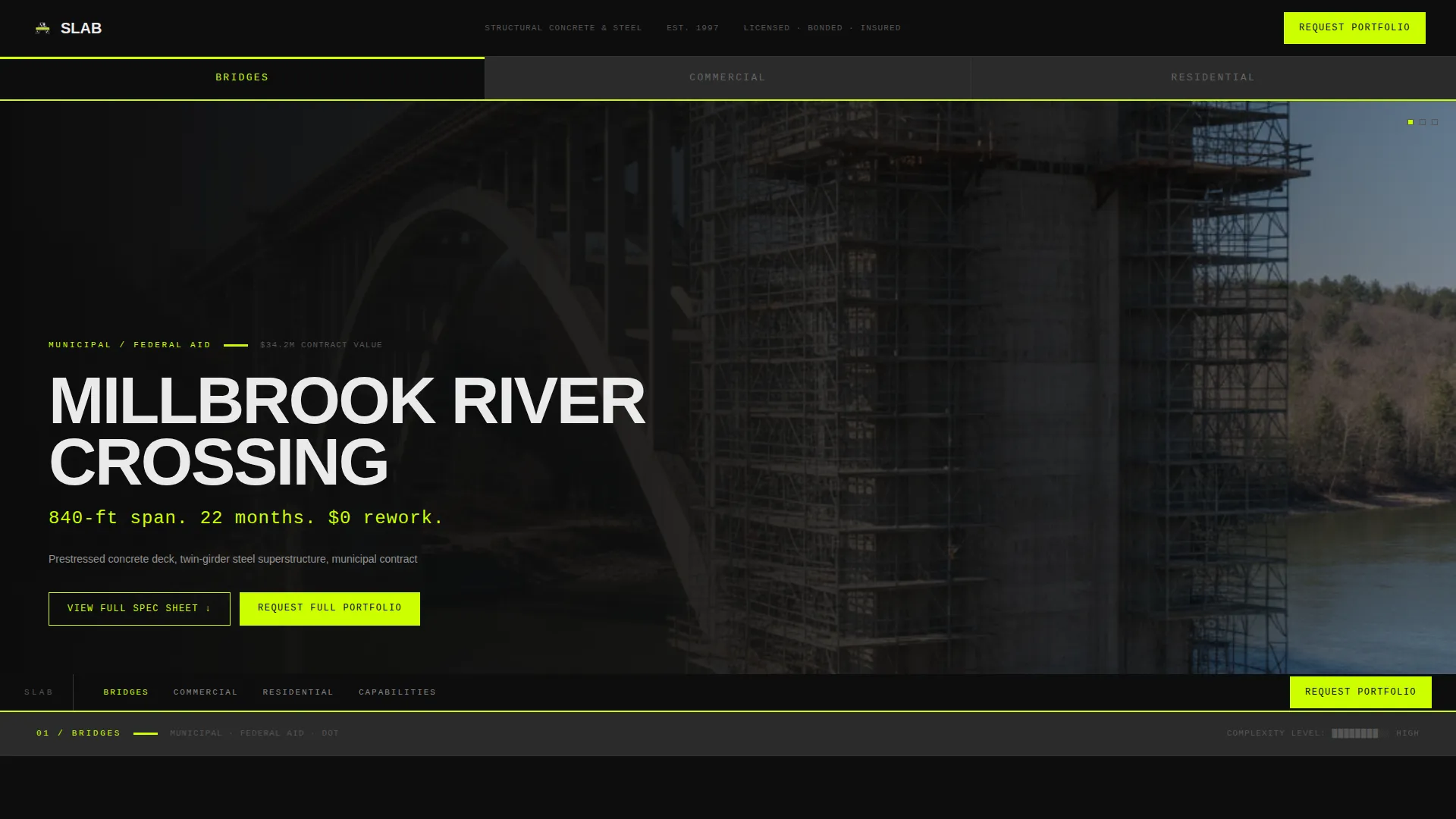
- A Feature Tab Switcher header that snaps between BRIDGES, COMMERCIAL, and RESIDENTIAL project hero sections instantly
- Hub-and-spoke anchor navigation that locks to the top and links directly to individual case study sections
- Two layered lead capture paths: a full portfolio request form and a per-case-study PDF download gate
Feature list
Slab includes a carefully considered set of components, each designed to reflect the no-nonsense decision-making environment your buyers operate in.
Feature Tab Switcher Header
Three tabs labeled BRIDGES, COMMERCIAL, and RESIDENTIAL sit in a thick horizontal bar at the top of the page. Each tab loads a distinct hero case study instantly, with a full-bleed site photo, a condensed uppercase project name, and a single chartreuse stat line. The switch is mechanical, with no animation or fade.
Locked Anchor Navigation Bar
The anchor nav locks to the top of the viewport as the visitor scrolls. It contains direct links to every case study spoke section and a persistent "Request Our Full Project Portfolio" call-to-action button. This keeps the primary conversion path visible throughout the entire page experience.
Spec Sheet Case Study Sections
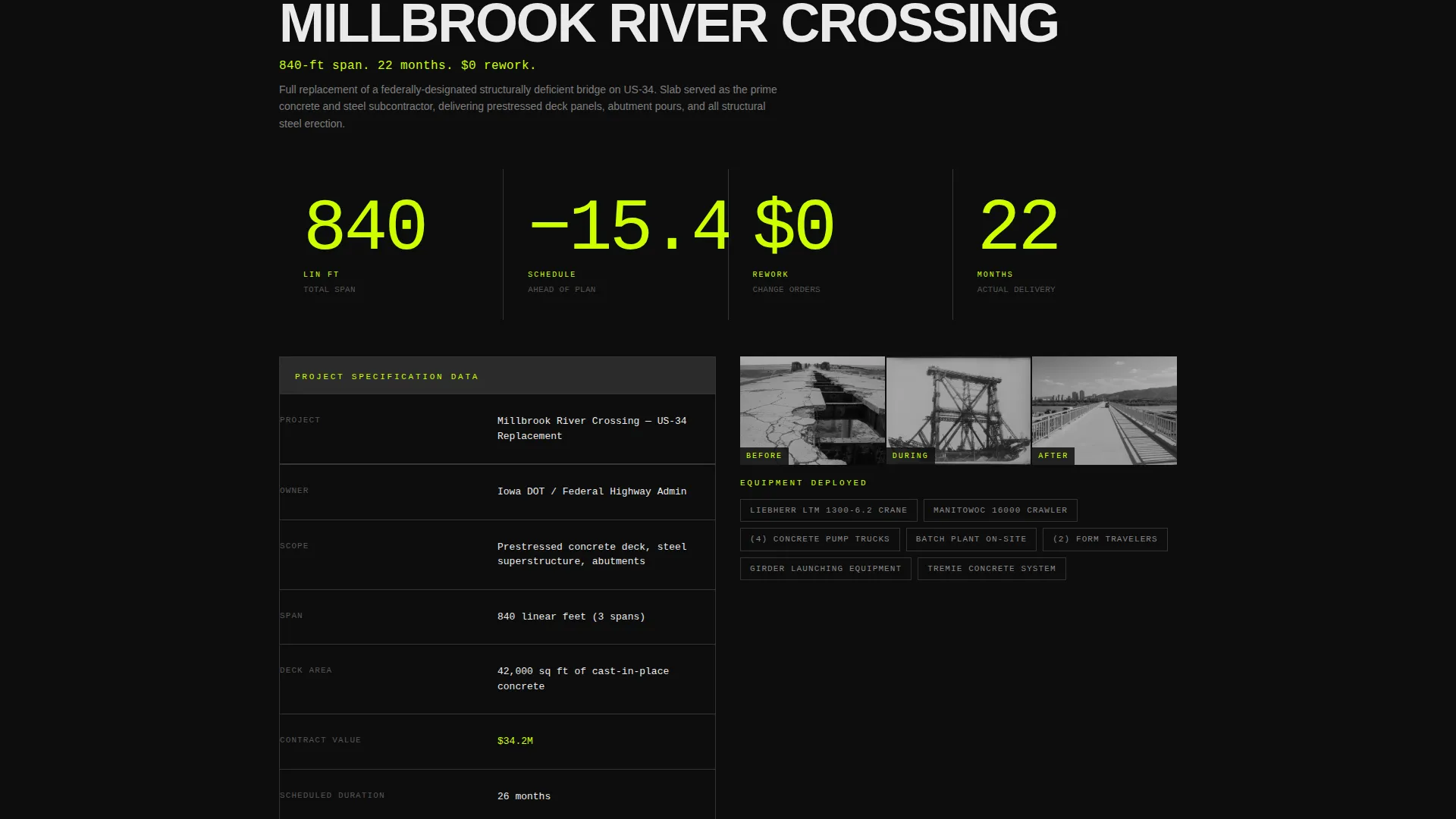
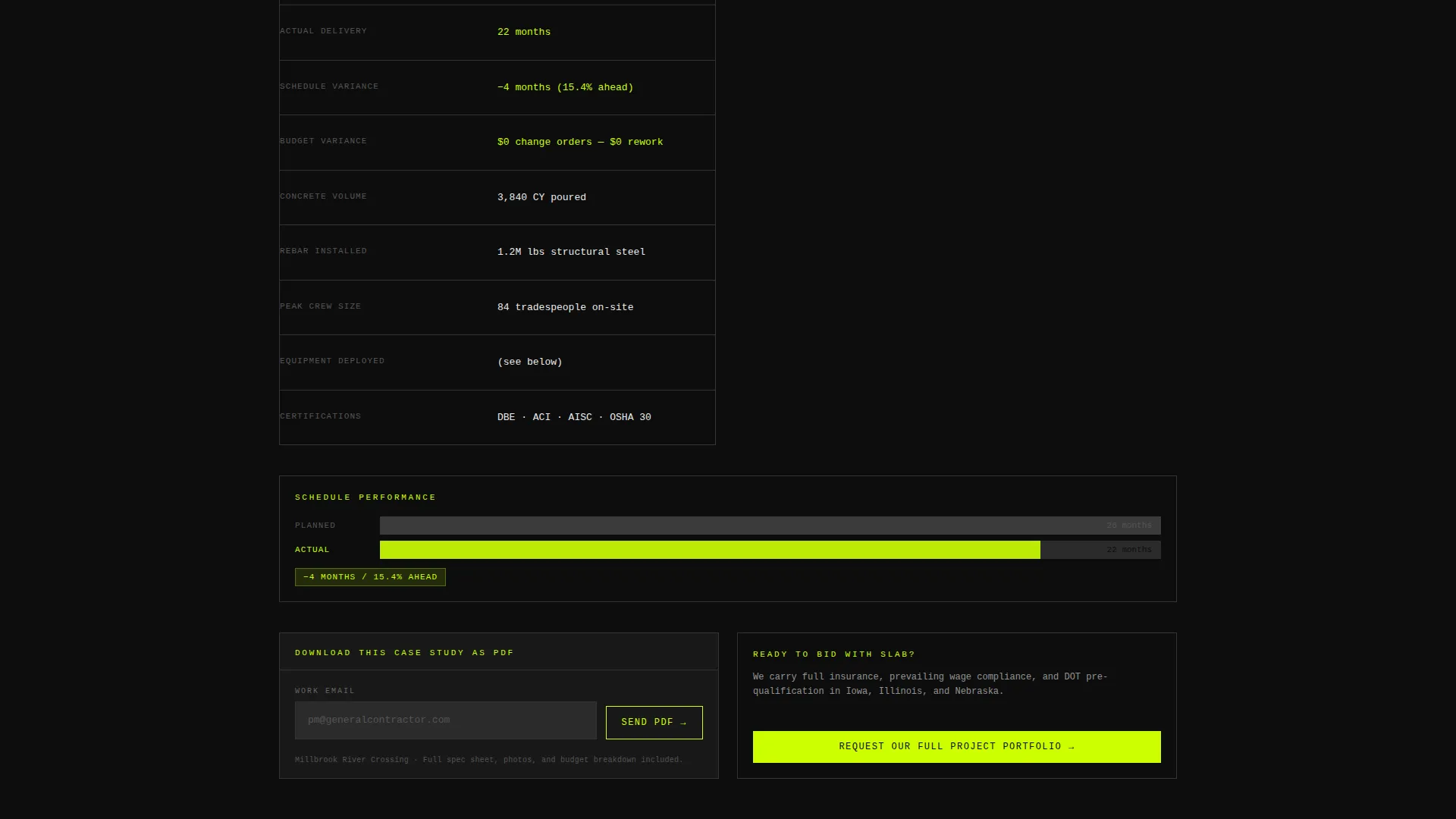
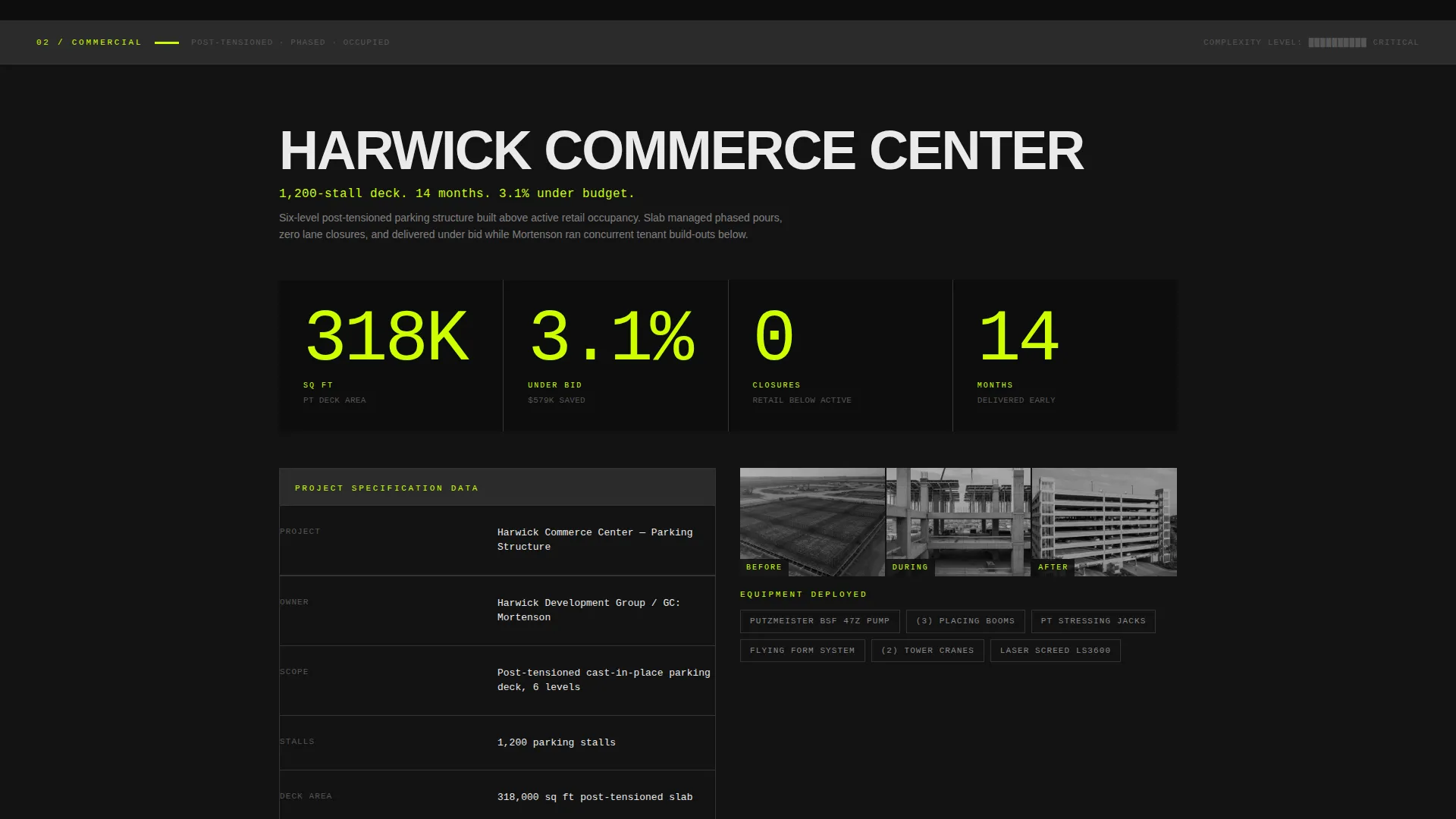
Each spoke section is formatted like a project data sheet. It includes scope of work, square footage, planned versus actual delivery timeline, budget variance percentage, equipment deployed, and a before, during, and after photo strip. Numbers are typeset in oversized monospace, chartreuse on black.
Dual Lead Capture System
The primary form collects company name, project type via dropdown, estimated project value range, and email. A secondary lighter-intent path offers a "Download This Case Study as PDF" option on each spoke, gating it with just an email field. Both paths are earned through data presented before the form appears.
Escalating Complexity Structure
Case study sections are ordered by increasing project complexity. Each section builds on the last, accumulating evidence of capability rather than restating it. By the final section, a qualified buyer has seen proof across multiple project types and scales.
Bold Brutalist Visual System
Heavy monolithic black and charcoal blocks give the page physical weight. Chartreuse hits every critical element that demands attention: anchor nav links, stat callouts, hover states, and call to action buttons. Raw-form white body text reads clearly against the dark field throughout.
Page sections overview
| Section | Purpose |
|---|---|
| Tab Switcher Header | Snap between project-type hero case studies |
| Locked Anchor Nav | Persistent navigation and primary call to action bar |
| Bridges Case Study | Spec sheet data for bridge deck projects |
| Commercial Case Study | Spec sheet data for commercial structures |
| Residential Case Study | Spec sheet data for mixed-use tower work |
| Portfolio Request Form | Primary lead capture at each section close |
| PDF Download Gate | Secondary email capture per case study |
Design & branding system
The visual identity follows an Acid Digital color system applied through a Bold Brutalist design language. The result feels like a construction document printed under fluorescent light: high contrast, confrontational, and impossible to scroll past without registering the numbers.
- Core palette: poured-asphalt black (#0D0D0D), rebar charcoal (#2B2B2B), safety-vest chartreuse (#CCFF00), and raw-form white (#EAEAEA) for body text
- Typography uses condensed uppercase display type for project names and oversized monospace for all data callouts, stat lines, and budget figures
- Chartreuse is applied selectively to anchor nav links, stat callouts, hover states, and call to action buttons to function as a visual hierarchy signal throughout the page
Mobile & speed optimization
Slab is structured to stay readable and functional on smaller screens without sacrificing the industrial density that makes the desktop experience credible. The layout stacks cleanly for mobile visitors.
- The Feature Tab Switcher and anchor nav are designed to remain accessible and usable at smaller viewport widths
- Spec sheet data sections reformat for vertical reading without losing the monospace number treatment or photo strip layout
- The dual lead capture forms are compact and functional on mobile, keeping the conversion path intact for on-site or field-based visitors
How this template helps you convert
Slab converts because it respects the buyer's intelligence. A general contractor reviewing subcontractors does not need to be sold. They need evidence. The template builds that evidence systematically before asking for anything in return.
- Front-loading hard numbers in every case study section means visitors qualify your firm before they ever see a form, reducing friction and increasing form quality
- The persistent anchor nav call to action keeps "Request Our Full Project Portfolio" visible at all times, so a ready buyer never has to scroll back to find the next step
- The PDF download gate on each case study creates a low-commitment entry point for buyers who are still in research mode, building your list without requiring full form completion
Other information about this template
Slab is a single landing page template categorized under construction company website templates. It is built specifically for the construction company case study page use case within the broader technology template category. A few additional details worth knowing:
- The hub-and-spoke structure with anchor navigation makes it straightforward to add or reorder case study spokes as your project portfolio grows
- The Spec Sheet creative direction is designed to match the mental model of a buyer who is already reviewing bid documents and project records
- The Lead Generation direction means every layout and content decision is oriented toward capturing qualified contact details, not maximizing page views
- This template fits naturally within a broader construction company website when used as a dedicated case studies or credentials section
Theme
Bold Brutalist
Creative direction
Spec Sheet
Color system
Acid Digital
Style
Hub & Spoke (Anchor Nav)
Direction
Lead Generation
Page Sections
Feature Tab Switcher Header
Locked Anchor Navigation Bar
Spec Sheet Case Study Sections
Dual Lead Capture System
Escalating Complexity Structure
Bold Brutalist Visual System
Related questions
Who is the primary audience for this landing page template?
Can I use this template for more than three project types?
What information do the lead capture forms collect?
Does the page work for companies bidding on municipal contracts?
How is the page structured to guide a visitor toward converting?



