Government Digital Presence Appointment Booking Website Template
Slate is a bento grid landing page template built for government booking and scheduling platforms. It features an interactive header preview, a scrollable feature matrix, and a Void & Violet dark dashboard aesthetic. Designed for county clerks, IT directors, and city managers, it guides procurement decision-makers from first impression to a free pilot sign-up in a single focused page flow.
by Rocket studio
Quick summary
Slate is a single-page bento grid template purpose-built for government scheduling and booking services. The Dashboard Pro theme uses a deep dark palette with electric violet highlights. An interactive header lets visitors click live dashboard cards before reading a word. The freemium conversion path walks agencies from agency name to a 90-day pilot in three progressive steps.
Who this template is for
Slate is designed for public-sector teams that manage high-volume citizen appointments across multiple departments. It speaks directly to the people making the buying decision and doing the daily work.
- County clerks handling 200 or more daily appointments across six or more departments
- IT directors replacing paper sign-up sheets and legacy scheduling systems
- City managers who need audit-ready booking logs for compliance and reporting
What problem this template solves
Government scheduling is fragmented. Permit windows, inspection queues, council chambers, and citizen service counters each run on different systems or no system at all. The result is staff overload, missed appointments, and records that cannot survive an audit.
- No unified view across departments means clerks switch between tools constantly
- Paper-based and spreadsheet sign-up methods create gaps in booking records
- Procurement officers have no quick way to evaluate scheduling software without committing time or data
What you get with this template
Slate delivers a complete, conversion-ready landing page with every section pre-built and visually matched to a professional government digital presence. Nothing needs to be assembled from scratch.
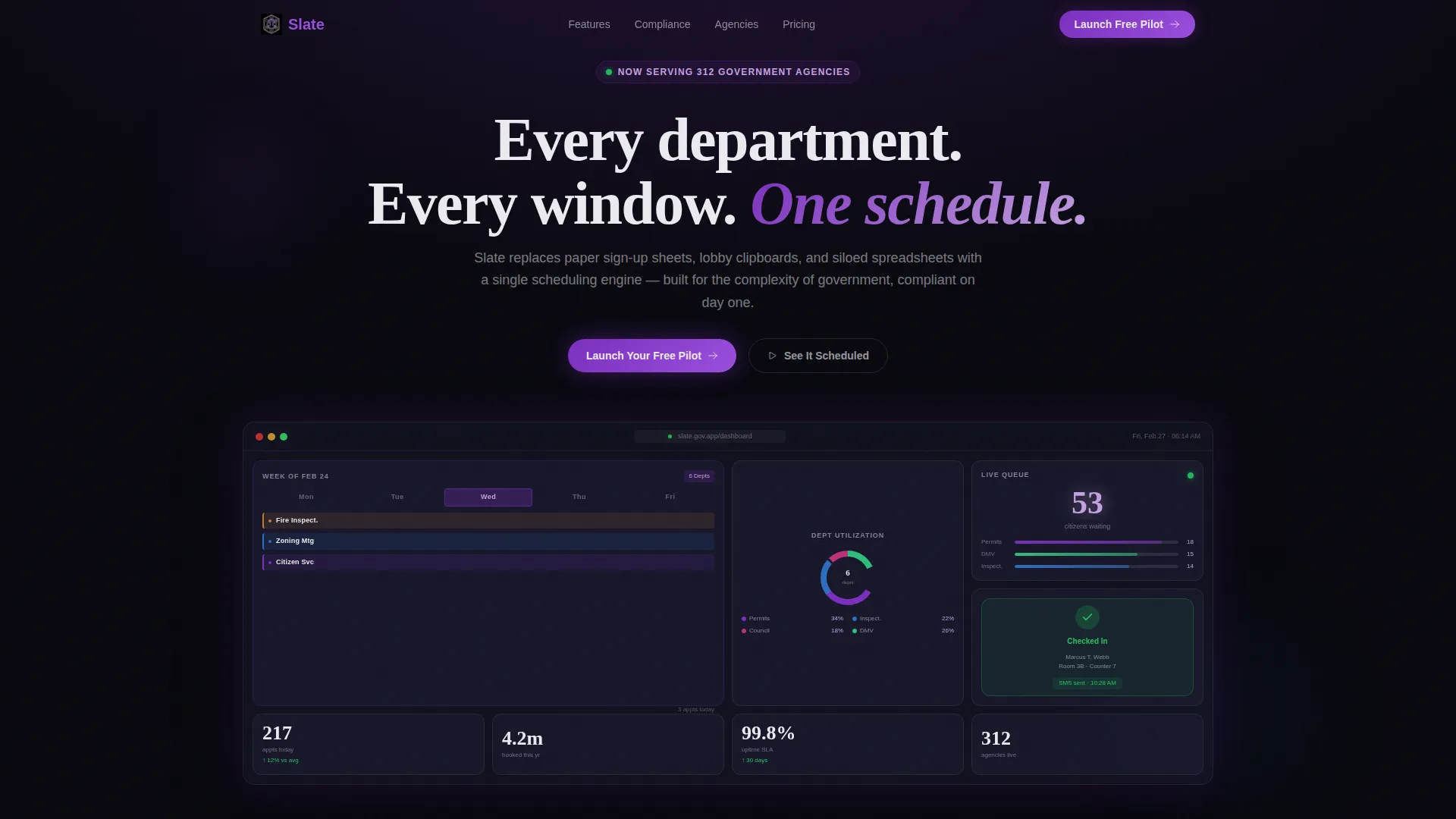
- An interactive bento grid header with live dashboard cards including a weekly calendar tile, a department utilization donut chart, a live queue counter, and a citizen check-in card
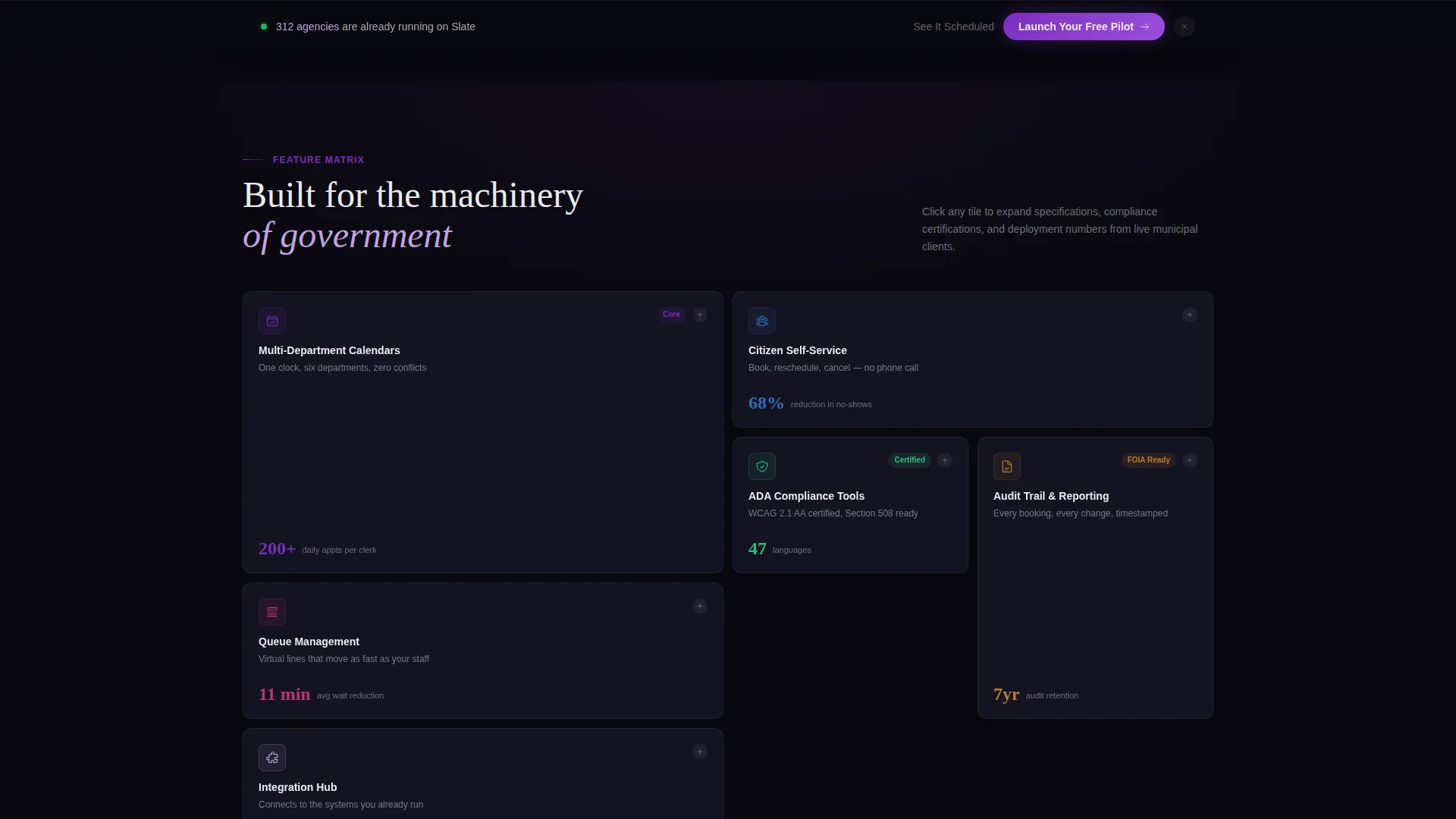
- A scrollable feature matrix organized into expandable bento tiles covering six capability categories
- A three-step progressive disclosure sign-up form and a secondary "See It Scheduled" live demo path
Feature list
Slate's capabilities are drawn directly from the brief and designed to serve every stakeholder from the front desk to the IT department.
Interactive Bento Grid Header
The header is a functioning preview, not a screenshot. Visitors click miniature dashboard cards that animate in real time. A weekly calendar tile fills with color-coded appointment blocks. A donut chart animates its department utilization segments. A live queue counter ticks upward. A citizen check-in card flips to show a confirmation state. The headline "Every department. Every window. One schedule." fades in beneath.
Scrollable Feature Matrix
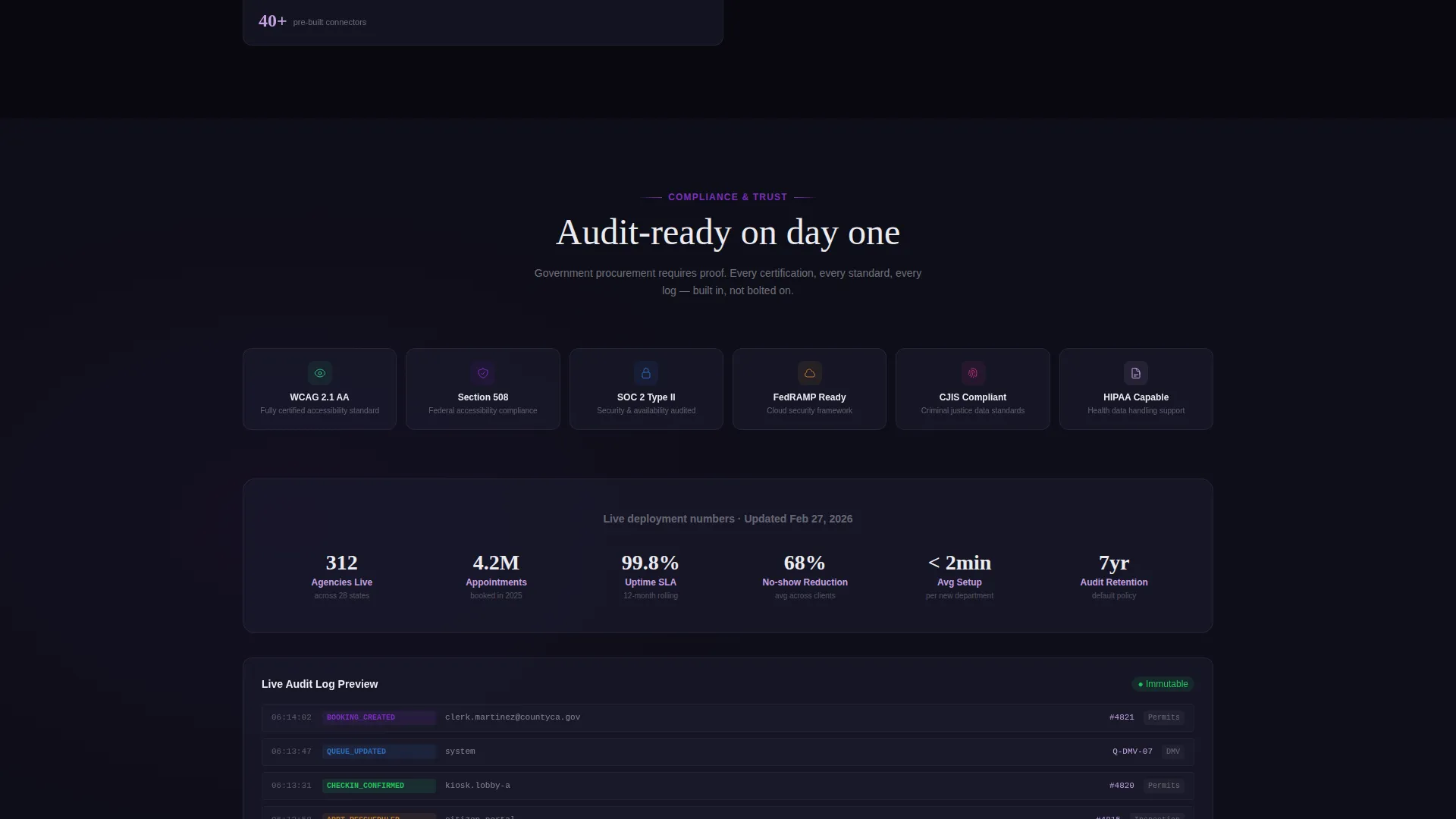
Six feature category tiles fill the bento grid below the fold. Each tile carries its own icon and micro-animation. An expandable detail drawer opens on scroll, revealing deeper specifications, compliance certifications mentioned in the brief, and deployment numbers from municipal clients. The layout follows a density-then-depth rhythm that rewards both quick skimmers and thorough evaluators.
Three-Step Progressive Disclosure Form
The conversion form uses progressive disclosure to reduce friction. Step one collects agency name and department count. Step two asks for estimated monthly appointments and current scheduling method via a dropdown. Step three offers a dot-gov email field to unlock a 90-day full-access pilot.
Persistent Bottom Bar call to action
After the second scroll fold, a fixed bottom bar keeps the primary call to action visible at all times. The "Launch Your Free Pilot" prompt stays accessible without interrupting the reading flow.
Live Demo Path
A secondary call to action labeled "See It Scheduled" triggers a live demo. It auto-populates a sample week with realistic government appointment types. Procurement officers can experience the product without submitting any personal information.
Dashboard Pro Dark Theme
The Void & Violet color system creates a control-room aesthetic. Dark surfaces push information forward. Electric violet highlights pulse on active states and data points. Soft civic lilac labels secondary content. Status-bar white handles text and dividers throughout.
Page sections overview
| Section | Purpose |
|---|---|
| Interactive Header Preview | Show live dashboard cards and deliver the primary headline and call to action |
| Feature Matrix Grid | Present six capability categories with expandable detail drawers |
| Progressive Disclosure Form | Guide agencies through a three-step pilot sign-up flow |
| Persistent call to action Bar | Keep "Launch Your Free Pilot" visible after the second scroll fold |
| Live Demo Trigger | Let procurement officers preview a pre-filled schedule without submitting data |
Design & branding system
The visual identity is built around the Dashboard Pro theme using a Void & Violet color system. Every color choice serves information hierarchy, not decoration.
- Absolute void black (#09090F) and deep mission-control charcoal (#1A1A2E) form the base surfaces, making data appear to float
- Electric violet (#7B2FBE) marks active states, data highlights, and system confirmations; soft civic lilac (#C4A1E0) labels secondary interface elements
- Status-bar white (#EAEAEF) handles all body text and divider lines, keeping contrast clean across the dark layout
Mobile & speed optimization
The bento grid layout is built to reflow cleanly across screen sizes. Government staff access scheduling tools from desktops, tablets, and phones throughout the workday.
- Bento tiles resize and restack responsively so the dashboard cards remain functional on smaller screens
- Interactive animations are scoped to hover and click events, keeping the experience intentional rather than distracting on touch devices
- The persistent bottom bar adapts to mobile viewports so the primary call to action remains accessible without overlapping key content
How this template helps you convert
Slate is engineered around a freemium pilot model that removes commitment barriers for cautious public-sector buyers.
- The interactive header preview lets visitors experience the product's responsiveness before reading any marketing copy, building trust through demonstration rather than description
- The three-step progressive disclosure form lowers cognitive load at each stage, starting with easy organizational details and ending with the email field that unlocks a 90-day full-access pilot
- The "See It Scheduled" live demo path gives procurement officers a no-data, no-commitment way to evaluate the tool, directly addressing the long approval cycles common in government technology purchasing
Other information about this template
Slate was designed with the full buying journey of a public-sector technology decision in mind. Several practical details make it well-suited for government digital presence projects.
- The template style is a bento grid, which communicates institutional scale through density before expanding into detail
- The header concept is an interactive preview, distinguishing Slate from templates that rely on static mockup screenshots
- The creative direction is a feature matrix, guiding the scroll with structured capability categories rather than generic marketing paragraphs
- The landing page direction follows a freemium and trial model, aligning with how government agencies evaluate software before seeking budget approval
- The theme is Dashboard Pro, making the visual language immediately recognizable to IT directors and city managers who live inside data interfaces
Theme
Dashboard Pro
Creative direction
Feature Matrix
Color system
Void & Violet
Style
Bento Grid
Direction
Freemium/Trial
Page Sections
Interactive Bento Grid Header
Scrollable Feature Matrix
Three-step Progressive Disclosure Form
Persistent Bottom Bar Call to Action
Live Demo Trigger
Void & Violet Dark Dashboard Theme
Related questions
Who is this landing page template built for?
Can the interactive header cards be customized for my agency's departments?
How does the three-step sign-up form work?
What is the "See It Scheduled" demo path?
Does this template work for a single department or only multi-department agencies?



