Advanced Electrical Digital Presence Professional Website Template
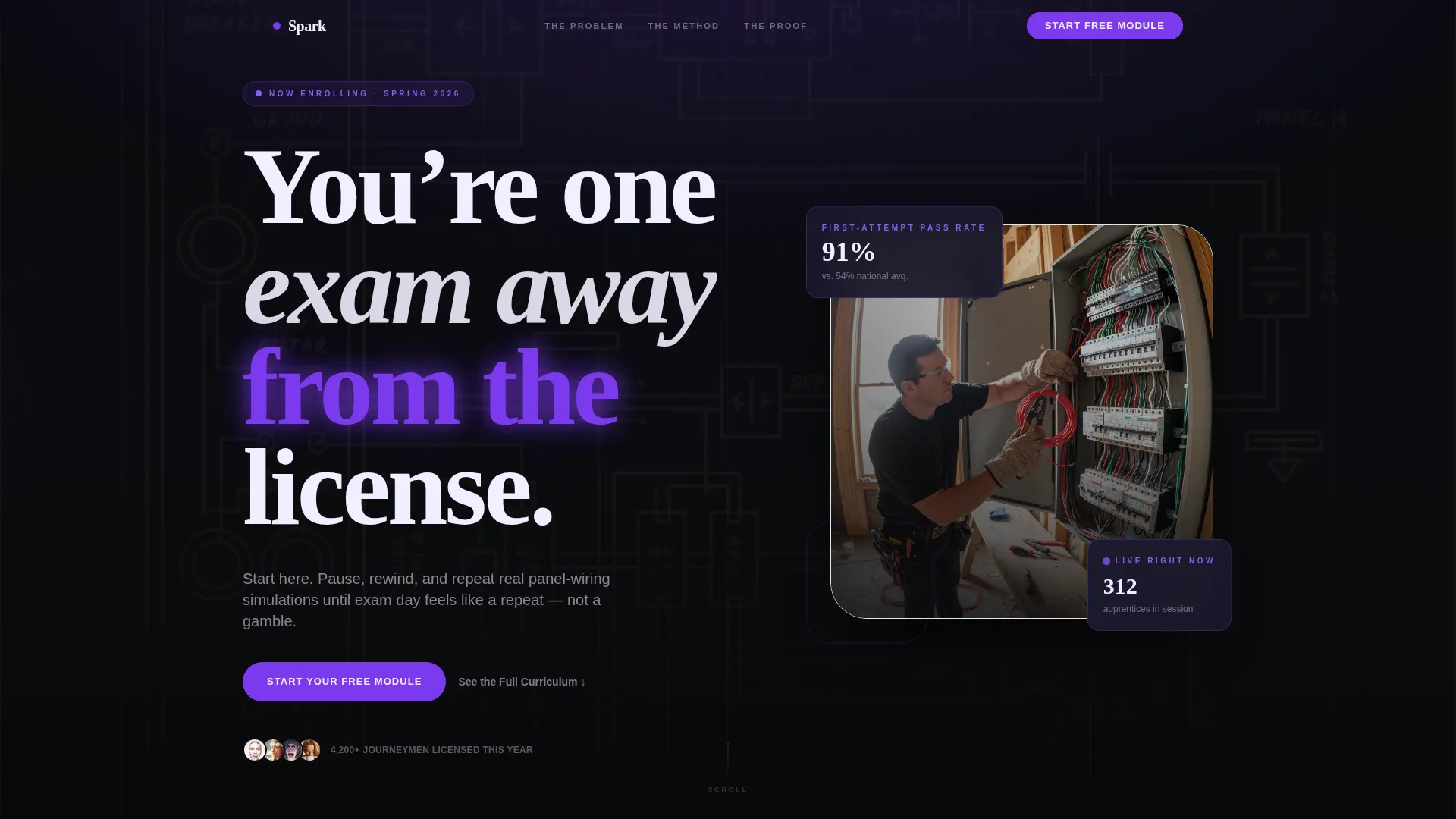
Spark is a hub-and-spoke landing page template built for electrical course and training platforms. It guides visitors through a Problem-to-Solution arc, naming exam anxiety first, proving the method second, and inviting a risk-free click to start. The Void and Violet color system and pulse-animated calls to action create an urgent, high-energy feel that matches where your learners already are.
by Rocket studio
Quick summary
Spark is a single-page, anchor-navigated landing page template for electrical training platforms. It moves visitors from fear of failure to confident enrollment through three structured spokes: The Wall, The Method, and The Proof. Every section builds on the last, and a repeating free-module call to action keeps the path to action short and clear.
Who this template is for
This template was designed with a specific learner and platform operator in mind. If you run an online electrical course or training program, Spark gives you a purpose-built page that speaks directly to your audience's pressure points.
- Second-year apprentices studying for journeyman licensing exams after long shifts
- Career-changers and first-time DIY wiring students who need guided, repeatable instruction
- Contractors and shop foremen stacking continuing-education credits before license renewal deadlines
What problem this template solves
Most generic course landing pages treat every visitor the same. Electrical training audiences are not generic. They arrive stressed, short on time, and skeptical that another online resource will actually prepare them for a real licensing exam.
- Visitors leave pages that do not immediately acknowledge their specific exam or license pressure
- No clear curriculum path makes it hard for apprentices to trust the platform before signing up
- A single buried call to action fails learners who are ready to start but need repeated, low-friction entry points
What you get with this template
Spark delivers a fully structured, single-page layout built around a hub-and-spoke anchor navigation system. Each spoke is a distinct content section connected by violet progress lines that visually map the curriculum like conduit runs on a blueprint.
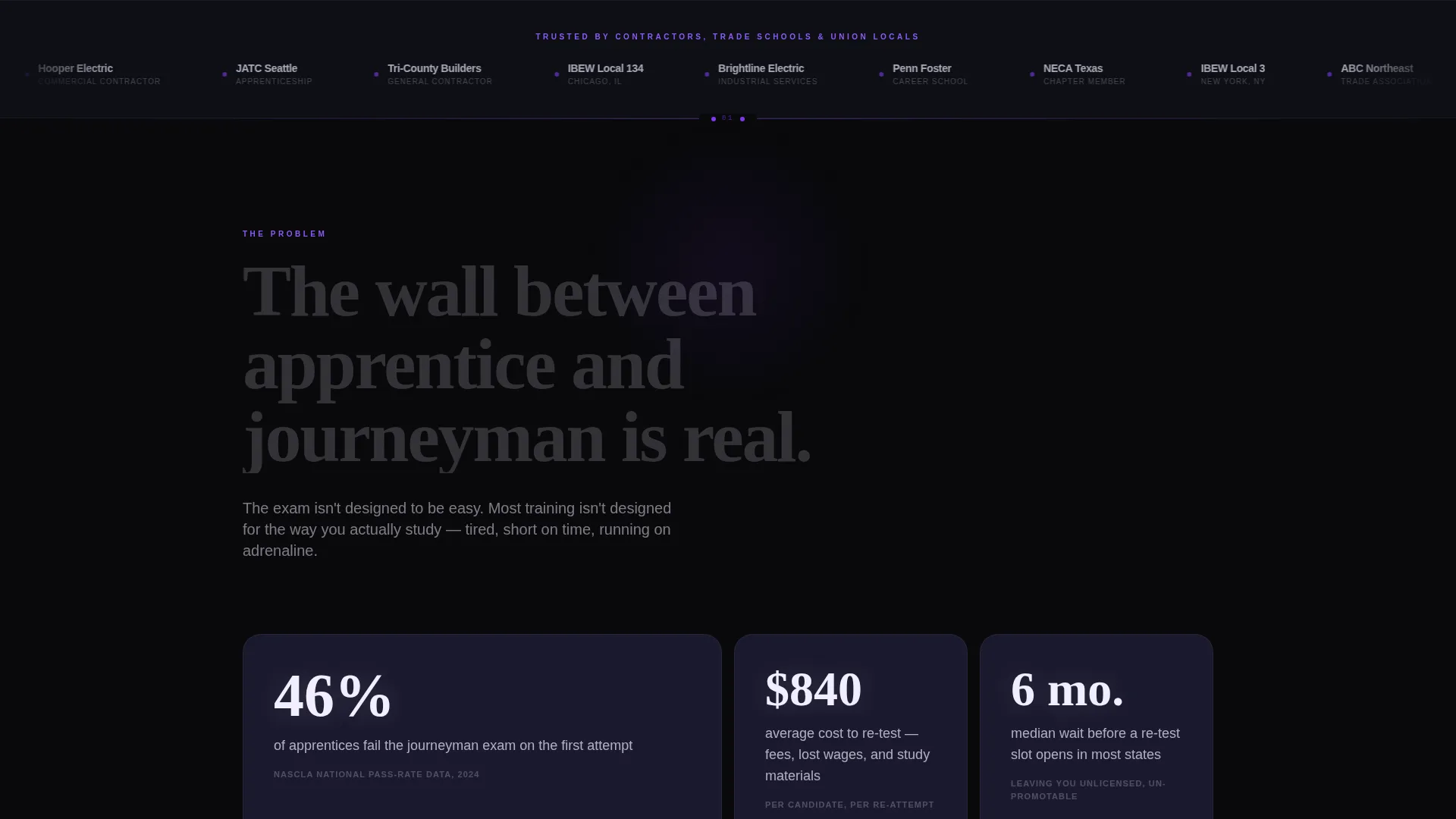
- A Logo Bar header with continuous loop scrolling of contractor brands, trade schools, and union locals for instant institutional proof
- Three narrative spokes, The Wall, The Method, and The Proof, each ending with a primary call to action button
- A secondary anchor text link, "See the Full Curriculum," that drops visitors directly into the course map spoke
Feature list
This section describes the core built-in capabilities of the Spark template as delivered.
Anchor Navigation Hub and Spoke Layout
The page is organized around a central hub with three named spokes accessible via anchor links. Visitors can jump to any spoke or scroll through the full arc in sequence. The structure keeps long-form content organized without requiring multiple pages.
Problem to Solution Narrative Arc
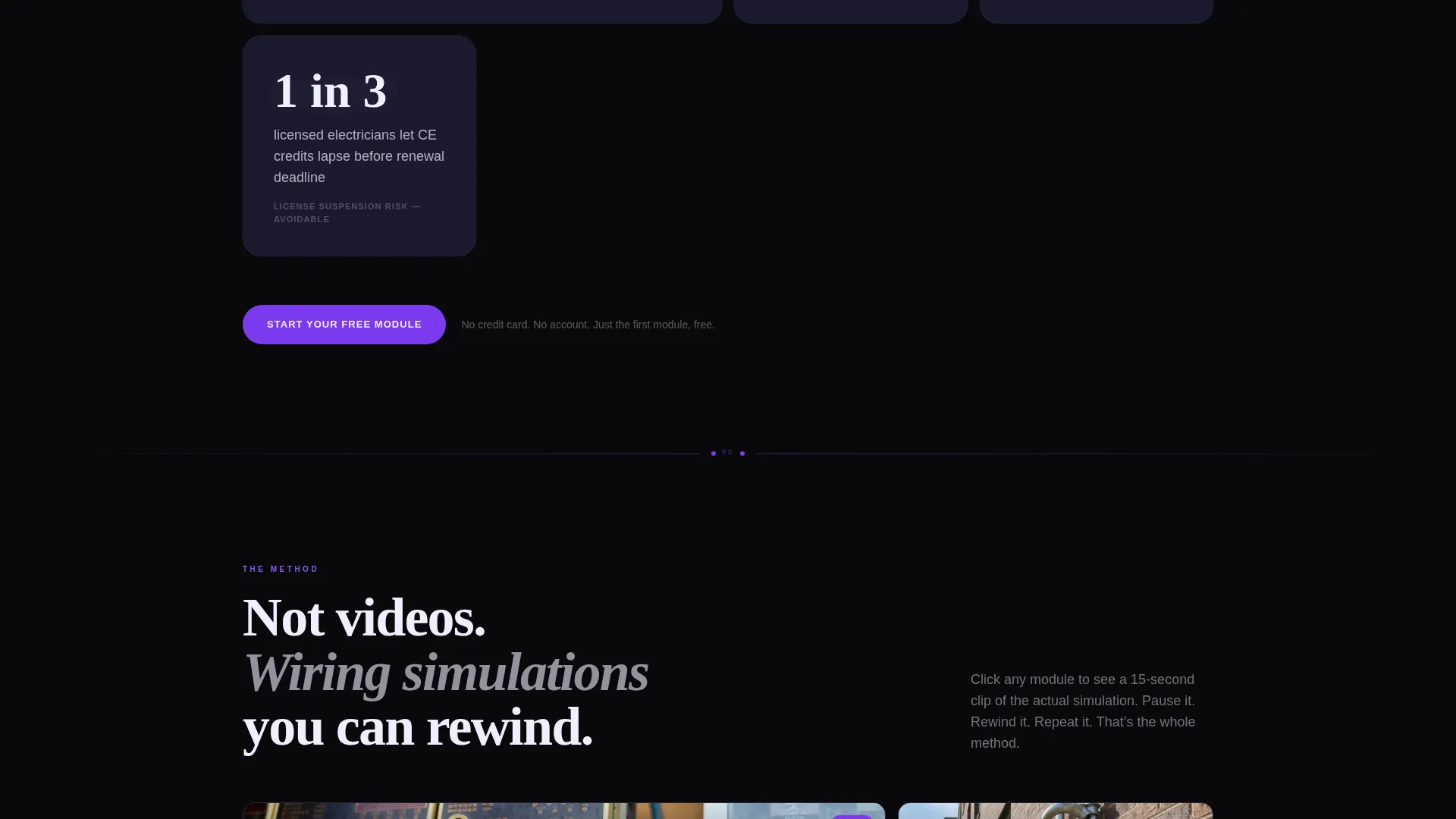
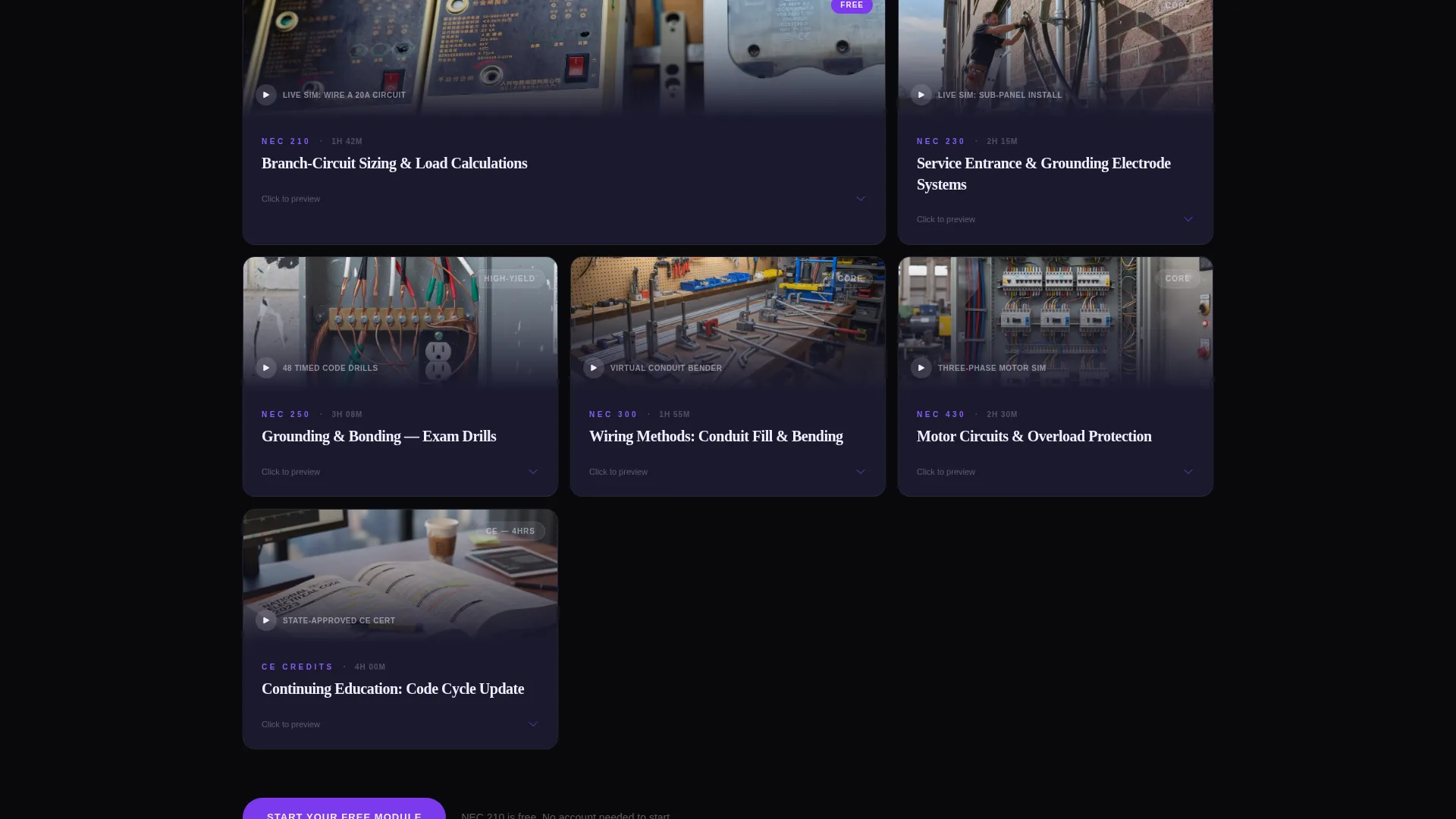
The page is scripted to move visitors through three emotional stages: fear, clarity, and confidence. The Wall presents stark exam-failure statistics. The Method shows an interactive course map with fifteen-second video clip previews per module. The Proof closes with pass-rate data and journeyman testimonial cards.
Repeating Pulse-Animated call to action
The primary call-to-action button, "Start Your Free Module," appears inside the header and again at the end of each spoke. It uses an electric violet color with a subtle current-pulse animation. There is no form on the page; the button routes directly to the course catalog.
Interactive Course Map Module
Clicking any module on the course map reveals a fifteen-second preview clip of a real wiring simulation. This gives undecided visitors a concrete taste of the learning experience before they commit to account creation.
Scrolling Logo Bar Header
The header features a horizontal logo strip that scrolls in a continuous loop against void black. Logos represent contractor brands, trade schools, and union locals, providing immediate social and institutional proof at the top of the page.
Violet Progress Line Connectors
Violet lines connect each spoke section visually, functioning like conduit runs on a wiring diagram. They reinforce the sense of a structured curriculum path and keep visitors oriented as they scroll through the full arc.
Page sections overview
| Section | Purpose |
|---|---|
| Logo Bar Header | Displays institutional proof via scrolling partner logos |
| Main Headline | Speaks directly to exam anxiety with a bold display statement |
| The Wall spoke | Presents exam failure stats to establish urgency |
| The Method spoke | Shows the interactive course map with video previews |
| The Proof spoke | Delivers pass-rate data and testimonial cards |
| Repeating call to action blocks | Invites action at the close of each spoke |
| Secondary anchor link | Routes detail-seeking visitors to the course map |
Design & branding system
The Spark template uses a Void and Violet color system designed to feel like inspecting an open breaker panel under a UV lamp. Every color choice serves a functional role in guiding attention and signaling action.
- Void black (#09090B) as the primary background, deep panel gray (#1A1A2E) for secondary surfaces, electric violet (#7C3AED) for all interactive accents and progress indicators, and arc-flash white (#F0EEFF) for all body text and diagram lines
- Typography is set at display scale for the headline and uses high-contrast white on black for all body copy, matching the clarity of a wiring diagram under a headlamp
- Violet pulses on all hover states and call to action buttons to simulate a circuit completing, reinforcing interactivity without distraction
Mobile & speed optimization
The template is structured for learners who access it outside standard business hours, often on mobile devices after long shifts. The layout prioritizes fast visual scanning and low-friction tapping.
- Single-column scroll flow on smaller screens keeps the narrative arc intact without requiring horizontal scrolling or pinch-zoom
- Anchor navigation links remain accessible at the top so mobile visitors can jump directly to the course map or testimonials without scrolling past every section
- call to action buttons are sized and spaced for thumb-friendly tapping, appearing at the header and at the end of each spoke
How this template helps you convert
Spark is engineered around a specific conversion path: get the visitor to click "Start Your Free Module" without filling out a form. Every structural decision supports that single action.
- The headline and Logo Bar address credibility and urgency in the first visible screen, reducing the likelihood a visitor bounces before seeing the offer
- The Problem-to-Solution Arc earns the click by naming the exact pain first, proving the method with real video previews second, and removing risk last with the word "free"
- The repeating call to action placement means a visitor who is ready to act at any point in the scroll always has a one-tap path forward
Other information about this template
Spark was built under the Startup Velocity theme, which prioritizes forward momentum and high-energy visual identity over decorative complexity. The template is part of a focused niche set designed specifically for electrical digital presence use cases.
- The template style is Hub and Spoke with Anchor Navigation, making it suitable for platforms that want a long-form single page without losing scanability
- The creative direction follows a Problem-to-Solution Arc, a proven structure for training and certification products where learner anxiety is the primary conversion barrier
- The lp direction is Click-Through, meaning the page intentionally avoids on-page forms and routes all conversion to the next step in the funnel
- The header concept is a Logo Bar, which works especially well for platforms with recognizable trade-school, union, or contractor partners to display
Theme
Startup Velocity
Creative direction
Problem→Solution Arc
Color system
Void & Violet
Style
Hub & Spoke (Anchor Nav)
Direction
Click-Through
Page Sections
Anchor Navigation Hub and Spoke Layout
Problem to Solution Narrative Arc
Repeating Pulse-animated Call to Action Button
Interactive Course Map with Video Previews
Continuous Scrolling Logo Bar
Violet Progress Line Connectors
Related questions
Does this template include a sign-up form?
Can I use this template for a training platform that covers more than electrician courses?
What makes the course map section interactive?
Do I need to supply my own logos for the header strip?
Can the violet pulse animation on the call to action button be changed?



