Preschool & Early Education Booking Website Template
Spark is a zigzag landing page template built for STEM-focused preschools. It features a Persona Selector header, a Problem-to-Solution scroll arc, and an event registration flow centered on campus visit bookings. The Soft Mist color system and deliberate marigold accents create a tone that feels both intellectually serious and genuinely warm, exactly what science-minded parents are looking for.
by Rocket studio
Quick summary
Spark is a single-page landing page template designed for STEM preschools. It pairs a Persona Selector header with a structured Problem-to-Solution scroll journey. The primary goal is campus visit registration. Every section is built to ease parental anxiety and build trust before the first school tour.
Who this template is for
This template is written for preschools and early education programs that lead with inquiry, experimentation, and hands-on learning. It speaks directly to parents who hold high standards for their child's first classroom environment.
- STEM-focused preschools serving children aged two to five
- Early childhood programs that blend play-based and academic learning
- Admissions teams looking to drive campus visit registrations from research-minded families
What problem this template solves
Many preschool landing pages fail to speak to analytically minded parents. They rely on generic warmth without demonstrating rigor. Spark addresses that gap directly and moves parents from doubt to decision.
- Parents who fear their child will be underchallenged in a standard preschool setting
- Families stuck choosing between play-based and academic approaches with no clear middle ground
- Schools that struggle to communicate their curriculum philosophy in a way that feels credible and human
What you get with this template
Spark delivers a fully structured single-page layout with every section mapped to a stage of the parent decision journey. It is ready to customize with your school's own photography, copy, and available visit dates.
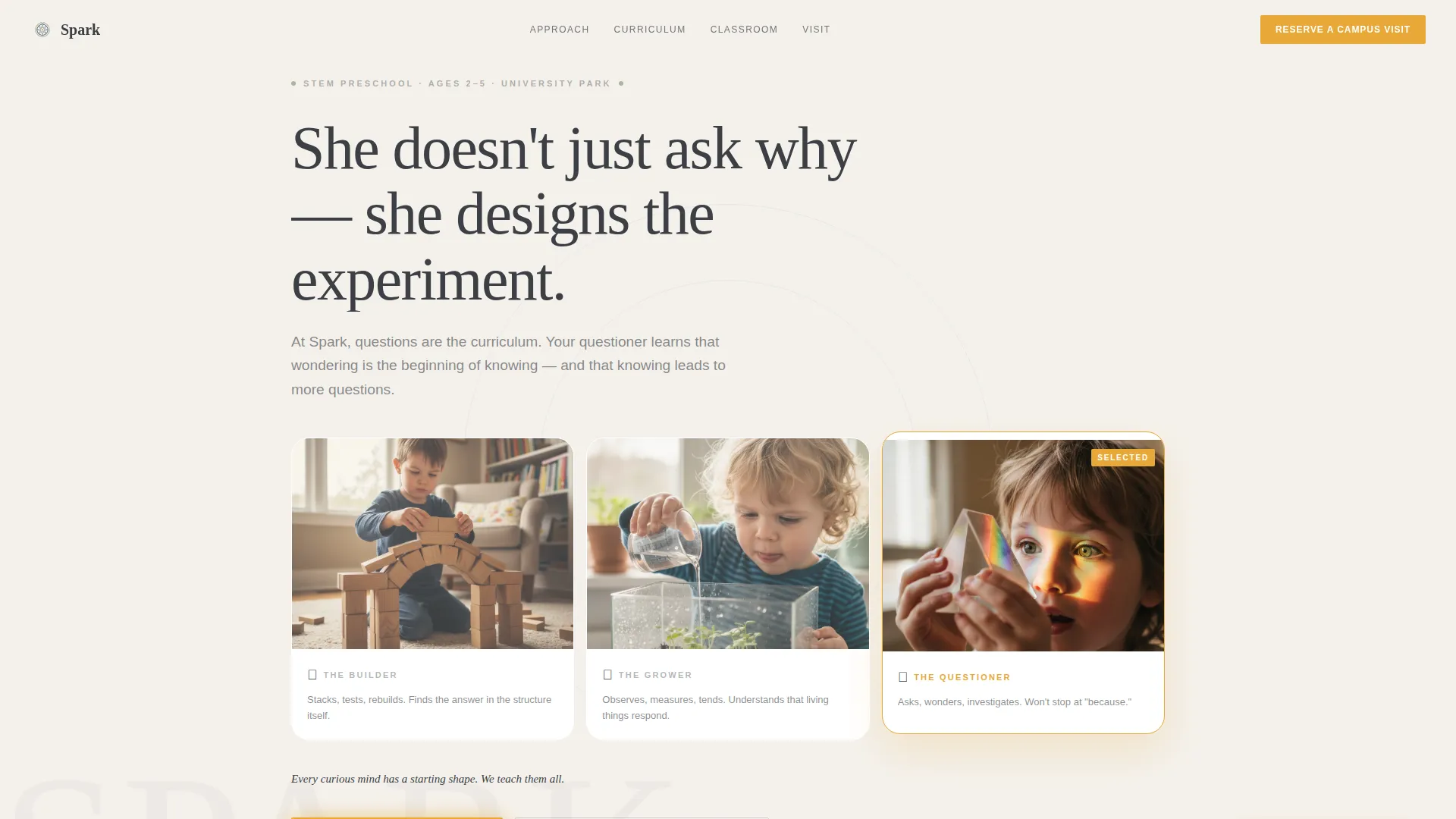
- An interactive Persona Selector header with three illustrated child archetypes that reframe the hero copy on click
- A three-part zigzag Problem-to-Solution scroll arc with image and data panels alternating per section
- A campus visit registration form with child age dropdown, preferred date selector, and one optional open-text field
Feature list
This template packs several purposeful components into a single coherent page flow. Each feature is designed to reduce friction and build parental confidence at every scroll point.
Interactive Persona Selector Header
Three illustrated cards sit side by side on the fog white background. Each card represents a child archetype: The Builder, The Grower, and The Questioner. When a parent clicks one, the hero headline and subtext update to reflect that child's specific curiosity. A line beneath the selector reads: "Every curious mind has a starting shape. We teach them all."
Problem-to-Solution Scroll Arc
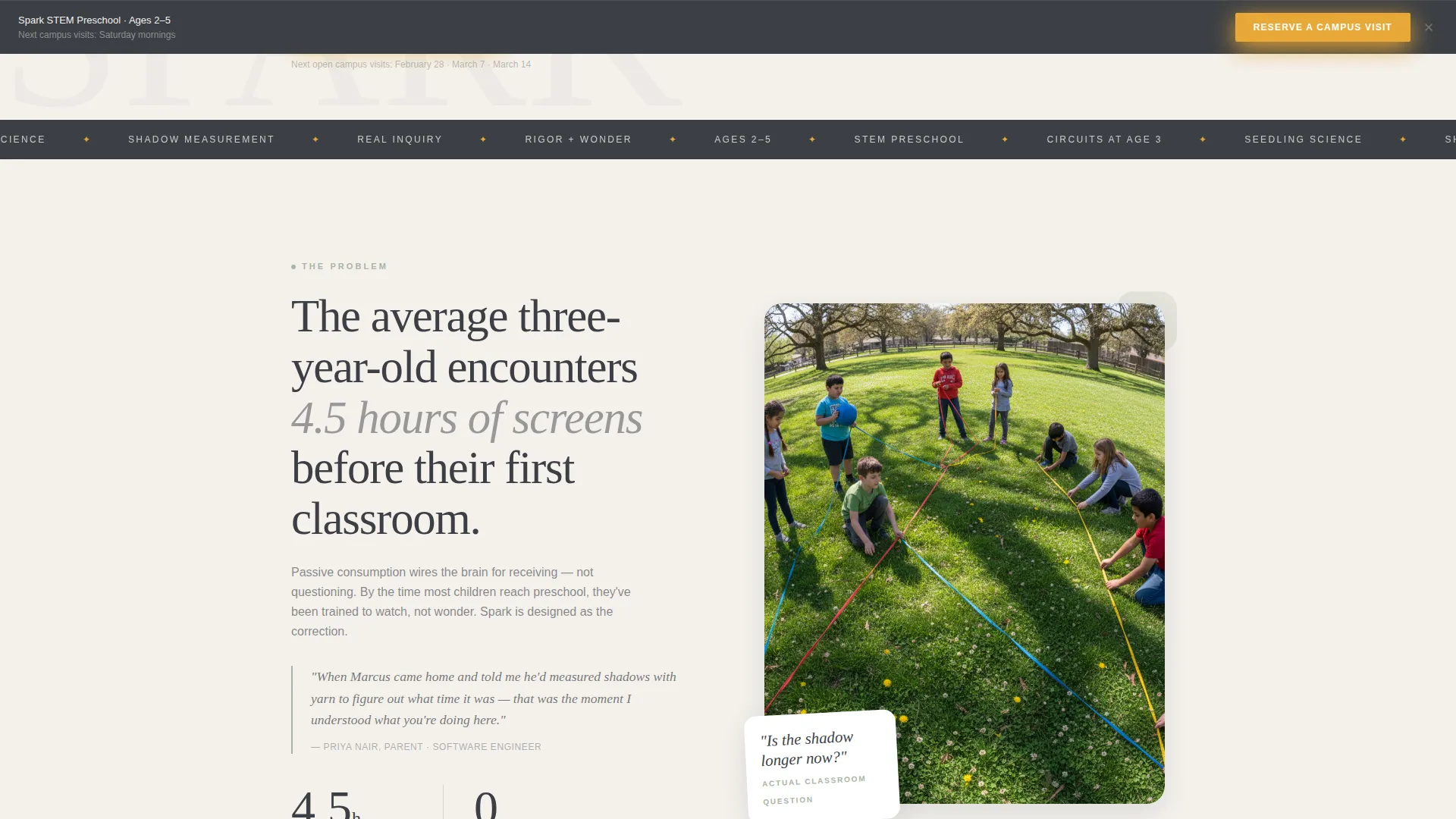
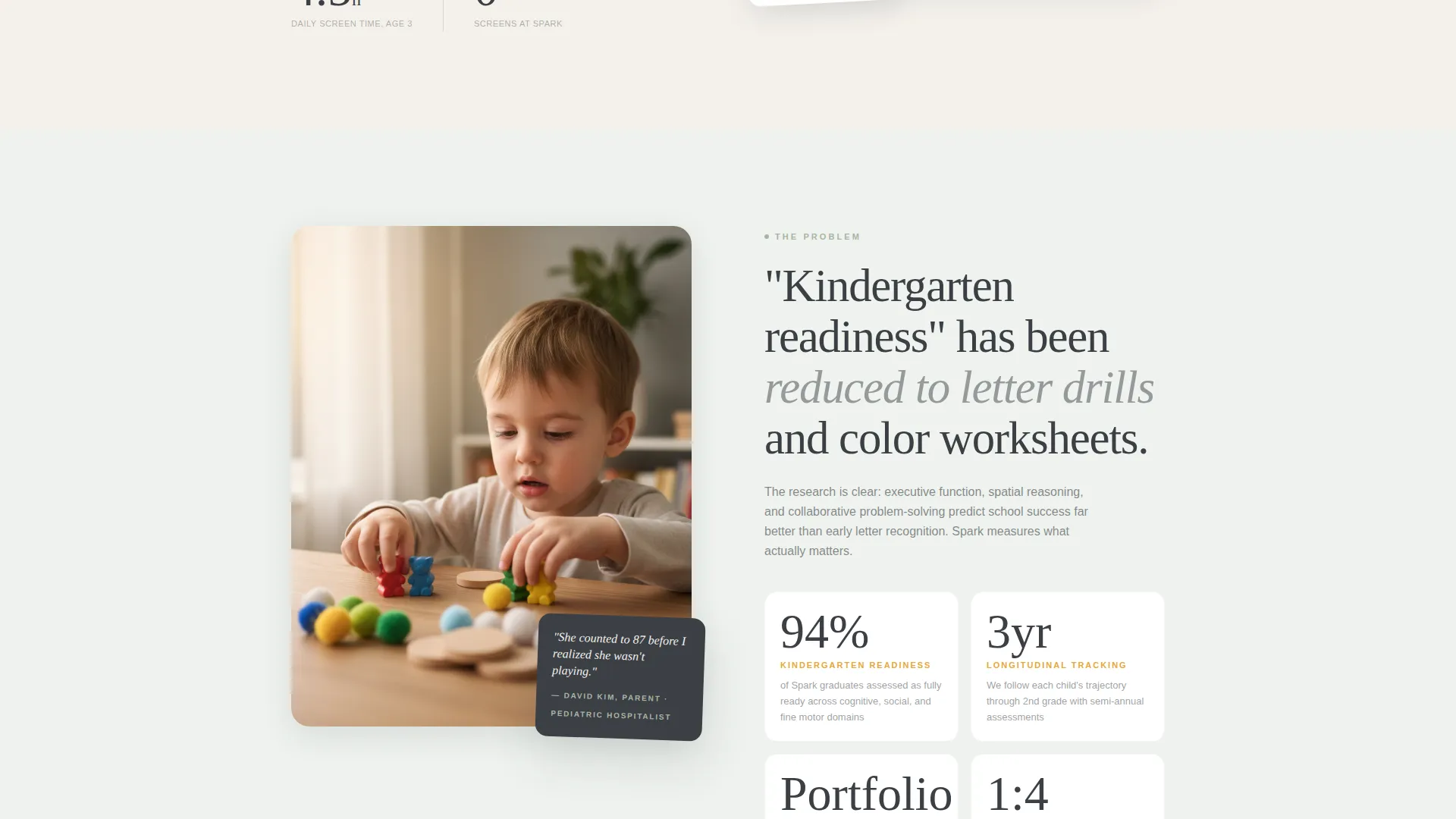
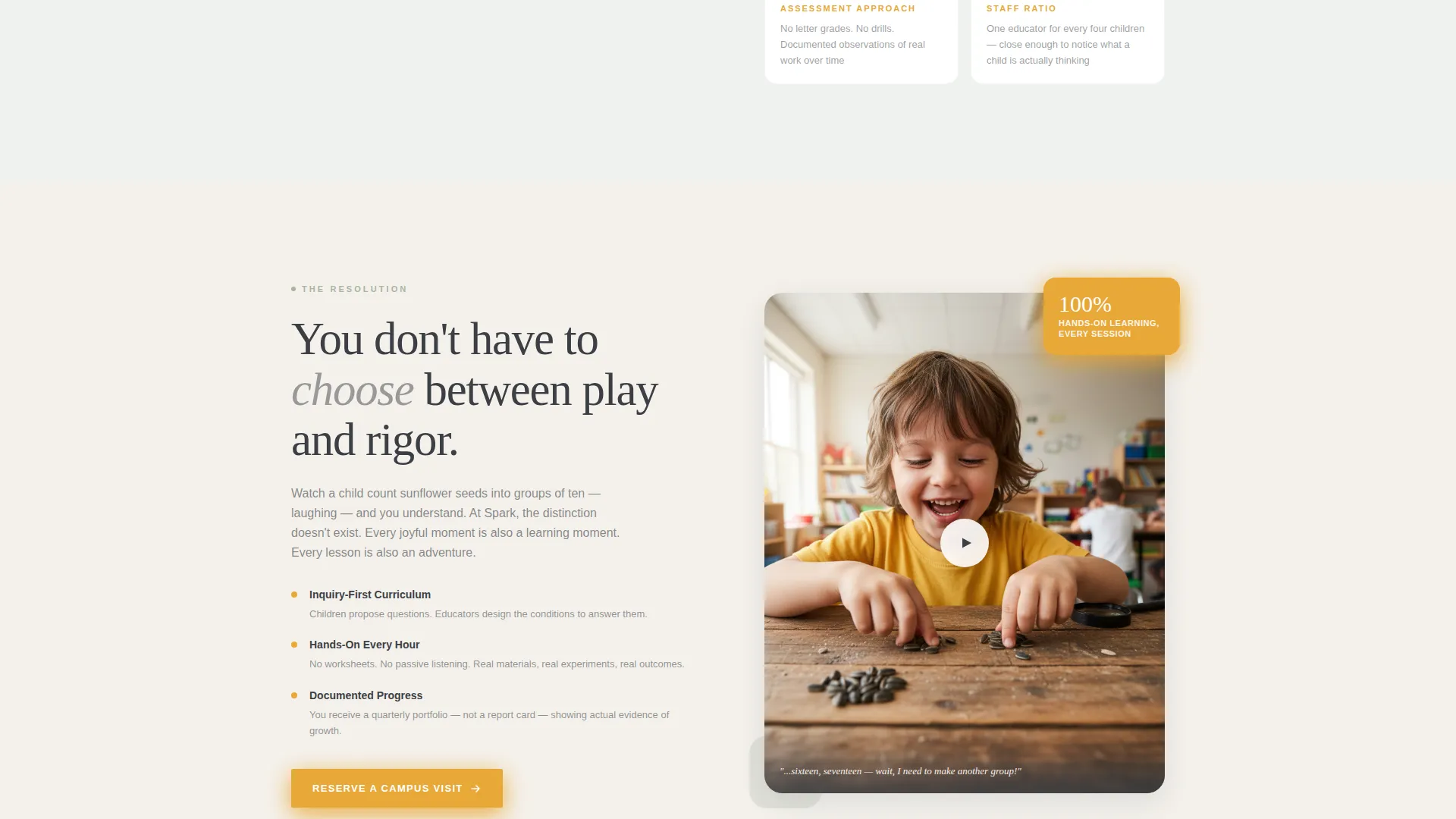
The page unfolds through three zigzag sections, each naming a real parental concern and resolving it with evidence. Section one addresses screen-saturated toddlerhood. Section two challenges the idea that kindergarten readiness means letter drills. Section three dissolves the false choice between play and academics.
Campus Visit Registration Form
The primary conversion point is a focused registration form. It collects the parent's first name, the child's age via dropdown, and a preferred visit date from the next three available Saturdays. A single optional field asks: "What does your child love right now?" That question prompts the parent to picture their specific child in the classroom before they have even visited.
Sticky Bottom Registration Bar
After the second scroll section, a sticky bar appears at the bottom of the viewport. It carries the primary call-to-action button in marigold: "Reserve a Campus Visit." This keeps the conversion path visible without interrupting the reading flow above.
Curriculum Overview Secondary Path
Parents who are not yet ready to book a visit can take a softer step. A secondary call-to-action, "Download Our Curriculum Overview," captures their email address and keeps them connected to the school for future follow-up.
Zigzag Alternating Layout
Each content section alternates between a fog white background and a pale sage wash. Images and text panels swap sides with every row. This visual rhythm guides the eye naturally down the page without relying on heavy borders or dividers.
Page sections overview
| Section | Purpose |
|---|---|
| Persona Selector Header | Let parents identify their child and personalize the hero message |
| Hero Copy Block | Deliver the school's core promise beneath the selector |
| Problem Section One | Address screen-heavy toddlerhood with an outdoor learning visual |
| Problem Section Two | Challenge letter-drill readiness with assessment philosophy data |
| Problem Section Three | Resolve the play-versus-academics tension with a classroom video |
| Visit Registration Form | Capture campus visit bookings as the primary conversion action |
| Sticky call to action Bar | Keep the visit registration button visible after the second scroll |
| Curriculum Download | Offer a softer email-capture path for undecided parents |
Design & branding system
The visual identity follows an Institutional Authority theme rendered through the Soft Mist color palette. The result feels like a well-curated Montessori shelf: birch wood, matte linen, and muted earth tones with one bright focal point your eye finds immediately.
- Warm fog white (#F4F1EC) for page backgrounds, chalkboard slate (#3B3F45) for all headlines and body text, and laboratory sage (#A8B5A2) for section dividers and secondary containers
- Marigold (#E8A838) used exclusively for buttons and interactive highlights, including the primary call-to-action and the sticky registration bar
- Watercolor-style child illustrations for the Persona Selector cards, with section backgrounds alternating between fog white and a pale sage wash to give each zigzag row visual breathing room
Mobile & speed optimization
The zigzag layout is structured to reflow cleanly on smaller screens. The sticky bottom bar remains functional on mobile, keeping the registration path accessible throughout the scroll.
- Alternating image-text rows collapse into a single stacked column on narrow viewports so content stays readable without horizontal scrolling
- The Persona Selector cards resize and stack vertically on mobile so all three archetypes remain tappable and clearly visible
- The registration form uses a dropdown for child age and a date selector for visit preferences, keeping the input experience manageable on touch screens
How this template helps you convert
Spark is built around a single registration goal, and every layout decision supports that goal. The page reduces hesitation by resolving parental doubts one section at a time before asking for a commitment.
- The Persona Selector creates an immediate emotional connection by reflecting the parent's own child back to them in the hero copy, increasing relevance before the first scroll.
- The optional "What does your child love right now?" field in the registration form is a deliberate conversion accelerator. It prompts the parent to mentally place their child in the classroom, which moves them closer to booking.
- The secondary curriculum download path ensures that parents who are not ready to commit still enter a communication channel, giving the school a way to stay present during the consideration period.
Other information about this template
Spark is a purpose-built template for early education programs that want their first impression to match the quality of their classroom. It is ideal for independent STEM preschools, university-affiliated early learning labs, and inquiry-based programs looking to grow enrollment through campus visits.
- The template uses a deliberate single-accent color strategy: marigold appears only on buttons and interactive elements, so every call-to-action stands out without visual clutter
- The three child archetypes in the Persona Selector (The Builder, The Grower, The Questioner) can be relabeled to match your school's own learning pillars or curriculum strands
- The auto-populated visit date logic in the registration form is designed to display the next three available Saturdays, reducing decision fatigue for busy dual-income families
Theme
Institutional Authority
Creative direction
Problem→Solution Arc
Color system
Soft Mist
Style
Zigzag/Alternating
Direction
Event Registration
Page Sections
Interactive Persona Selector
Problem-to-solution Scroll Arc
Campus Visit Registration Form
Sticky Bottom Call to Action Bar
Curriculum Overview Download Path
Zigzag Alternating Section Layout
Related questions
Can I change the child archetypes in the Persona Selector?
Is the registration form limited to Saturday visit dates?
Can I use this template if my preschool is not exclusively STEM-focused?
What does the secondary curriculum download path do?
Does the sticky call to action bar appear immediately on page load?



