Game Development Bootcamp Landing Page Template
Spawn is a single-page game development bootcamp landing page template built around a twelve-week curriculum narrative. It features a HUD-style stats header, a campaign-map scroll progression, honest comparison tables, and a modal lead capture form. The design uses a Playful Geometric style with a Forest Trust color palette to feel immersive and credible to aspiring game developers.
by Rocket studio
Quick summary
Spawn is a lead generation landing page template built for game development bootcamps running a twelve-week intensive format. It opens with a live-stats scoreboard header, guides visitors through a campaign-map scroll, and captures leads via a character-creation-styled modal form. Every section is designed to feel earned, like leveling up through a game.
Who this template is for
This template is built for educators and program operators running game development training programs. It speaks directly to adult learners and students who want a clear, honest path into the games industry.
- Career-switchers in their late twenties who want to move out of unrelated jobs and into game development
- College students who have changed direction and are looking for a focused, practical alternative to a traditional degree
- Hobbyist modders and self-taught tinkerers who want to break into professional pipelines
What problem this template solves
Bootcamp pages often look generic and fail to earn trust with technical audiences. Aspiring game developers are skeptical of polished marketing and respond better to evidence and honest comparisons.
- Most education landing pages rely on stock photography and vague outcome claims that tech-savvy visitors immediately distrust
- There is no standard way to visualize a week-by-week curriculum that builds excitement while communicating real learning progression
- Visitors shopping between self-teaching, a university degree, and a bootcamp need side-by-side data before they commit
What you get with this template
You get a fully structured single-page layout designed around progressive disclosure and lead capture. Every section moves the visitor forward with intent.
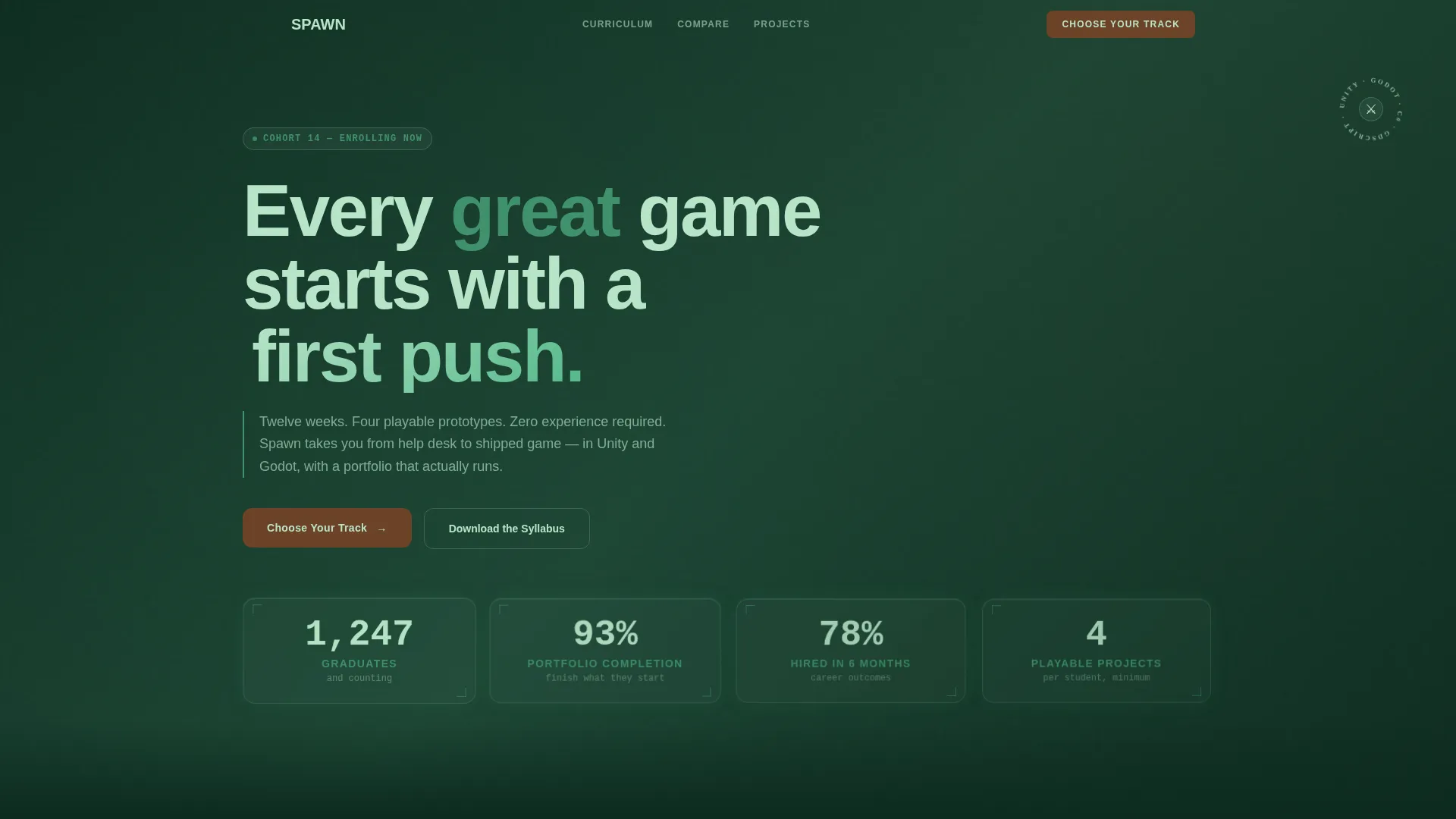
- A HUD-style stats header with hexagonal metric tiles displaying graduate numbers, portfolio completion rate, hire rate, and projects per student
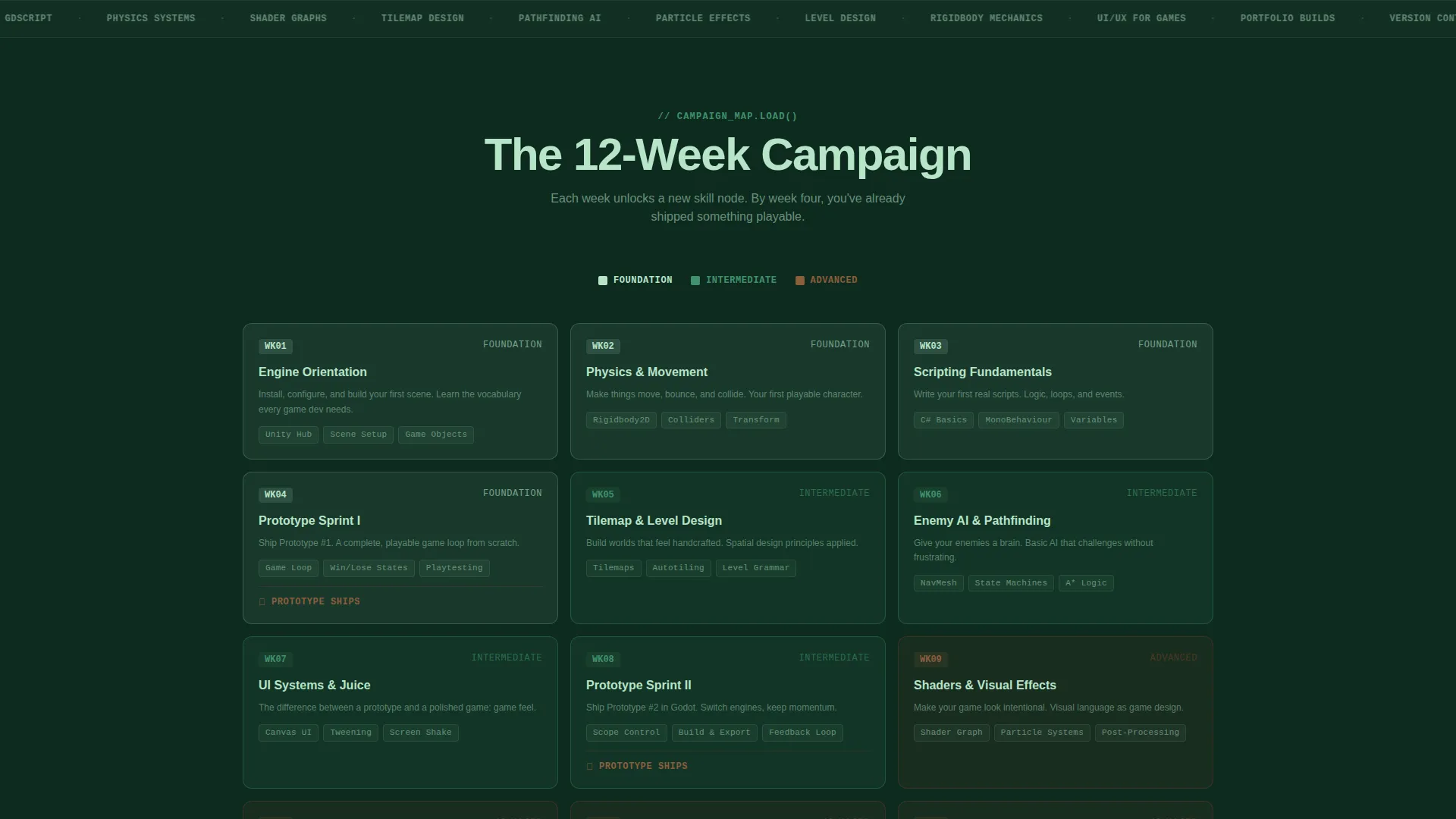
- A campaign-map scroll layout spanning Week 1 through Week 12, with visual complexity that grows as the page progresses
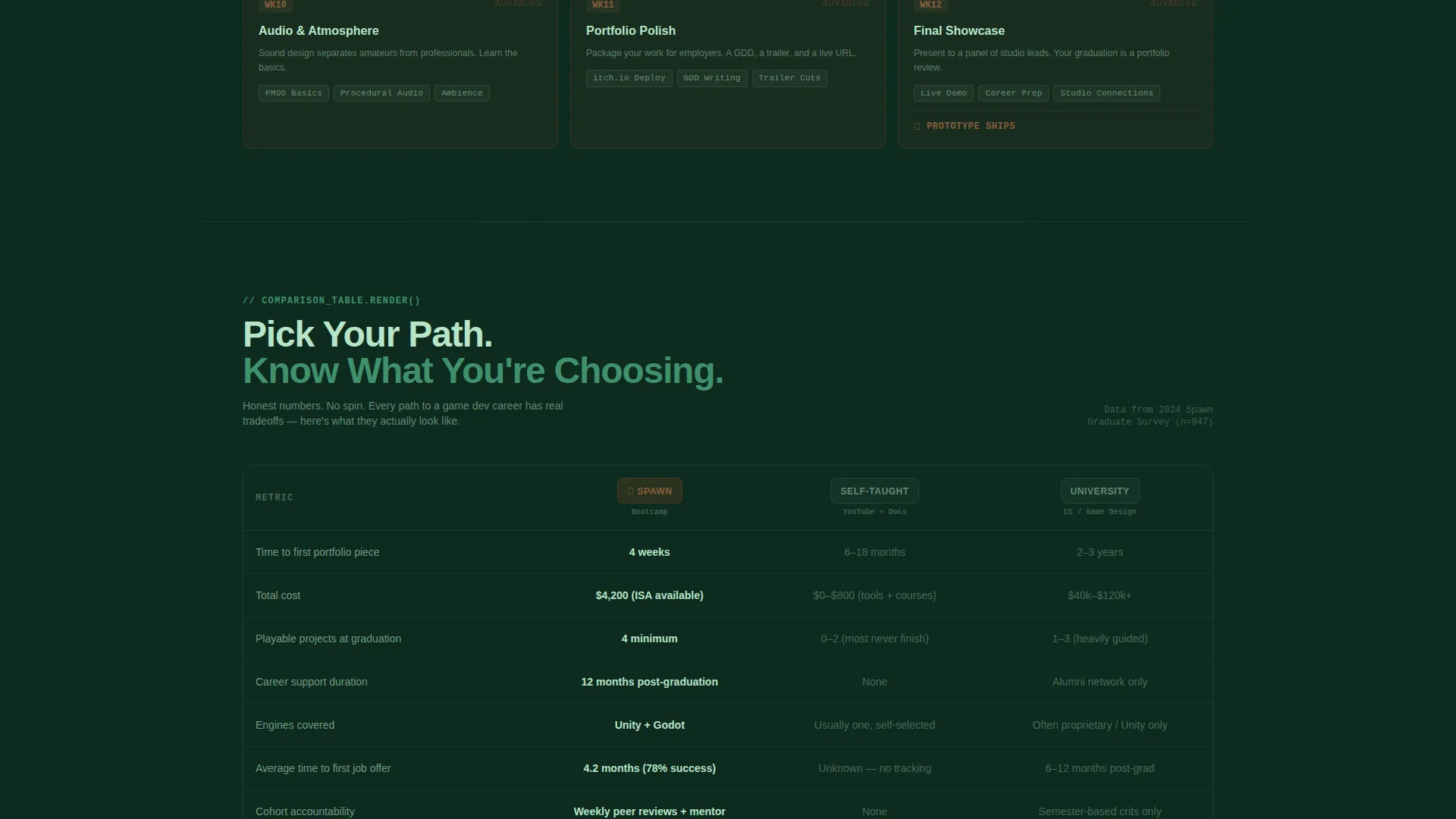
- Comparison tables showing bootcamp versus self-taught versus university degree across specific data points like time to first portfolio piece and career support duration
- A modal lead capture form styled as a character creation screen, with fields for skill level, preferred engine, email, and earliest start date
- A secondary syllabus download path requiring only an email address for lower-commitment visitors
Feature list
This template delivers a focused set of components purpose-built for a game development intensive program.
HUD Stats Scoreboard Header
The header presents four key metrics inside individual hexagonal tiles that subtly pulse on page load. Numbers are set in chunky geometric type and include graduates, portfolio completion rate, hire rate within six months, and playable projects per student. No stock photography appears anywhere in this section.
Campaign Map Scroll Layout
The page scroll is structured as a twelve-week progression map. Early sections use simple shapes and basic code syntax visuals. Midway sections introduce particle effect and physics demo imagery. Final sections display real student project screenshots, creating a visual arc that mirrors actual learning progress.
Comparison Table Component
Comparison tables appear at key decision points in the scroll. Each table holds honest, specific data comparing the bootcamp to self-teaching and a university degree. Data points include time to first portfolio piece, average debt, and career support duration.
Character Creation Modal Form
The primary call to action opens a modal form designed to look like a character creation screen. Four fields capture skill level, preferred game engine choice, email address, and earliest start date. This framing makes the sign-up feel like the natural next step inside the campaign.
Syllabus Download Gate
A secondary conversion path lets cautious visitors request the full curriculum document by entering only their email address. This lower-commitment option captures browsers who are researching but not yet ready to enroll.
Fixed Mobile Call-to-Action Bar
On mobile screens, the primary "Choose Your Track" call to action appears as a fixed bottom bar. This keeps the main conversion prompt visible throughout the entire scroll without interrupting the reading experience.
Page sections overview
| Section | Purpose |
|---|---|
| Stats Scoreboard Header | Display key outcome metrics in a HUD-style layout |
| Week 1 to 3 | Introduce beginner concepts with simple visuals |
| Week 4 to 6 | Show growing complexity with mid-level content |
| Week 7 to 9 | Highlight physics and particle-level skill growth |
| Week 10 to 12 | Present finished student project screenshots |
| First Comparison Table | Compare bootcamp, self-taught, and university paths |
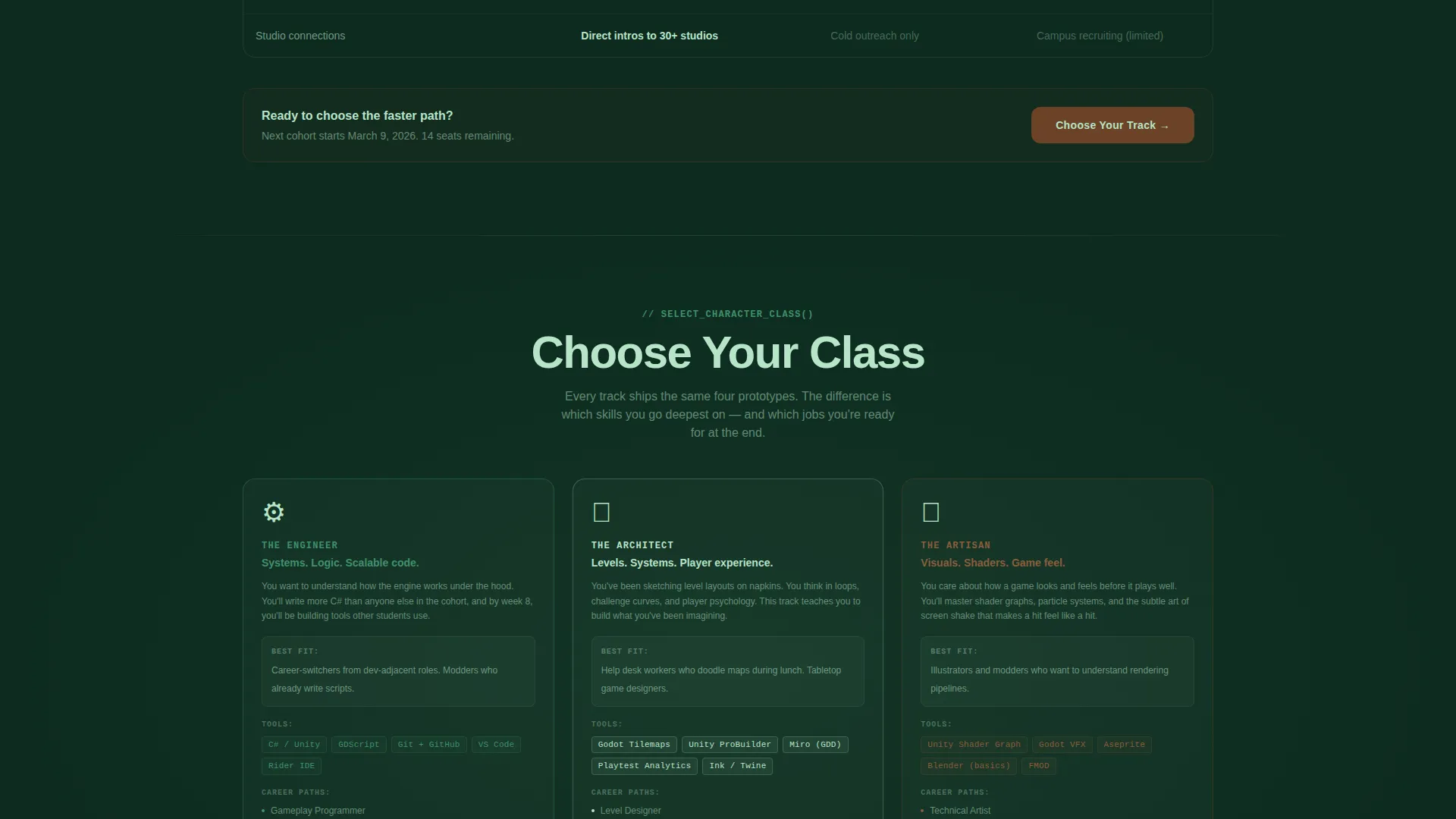
| Primary call to action Block | Prompt enrollment with "Choose Your Track" button |
| Midpoint call to action Block | Reinforce enrollment at campaign scroll midpoint |
| Syllabus Download Section | Offer PDF curriculum gate for lower-intent visitors |
| Character Creation Modal | Capture lead details through a styled form overlay |
| Mobile Fixed call to action Bar | Keep enrollment action visible on small screens |
Design & branding system
The template follows a Playful Geometric visual theme built on the Forest Trust color system. The palette is drawn from natural forest tones and applied with clear structural intent across every element.
- Deep canopy green (#1B4332) anchors backgrounds and section dividers; moss green (#40916C) carries body text and secondary panels; sunlit clearing (#B7E4C7) washes across open cards and open-space sections
- Warm bark brown (#6B4226) activates on every hover state and call-to-action button, functioning like a torch firing in a dark room
- Typography uses chunky geometric type for metric displays, and the overall visual language reflects procedurally generated tileset aesthetics rather than conventional education design
Mobile & speed optimization
The template is structured to deliver the full campaign-map experience on smaller screens without losing conversion intent.
- The fixed bottom call-to-action bar keeps the primary enrollment prompt accessible throughout the mobile scroll
- Visual complexity scales with the scroll so that early sections load light assets while later sections introduce richer student project imagery
- The modal form is designed to open cleanly on mobile with four clearly separated input fields
How this template helps you convert
Every layout decision in this template serves the goal of turning a curious visitor into a qualified lead.
- The stats scoreboard opens the page with immediate social proof, giving skeptical visitors hard numbers before asking for anything
- Comparison tables placed at key decision points provide the honest, specific data that moves a visitor from researching to choosing
- The dual conversion path, a high-intent modal enrollment form plus a low-commitment syllabus download, captures leads at two different stages of readiness
Other information about this template
This template is designed to work within the broader game development education space, where prospective students often compare multiple options before committing.
- The template's twelve-week narrative structure can be adapted to match program lengths of eight, ten, or fourteen weeks by resizing the campaign map nodes
- The character creation modal framing is specifically intended for audiences familiar with role-playing game interfaces, making the sign-up feel native rather than transactional
- The "Download the Syllabus" path is designed as a PDF gate, meaning it assumes a downloadable curriculum document exists and is ready to deliver on form submission
- The comparison table component is built for honest data entry; the value of the section depends entirely on the accuracy and specificity of the data placed inside each cell
- Unity and Godot are referenced as the two game engines covered in the program and appear as selectable options inside the modal form's engine preference field
Theme
Playful Geometric
Creative direction
Timeline Progression
Color system
Forest Trust
Style
Comparison Table
Direction
Lead Generation
Page Sections
HUD Stats Scoreboard Header
Campaign Map Scroll Layout
Comparison Table Component
Character Creation Modal Form
Syllabus Download Gate
Fixed Mobile Call-to-action Bar
Related questions
What kind of program is this template built for?
Can I adapt this template for a program that is not twelve weeks long?
What does the character creation modal form collect from visitors?
Does the template include the comparison table data?
Who is the syllabus download option designed for?



