Bold Brutalist Video Editor App Landing Page Template
Splice is a bold brutalist landing page template built for a mobile video editor app. It pairs a void-black dashboard layout with electric violet accents, an interactive scroll experience, and a click-through conversion flow. Designed for content creators, videographers, and students, the page presents cinema-grade editing features through a living, spec-driven interface.
by Rocket studio
Quick summary
Splice is a single dark landing page template for a mobile photo and video editor app. It uses a Bold Brutalist visual theme, a Void and Violet color system, and an Interactive Explorer scroll structure. The page is built to convert visitors into trial users through a pre-loaded editor experience, with no forms and no friction.
Who this template is for
This template is purpose-built for teams and individuals launching a mobile video editing app. It fits creators and professionals who need a page that feels as capable as the product it represents.
- Content creators who batch-edit short-form videos and need a page that speaks to speed and power
- Freelance videographers who juggle multi-camera color work and want to show off professional-grade tools
- Design students and emerging filmmakers building a portfolio presence with a high-impact digital front door
What problem this template solves
Most app landing pages feel generic. They list features in plain cards, use stock gradients, and ask visitors to fill out a form before seeing anything real. That gap between promise and proof kills conversions.
- Visitors leave before they understand what the app actually does
- The interface never feels as powerful as the product it is selling
- There is no clear, low-friction path from curiosity to first use
What you get with this template
You get a fully structured dark-mode landing page that puts the editor interface front and center. Every section earns its space, and the layout guides visitors from first impression to first click.
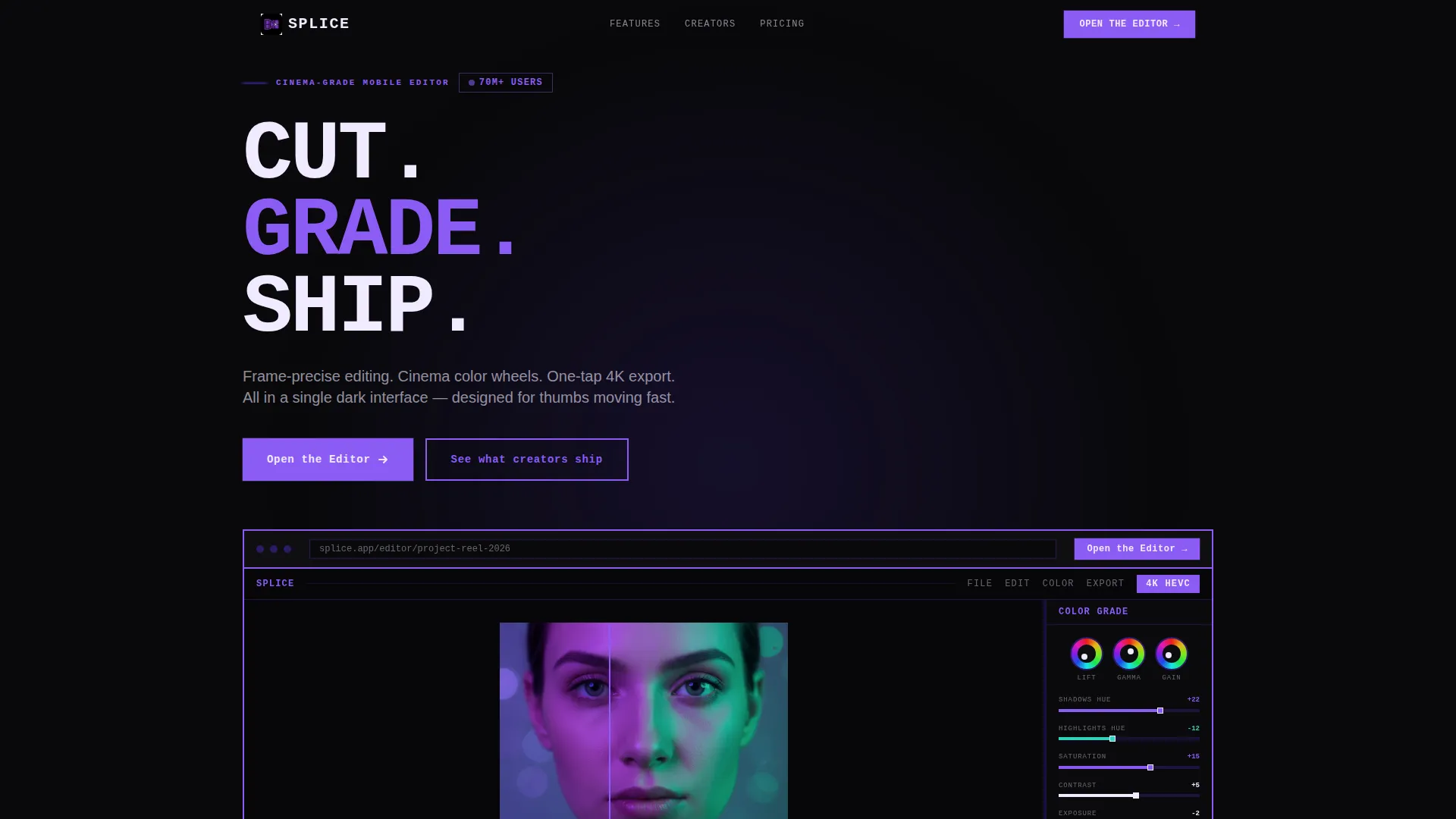
- A hero section built around a pixel-perfect product screenshot inside a brutalist browser frame with a two-pixel violet border
- An interactive scroll flow that reveals the timeline, color wheels, and export panel as animated grid cards with hover tooltips
- A click-through conversion system with a glowing violet primary button in the hero, a sticky mobile bottom bar, and a sticky desktop sidebar button
Feature list
This section covers the core built-in capabilities the Splice template delivers out of the box.
Brutalist Dashboard Grid Layout
The page uses a rigid brutalist grid that tightens and loosens as the visitor scrolls. This creates rhythm through density, alternating between a sparse quote block, a packed feature grid, and a full-bleed before-and-after color grade panel.
Interactive Scroll Explorer
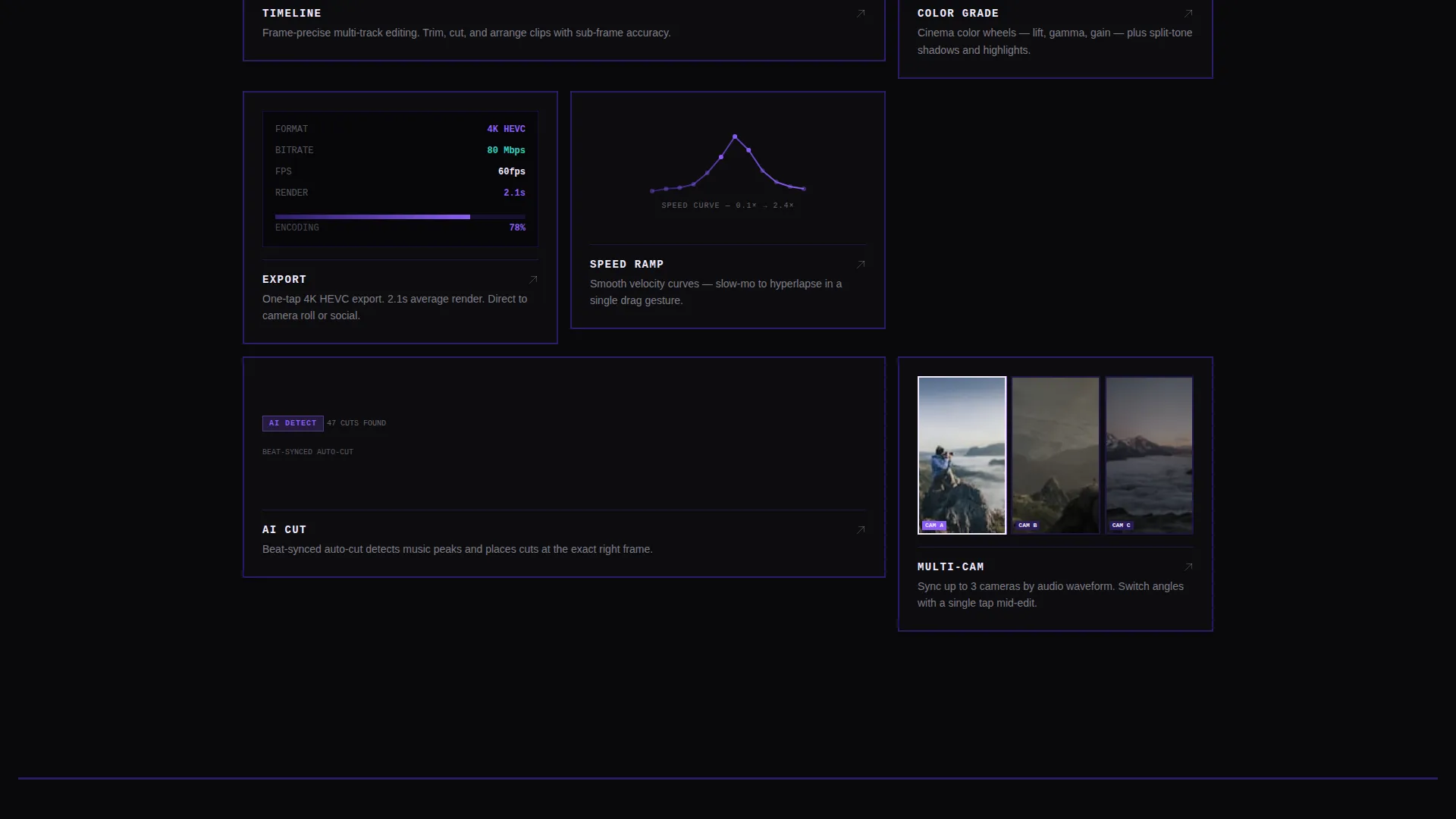
Scrolling does not just reveal sections; it reveals the app layer by layer. Each layer, the timeline, the color wheels, the export panel, is rendered as an interactive grid card. Visitors can hover each card to trigger an animation.
Hover Tooltip Spec System
Every interactive grid card fires a tooltip on hover that displays a real feature specification. Examples include render time and export format details. This turns the page into a living spec sheet rather than a static brochure.
Hero Product Screenshot Frame
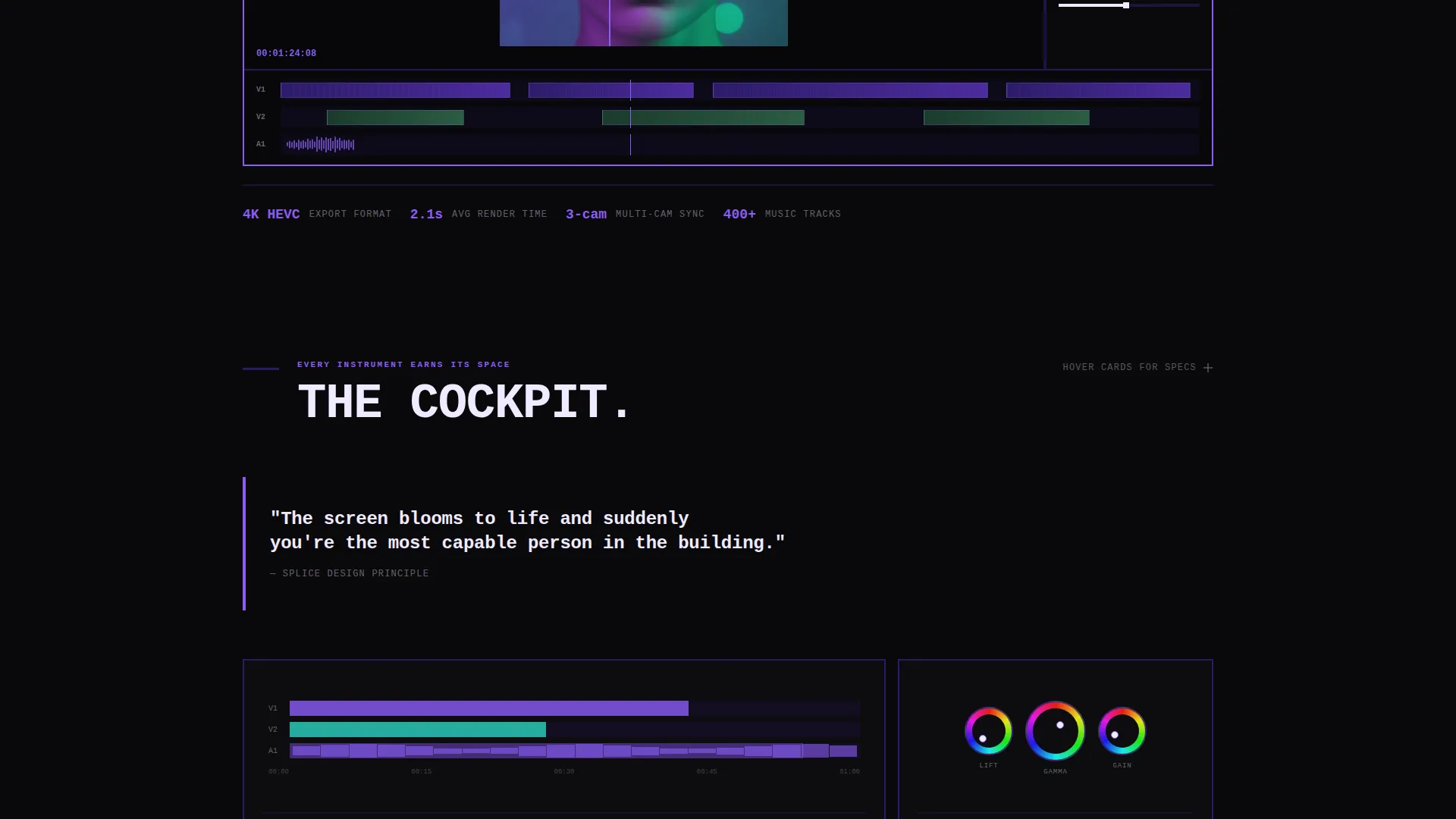
The header features a massive, flat product screenshot showing a multi-track video edit with color-graded thumbnails, waveform audio, and an active adjustment panel. It sits inside a brutalist browser frame with sharp corners, no drop shadow, and no rotation.
Frictionless Click-Through call to action Flow
The primary call to action is a glowing violet button labeled "Open the Editor," placed inside the hero screenshot so it appears to live inside the app. A secondary text link scrolls to a social proof grid of exported projects with creator handles, leading into a final "Start Your First Edit" button.
Creator Social Proof Grid
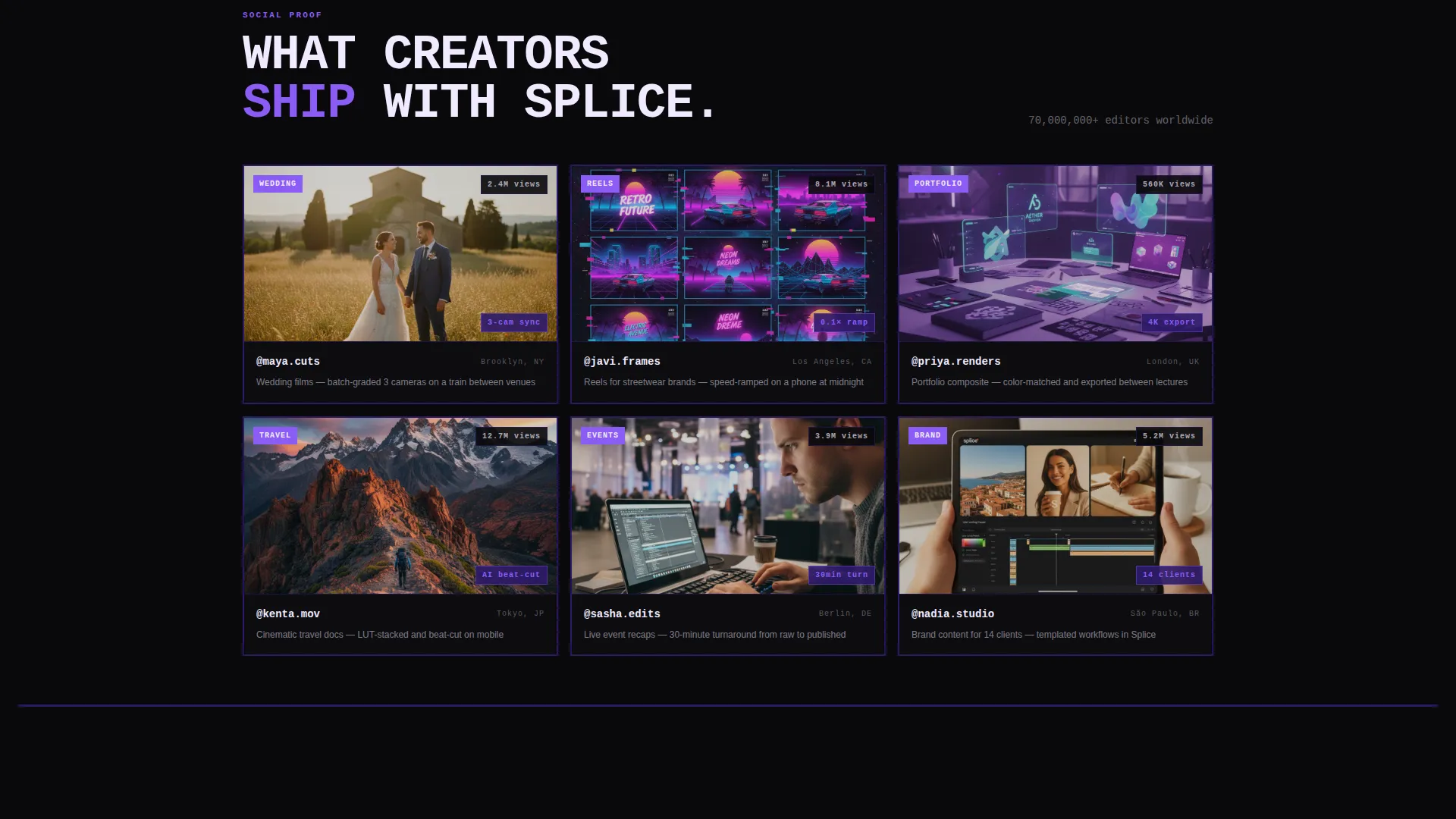
A dedicated grid section displays exported projects alongside creator handles. This section builds trust before the final conversion call to action, grounding the product in real output from real users.
Page sections overview
| Section | Purpose |
|---|---|
| Hero Screenshot Header | Presents the editor interface as the first visual, establishing product credibility immediately |
| Interactive Timeline Card | Reveals the multi-track editing layer on scroll with hover animation |
| Color Wheels Card | Exposes the color grading layer as an interactive grid card with tooltip specs |
| Export Panel Card | Shows the one-tap export feature as a hoverable animated card |
| Feature Spec Grid | Packs detailed feature highlights into a dense brutalist grid layout |
| Sparse Quote Block | Breaks grid density with a single focused statement for visual rhythm |
| Before and After Grade | Full-bleed color grade comparison panel demonstrating visual output quality |
| Creator Proof Grid | Displays exported projects with creator handles as social proof |
| Final call to action Section | Closes the page with a "Start Your First Edit" button for conversion |
Design & branding system
The Void and Violet color system creates a UV-darkroom atmosphere. Every visual decision either recedes into shadow or punches forward in glowing violet. Nothing decorates; everything functions.
- Color palette: absolute void black (#09090B) for backgrounds, deep ultraviolet (#2D1B69) for section dividers and thick brutalist rules, electric violet (#8B5CF6) for buttons and active states, and searing highlight white (#F0EAFF) reserved for text and active-state borders only
- Typography: oversized and monospaced throughout, reinforcing the cockpit-instrument aesthetic where every label is a data point
- Interaction details: buttons carry a subtle pulse animation in violet, section dividers are thick brutalist rules in ultraviolet, and the overall interface is flat and confrontational with no gradients, no drop shadows, and no rotation effects
Mobile & speed optimization
The template is designed for users on the move. The layout adapts so that the conversion path stays clear and functional on smaller screens without sacrificing the brutalist intensity.
- On mobile, the primary "Open the Editor" button repeats as a fixed bottom bar, keeping the call to action visible at all times while the visitor scrolls
- The interactive grid cards are thumb-friendly, reflecting the same fast-moving interface philosophy the app itself is built around
How this template helps you convert
Every design and layout decision in this template points toward one outcome: getting the visitor to click and start editing.
- The "Open the Editor" button appears inside the hero screenshot itself, so the visitor's first instinct is to click into the app rather than read past it. The route leads directly to a free trial with the screenshot project pre-loaded, so the visitor lands inside the exact interface they just explored.
- The interactive scroll structure keeps visitors engaged long enough to build genuine confidence in the product. Hover tooltips with real specs replace vague marketing claims with verifiable detail, lowering hesitation before the final conversion step.
Other information about this template
This template fits naturally within the mobile app and photo and video editor app category, where visual credibility and instant engagement are deciding factors.
- The template style is Dashboard and Data Grid, making it well-suited for showcasing an app with multiple tools, panels, and data-rich interface elements
- The creative direction is Interactive Explorer, a scroll-driven experience that layers feature discovery on top of forward momentum
- The header concept is a Product Screenshot, the most direct way to show an app to a potential user without asking them to imagine anything
- The landing page direction is Click-Through, meaning there are no forms, no sign-up fields, and no friction between interest and action
- The Bold Brutalist theme and Void and Violet palette make this template visually distinct in a category where soft gradients and rounded cards are the default
Theme
Bold Brutalist
Creative direction
Interactive Explorer
Color system
Void & Violet
Style
Dashboard/Data Grid
Direction
Click-Through
Page Sections
Brutalist Dashboard Grid Layout
Interactive Scroll Explorer
Hover Tooltip Spec System
Hero Product Screenshot Frame
Frictionless Click-through Call to Action Flow
Creator Social Proof Grid
Related questions
Does this template include any forms or sign-up fields?
Can I replace the product screenshot in the hero with my own editor interface?
Is the hover tooltip content editable?
Who is this landing page template best suited for?
Does the dark color scheme work for audiences outside the video editing niche?



