Printing Digital Presence Appointment Booking Website Template
Queue is a bold brutalist landing page template built for print shop scheduling and job booking. It targets production managers, front-counter staff, and franchise print operators who need a sharper intake process. With scroll-reveal feature sections, a pinned freemium call to action, and a hard-edged acid digital design system, Queue turns browser visits into booked jobs.
by Rocket studio
Quick summary
Queue is a single-page, scroll-reveal landing page template designed for print shop booking and scheduling businesses. It speaks directly to large-format houses, screen printers, and digital press operators. The layout uses a bold brutalist visual system with electric chartreuse accents, progressive section reveals, and a freemium conversion flow built around a three-field signup form.
Who this template is for
This template is built for print industry operators who need a professional digital presence without a complicated build. It suits shops of any size that take job orders, manage press schedules, and coordinate approvals with clients.
- Production managers handling dozens of open jobs across multiple presses at once
- Front-counter staff who quote rush orders and field walk-in clients simultaneously
- Franchise print shop owners who need consistent job intake across several locations
What problem this template solves
Print shops lose real billable time to manual job tracking. Sticky-note job tickets, phone-tag confirmations, and scattered file specs create bottlenecks that slow every press run down. This template gives a scheduling and booking service a landing page that makes the case for a better system clearly and urgently.
- Shops struggle to present a credible, modern digital front without a purpose-built page
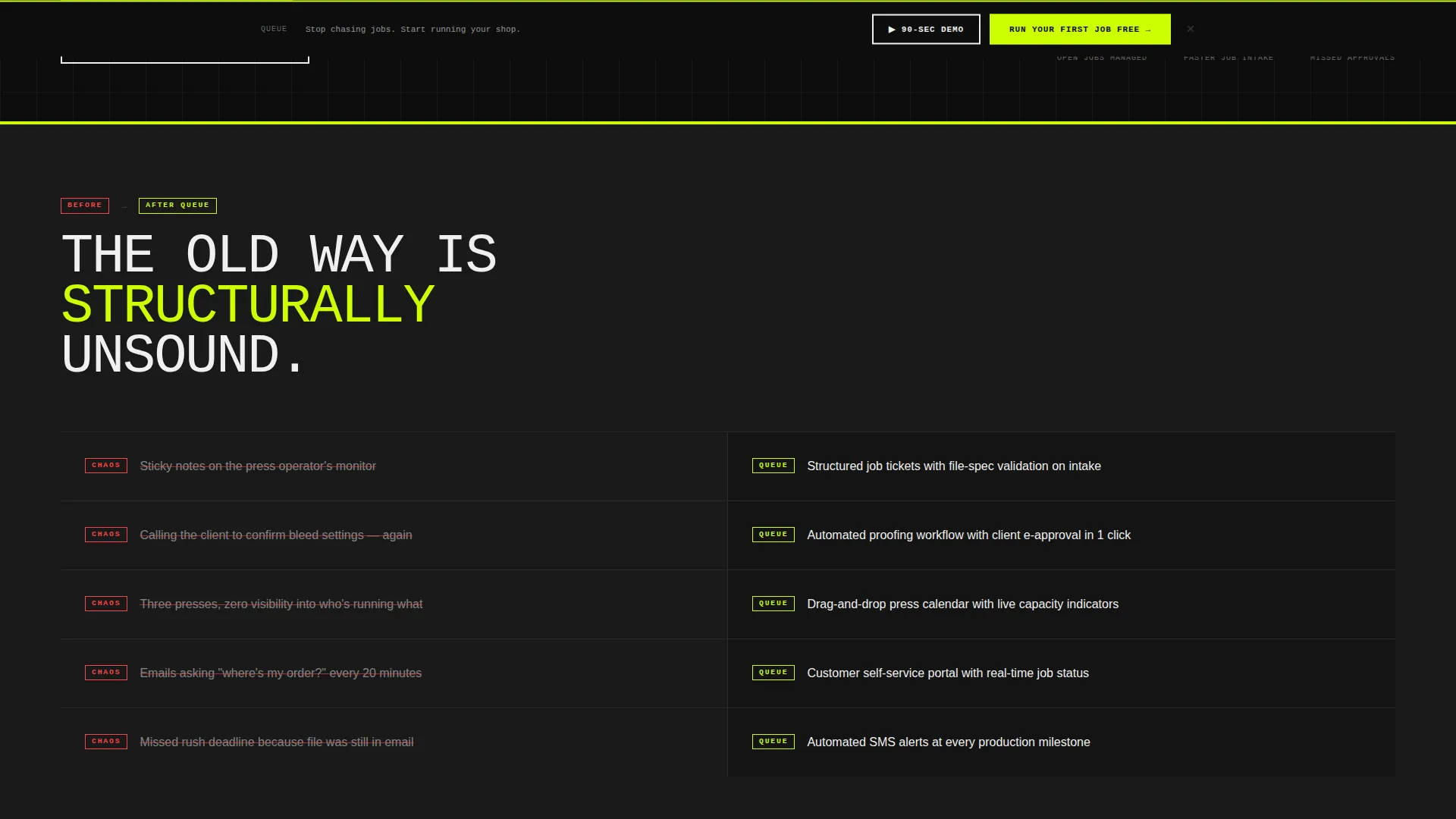
- Prospective clients need to see the contrast between manual chaos and a structured scheduling system before they commit
- Conversion suffers when signup flows ask for too much too soon, especially from busy shop operators
What you get with this template
You get a complete, ready-to-customize single landing page with a fully realized design system and a structured conversion path. Every section is mapped to a specific job in the buyer journey, from first impression to freemium signup.
- A scroll-reveal progressive layout with hard-wipe section animations that build the case feature by feature
- A pinned primary call-to-action bar with a three-field freemium signup form that appears after the third feature block
- A secondary video path labeled "Watch a 90-Second Press Run" that reduces commitment friction before the main ask
Feature list
This section covers the core built-in capabilities delivered by the Queue template as described in the source brief.
Scroll Reveal Progressive Layout
Each section enters the viewport with a hard vertical wipe animation. The effect builds a cumulative visual argument as the visitor scrolls, stacking feature blocks like concrete slabs. No section fights for attention simultaneously.
Feature Matrix Comparison Grid
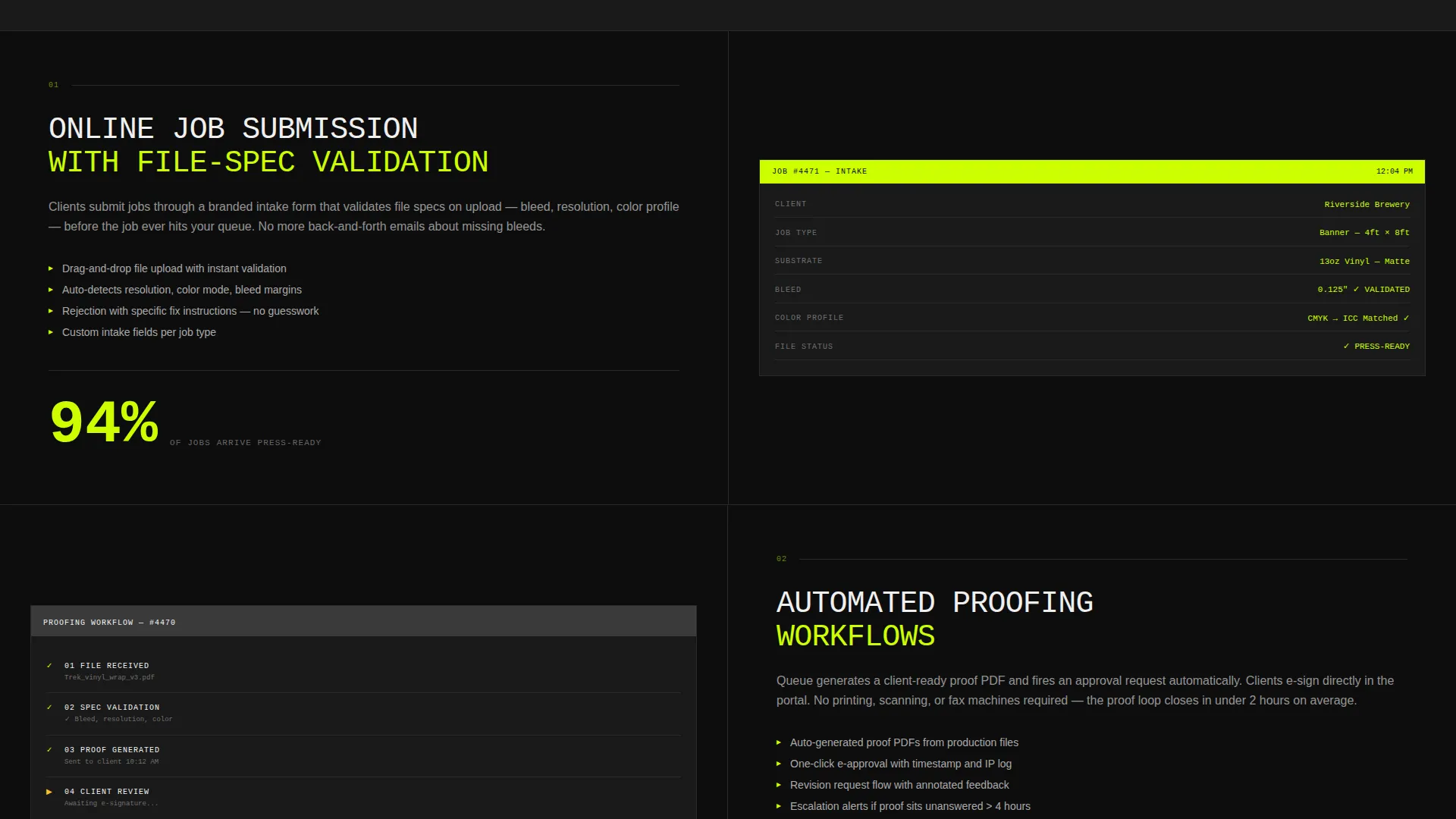
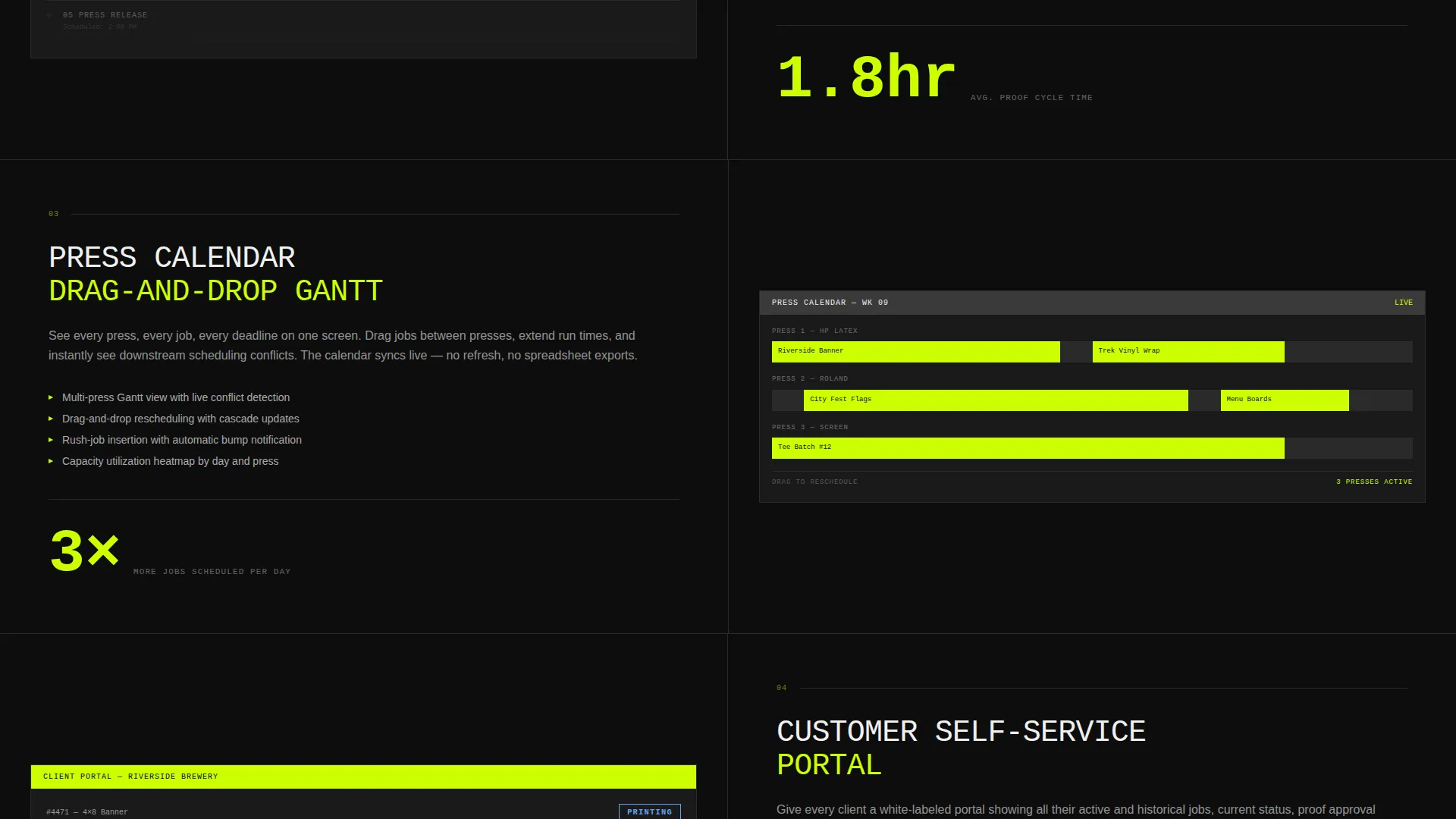
The central creative direction is a side-by-side capability grid. Each feature block contrasts manual booking chaos against structured scheduling control. Sections cover online job submission, automated proofing workflows, press-calendar scheduling, customer self-service portals, and real-time job-status updates via text message.
Pinned Freemium Call-to-Action Bar
After the third feature block, a chartreuse-on-black call-to-action reading "Run Your First Job Free" pins to the bottom of the viewport. It stays visible throughout the remainder of the scroll, maintaining conversion pressure without interrupting reading flow.
Three-Field Signup Form
The freemium form collects only three inputs: shop name, average monthly job volume via a dropdown with three ranges, and email address. No credit card is required. This minimal ask is designed to lower resistance for busy operators.
Logo Bar Header Ticker
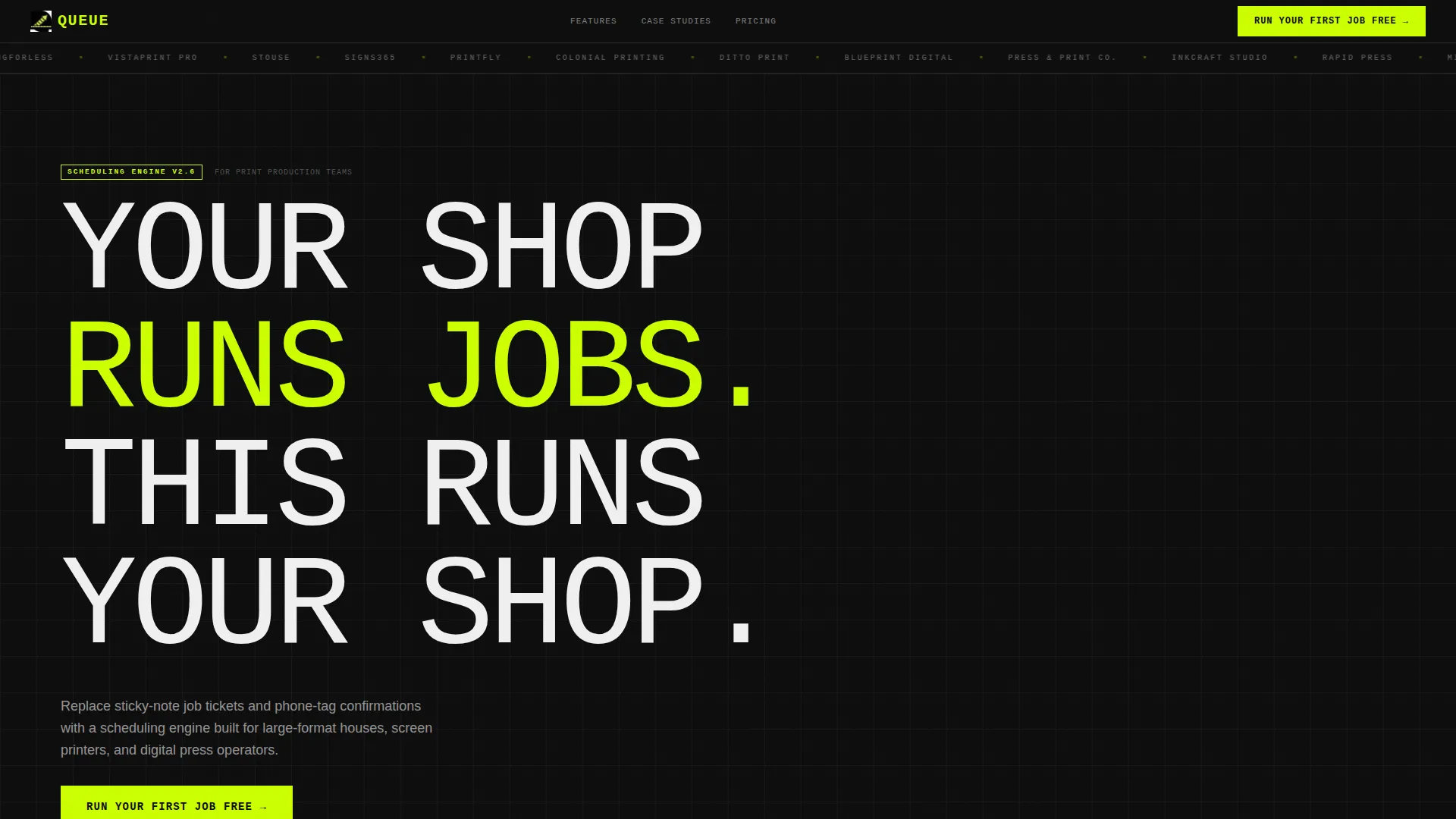
The header opens with a continuously scrolling horizontal ticker displaying print-industry shop names and logos in single-color white against a void-black background. It establishes credibility and industry relevance immediately, before any feature copy appears.
Secondary Video Conversion Path
A clearly labeled option lets visitors watch a 90-second screen recording of a job moving from intake to completion. This path reduces commitment friction for visitors who are not yet ready for the primary signup form.
Page sections overview
| Section | Purpose |
|---|---|
| Logo Bar Ticker | Establish print-industry credibility at first glance |
| Hero Headline Block | Deliver the core value statement in oversized condensed type |
| Feature Block One | Introduce online job submission with file-spec validation |
| Feature Block Two | Show automated proofing workflow capability |
| Feature Block Three | Present press-calendar scheduling with drag-and-drop gantt bars |
| Pinned call to action Bar | Anchor the freemium signup after the third feature reveal |
| Feature Block Four | Highlight customer self-service portal capability |
| Feature Block Five | Demonstrate real-time job-status text message updates |
| Secondary Video call to action | Offer a low-commitment 90-second demo path |
| Freemium Signup Form | Capture shop name, job volume, and email with no credit card |
Design & branding system
Queue uses an Acid Digital color system built around four values that feel industrial and unapologetic. The typographic approach treats uppercase mono letterforms as structural elements, not decoration. Hard edges and zero border-radius on every component reinforce the brutalist discipline throughout.
- Void black (#0D0D0D) and raw slab gray (#3A3A3A) form the monolithic content block backgrounds
- Electric chartreuse (#CCFF00) drives all primary buttons, progress bars, status indicators, and hover states
- Scanner-bed white (#F0F0F0) is reserved for content panels, keeping body copy readable against dark backgrounds
Mobile & speed optimization
The template is structured for a clean single-column reading experience on smaller screens. The scroll-reveal animations and pinned call-to-action bar are designed to translate across viewport sizes without breaking the conversion flow.
- The pinned freemium bar remains accessible at the bottom of the viewport on mobile, keeping the primary action within thumb reach
- The three-column feature matrix collapses to a stacked single-column layout on narrow screens
- The logo ticker and hero headline scale proportionally so the brutalist type impact carries through on any device
How this template helps you convert
Queue is built around a freemium conversion model. Every design decision from section order to color usage serves the goal of moving a skeptical print shop operator toward a low-friction first signup.
- The feature matrix builds progressive proof before asking for anything, so visitors arrive at the call to action already convinced rather than still evaluating
- The pinned "Run Your First Job Free" bar maintains visibility without requiring the visitor to scroll back up, reducing drop-off at the moment of decision
- The 90-second video path gives hesitant visitors an exit ramp that keeps them engaged rather than bouncing, warming them toward the primary form
Other information about this template
Queue is categorized under Technology with a subcategory focus on printing digital presence. It is purpose-built for the printing booking and scheduling site niche, making it a specific fit rather than a generic service template. The bold brutalist theme and acid digital palette are intentional signals to a production-minded audience that values precision over polish.
- The template style is Scroll Reveal Progressive, meaning sections animate into view sequentially rather than loading all at once
- The header concept is a Logo Bar, a pattern common in software and platform landing pages that borrows credibility from recognizable names in the industry
- The landing page direction is Freemium and Trial conversion, which shapes the entire information hierarchy from headline to form
Theme
Bold Brutalist
Creative direction
Feature Matrix
Color system
Acid Digital
Style
Scroll Reveal (Progressive)
Direction
Freemium/Trial
Page Sections
Scroll Reveal Progressive Section Layout
Feature Matrix Comparison Grid
Pinned Freemium Call-to-action Bar
Three-field Low-friction Signup Form
Logo Bar Industry Credibility Ticker
Secondary 90-second Video Path
Related questions
Who is the Queue template designed for?
Does the freemium signup form require a credit card?
What does the scroll-reveal layout actually do?
Can the color palette and typefaces be customized?
What is the 90-second press run video path?



