Agriculture Software Directory Website Template
Cultivar is a split-screen agriculture membership management landing page template built for associations ready to leave spreadsheets behind. It features a comparison-driven layout, a live-style dashboard hero, and three strategically placed audit calls to action. The Dashboard Pro theme uses a Teal Catalyst color system to communicate authority, clarity, and urgency to directors, coordinators, and chapter leaders.
by Rocket studio
Quick summary
Cultivar is a 50/50 split-screen landing page template for agriculture membership management platforms. It pairs a "before and after" comparison engine with a Dashboard Pro visual identity, guiding visitors from pain-point recognition to a free membership audit. Every section is designed to move association leaders from skepticism to action.
Who this template is for
This template is built for agriculture software platforms selling to association leaders who manage large, complex member rolls. It speaks directly to decision-makers who live inside renewal cycles, chapter coordination, and board reporting.
- State farm bureau directors overseeing 10,000-plus member rosters
- Commodity group coordinators managing dues renewals across county chapters
- Young farmer program leads who need to prove engagement numbers to their boards
What problem this template solves
Agriculture associations run on trust and continuity, but most still track membership in spreadsheets, scattered email threads, and static PDF reports. That gap between the complexity of real operations and the tools being used creates silent revenue loss and missed engagement.
- Lapsed renewals that go unnoticed until it is too late
- Engagement data that lives in silos across chapters and regions
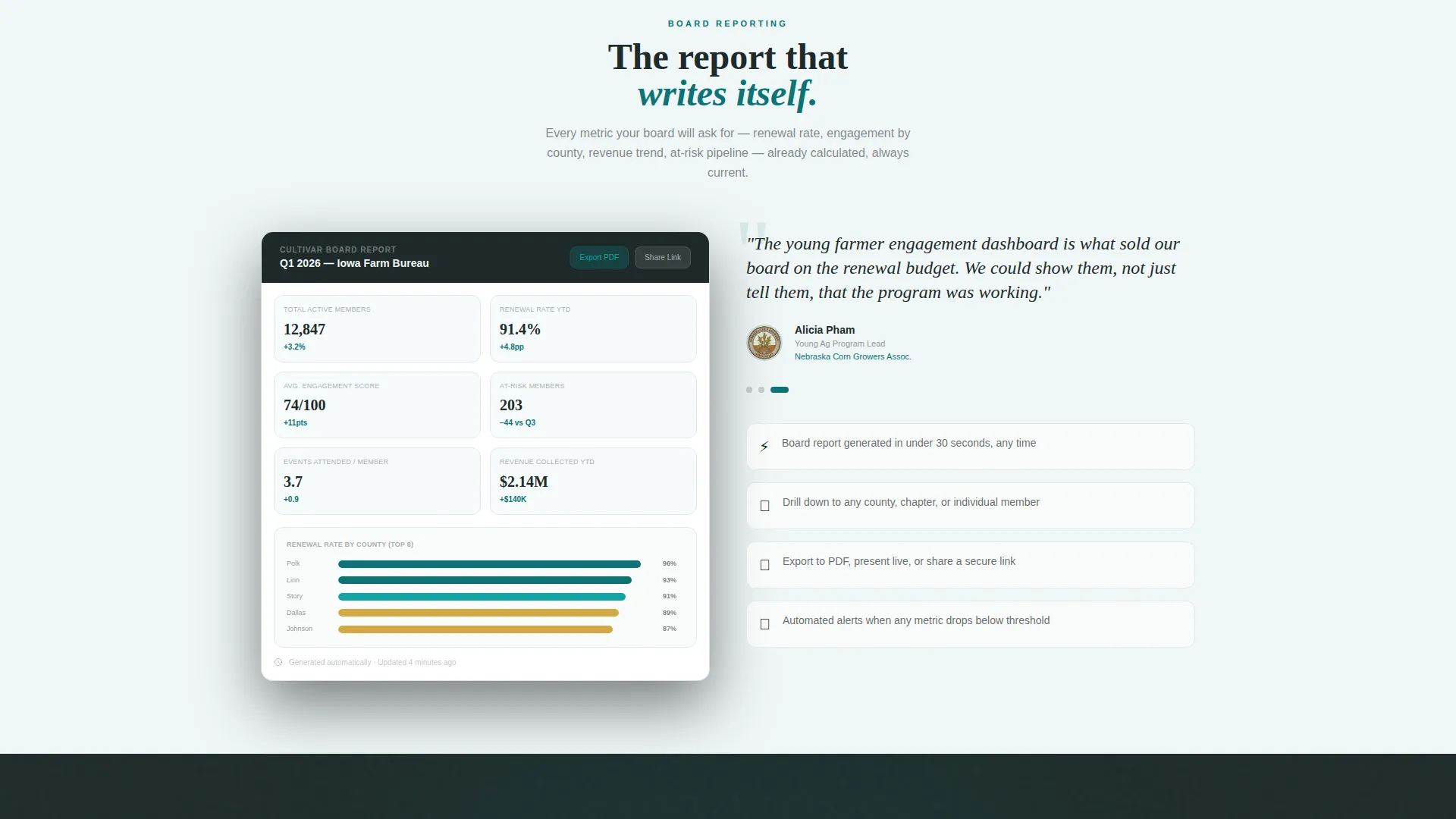
- Board reports that take hours to compile instead of minutes
What you get with this template
Cultivar delivers a fully structured, single-page layout that takes visitors through a clear narrative arc. Each section builds the case that legacy tools are costing associations money and momentum, then shows exactly what the platform does instead.
- A persistent sticky comparison bar and dual-panel Interactive Explorer layout
- Three placed "Run Your Free Membership Audit" calls to action with a four-field form
- A secondary gated PDF conversion path for top-of-funnel visitors not yet ready to audit
Feature list
This template packs a focused set of components, each tied directly to the buyer journey for agriculture association software.
Split-Screen Comparison Engine
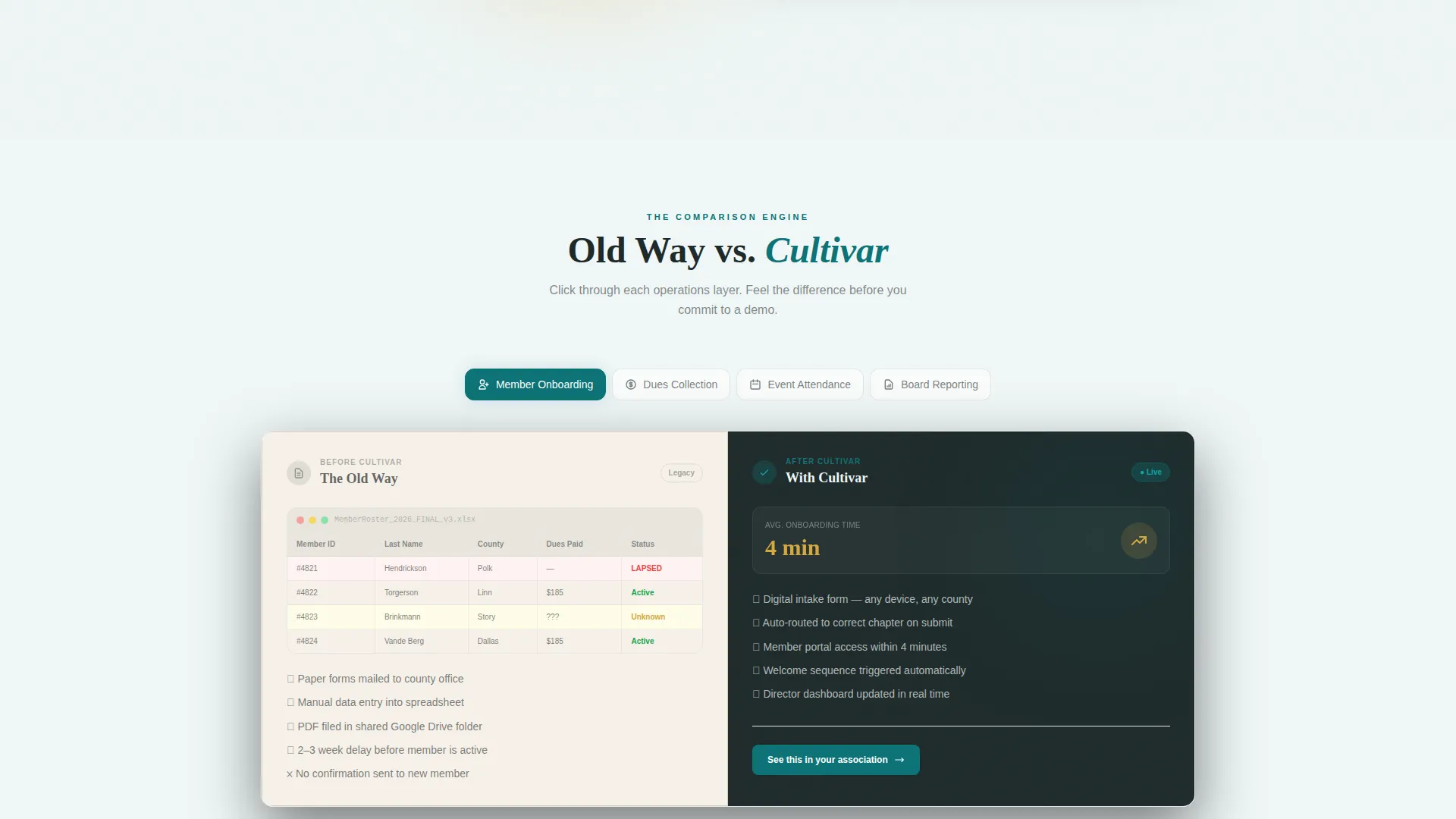
Every section of the page shows the "old way" on the left and the platform equivalent on the right. Visitors can toggle, hover, and drag within each comparison panel to feel the operational difference rather than simply read about it.
Persistent Sticky Comparison Bar
A sticky header bar stays visible during the entire scroll. It reads "See How [Association Name] Compares" with a dropdown to select your organization type, keeping the comparison frame active at every section.
Live-Style Dashboard Hero
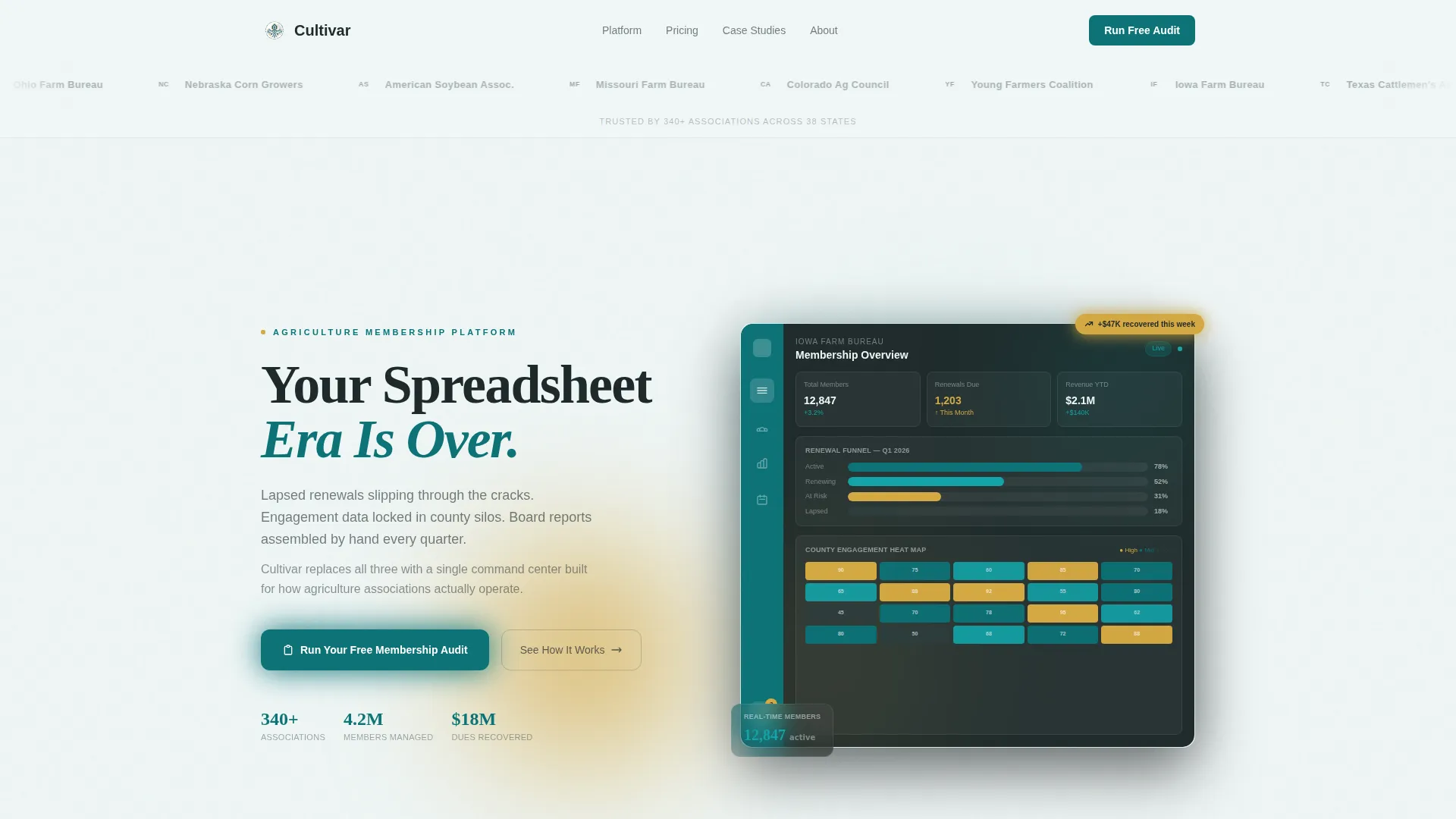
The header right panel features a dashboard screenshot with teal sidebar navigation, a membership renewal funnel chart, and a county-level heat map rendered in harvest gold and deep teal. It communicates platform depth at first glance.
Logo Bar Social Proof Header
A slow-scrolling horizontal strip of agriculture association logos opens the page. Each logo is rendered in loam charcoal monotone on a pale fog background, immediately establishing credibility with the target audience.
Dual Conversion Path Forms
The primary form captures association name, member count range, role, and work email to initiate a free membership audit. A secondary path offers a gated comparison PDF for visitors who want to evaluate before committing.
Escalating Stakes Section Flow
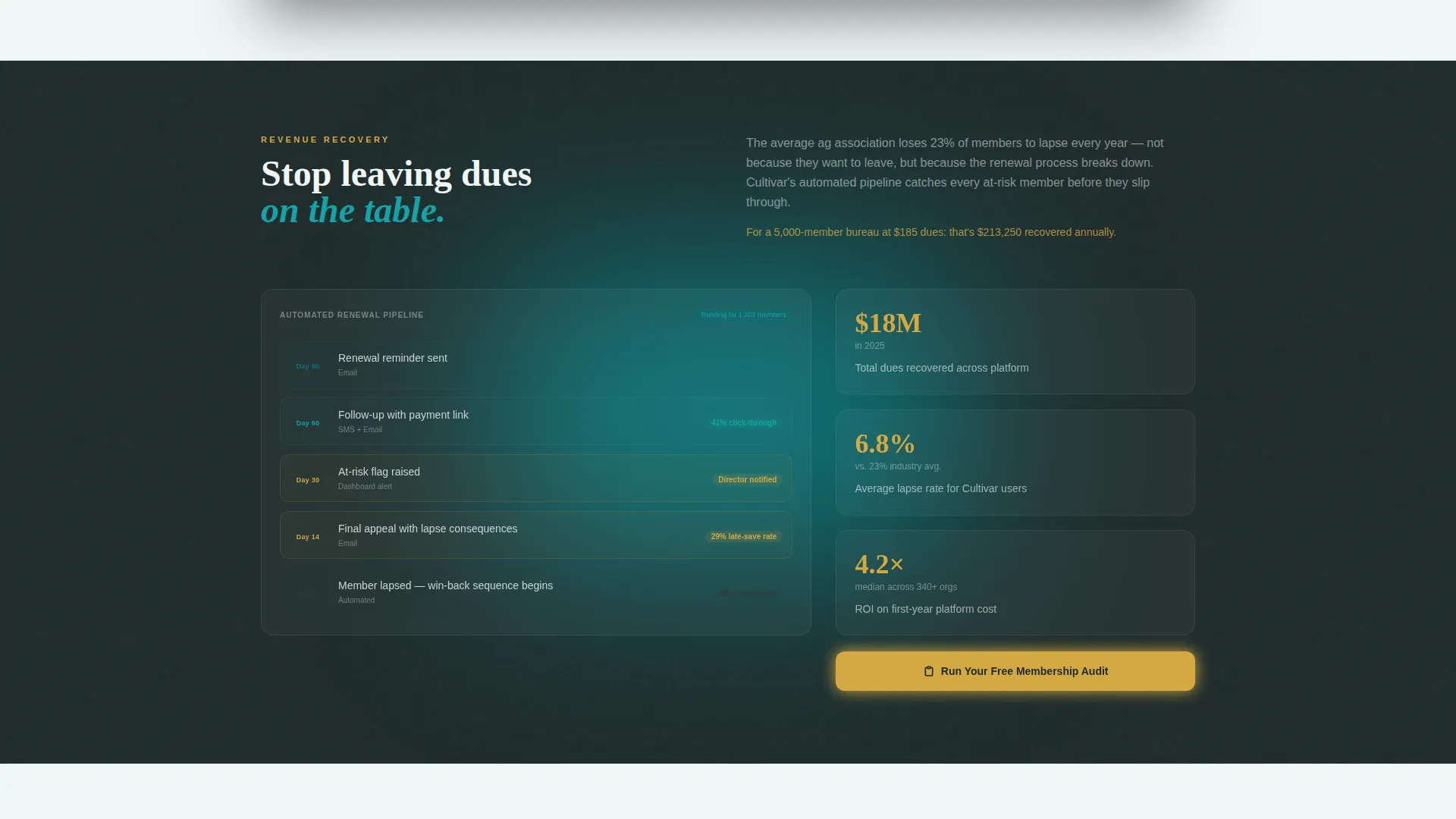
The page moves visitors through four operational layers in sequence: member onboarding, dues collection, event attendance, and board reporting. Stakes escalate from convenience to revenue recovery to the board presentation that writes itself.
Page sections overview
| Section | Purpose |
|---|---|
| Logo Bar Header | Establishes credibility via association logos |
| Hero Split Panel | Introduces the core comparison and primary call to action |
| Sticky Comparison Bar | Keeps org-type context active throughout scroll |
| Member Onboarding Comparison | Shows old versus new onboarding workflows |
| Dues Collection Comparison | Highlights revenue recovery from lapsed renewals |
| Event Attendance Comparison | Contrasts manual tracking with real-time engagement data |
| Board Reporting Comparison | Demonstrates one-click report generation |
| Mid-Scroll Audit call to action | Recaptures intent after dues recovery section |
| Final Audit Panel | Closes the page with the strongest conversion prompt |
Design & branding system
The Teal Catalyst color system gives the template a functional, data-forward identity that feels at home in the agriculture technology space. The palette is inspired by a weather station screen on a barn wall at dawn, where every bright spot signals something that needs attention.
- Deep field teal (#0D7377) as the primary action color for buttons, navigation, and key user interface elements
- Rich loam charcoal (#1E2A2A) for dashboard backgrounds and body text, with pale morning fog (#EFF6F6) for cards and content panels
- Harvest gold (#D4A843) used exclusively for notification badges, upgrade prompts, and hover states to create purposeful visual urgency
Mobile & speed optimization
The split-screen layout is structured to reflow cleanly for smaller viewports, keeping the comparison narrative intact without sacrificing readability. Every visual element is chosen for functional clarity rather than decorative weight.
- Split panels stack vertically on mobile so both sides of each comparison remain legible
- Dashboard hero graphics are framed as screenshots, keeping file complexity low and load impact minimal
How this template helps you convert
Cultivar is built around a conversion architecture that meets buyers at three different levels of readiness and moves each one toward a clear next step.
- The free membership audit form qualifies high-intent visitors with four practical fields, capturing role, organization size, and contact details in a single step.
- The gated comparison PDF offers a lighter commitment path for early-stage visitors, collecting just an email address to begin the relationship.
- The escalating section narrative builds from convenience to revenue recovery, so visitors who reach the final panel are already convinced the platform solves a real problem.
Other information about this template
Cultivar is part of a Dashboard Pro theme family designed for software platforms that serve professional, data-driven industries. The Interactive Explorer creative direction and the Comparison/Versus landing page direction work together to make the case through demonstration rather than description.
- Template style: Split Screen (50/50), suited for side-by-side product storytelling
- Color system: Teal Catalyst, a palette built specifically for agriculture and field-tech contexts
- Header concept: Logo Bar, which prioritizes association-level social proof over generic imagery
- The template is categorized under Technology, Agriculture Software, and Agriculture Membership Management for marketplace discovery
Theme
Dashboard Pro
Creative direction
Interactive Explorer
Color system
Teal Catalyst
Style
Split Screen (50/50)
Direction
Comparison/Versus
Page Sections
Split-screen Comparison Engine
Persistent Sticky Comparison Bar
Live-style Dashboard Hero
Logo Bar Social Proof Strip
Dual Conversion Path Forms
Escalating Narrative Section Flow
Related questions
Who is this landing page template designed for?
Can I adapt the comparison sections for my specific platform features?
What does the free membership audit form collect?
How does the secondary PDF conversion path work?
Is this template suitable for associations with very large member counts?



