Daycare Search App Landing Page Template
Sprout is a bento grid landing page template built for a daycare search mobile app. It leads with a bold Stats/Metrics header wall, guides parents through an Industry Report-style scroll, and closes with a zip-code-driven call to action that routes directly to the app store. The Void and Violet color system makes every data tile feel both premium and trustworthy.
by Rocket studio
Quick summary
Sprout is a single-page, bento grid landing page template designed for a daycare search app. It opens with live-style metric counters, flows through data-rich discovery sections, and ends every major scroll point with a persistent "Find Open Spots Near You" call to action. The template is built to earn trust through data before asking parents to download anything.
Who this template is for
This template is designed for teams building or promoting a daycare search mobile app. It serves products that help parents cut through the noise and find real, verified childcare options fast.
- First-time parents who need to find licensed daycare openings quickly and confidently
- Human resources benefits coordinators assembling childcare resource guides for employees
- Relocating families who need a verified daycare placement before their move date arrives
What problem this template solves
Parents searching for daycare face a fragmented, anxiety-filled process. Facebook groups, outdated directories, and word-of-mouth recommendations leave families without reliable vacancy data, inspection scores, or honest wait time estimates.
- There is no central, trusted source that shows real-time daycare openings by location
- Parents cannot easily compare licensed provider ratings, inspection records, and available spots in one view
- Relocating or time-pressed families have no fast path from search to a confirmed tour booking
What you get with this template
The template delivers a complete, single-page layout structured around a bento grid system. Every section is purpose-built to move a parent from curiosity to confident app download.
- A Stats/Metrics header cluster with animated odometer-style counters in oversized violet numerals
- An Industry Report scroll flow featuring a heat map section, waitlist comparison chart, and state-by-state licensing breakdown
- A persistent floating pill call-to-action button that reappears after every two content sections
Feature list
This template packages several distinct design and functional components into one cohesive layout. Each feature serves the core goal: convincing a skeptical, time-pressed parent that this app already knows their neighborhood.
Animated Stats Header Wall
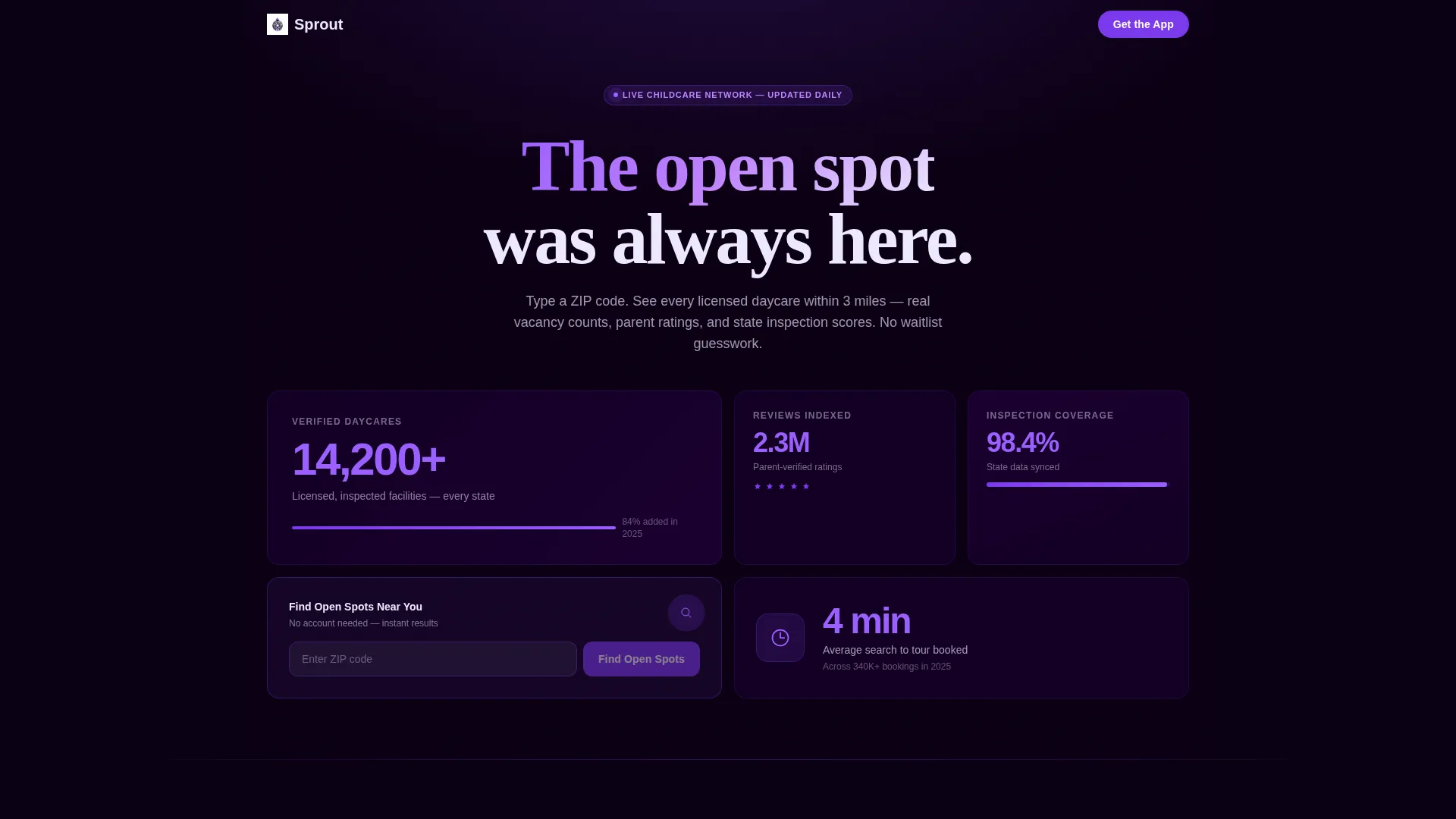
The header is a bento cluster of four metric tiles, "14,200+ Verified Daycares," "2.3M Parent Reviews Indexed," "98.4% Inspection Data Coverage," and "Average Search to Tour Booked: 4 Minutes." Numbers tick upward with a subtle odometer animation, establishing credibility before a single line of copy is read.
Zip Code Input with Live Result Preview
The primary call to action lives inside the header bento grid as a zip-code input field paired with a violet search button. On entry, it returns a real result count such as "23 daycares with openings near 78704," then routes the user to the correct app store download.
Industry Report Scroll Sections
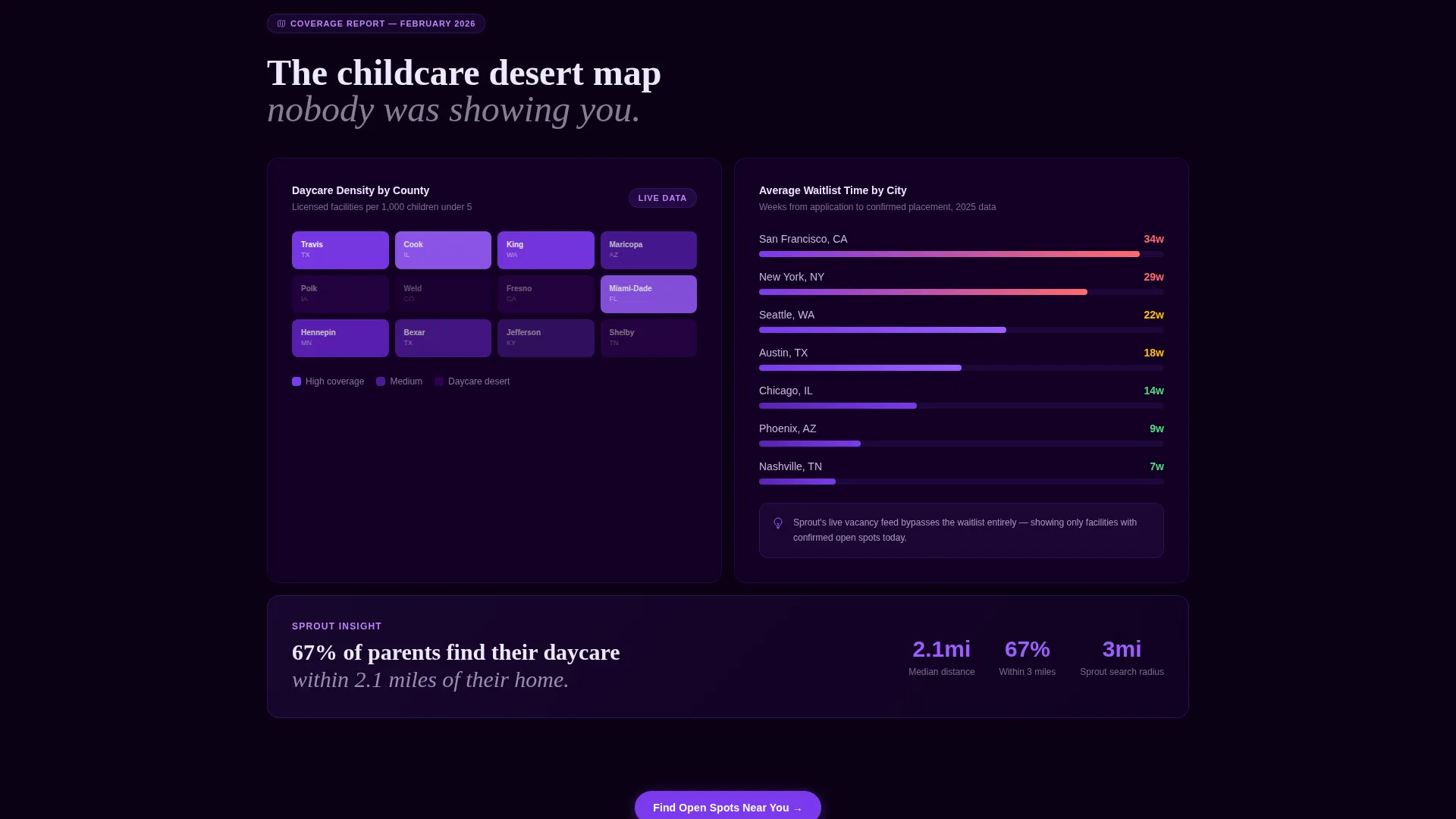
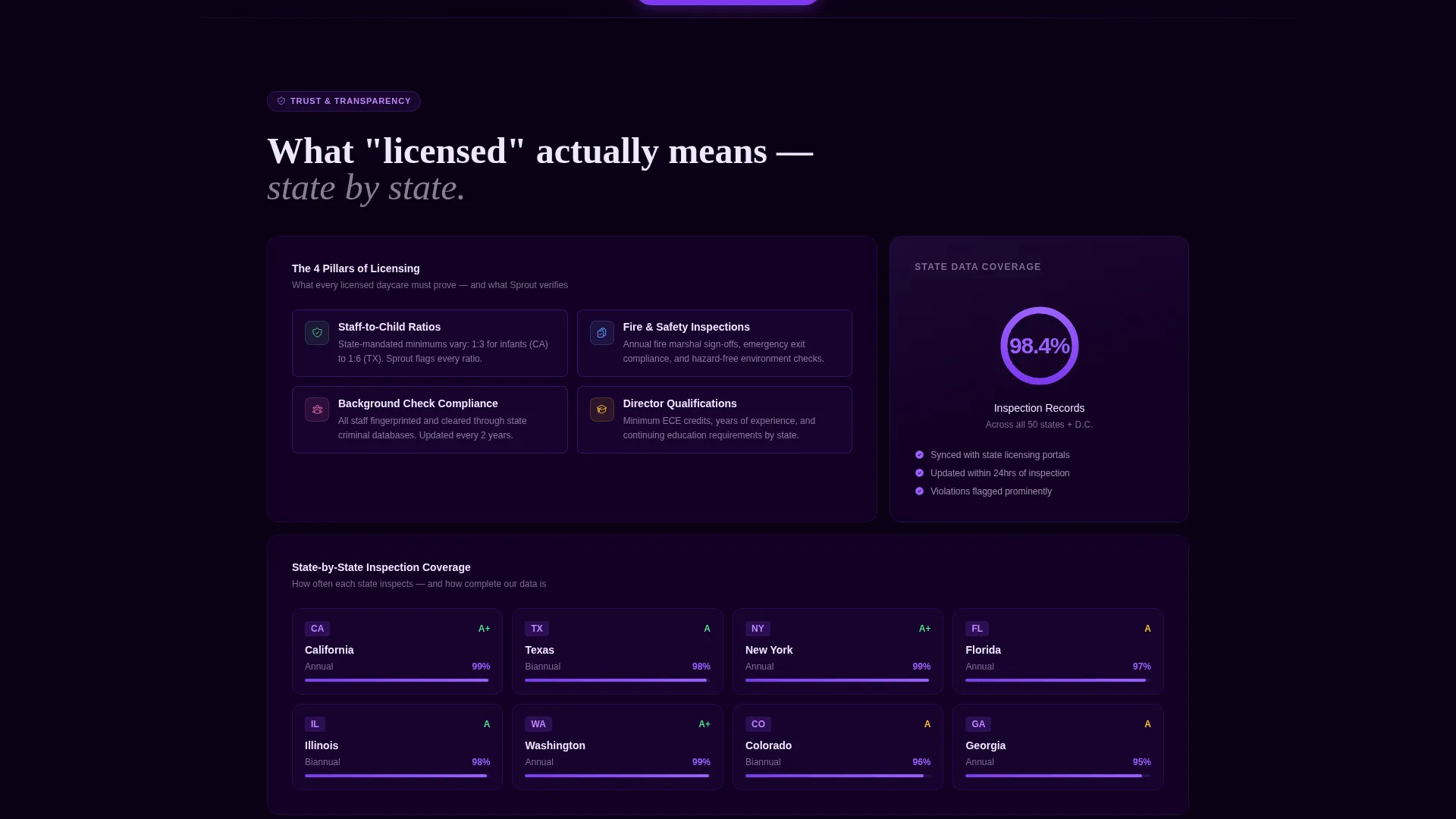
The mid-page content is structured like a premium childcare market study. Sequential bento sections reveal a county-level daycare desert heat map, a city-by-city waitlist comparison chart, and a state-by-state breakdown of what "licensed" means in practice.
Single App Screenshot Reveal Tile
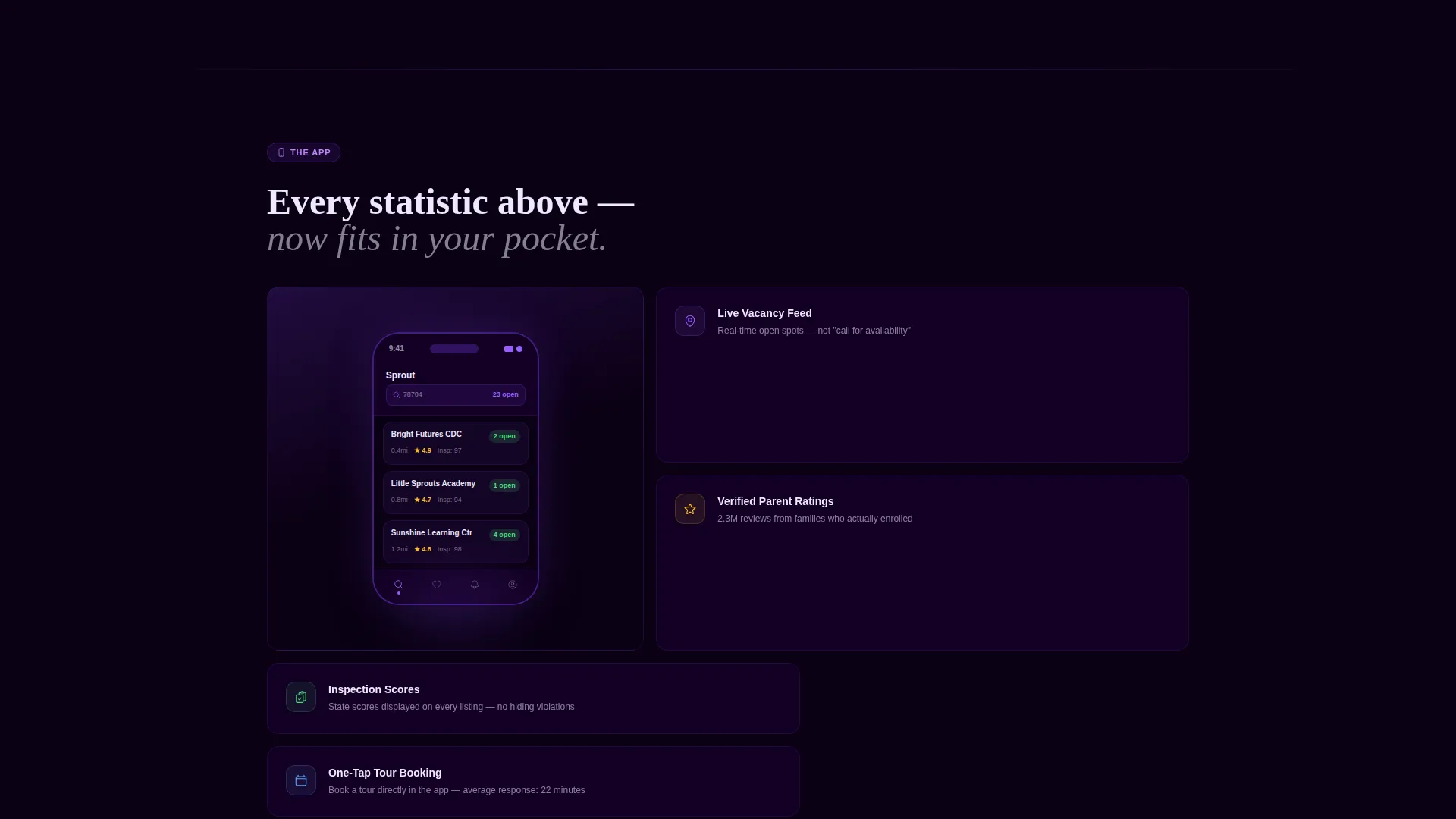
Midway through the scroll, one bento tile surfaces a screenshot of the app's search results screen. Placed after several data-heavy sections, it acts as the moment every statistic snaps into context as a usable product feature.
Persistent Floating Pill call to action
A floating pill-shaped call-to-action button reappears after every two content sections. It keeps the conversion path visible throughout the scroll without interrupting the data narrative or requiring any email capture.
Void and Violet Bento Color System
The layout uses deep void black for navigation and headers, electric violet for buttons and progress indicators, soft lavender mist for section backgrounds, and warm nursery cream for card tile surfaces. The contrast is premium yet approachable.
Page sections overview
| Section | Purpose |
|---|---|
| Stats Metrics Header | Establishes scale and credibility with animated counters and a zip-code input field |
| Zip Code Input | Drives first conversion by returning a live local result count before routing to app store |
| Daycare Desert Map | Shows county-level coverage gaps to prove the app understands the national childcare landscape |
| Waitlist Comparison Chart | Compares average wait times by city to make the urgency of using the app locally concrete |
| Licensing Breakdown Section | Explains state-by-state licensing standards to build trust in the verified provider network |
| App Screenshot Tile | Connects all prior data to a real product screen, making the app feel familiar and trustworthy |
| Persistent Floating call to action | Resurfaces the download path after every two sections to maintain conversion momentum |
Design & branding system
The template uses a Void and Violet color system that balances premium tech aesthetics with the warmth a parent expects from a childcare product. The palette is intentional: the violet glows against void black the way a nightlight cuts through a dark room.
- Deep void black (#0B0014) anchors the header, navigation, and section dividers for strong visual structure
- Electric violet (#7C3AED) drives all buttons, search inputs, progress indicators, and active numerals
- Soft lavender mist (#EDE9FE) washes section backgrounds to soften the density of back-to-back data tiles
- Warm nursery cream (#FFFBEB) fills individual card surfaces so each data point feels contained and readable
Mobile & speed optimization
The bento grid layout is structured to adapt naturally to narrower screen widths. Because the primary audience is a parent on a phone, the template prioritizes thumb-friendly tap targets and readable tile sizing at mobile viewports.
- Bento tiles reflow into single-column stacks on smaller screens without losing the visual hierarchy
- The floating pill call-to-action button stays anchored and visible throughout the mobile scroll experience
- The zip-code input and violet search button remain prominently sized and easy to interact with on touch screens
How this template helps you convert
The template is built around a specific conversion philosophy: prove value before asking for anything. Every design decision points toward one outcome, a parent tapping "download" because they already believe the app knows their neighborhood.
- The Stats/Metrics header establishes proof of network scale instantly, so the very first scroll position earns trust rather than spending it
- The zip-code input field returns a real local result count before routing to the app store, turning a passive browser into an engaged, committed user
Other information about this template
This template is part of a broader Directory and Discovery theme, making it a strong fit for any app or platform that connects users to local, vetted service providers. The Industry Report creative direction gives it unusual depth for a landing page in the childcare technology space.
- The template style is Bento Grid, which creates a visually dynamic layout without relying on stock photography
- The landing page direction is Click-Through, meaning there is no sign-up form or email capture involved
- The header concept is Stats/Metrics, a format well-suited to app products that lead with data credibility rather than lifestyle imagery
- This template fits the Daycare Digital Presence subcategory and is optimized for the Daycare Mobile App niche within the Technology category
Theme
Directory & Discovery
Creative direction
Industry Report
Color system
Void & Violet
Style
Bento Grid
Direction
Click-Through
Page Sections
Animated Stats Metrics Header
Zip Code Input with Result Preview
Industry Report Scroll Flow
App Screenshot Reveal Tile
Persistent Floating Pill Call to Action
Void and Violet Bento Color System
Related questions
Does this template require a sign-up form or email capture?
Can the metric counters in the header be edited to reflect different numbers?
Is this template suitable for a regional app rather than a national network?
What happens after a user enters their zip code?
Does the template include the app screenshot or is that a placeholder?



