Preschool About Us Landing Page Template
Sprout is a split-screen landing page template built for daycare and preschool programs that want to earn parent trust before the first visit. It pairs data-rich dashboard cards with warm photography across a tabbed header, a credibility-led scroll, and a three-step tour scheduling form, giving families exactly what they need to say yes.
by Rocket studio
Quick summary
Sprout is a single-page, split-screen landing page template designed for preschool and daycare programs. It combines a tabbed Feature Tab Switcher header, dashboard-style stat cards, and a progressive lead-capture form. The layout speaks directly to parents who research carefully, decide quickly, and need to feel safe before they ever walk through the door.
Who this template is for
This template is built for preschool directors, daycare owners, and early childhood program administrators who want a professional web presence that converts cautious parents into scheduled tour requests.
- Early childhood centers that want to present curriculum, staff credentials, and daily structure in one clear place
- Independent daycare operators who need to compete with larger franchise programs on first impression
- Preschool programs serving dual-income families, single parents, and relocating families who research online late at night
What problem this template solves
Most preschool and daycare landing pages rely on stock photography and vague promises. Parents doing real research, comparing staff ratios, program philosophy, and daily routines, find nothing concrete to hold on to. Sprout solves that trust gap by treating the school's story like a transparent data briefing.
- Parents cannot find measurable proof of quality, such as teacher tenure, student readiness rates, or enrichment frequency, on a typical school page
- Schools lose potential enrollments because their pages feel warm but not credible, emotional but not informative
- Busy families making midnight decisions need a page that answers their hardest questions without requiring a phone call first
What you get with this template
Sprout delivers a fully designed, single-page layout that balances visual warmth with structured information. Every section is purpose-built to move a hesitant parent from curious visitor to scheduled tour.
- A three-tab split-screen header with animated panel swaps, stat dashboard cards, and paired photography slots
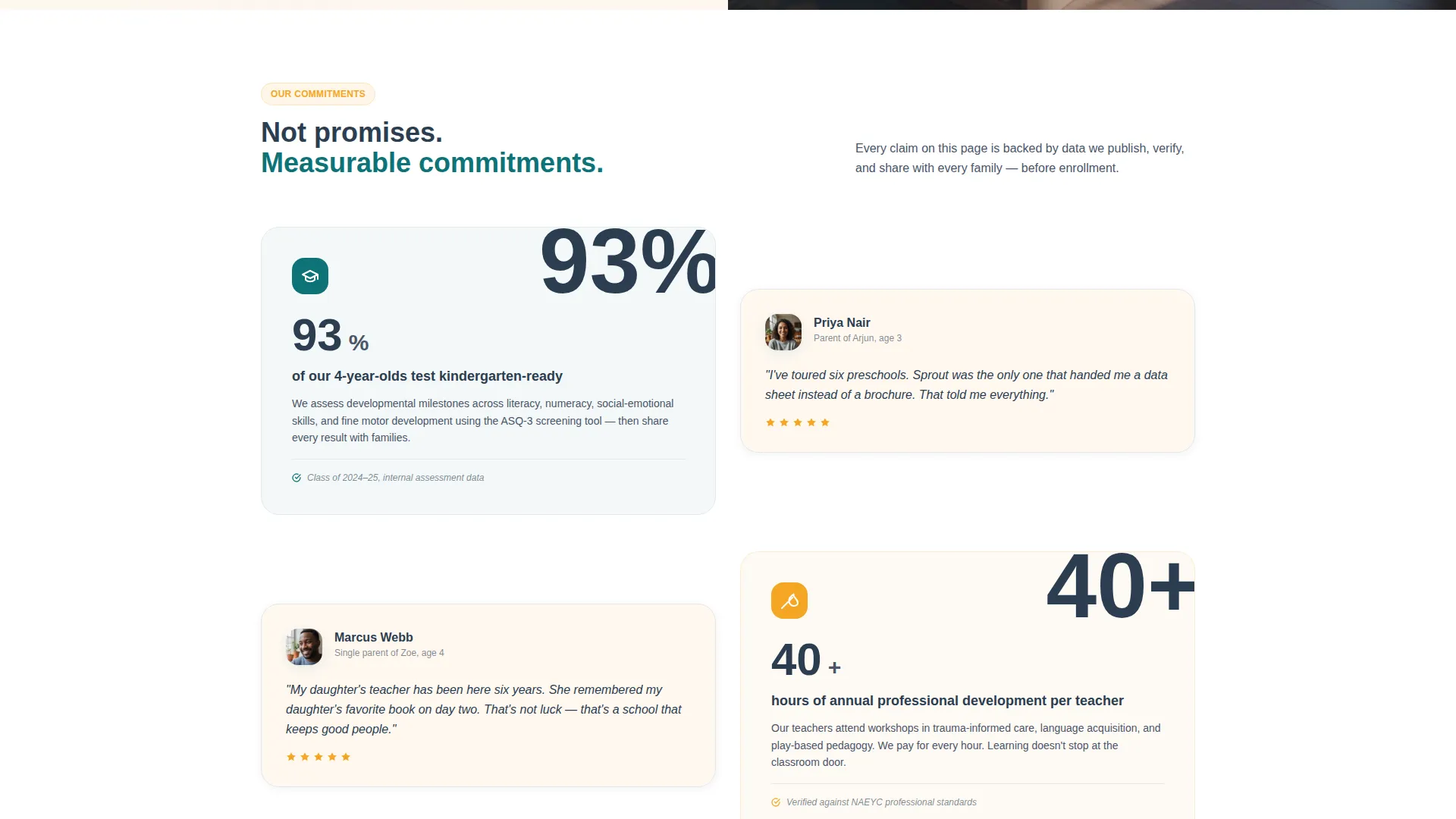
- A credibility-led scroll section presenting school philosophy as measurable commitments, each paired with human proof in the right panel
- A three-step progressive tour scheduling form and a secondary "Download Our Parent Handbook" soft conversion path
Feature list
A single paragraph introduces what makes Sprout's feature set distinctive: every component is designed around how real parents evaluate a school, not how schools prefer to describe themselves.
Three-Tab Feature Switcher Header
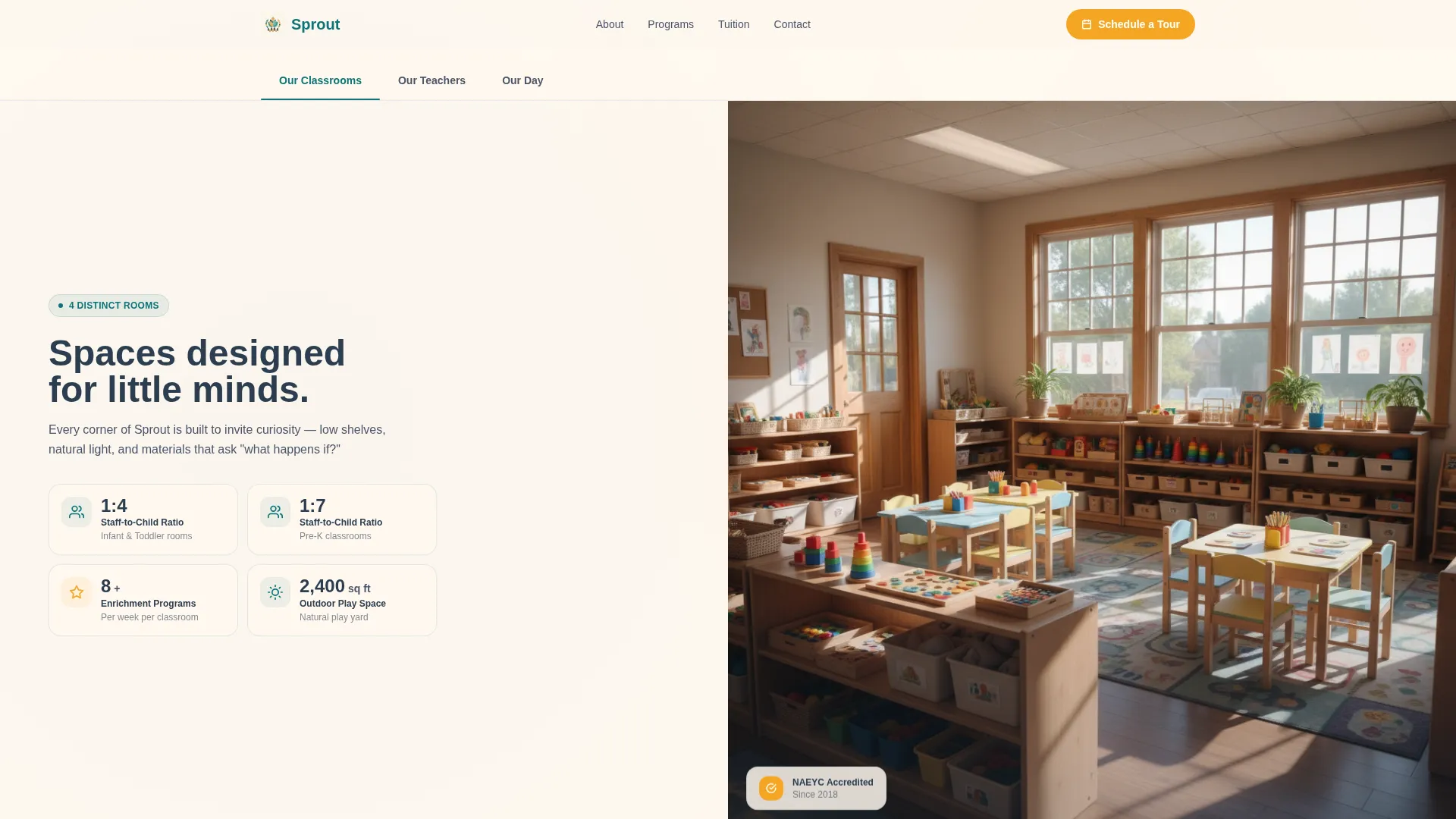
The header uses three clickable tabs labeled "Our Classrooms," "Our Teachers," and "Our Day." Each tab swap animates both the left stat panel and the right photograph simultaneously, giving parents a structured first impression that feels more like a school tour than a homepage.
Split-Screen Dashboard Stat Cards
The left panel on every section holds dashboard-style cards with large numerals and micro-labels. Stats like staff-to-child ratios, average teacher tenure, weekly enrichment programs, and kindergarten-readiness rates sit as scannable data points that parents can trust at a glance.
Credibility-Led Scroll Layout
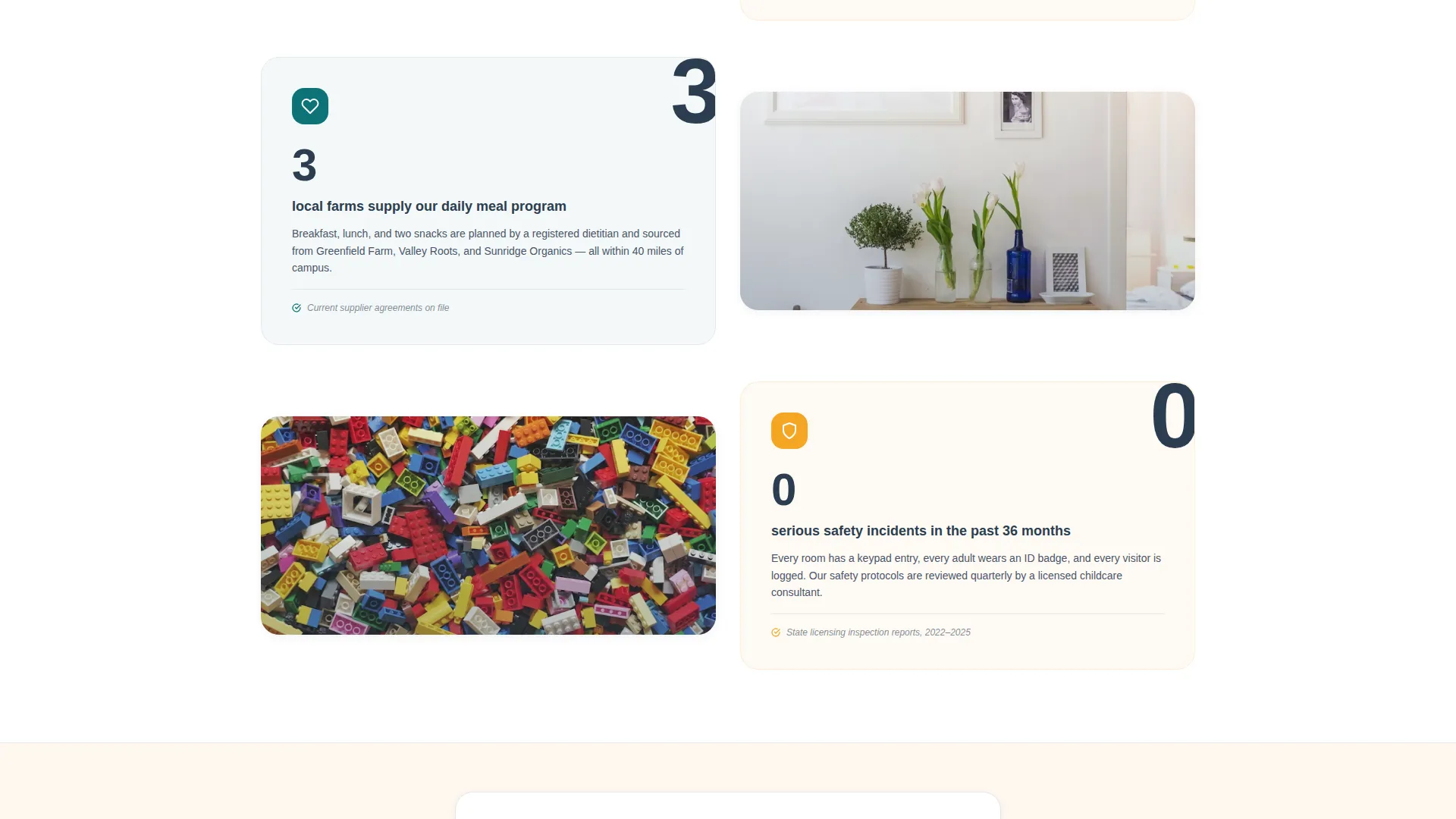
Below the header, each scroll section pairs a stat card on the left with human proof on the right, a parent quote, a candid teacher photograph, or a short video clip slot. The sequence moves from facility metrics to teacher spotlights to a day-in-the-life narrative, building trust in layers.
Three-Step Progressive Tour Form
The primary call to action opens a three-screen form. The first screen captures the child's name and birthdate to auto-suggest the right classroom. The second offers a calendar picker with morning and afternoon tour slots. The third collects parent contact details and includes an optional textarea for family context.
Soft-Commitment Handbook Download
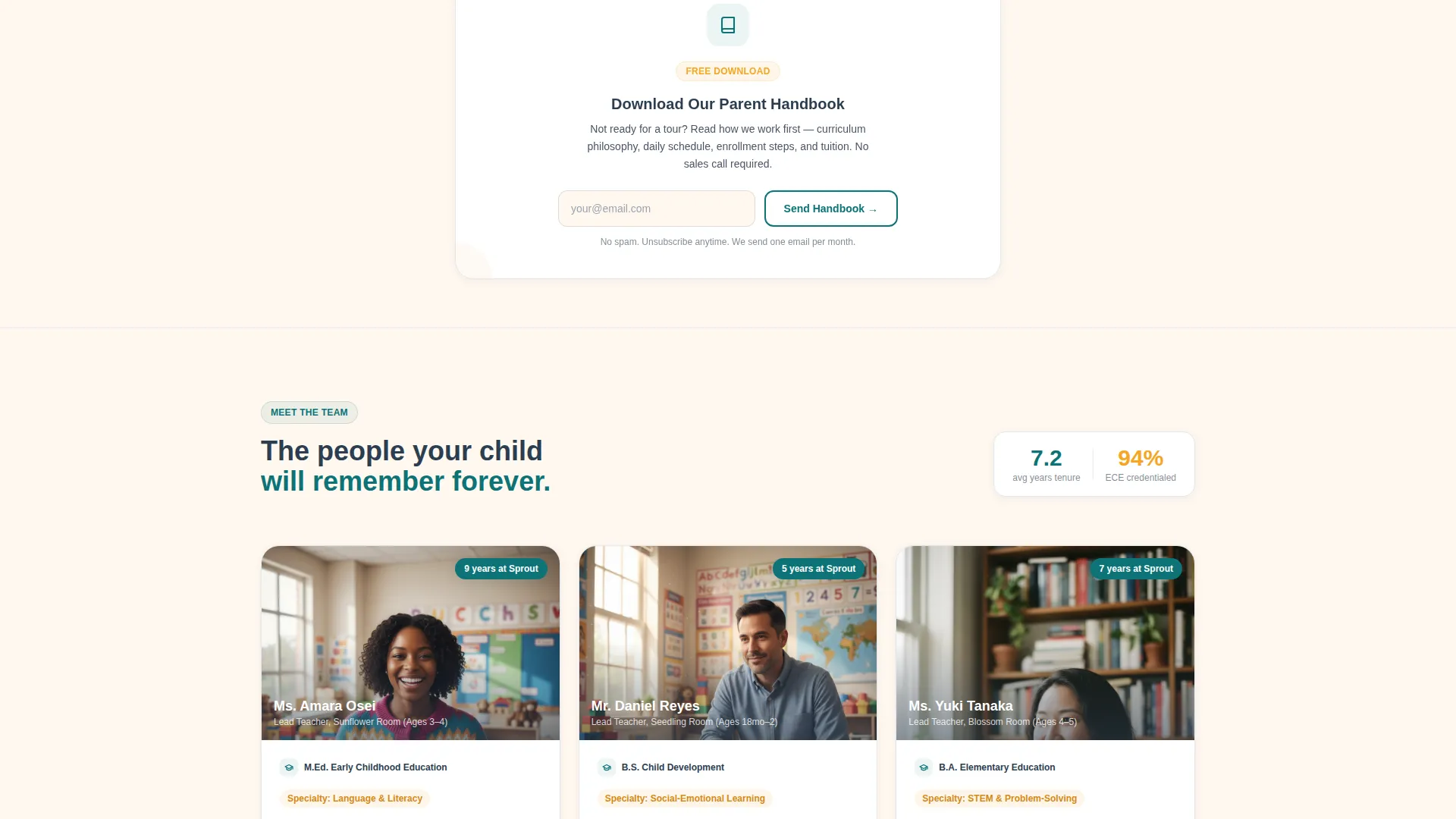
A secondary conversion path sits mid-page for parents who are not yet ready to schedule a visit. Gated by email only, the "Download Our Parent Handbook" prompt gives hesitant families something tangible to review before committing to a tour.
Marigold call to action Pinning System
The primary "Schedule a Tour" call-to-action button appears in marigold at three scroll depths and is pinned as a floating button on mobile. This ensures the conversion path is always visible without interrupting the reading experience.
Page sections overview
| Section | Purpose |
|---|---|
| Tabbed Header Switcher | Introduces classrooms, teachers, and daily schedule via animated split panels |
| Stat Dashboard Cards | Presents key school metrics as scannable data in left-panel cards |
| Philosophy Proof Section | Pairs measurable commitments with photos, quotes, and video clip slots |
| Teacher Spotlight Section | Highlights individual educators with candid portraits and credential context |
| Day-in-the-Life Narrative | Walks parents through a typical school day from arrival to pickup |
| Handbook Download Bar | Offers a soft email-gated conversion for undecided parents mid-page |
| Tour Scheduling Form | Captures child details, preferred tour date, and parent contact in three steps |
| Pickup Moment Closer | Ends the scroll on an emotional, trust-affirming image of a child and parent |
Design & branding system
Sprout uses the Teal Catalyst color system, rooted in the Dashboard Pro theme. The palette is calm and intentional, every color placed to guide the parent's eye without overwhelming the content.
- Deep classroom teal (#0D7377) anchors section headers and data-visualization accents; soft chalkboard charcoal (#2C3E50) grounds all body text and structural elements
- Warm morning light (#FFF8F0) fills background panels to keep the page feeling open and safe; marigold (#F5A623) appears only on buttons, badges, and interactive highlights where the eye should land next
- The overall visual direction follows the Industry Report creative style, clear, structured, and credible, like an annual report written by people who genuinely love children
Mobile & speed optimization
The Sprout template is designed with mobile parents in mind. Late-night researchers on phones and tablets should experience the same clarity as desktop visitors.
- The "Schedule a Tour" button is pinned as a floating element on mobile, keeping the primary conversion path reachable at any scroll depth
- The split-screen layout adapts to stacked single-column panels on smaller screens, preserving the stat card and photography pairing without crowding the viewport
How this template helps you convert
Sprout is built around one goal: turning a curious parent into a scheduled tour. Every design and copy decision supports that path.
- The tabbed header and dashboard stat cards answer a parent's hardest questions immediately, reducing the need for a phone call before trust is established
- Three marigold "Schedule a Tour" touchpoints placed at measured scroll depths, plus a pinned mobile button, keep the primary conversion action visible without feeling aggressive
- The "Download Our Parent Handbook" mid-page path captures hesitant parents with a low-commitment email gate, creating a second enrollment funnel for families who need more time
Other information about this template
Sprout is a strong fit for any early childhood program that wants its web presence to reflect the same care and intentionality as its classroom environment. A few additional details worth noting before you customize:
- The template is designed as a single landing page, making it straightforward to deploy as a standalone about-us page or as the primary enrollment page for a preschool program
- The three-step tour form is designed as a progressive disclosure experience, reducing form abandonment by asking only one or two fields per screen
- The day-in-the-life visual timeline strip in the "Our Day" tab panel is a slot for a horizontal image sequence, which can be replaced with real photographs from your school's daily routine
- The Industry Report creative direction means the page earns trust through specificity, placeholder stats in the template are clearly marked for replacement with your school's real figures
- Sprout works well for any daycare or preschool about us page where the goal is to give parents a complete, honest picture of the program before their first visit
Theme
Dashboard Pro
Creative direction
Industry Report
Color system
Teal Catalyst
Style
Split Screen (50/50)
Direction
Lead Generation
Page Sections
Three-tab Animated Header Switcher
Split-screen Dashboard Stat Cards
Credibility-led Scroll with Human Proof
Three-step Progressive Tour Form
Soft-commitment Handbook Download
Pinned Marigold Call to Action Button
Related questions
Can I replace the placeholder stats with my own school's numbers?
Does the tour scheduling form connect to a live booking calendar?
Can this template work as a standalone preschool about us page?
Is the parent handbook download section required?
How many tabs does the header switcher include?



