Squaretrack - Precision Changelog Landing Page Template
Squaretrack is a precision changelog landing page template built for teams and professionals who track platform updates closely. It leads with a live version-comparison tool, layers in a ninety-day timeline view, and closes with a freemium conversion flow. The design uses a monochrome steel palette with frosted glass panels to make raw data feel architectural and immediately trustworthy.
by Rocket studio
Quick summary
Squaretrack is a single-page changelog and release notes tracker template. It opens with a functional comparison tool, not a hero image. Visitors select two version periods and instantly see what changed. The layout escalates from utility to trust, ending at a freemium signup with a free tier and an inline fourteen-day pro trial offer.
Who this template is for
This template is built for professionals who depend on staying current with platform changes. They manage multiple client sites, scope migration timelines, or run businesses on top of a web platform where even a small undocumented update can cause real problems.
- Freelance web designers managing large portfolios of client sites who need to catch breaking changes before a client calls
- Agency project managers building migration and update timelines who need a reliable release reference
- Power users and builders who work inside fluid engine environments and need to know when core behavior shifts
What problem this template solves
Most changelog resources are buried in documentation pages that require hunting. By the time a designer finds a relevant update, the damage is already done. This template puts the comparison tool front and center so visitors get answers in seconds, not minutes.
- No scrolling through unformatted release notes to find one relevant change
- No missing the quiet CSS tweaks or undocumented deprecations that break live sites
- No uncertainty when scoping a migration because version differences are visible at a glance
What you get with this template
The template delivers a complete single-page layout designed around a central comparison tool. Every section below the tool earns deeper trust before presenting the upgrade path.
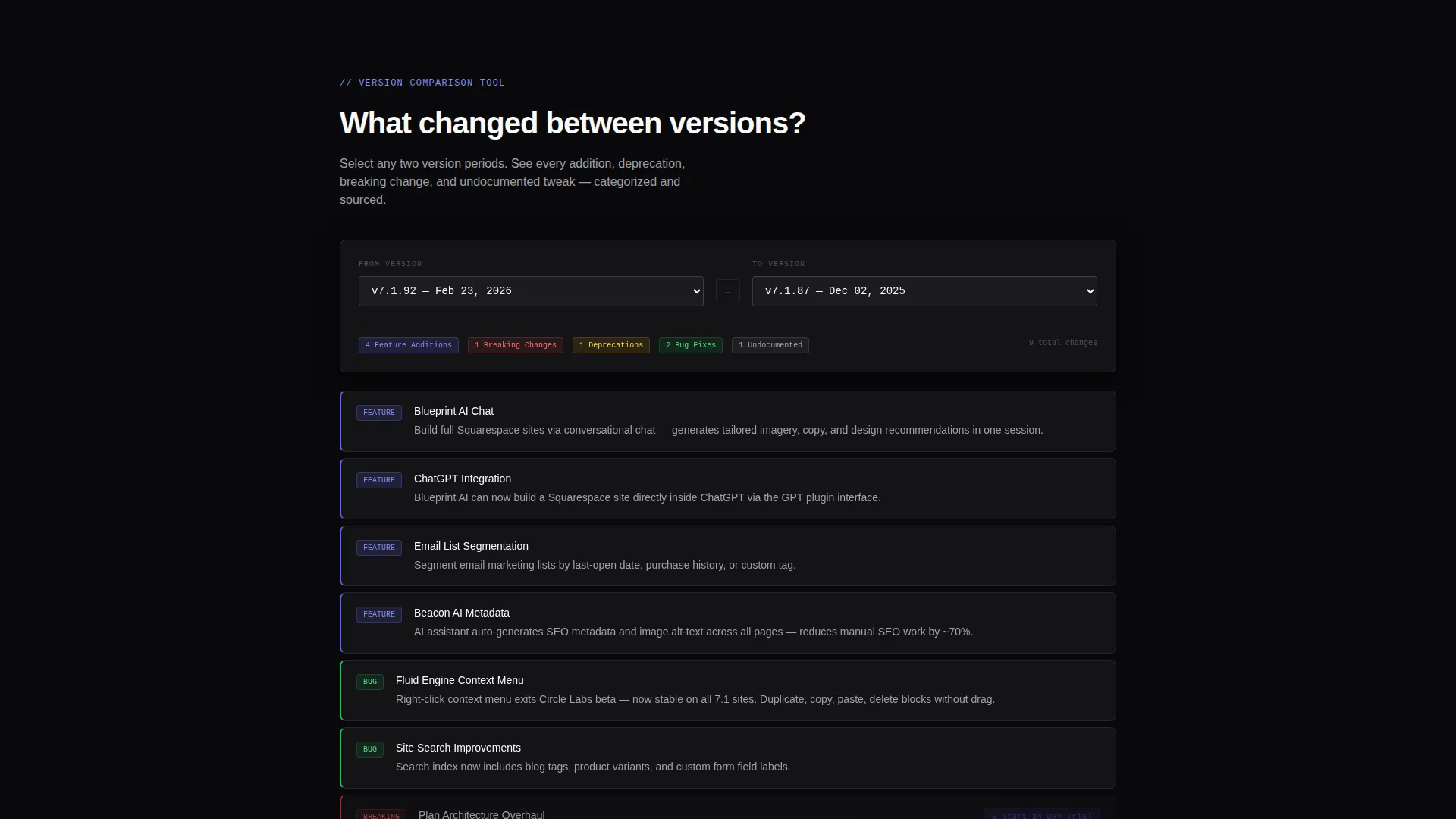
- A live two-column version comparison tool that categorizes changes by feature additions, deprecations, bug fixes, and undocumented changes
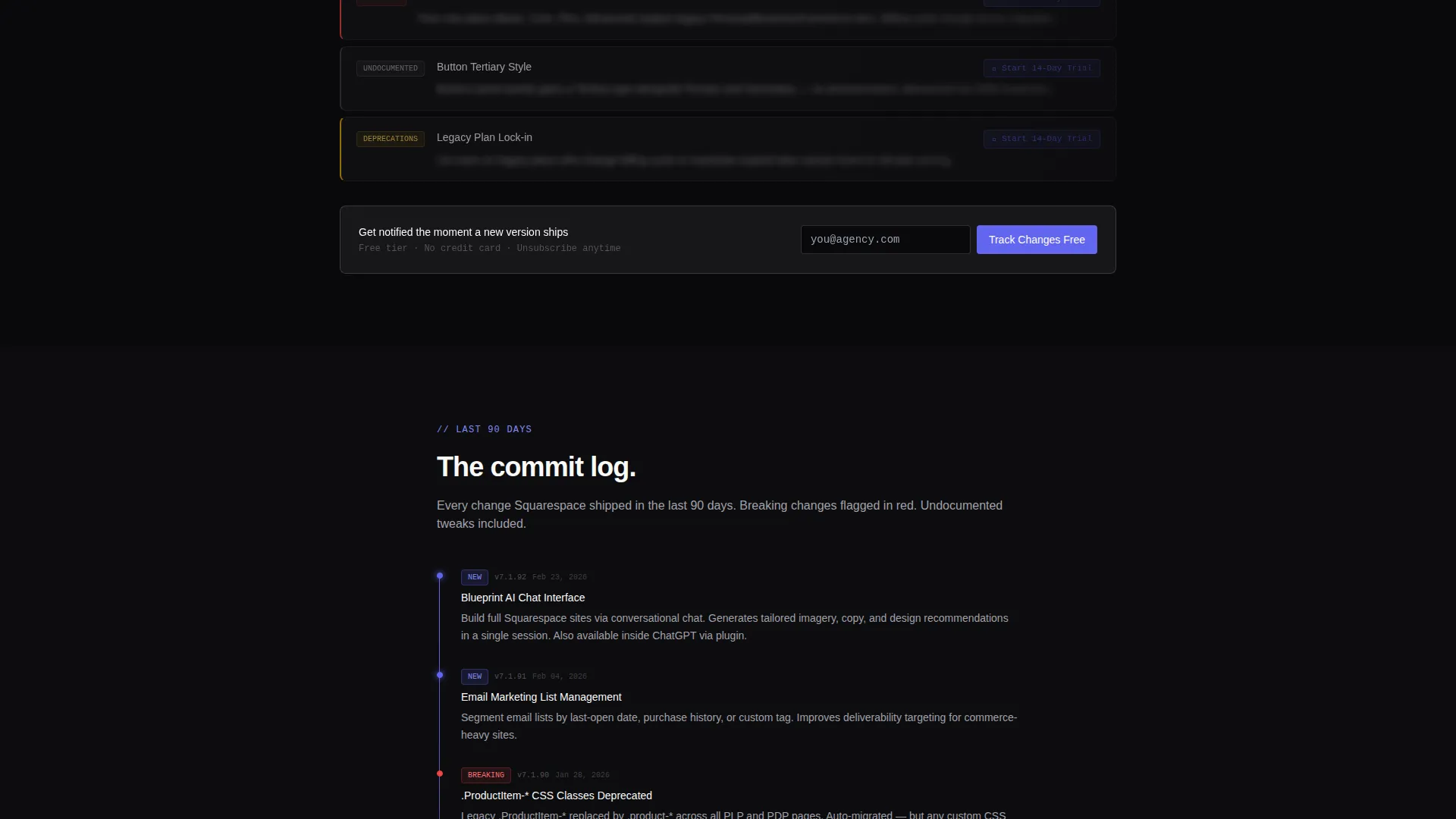
- A ninety-day scrollable timeline view showing the most recent release activity
- A structured free-versus-pro comparison table with inline trial prompts on every locked feature row
- A social proof section featuring agency testimonials grounded in real avoided-disaster scenarios
- A freemium conversion flow with a single email field and a pinned "Track Changes Free" call to action
Feature list
This section covers the core functional and design components included in the template.
Live Version Comparison Tool
Two columns let visitors select any two version periods and instantly view a categorized diff. Changes are grouped into feature additions, deprecations, bug fixes, and undocumented changes, giving professionals the precise signal they need before making any site decisions.
Dark Glass Panel Header
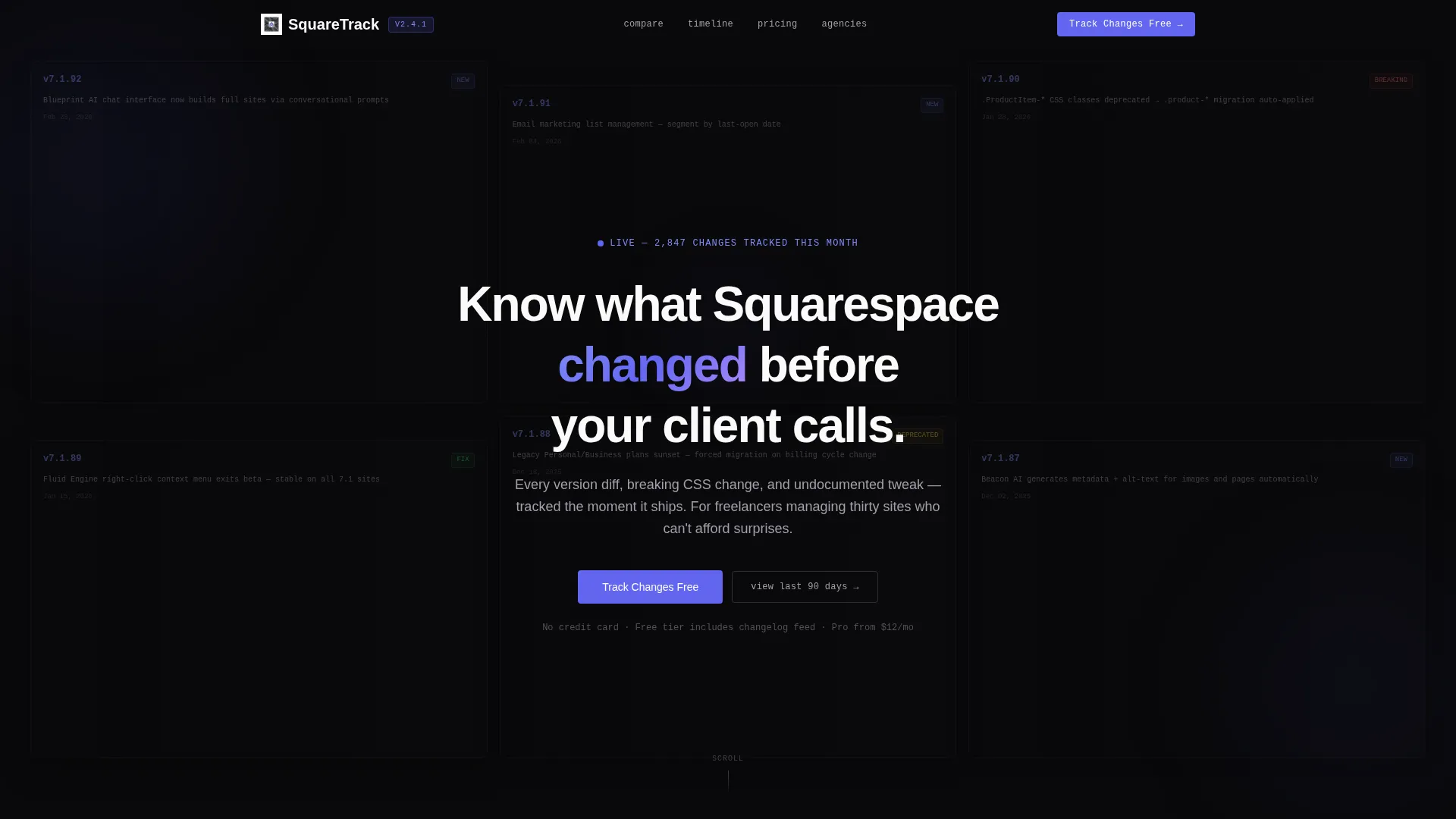
The header is a grid of frosted, semi-transparent cards floating against a void-black background. Each card displays a real release entry with a version number, date stamp, and one-line change summary. No hero image is used; the data itself forms the visual architecture.
Ninety-Day Change Timeline
A scrollable timeline section shows the last ninety days of release activity in chronological order. This gives returning visitors a quick orientation and helps project managers build accurate timelines without switching to another tool.
Free versus. Pro Comparison Table
A structured table lays out what the free tier provides versus what the pro tier unlocks, including push notifications, breaking-change flags, webhook integrations, and client-site monitoring. Every locked pro row includes its own inline "Start 14-Day Trial" toggle.
Freemium Conversion Flow
The primary call to action reads "Track Changes Free" and requires only an email address. It appears pinned to the comparison tool output and repeats after the comparison table, creating two natural conversion moments without interrupting the utility experience.
Social Proof Section
A dedicated section surfaces testimonials from agencies who caught critical changes early. These testimonials are framed around concrete outcomes, reinforcing the value of the pro tier before the final call to action appears.
Page sections overview
| Section | Purpose |
|---|---|
| Frosted Header Grid | Display release entries as floating glass cards |
| Version Comparison Tool | Let visitors compare two version periods instantly |
| Ninety-Day Timeline | Show recent release activity in chronological order |
| Free versus. Pro Table | Contrast tier features with inline trial prompts |
| Agency Social Proof | Build trust through real avoided-problem testimonials |
| Primary call to action Block | Capture email for free-tier signup |
Design & branding system
The visual identity uses a Tech Glass theme rendered in a monochrome steel color system. The palette achieves information density through restraint, not decoration. Every color serves a clear data hierarchy function.
- Core colors: void black (#09090B) for backgrounds, brushed graphite (#1C1C1E) for panel fills, polished steel (#A1A1AA) for secondary text, and frosted panel white (#FAFAFA) for primary text
- A single signal accent of electric indigo (#6366F1) is reserved exclusively for new-update badges and interactive states, training the eye to seek it out
- Typography uses two weights only, backgrounds layer translucent panels with subtle backdrop blur, and no warmth or decorative noise is introduced anywhere in the layout
Mobile & speed optimization
The template is structured for clean rendering across screen sizes, with the comparison tool and table designed to reflow without losing functional clarity on smaller viewports.
- The two-column comparison tool collapses into a stacked layout on mobile, preserving the category groupings without horizontal scrolling
- Frosted glass panel effects are implemented with backdrop blur that scales with device capability
- The comparison table adapts column widths gracefully so locked feature rows and their inline trial toggles remain visible and tappable on touch screens
How this template helps you convert
The template is built around a "tool first" philosophy. Visitors use the product before they are asked to sign up, which means the value is demonstrated rather than promised.
- The comparison tool delivers an immediate, tangible result before any marketing copy appears, so visitors already understand what they are getting when the call to action appears
- The free-versus-pro table places upgrade prompts directly inside the feature rows that matter most, turning a passive read into an active decision point without a separate sales section
- The "Track Changes Free" call to action appears twice at natural scroll moments, with a single email field that keeps friction as low as possible
Other information about this template
This template is designed for the changelog and release notes niche within the broader documentation and support category. It is built specifically for the Squarespace ecosystem, making it a strong fit for designers, agencies, and power users working inside that platform.
- The template style is a comparison table layout, which suits any product or platform that offers tiered access to versioned information
- The Tech Glass theme and monochrome steel color system give the page a distinct developer-tool aesthetic that signals precision and reliability to a technical audience
- The freemium and fourteen-day trial model is baked into the layout structure, not bolted on, so the conversion logic feels native to the experience
- This template works equally well as a starting point for any platform-specific changelog tracker, not only the Squarespace documentation niche

Theme
Tech Glass
Creative direction
Calculator/Tool First
Color system
Monochrome Steel
Style
Comparison Table
Direction
Freemium/Trial
Page Sections
Live Version Comparison Tool
Dark Glass Panel Header
Ninety-day Change Timeline
Free Versus. Pro Comparison Table
Freemium Conversion Flow
Agency Social Proof Section
Related questions
What kind of visitor does this template work best for?
Can I use this template for a product other than a web platform changelog?
What does the free tier include compared to the pro tier?
How does the conversion flow work?
What makes the design feel different from a typical marketing landing page?



