Stack — Expert HubSpot Training Landing Page Template
Hubstack is a bold brutalist landing page template built for a screen-recorded video tutorial series teaching marketing operations teams how to master their tools. It uses a modular card grid layout, a Problem→Solution arc, and an Acid Digital color system to move visitors from recognizing their pain to clicking through to enroll, fast.
by Rocket studio
Quick summary
Hubstack is a single-page, card grid landing page template designed for a screen-recorded masterclass library targeting marketing operations professionals. It opens with a Dark Glass Panels hero, escalates through Pain and Solution card rows, and closes the loop with curriculum tiers, testimonials, and a sticky call-to-action bar, all in a Bold Brutalist, hacker-IDE visual style.
Who this template is for
This template was built for creators and teams selling video tutorial content to marketing operations audiences. It suits anyone whose product fixes real, operational confusion and needs a landing page that earns trust before asking for a click.
- Newly promoted marketing managers who inherited a chaotic, undocumented tool setup and need structured learning fast
- Revenue operations specialists migrating from Salesforce who want a structured path to fluency in a new platform
- Agency coordinators managing multiple client accounts simultaneously who need modular, self-paced training resources
What problem this template solves
Most tutorial landing pages list features and hope for the best. This template does something different. It leads with the visitor's actual pain, mirrors it back precisely, then pivots the same card grid to show the fix, all before asking for a single click.
- Generic course pages fail to connect specific tool nightmares to specific lessons, leaving hesitant buyers unconvinced
- Visitors with complex, inherited setups need proof of depth and relevance before they commit to enrolling
- A long-form sales page with no clear visual hierarchy loses busy operations professionals within the first scroll
What you get with this template
You get a fully structured, single-page landing page template built around a deliberate conversion arc. Every section has a defined purpose, and the layout is modular so individual card rows can be updated or reordered without rebuilding the page.
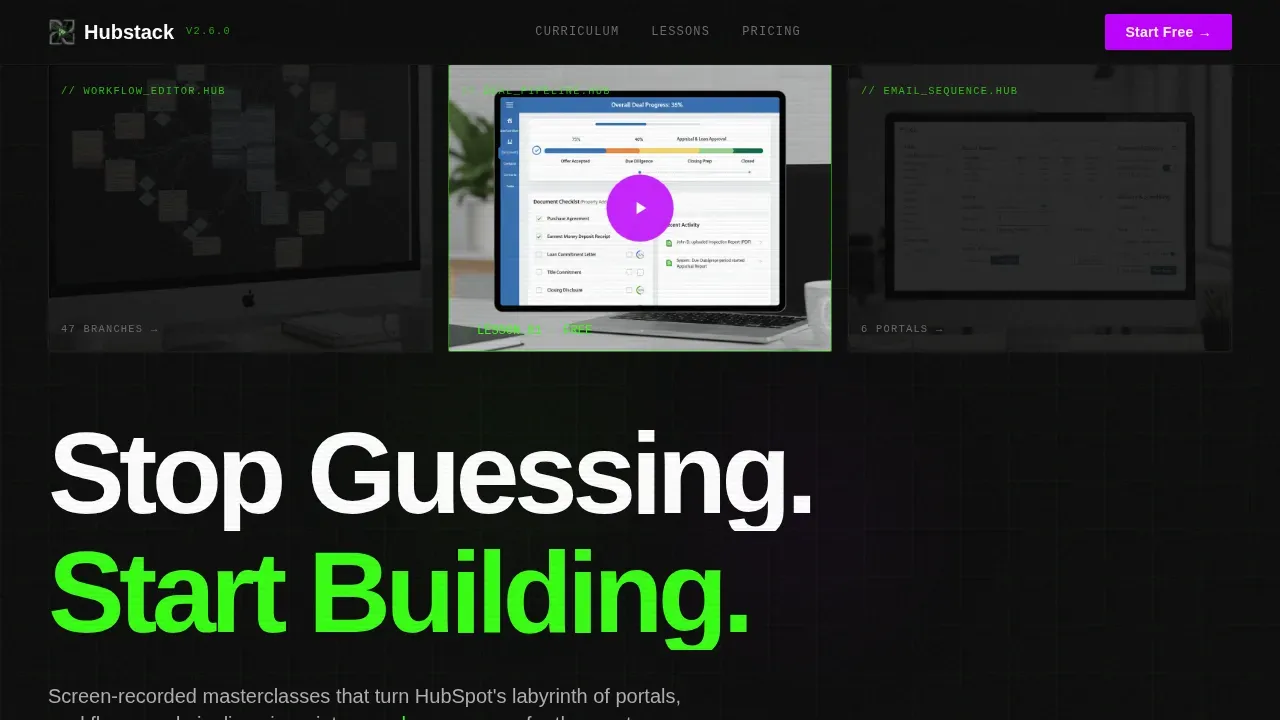
- A hero section with Dark Glass Panels, a de-frost animation, and a brutalist headline that sets the tone immediately
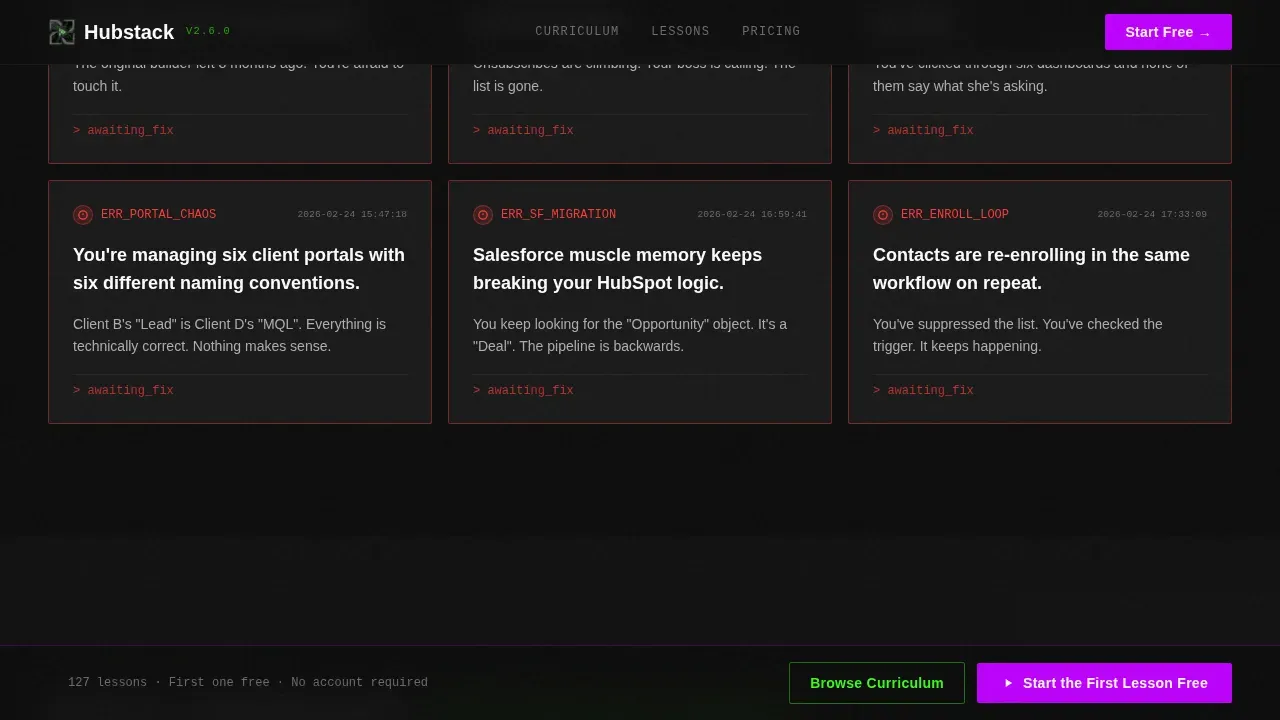
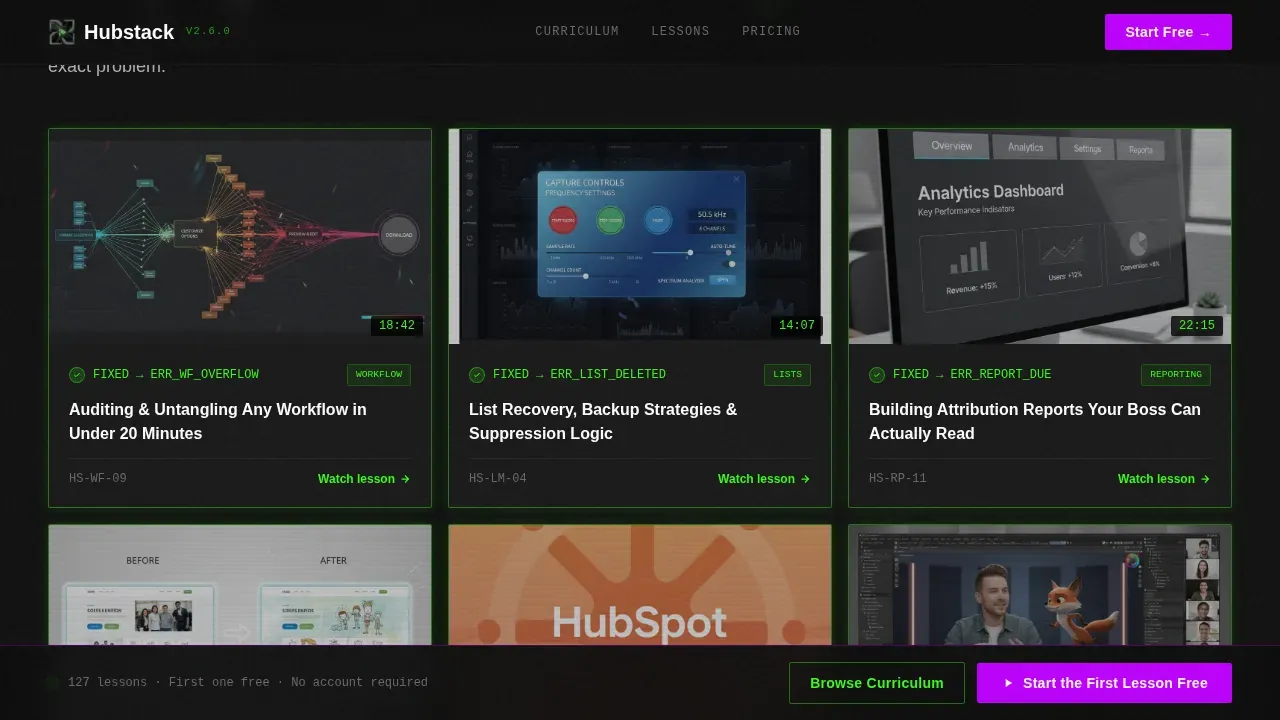
- A two-row Problem→Solution card grid with red-to-green border transitions and in-card video preview overlays
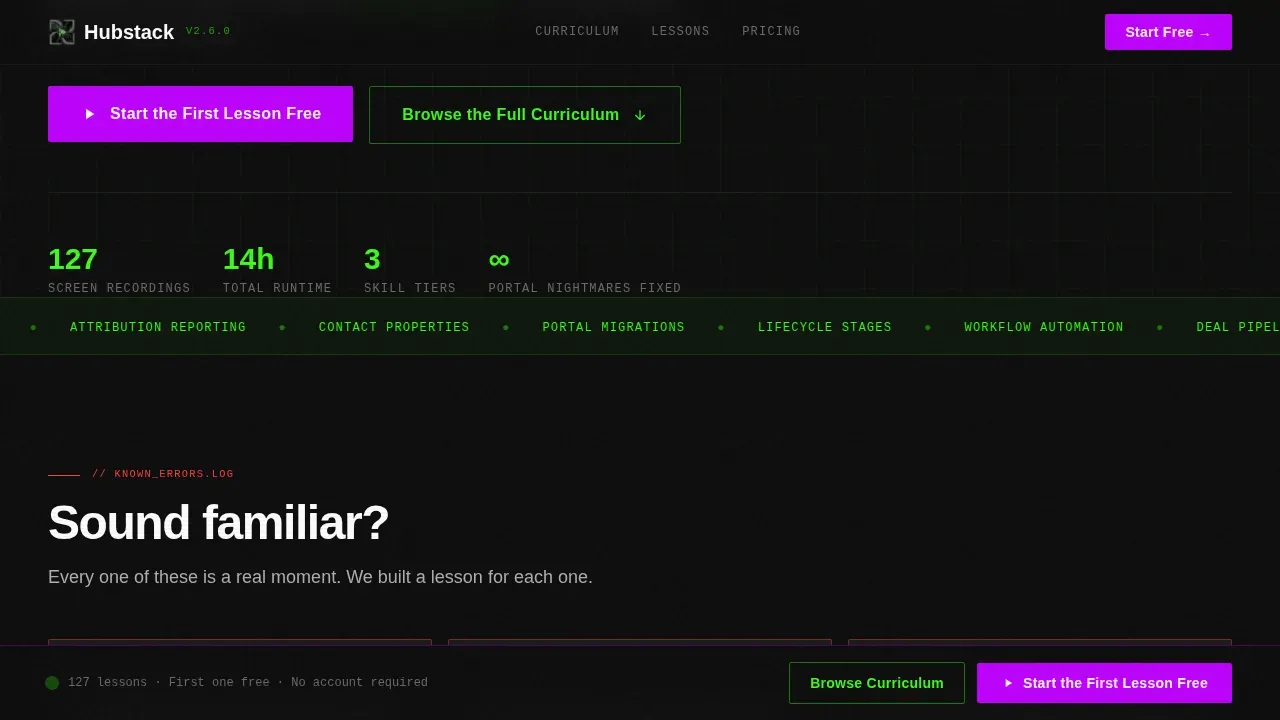
- A curriculum tier bento grid, a three-testimonial social proof row, and a sticky bottom call-to-action bar
Feature list
This template includes six distinct, prompt-grounded features that work together to move a cold visitor toward a confident enrollment click.
Dark Glass Panel Hero
Three frosted, semi-transparent panels float over a pitch-black background, each showing a different tool screen behind smoked glass. The center panel de-frosts on load, revealing a tutorial thumbnail with a play button overlay and the brutalist headline "Stop Guessing. Start Building." The primary call-to-action button appears directly inside this panel.
Problem-to-Solution Card Grid
The page opens with a row of pain cards, stark white text on black with red error icons calling out specific, recognizable operational disasters. The next row mirrors each problem with a solution card, where the border flips from red to terminal green and a 15-second preview clip plays inside the card. This arc is the emotional core of the page.
Curriculum Tier Bento Grid
A three-tier bento grid organizes course content into Beginner, Intermediate, and Advanced levels. Each tier block displays module counts and escalates in visible complexity, giving cautious visitors the proof of depth they need before committing.
Sticky Bottom Call-to-Action Bar
After the visitor scrolls past the first problem row, a sticky bar locks to the bottom of the viewport. It carries the primary enrollment call to action, keeping the conversion path visible without interrupting the scroll experience.
Ghost Button Secondary Path
A ghost-outlined secondary button labeled "Browse the Full Curriculum" appears mid-page. It gives visitors who need more context a clear alternative path without diluting the urgency of the primary call to action.
Role-Matched Testimonial Row
Three testimonials are matched to the three core audience roles: a marketing manager, a revenue operations specialist, and an agency coordinator. Each speaks directly to the experience of their peer, making social proof feel specific rather than generic.
Page sections overview
| Section | Purpose |
|---|---|
| Dark Glass Hero | Introduce the series, trigger de-frost animation, deliver primary call to action |
| Pain Card Row | Surface specific operational nightmares with red error icons |
| Solution Card Row | Mirror each pain with a fix, flip borders red to green, show preview clips |
| Curriculum Tier Grid | Show Beginner, Intermediate, Advanced modules with counts |
| Testimonial Row | Deliver role-specific social proof from three audience types |
| Sticky call to action Bar | Keep enrollment call to action visible after first scroll |
| Footer | Single-row linear footer for navigation and legal links |
Design & branding system
The visual identity is built on an Acid Digital palette that feels like a hacker's development environment at 2 AM. Every color has a defined role: backgrounds stay in deep black, cards float on charcoal, accents fire in electric green, and calls to action pulse in ultraviolet purple. No gradients, no soft shadows, no decorative warmth.
- Color roles: void black (#0D0D0D) for backgrounds, terminal green (#39FF14) for borders and primary accents, ultraviolet (#BF00FF) for calls to action and progress indicators, and raw concrete gray (#B0B0B0) for body text on dark surfaces
- Typography pairing: Manrope handles display headlines and section titles for maximum brutalist weight; JetBrains Mono handles labels, accents, and code-style user interface elements
- Card surfaces use charcoal (#1A1A1A) with 1px terminal-green borders that pulse on hover; purple fires only on call-to-action elements and progress states
Mobile & speed optimization
The template is designed desktop-first, reflecting how marketing operations professionals actually work. The modular card grid scales responsibly to smaller viewports without losing the visual impact of the brutalist aesthetic.
- Reveal animations use native CSS scroll behavior and Intersection Observer, keeping the scroll experience smooth without heavy JavaScript dependencies
- The sticky call-to-action bar, hover states, and play button overlays are all built with interactivity that works across modern browsers on desktop and mobile
- Staggered card reveals and the marquee element are handled with CSS-first approaches to maintain a performant, responsive layout
How this template helps you convert
This template is engineered around a single conversion goal: get the visitor to click through to the enrollment platform. Every design and copy decision supports that outcome.
- The Problem→Solution arc makes the visitor feel their own frustration before offering relief, so the call-to-action arrives at the exact moment of peak motivation
- The sticky bottom call-to-action bar ensures the enrollment button is never more than a glance away, no matter how deep the visitor scrolls into the curriculum tiers
- The ghost-button secondary path captures visitors who need more evidence, routing them to the full curriculum view rather than letting them leave without a next step
Other information about this template
This template is categorized under Documentation and Support, specifically within the HubSpot Documentation subcategory and the HubSpot Video Tutorial Series niche. It is a strong fit for any EdTech or video tutorial product targeting marketing operations or revenue operations audiences who need structured, role-specific learning paths.
- The template style is Card Grid (Modular), making individual sections easy to update, reorder, or repurpose for different course topics
- The landing page direction is Click-Through, meaning there is no lead capture form on the page, the single goal is driving the visitor to the enrollment platform
- The Intersection Match Score for this template against its niche is 13, reflecting a high degree of alignment between the design system, creative direction, and the target audience's expectations
- Animation level is set to high, with the glass de-frost, card border flip, staggered reveals, and a marquee all defined in the brief as built-in interactive behaviors
Theme
Bold Brutalist
Creative direction
Problem→Solution Arc
Color system
Acid Digital
Style
Card Grid (Modular)
Direction
Click-Through
Page Sections
Dark Glass Panel Hero with De-frost Animation
Problem-to-solution Card Grid with Border Flip
Three-tier Curriculum Bento Grid
Sticky Bottom Call-to-action Bar
Role-matched Social Proof Testimonials
Ghost Button Secondary Navigation Path
Related questions
Does this template include a lead capture form?
Can I adapt the card grid for a different course topic?
Is this template designed for desktop or mobile users?
What interactive animations are built into this template?
Who is the social proof section written for?



