Powerful Software Deployment Landing Page Template
Dock is a scroll-reveal landing page template built for container orchestration command-line interface projects. It pairs a void-black glassmorphic design with a live terminal hero animation, a scroll-triggered feature matrix, and a zero-friction freemium conversion flow. Platform engineers, DevOps leads, and solo founders get a page that earns the install before asking for it.
by Rocket studio
Quick summary
Dock is a single-page template for container orchestration open source projects. It opens with a glowing terminal animation, reveals capabilities layer by layer through scroll-triggered glassmorphic cards, and closes with a one-click curl install command. The design feels like a spacecraft cockpit at 2 a.m., precise, dark, and entirely in control.
Who this template is for
This template is built for teams and individuals shipping container infrastructure tools to a technical audience. It speaks the language of the command line and converts without asking for a credit card.
- Platform engineers and DevOps leads who need to communicate reliability and scale to their teams
- Solo founders and indie hackers who want something more powerful than Docker Compose but simpler than a full Kubernetes setup
- Open source maintainers launching a container orchestration command-line interface and targeting developer adoption
What problem this template solves
Managing container infrastructure across multiple tools creates noise. Fourteen browser tabs, three dashboards, and a compose file that nobody fully trusts, that is the problem this template speaks to directly.
- Visitors arrive skeptical; the scroll-reveal feature matrix builds proof layer by layer before asking for any commitment
- A single-page flow removes decision fatigue by guiding engineers from curiosity to install in one focused scroll
- The zero-friction conversion model removes signup walls, letting the curl command do the talking
What you get with this template
You get a complete, production-ready landing page built around a scroll-reveal progressive structure. Every section is purposeful, every animation earns its place, and the conversion flow is designed to feel inevitable rather than pushy.
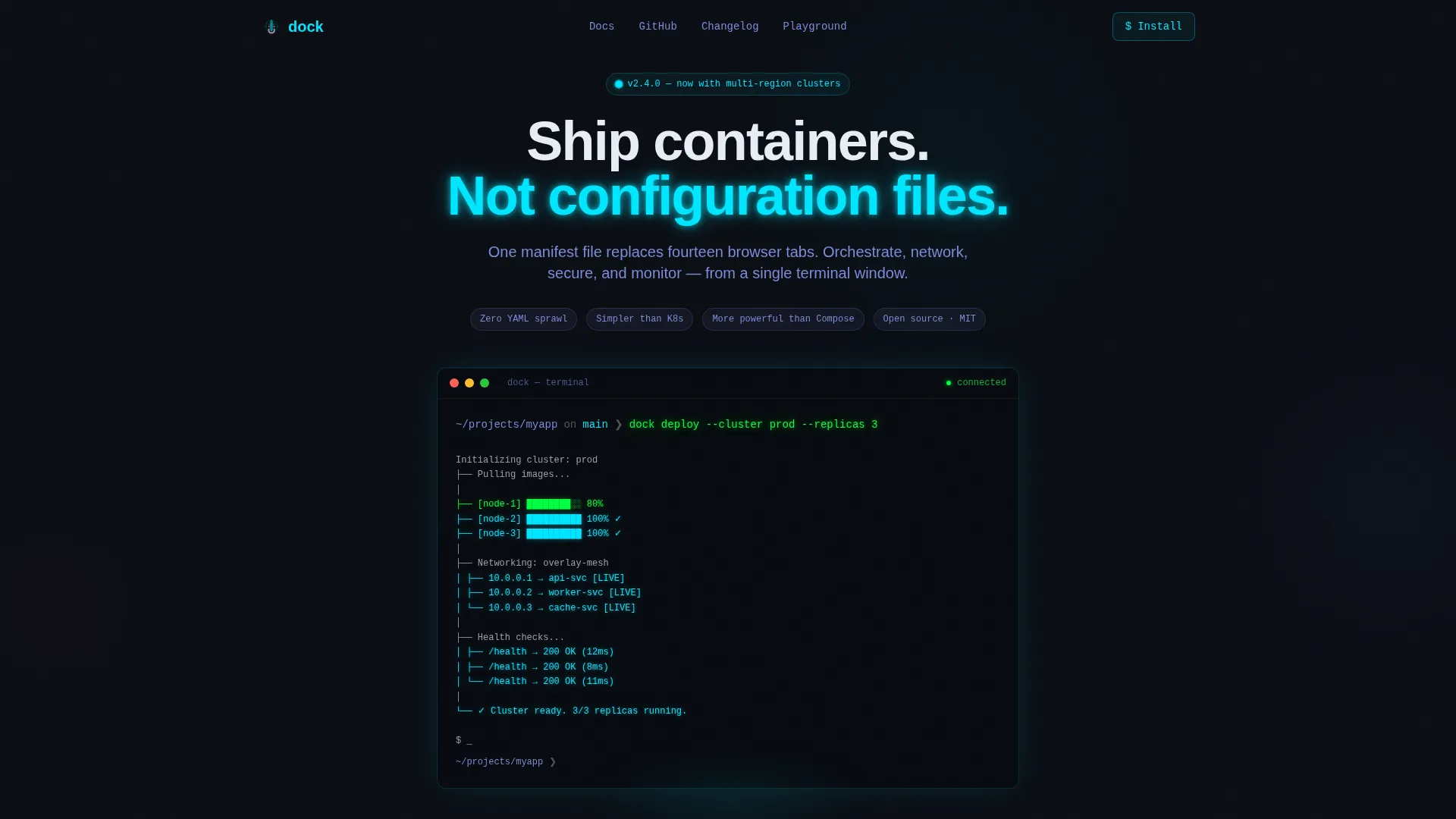
- A full-bleed void-black hero section with a typewriter terminal animation and ASCII topology map
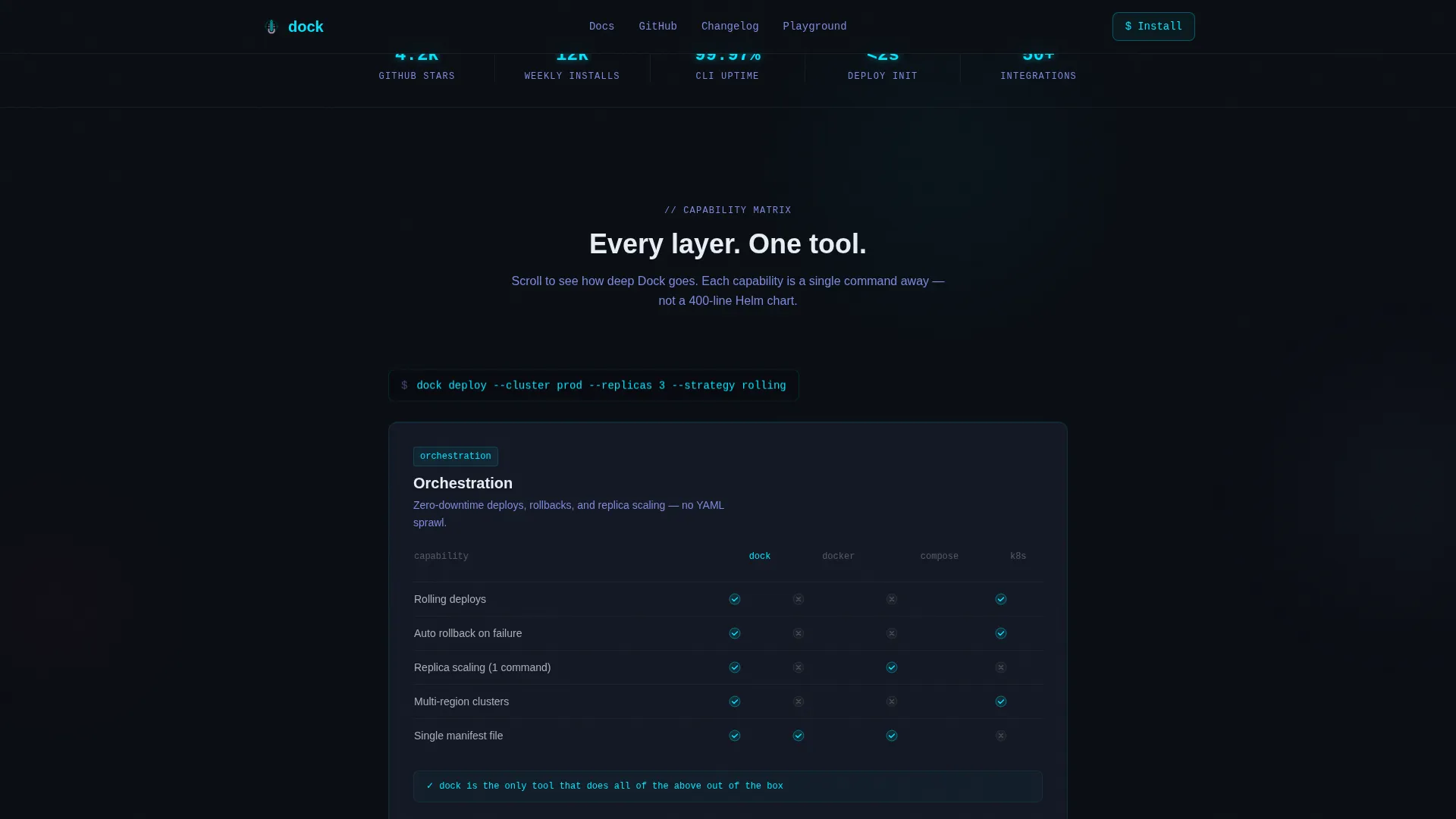
- A scroll-triggered feature matrix with four glassmorphic capability cards covering orchestration, networking, secrets, and observability
- A three-path conversion section with a clipboard-copy curl command, a browser sandbox link, and a minimal email capture field
Feature list
This template includes a focused set of interactive and visual components drawn directly from the source brief. Each one serves the goal of turning a skeptical engineer into a confident installer.
Typewriter Terminal Hero Animation
The hero renders a live dock deploy --cluster prod --replicas 3 command keystroke by keystroke. As each character appears, an ASCII topology map builds on screen showing containers spinning up, nodes connecting, and health checks passing. The glow radiates from the terminal edges into the surrounding void.
Scroll-Reveal Glassmorphic Feature Matrix
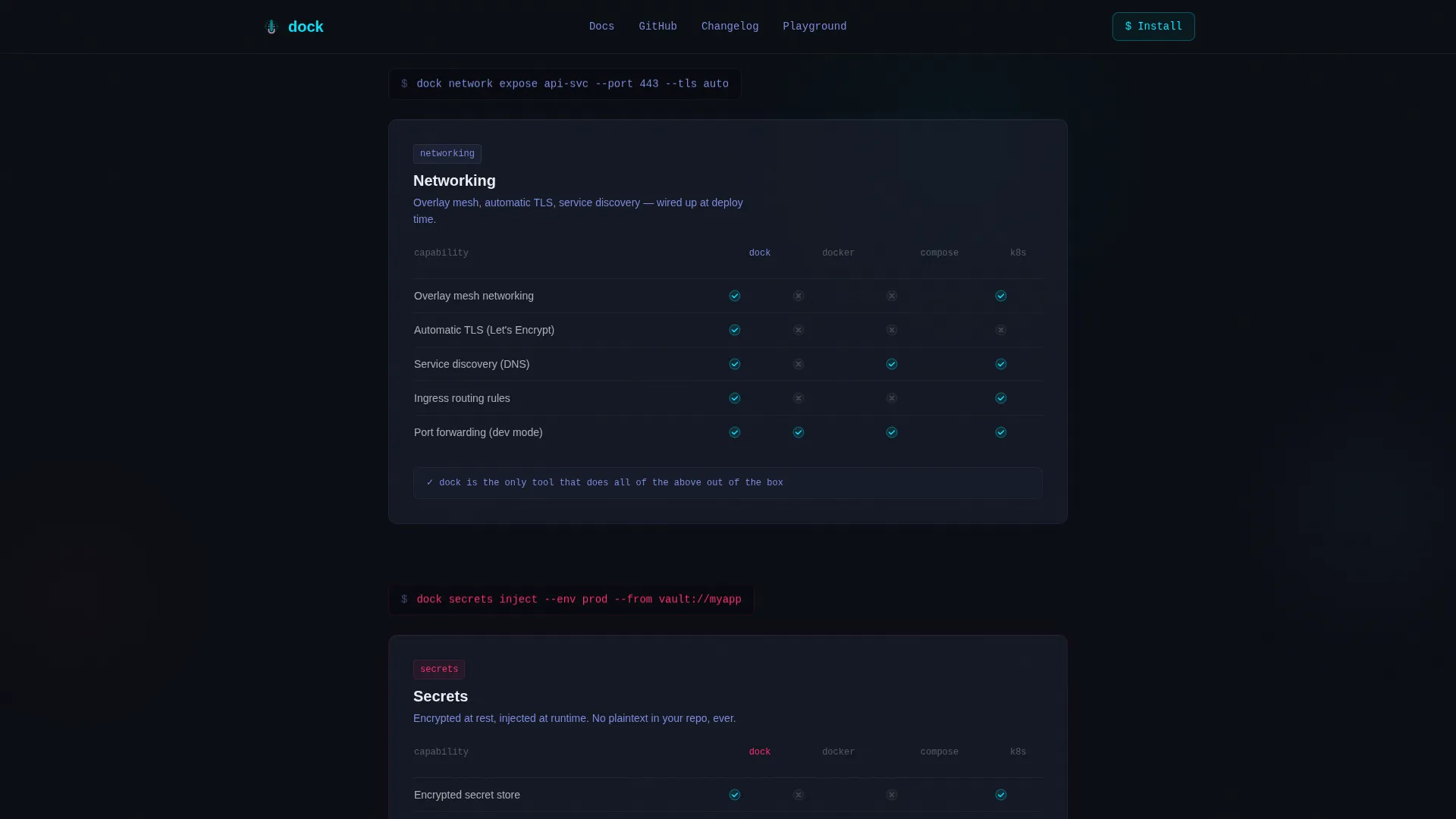
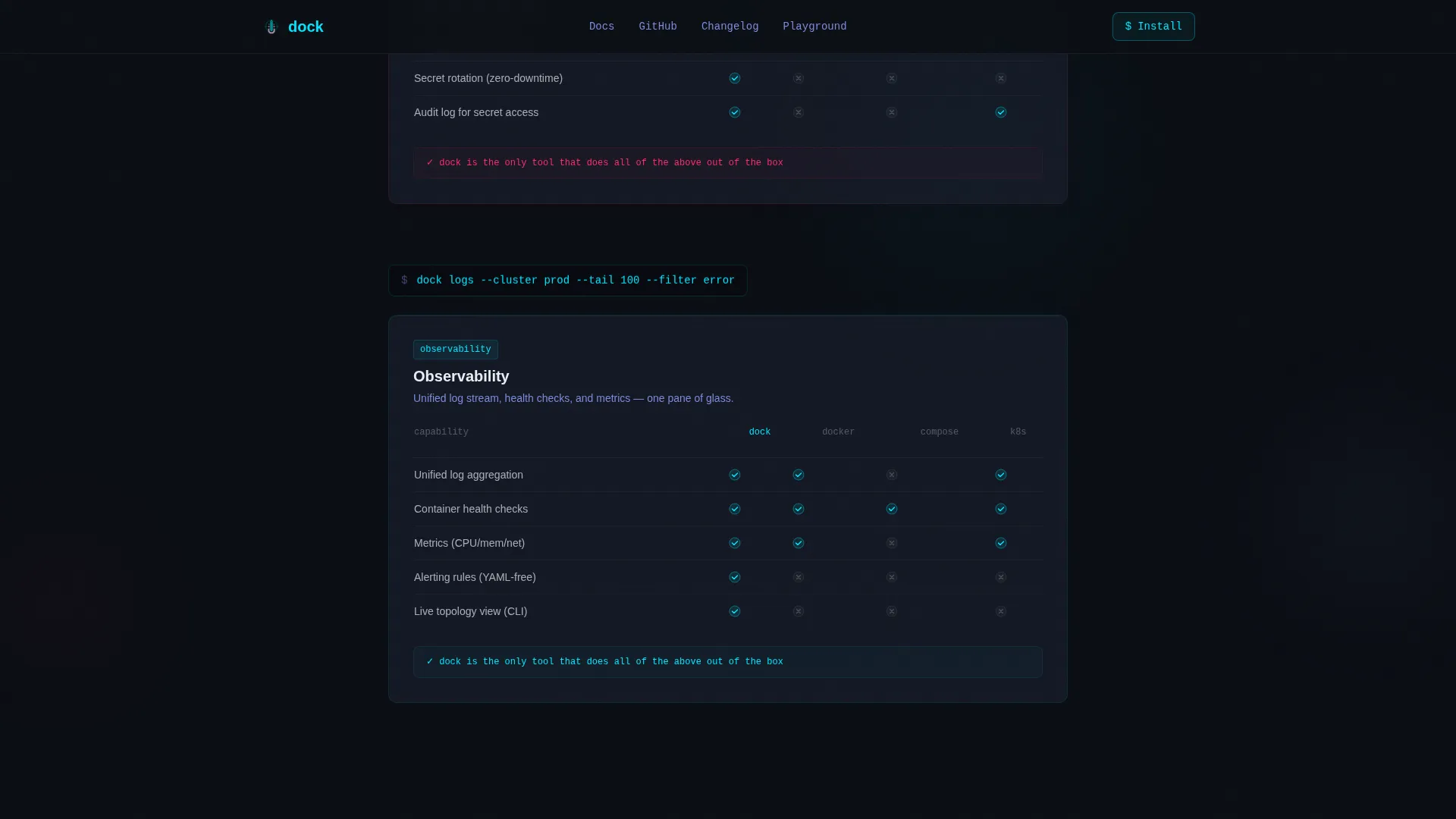
Each scroll tick unlocks a new glassmorphic card that slides up from zero opacity. Cards cover four capability layers in order: orchestration, networking, secrets, and observability. Each card contains a compact comparison grid showing capability gaps against raw Docker, Compose, and a full Kubernetes setup, with cyan checkmarks for active features and dimmed states for gaps.
Floating Monospace Command Snippets
Between capability cards, single-line code snippets float in monospace type. Each snippet shows the exact command that activates the capability just revealed. The effect reinforces that every feature is one terminal line away.
Three-Path Zero-Friction Conversion Section
The primary call to action reveals a one-click clipboard-copy curl install command with no form and no signup. A secondary path links to a browser-based sandbox requiring only a GitHub OAuth login. A tertiary field captures an email address with a single line: "Get release notes, not spam."
Social Proof Marquee Strip
A scrolling marquee carries testimonials from platform engineers with specific metrics attached. A live GitHub stars counter anchors credibility without requiring any backend configuration beyond a static value.
CSS Keyframe Glow and Intersection Observer Reveals
All animations run on CSS keyframes with Intersection Observer staggered triggers. The terminal cursor blinks, comparison grid rows respond on hover, and the magenta call-to-action pulse fires exactly once per viewport entry.
Page sections overview
| Section | Purpose |
|---|---|
| Hero Terminal Block | Opens with glowing typewriter animation and ASCII topology map |
| Feature Matrix Cards | Scroll-reveals four glassmorphic capability comparison cards |
| Architecture Command Strip | Floats monospace command snippets between capability cards |
| Social Proof Marquee | Displays engineer testimonials with metrics and GitHub stars |
| Conversion Action Section | Delivers curl install, sandbox link, and email capture |
| GitHub Developer Footer | Closes with minimal developer-style footer pattern |
Design & branding system
The visual identity follows a spacecraft cockpit reflected in tinted glass. Frosted panels float over a pure void background, and every glow is earned by something functionally alive on screen.
- Color palette: void black (#0B0E14) for backgrounds, translucent panel gray (#1A1F2E at 60% opacity) for cards, electric cyan (#00E5FF) for active states and glow, muted lavender (#7B8CDE) for secondary text and graph lines, and critical-alert magenta (#FF2D6B) reserved for the single call-to-action pulse
- Typography: JetBrains Mono for all terminal and code elements, Manrope for interface headings and body text
- Surface treatment: cards and code blocks sit on backdrop-blur panels with 1px borders of rgba white, giving depth without illustration or stock imagery
Mobile & speed optimization
The template is desktop-first by design, reflecting how platform engineers actually work. Mobile fallback is included to keep the page functional across all screen sizes.
- Terminal animations and glassmorphic card layouts are structured to reflow cleanly on smaller viewports
- CSS animations are preferred throughout, with minimal JavaScript handling only clipboard copy and Intersection Observer scroll triggers
How this template helps you convert
The conversion strategy is built on earned trust rather than friction removal alone. By the time a visitor reaches the install command, they have already watched the tool work.
- The hero animation demonstrates the product before any claim is made in text, so the headline "Ship containers. Not configuration files." lands as confirmation rather than promise.
- The feature matrix builds architectural confidence across four scroll steps, each layer proving the tool is deeper than expected before the next one opens.
- The three-path conversion section meets engineers where they are: instant install for the decided, a sandbox for the curious, and an email field for those who want to follow the project without committing today.
Other information about this template
This template is part of the Dashboard Pro theme family and uses a Glassmorphic color system throughout. The creative direction follows a Feature Matrix pattern, and the header concept is a Dark Full-Bleed with Glow treatment. The template style is Scroll Reveal (Progressive), and the landing page direction is Freemium/Trial.
- Built specifically for the containerization open source project niche within the broader containerization technology subcategory
- The footer follows a GitHub Developer Minimal pattern suited to open source project pages
- Localization is set to English with USA-centric naming conventions and USD where applicable
- The template carries a high animation intensity rating: typewriter effects, staggered scroll reveals, CSS keyframe glows, and hover states on comparison grids are all included out of the box
Theme
Dashboard Pro
Creative direction
Feature Matrix
Color system
Glassmorphic
Style
Scroll Reveal (Progressive)
Direction
Freemium/Trial
Page Sections
Typewriter Terminal Hero Animation
Scroll-reveal Feature Matrix
Floating Monospace Command Snippets
Three-path Zero-friction Conversion Block
Social Proof Marquee with Metrics
CSS Keyframe Glows and Intersection Observer Reveals
Related questions
Do I need backend infrastructure to use the terminal animation?
Can I replace the curl install command with a different install method?
Is the capability comparison grid content editable?
Does the email capture field connect to a mailing list automatically?
Who is this template designed for?



